
Wi-Fi Smart Plug Buying Guide: What to Look For by Ecosystem, Features, and Use Case
Learn how to choose the right Wi-Fi smart plug by matching your existing smart home ecosystem, the features you actually need, and your specific use case — rather than relying on brand popularity alone.
Last updated
A Wi-Fi smart plug is a small purchase that can become annoying surprisingly fast if it fits the wrong ecosystem, blocks the second outlet, lacks the one feature you needed, or quietly cannot handle the device you planned to plug into it. The better way to shop is not to ask which brand is “best,” but to answer four questions before checkout: which smart home app will control it, whether the use case needs energy monitoring or Matter, where the plug will physically sit, and what electrical load it will carry.
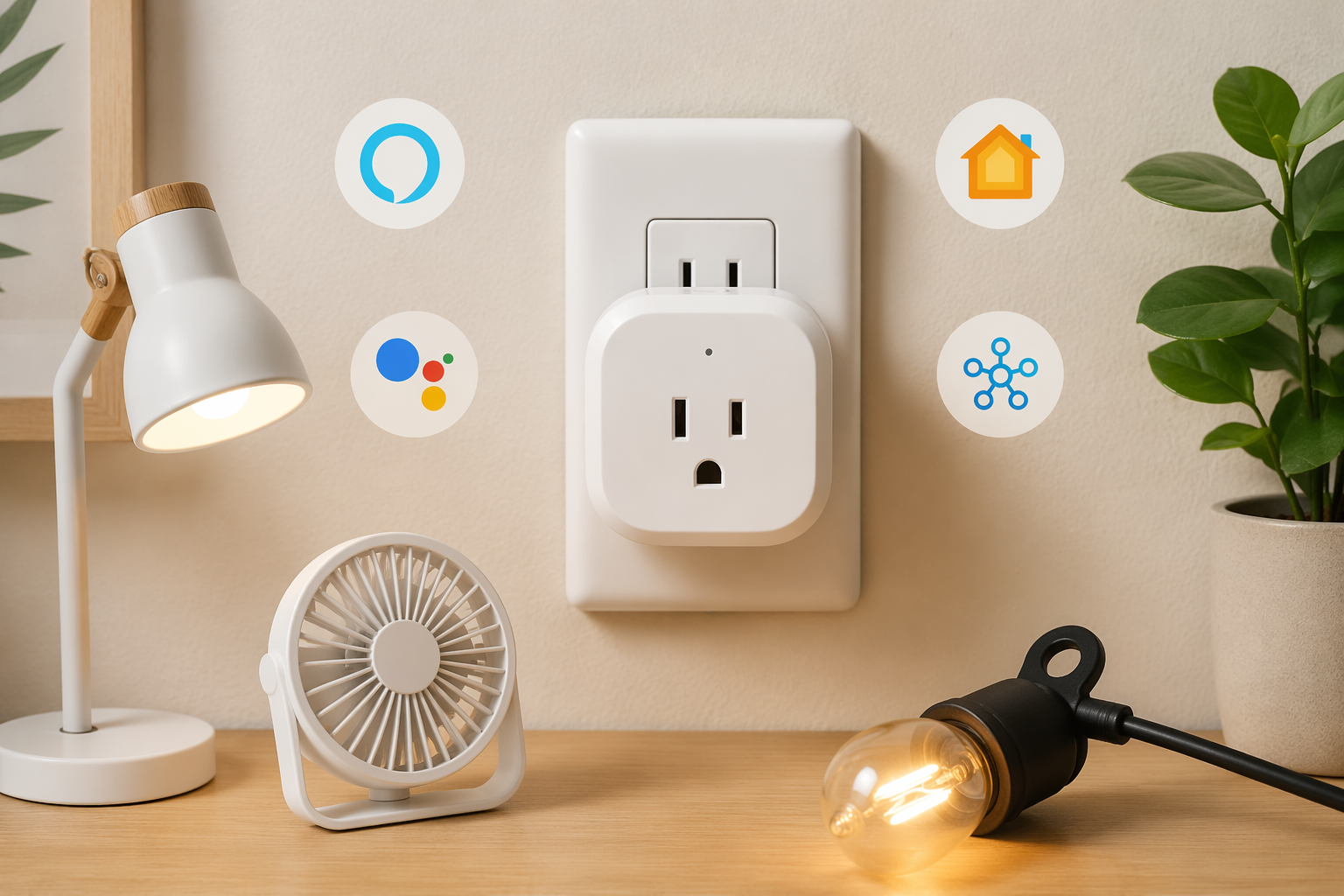
Most shoppers are choosing among inexpensive devices. In 2026 buying guides, basic Wi-Fi smart plugs commonly sit under about $10 each, multipacks often work out around $8–$15 per plug, and models that add energy monitoring, Matter, or broader ecosystem support tend to land closer to about $15–$25 per plug, with sale prices moving around often enough that exact deal rankings age quickly.[1][2][3][4]
| Start Here | What It Changes Before You Buy |
|---|---|
| Alexa-only home | A simple Alexa plug may be enough if you do not need Google, Apple Home, SmartThings, Matter, or energy data. |
| Mixed or changing ecosystem | Matter support becomes more valuable, but still check which features each app actually exposes. |
| Apple Home household | Look for HomeKit or Matter support, then verify whether energy data matters to you. |
| Tight outlet or furniture clearance | Check dimensions before brand preference; a bulky plug can make the second receptacle useless. |
| Outdoor or holiday lights | Use an outdoor-rated plug, not an indoor mini plug in a covered-but-damp location. |
| Fan, coffee maker, or appliance | Check amp and wattage limits, and avoid devices that are unsafe or useless after power cycling. |
Choose by Ecosystem First
The first filter is the app and voice assistant your household already uses. A plug that technically turns on and off is not automatically a good fit if it requires another app everyone ignores, cannot join the routines you already use, or strands you when you later switch platforms.
For an Alexa-only household, the Amazon Smart Plug is easy to understand: it costs about $25, pairs simply with Alexa, and does not offer energy monitoring.[3] That is not a bad trade if the job is a bedside lamp or a basic schedule and everyone in the home already speaks to Echo speakers. The irritation starts when that same plug is bought for a household that also uses Apple Home or Google Home, because the simplicity was purchased by narrowing the future.
If Alexa is your whole plan, a narrower shortlist is fine; our Alexa smart plug guide is a better next stop than a cross-platform comparison. Just be honest about “whole plan.” If one person in the house is already building Apple Home scenes or Google Home routines, Alexa-only compatibility is not a small footnote.
For mixed homes, look for plugs that support Alexa, Google Home, Apple Home/HomeKit, and SmartThings, or use Matter to bridge those ecosystems. TP-Link’s Kasa EP25 is called out in current buying coverage for broad compatibility across Alexa, Google, HomeKit, SmartThings, and Matter, which is exactly the kind of spec that matters when the household is not loyal to one assistant.[3]
Matter deserves attention in mid-2026, but not blind trust. Matter-certified or Matter-enabled smart plug options include TP-Link Tapo P110M/P125M, Leviton D215P, IKEA Grillplats, Linkind, and Shelly Gen4, and the practical benefit is that a plug bought for Alexa may have a better chance of surviving a later move to Apple Home or another platform.[5] That is real compatibility relief, especially for renters and households that replace speakers or phones more often than they replace every plug.
The caution is that “works with Matter” does not mean every feature works identically everywhere. As of the May 2026 Matter smart plug coverage, Apple Home energy data support remains partial, while Google Home watt-based routines are still labeled experimental in some regions.[5] For simple on/off control, Matter can be enough. For energy-triggered automation, the exact app behavior still matters.
Apple Home households should be especially careful here. A plug can be a good Apple Home purchase through native HomeKit support or through Matter, but those paths are not identical if you care about energy reporting. If you are choosing several plugs for an Apple-centered home, compare the Apple-specific trade-offs in a HomeKit smart plug comparison rather than assuming the Matter logo answers every question.
SmartThings users should make the same ecosystem-first cut. If the plug will sit inside SmartThings automations, confirm SmartThings compatibility before getting distracted by app screenshots. Matter may help, but the buying question is still whether the plug appears where your routines actually live.
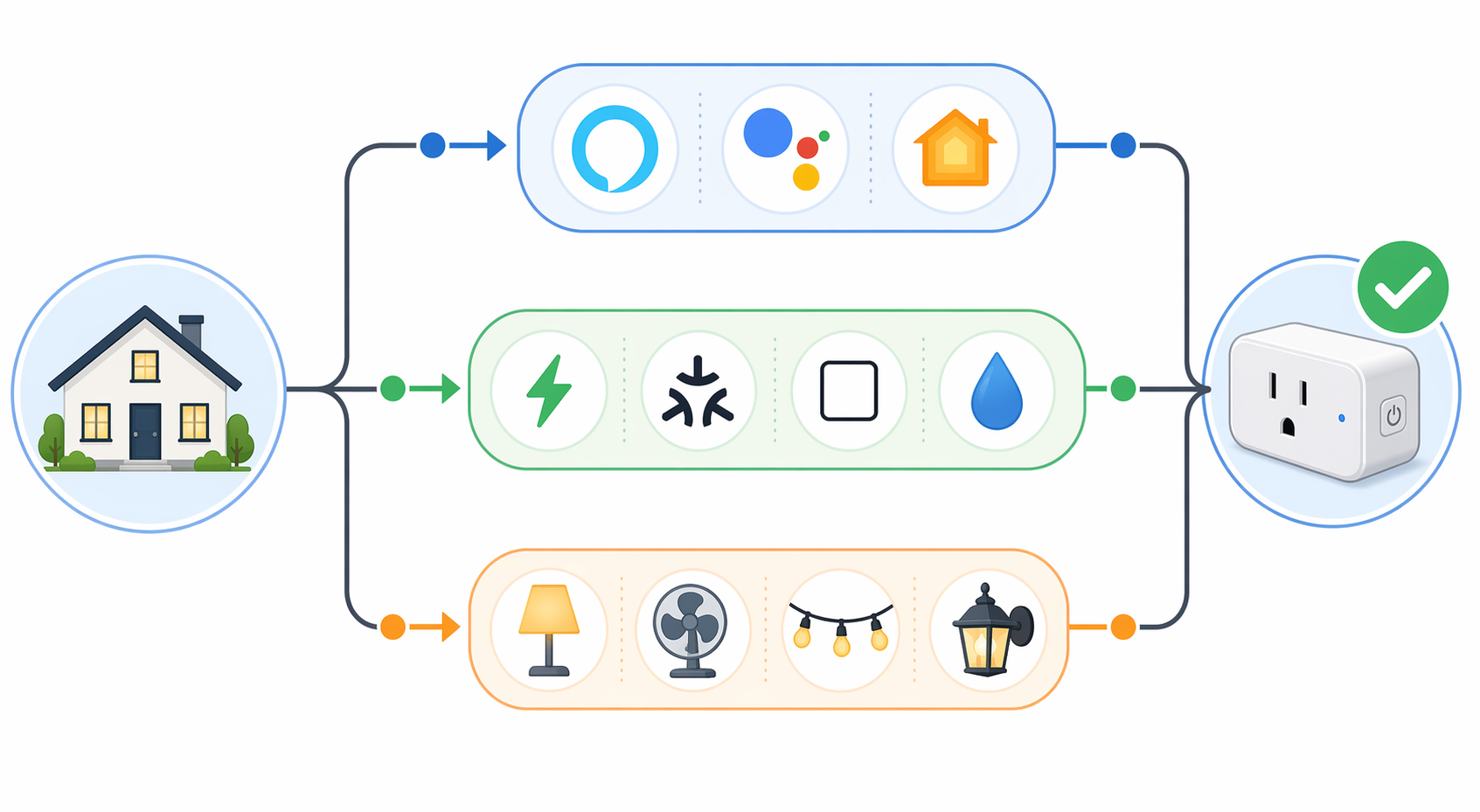
Then Decide Which Features Earn Their Keep
Energy monitoring is useful when it changes behavior. CNET’s smart plug testing found that energy monitoring can offset the plug’s cost within a year when people use it to identify vampire loads and schedule devices away from peak-hour pricing.[6] That is a narrower and more useful claim than “energy monitoring saves money.” The data has to lead to an action: unplug, schedule, replace, or stop worrying.
For a lamp that already uses a low-power bulb, energy monitoring may be mostly trivia. For a home office setup, entertainment console, dehumidifier, fan, or appliance that sits in standby, it can be worth paying for. The feature is also useful for learning whether a device is actually off or merely dark.
Compactness is less glamorous and often more decisive. TP-Link’s Kasa EP10 is listed at 2.36 × 1.5 × 1.21 inches, a size benchmark that matters when the plug has to fit behind furniture or leave the second outlet usable.[1][3] A cheaper plug that blocks the neighboring receptacle is not cheaper if you immediately need a power strip, a different plug, or a family negotiation over whose charger moves.
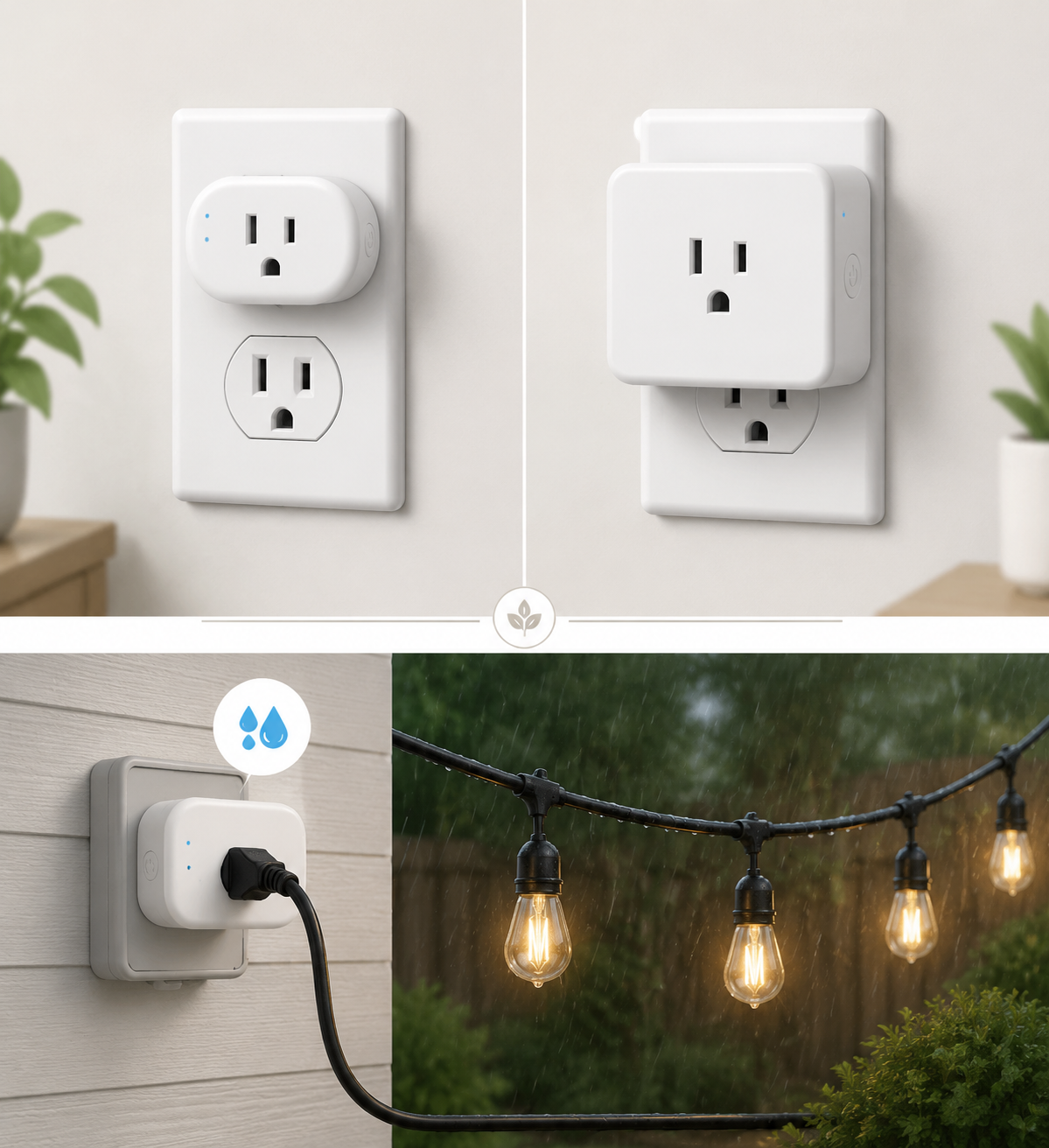
Outdoor rating is not optional for patios, porch decorations, landscape lights, or holiday strings. Use IP64 as a practical minimum, and prefer a model designed for outdoor exposure. TP-Link’s Tapo TP25/P400M is listed with an IP65 rating and an operating range from -4°F to 122°F, and Wirecutter reported testing it through a polar vortex.[1] For a deeper outdoor-only shortlist, use an outdoor smart plug guide rather than adapting an indoor plug to a wet job.
Matter is a feature to pay for when you expect ecosystem drift: a move from Alexa to Apple Home, roommates with different phones, or a house that already mixes assistants. If the plug will live forever on one Alexa lamp, Matter may not earn its cost. If you have replaced old Wemo-style gear before because platform support became awkward, Matter support is worth considering before the next batch purchase; the broader replacement context is covered in our Wemo smart plug replacement guide.
Match the Plug to the Job, Not the Other Way Around
Lamps and Simple Lights
For table lamps, floor lamps, accent lights, and basic schedules, the purchase can stay simple. Prioritize ecosystem fit, a compact body, and reliable scheduling. Energy monitoring is optional unless you are comparing bulbs or trying to understand standby draw elsewhere on the same circuit.
This is the one category where the cheapest compatible plug in a multipack often makes sense. If a lamp is the only use case and the home is Alexa-only, an Alexa-first plug can be perfectly reasonable. If the lamp sits in an Apple Home scene, or if the household may change platforms, a HomeKit or Matter-capable model is a safer buy.
Fans, Coffee Makers, and Small Appliances
Appliances need a stricter check. Many smart plugs are rated for 15A, while some compact models are rated for 10A, and that difference matters before anything is plugged in.[1][2][3][4] Check the appliance label, the plug’s amp and wattage rating, and the manufacturer’s exclusions. If the numbers or instructions do not clearly line up, pick a different control method.
Also check what happens after power returns. A fan with a physical switch may resume normally. A coffee maker that needs buttons pressed after power-on may not brew just because the plug turned on. A device that enters setup mode, blinks, or waits for manual programming after an outage is a poor smart plug candidate no matter how good the plug is.
Never use a smart plug for space heaters, high-wattage appliances, or devices the plug maker excludes. Current smart plug guidance consistently treats these as safety boundaries, not clever automation challenges.[7]
Outdoor and Holiday Lighting
Outdoor and holiday lighting is where many wrong purchases happen because the use case sounds harmless. String lights and inflatables may not feel like appliances, but the plug still has to handle weather, cord orientation, load, and scheduling. Buy an outdoor-rated plug with covered outlets and an IP rating suited to exposure, then check the total load for everything connected.
For seasonal use, app reliability matters less than whether the schedule is easy to set and easy to disable when the decorations come down. A two-outlet outdoor plug can be useful if you want porch lights and yard decorations on separate schedules, but only if the app exposes separate control for each outlet.
Home Office and Entertainment Standby Loads
Energy monitoring earns its place most clearly around devices that sit idle for long stretches: monitor speakers, chargers, game consoles, media boxes, printers, and desk accessories. The point is not to obsess over every watt. It is to identify the few items worth scheduling off overnight or during peak-rate windows.
Approximate standby draw figures from consumer measurements are not the same thing as a controlled lab standard, so avoid treating a smart plug’s readout as a billing-grade meter. It is good enough for household triage: which device is worth attention, which routine saves annoyance, and which always-on load is too small to care about.
A Practical Shortlist Method
Before comparing product pages, write the use case in one sentence: “I want to turn the living-room lamp on with Alexa,” “I want Apple Home to schedule a fan,” or “I want outdoor holiday lights to run from sunset to bedtime.” That sentence removes half the market.
- Pick the ecosystem: Alexa, Google Home, Apple Home, SmartThings, or Matter for future switching.
- Decide whether energy monitoring will change behavior; skip it for basic lamps if it will not.
- Measure the outlet space if the plug sits behind furniture or near another cord.
- Use an outdoor-rated model for any exposed or damp location.
- Check amp and wattage limits against the attached device before buying multiples.
- Confirm the device behaves correctly when power is cut and restored.
After that, brand comparison becomes more useful. Amazon, TP-Link/Kasa/Tapo, Eve, Meross, Leviton, IKEA, Linkind, and Shelly all make sense in different lanes, but the lane comes first. A plug chosen for ecosystem fit and the actual load has a much better chance of disappearing into the routine instead of becoming another device someone has to explain.
Once the plug is chosen, then recipes are worth reading. Automation ideas such as sunrise lighting, vacation schedules, and voice-controlled routines are easier to evaluate after compatibility is settled; for Alexa households, start with Alexa smart plug automation recipes rather than using recipes to choose the hardware backward.
When a Wi-Fi Smart Plug Is the Wrong Tool
A Wi-Fi smart plug is best for plug-in devices that can be safely power-cycled. It is not a workaround for hardwired fixtures, overloaded circuits, heaters, or appliances whose controls are not meant to be interrupted. It also may not be the cleanest answer when you need a permanent installation, a flush look, or control from the wall without an adapter sticking out.
In those cases, a smart outlet may be a better fit. CNET’s plug-versus-outlet guidance frames the difference around portability and ease for plugs versus a cleaner, more permanent installation for smart outlets.[8] Renters and seasonal users usually benefit from the plug. Owners replacing a visible outlet in a long-term location may prefer the outlet.
Wi-Fi is also not the only smart-home path. Zigbee, Z-Wave, and Thread can make more sense when a home needs stronger whole-home reliability, more local control, or less dependence on cloud services. That is a different purchase category, not a reason to overcomplicate a single lamp timer.
References
- The 5 Best Smart Plugs of 2026, Wirecutter
- The Best Smart Plugs and Power Strips for 2026, PCMag
- Best Smart Plugs for 2026: Effortless Appliance Upgrades, CNET
- The Best Smart Plugs in 2026, Engadget
- Matter Smart Plugs Now More Affordable, The Gadgeteer, May 2026
- Your Smart Plug Can Pay for Itself, if You Use It Correctly, CNET
- Smart Plug Guide (2026): When You Should and Shouldn't Use One, WIRED
- Smart Plugs vs. Smart Outlets: Which One Belongs in Your Home?, CNET
Known issues with this device / protocol
Spec-version history
For active regressions on this protocol, see Update Watch.
No linked Update Watch entries yet.