
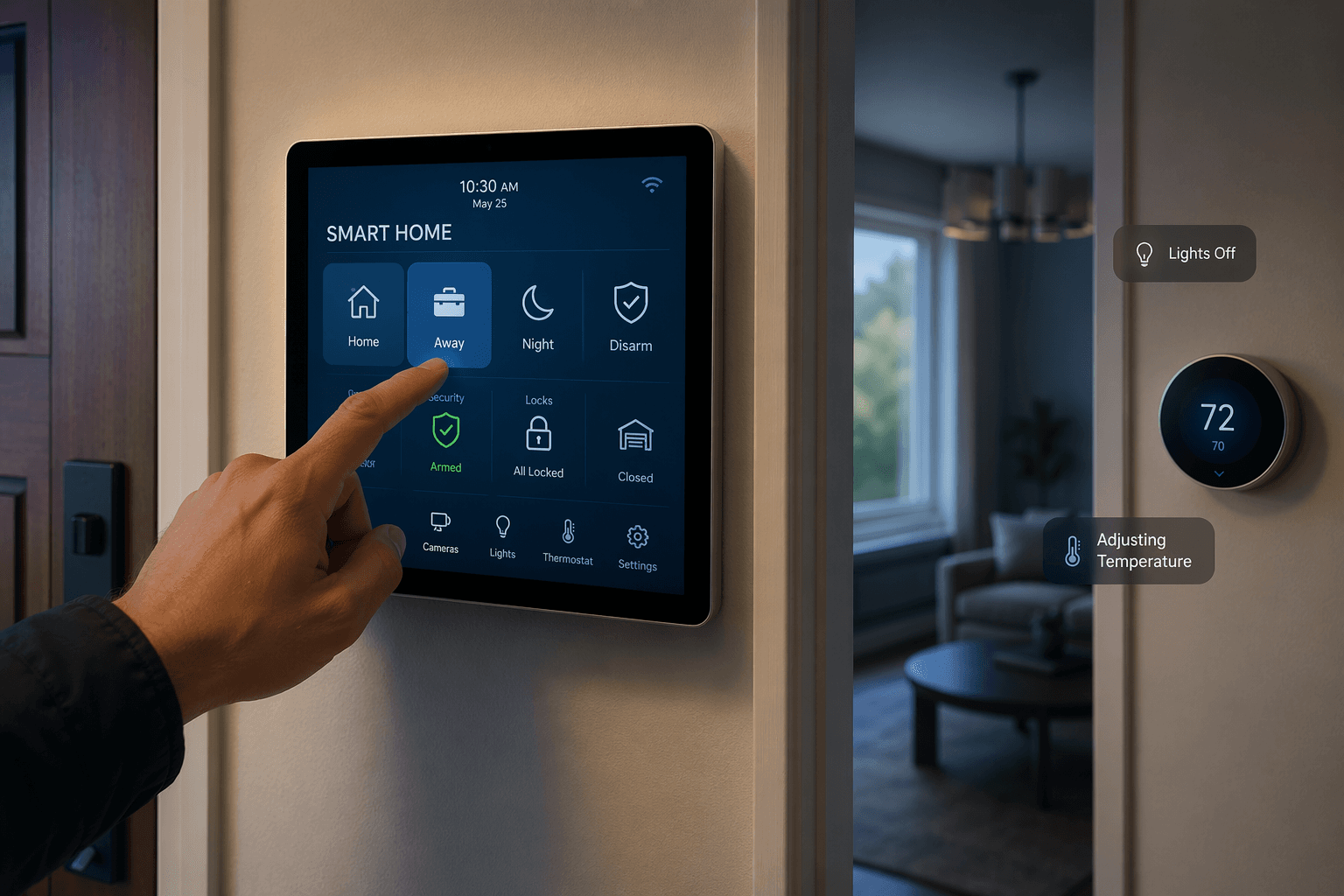
The useful version of a smart security system is not the siren. It is the moment you tap Away at the door and several small household leaks close at once: the alarm arms, the thermostat relaxes, the living room lights go dark, and the plug behind the media cabinet stops feeding devices nobody is using.
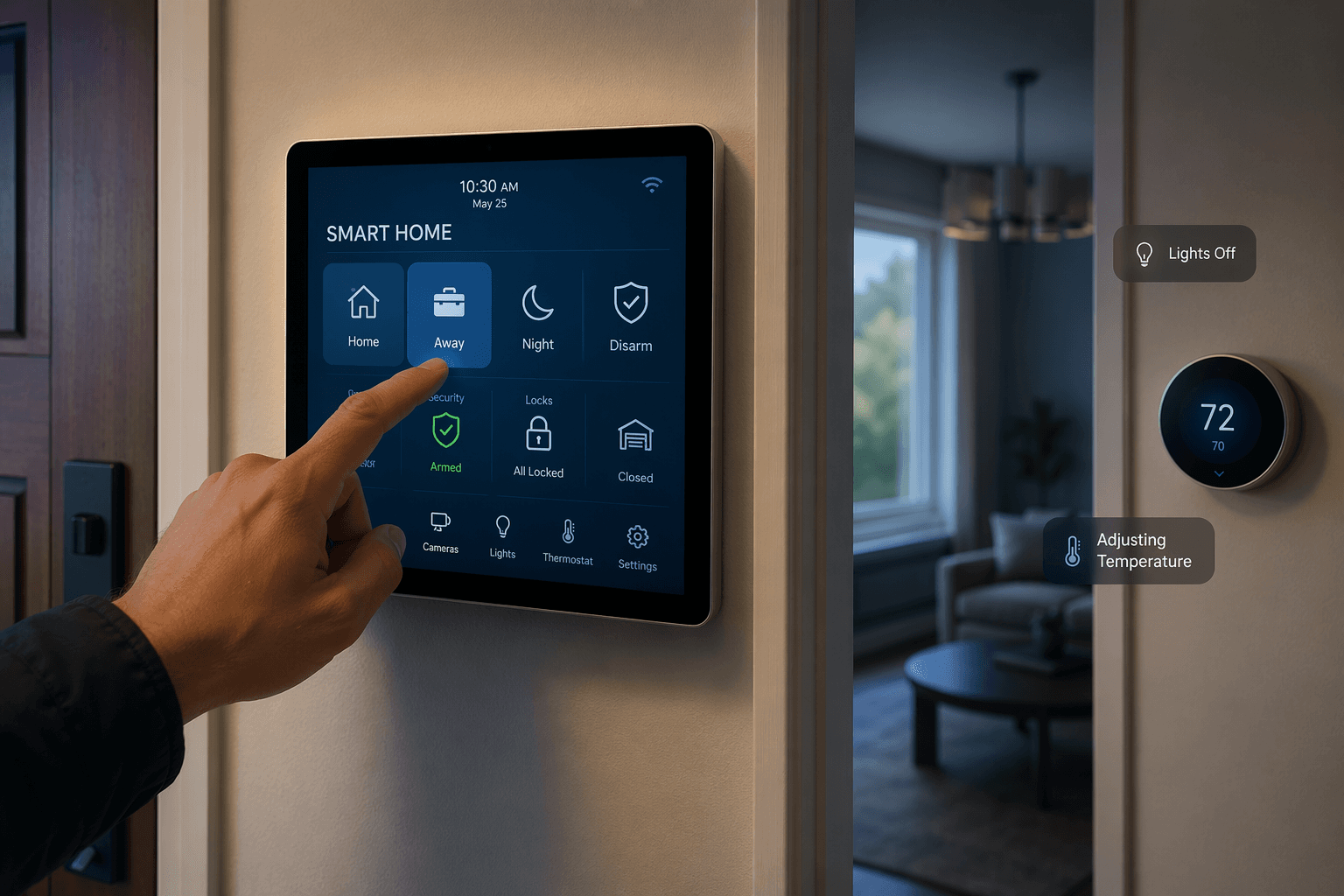
That is the real energy argument for smart home security systems. They can lower utility waste when the security layer becomes the house’s occupancy layer. Door sensors, motion sensors, alarm modes, and app geofencing already know something important: whether the household is leaving, sleeping, returning, or moving around. Thermostats, lights, and smart plugs are the endpoints that can act on that information.
ENERGY STAR’s Smart Home Energy Management Systems framing points in the same direction. Its SHEMS program treats a certified smart thermostat, smart lighting, and plug-load controls as a bundle, and it notes that smart home devices can work together to manage energy use; security sensors can serve as occupancy inputs in that larger setup.[1] The important footnote is that SHEMS certification applies to the full system, not to a single alarm panel or to a security brand because it happens to integrate with a certified thermostat.[1]
How the Security System Becomes an Energy Control Layer
A security system has better timing than most energy routines because it is tied to household intent. A thermostat schedule guesses that people leave at a certain hour. An alarm set to Armed Away is a clearer signal: someone has deliberately told the house it should behave as empty.
The mechanics are simple enough:
- Security state supplies the trigger: Armed Away, Stay, Night, Disarmed, or a detected return.
- Thermostats, lights, switches, and plugs supply the energy endpoints.
- Automation rules connect the two, either inside the security app or through a platform such as Google Home, Alexa, HomeKit, IFTTT, Z-Wave, or Zigbee.
- Monitoring plans and app tiers decide whether the useful automation is included, limited, or locked behind a more expensive subscription.
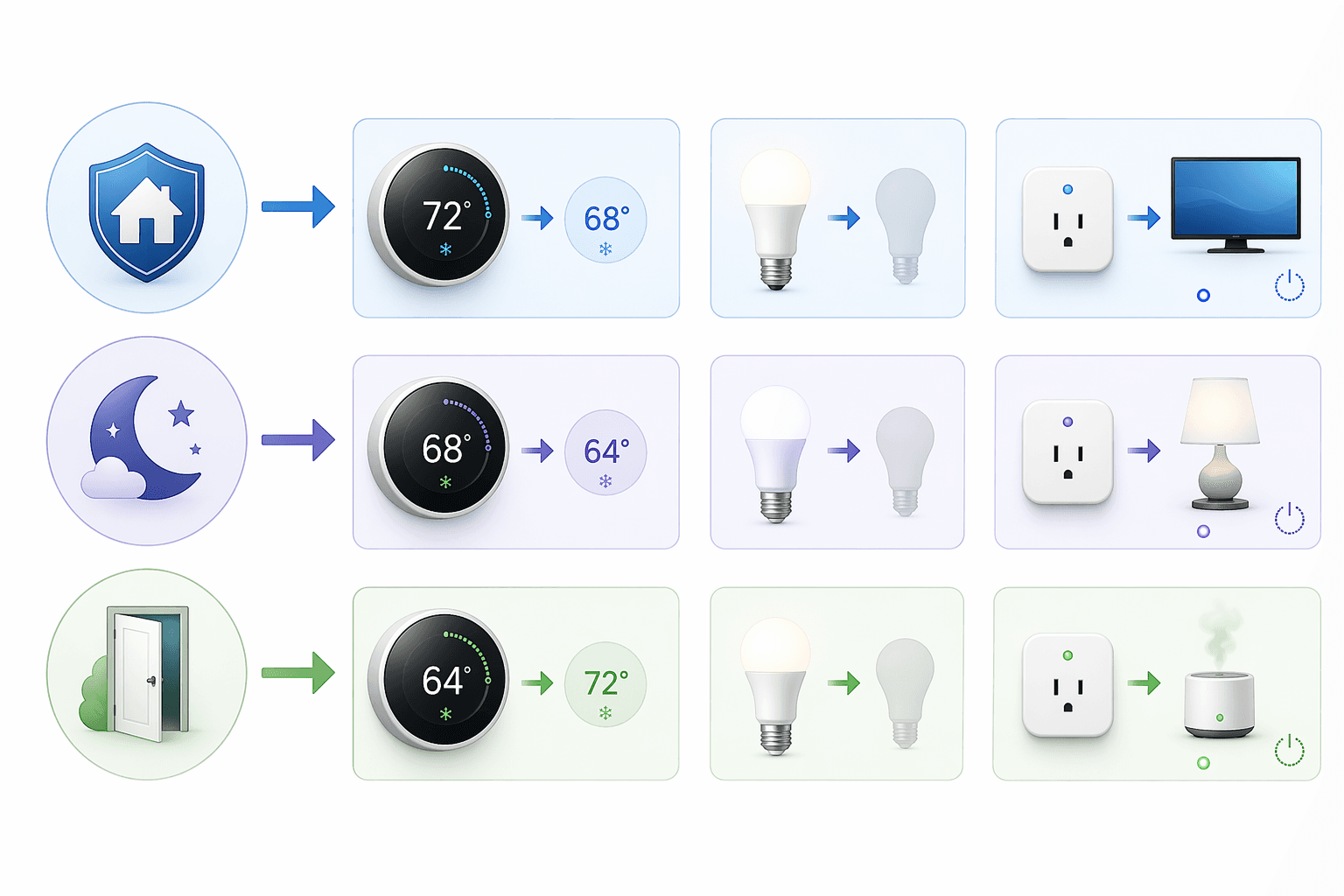
The best routines are boring in the right way. Leaving home can raise or lower the thermostat setpoint depending on season, shut off selected lights, and cut power to nonessential plugs. Sleep mode can lock doors, arm perimeter sensors, lower hallway lights, and adjust the bedroom temperature. Return can disarm the alarm, restore comfort settings, and turn on only the entry lights that make sense.
None of that proves a universal savings percentage. ENERGY STAR says certified smart thermostats save energy based on extensive field data, but the materials here do not support a single percentage that applies to every house, climate, rate plan, or comfort preference.[1] A household that already runs tight thermostat schedules and rarely leaves lights on has less slack to remove. A household with irregular schedules, forgotten basement lights, and always-on entertainment plugs has more.
If thermostat choice is still open, it is worth matching the thermostat to the ecosystem before buying the alarm system. A Nest-heavy household, an Alexa household, and a HomeKit household will not get the same automation path from the same security provider. For that decision, a practical next stop is a smart thermostat comparison by ecosystem rather than a thermostat spec sheet in isolation.
The Provider Comparison That Actually Matters
For energy savings, the question is not simply whether a provider sells contact sensors and a camera. It is whether the system can make security state changes useful to thermostats, lights, and plugs without turning the homeowner into a full-time troubleshooter or surprising them with a higher monthly tier.
| Provider | Energy Automation Path | Best Fit | Main Constraint |
|---|---|---|---|
| ADT with Google Nest | ADT+ app integration with Google Nest devices, including occupancy-aware thermostat control | Households that want native Google/Nest simplicity with professional security options | Value depends on the exact ADT plan, Nest device support, and app-tier details |
| Vivint | Z-Wave thermostats, lights, locks, and multi-action routines tied to arming and disarming | Households that want a professionally installed system with deeper built-in smart-home routines | More closed and provider-managed than a DIY integration stack |
| abode | HomeKit, IFTTT, Z-Wave, Zigbee, and broad third-party integrations | Households that want flexible, repairable automation without being trapped in one ecosystem | More configuration decisions fall on the homeowner |
| Ring Alarm | Alexa Routines can react to alarm state changes and control compatible thermostats, lights, and plugs | Alexa households that already use Echo devices and Alexa-compatible endpoints | Energy routines are bounded by Alexa ecosystem support and subscription details |
| SimpliSafe | More limited automation compared with the stronger smart-home platforms in this group | Households prioritizing a straightforward alarm over energy-management depth | Weaker fit when the goal is security plus coordinated energy control |
ADT and Google Nest: The Polished Native Route
ADT’s Google Nest partnership is the cleanest example of a security provider treating energy control as part of the household command layer. SafeHome.org’s 2026 industry report describes ADT+ app support for Google Nest devices and occupancy-aware thermostat control.[2] For a buyer who wants one app to handle arming and comfort changes without building a separate automation bridge, that matters.
The appeal is practical: arm the system, let the thermostat move to a less expensive setting, and avoid teaching every person in the house a separate thermostat ritual. The caution is equally practical. A Nest thermostat inside an ADT setup does not make the whole security system ENERGY STAR SHEMS-certified, and it does not guarantee every energy routine is available on every plan. The buyer has to verify the exact ADT package, Nest model, and app features before treating energy savings as part of the purchase justification.
Vivint: Strong Native Routines, Less of a Tinkerer's Exit Door
Vivint deserves attention because it supports Z-Wave thermostats, lights, and locks, and SafeHome.org describes multi-action routines triggered by arming and disarming.[2] That is the right shape for energy control: the alarm mode is not just a security status, it becomes the trigger for a batch of household changes.
For a busy home, the advantage is that these routines can feel native instead of stitched together. A professionally installed Vivint system can put locks, alarm states, thermostat changes, and lighting scenes under one operational roof. The trade-off is that the roof belongs to Vivint. That may be fine for a household that wants a supported system, but less appealing for someone who wants to swap platforms later or keep automations portable.
abode: The Flexible Choice If You Will Actually Use the Flexibility
abode is the most interesting option for a homeowner who sees the security system as infrastructure rather than a finished appliance. Security.org’s 2026 smart-home security comparison highlights abode’s broad third-party support, including HomeKit, IFTTT, Z-Wave, and Zigbee, and notes that custom energy automation does not require a premium subscription tier.[3]
That combination is unusually useful. HomeKit can matter for privacy-minded Apple households. Z-Wave and Zigbee matter when switches, plugs, and sensors come from different manufacturers. IFTTT can matter when a device lives just outside the main platform’s comfort zone. If the thermostat, lighting, and plug-load plan is already mixed, abode gives the homeowner more ways to make the security state talk to the rest of the house.
The catch is not hidden: flexibility moves some design work back to the buyer. The person setting up the system has to decide which platform owns the automation, what happens when internet service drops, and whether a routine should live in abode, HomeKit, IFTTT, or another hub. For households willing to make those decisions, this is often better than a glossy closed app. For households that want one supported path, it can feel like homework.
Ring: Useful If Alexa Is Already the House Language
Ring Alarm can support energy-adjacent routines through Alexa. SafeHome.org describes Alexa Routines that can use alarm state changes to trigger compatible smart-home actions, including thermostat adjustments within the Alexa ecosystem.[2] For a home already full of Echo speakers, Alexa plugs, and Alexa-compatible lighting, that can be enough to build a credible Leaving Home routine.
The boundary is the ecosystem. Ring is strongest when Alexa is already trusted to coordinate the house. If the thermostat lives in another platform, the best lighting controls are in HomeKit, or the household wants local hub-style automation, Ring’s energy role becomes narrower. That does not make it bad; it makes it a better fit for Alexa-first homes than for mixed-platform homes.
SimpliSafe: Easy Alarm, Weaker Energy Layer
SimpliSafe remains easy to understand as a security purchase, but this article is asking a narrower question: which system can plausibly become an energy management layer? On that measure, the research materials support treating SimpliSafe as more limited than ADT/Nest, Vivint, abode, or Ring for coordinated thermostat, lighting, and plug routines.
That distinction matters when two systems look similar on a starter-kit page. A simple alarm may be the right choice if the household only wants intrusion protection. If the system also has to help justify itself through energy automation, limited integration is not a minor feature gap; it changes the business case.
For a broader platform-level decision, compare the security system against the rest of the house, not just against other alarm kits. A smart home security ecosystem guide and a smart home platforms comparison are more useful here than a camera-resolution shootout.
What to Automate First
Start with routines that match states the household already uses. A security system that depends on people remembering a special energy scene will eventually be ignored. A security system that attaches energy actions to arming, disarming, and bedtime has a better chance because those actions already happen.
| Security State | Energy Actions Worth Considering | What to Check Before Relying on It |
|---|---|---|
| Armed Away | Adjust thermostat, turn off common-area lights, shut down selected smart plugs | Whether the alarm app can trigger thermostat and plug actions directly or through a supported platform |
| Night or Stay | Lower or dim unused-zone lighting, change bedroom temperature, turn off entertainment plugs | Whether motion sensors will conflict with occupied rooms or pets |
| Disarmed or Return | Restore comfort setting, turn on entry lighting, leave high-load plugs off until needed | Whether routines run for every disarm event or only selected users and modes |
Thermostat control usually carries the biggest comfort consequence, so it deserves the most testing. A mild setback while the house is empty can be useful; an aggressive setback that makes the system run hard at return may annoy everyone and get disabled. The right setting depends on climate, HVAC type, insulation, utility rates, and tolerance for waiting.
Lighting automation is easier to accept because the consequence is visible and reversible. If the house is armed away, most lights should be off. If the house returns after dark, entry and path lights can come on without turning the whole downstairs into a stage. For the cost side of lighting choices, the useful companion question is the ROI of smart lighting, LED bulbs, and smart switches.
Plug-load control is where the household systems person earns their keep. Smart plugs should not be attached to anything that must stay on for safety, refrigeration, medical needs, networking stability, or leak detection. They are better suited to convenience loads: decorative lighting, chargers, speakers, desk equipment, or entertainment devices that do not need standby power all day.
Once the first few routines work, document them in plain language. “Armed Away turns off living room lamps and sets the thermostat to Away” is better than a maze of unlabeled scenes. If setup is the sticking point, use a general home automation setup guide before adding more devices.
The Subscription Math Can Change the Answer
Energy automation can help justify a security purchase, but it should not be used to blur the cost of ownership. SafeWise reported an average monthly monitoring cost of $32.26 and average starter equipment cost of $326.30 in December 2025; prices and promotions change frequently, so treat those as price context verified against the available research as of June 25, 2026, not as a guaranteed quote.[4]
The subscription question is not only “How much is monitoring?” It is also “Which tier unlocks the automation I am counting on?” A provider may technically support smart-home control while reserving the most useful routines, professional monitoring, video features, or advanced integrations for a higher plan. If energy savings are part of the pitch to the other person in the house, the monthly tier belongs in that conversation from the beginning.
- Ask whether thermostat automations work without professional monitoring.
- Confirm whether arming and disarming can trigger multi-device routines.
- Check whether lighting and plug controls require a specific hub or voice assistant.
- Verify whether household members can edit routines without the installer or provider.
- Look for trial limits, promotional pricing, and renewal pricing before calculating payback.
This is also where DIY and professional installation split in a practical way. SafeHome.org’s 2026 survey of 2,435 people, with a ±2% margin of error, found that 49% of users self-install while 42% use professional installation.[2] DIY can make it easier to adjust routines over time. Professional installation can make a multi-device system less painful at the beginning. Neither path guarantees good energy automation; the deciding factor is whether the person living with the system can understand and maintain the routines after installation day.
For the broader ownership-cost problem, especially where monitoring plans and DIY choices intersect, it is worth reading about the hidden protection gap in smart home security systems. Energy routines do not replace good protection design; they only make the same equipment do more useful work.
Why Security Companies Are Moving Into Energy Control
The market context explains why these features are showing up in security apps instead of staying isolated in thermostat apps. Fortune Business Insights valued the global smart home security market at $33.2 billion in 2025 and projected a 15.1% compound annual growth rate to $117.37 billion by 2034.[5] SafeHome.org also reported that 61% of U.S. households now have security cameras, which means many homes already have at least one piece of the security-smart-home stack installed.[2]
Those numbers do not prove energy savings. They explain why providers are competing to become the app people open when they leave, sleep, and return. Once a company owns those moments, thermostat and lighting control become natural extensions. For more on the purchase shifts behind that convergence, see Smart Home Security in 2026.
Market estimates also vary by methodology. The research brief notes that Mordor Intelligence estimated the 2026 market at $41.95 billion, while Fortune’s trajectory implies a different 2026 figure, so the responsible use of these numbers is directional: security providers have strong incentives to fold more smart-home automation into their platforms. The homeowner still has to evaluate the exact devices and subscription terms on the quote.
A Sensible Buying Test
Before buying, build the routine on paper. If the salesperson or app documentation cannot confirm each link in the chain, the energy-saving promise is still only a possibility.
- Choose the security state: Armed Away, Night, Stay, Disarmed, or Return.
- Name the thermostat action and the exact thermostat model it depends on.
- List which lights and plugs change, and which ones must never be automated off.
- Identify the platform that runs the rule: security app, Google Home, Alexa, HomeKit, IFTTT, Z-Wave, Zigbee, or another hub.
- Write down the subscription tier required for that rule to keep working.
If the answer is ADT with Nest, the value is native Google integration. If it is Vivint, the value is professionally supported multi-action routines. If it is abode, the value is broad integration and more user control. If it is Ring, the value is Alexa-based convenience. If it is SimpliSafe, buy it for simple security rather than expecting it to carry the energy-management plan.
Smart home security systems can lower energy bills when they turn reliable occupancy signals into thermostat, lighting, and plug-load actions. The savings are not automatic, and they are not proven by a logo on one compatible device. Choose the system for the routines it can actually run, the ecosystem it can actually speak, and the subscription tier you are willing to keep paying.
References
- Smart Home Tips, ENERGY STAR
- Home Security Industry Annual Report, SafeHome.org, 2026
- Best Smart Home Security Systems, Security.org, 2026
- Home Security System Costs, SafeWise, December 2025
- Smart Home Security Market Size, Share & Industry Analysis, Fortune Business Insights
Data Updates
Know about updated rebate programs, changed subscription prices, or new ENERGY STAR certifications? Submit a note below to help keep this content current. For formal data corrections, use the contact page.
Comments
Join the discussion with an anonymous comment.