
Smart Home Automation: What First-Time Buyers Need to Know
A practical overview of the smart home automation landscape in 2026, covering platforms, protocols, costs, and realistic energy savings to help first-time buyers choose a system that fits their needs and avoid dead-end ecosystems.
Last updated
Smart home automation sounds simple until the first shopping cart starts filling up: a few bulbs, a thermostat, a door lock, maybe a camera, then four platform logos and three protocol labels competing for attention. The useful move in 2026 is to slow down before buying the devices. Choose the platform you want to live with first, then check whether each device category works properly inside that platform.
This is not a niche hobby anymore. Estimates put the global smart home market around $164 billion to $180 billion in 2026, depending on what each firm counts inside the category, and U.S. adoption is already large enough that the average household with smart devices is no longer assumed to be a tinkerer’s lab.[1][2] That scale is good news for availability. It does not, by itself, solve compatibility.
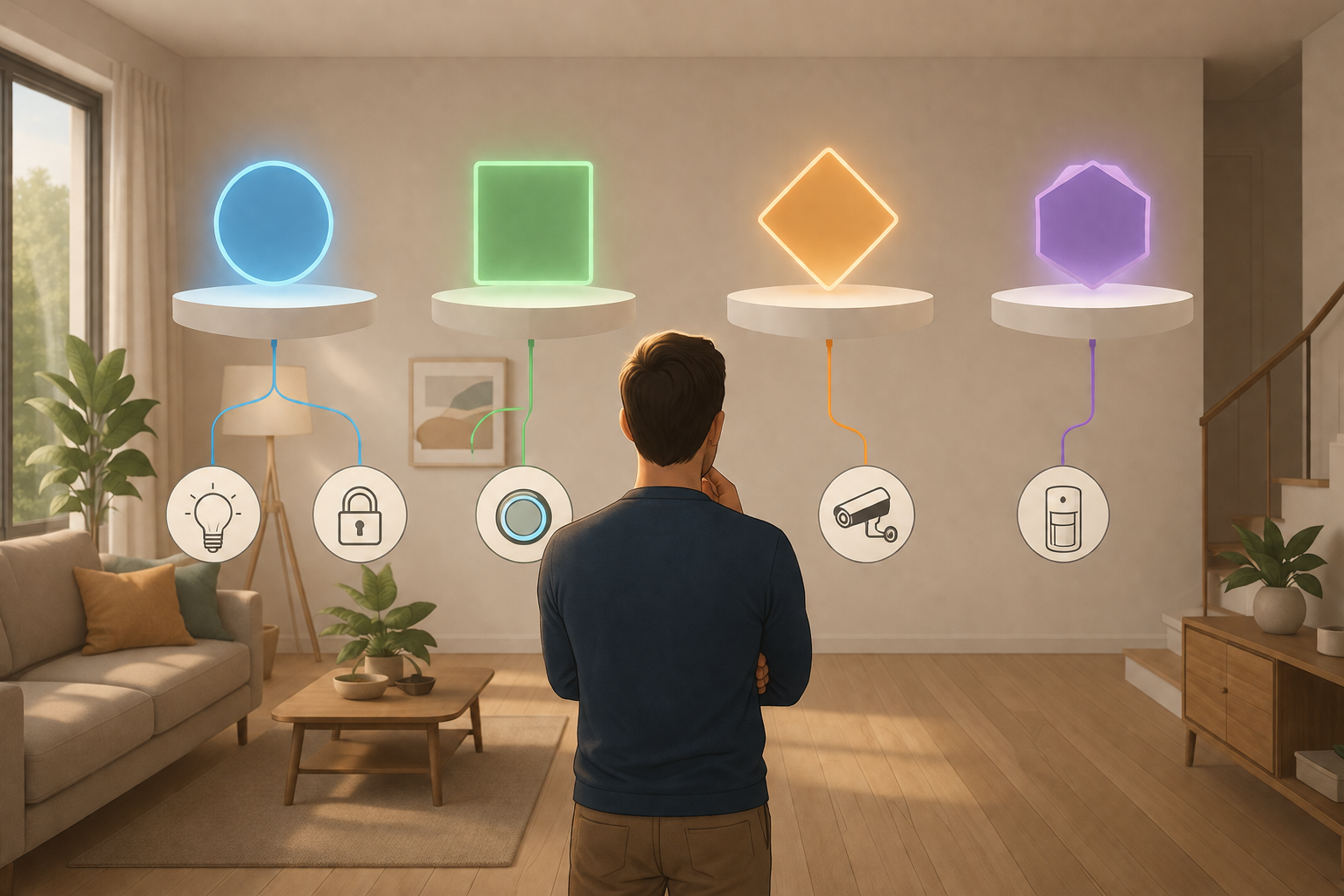
Start with the control layer, not the device aisle
The control layer is the app, hub, voice assistant, automation engine, and account system that everything else has to answer to. For a first-time buyer, that usually means choosing among Home Assistant, Amazon Alexa, Apple HomeKit, and Google Home. There are other systems, especially in professionally installed homes, but these four explain most of the decisions a typical homeowner faces before buying bulbs, sensors, thermostats, and cameras.
A platform choice changes what “works” means. A light can turn on in one app, expose dimming in another, lose adaptive lighting in a third, and require a separate manufacturer app for firmware updates. A lock can be visible in a dashboard but unavailable in an automation routine. A camera can stream on a phone but not trigger the automation you expected. The label on the box is only the start of the compatibility check.
| Platform | Best fit | Main tradeoff to check first |
|---|---|---|
| Home Assistant | Buyers who value local control, flexibility, repairability, and broad integrations | Requires more setup judgment than the simplest voice-assistant systems |
| Amazon Alexa | Households that already use Echo devices and want broad device compatibility | Cloud dependence and account/platform lock-in matter more |
| Apple HomeKit | Apple households that prioritize privacy and tight iPhone integration | Device selection is narrower than Alexa or Google in some categories |
| Google Home | Android and Nest households that want Google services and voice control | Matter feature support and automation depth vary by device category |
Home Assistant is the most forgiving long-term choice if you are willing to do a little planning. ZDNET describes it as supporting more than 1,000 integrations, and the Home Assistant Green hub is listed at $159.[3] The important part is not the raw integration count. It is the architecture: local control lets many automations keep working without a round trip through a vendor cloud. For devices that run lights, locks, sensors, and climate routines, that is not a philosophical detail; it is the difference between a home that still behaves during an outage and one that waits for an API.
Alexa is often the least painful first step for a household that already owns Echo speakers. It has broad support across Matter, Zigbee, Thread, and Wi-Fi devices, and Amazon’s smart speaker share gives accessory makers a strong reason to support it.[3][4] That breadth is useful. The cost is that many automations and controls depend on Amazon’s cloud and product direction. If convenience is the goal and privacy architecture is not the main concern, Alexa can be a sane starting point.
HomeKit has a different appeal. Its privacy posture is stronger than most consumer platforms, with end-to-end encryption by design, and it fits naturally for households already using iPhones, Apple TVs, HomePods, and iPads.[3] The tradeoff is selection. Before choosing HomeKit as the control layer, check the exact device categories you care about: cameras, locks, energy monitors, thermostats, garage doors, and security sensors do not all have the same depth of options.
Google Home is most attractive when the household already runs on Android, Nest hardware, Google Assistant, or Google services. Google has also been pushing Gemini-connected smart home features, though the rollout has depended on device generation and region.[5][6] The caution is practical: Google’s Matter support has been improving, but feature support can lag in specific categories, so a buyer should verify the exact class of device rather than assuming the Matter logo settles the question.[4]
If you want a broader map of ecosystem tiers and lock-in patterns before committing, the platform decision pairs well with a deeper look at home automation companies. The main thing is to make that choice before buying devices one at a time and hoping the system coheres later.
Matter helps, but it is not a magic compatibility receipt
Matter is the right direction for smart home automation. It reduces the old problem where a device worked with one platform and ignored the others. By mid-2026, Matter 1.6 had expanded coverage across categories such as lights, locks, sensors, cameras, energy management, and appliances, with more than 750 certified products reported in the ecosystem.[4] For a new buyer, that makes Matter worth favoring when the device category is mature.
The mistake is treating “Matter-certified” as the same thing as “every feature works everywhere.” Platform support still varies by category and version. The Matter standard may define a capability before your chosen platform exposes it well in automations, dashboards, or voice controls. A switch, camera, appliance, or energy device can be compliant and still feel incomplete in a specific app.
That is why the buying order matters. First choose the platform. Then check whether that platform supports the Matter device category and features you plan to use. Only after that does the individual product comparison become useful.
- For lights and smart plugs, Matter is usually a reasonable default when price and product quality are comparable.
- For locks, check whether PINs, guest access, auto-lock behavior, and battery reporting work in your chosen platform.
- For cameras, verify streaming, recording, notifications, and automation triggers; camera support is not interchangeable across platforms.
- For energy devices and appliances, be extra careful because the standards are expanding faster than platform interfaces mature.
A useful first-home setup might include Matter-over-Thread bulbs in common rooms, a compatible smart lock, a thermostat known to work well in the chosen ecosystem, and a few sensors where battery life and reliability matter more than novelty. If you want examples that stay close to starter-stack decisions rather than fantasy automations, see 8 Home Automation Ideas for Your 2026 Starter Stack.

Thread, Zigbee, Wi-Fi, and why sensors deserve special treatment
Protocols are the way devices communicate. The platform decides the user experience; the protocol decides a lot of the reliability, range, power use, and hub requirements underneath it. New buyers do not need to become radio engineers, but they do need to know enough to avoid buying a house full of devices that depend on the wrong assumptions.
Thread is the cleanest new path for many low-power devices
Thread is a low-power mesh protocol built for smart home devices. It is especially relevant because Matter can run over Thread for devices that do not need Wi-Fi bandwidth. Thread 1.4 addressed the parallel mesh problem, where different border routers could create separate Thread networks instead of one more coherent mesh.[4] That matters in ordinary homes because buyers may have an Apple TV, a Nest device, an Echo, or another border router all trying to help.
For bulbs, plugs, locks, and some sensors, Thread can be a good direction when your platform supports the device category well. It avoids piling every small device onto Wi-Fi and gives battery-powered products a protocol designed for lower power use.
Zigbee is not obsolete just because Matter is newer
Zigbee remains useful, especially for sensors. A protocol comparison notes that Zigbee sensors can offer 30% to 50% longer battery life than Thread in some cases, with the Aqara FP300 cited at roughly three years on Zigbee versus roughly two years on Thread under manufacturer-controlled figures.[7] Those are not guaranteed real-world runtimes, but they are enough to keep Zigbee in the conversation for motion, contact, leak, temperature, and presence sensors.
The practical compromise is simple: use Matter and Thread where they are mature and supported by your platform, but do not throw out Zigbee if sensors are central to the home. A reliable leak sensor under a water heater does not need to be fashionable. It needs to wake up, report, and preserve its battery.
Wi-Fi is convenient until every small device wants attention
Wi-Fi devices are easy to understand because they connect to the router you already own. That works well for cameras, video doorbells, speakers, and other higher-bandwidth devices. It is less elegant for a large number of tiny battery-powered sensors. A starter system can absolutely include Wi-Fi devices; the goal is not purity. The goal is to avoid making the router responsible for every bulb, plug, switch, and sensor when better low-power options exist.
What a first smart home budget really buys
A realistic starter budget for smart home automation sits around $200 to $1,600, while whole-home systems can run from $2,000 to more than $10,000.[3] That range is wide because “smart home” can mean three plugs and a thermostat, or it can mean lighting, locks, security, climate, cameras, blinds, leak detection, and energy monitoring across the entire house.
The hub cost alone does not tell the story. Home Assistant Green is listed at $159, a HomePod mini at $99, and Alexa or Google can start at $0 if you are using an existing phone, tablet, speaker, or display.[3] But the first real budget should include the devices that make the platform useful: a thermostat if HVAC control matters, sensors if automation should respond to occupancy, smart switches if you want wall controls to remain intuitive, and cameras only after you have checked ecosystem support.
| Starter path | Likely contents | Budget meaning |
|---|---|---|
| Minimal | Existing phone or speaker, a few plugs or bulbs | Useful for testing the platform, but not yet a home automation system |
| Practical starter | Hub or speaker, thermostat, several lights or switches, a few sensors | Enough to learn whether the platform fits daily routines |
| Expanded starter | Lighting zones, lock, thermostat, sensors, plugs, selected camera or doorbell | Approaches whole-home planning and needs compatibility checks before each category |
The cheapest bad purchase is still expensive if it strands you in the wrong ecosystem. Before adding a camera, for example, the better question is not only image quality; it is whether the camera fits the platform’s privacy model, storage approach, notifications, displays, and automations. That is why a security-camera purchase should start with ecosystem support, not megapixels. A category-specific example is covered in How to Choose a Smart Security Camera.
Energy savings are real, but the honest number is smaller
Energy savings are one of the easiest areas for smart home marketing to overstate. A single gadget promising dramatic reductions should be treated carefully unless it says what was measured, over what time window, and compared with what baseline.
The strongest starter claim belongs to smart thermostats. ENERGY STAR says certified smart thermostats save about 8% on heating and cooling bills, or roughly $50 per year nationally.[8] That is useful, but it is not a miracle return. Actual savings vary by climate, HVAC equipment, insulation, utility rates, schedule, and how aggressively occupants already manage temperature settings.
Larger numbers can be legitimate when the system is broader. Research on data-driven smart home automation reports that coordinated whole-home systems combining controls such as thermostat automation, occupancy sensing, smart lighting, and plug-load management can reduce total consumption by 15% to 30% and peak demand by up to 20% under broader conditions.[9] That is not the same claim as “buy one device and save 30%.” It depends on coordination, behavior, equipment, and baseline waste.
Energy management is also one of the fastest-growing parts of the smart home category, with Schneider Electric citing projected 77% growth from 2023 to 2028.[10] That growth makes sense: thermostats, energy monitors, occupancy sensors, and smart panels can turn automation from a convenience layer into a load-management system. For a first-time buyer, though, the conservative starting assumption is still the ENERGY STAR thermostat figure, then additional savings if the rest of the home is coordinated well.
If energy payback is the main reason for buying, compare categories before buying the attractive device. The better follow-up is not a bigger promise; it is a payback check by device type. A detailed version of that comparison is in Which Smart Home Devices Save the Most Energy?.
The first purchase checklist
The safest first purchase is not always the most powerful device. It is the device that confirms the platform, protocol, and daily-use pattern you can keep building on.
- Pick the platform first: Home Assistant for local control and flexibility, Alexa for broad convenience, HomeKit for privacy-oriented Apple households, or Google Home for Android and Nest-centered homes.
- Choose the first device category second: thermostat, lighting, lock, sensor, camera, or plug; do not buy across all categories at once.
- Check platform support for that exact category, including the features you expect to automate.
- Prefer Matter and Thread where the category is mature, but keep Zigbee available for sensors when battery life and low maintenance matter.
- Budget the first stack honestly, including hubs, sensors, switches, subscriptions, and any neutral-wire or installation constraints.
- Treat energy savings as incremental unless the claim comes from a credible standard or a clearly measured whole-home system.
For many homes, the first useful stack is modest: a compatible thermostat, smart switches or bulbs in the rooms that get daily use, a few occupancy or contact sensors, and one control layer everyone in the household can understand. The automation should remove steps: lights that follow occupancy, HVAC that stops heating an empty house, a lock that reports status clearly, and leak sensors that send alerts before water damage becomes expensive.
More elaborate routines can wait. A home that works reliably with five well-chosen devices is better than one with twenty devices spread across abandoned apps, unsupported features, and automations nobody trusts.
References
- Smart Home Market Trends and Statistics 2026, Maker Stations
- Smart Home Statistics 2026, SQ Magazine
- Best home automation systems, ZDNET
- The Matter Standard in 2026 – A Status Review, matter-smarthome.de
- How to Supercharge Your Smart Home in 2026, Forbes
- Amazon Alexa vs Google Home, Forbes Vetted
- Comparison of Smart Home Protocols, Super Bright LEDs
- Smart Home Tips for Saving Energy, ENERGY STAR
- Data-Driven Smart Home Automation for Energy Efficiency, ACM/Springer Nature
- Home Automation and Home Electrical Energy Management, Schneider Electric Blog
Known issues with this device / protocol
Spec-version history
For active regressions on this protocol, see Update Watch.
No linked Update Watch entries yet.