
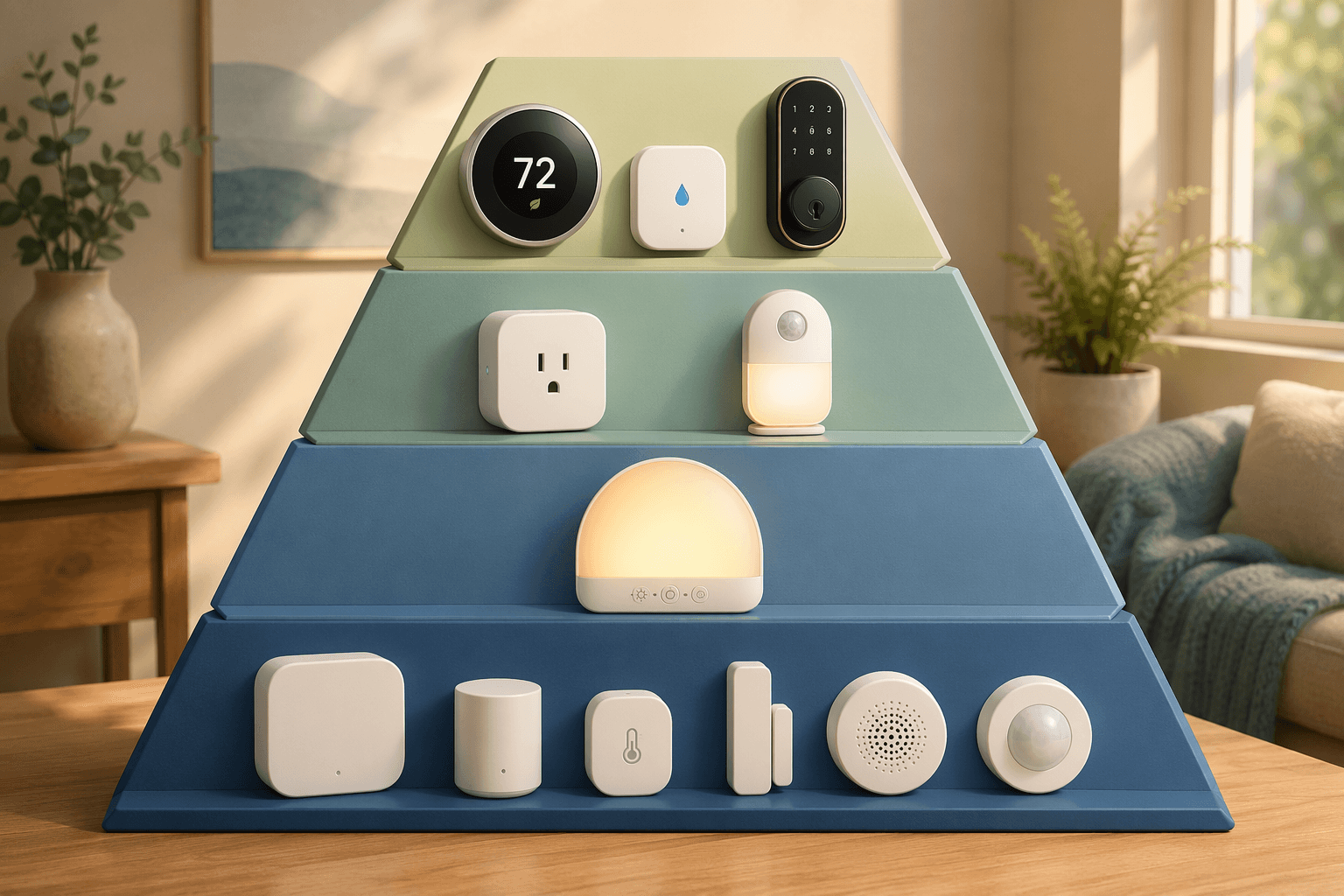
The first smart home decision is not which ecosystem looks most impressive. It is which purchase has a real chance of staying useful after the setup excitement wears off. That matters because the two biggest barriers for non-adopters are exactly the two things beginners feel in the aisle: cost concerns, cited by 52%, and complexity, cited by 28% in the ASHB 2025 survey summarized by Maker Stations.[1]
That is a sensible hesitation. A smart bulb that turns purple on command is still a bulb. A thermostat that reduces wasted heating and cooling, a leak sensor that can shut off water before a claim-sized mess, or a lock that stops the nightly “did I lock it?” check is a different kind of purchase. The useful way to sort smart home automation ideas is by effort versus practical impact.
The ROI Tiers
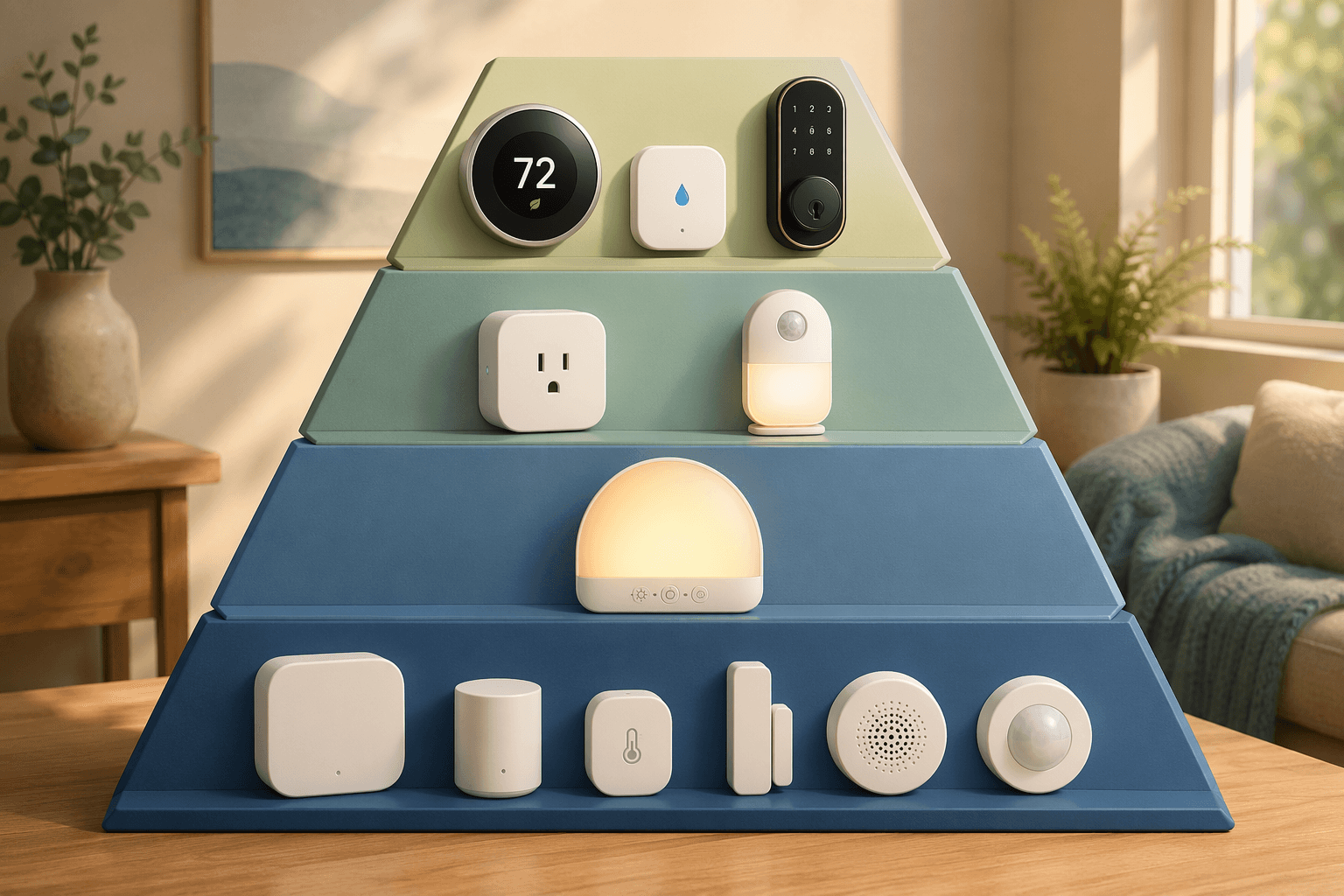
No single study ranks every home automation by household return. This framework is a practical synthesis: put automations first when they can lower recurring bills, prevent expensive damage, or remove a repeated worry with little day-to-day maintenance. Put novelty, advanced sensing, and platform tinkering later.
| Tier | Best first examples | Why it belongs there |
|---|---|---|
| Tier 1 | Smart thermostat geofencing, water leak sensor with automatic shut-off, smart lock auto-lock | Highest practical return: energy savings, damage prevention, or anxiety reduction |
| Tier 2 | Motion-sensor nightlights, smart plugs for lamps or coffee makers, sunset-triggered outdoor lights | Low-cost daily convenience with little setup burden |
| Tier 3 | Gradual wake-up lights, goodbye scenes, laundry cycle alerts | Useful once the basics are reliable, but not usually the first dollar spent |
| Tier 4 | mmWave presence sensors, Home Assistant, smart blinds, deeper cross-platform automations | Powerful upgrades for people who already know the problem they are solving |
Tier 1: Automations That Can Justify Going First
Tier 1 is where beginners should spend the most attention because the consequences are not merely “nice to have.” These automations touch utility bills, water damage, and access control. They also work best when configured simply. A smart thermostat does not need a dozen scenes to be useful. A leak valve does not need a complicated routine. A lock does not need a complicated routine if auto-lock is doing the one job you bought it for.
Smart Thermostat Geofencing
If your home has meaningful heating or cooling costs, start here. US Department of Energy data cited by Mordor Intelligence says smart thermostats with geofencing can save 10% to 23% on annual heating and cooling costs.[1] ENERGY STAR also frames smart home energy savings around devices and settings that reduce wasted operation rather than simply adding remote control.[2]
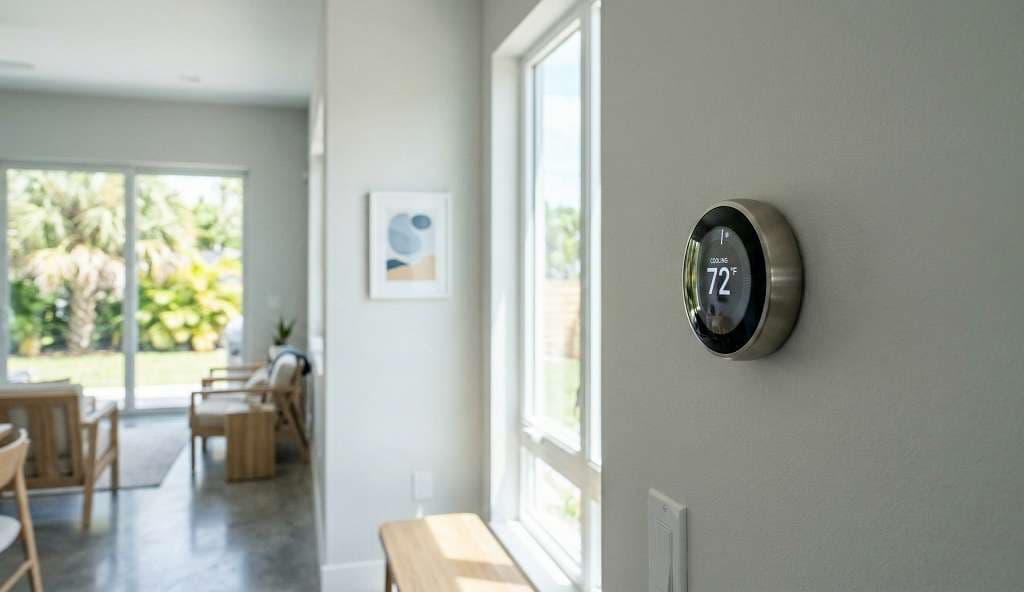
The purchase order changes once that number is on the table. A thermostat that turns down heating or cooling when everyone leaves has a recurring job. It is not waiting for you to remember an app. It is reducing wasted runtime on the most expensive controllable system in many homes.
This should be the first automation for homeowners with high HVAC bills, households with regular away-from-home schedules, and anyone in a climate where heating or cooling runs for long stretches. It is less urgent for renters who cannot replace the thermostat, homes with mild weather and low HVAC use, or households where someone is almost always home and temperature setbacks are small.
Do the compatibility check before buying: HVAC type, C-wire requirements, remote sensors, utility rebates, and whether geofencing works cleanly with the phones in the household. A more detailed buying pass belongs in a dedicated guide, such as how to choose a smart thermostat for maximum energy savings. If room-by-room comfort is the issue, compare sensor systems before choosing among Ecobee, Nest, and Honeywell.
Water Leak Detection With Shut-Off
Leak sensors are easy to underrate because they do nothing on a normal day. That is the point. The value is in the day a supply line, water heater, dishwasher, or washing machine does the wrong thing while nobody is watching.
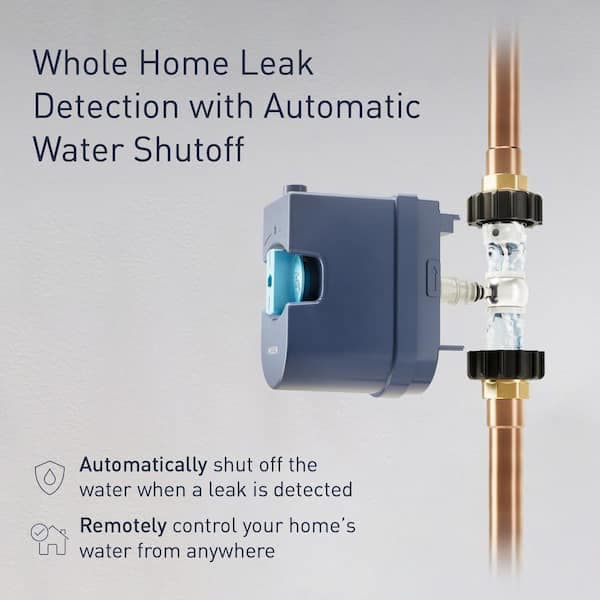
Industry insurance data places average water damage claims above $10,000 per incident, while basic leak sensors are often positioned as low-cost devices and automatic shut-off systems as the stronger prevention layer. That does not mean every home faces the same risk. It means the math is asymmetric: the device may sit quietly for years, but one correct shut-off can matter more than a drawer full of convenience gadgets.
Start with leak sensors if you own the home, have older plumbing, have finished space below bathrooms or appliances, travel often, or have a water heater in a location where a leak would spread before anyone notices. Renters can still use battery leak sensors under sinks and near appliances, but an automatic main shut-off usually requires owner approval and plumbing access.
There is one configuration rule worth keeping strict: alerts are useful, shut-off is better. A phone notification at 2 a.m. while you are away is not the same as a valve closing. If the budget only allows sensors now, place them at the highest-risk points first and treat whole-home shut-off as the upgrade.
Smart Lock Auto-Lock
A smart lock is not usually the best financial ROI device. Its return is behavioral. Auto-lock removes a repeated household check, and keypad or app access can reduce the number of spare-key workarounds people invent when a lock is inconvenient.
The right first lock is boring in the best way: compatible with the existing door, reliable on battery, easy to operate manually, and understandable to every person who needs to enter. Before buying, check deadbolt alignment, door thickness, rental restrictions, backup key options, guest-code controls, and whether your preferred platform supports the exact features you care about.
Matter and Thread help with smart home compatibility, but platform support is still not the same as feature parity. Forbes’ 2026 smart home guidance treats Matter and Thread as important ecosystem pieces, while also pointing readers toward more advanced setup decisions once the basics are working.[3] In practice, some lock features may work better through the manufacturer’s native integration than through a generic Matter path, so buyers should verify auto-lock, guest access, and remote management before assuming every feature travels cleanly.
Use a dedicated smart lock buyer’s guide if this is your first lock purchase. If you are looking specifically at Matter models, read the feature caveats for Kwikset smart locks with Matter before treating the protocol badge as the whole answer.
Tier 2: Cheap Automations That Earn Their Place Daily
Tier 2 is where smart home automation ideas start to feel more playful, but the good ones still have a practical test: they should remove a small, repeated friction without creating a new maintenance habit. These are not life-changing automations. They are the ones that quietly keep working because nobody has a reason to disable them.
- Motion-sensor nightlights: Put them in hallways, bathrooms, stair landings, or the path to a child’s room. The setup is simple, and the result is immediate: light only when someone is actually moving through the space.
- Smart plugs for lamps: A plug-controlled lamp is often a better first lighting automation than replacing every bulb. It keeps the normal lamp and switch behavior understandable while adding schedules, remote control, or voice control.
- Smart plugs for coffee makers: This only works safely with compatible machines that can be left in a ready state. For the right appliance, it is a small convenience. For the wrong appliance, skip it.
- Sunset-triggered outdoor lights: A sunset schedule is more useful than a fixed clock time because it follows seasonal daylight changes without asking you to edit routines every few weeks.
Smart plugs are especially good beginner devices because the failure mode is mild. If the automation annoys someone, unplug it or change the schedule. The best candidates are lamps, fans, and simple appliances with physical on/off states. Avoid using them as a substitute for judgment on heaters, high-load devices, or anything where unattended operation creates risk.
For Alexa households, a focused smart plug buyer’s guide is more useful than browsing dozens of lookalike models. If you already own an Amazon plug, check its specs and limits before building routines around features it does not support.
Tier 3: Good Quality-of-Life Upgrades, After the Basics Work
Tier 3 automations can be genuinely pleasant. They are simply less important as first purchases because they usually do not save much money, prevent major damage, or solve a security habit. Add them once the home already has one or two reliable automations and everyone understands how to override them.
- Gradual wake-up light: Useful for bedrooms where a gentle ramp is preferable to an alarm shock. It works best when the schedule is predictable.
- Goodbye scene: A single action can turn off selected lights, adjust the thermostat, and arm devices when the last person leaves. Keep it narrow at first so one mistaken trigger does not disrupt the whole house.
- Laundry cycle alert: Helpful when the washer or dryer is out of earshot. The value is not sophistication; it is preventing forgotten wet clothes.
This is also where long lists of automation ideas can be useful as browsing material. Power Moves’ large 2026 idea catalog and General Security’s everyday examples show how many routines are possible, from lighting and appliance control to security-adjacent reminders.[4][5] The mistake is treating those catalogs as a shopping list. A good Tier 3 automation should match a routine you already have, not invent a new ritual because the app makes it possible.
Tier 4: Advanced Systems Are Better as Second-Wave Purchases
mmWave presence sensors, Home Assistant, smart blinds, and deeper cross-platform automations can be excellent. They are also where beginners start paying in configuration time. Forbes highlights mmWave sensors and broader platform decisions as part of a more advanced 2026 smart home path, which is the right framing: these tools become valuable when you know what specific behavior you are trying to detect or coordinate.[3]
Presence sensing is a good example. A basic motion sensor can turn on a hallway light. An mmWave sensor can detect whether someone is still in a room, which is powerful for offices, bathrooms, and living rooms where people sit still. It also introduces placement sensitivity, false-presence tuning, privacy expectations, and platform rules. That is a lot to learn before the house has proven that automated lighting is even welcome.
Home Assistant belongs in the same category for most newcomers. It can unify devices and enable local control, but it asks for more ownership. If that is the direction you want, start with hardware planning such as a Raspberry Pi home automation buying guide and thermostat choices built for local control. For a first smart home purchase, though, a well-configured thermostat or leak shut-off is usually a better use of attention.
How to Pick Your First Three Automations
Start with the highest-consequence problem in your actual home. If heating and cooling dominate the utility bill, choose the thermostat. If water damage would be expensive or hard to notice quickly, choose leak detection and shut-off. If door access and lock-checking are the daily annoyance, choose the smart lock.
Then add one or two Tier 2 conveniences, not a cart full of devices. A motion nightlight and one smart plug will teach you more about your household’s tolerance for automation than a whole-home lighting overhaul. Watch what people override. Watch what nobody comments on because it just works.
Market momentum can make smart homes sound inevitable. Energy management is projected to be the fastest-growing smart home segment in the US, with 77% growth from 2023 to 2028, and Maker Stations also cites real estate signals such as smart homes selling 8.5 days faster and 78% of 2025 first-time buyers treating smart readiness as a major purchase factor.[1] Those numbers are useful context, not a reason to buy devices that do not solve your household’s problem.
A sensible starter kit is small: one Tier 1 automation most likely to pay back, prevent loss, or remove a repeated worry in your home; one or two Tier 2 conveniences that run quietly; and no advanced platform project until the house has shown which routines are actually worth automating.
References
- Smart Home Market Trends And Statistics 2026 — Maker Stations
- Smart Home Tips for Saving Energy — ENERGY STAR
- How To Supercharge Your Smart Home In 2026 — Forbes, January 1, 2026
- 75+ Smart Home Automation Ideas For 2026 — Power Moves
- Smart Home Automation Ideas for Everyday Living — General Security
Implementation Notes
Share platform-specific tips, report that a recipe no longer works after a platform update, or contribute variations for different device combinations.
Comments
Join the discussion with an anonymous comment.