
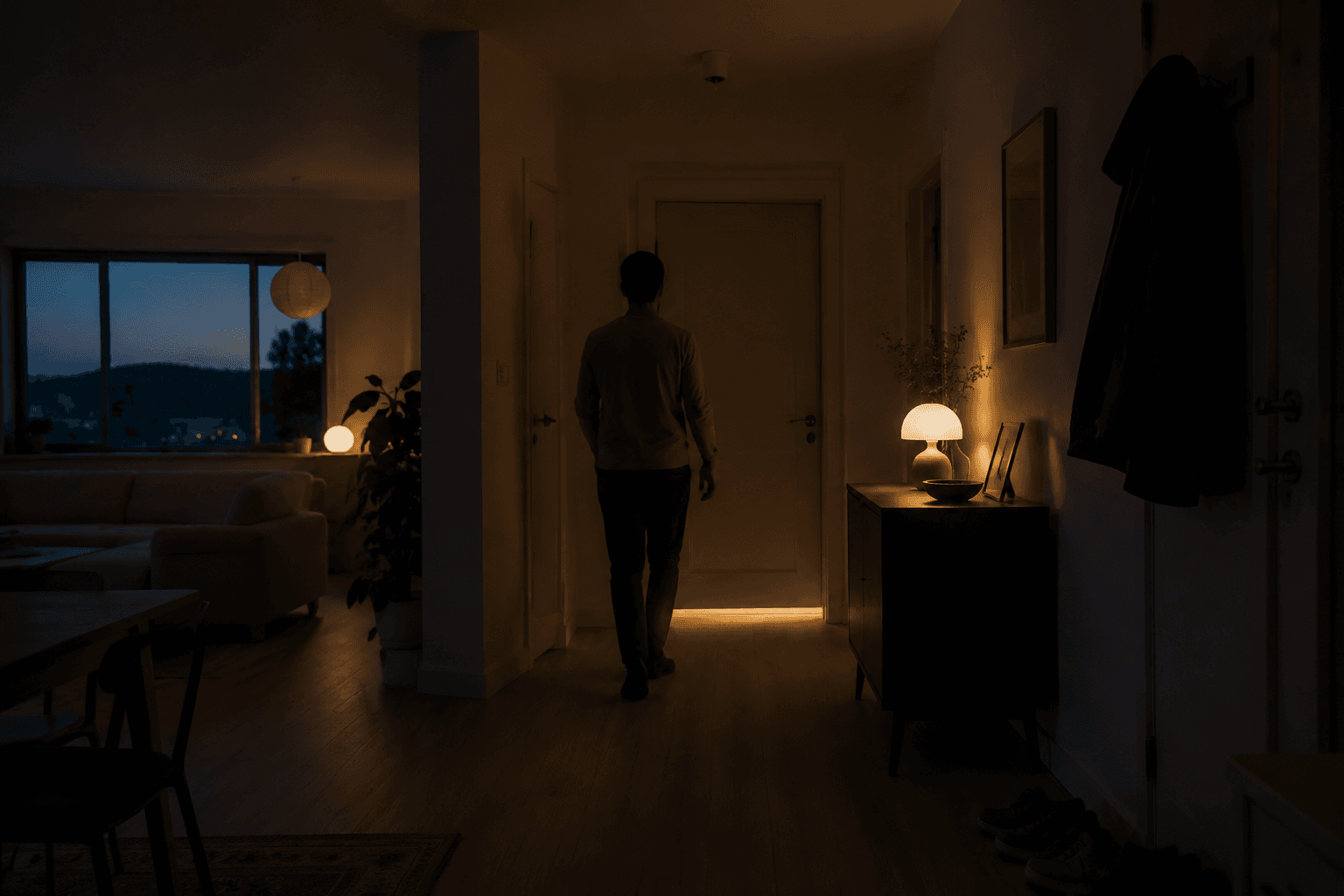
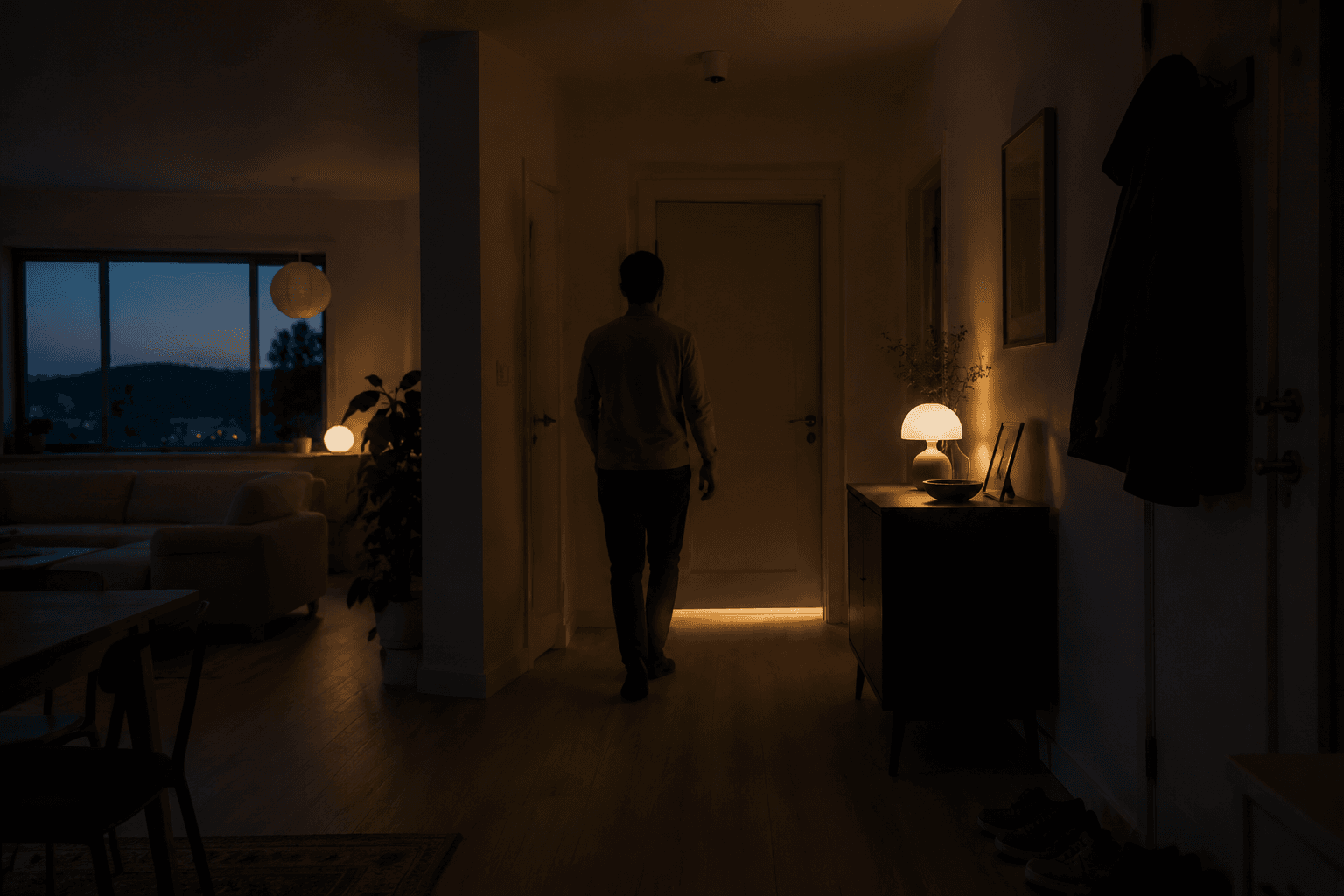
The best home automation ideas usually start with something embarrassingly ordinary: you wake up at 2:17 a.m., open the bedroom door, and choose between stumbling through the hallway or blasting everyone awake with a ceiling light. The fix is not a luxury scene. It is a door sensor, one dimmable bulb, and a rule.
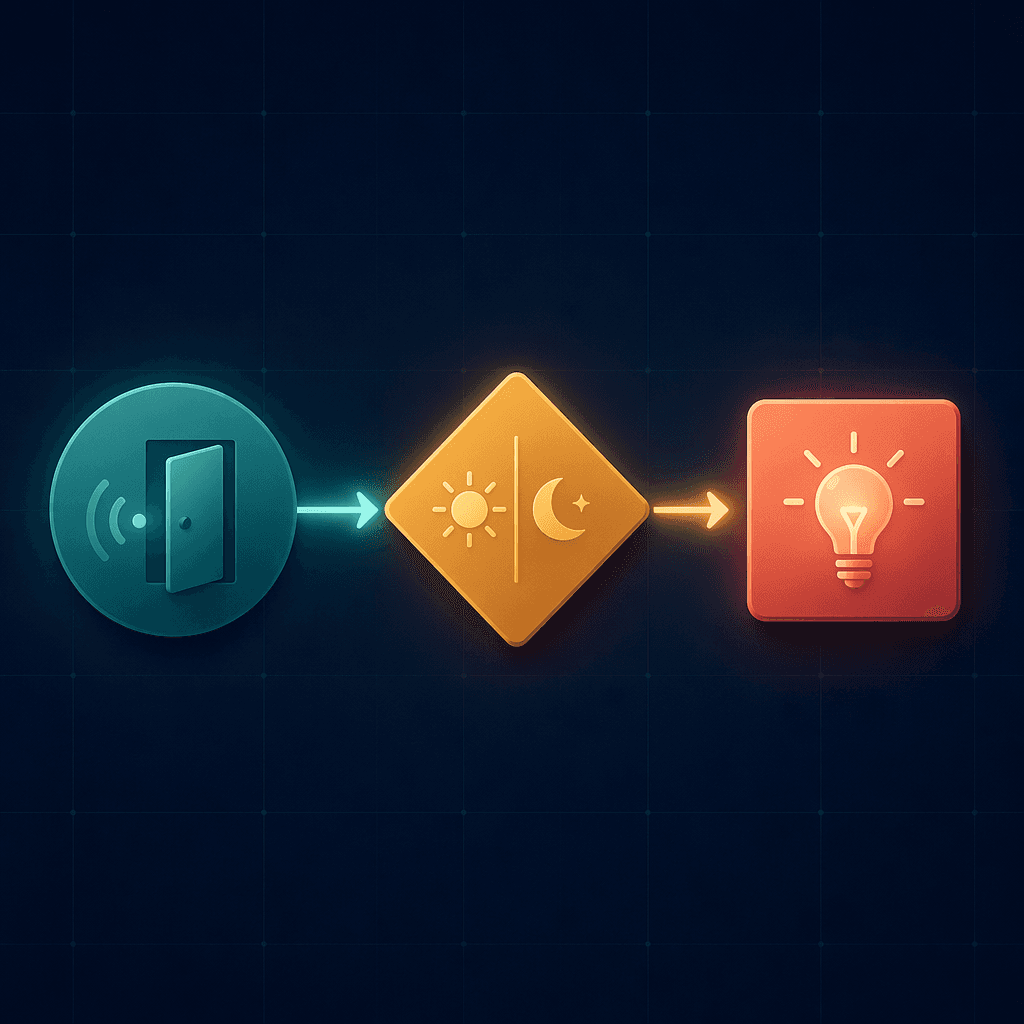
A useful version looks like this: when the bedroom door opens, and the time is between 11 p.m. and 6 a.m., and night mode is active, turn the hallway or bathroom light to 15% warm white for a few minutes. Lazyadmin.nl and Power Moves both include this kind of night-path automation among practical sensor-based ideas, and it is one of the rare smart home setups that can feel worth it the first night it works.[1][2]
That is the organizing principle for the recipes below. Start with the household transition, not the gadget category. Leaving, arriving, sleeping, finishing laundry, and dealing with water risk all have a moment when the house should do one small thing without making anyone open another app.
The recipe format is simple: trigger, condition, action. The trigger notices that something happened. The condition prevents the automation from firing at the wrong time. The action should be the smallest reliable thing that solves the annoyance.
The middle-of-the-night bathroom path
This is the recipe I would build before any dramatic movie-night scene. It has a clear annoyance, a cheap entry point, and a failure mode that is easy to understand. If it misfires, a dim bulb turns on. If it works, a half-asleep person does not trip over shoes or wake the room.
| Recipe piece | Practical setup |
|---|---|
| Annoyance | The hallway or bathroom is either too dark or suddenly too bright at night. |
| Devices | Door sensor on the bedroom door, motion sensor if preferred, one dimmable smart bulb or plug-in night light. |
| Budget path | A single door sensor plus one smart bulb can stay under $60 in many setups, depending on brand and hub requirements.[1][2] |
| Rule | When bedroom door opens AND time is 11 p.m.–6 a.m. AND night mode is active, turn hallway or bathroom bulb to 15% warm white. |
| Cleanup | Turn the light off after 5–10 minutes, or when no motion is detected. |
The condition matters more than the device list. Without the time window, the same door opening at 8 p.m. becomes annoying. Without night mode, it may fire during a late dinner party or while someone is cleaning. If your platform supports multiple conditions cleanly, use them. If it does not, split the rule into simpler routines or move this one to a more capable automation layer.
Renters can keep this completely non-invasive: adhesive sensor, bulb in an existing fixture, no wiring. Matter or Thread support is helpful in 2026 if you are buying new, but this particular recipe does not need exotic hardware. It needs fast, boring reliability.
Leaving home without heating or cooling an empty house
A smart thermostat is easy to install and still wasteful if away mode is not actually configured. The useful automation is not “own a connected thermostat.” It is “wait until the house is really empty, then adjust the setpoint.” Forbes, citing ENERGY STAR and Copeland, reports that smart thermostats can save up to 20% on heating and cooling when features such as occupancy-based scheduling are used.[3]
| Recipe piece | Practical setup |
|---|---|
| Annoyance | The HVAC keeps running after everyone leaves, or switches away while someone is still home. |
| Devices | Smart thermostat, phone presence or geofence, optional motion or occupancy sensor. |
| Rule | When all household phones leave the home area AND no occupancy is detected for 15 minutes, set thermostat to away mode. |
| Return rule | When any household member enters the home area, resume the normal comfort schedule. |
| Exception | Do not use aggressive set-backs for pets, vulnerable occupants, or rooms with temperature-sensitive items. |
The 15-minute delay is not decorative. It protects against bad geofence reads, quick errands to the car, and the person whose phone battery died. Multi-person presence is the difference between a helpful savings recipe and a thermostat that starts a small domestic investigation.
If you want to tune the savings side further, pair this with lighting shutoff rules and read the deeper guide to smart home automations that save money. If you are still choosing an ecosystem, start with the platform’s presence logic before choosing the thermostat; some systems make multi-person conditions much easier than others.
Coming home without lighting up the whole house
Coming-home routines are familiar enough that they are easy to overbuild. The better version is restrained: unlock or disarm only when the right person arrives, turn on the lights that help entry, and avoid anything that surprises people already inside. Forbes Lamkin describes presence-based, multi-person automation as a way to make smart home actions more context-aware, while Smart Home Solver includes arrival routines among practical everyday automations.[3][4]
| Recipe piece | Practical setup |
|---|---|
| Annoyance | Someone arrives with bags, pets, or kids and has to fumble with lights and security. |
| Devices | Smart lock or garage controller, entry sensor, porch or hallway light, optional thermostat and security system integration. |
| Rule | When a recognized household member arrives AND front door unlocks AND it is after sunset, turn entry light to 40% and resume occupied mode. |
| Delay | If using geofence only, wait for door or garage activity before changing indoor state. |
| Avoid | Do not unlock doors from a broad geofence alone unless you are comfortable with that security tradeoff. |
The door or garage event is the useful anchor. A phone entering the neighborhood is vague; a known arrival plus a physical entry event is much harder to mistake. This is also where a platform comparison is worth reading before buying parts, because HomeKit, Alexa, Google Home, SmartThings, and Home Assistant differ in how comfortably they handle presence, conditions, and device compatibility. If you need that decision first, use the smart home platforms compared guide.
Goodnight without the lock-checking loop
A goodnight routine is not just a button that turns everything off. It is a quiet audit of the few things people otherwise recheck: doors, lights, thermostat, garage, and maybe a fan or white-noise machine. Smart Home Solver includes lockup and night routines in its everyday automation examples, and the practical value comes from the checklist behavior rather than the novelty of saying “goodnight” to a speaker.[4]
| Recipe piece | Practical setup |
|---|---|
| Annoyance | Someone gets into bed, then wonders whether the door is locked or the garage is closed. |
| Devices | Smart lock, door or garage sensor, smart bulbs or switches, thermostat, optional bedside button. |
| Rule | When goodnight button is pressed OR goodnight scene starts, lock exterior doors, close or alert on garage status, turn off main lights, lower thermostat according to sleep schedule. |
| Exception | If a door is open, send an alert instead of pretending the house is secure. |
| Best trigger | A physical button often works better than voice when other people are asleep. |
Do not bury this one under theater effects. The useful outcome is confidence. If the back door is open, the routine should say so. If the garage is already closed, nobody needs to hear about it.
Laundry that tells you when it is actually done
Laundry is where smart plugs earn respect from people who do not care about smart plugs. The problem is not starting the washer remotely. The problem is wet clothes sitting overnight because the machine beeped once in another room while everyone was busy.
Power Moves and Smart Home Solver both include laundry-finished notifications based on washer or dryer activity, typically using energy monitoring to detect when a cycle ends.[2][4]
| Recipe piece | Practical setup |
|---|---|
| Annoyance | The washer or dryer finishes, but nobody notices until much later. |
| Devices | Energy-monitoring smart plug for suitable appliances, vibration sensor, or appliance integration if the machine already supports it. |
| Rule | When washer power rises above active-cycle level, mark laundry as running. When power later drops below idle level for several minutes, send a notification. |
| Action | Notify the responsible phones, announce on a kitchen speaker during daytime, or flash a utility-room light. |
| Safety note | Use plugs only within the appliance’s electrical rating; many dryers are not candidates for ordinary smart plugs. |
The threshold will be household-specific. Run one normal load, watch the power pattern in the app, and set the “finished” rule after the machine has been quiet for long enough that a pause does not count as completion. If your automation platform supports helper states, create a simple “laundry running” state so the finished alert fires once, not every time the wattage flickers.
For a lower-tech version, use a vibration sensor on the machine and tune the “no vibration for X minutes” condition. It is less precise than energy monitoring, but it can be renter-friendly and avoids plugging a large appliance into anything questionable.
Water leak detection that does more than complain
Leak detection is the least glamorous recipe here and probably the one I would install first in a house with older plumbing, a dishwasher, a washing machine, or a water heater tucked somewhere nobody visits. Lazyadmin.nl and Power Moves both frame leak sensors and water shutoff automation as especially high-ROI smart home ideas because a small sensor can alert before a water problem becomes a larger repair.[1][2]
| Recipe piece | Practical setup |
|---|---|
| Annoyance | A slow leak starts under an appliance or near a water heater and nobody knows until flooring, cabinets, or walls are wet. |
| Devices | Leak sensor under dishwasher, washing machine, sinks, or water heater; optional smart water shutoff valve; phone notifications. |
| Budget path | Start with one or two leak sensors under the highest-risk appliances if an automatic shutoff valve is not in the budget. |
| Rule | When leak sensor detects water, shut off smart water valve if installed, send urgent phone notifications, and optionally announce on speakers. |
| Maintenance | Test sensors periodically and replace batteries before they become decorative plastic. |
The automatic shutoff is what separates “interesting alert” from “damage-limiting system.” If you rent or cannot modify plumbing, put sensors where water first appears: under the washer, beneath the dishwasher kick plate if accessible, under sink cabinets, and beside the water heater pan. The alert still has value if it reaches you before water spreads.
This is also a recipe where cloud dependence deserves a little suspicion. A phone notification that depends on an outage-prone chain is better than nothing, but a local siren, hub-based automation, or direct valve integration can be more reassuring. Forbes Drenik, citing Copeland, reports that 70% of thermostat owners would switch to a different model for better privacy, which is a reminder that people do care where home data goes when the device is intimate enough.[5]
Cooking and utility-risk moments
Not every kitchen automation needs to touch the stove. In fact, many households are better served by adjacent rules: better task lighting, fan reminders, leak alerts near the dishwasher, and notifications when a freezer or garage fridge loses power.
| Annoyance | Recipe |
|---|---|
| The kitchen is too dim for cleanup after dinner | When motion is detected in the kitchen after sunset, turn under-cabinet or counter lighting to a practical brightness, then turn it off after no motion. |
| The dishwasher leaks when nobody is nearby | When leak sensor under dishwasher detects water, send urgent notification and shut off water if a valve is installed. |
| A freezer in the garage loses power | When energy-monitoring plug reports no power or abnormal idle state, send a notification. |
| Vent fan gets left on | When humidity drops back near normal or a timer expires, turn off the fan. |
These are not all the same category of device, and that is the point. The common thread is the moment: cooking, cleaning, storing food, and dealing with water. Buy the sensor or switch only after the recurring failure is clear.
A bedtime signal that does not become a negotiation
For kids, a color-changing bulb can do something more useful than entertain. It can move bedtime from repeated verbal reminders to a visible household signal. Level.co’s roundup of unique Reddit-sourced home automation ideas includes community examples around child-friendly indicator lights and routines.[6]
| Recipe piece | Practical setup |
|---|---|
| Annoyance | A parent has to keep announcing bedtime stages, and each announcement invites debate. |
| Devices | Color-changing bulb, smart plug for a lamp, optional motion sensor in hallway. |
| Rule | At wind-down time, turn lamp blue or soft amber. At sleep time, dim it lower or turn it off. |
| Condition | Use school nights only, or separate weekday and weekend schedules. |
| Optional | If hallway motion is detected after sleep time, turn a very dim guide light on rather than a bright overhead. |
This recipe works best when the color means one thing and the rule stays boring. If blue means reading time on Monday, cleanup on Tuesday, and “almost bed” on Wednesday, the bulb becomes another thing to interpret.
Package alerts that use a real delivery window
Package automations are easy to make noisy. A porch camera that announces every passerby will be muted within a week. A better version combines an opening event, camera view, and time condition. Power Moves and Lazyadmin.nl both include mailbox, gate, or door-sensor ideas for delivery-related alerts.[1][2]
| Recipe piece | Practical setup |
|---|---|
| Annoyance | A delivery arrives, but the household misses it until much later. |
| Devices | Doorbell or porch camera, mailbox or gate sensor if practical, optional porch light. |
| Rule | When mailbox, gate, or porch zone activity occurs AND it is inside the expected delivery window, send a package-check notification. |
| Action | Turn on porch light after sunset or save a camera clip if your system supports it. |
| Avoid | Do not alert the whole household for every sidewalk motion event. |
The delivery window is the part that saves this from becoming notification sludge. If your platform cannot easily use time windows and camera zones together, keep the rule narrower rather than louder.
Platform reality: easy, powerful, and compatible are not the same thing
Alexa and Google Home are often easier for quick routines. Apple Home can be clean and privacy-conscious, but remote access and many automations require a home hub. Home Assistant can do far more, especially with helper states, local control, and complex conditions, but it asks more from the person maintaining it. SmartThings sits somewhere in the middle for many households. None of that makes one platform universally correct; it changes which recipes will be pleasant to live with.
For new purchases in 2026, Matter and Thread support are worth favoring when the device category has good options. They do not magically make every automation portable, and they do not replace careful platform setup, but they reduce the odds that a simple sensor or bulb becomes stranded in one brand’s app.
If you are building from almost nothing, the sequence matters: stable Wi-Fi or Thread coverage, one platform you understand, then recipes. The build a smart home system guide is the better next read before buying a pile of sensors. If you want a more conventional starter list, use the 2026 starter stack alongside these recipes.
How to choose the next automation
Pick one recurring annoyance before you pick a device. Write the rule in plain language: when this happens, under these conditions, do this one thing. If the condition is vague, the automation will feel haunted. If the action is too large, someone else in the house will turn it off.
- Start with a transition: waking, leaving, arriving, cooking, laundry, bedtime, or delivery.
- Name the trigger: door opens, power drops, leak appears, all phones leave, motion stops.
- Add the condition: time window, night mode, nobody home, school night, delivery window.
- Choose the smallest action: dim one light, send one alert, change one thermostat mode, shut off one valve.
- Only then buy the device, preferably one your platform supports without a chain of fragile workarounds.
For inexpensive ways to test these ideas before committing to a larger system, the budget home automation ideas guide is the right companion. The good recipes do not need to announce themselves. They just need to fire correctly when the household is already moving.
References
- 50+ Home Automation Ideas, lazyadmin.nl
- 75+ Smart Home Automation Ideas For 2026, Power Moves
- How To Supercharge Your Smart Home In 2026, Forbes
- 25 Smart Home Automation Ideas, Smart Home Solver
- Smart Homes Won't Scale Until The Privacy Problem Is Fixed, Forbes
- Unique Home Automation Ideas From Reddit, Level.co
Implementation Notes
Share platform-specific tips, report that a recipe no longer works after a platform update, or contribute variations for different device combinations.
Comments
Join the discussion with an anonymous comment.