
Why Your Smart Home Breaks When Power Comes Back
Smart home devices offline, unresponsive, or in wrong power-on state after power is restored
Last updated
Power is back. That does not mean the smart home recovered.
The most misleading moment in a smart home outage is the instant the room lights up again. Utility power returns, a few bulbs wake, the router starts blinking, and everyone relaxes. Then one lamp comes on full brightness at night, half the sensors stay unavailable, a hub looks alive but automations do nothing, or a controller VM never restarts. That is not the same problem as deciding which smart home devices keep working during a power outage. It is the recovery problem after the outage is over.
If the question is runtime, battery priority, or how long to keep the network core alive, use the smart home backup battery sizing guide first. This article starts later: power has already returned, and the system is acting as if something broke.
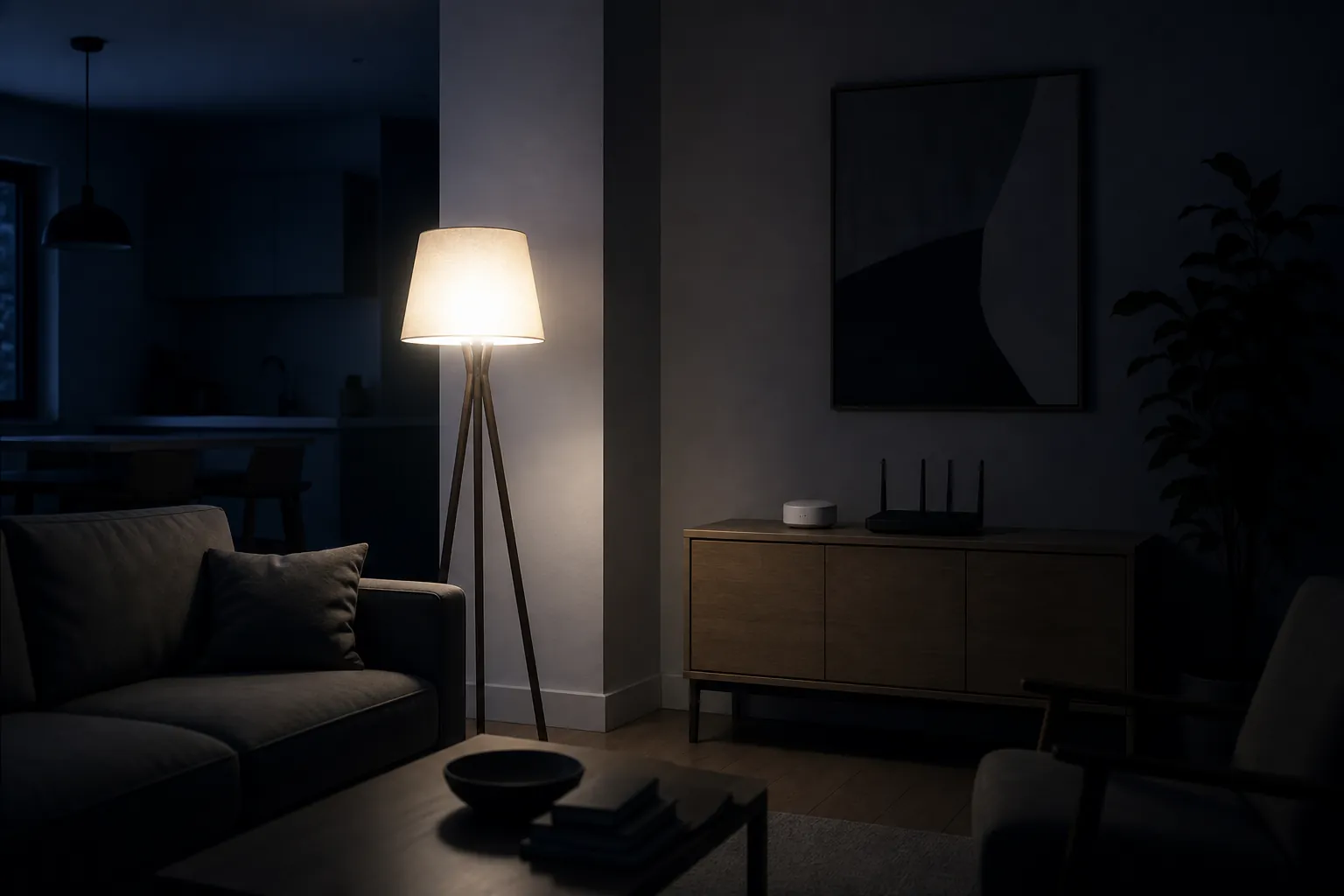
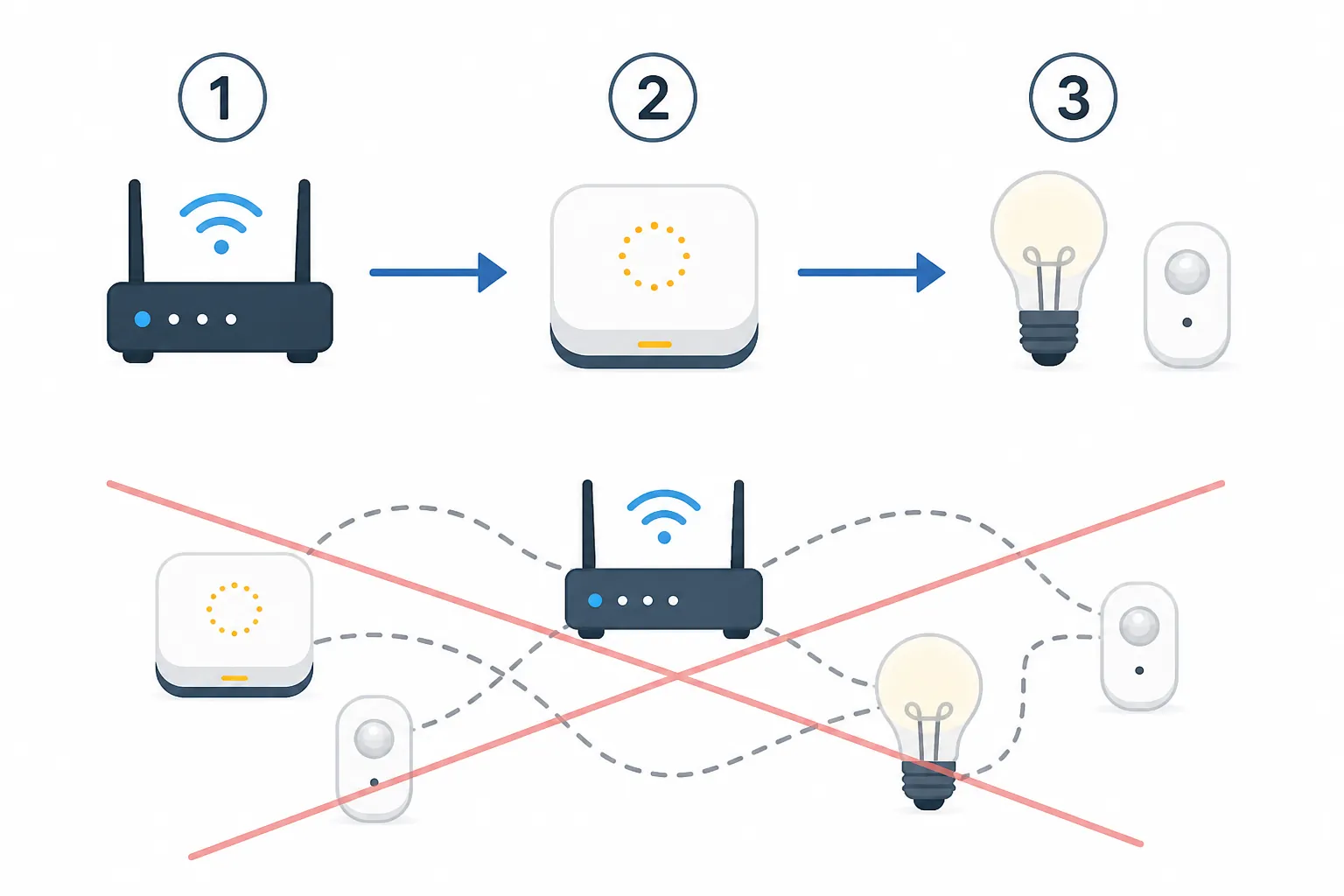
In a clean restore, power, network, controllers, and end devices come back in an order that lets each layer recognize the next one. In a messy restore, devices boot before the thing that manages them is reachable, the controller marks nodes unavailable while the network is still forming, and default power-on behavior fires before automations can correct it. The result looks like dead hardware. Often, it is just a bad restore sequence.
The visible failure: lights choosing their own power-on state
Lights are where people notice recovery failures first because they make the wrong decision loudly. A bulb that defaults to ON after power returns may be doing exactly what its firmware was told to do. That is still a bad household outcome if the outage ends while everyone is asleep.
A 2026 post-outage account from Creating Smart Home described Hue/Zigbee lights coming back on after a blackout and noted the sharper problem: a restore-state feature can exist but still fail to protect the room if the bridge or hub was offline at the wrong part of the restore sequence.[1] A vendor-run Aqara forum discussion from October 2025 also treats power-on behavior and outage automations as something owners must deliberately configure, not something to assume from the device label.[2]
That distinction matters. “Supports restore state” is not the same as “will always return to the state you expected after a whole-home power event.” Some devices remember their last local state. Some ask the hub. Some fall back to a safety default. Some behave differently after a quick blip than after the hub, router, and device all lose power together. The only useful answer is the one you verify on your hub, firmware, app version, and device model.
For lights and smart plugs, check these settings before you assume anything is broken:
- Power-on behavior: OFF, ON, previous state, or custom brightness.
- Whether the setting is stored locally on the device or depends on a hub being reachable.
- Whether the device behaves the same after a short flicker, a full outage, and a hub reboot.
- Whether a physical wall switch or manual control changes the state that gets restored later.
The household fix is usually boring: set bedroom and nursery lights to restore OFF or previous state where the device supports it, set critical lamps intentionally instead of globally, and test the setting with the hub unavailable. A power-on default you have never tested is not a recovery plan.
The restore chain is the part that usually gets ignored
A smart home does not come back as one object. It comes back as a chain. The modem or router may need to establish a network. The hub or controller may need that network before integrations load correctly. Mesh devices may need a coordinator, border router, or controller before they can rejoin. Automations may run before all of those pieces are ready.
| Restore layer | What can go wrong | What to check before re-pairing |
|---|---|---|
| Network core | Router, access point, or switch is still booting while hubs and bridges start | Router uptime, LAN/Wi-Fi availability, IP address stability |
| Controller or hub | Hub starts before the network is ready, or never starts after power returns | Hub status LED, app status, controller logs, VM or host state |
| Mesh or radio layer | Thread, Zigbee, Z-Wave, or Matter devices appear unavailable during rejoin | Coordinator or border router status, mesh heal/rejoin behavior, manual device response |
| Automations | Rules run against devices that have not finished recovering | Startup delays, dependency checks, disabled recovery automations |
| End devices | Bulbs and plugs apply their local power-on defaults before the controller can correct them | Power-on behavior settings and physical-control response |
This is why “everything died at once” should be treated as a layered diagnostic, not a mass device failure. If the router is still settling, the hub may be blind. If the hub is blind, devices may be reported unavailable even when they would respond locally. If automations start too early, they may write bad states into a system that was only half awake.
Unavailable does not always mean dead
Thread, Matter, Zigbee, and Z-Wave failures after restoration should be handled with status discipline. A dated report is useful; it is not a protocol verdict. The useful question is narrower: on this hub, with this firmware, after this kind of outage, did the device rejoin cleanly?
In a February 2026 Home Assistant Community report, battery-powered IKEA Thread devices were described as failing to reconnect after a mains power outage and reportedly requiring factory reset.[3] That is a recovery warning worth noting, especially because battery devices can look innocent during a mains outage. It is not proof that all Thread devices fail after outages. It is a signal to verify your own Thread border router, hub version, device firmware, and rejoin behavior before trusting the system unattended.
A Home Assistant Core GitHub issue also reported Matter devices becoming unavailable after a power cycle, with no in-app reset path described in that report and re-pairing plus automation reconfiguration required in the reported case.[4] Again, the important part is the status: reported incident, specific software context, needs verification on your installation. Treat it as a reason to test recovery, not as a reason to declare Matter broken.
Z-Wave can present a related-looking symptom: a node marked dead after an outage may still update once someone uses the physical switch or manually wakes the device. The immediate mistake is to factory reset because the dashboard looks final. The better first move is to separate controller status from device health. Try local control. Watch whether the state changes. Run the hub’s supported wake, interview, heal, or refresh action only after the controller itself is stable.
Factory reset is the expensive move. It can erase device identity, break automations, and turn a recoverable timing problem into a rebuilding job. Use it after you have evidence that the device cannot be reached, cannot be manually awakened, and cannot be recovered through the hub’s supported repair path.
Put the controller ahead of the devices
The most useful prevention is not always a bigger battery on every device. It is keeping the right small set of devices alive long enough that the rest of the house has something sane to return to. In many homes, that means the router, switch or access point if needed, and the primary smart home hub or controller. The exact UPS size belongs in the backup battery sizing guide; the recovery principle is simpler: controllers should not be the last thing to wake up.
If the controller stays alive through a short outage, it can preserve state, avoid a cold boot, and be ready when powered devices return. If the controller must shut down, then the next-best plan is an ordered restart: network core first, controller second, end devices and automations after that. The same ordering logic shows up in internet-restoration problems, where the modem or gateway has to be stable before smart home services are expected to reconnect; the Spectrum internet restored recovery recipe is the broadband-specific version of that idea.
The controller can fail even when every device is fine
The cleanest example is not a bulb or a sensor. In the same 2026 outage post-mortem, a Home Assistant VM failed to restart after power returned because of a Proxmox cluster quorum setting.[1] That is exactly the kind of failure people miss during smart home planning. The switches did not need replacing. The bulbs did not suddenly become unreliable. The control layer did not restart correctly.
If your smart home runs on a mini PC, NAS, hypervisor, or VM host, recovery includes the host. Check whether the machine is set to power on after AC restore. Check whether the VM or container starts automatically. Check whether storage mounts, USB radios, network bridges, and quorum or cluster settings allow the controller to boot without someone logging in. A dashboard that never loads is not a mesh problem.
A recovery sequence that avoids making the problem worse
When power has just returned and devices are missing, slow down. The first few actions should reduce uncertainty, not create new work.
- Wait for utility power to stabilize. If lights are flickering or breakers are still being reset, do not start re-pairing devices.
- Confirm the network core. Router, switches, access points, and any required local network services should be up before judging hubs or devices.
- Confirm the controller. Open the hub or controller locally if possible, not only through a cloud app. Check uptime, logs, radio adapter status, and whether integrations loaded.
- Check obvious power-on defaults. If a light or plug is on when it should not be, look at its configured restore behavior before blaming the automation.
- Test manual control. Press the switch, wake the sensor if the manufacturer supports that, or use the hub’s safe refresh action. A device that updates after manual use was not simply dead.
- Let the mesh settle before destructive action. Some networks need time and a stable coordinator before unavailable devices reappear.
- Escalate in order: refresh, heal or re-interview where supported, power cycle the hub if needed, then re-pair only when the evidence points to a lost pairing or unrecoverable device record.
For a whole-home failure where the internet, app access, hub, and devices all seem wrong at once, use a four-layer check instead of chasing individual bulbs. The smart home outage diagnostic for Spectrum users is written for a provider-specific scenario, but the discipline is the same: separate WAN, LAN, controller, and device symptoms before changing configurations.
Write down status like it matters, because it does
The worst troubleshooting notes say “Matter failed” or “Z-Wave died.” That is not enough to act on later. A useful restore note records the controller, app or firmware version, protocol, date verified, and what status you are willing to assign.
| Field | Example of the level of detail to capture |
|---|---|
| Hub or controller | Home Assistant, Apple Home, SmartThings, Hubitat, Hue Bridge, Aqara hub, or another specific controller |
| Version | App version, firmware version, controller release, or VM/container version visible at the time of testing |
| Protocol or integration | Matter, Thread, Zigbee, Z-Wave, Wi-Fi, cloud integration, local integration |
| Verification date | The date you actually tested recovery, not the date you bought the device |
| Status | Confirmed on your setup, workaround available, investigating, or not reproduced |
| Recovery action | Manual wake, hub refresh, power cycle, restore-state setting change, VM autostart fix, or re-pairing |
This is not paperwork for its own sake. It keeps one ugly evening from becoming a permanent myth about a protocol or brand. If a Thread sensor failed to rejoin once, mark that case carefully. If a Matter plug required re-pairing after a specific controller update, write that down. If a Z-Wave switch was marked dead but updated after physical use, that is a different status than failed hardware.
What to change before the next restoration
Once the house is stable, make the restore path explicit. Start with the settings that create the loudest failures: lights, plugs, and anything that powers heaters, fans, pumps, or appliances. Those devices need intentional power-on behavior. If a plug controls something that should not resume unattended, do not leave its restore state to a factory default you have never tested.
Then protect the control layer. Put the hub or controller and the necessary network core on UPS where appropriate. Verify the UPS health periodically, not just the day you install it. If you live in an area where restoration events are common, the Texas power outage smart home guide covers the broader regional planning angle; here, the narrow goal is orderly restart.
Finally, remove startup races where you can. Delay automations that run at controller startup until the hub has confirmed the network is available. Avoid rules that immediately correct every light before the mesh has finished rejoining. On VM-based systems, set host power recovery, controller autostart, USB radio passthrough, and dependency checks so the smart home does not wait for a manual login after every outage.
The next time power returns, the goal is not drama-proof perfection. It is a house that comes back in a known order: defaults checked, controller alive, network stable, mesh devices given a chance to rejoin, manual interaction tried before reset, and re-pairing saved for cases where the evidence actually supports it.
References
- Smart Home Power Outage: What a 10-Minute Blackout Taught Me About My Smart Home’s Weak Points, Creating Smart Home, Aug. 7, 2026
- Smart Home Power Outage Solutions and Automation Tips, Aqara Forum, Oct. 2025
- Battery-powered IKEA Thread devices fail to reconnect after mains power outage, Home Assistant Community, Feb. 2026
- home-assistant/core GitHub issue #161886, GitHub
Corroborating context
For protocol background on why this failure happens, see Compatibility & Protocols.
Not currently linked to a known regression. Background on the underlying protocol lives in Compatibility & Protocols.