
When a Red Flag Warning hits your part of Washington, the smart-home question is not “Which device is most impressive?” It is “What can I make the house do in the next hour that I might forget to do by hand?” Start with the outside of the house, then move indoors, then prepare to leave, then monitor.
The National Weather Service describes Red Flag conditions around a dangerous mix of very low humidity, strong sustained wind, and heat; its general public guidance uses relative humidity below 15% and sustained winds above 25 mph as warning-level fire-weather signals, though local Weather Forecast Offices can set details for their terrain and fuels.[1] Spokane Valley Fire’s local explanation is the plain version homeowners need: fires can start more easily and spread faster, so small ignition sources deserve more attention than they would on an ordinary dry day.[2]
That does not mean your thermostat, cameras, plugs, or sprinkler controller can protect the house by themselves. It means they can buy time, reduce avoidable risk, and keep you from driving back into bad conditions just to flip a switch.
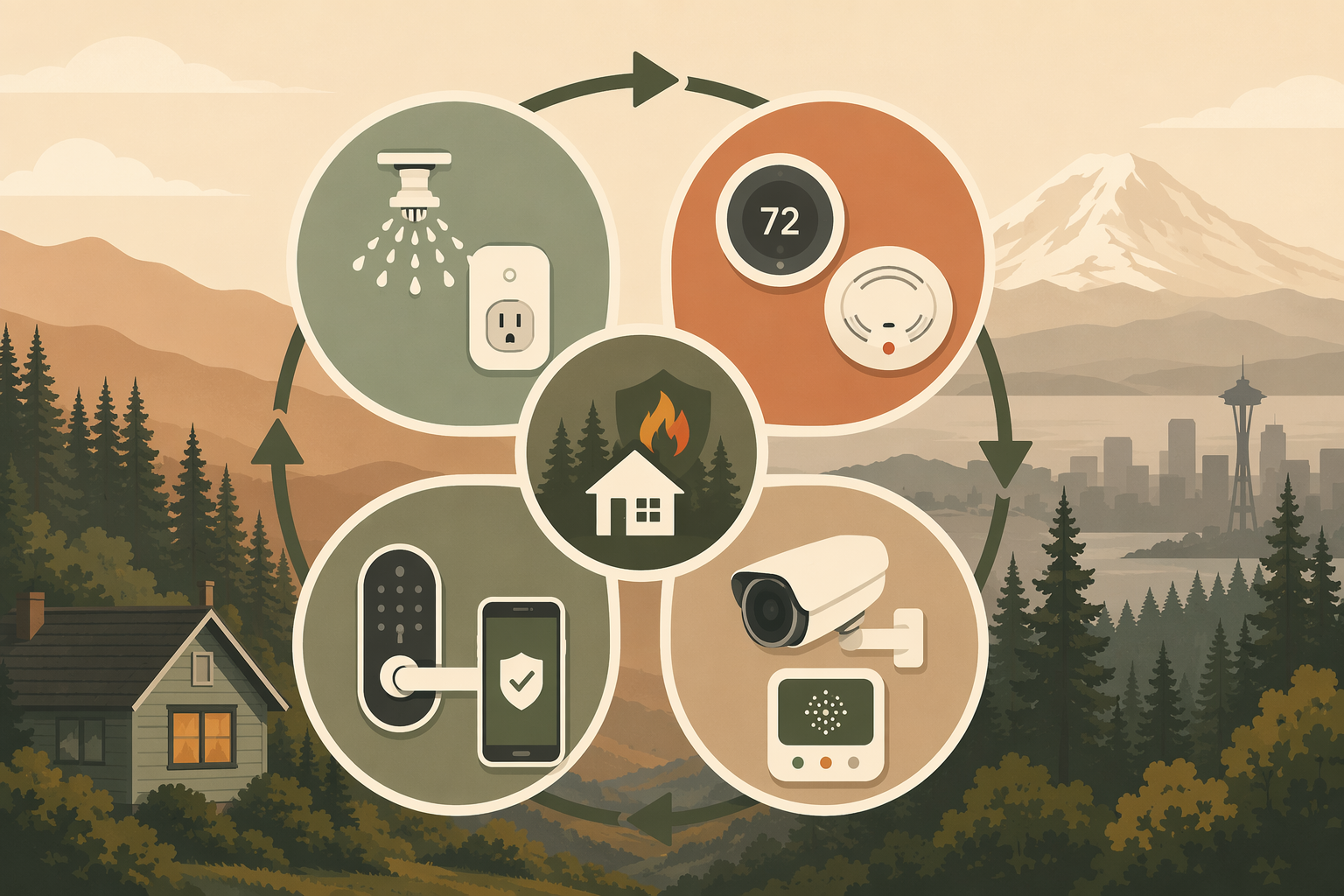
The First Two Hours: Work Outside First
If you are home and conditions are safe, this is the quick physical pass: close gates, move cushions, pull doormats, bring in lightweight furniture, and get anything combustible away from the house. If you are at work or across town, your smart devices can still handle the pieces that do not require a pair of hands.
| Device or system you may already have | Action to take now | Why it comes first |
|---|---|---|
| Smart sprinkler or irrigation controller | Run zones closest to the home, deck, fence line, and planted beds if water restrictions and local conditions allow. | A short, targeted watering pass can dampen near-home vegetation and mulch before wind-driven embers become the problem. |
| Outdoor smart plugs | Turn off nonessential exterior loads: string lights, decorative water features, landscape lighting, patio heaters, or powered yard equipment. | Anything electrical outside that does not need to run during the warning is one less ignition concern. |
| Exterior cameras | Check live views for smoke, debris movement, branches against the house, or anything that changed since morning. | You are looking for obvious problems, not trying to replace official fire information. |
| Smart garage controller | Confirm the door is closed, then check whether the opener still has backup power or a manual release you can actually reach. | An evacuation plan that depends on a garage door has to survive an outage. |
For irrigation, do not waste the first hour soaking the whole yard. Give priority to the defensible-space areas closest to the structure: the strip near siding, decks, fences tied into the house, shrubs under windows, and dry beds where embers could land. Washington’s wildfire home-preparation guidance emphasizes the work closest to the structure because that is where embers, vegetation, and building materials meet.[3]
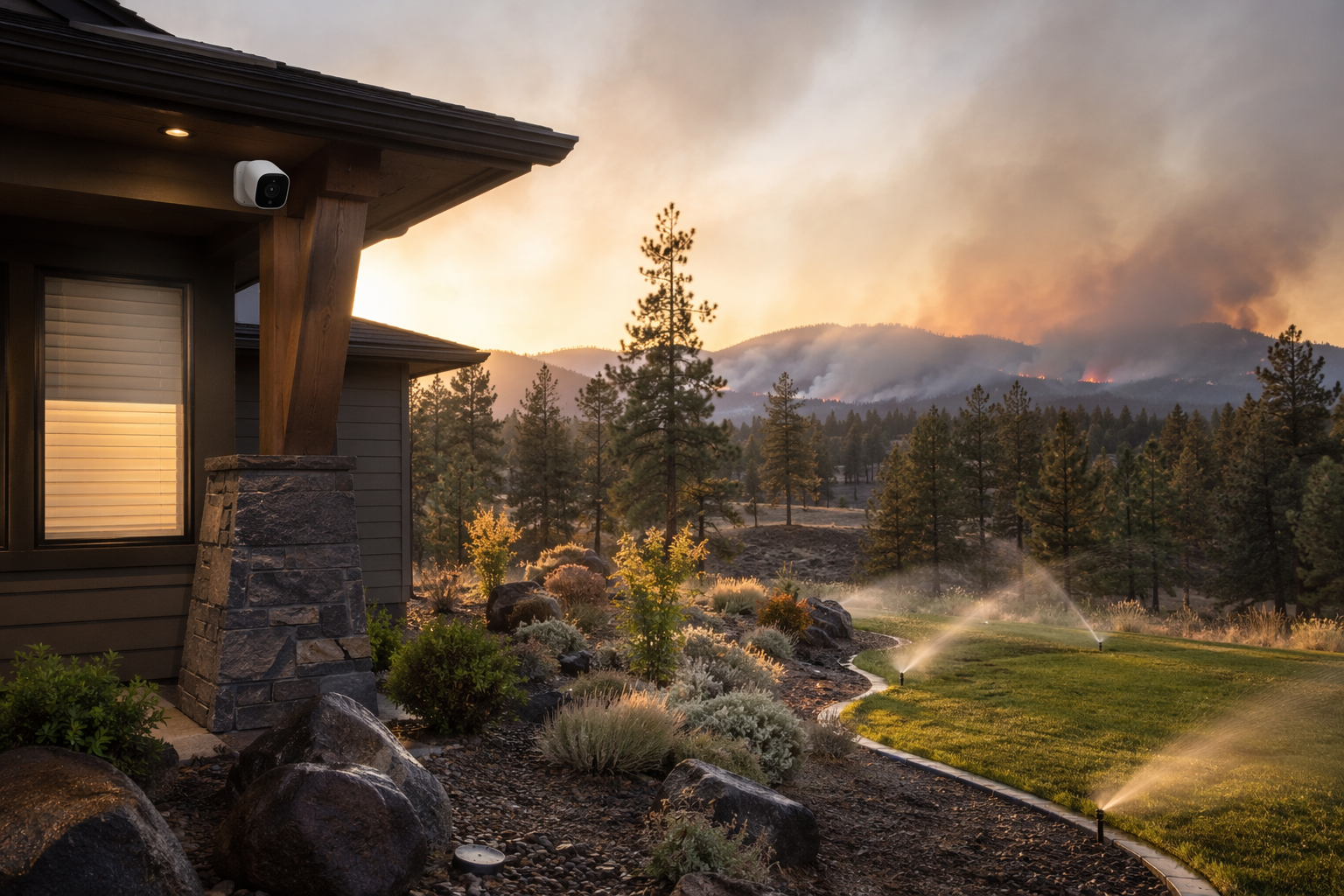
If your sprinkler controller has rain-skip, soil-moisture logic, or a water-saving schedule, do not assume it will understand a fire-weather warning. Open the app, run the zones manually, and then stop them yourself. This is a short defensive action, not a new watering program.
Outdoor smart plugs deserve the same direct treatment. Turn off what is convenient and nonessential. Do not use an app command as a substitute for unplugging damaged cords, moving propane, or clearing dry debris when you are safely able to do those things. A plug can cut power; it cannot make a bad cord safe.
Next, Lock Down Indoor Air and Detection
Once the outside pass is moving, shift to the systems that decide what you will know and what air the house will circulate. Wildfire smoke often becomes the practical household problem even when the fire itself is not at your road. The house can be closed up and still pull smoky air through bad settings, open windows, leaky doors, or an HVAC mode nobody thought about.
- Smart smoke/CO detectors: confirm app alerts are enabled for every adult who may need to respond, not only the person who installed the system.
- Thermostat: switch to a mode that limits outside-air intake where your system supports it, and use recirculation or fan settings only when they fit your HVAC design.
- Portable air cleaner smart plugs: turn them on in occupied rooms if you already use them and the filters are installed.
- Smart blinds or shades: close them on sun- and ember-exposed sides, especially near windows facing dry vegetation, decks, or fences.
- Voice assistants and hubs: do not rely on a voice routine unless you have already tested it; use direct device controls when the warning is active.
The useful part of a connected smoke or CO detector during a Red Flag Warning is the remote alert. Travelers’ smart-home fire-prevention guidance notes that connected detection can notify homeowners through a phone when they are away and can be integrated with other home systems.[4] Treat that as notification, not confirmation that the house is safe. If an alarm reports smoke or CO, follow emergency guidance and call the appropriate local number; do not spend critical minutes scrubbing camera feeds for proof.
Thermostats need more care because homes are wired differently. Some systems can recirculate indoor air. Some have outside-air dampers. Some “fan on” settings move air through a filter, while others may make pressure problems worse. Disaster-preparedness guidance for smart homes commonly treats thermostats and HVAC controls as part of smoke response, but the right setting depends on the equipment actually installed.[5][6] If you know your system has a fresh-air intake, close it or switch to the smoke-ready mode your HVAC contractor has already explained. If you do not know, avoid experimenting in the middle of the warning and use the simplest known safe setting.
Closing smart blinds is less dramatic, but it is fast. California’s Ready for Wildfire home-hardening guidance emphasizes reducing ember intrusion and radiant heat exposure around vulnerable building openings.[7] A blind is not a fire-rated shutter, and it will not stop embers from entering through a damaged vent or open window. Still, if the window covering can be closed from your phone in ten seconds, close it and move on.
For deeper pre-season air-quality automation, use a separate smoke-ready plan instead of trying to design one during an alert. The live response is simple: close the house, set the HVAC to the safest known mode, start filtration you already own, and make sure the people who need alerts are receiving them. A more complete setup belongs in a pre-season guide such as Build a Smoke-Ready Smart Home with a Four-Layer Defense.
Prepare to Leave Before You Need To
After the outdoor and indoor settings are handled, the smart-home job changes. You are no longer trying to improve the property much; you are keeping evacuation options open.
- Charge phones, power banks, tablets, and radios while the power is still on.
- Put charging cables, medications, documents, keys, pet supplies, and masks where people can grab them without searching.
- Enable location sharing for the household if everyone agrees and knows how to turn it off later.
- Give one trusted person outside the warning area a status update and a plan for the next check-in.
- Confirm every vehicle can leave without depending on a single app, hub, or powered garage door.
Smart locks are useful here only if they simplify access. If you already use temporary codes, create one for a trusted neighbor or family member who might need to retrieve pets or medication before an evacuation order. Travelers’ safety guidance discusses smart locks as one way to provide controlled access without handing out physical keys.[4] Do not post codes in group chats, and do not assume first responders will use a residential access code unless local instructions specifically tell you to provide one.
If a lock is old, glitchy, or dependent on a hub that drops offline during outages, leave with a physical key. If the warning makes you realize your lock setup is not evacuation-friendly, make a note for later and use the Smart Lock Buyer's Guide after the event, not while smoke is moving in.
Garage doors deserve a boring check. Open the app and confirm status, but also know how to release the door manually. A battery backup is helpful only if it is charged, maintained, and connected to the opener you actually use. If your vehicle is in the garage and local conditions are deteriorating, do not wait until the power flickers to learn whether the opener works.
Monitor Conditions Without Turning the House Into a Command Center
Once the high-impact actions are done, monitoring should be disciplined. Official alerts, county emergency management, fire agencies, and evacuation notices outrank any smart-home dashboard. Cameras and sensors are supporting information.
Exterior cameras can still help if you use them narrowly: check whether smoke is visibly increasing, whether wind has moved branches or furniture against the house, whether a gate blew open, or whether a driveway is blocked. Wirecutter’s smart-home disaster coverage treats cameras as one tool for remote visual checks during emergencies, not as a replacement for emergency alerts.[8]
Air-quality monitors are more useful when smoke arrives before flames ever get close. Watch PM2.5 trends indoors, not just the outdoor AQI number on a weather app. A rising indoor PM2.5 reading after the house is closed tells you smoke is entering or filtration is not keeping up. TSI’s discussion of IAQ monitoring highlights PM2.5 as a key wildfire-smoke measurement because fine particles can penetrate indoors and affect health.[9]
Do not turn this into a shopping session. If you already own a monitor, place it where people are breathing the air, away from a cooking source or direct purifier exhaust, and watch the trend. If you do not own one, use public air-quality information and your senses for the current event, then compare options later in an air quality monitor selection guide.
Electrical monitoring devices sit in a different category. CNET reported Whisker Labs’ claim that its Ting sensor can help prevent 4 out of 5 home electrical fires by detecting electrical hazards such as arcing faults.[10] That is a vendor claim reported in consumer-tech coverage, not a reason to ignore a Red Flag Warning. If you already have a device like that and it sends an urgent alert during fire weather, take it seriously and follow the company’s escalation instructions. If you do not have one, it is not an immediate Red Flag Warning task.
A Practical Four-Phase Flow
| Phase | Timeframe | Smart-home focus | Do not let this delay |
|---|---|---|---|
| Phase 1 | First 0-60 minutes | Run targeted irrigation, cut outdoor plugs, check cameras, secure garage status. | Moving combustibles by hand if you are safely home. |
| Phase 2 | First 1-2 hours | Set smoke/CO alerts, adjust thermostat and filtration, close smart blinds. | Closing windows, doors, vents, and obvious smoke entry points. |
| Phase 3 | As conditions develop | Prepare smart locks, charging, location sharing, garage backup, and household check-ins. | Leaving immediately if an evacuation order or local instruction says to go. |
| Phase 4 | Until warning lifts | Monitor official alerts, cameras, PM2.5 trends, and device status. | Resting, packing, checking on neighbors, pets, or family members who need help. |
The order matters because attention is limited. If you spend the first hour naming a new automation routine, comparing air purifier speeds, or troubleshooting a camera firmware update, the wind is not waiting. Use the controls you already understand. Skip the ones that have a history of failing. Anything that requires setup, pairing, wiring, account recovery, subscription decisions, or a ladder belongs before the season, not inside the warning window.
For a broader non-Washington overview, see Red Flag Warning? Here's How Your Smart Home Can Help. For the work that should be done before alerts arrive, keep How to Prepare Your Smart Home for a Red Flag Warning as the pre-season companion.
After the Warning Lifts
When the Red Flag Warning expires, do not leave the house in emergency mode for three more days because nobody wants to open the apps again. Reset deliberately.
- Review device logs for alarms, offline periods, power interruptions, unusual camera events, or air-quality spikes.
- Restore normal thermostat schedules, irrigation programs, blind automations, and outdoor plug routines.
- Inspect outdoor cords, plugs, cameras, sprinkler heads, vents, filters, and window areas before assuming everything worked.
- Replace used filters, recharge power banks, restock masks or go-bag items, and delete temporary lock codes.
- Write down the one device action you wished had been easier, then fix it before the next warning.
References
- Red Flag Warning - National Weather Service, National Weather Service.
- What is a Red Flag Warning, Spokane Valley Fire Department.
- Wildfire Resources, Washington State Department of Natural Resources.
- The Use of Smart Home Technology in Fire Prevention and Detection, Travelers Insurance.
- Smart Home Disaster Preparedness, Fixr.
- Wirecutter Disaster Prep Guide, The New York Times Wirecutter.
- Ready for Wildfire Hardening Guidance, Ready for Wildfire.
- Wirecutter Smart Home Disaster Tech Article, The New York Times Wirecutter.
- TSI AirAssure Blog, TSI.
- CNET Smart Home Fire Safety Article, CNET.
Community Tips
Share platform-specific variations, steps that have changed after app updates, or tips that helped your installation succeed.
Comments
Join the discussion with an anonymous comment.