
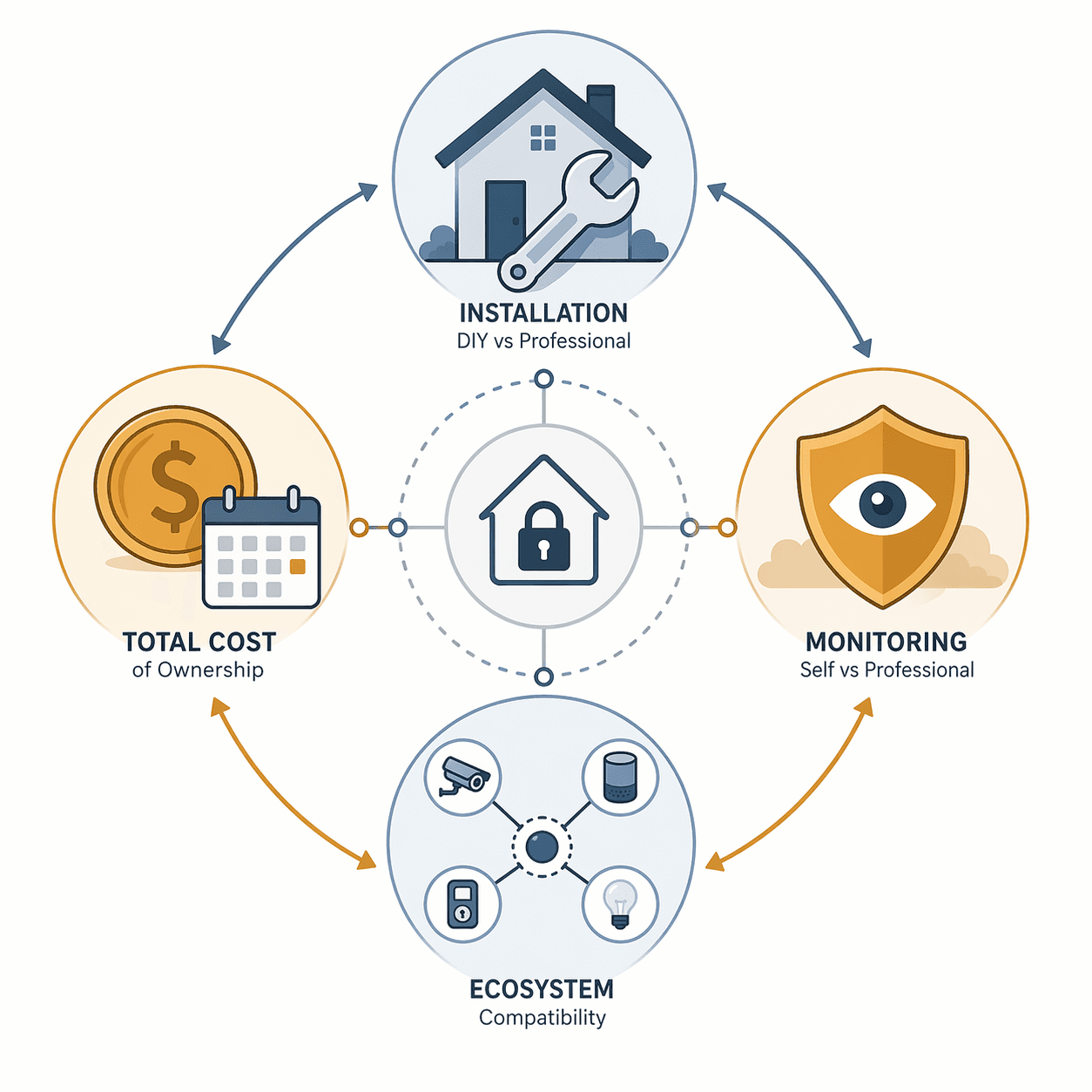
Shopping for smart home security systems in 2026 can feel like choosing between dozens of boxes that all promise the same thing: cameras, sensors, alerts, and some version of peace of mind. The more useful question is simpler and less brand-shaped: who installs it, who watches it, what does it work with, and what will it cost after the first checkout screen?
That matters because the category is no longer niche. SafeHome.org’s 2026 survey of 2,435 U.S. adults found that 61% of households now have security cameras, and for the first time, self-installation edged past professional installation, 49% to 42%.[1] A camera on the porch is normal now. A system that everyone in the household can live with for the next few years is still a choice.
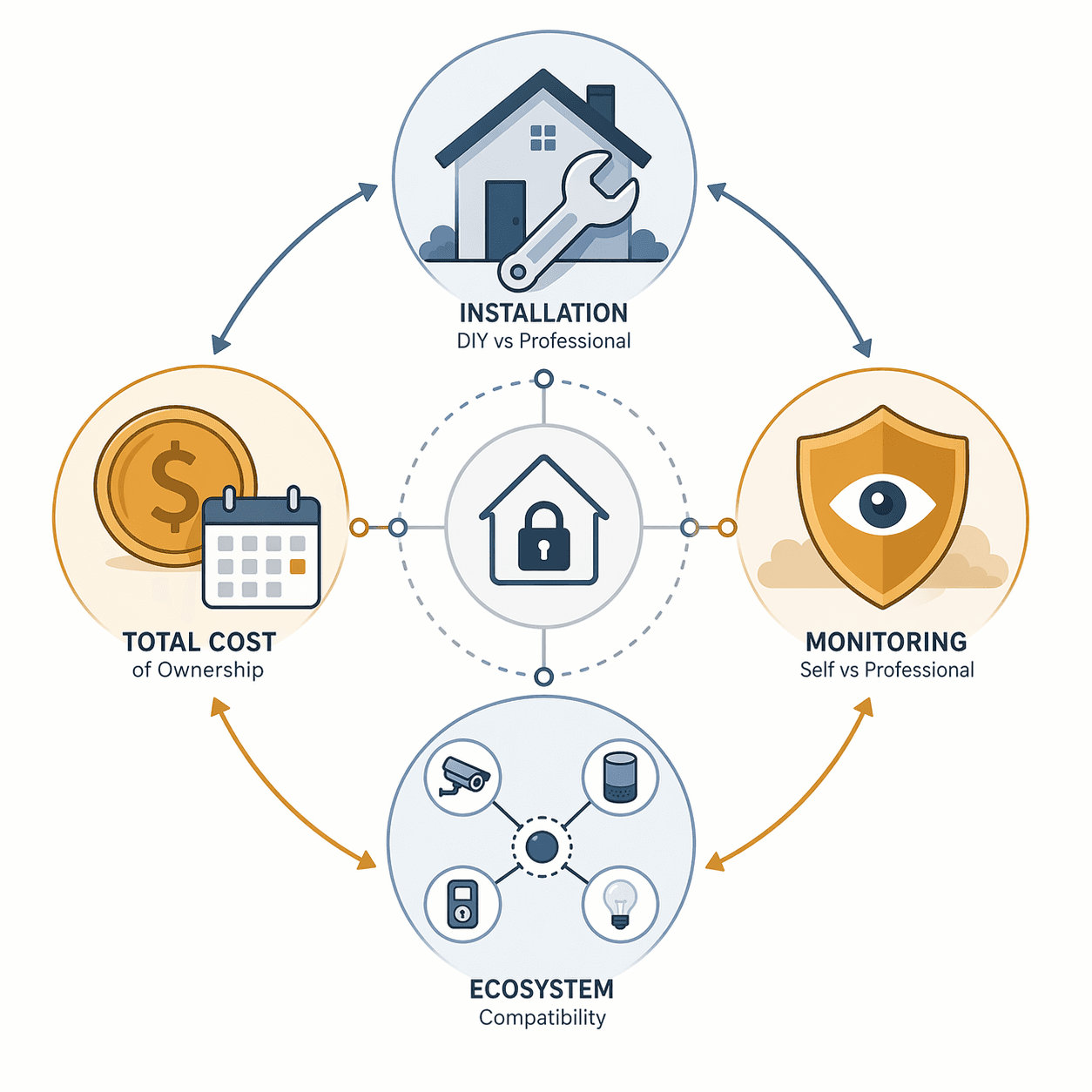
| Decision | Choose this when... | Watch for... |
|---|---|---|
| DIY vs. professional installation | DIY fits renters, smaller homes, and buyers who want reversible placement. Professional installation fits larger homes, hardwired equipment, or households that want someone else accountable for setup. | DIY saves installation cost but shifts placement, troubleshooting, and maintenance to you. Professional installation can add cost and may be less flexible if you move. |
| Self-monitoring vs. professional monitoring | Self-monitoring fits people who reliably respond to phone alerts and want lower monthly bills. Professional monitoring fits households that want emergency handling when no one sees the alert. | Professional monitoring can improve response handling, but it adds monthly fees. Self-monitoring depends on phones being charged, alerts being enabled, and someone being available. |
| Ecosystem compatibility | Choose around Alexa, Google Home, Apple Home, Z-Wave, or Matter if the alarm system needs to work with locks, lights, cameras, thermostats, or routines you already use. | A strong alarm kit can still be the wrong kit if it strands your existing smart-home devices. |
| Total cost over 2–3 years | Look beyond starter-kit pricing and add equipment, installation, monitoring, cloud video, extra sensors, and cancellation penalties. | Equipment can run from $100 to $1,500+, installation from $0 to $200, and monthly monitoring from $0 to $50+. |
Start with installation, because the house gets a vote
The DIY-versus-professional decision is often treated like a confidence quiz: are you handy or not? That is only part of it. A better first pass is to look at the home itself. Are you allowed to drill? Do you need sensors on old doors that do not sit square in their frames? Is the router in a good place? Will a camera need a ladder every time its battery runs low?
DIY installation becoming the larger share of the market is meaningful because it shows that self-installed systems are no longer the odd, budget-only alternative. SafeHome.org found 49% of respondents self-installed their systems, compared with 42% who used professional installation.[1] That does not make DIY automatically better. It means more buyers can realistically consider it before defaulting to a truck roll.
For renters, DIY usually deserves the first look. Adhesive-mounted contact sensors, battery cameras, plug-in hubs, and portable keypads make it easier to leave without patching holes or abandoning equipment. The same is true for cautious first-time buyers who want to learn what alerts they actually use before committing to a larger setup.
Professional installation starts to make more sense when the home is physically complicated or when no one in the household wants to own the setup burden. A multi-entry house, detached garage, long driveway, mixed indoor and outdoor camera plan, or hardwired retrofit can turn “easy setup” into a weekend of sensor repositioning and Wi-Fi diagnosis. Paying someone to install is not glamorous, but neither is discovering that the back door sensor drops offline every time the weather changes.
If this decision points you clearly toward a self-installed system, it is worth using a DIY-specific checklist rather than a general brand ranking. The DIY home security system buyer guide for 2026 is the better next stop for narrowing equipment and setup details.
Monitoring is the decision people underprice
Monitoring changes both the monthly bill and the failure mode. With self-monitoring, the system tells you something happened. With professional monitoring, a monitoring center can handle an alarm event when you are asleep, driving, on a plane, in a meeting, or simply away from your phone.
The catch is that many buyers say they care more about daily usability and cost than about professional monitoring as a named feature. In SafeHome.org’s 2026 data, ease of use was the top purchase factor at 50%, monthly cost followed at 46%, and professional monitoring ranked ninth at 14%.[1] That gap is easy to understand. Monitoring is invisible until something goes wrong; the app, alerts, and monthly charge are visible all the time.
Response-time figures are useful, but they should be read as test signals, not guarantees for every home, alarm type, or emergency. Available test data puts ADT at under 35 seconds, SimpliSafe at 44 seconds, and Ring app alerts at under 4 seconds in the tested conditions. The numbers are directionally helpful: professional monitoring can be fast, and app alerts can arrive very quickly. They do not remove the human question of who acts next.
Self-monitoring is most defensible when someone in the household reliably checks alerts, knows what to do, and will not mute notifications after the third false motion event from a swaying tree. It is also easier to justify in lower-risk layouts: an apartment with one main entry, a video doorbell, and a few contact sensors is a different monitoring problem from a detached house with multiple doors, ground-floor windows, and frequent travel.
Professional monitoring is worth paying for when the consequence of a missed alert is high enough that you do not want the whole system to depend on your phone habits. That can include people who travel often, households with children or older relatives at home, properties that sit empty part of the year, or anyone who wants an alarm event escalated even when the family group chat is silent.
There is also a middle ground: buy a system that can run self-monitored now and add professional monitoring later. That flexibility is underrated. It lets a renter, new homeowner, or budget-conscious household start with alerts and sensors, then upgrade when travel, work schedules, or comfort level changes.
Choose the ecosystem before you fall in love with the keypad
Security systems do not live alone anymore. They touch door locks, lights, speakers, cameras, thermostats, automations, and sometimes the router. If the alarm works beautifully in its own app but poorly with the rest of the home, the household will feel that friction long after the return window closes.
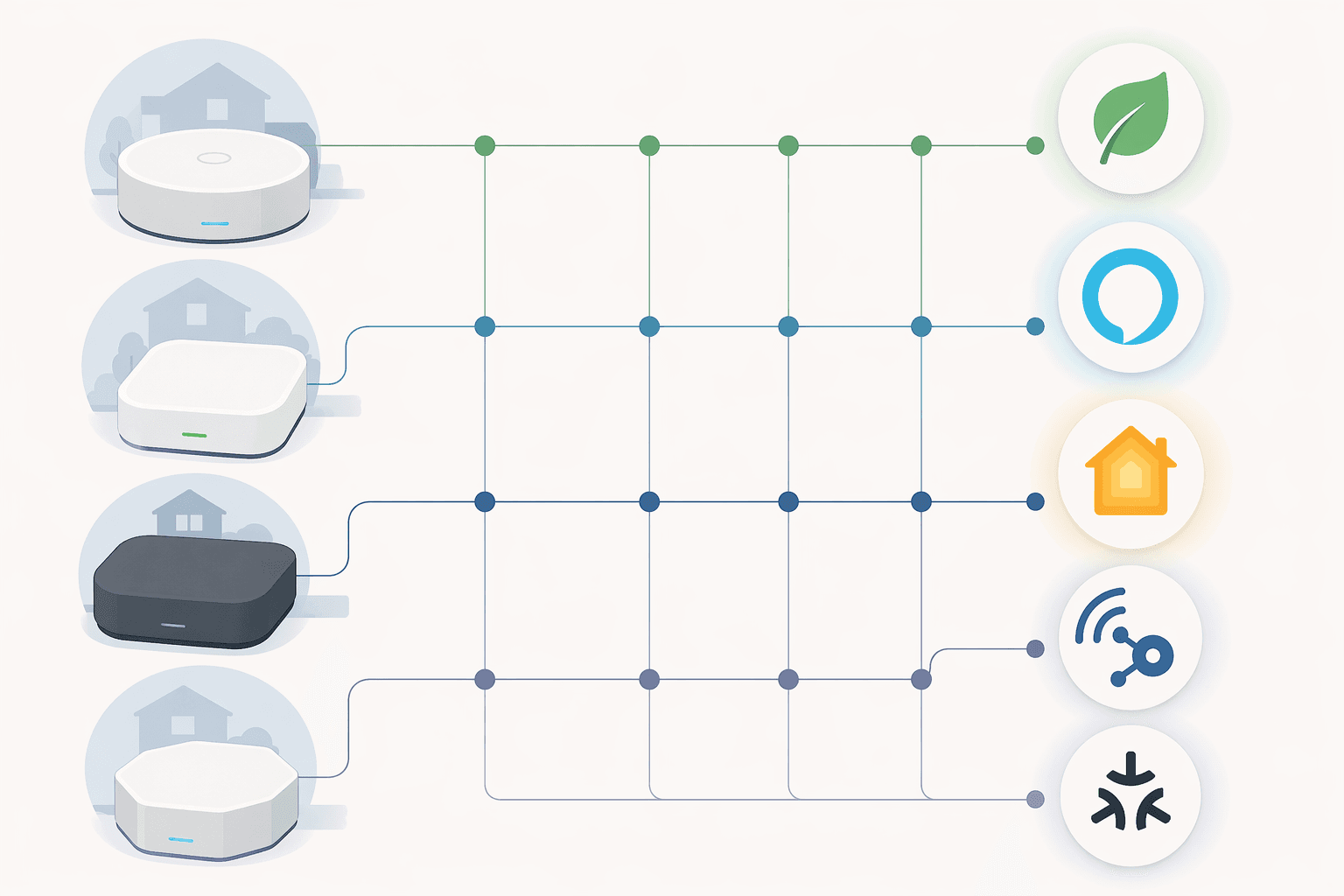
The major platform anchors are fairly clear in 2026. ADT is closely tied to Google Nest. Ring is the natural fit for Alexa households. Abode stands out as the only major system offering native Apple HomeKit support. Vivint remains strong for Z-Wave third-party integration. Matter is increasingly relevant as an interoperability layer, with more than 3,300 certified products, but it is still not a magic wand that makes every alarm feature portable across every platform.
| If your home is already centered on... | Start your shortlist with... | Why it matters |
|---|---|---|
| Google Home or Nest devices | ADT and Google Nest-aligned systems | The closer the security system sits to the platform you already use, the less you have to duplicate cameras, routines, and notifications. |
| Alexa and Ring cameras | Ring Alarm and Alexa-compatible gear | This can simplify voice control, camera access, and household familiarity if Ring devices are already in place. |
| Apple Home / HomeKit | Abode | Native HomeKit support is still unusually limited among major security systems. |
| Z-Wave devices | Vivint or another Z-Wave-friendly system | Z-Wave support can matter if you already own locks, sensors, switches, or other third-party devices. |
| A mixed smart home you expect to keep expanding | Systems with a clear Matter roadmap and strong current integrations | Matter helps with future interoperability, but current alarm features still depend on what each brand actually supports. |
This is not the place to memorize every protocol. It is the place to prevent an avoidable mismatch. If everyone in the house uses Alexa routines, a security system that barely participates in Alexa will feel clumsy. If the home is Apple-first, a system without HomeKit may mean living in a separate app. If the house already has Z-Wave locks or switches, ignoring that installed base can turn a security purchase into a replacement project.
For platform-by-platform narrowing, use the smart home security ecosystem guide. If your bigger concern is whether today’s equipment will age well as Matter and Thread spread, the Matter and Thread interoperability guide is the more useful detour.
Run the 2–3 year cost before trusting a low starter price
A smart security system’s first price is often the least informative one. Starter kits can be genuinely affordable, but a real home usually needs extra contact sensors, motion sensors, cameras, keypads, yard signs, mounts, batteries, cloud video, monitoring, or installation help. Over two or three years, the monthly line items can outweigh the equipment discount that made the system look cheap.
| Cost category | Typical range to include | Why buyers miss it |
|---|---|---|
| Equipment | $100–$1,500+ | Starter kits rarely cover every door, window, camera angle, or keypad location. |
| Installation | $0–$200 | DIY can be free, but professional help or add-on installation can change the opening price. |
| Monthly monitoring | $0–$50+ | Self-monitoring may cost nothing monthly, while professional monitoring becomes a recurring household bill. |
| Contract penalties | Varies by plan | Cancellation terms matter if you move, switch platforms, or discover the system does not fit the home. |
This is where value can look different from cheapness. Wirecutter, for example, found Ring Alarm Pro to be a strong monitoring value at $299.99 for the base system and $20 per month for monitoring, with 180 days of video storage and Wi-Fi 6 mesh router functionality included.[2] That does not make it the right answer for every household, especially if you are not an Alexa or Ring household. It does show why the useful comparison is not only “equipment price,” but what the monthly plan actually bundles.
A simple worksheet is enough. Price the equipment you actually need for your doors, windows, cameras, and control points. Add installation if you will use it. Multiply the monthly plan by 24 or 36. Add any cloud video plan that is not included. Read the cancellation terms before counting a promotional price as savings.
The industry’s growth makes that discipline more important, not less. Fortune Business Insights values the smart home security market at $38.11 billion in 2026 and projects it to reach $117.37 billion by 2034, a 15.1% compound annual growth rate.[3] That projection comes from one research firm, so it should not be treated as destiny. Still, it helps explain why buyers are seeing more bundles, subscriptions, cameras, AI features, and platform partnerships than they did a few years ago.
If the monthly math is starting to matter more than the hardware list, pause on brand comparisons and use the smart home products cost guide to pressure-test subscriptions, replacement costs, and bundled services.
How to narrow the choice without pretending there is one best system
For a renter or first-time buyer, a DIY system with optional monitoring is usually the cleanest starting point. It keeps holes, contracts, and sunk costs low while still giving you door sensors, motion alerts, cameras, and the option to upgrade monitoring later. The main responsibility is household discipline: alerts need to be tuned well enough that people do not silence them.
For a larger home, frequent traveler, or household that wants someone else to handle alarm escalation, professional monitoring deserves a serious look even if it ranks lower in purchase-factor surveys. A recurring fee can be reasonable when it buys coverage during the exact moments no one at home can respond.
For a smart home that already has a center of gravity, choose by ecosystem earlier than feels natural. Alexa-heavy homes should look closely at Ring and compatible alternatives. Google/Nest homes should understand the ADT relationship. Apple Home households should confirm HomeKit support before assuming a system will fit. Z-Wave homes should protect that investment instead of replacing devices unnecessarily.
If you have already narrowed the field to Ring and Arlo, a broad buyer’s guide will start to feel too general. At that point, use the Ring Alarm vs. Arlo security camera system comparison instead of reopening the whole category.
For broader context on what has changed in the category this year, the 2026 smart home security key-shifts article is useful after you have answered the four practical questions. It is easier to judge trends once you know whether you are buying around installation, monitoring, ecosystem fit, or long-term cost.
Choose DIY and self-monitoring when control, low monthly cost, and easy relocation matter most. Choose professional installation or monitoring when response handling, support, or household complexity justifies the bill. Choose by ecosystem when the alarm has to work cleanly with the devices you already own. And before any of those choices feels final, run the two- or three-year cost.
References
- 2026 Home Security Market Report, SafeHome.org
- The Best Home Security System, Wirecutter
- Smart Home Security Market Size, Share & Industry Analysis, Fortune Business Insights
Policy Updates & Reader Notes
Privacy policies, monitoring plan prices, and security disclosures change frequently. Report new data retention terms, updated plan pricing, or new vulnerability disclosures below. For formal editorial corrections, use the contact page.
Comments
Join the discussion with an anonymous comment.