
Your Hub Decides the Best Smart Water Leak Detector
Find the smart water leak detector that pairs with the hub you already own, and learn which placement and alert/shutoff automations turn a detection into water-damage prevention instead of a phone ping. Per-ecosystem picks carry status-labeled verification and copyable automation recipes.
Start with the hub you already own. If your home runs on Apple Home, Home Assistant, SmartThings, Hubitat, HomeSeer, Alexa, Google, or a Z-Wave controller, the best smart water leak detector to prevent home water damage is the one that will actually join that system, expose a usable leak entity, alert the right people, and trigger a shutoff if you have one installed.
Matter does not remove that work yet. Current Matter-compatible water leak sensors still need a hub, bridge, Matter controller, or Thread border router somewhere in the chain; they are not hubless pucks you can scatter around the house and forget about. Matter Alpha’s current Matter leak-sensor roundup makes that hub-or-bridge requirement explicit, and the sensor-to-controller path still depends on another radio layer such as Zigbee or Thread rather than magic Matter mist in the walls. [1]
The other line to draw early: a spot leak detector is an alarm. Wirecutter’s testing is blunt on this point: these devices “function only as alarms,” so the damage-prevention part comes from where you put them, who gets notified, and whether an automatic valve can close before a puddle becomes a repair bill. [2]
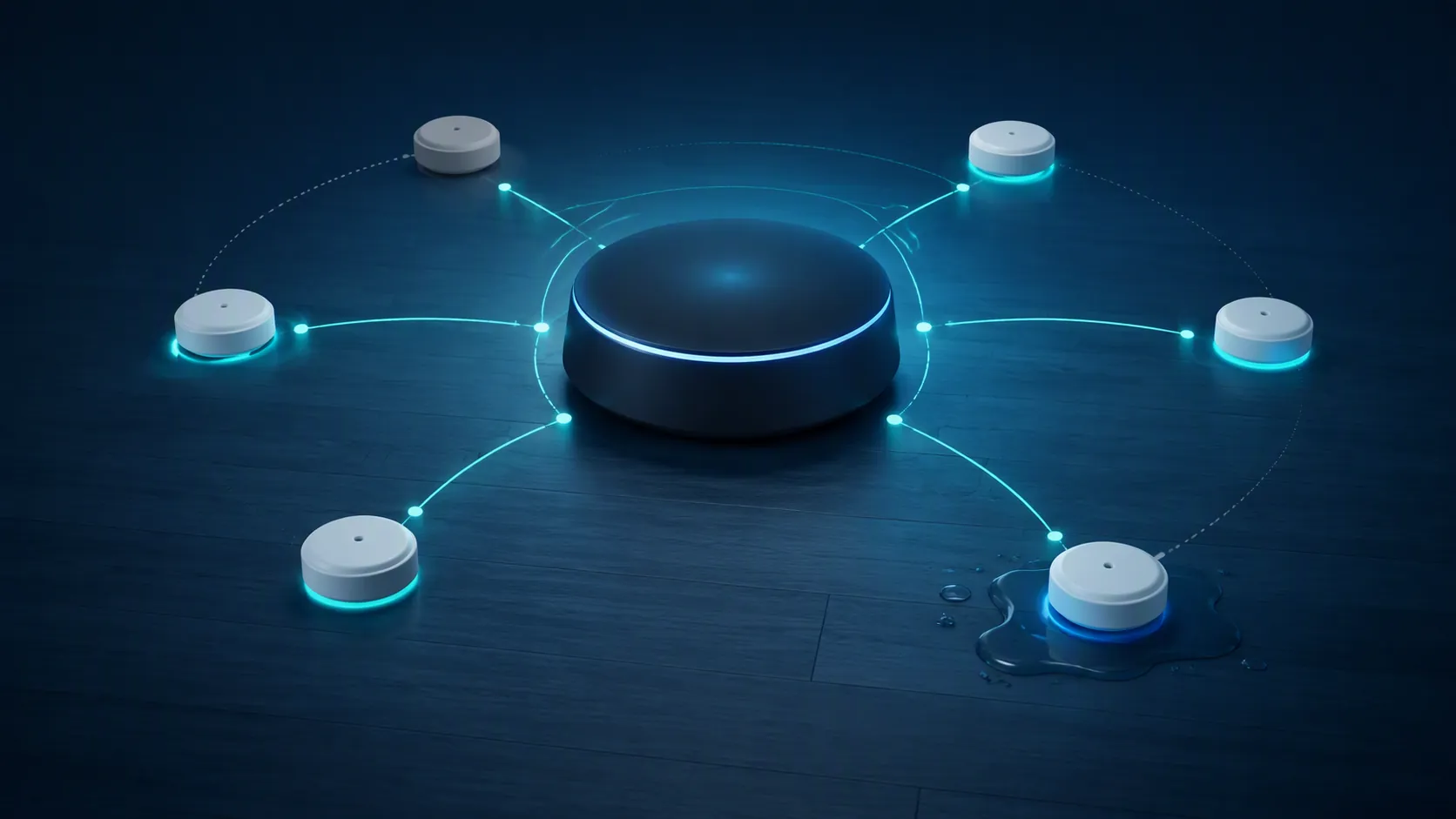
If you want the broader sensor-by-hub matrix for outdoor flood-watch or flash-flood warning use, keep that separate from this indoor plumbing-leak decision. The more exhaustive compatibility view belongs in the site’s water leak detector protocol compatibility guide and the two sensor×hub matrices for flood-watch sensor compatibility and smart flood sensor hub compatibility. Here, the job is narrower: indoor leaks under sinks, at water heaters, behind washing machines, near sump areas, and around other plumbing risk points.
Pick by ecosystem first
| Hub or ecosystem you already run | Protocol path | Candidate detector | Verification status | Bridge or hub requirement | Main caveat |
|---|---|---|---|---|---|
| Apple Home with Thread border router | Thread / HomeKit today; Matter status unresolved | Eve Water Guard | Ambiguous for Matter: Eve’s product page says it is “ready for Matter with a future software update.” [3] | Needs an Apple home hub / Thread-capable home setup for remote control and automations | Treat as a strong HomeKit/Thread candidate, not a confirmed shipped Matter leak detector unless current firmware notes prove it. |
| Apple Home or another Matter-over-Thread setup | Matter over Thread | IKEA KLIPPBOK | Published as a low-cost Matter-over-Thread leak puck in Homey’s guide. [7] | Needs a Matter controller and Thread border router | No cable probe and not fully waterproof; useful as a cheap puck only where the puck itself can sit at the risk point. [7] |
| Home Assistant with Zigbee2MQTT | Zigbee | Aqara Water Leak Sensor SJCGQ11LM | Verified in Zigbee2MQTT with water_leak, battery, and trigger_count entities. [4] | Needs a Zigbee coordinator and Zigbee2MQTT | After pairing, Zigbee2MQTT notes that you may need to wet the sensor once for the water_leak entity to appear; a dated Zigbee2MQTT 1.25.0 false-leak regression was closed via converter work, so check current versions if behavior looks wrong. [4][5] |
| Z-Wave through Home Assistant, HomeSeer, Hubitat, Homey, SmartThings, Z-Box, Alarm.com, Ezlo, or Indigo | Z-Wave | Zooz ZSE42 Water Leak XS Sensor | Zooz publishes a defined compatible-hub list including Home Assistant with Z-Wave JS, HomeSeer, Homey, Hubitat 2.2.9+, SmartThings, and others. [6] | Needs a Z-Wave controller | Zooz specifically says it does not work with Ring and does not pair directly to Alexa or Google speakers. [6] |
| SmartThings | Z-Wave or supported Zigbee path | Zooz ZSE42 if you are using SmartThings as the Z-Wave hub | SmartThings is on Zooz’s ZSE42 compatibility list. [6] | Needs the SmartThings hub path that supports the device protocol | Do not assume every Zigbee leak puck behaves the same in SmartThings; buy against a current device handler, Edge driver, or vendor compatibility note. |
| Alexa / Google cloud-forward home | Wi-Fi, vendor bridge, or Matter controller path | D-Link, YoLink, Shelly Flood Gen4, or a Matter device through a real Matter controller | Use the vendor app and integration status, not the presence of an Alexa or Google voice routine, as the compatibility test. | Usually needs Wi-Fi, a vendor hub, or a Matter controller; Shelly Flood Gen4 is described as multiprotocol with a 2 m extendable cable and hubless Wi-Fi option. [7] | A smart speaker receiving a notification is not the same as the speaker being a hub, a radio coordinator, or a shutoff controller. |
That table is doing more work than any “best overall” badge should. The same puck can be a clean buy in one house and a return-label generator in another. A Z-Wave detector with a published controller list is a good thing in a Hubitat or HomeSeer home; it is dead weight if the buyer expected it to pair to a Ring system. A Matter-over-Thread detector may be a tidy Apple Home choice if the home already has a Thread border router; it is not a universal leak detector for someone with only a Wi-Fi router and a phone.
Where the picks need extra care
Apple Home: Eve is attractive, but label the Matter status honestly
Eve Water Guard is the kind of device that tempts a shortcut because the hardware story is genuinely appealing for Apple Home users: Thread, a line-style sensing cable rather than just two metal contacts on the bottom of a puck, and a brand that has long aimed at HomeKit-first households. The problem is the label. Eve’s own page says the Water Guard is “ready for Matter with a future software update,” which is not the same as saying the Matter update has shipped and is field-verified. [3]
So the clean buying advice is narrower: if you are buying for Apple Home and you want Thread/HomeKit behavior, Eve belongs on the shortlist. If your requirement is a shipped Matter leak sensor, do not let a “ready for Matter” phrase do the job of a firmware release note. For more on why Apple Home still needs the right home hub and border-router layer, see the site’s HomeKit home hub explainer.
Home Assistant and Zigbee2MQTT: Aqara is good only if the entity appears cleanly
The Aqara SJCGQ11LM is a useful example of why Home Assistant buyers should read the converter page before reading a star rating. Zigbee2MQTT documents the exposed water_leak, battery, and trigger_count values, which is exactly what you want to see before you start writing automations. It also documents a small pairing oddity: after pairing, you may need to wet the sensor once before the water_leak entity appears. [4]
That is not a deal-breaker; it is the kind of small operational fact that saves an hour of wondering why a new sensor looks half-present. The older Zigbee2MQTT 1.25.0 false-leak issue is also worth naming with its date context rather than turning it into a permanent warning. The GitHub issue was closed through zigbee-herdsman-converters work, so the right conclusion is not “Aqara always false-alarms”; it is “if you see unexpected wet states, check your Zigbee2MQTT and converter versions before blaming the puck.” [5]
Z-Wave: Zooz wins by publishing the boundary
Zooz ZSE42 is not interesting because it claims to work with everything. It is interesting because the compatibility list has edges. Zooz lists Z-Box, Alarm.com, Ezlo, Home Assistant with Z-Wave JS, HomeSeer, Homey, Hubitat 2.2.9 or newer, Indigo, and SmartThings, while also saying the sensor is not compatible with Ring and does not connect directly to Alexa or Google Home speakers. [6]
That is a better buying signal than a vague “works with smart homes” badge. If your leak automation depends on Z-Wave reliability, buy the detector against the actual controller you own, then verify that the wet/dry binary entity lands in your hub. For SmartThings and Z-Wave hub context, the site’s hub-pairing guide is the better place to chase controller details.
Alexa, Google, Wi-Fi, and vendor hubs: speed is only one part of usefulness
Wi-Fi and cloud-forward detectors can be perfectly usable, especially for homes without a local automation hub. PCMag’s guide frames the trade-off plainly: Wi-Fi gives direct connectivity but can cost battery life, and full leak-detection setups range from roughly $50 to more than $500, with in-line shutoff systems adding $200 or more for professional installation. Treat those as publication-date price ranges, not permanent verdicts. [8]
Wirecutter’s measured results show why speed testing matters but does not settle the purchase alone. In its tests, the D-Link SW-A11KT detected water in under one second and sent a push notification 3 to 5 seconds later, while the YoLink Water Leak Sensor 4 detected in 1 to 2 seconds. The same testing also found very different offline-notification behavior: the D-Link hub reported a hub issue after about 3 minutes, while YoLink’s offline notice after battery removal took about 12 hours. [2]
Those numbers are useful if the detector sits behind a washing machine and everyone is home. They are less comforting if the hub goes offline while the house is empty. A fast wet alert, a slow offline alert, and no shutoff valve still leave a person responsible for finding the puddle and closing water.
Placement is the first automation
A spot detector protects the floor it touches. Put it six feet away from the actual failure point and it becomes a late notification device. The useful map is not complicated, but it does need to be deliberate: under kitchen and bathroom sinks, behind or beside the washing machine, near the water heater, by the dishwasher if access allows, around sump areas, near water softeners or filters, and at other indoor plumbing points where water would first collect. Wirecutter’s placement guide similarly centers the obvious but often skipped locations: under sinks, near toilets, by water heaters, and around appliances with water connections. [9]
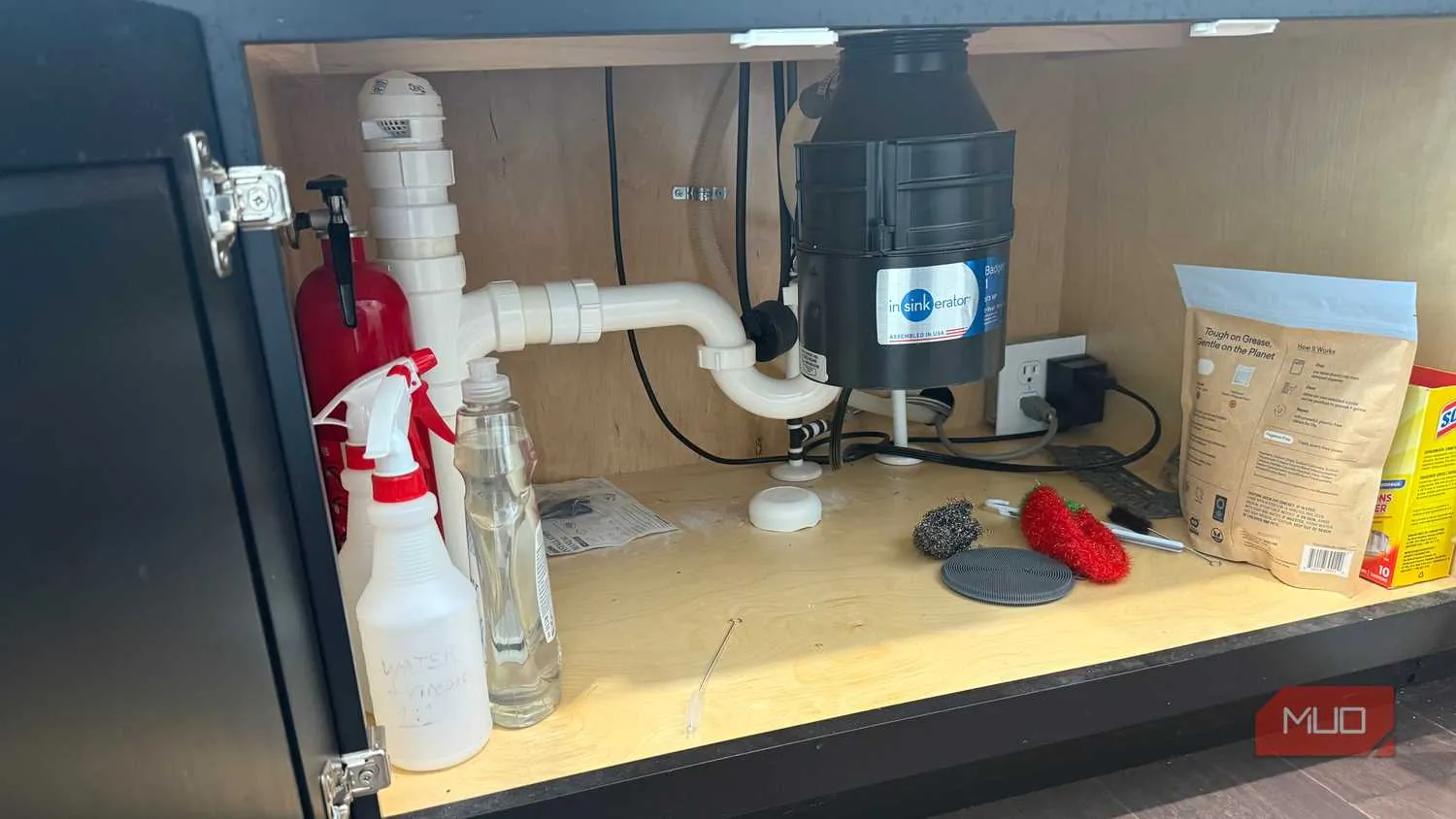
- Under sinks: place the sensor at the lowest point where supply-line, drain, or trap leaks would run first. If the cabinet floor slopes, test with a few drops of water on a paper towel rather than guessing.
- Water heater: put the detector where pan overflow or tank seepage would reach it early. If the heater sits in a drain pan, make sure the sensor or probe can actually detect water in the pan.
- Washing machine: prioritize the hose connection side and the floor path water would take if a hose, valve, or drain line failed.
- Sump or basement utility area: use a detector where rising water or pump failure would be noticed before it spreads to finished flooring or stored items.
- Appliances with tight clearance: consider a detector with a cable probe if the puck itself cannot sit at the likely water path.
This is where cable probes matter. A small puck is fine under a sink if the puck can sit in the right spot. Behind a washer or under an appliance, a cable probe can put the sensing surface where the water will be while keeping the radio body somewhere with better signal and battery access. Homey’s guide notes that Shelly Flood Gen4 includes a 2 m extendable cable and can work through several protocol paths, including hubless Wi-Fi, while IKEA’s KLIPPBOK is a cheaper Matter-over-Thread puck without a cable probe and is not fully waterproof. [7]
Build the alert chain before you trust the sensor
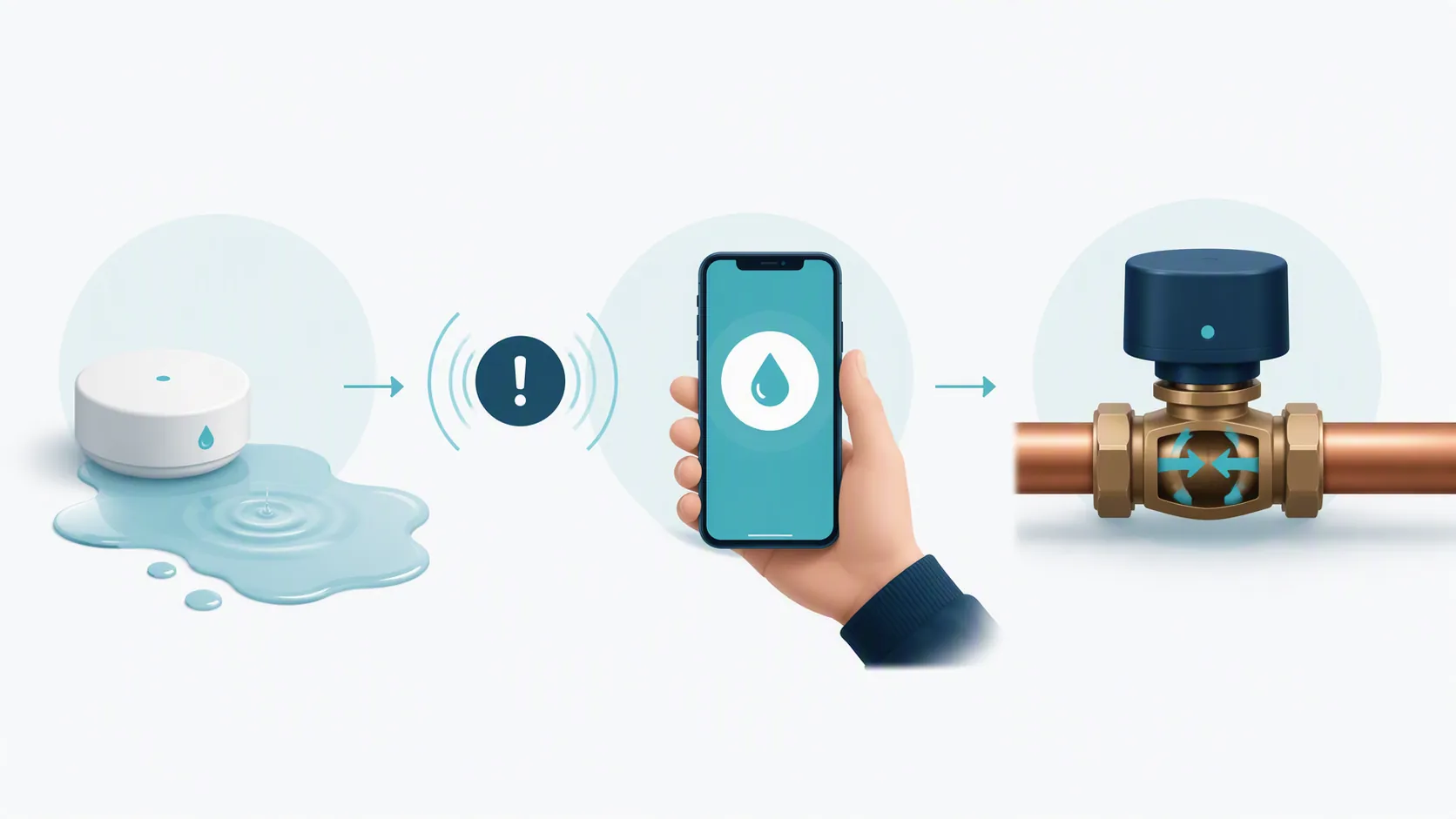
A single push notification to one phone is a weak prevention system. Phones are muted, people are driving, batteries die, and the person who installed the hub is not always the person standing nearest the main shutoff. The alert chain should have at least three layers: immediate notification, escalation if the wet state persists, and shutoff automation if a compatible automatic valve is installed.
Keep the insurance numbers in their lane. CNET reported LexisNexis/Flo figures associating in-line automatic shutoff systems with 96% fewer paid water-leak claims and 72% lower severity for claims that still occurred. Those figures are correlation, not proof of causation, and they apply to in-line automatic shutoff systems, not to standalone spot sensors sitting under sinks. [10]
The following Home Assistant examples use hypothetical entity IDs. Replace them with your actual entities after confirming that each detector reports a wet state correctly in your hub. The pattern follows the same practical style as the site’s Home Assistant smart-plug recipes, and it overlaps with community patterns for leak sensors, main water valves, and household flood alerts. [11][12]
Recipe 1: notify more than one person immediately
alias: Leak detected - notify household
mode: single
trigger:
  - platform: state
    entity_id:
      - binary_sensor.kitchen_sink_water_leak
      - binary_sensor.washing_machine_water_leak
      - binary_sensor.water_heater_water_leak
    to: "on"
action:
  - service: notify.mobile_app_alex_phone
    data:
      title: "Water leak detected"
      message: "{{ trigger.to_state.name }} is wet. Check this location now."
      data:
        push:
          interruption-level: critical
  - service: notify.mobile_app_sam_phone
    data:
      title: "Water leak detected"
      message: "{{ trigger.to_state.name }} is wet. Check this location now."
      data:
        push:
          interruption-level: critical
Test this with a damp paper towel before you call it finished. You are checking four things: the detector changes to wet, Home Assistant sees the state change, both phones receive the alert, and the alert wording names the location clearly enough for someone else to act.
Recipe 2: escalate if the sensor stays wet
alias: Leak still wet - escalate
mode: single
trigger:
  - platform: state
    entity_id:
      - binary_sensor.kitchen_sink_water_leak
      - binary_sensor.washing_machine_water_leak
      - binary_sensor.water_heater_water_leak
    to: "on"
    for: "00:02:00"
condition: []
action:
  - service: light.turn_on
    target:
      entity_id:
        - light.kitchen_ceiling
        - light.hallway
    data:
      brightness_pct: 100
  - service: siren.turn_on
    target:
      entity_id: siren.utility_room
  - service: notify.family_group
    data:
      title: "Leak still active"
      message: "{{ trigger.to_state.name }} has been wet for 2 minutes. Find the shutoff valve if water is still flowing."
Two minutes is not a universal rule. It is a practical starting point that filters a quick test from an ongoing wet state. If your sensor is in a sump area or a place that may get brief harmless moisture, adjust the delay and escalation target rather than training everyone to ignore alarms.
Recipe 3: close the valve if you have a compatible shutoff
alias: Leak detected - close main water valve
mode: single
trigger:
  - platform: state
    entity_id:
      - binary_sensor.kitchen_sink_water_leak
      - binary_sensor.washing_machine_water_leak
      - binary_sensor.water_heater_water_leak
    to: "on"
condition:
  - condition: state
    entity_id: input_boolean.water_shutoff_automation_enabled
    state: "on"
action:
  - service: valve.close_valve
    target:
      entity_id: valve.main_water_shutoff
  - service: notify.family_group
    data:
      title: "Main water valve closed"
      message: "{{ trigger.to_state.name }} detected water, so Home Assistant closed the main water shutoff. Verify the leak before reopening."
Add the enable/disable helper on purpose. A shutoff automation is useful when a washer hose bursts while nobody is home. It is annoying, and sometimes costly, if a sensor test or mop bucket closes water during maintenance. The helper gives the household a visible way to pause the automation without deleting it.
For more variations, keep the recipe library separate from the buying decision. The site’s three leak detector flood-warning setups and smart leak detector automation ideas are better places for siren, light, and notification variants once the core wet/dry entity is reliable.
Platform notes for non-Home Assistant homes
- Apple Home: confirm the sensor appears as a water leak sensor in Home, not just inside a vendor app. Then notify every household member who needs to act, and keep any valve automation conservative unless the valve is fully supported in the same Home setup.
- SmartThings: buy against a current compatibility path. If the detector is Z-Wave, the Z-Wave controller path matters. If it is Zigbee, do not assume generic Zigbee pairing gives you a clean leak capability.
- Hubitat, HomeSeer, Homey, and other Z-Wave controllers: verify the device page, inclusion notes, and exposed wet/dry capability before writing rules. Zooz’s published ZSE42 compatibility list is the right kind of starting point, but the final test is still your controller seeing the leak state.
- Alexa and Google: treat voice-assistant routines as alert layers, not as proof that the speaker is a hub. If the detector depends on a vendor bridge, the bridge must stay powered and online. If it is Matter, you still need a real Matter controller and, for Thread devices, a Thread border router.
Spot sensors, flow monitors, and shutoff systems are different layers. A spot sensor catches water where it sits. A flow monitor watches water use in the plumbing. A shutoff valve can stop supply when the system decides the risk is high enough. If you are deciding how those layers fit together, the site’s smart flood sensors for home protection guide and storm and flood preparedness setup guide cover the larger system view.
The purchase decision is therefore smaller and stricter than most rankings make it. Buy the detector your hub can verify. Place it where water will actually appear. Send alerts to more than one person. If a compatible automatic shutoff is installed, let the wet state close the valve with a visible override. A standalone leak detector is not the prevention system; it is the first sensor in one.
References
- The best Matter-compatible water leak sensors right now — Matter Alpha
- The Best Smart Water Leak Detector — Wirecutter
- Eve Water Guard — Eve
- Aqara Water Leak Sensor SJCGQ11LM — Zigbee2MQTT
- Zigbee2MQTT issue #12018 — GitHub
- ZSE42 Water Leak XS Sensor Compatible Hubs — Zooz Support
- Water Leak Detectors — Homey
- The Best Smart Water Leak Detectors — PCMag
- Where to Put Leak Detectors — Wirecutter
- Smart Water Leak Detector Insurance Study: Flo by Moen, LexisNexis — CNET
- Water leak sensors and automation of main water valve — Home Assistant Community
- Household Flood Alerts with Home Assistant — E.Z. Hart