
Why the iPhone 16e Can't Be a HomeKit Home Hub
The iPhone 16e works fine as a HomeKit controller but can never be a home hub — no iPhone can, and it's the only 2025 iPhone without a Thread radio. Here's what that means for pairing Thread and Matter accessories, the hub errors you'll see, and which hub you actually need.
Last updated
Here is the iPhone 16e HomeKit smart home hub compatibility answer as of July 31, 2026: the iPhone 16e works as an Apple Home controller, but it cannot be a HomeKit home hub. Apple’s current home hub list is HomePod, HomePod mini, and Apple TV — not iPhone — and the iPhone 16e tech specs do not include Thread, while the iPhone 16 specs do. That combination matters: the phone can operate the Home app, but it cannot replace the always-on hub or supply the Thread path that Thread and some Matter accessories need. [1][2][3]
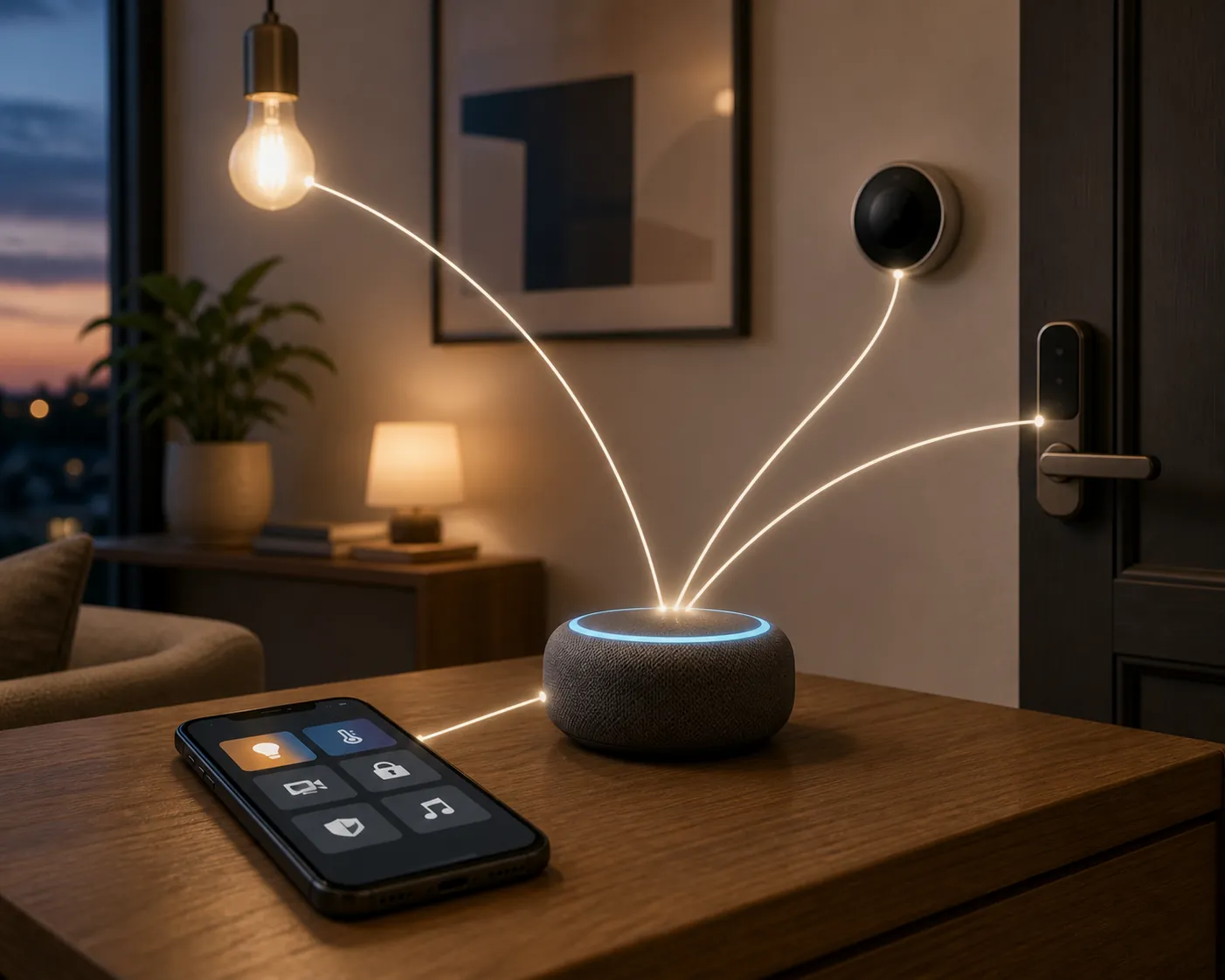
That is not a flaw in setup, and it is not something iOS 26 has quietly changed. It is two separate facts meeting in one annoying place: Apple does not let any iPhone act as the home hub, and this particular iPhone also lacks the Thread radio found in the regular iPhone 16. If your accessories are mostly Wi‑Fi or Bluetooth devices that the Home app already supports, the 16e can be a perfectly ordinary daily controller. If your plan depends on remote Home access, hub-backed automations, or Thread-based Matter accessories, the missing piece is an eligible Apple home hub — preferably one that is Thread-capable for a Thread build.
The Apple rule comes first, then the iPhone 16e hardware limit
Apple’s home hub support page is the cleanest place to start because it answers the platform question before the hardware question. Apple says you set up a HomePod, HomePod mini, or Apple TV as a home hub. HomePod and HomePod mini are set up automatically as home hubs; Apple TV becomes a home hub when it is added to a room in the Home app. iPhone is not part of that hub list. [1]
Then the 16e spec sheet answers the radio question. Apple lists Wi‑Fi 6, Bluetooth 5.3, NFC, and Express Cards for iPhone 16e, but it does not list Thread. The regular iPhone 16 spec sheet does list Thread, along with second-generation Ultra Wideband. [2][3]
The old “can I use an iPad as the hub?” workaround is no longer the escape hatch it used to be. Apple says the latest version of Apple Home uses HomePod, HomePod mini, or Apple TV as home hubs, and Apple retired the previous Home architecture on February 10, 2026. [4]
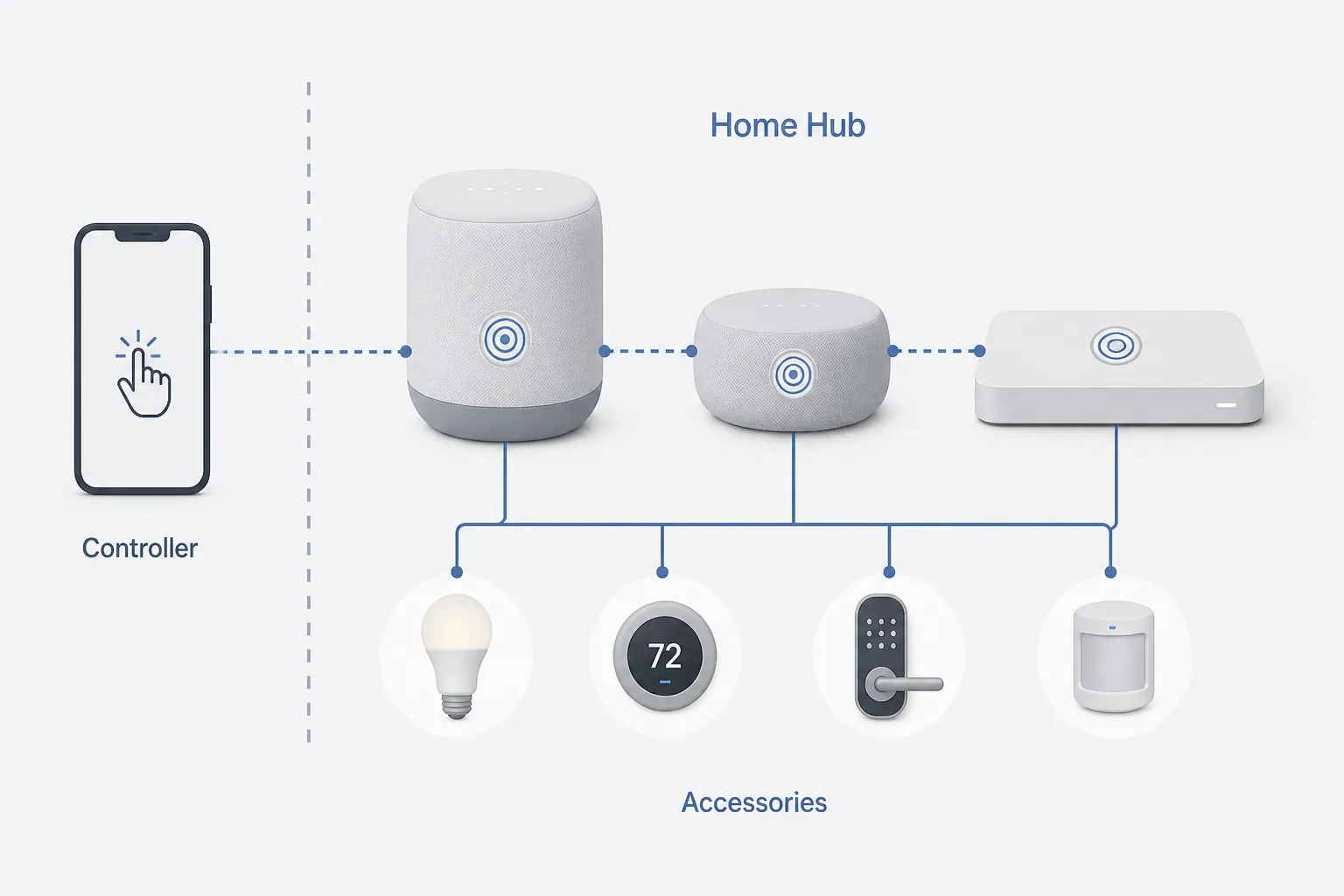
Controller, home hub, and Thread border router are three different jobs
A lot of bad smart-home advice collapses three jobs into the word “hub.” That is where the iPhone 16e confusion usually starts. The phone can do one job very well, is not allowed to do the second, and lacks the radio for the third.
| Job | What it means in Apple Home | Where the iPhone 16e fits |
|---|---|---|
| Controller | The device running the Home app, used to add, view, and control accessories. | Yes. The iPhone 16e can be the phone you use to control Apple Home. |
| Home hub | The always-available Apple device that supports hub-dependent Home functions. Apple’s current hub devices are HomePod, HomePod mini, and Apple TV. [1] | No. No iPhone, including iPhone 16e, is on Apple’s home hub list. |
| Thread border router | The Thread-capable bridge between a Thread mesh and the rest of the home network, needed for Thread Matter accessories in Apple’s setup flow. [1] | No. The iPhone 16e specs do not list Thread. [2] |
This is why the 16e can feel oddly capable and limited at the same time. It can be the screen in your hand, the device where you tap the accessory tile, and the phone that starts a supported pairing flow. It is still not the always-on device your home depends on when you are away, and it is not a Thread bridge.
The Matter exception: not every Matter accessory needs a hub
Matter needs more careful wording than it usually gets. Apple’s Matter support page says that with iOS 18 or later, an iPhone can pair and control Matter accessories that use Wi‑Fi or Bluetooth without a home hub. That exception is real, and it is exactly why “Matter always requires a hub” is too broad. [5]
The exception does not turn the iPhone 16e into a Home hub, and it does not give it Thread. A Matter-over-Wi‑Fi plug and a Matter-over-Thread sensor may both carry the Matter logo, but they do not ask the same thing from your Apple setup. The Wi‑Fi accessory can use your Wi‑Fi network. The Thread accessory needs a Thread path.
If you are comparing controller and border-router roles across ecosystems, the same distinction applies outside Apple Home too. NestGrid’s guide to setting up Home Assistant as a Matter controller is useful background for the controller-versus-network-infrastructure split.
What the iPhone 16e can still do in Apple Home
The iPhone 16e is not a bad Apple Home phone. It is just the wrong device to depend on as infrastructure. For common Home app use, the practical split looks like this:
| What you are trying to do | iPhone 16e result |
|---|---|
| Control compatible HomeKit or Apple Home accessories from the Home app | Yes, as a controller, assuming the accessory and home setup are otherwise supported. |
| Pair and control Matter accessories over Wi‑Fi or Bluetooth on iOS 18 or later | Yes, Apple documents a hubless iPhone pairing/control path for those Matter transports. [5] |
| Use the iPhone itself as the HomeKit home hub | No. Apple’s current home hub devices are HomePod, HomePod mini, and Apple TV. [1] |
| Use the iPhone itself as a Thread path for Thread accessories | No. The iPhone 16e spec sheet does not list Thread. [2] |
| Build around Matter-over-Thread accessories | Plan on a Thread-enabled Apple home hub. Apple says Thread Matter accessories require a Thread-enabled home hub. [1] |
That table is also the buying filter. If the accessory box says Wi‑Fi and the Home app or Matter support is clear, the iPhone 16e may be enough for setup and control. If the box says Thread, do not expect the 16e to make up the missing network layer.
Two errors that point to two different missing pieces
When setup fails, the wording matters. “Home Hub Required” and “Thread Border Router Required” are not just two versions of the same complaint. One is about Apple Home needing an eligible hub for the requested function. The other is about the Thread network path not being present or reachable.
“Home Hub Required”
A “Home Hub Required” error means the requested Apple Home action needs a hub device that the home does not currently have available. Apple’s support page for “Software Update Required” or “Home Hub Required” treats this as a hub-mediated setup issue, not as something an iPhone can solve by being newer or closer to the accessory. [6]
The practical response is to check for an eligible HomePod, HomePod mini, or Apple TV in that Apple Home, make sure the hub device is updated and online, and confirm that Apple Home actually sees it as part of the home. If the hub disappeared after a software update, start with the boring checks before replacing hardware: power, updates, network, and whether the Home app still shows the right home and account.
For a deeper recovery path after an update, NestGrid’s HomeKit devices not responding after iOS 26.6 guide and iOS 26.6 HomeKit impact notes are better places to work through update-specific symptoms.
“Thread Border Router Required” or “Needs Thread Network”
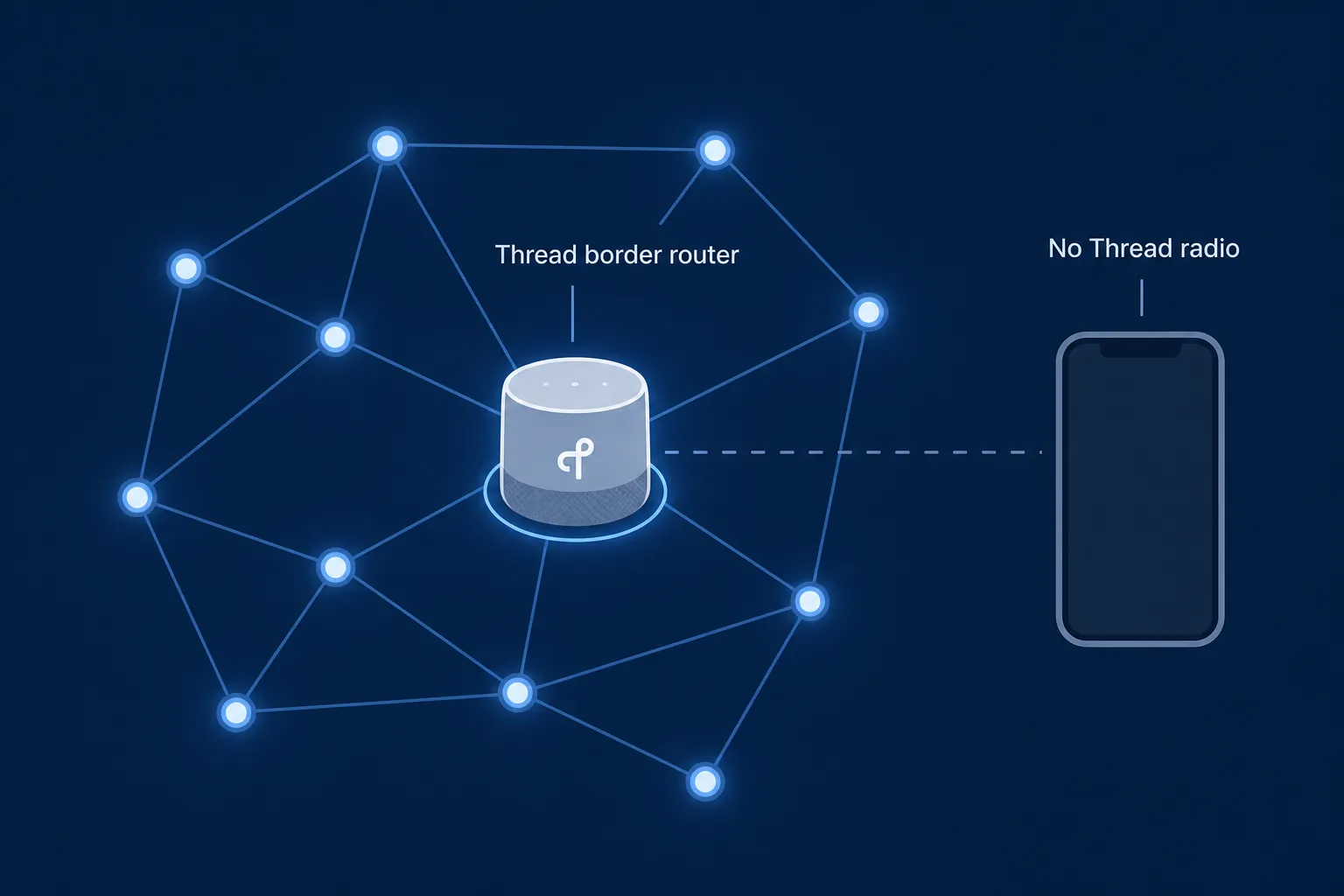
This is the more iPhone 16e-specific failure. Apple’s support page for “Thread Border Router Required” or “Needs Thread Network” says the alert can appear when your Apple device does not support Thread or when a compatible Thread border router is not available. Apple’s Thread-enabled device list on that page does not include iPhone 16e. [7]
Apple’s published fix sequence is worth following before blaming the accessory. It includes restarting the home hub, retrying from the Apple Account of the home owner, checking that an Ethernet-connected Apple TV is on the same Wi‑Fi network as the iPhone, checking Wi‑Fi and interference conditions, resetting network settings, and disabling VPN software during setup. [7]
Those steps make sense because Thread setup is not just phone-to-device pairing. The phone, the hub, the home owner’s account, the local network, and the Thread-capable border router all have to line up. The iPhone 16e can start the process, but it cannot become the missing Thread radio.
If the whole home failed after a power outage rather than during first pairing, use a protocol-first recovery path such as NestGrid’s smart home reconnect after power outage guide instead of repeatedly deleting and re-adding accessories.
Which Apple hub actually solves the problem?
Buy the least extra hardware that covers the missing job. If your only issue is that the iPhone 16e does not appear in Apple’s home hub list, any currently supported Apple home hub category — HomePod, HomePod mini, or Apple TV — is the category to look at. HomePod and HomePod mini set themselves up as home hubs; Apple TV needs to be added to a room in the Home app. [1]
If Thread is the reason you are buying, do not stop at “Apple TV” or “speaker.” Stop at “Thread-enabled Apple home hub.” Apple’s own wording for Thread Matter accessories is that a Thread-enabled home hub is required, so the radio capability is the purchase criterion. [1]
| Your setup | What to add |
|---|---|
| Mostly Wi‑Fi Apple Home accessories, local control, and iOS 18+ Matter-over-Wi‑Fi/Bluetooth pairing | Possibly nothing. The iPhone 16e can be the controller. |
| Remote access or Apple Home functions that show “Home Hub Required” | An eligible Apple home hub: HomePod, HomePod mini, or Apple TV. |
| Thread sensors, Thread locks, or Matter-over-Thread accessories | A Thread-enabled Apple home hub. Verify Thread support on the exact hub model before buying. |
| A mixed home where Thread reliability is the long-term goal | Treat Thread capability as non-negotiable, even if the first few accessories are Wi‑Fi. |
A regular iPhone 16 having Thread does not change the home hub rule either. A Thread-capable iPhone can be a useful contrast case, but Apple still separates the phone from the always-on home hub role. If you are looking ahead at whether a future iPhone could replace more of the smart-home stack, NestGrid’s iPhone 18 Pro Max smart home hub compatibility article is the better comparison point.
UWB and rumored Apple home hardware are side issues
Ultra Wideband is not the reason the iPhone 16e cannot be a HomeKit home hub. It is relevant to proximity features and device-finding behavior, but not to Apple’s home hub eligibility list. Apple’s UWB availability page excludes iPhone 16e, and the iPhone 16 spec sheet lists second-generation Ultra Wideband, but the home hub answer still comes from Apple’s Home hub device list. [8][3][1]
There is also a separate rumor track around a dedicated Apple home device. MacRumors, citing Bloomberg’s Mark Gurman, reported on July 28, 2026 that an all-new Apple Home Hub could launch as soon as October, with a 7-inch display and tabletop or wall-mount options. That is a possible wait option for buyers who are not in a hurry, not evidence that an iPhone will become a Home hub. [9]
The compatibility decision
Keep or buy the iPhone 16e if what you need is an Apple Home controller: opening the Home app, controlling compatible accessories, and using Apple’s iOS 18+ path for Matter-over-Wi‑Fi or Bluetooth accessories. It is fine for that job.
Do not buy the iPhone 16e expecting it to replace a HomePod, HomePod mini, or Apple TV as the HomeKit home hub. It cannot. And if the home you are building depends on Thread or Matter-over-Thread accessories, budget for a Thread-enabled Apple home hub rather than trying to make the phone carry a network role it does not have.
References
- Set up your HomePod, HomePod mini, or Apple TV as a home hub — Apple Support
- iPhone 16e - Tech Specs — Apple Support
- iPhone 16 - Tech Specs — Apple Support
- Update Apple Home — Apple Support
- Pair and manage your Matter accessories — Apple Support
- If you see a 'Software Update Required' or a 'Home Hub Required' error — Apple Support
- If you see a 'Thread Border Router Required' or 'Needs Thread Network' alert — Apple Support
- Learn about Ultra Wideband availability — Apple Support
- All-New Apple Home Hub Reportedly Launching as Soon as October — MacRumors, July 28, 2026
Known issues with this device / protocol
Spec-version history
For active regressions on this protocol, see Update Watch.
No linked Update Watch entries yet.