
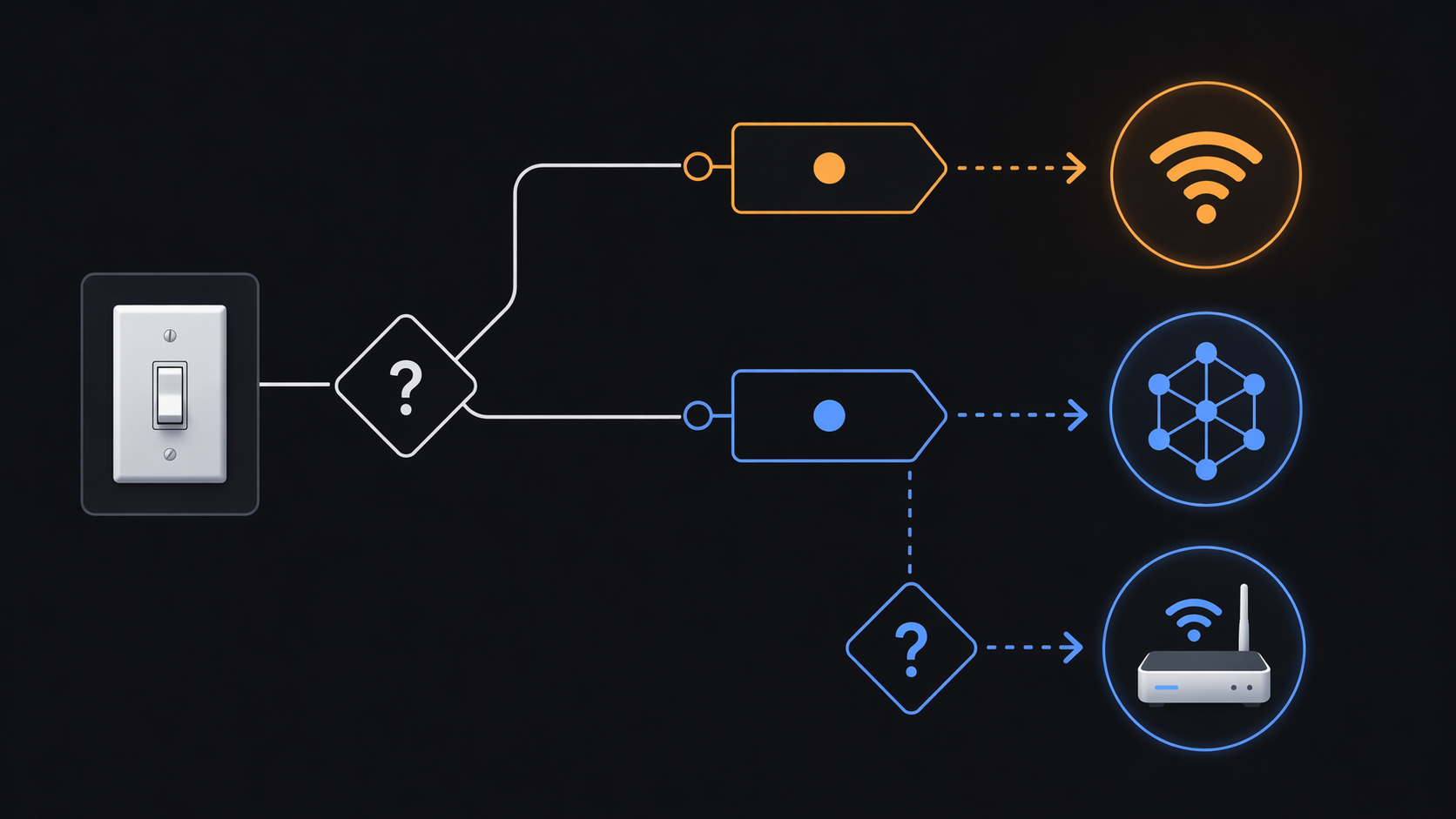
Start with the count, not the protocol. If your next Matter light switch is one of one, two, or maybe five switches going into a kitchen, hallway, pantry, garage, or a few high-traffic rooms, Wi-Fi is usually the cleaner choice in 2026. It is cheaper, easier to buy, and does not ask you to add another piece of smart home infrastructure before the wall plate goes back on.
If you are replacing a full bank of switches across the house, or you already have a Thread border router sitting in the home, the answer changes. Thread starts to earn its keep when the lighting system becomes a network of fixed, mains-powered devices rather than a handful of standalone controls. The useful rule of thumb is simple: Wi-Fi for a small 1-5 switch project with a decent router; Thread for a 10+ switch project, a crowded 2.4 GHz network, or a home that already has the Thread foundation.
Why Most Matter Light Switches You Find Are Wi-Fi
The shelf reality comes first because it affects the decision before any network diagram does. In a MatterCatalog snapshot of seven Matter-certified smart switches, six used Wi-Fi rather than Thread. That is not a full market census, but it matches what buyers run into when they start shopping: Wi-Fi models are much easier to find than Thread models.[1]
That availability is not an accident. A Wi-Fi Matter switch can join the router most homes already own. There is no separate Thread border router to explain, no question about whether the existing Apple TV, HomePod Mini, Echo, Nest Hub Max, or SmartThings hub is new enough, and no extra line item before the first switch works. For a single-switch buyer, “no hub needed” is not just marketing. It removes a real purchase and a real setup dependency.
The price gap reinforces that default. Common Wi-Fi Matter switches tend to sit around the $15-$25 range, while the Thread-based Inovelli White Series is around $65. If you are installing two switches, that difference is noticeable. If you are installing twelve, it becomes a budget category of its own.[1]
| Project | Practical Default | Why |
|---|---|---|
| 1-5 switches | Wi-Fi | Lower device cost, no extra border router, simple setup with a decent modern router |
| Around 10+ switches | Thread, if infrastructure is present or planned | Mesh routing, less 2.4 GHz Wi-Fi airtime contention, lower standby draw across many devices |
| Any size project with an existing Thread border router | Compare Thread seriously | The biggest upfront penalty may already be paid |
| Any size project on an overloaded 2.4 GHz network | Lean Thread | Switch traffic leaves the Wi-Fi client pool and moves to the Thread mesh |
For One to Five Switches, Wi-Fi Is Usually the Sensible Install
A small lighting project should not be treated like a whole-home network migration. One Matter switch in a kitchen does not justify buying infrastructure just because Thread is a neater architecture on paper. If your Wi-Fi is stable, your router is not already packed with clients, and the switch location has a usable 2.4 GHz signal, a Wi-Fi Matter switch is the practical answer.
This is where blanket claims about Wi-Fi being bad for IoT get sloppy. A handful of switches are low-drama clients on a capable home network. They are fixed in place, mains-powered, and usually send small bursts of traffic. A modern mesh router can make that boring, which is exactly what a wall switch should be.
The repair path is also simpler. If a Wi-Fi switch drops, you look at the router, signal strength, the switch, or the Matter controller. With Thread, the problem may involve the switch, the Thread mesh, the border router, credentials shared between ecosystems, or whether multiple platforms accidentally created separate Thread networks. Those issues are fixable, but they are not the first thing I would volunteer for someone installing a single hallway switch.
The only reason I would hesitate on Wi-Fi for a small project is if the home is already device-dense. Consumer routers are commonly discussed around 50-100 connected-client limits, and the quality of the router matters a lot; newer Wi-Fi 6 and Wi-Fi 6E systems can handle dense networks better than older ISP gateways. Still, if the network already has dozens of cameras, plugs, bulbs, speakers, appliances, and tablets fighting for attention, another switch is not the problem by itself, but it is part of the pile.[2]
The Border Router Checkpoint Comes Before the Thread Switch
Thread is not expensive only because the switch costs more. It also needs a Thread border router: a device that bridges the Thread mesh to the rest of the home network. In practical Matter homes, that role may be handled by devices such as an Apple TV 4K, HomePod Mini, Echo 4th Gen, Nest Hub Max, or SmartThings Hub v3+. If you are not sure whether you already own one, check that before shopping for the switch. The transport choice is different when the missing box is already plugged in.
If you need a refresher on that prerequisite, this guide to Matter border routers is the right detour. The important point for a switch purchase is cost: adding a border router can add $100+ before the first Thread switch does anything useful. That can make a $65 Thread switch feel much less reasonable next to a $15-$25 Wi-Fi switch.[1]
If the border router is already there, Thread gets much more interesting. At that point you are not buying a hub for one switch; you are choosing whether each new in-wall device should strengthen a low-power mesh instead of joining the Wi-Fi client list. That distinction matters because switches are some of the better candidates for Thread: they are fixed, they have constant power, and they are installed in useful places around the home.
What Thread Actually Improves for In-Wall Switches
Thread’s best argument for light switches is not that switches are hard to power. They are not. The argument is topology. A mains-powered Thread switch can act as a router node in the Thread mesh, so adding more of them can improve the network path options for other Thread devices. Wi-Fi switches do not do that. Each Wi-Fi switch associates back to the access point like another client.
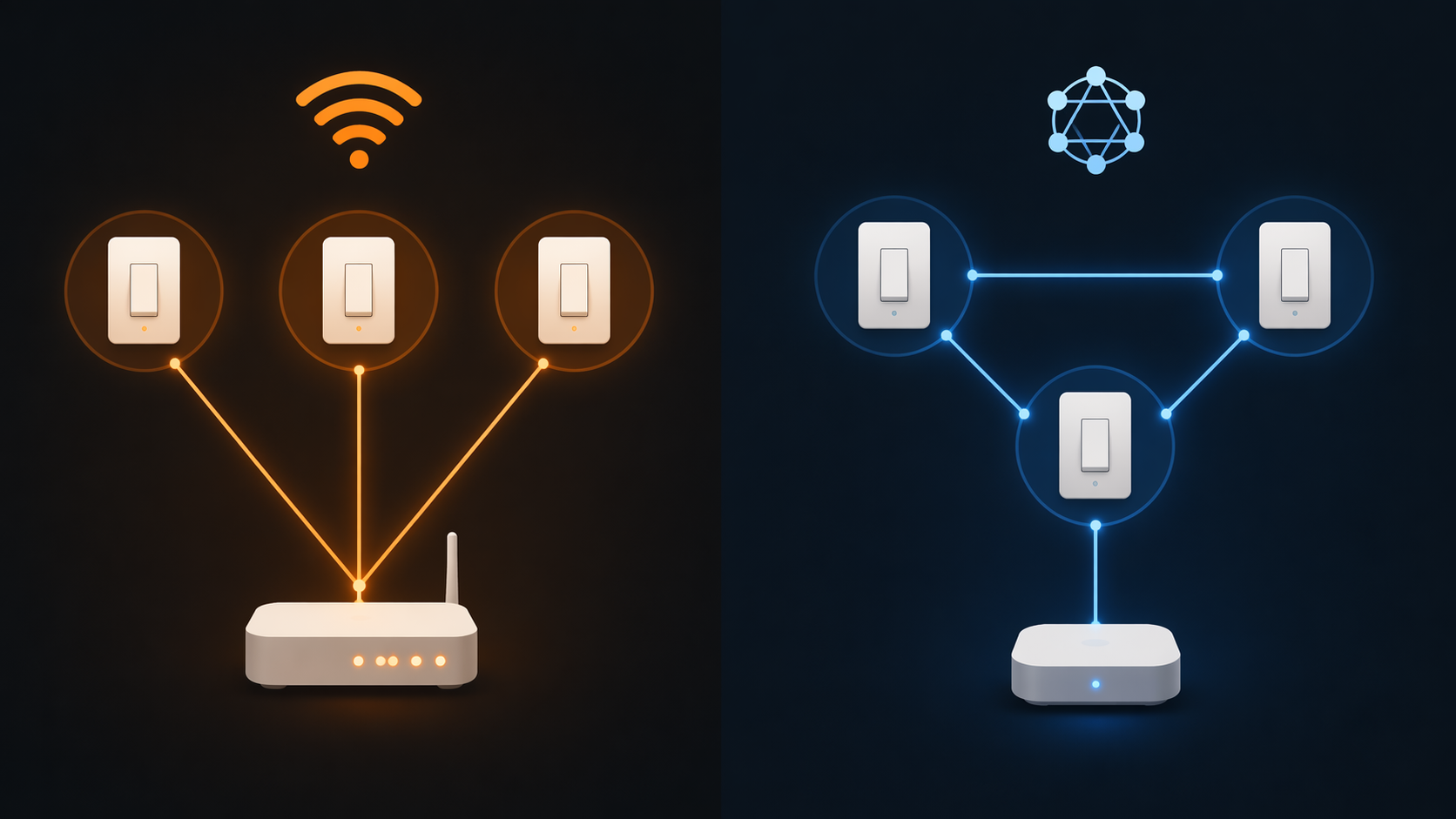
That difference is easy to underrate at three devices and easy to appreciate at thirty. Wi-Fi clients share airtime, and many smart home products still live on 2.4 GHz because it travels farther through walls. Add enough devices, and the router is not just counting clients; it is managing contention. Thread moves those switch connections off the Wi-Fi band entirely, leaving the router to deal with phones, laptops, cameras, streaming boxes, and everything else that actually needs Wi-Fi bandwidth.[2]
This does not make Thread magically faster or make Wi-Fi switches unreliable by definition. It means Thread has a scaling behavior that fits fixed lighting controls well. The more mains-powered Thread devices you install in good locations, the more paths the mesh can use. A whole-home switch project can turn the lighting layer into useful Thread infrastructure instead of a set of isolated Wi-Fi clients.
There is a 2026 caveat that helps Thread’s case. Thread 1.4 is mandatory for new border router certification as of January 2026, and it standardizes credential sharing between ecosystems. That matters because older Thread setups could create parallel networks across platforms, which was one of the more irritating causes of disconnections and inconsistent device visibility.[3]
I would not buy a Thread switch just to admire that improvement. But if you are already building around Thread, Thread 1.4 makes the backdrop less fragile than it used to be. It also means the old warning about fragmented Thread meshes needs updating, not ignoring. For more on those platform-level annoyances, the broader list of hidden Matter device problems in 2026 is worth reading before a large install.
Standby Power Matters, But Only at Scale
Power draw is one of those comparisons that can be technically true and practically overused. Approximate figures from product pages and third-party measurements put Wi-Fi Matter switches around 0.5-1.5 W on standby and Thread Matter switches around 0.1-0.3 W. These are not CSA-verified universal measurements, so they should be treated as a useful range rather than a lab-grade ranking.[4]
For one switch, that gap is not a reason to tear open the wall or buy a border router. The annual cost difference will be small enough that reliability, price, aesthetics, wiring compatibility, and app behavior matter more. For a whole-home project, the math starts to deserve a line in the spreadsheet. Twenty switches each sipping less standby power is still not the largest load in the house, but it is no longer nothing.
The better way to use the power number is as a tiebreaker. If you already want Thread for mesh reliability and Wi-Fi offload, the lower standby draw supports that decision. If the only reason you are considering Thread is to save power on one or two switches, the hardware premium will usually swamp the benefit.
Product Choice Is Still Much Wider on Wi-Fi
Transport does not determine whether a switch has the dimmer behavior, paddle feel, multi-way support, neutral-wire requirement, or faceplate style you want. Those are product decisions. A good Wi-Fi dimmer can feel better than a mediocre Thread switch, and Thread does not automatically mean better dimming.
The Wi-Fi side simply has more Matter switch inventory to choose from. MatterCatalog and product listings include Wi-Fi options such as Kasa KS225, Tapo S505, Meross, Leviton Decora 2nd Gen, SONOFF M5, Square D X Series, and MOES. On the Thread side in the US, the broadly available Matter switch choices are much narrower, mainly Inovelli White Series and Eve Light Switch as of mid-2026.[1]
That narrower Thread shelf is not a reason to dismiss Thread. It is a reason to decide protocol before falling in love with a spec sheet. If you need a very specific load type, dimmer style, color, or multi-gang arrangement, availability may push you back toward Wi-Fi even when the network argument points toward Thread. If you are ready to pick models after deciding the transport, use the companion guide to choosing the right Matter smart switch.
A Practical Decision Path
For a small project, buy the Wi-Fi Matter switch that fits the electrical job and the controls you want. Confirm the switch supports your wiring, load type, dimming needs, and Matter platform. Then make sure the installation spot has solid 2.4 GHz coverage. That is enough due diligence for a few switches.
For a larger lighting plan, do the network inventory first. Count the switches you expect to replace, then count the Wi-Fi clients already living on the router. If you are near the practical client limit of your router, or if the 2.4 GHz band is already doing too much work, Thread should move up the list. The exact cutoff is not scientific; 1-5 and 10+ are planning ranges, not thresholds proven by a large lab test.
Then check whether the Thread foundation already exists. If you own a compatible border router and your platforms are current enough to benefit from Thread 1.4 behavior, a Thread switch project makes more sense. If you do not, price the border router into the project before comparing switch prices. A transport that looks elegant in a diagram can still be the wrong buy if it adds infrastructure for a two-switch job.
- Choose Wi-Fi when you are installing 1-5 switches, your router is modern and stable, and you do not already have Thread infrastructure.
- Choose Thread when you are installing around 10 or more switches, the 2.4 GHz network is crowded, or you already own a capable Thread border router.
- Treat standby power as a scale factor, not a single-switch justification.
- Treat product features separately from protocol; Wi-Fi versus Thread does not settle dimming quality, wiring compatibility, or switch feel.
If you want the broader accessory-level version of this decision, the general Thread versus Wi-Fi Matter guide covers more device categories. Light switches are a narrower call because they are fixed, mains-powered, and often installed in clusters. That makes Wi-Fi perfectly reasonable for a small job and makes Thread increasingly attractive as the lighting layer becomes part of the home’s infrastructure.
So the final answer is conditional by design: do not pay for Thread just to run one or two switches, but do not keep stuffing a whole-home lighting project onto Wi-Fi if you already have, or are willing to build, the Thread foundation.
References
- Best Matter Smart Switches 2026, MatterCatalog
- Why Manufacturers Choose Matter Over WiFi, Not Thread, MatterAlpha
- The Matter Standard in 2026: A Status Review, matter-smarthome.de
- Smart Home 2026: Smart Light Switches and Automations, Thurrott
Updates & Corrections
Protocol specifications and platform features change rapidly — especially with Matter version evolution. Report version changes, certification count updates, or platform policy changes that have occurred since the last editorial review.
Comments
Join the discussion with an anonymous comment.