
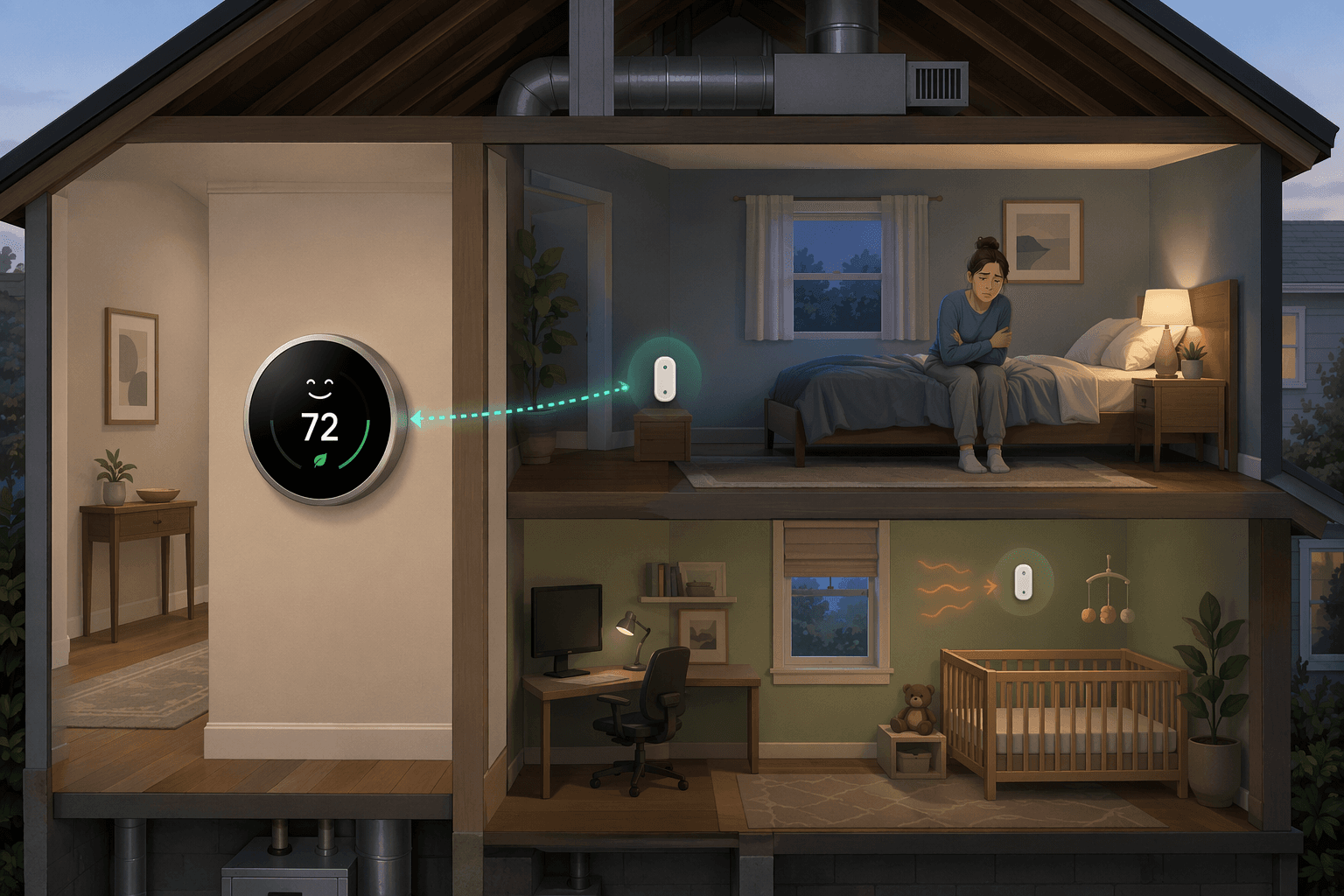
A smart thermostat with remote sensor can solve one very common comfort problem: the thermostat is satisfied in the hallway while the room you actually care about is still wrong. The bedroom is cold at night, the office bakes in the afternoon, or the nursery never quite matches the number on the wall. In that situation, the thermostat is not necessarily bad. It is simply measuring the wrong place.
The sensor changes that measurement. Instead of letting the hallway decide when the furnace or air conditioner stops, the thermostat can use the temperature from the occupied room, a chosen room, or an average of several rooms. That can make a real difference in a single-zone house. It also has a hard boundary: a sensor can tell the system which room to satisfy, but it cannot send different amounts of air to different rooms by itself. Honeywell Home draws that distinction plainly: smart room sensors are not the same thing as a zoned HVAC system with dampers in the ductwork.[1]
What the Sensor Actually Changes
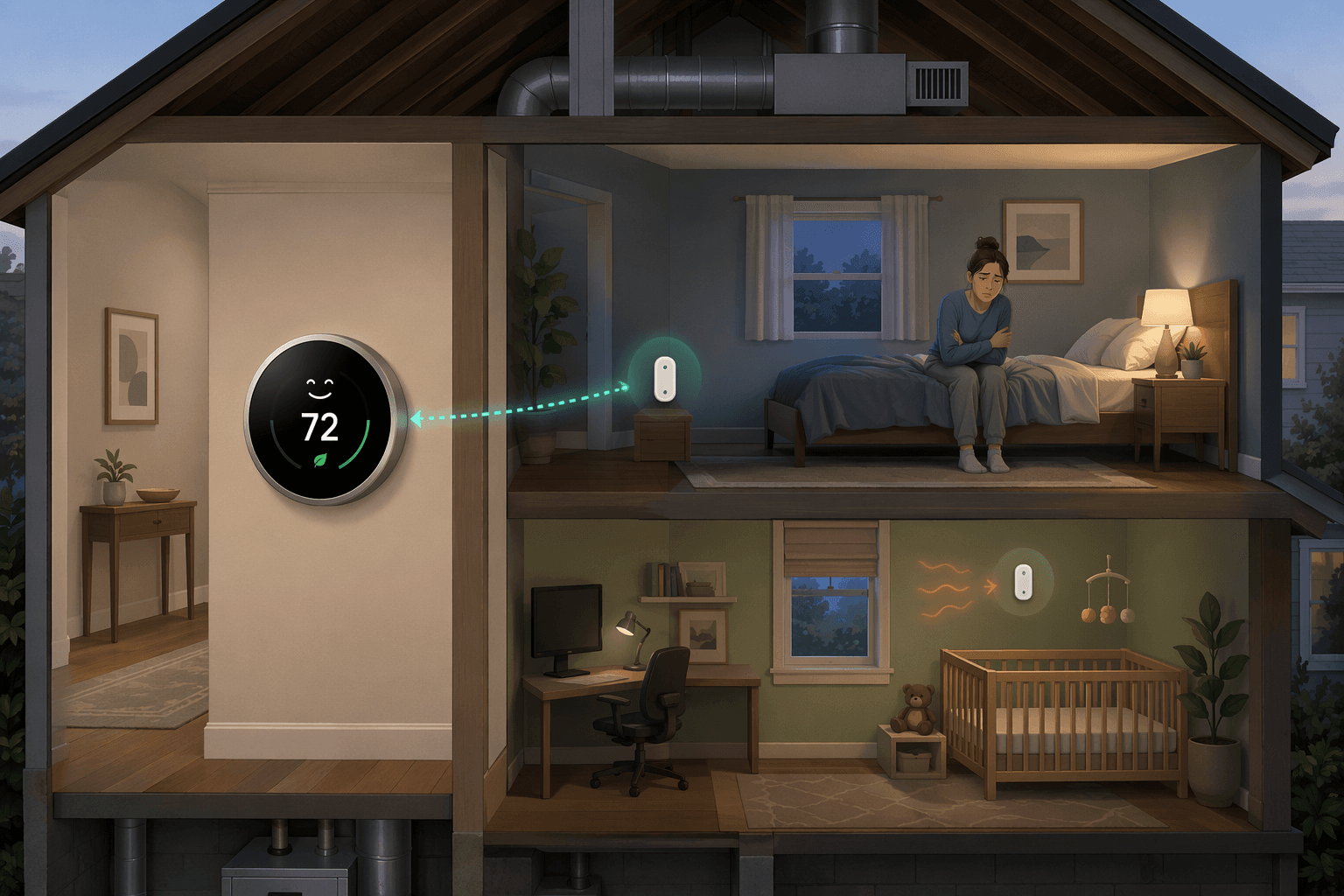
Most homes with one thermostat and one central HVAC system are single-zone systems. When there is a call for heat or cooling, the equipment runs for the whole duct system. Air comes out of all the open supplies the system serves. The thermostat decides when to start and stop that call based on the temperature it is using.
Without remote sensors, that temperature is usually the thermostat's wall location. That location may have been chosen for wiring convenience, builder habit, or a reasonably central hallway. It may not be where anyone sleeps, works, or spends the hottest part of the day. A remote sensor gives the thermostat another reading, and the thermostat can be told to care about that reading instead.
That sounds small until you trace the consequence. If the hallway reaches 72°F quickly but the bedroom is still 67°F, the old control logic shuts the heat off too early for the bedroom. If the bedroom sensor is the active reading, the system keeps running until the bedroom reaches the target. The hallway may drift warmer while that happens. That is not a software flaw. It is the physics of asking one air system to satisfy one chosen target.
This is the point to settle before shopping models. If you are still deciding whether sensors belong in the plan at all, a more focused decision guide on whether you actually need remote sensors is useful after you understand what problem you are trying to fix.
Remote Sensors Do Not All Make Decisions the Same Way
The phrase "remote sensor" hides several different control behaviors. Some systems try to follow people. Some follow a schedule. Some can average rooms. Those differences matter more than the shape of the little plastic puck on the shelf.
Ecobee: temperature plus occupancy
Ecobee's SmartSensors measure temperature and detect occupancy using infrared body heat, which allows the system's Follow Me feature to give priority to rooms where people are present. Wirecutter's 2026 review describes Ecobee's sensor approach as temperature plus occupancy sensing, and notes the automation that lets the thermostat follow occupied rooms rather than only a fixed schedule.[2]
In a house where the living pattern changes from room to room, that is often the cleanest use of sensors. The office matters during the workday. The family room matters in the evening. The bedroom matters overnight. Occupancy priority is a better match for that kind of day than pretending the hallway is a neutral witness.
There are side benefits, but they should stay in their lane. Ecobee SmartSensors can also work as HomeKit motion sensors for automations such as turning lights on when someone enters a room, according to Wirecutter's review.[2] That is useful integration, not a fix for bad airflow.
Nest: temperature sensing with scheduled priority
Google's Nest Temperature Sensor is simpler. Google says the sensor measures temperature, and that it does not include occupancy or motion detection.[3] Google lists the Nest Temperature Sensor at $39, sold separately.[3]
That makes Nest less automatic than Ecobee for households whose room use changes unpredictably. It does not make the approach useless. Some people want the bedroom prioritized every night and the main living area prioritized every evening, without the thermostat trying to infer movement. For that household, scheduled room priority is a reasonable trade-off.
The newer Nest Learning Thermostat, 4th gen, added sensor averaging in 2025, according to PCMag's 2026 smart thermostat coverage, but Nest still does not auto-switch room priority based on occupancy the way an occupancy-aware sensor system can.[4]
Honeywell Home T9: occupancy-aware sensors, with a 2026 availability caveat
Honeywell Home's T9 sensor system is strong on room coverage. Wirecutter and PCMag describe the T9's room sensors as occupancy-aware, and Wirecutter notes support for up to 20 sensors, the largest count among the consumer systems covered in its review.[2][4]
That many sensors can help in a larger house where the problem is not one bedroom but a pattern of rooms that matter at different times. Still, the T9 needs a current-status check before anyone treats it as a straightforward purchase. As of Q2 2026, the model is reported as discontinued or stock-limited in this site's Honeywell Home T9 device profile, so availability matters as much as the feature sheet.
| System | What the sensor detects | How room priority works | Best fit |
|---|---|---|---|
| Ecobee SmartSensors | Temperature and occupancy | Can prioritize occupied rooms with Follow Me or use sensor averaging | Homes where people move between rooms and want automatic priority |
| Google Nest Temperature Sensor | Temperature only | Uses scheduled room priority; newer 4th gen support includes averaging | Homes that prefer predictable room schedules over occupancy automation |
| Honeywell Home T9 sensors | Temperature and occupancy | Can prioritize occupied rooms or average sensors; supports up to 20 sensors | Larger homes needing broad room coverage, subject to current availability |
For a deeper brand-by-brand feature comparison, use a dedicated smart thermostat remote sensor systems comparison after this comfort-control boundary is clear. Buying by sensor count alone is how people end up with a better reading of the same airflow problem.
Priority and Averaging Fix Different Complaints
Priority is for the room that matters most right now. If the baby is sleeping in the nursery, the nursery sensor should drive the call. If someone works in the west-facing office every afternoon, that office sensor should drive the cooling call during those hours. The rest of the house may become somewhat warmer or cooler while the system satisfies that room.
Averaging is for a different complaint. It helps when no single room should dominate, but the thermostat location is unrepresentative. Averaging the living room and bedrooms can stop a hallway from ending the call too early. It can also blur a serious room problem. If one bedroom is always five degrees off because the supply duct is weak, averaging may make the whole system run in a way that is acceptable nowhere and excellent nowhere.
The practical setup should follow the complaint, not the app's default. A cold primary bedroom at night calls for bedroom priority during sleep hours. A downstairs thermostat that misses upstairs heat gain may call for an upstairs sensor to be active in late afternoon. A generally misplaced thermostat may call for averaging the rooms people actually occupy.
- Use one-room priority when comfort in that room is more important than small temperature drift elsewhere.
- Use averaging when the thermostat location is the bad sample, not when one room has a clear airflow defect.
- Use occupancy features when room use changes often enough that a fixed schedule would be wrong.
- Use scheduled priority when the household rhythm is predictable and you do not want motion-based decisions.
The Line Between Better Sensing and True Zoning
Here is the limit that should be printed on every remote sensor box: one thermostat controlling one duct system can chase one target at a time. It can chase the hallway. It can chase the bedroom. It can chase an average. It cannot hold the bedroom at 68°F and the living room at 72°F at the same time if the same equipment and same open duct system are serving both rooms.
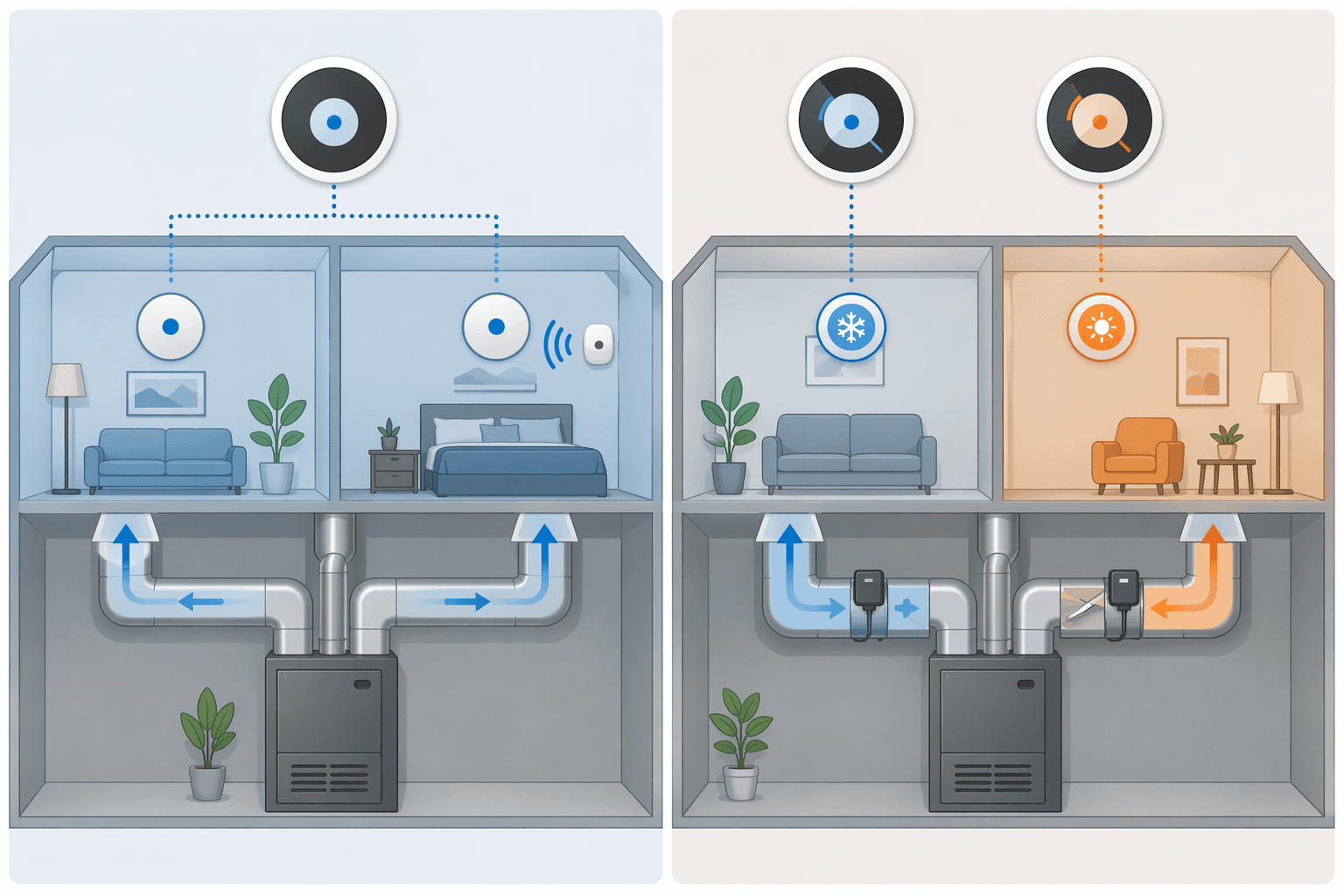
Zoned HVAC changes the air delivery, not just the temperature reading. Honeywell Home explains that zoning uses separate thermostats or sensors along with motorized dampers that open and close to direct conditioned air to different zones.[1] That is why zoning can support different temperatures in different parts of the house. The dampers are doing physical work a remote sensor cannot do.
This matters most in houses with simultaneous conflicts. A south-facing office may need cooling on a spring afternoon while shaded bedrooms do not. An upstairs bedroom may need more cooling at night while the downstairs is already comfortable. A sensor can make the system keep running for the problem room, but the rooms getting adequate airflow may continue receiving air too.
Before assuming a thermostat upgrade will work with the existing equipment, check smart thermostat HVAC compatibility. Compatibility is not only about whether the screen turns on. It includes how the thermostat controls the system, whether a common wire is needed, and whether the setup is single-zone or already zoned.
Energy Savings Are Possible, but Not Guaranteed by the Sensor
Remote sensors can reduce waste when they keep the system from conditioning around an empty or misleading thermostat location. If the hallway is warm from a nearby return or cool because it is shaded, a better room reading can prevent some bad calls. Occupancy-aware systems can also avoid giving priority to empty rooms.
That should not be stretched into a sensor-specific savings promise. ENERGY STAR says certified smart thermostats save users about 8% on heating and cooling bills, or about $50 per year, but that figure applies to smart thermostats generally, not specifically to remote sensors.[5] The available material does not isolate how much of that savings comes from adding room sensors.
There is also a real counterexample. Consumer Reports warns that remote sensors "can't fix all the problems of an unbalanced HVAC system, and could actually increase your energy bills by running the system more often."[6] That is exactly what can happen when the active room is slow to heat or cool. The thermostat keeps the equipment running until that room reaches the set point, and the runtime goes up.
That does not make sensors a bad idea. It means comfort and savings are not the same claim. If the nursery finally stays comfortable overnight, the household may consider the extra runtime acceptable. If the goal is lower bills first, sensor placement and priority rules need more restraint.
Small Ownership Details Still Matter
Battery life is not the center of the decision, but it affects whether the system keeps doing its job quietly. Wirecutter reports Ecobee sensor battery life around 18 months to 2 years and Nest sensor battery life around 2 years, while Honeywell T9 sensors use common AAA batteries with about 1 year of life.[2]
Placement matters more than people expect. A sensor sitting in direct sun, above a lamp, near a supply register, or behind a closed door will make the thermostat respond to that distorted condition. Put the sensor where people actually feel the room, not where it is easiest to hide the device.
A remote sensor is worth trying when the complaint is really a measurement problem: the thermostat is in the wrong room, the household has clear priority rooms at different times, or averaging occupied rooms would be more representative than the hallway. It is the wrong tool when the goal is independent room-by-room temperatures from one duct system. For that, the next conversation is airflow balancing, duct correction, or zoned HVAC with dampers.
References
- What is the difference between Smart Room Sensors and a zoned HVAC system? - Honeywell Home - https://www.honeywellhome.com/blogs/support/difference-between-smart-room-sensors-and-zoned-hvac-system
- The 4 Best Smart Thermostats of 2026 - Wirecutter - https://www.nytimes.com/wirecutter/reviews/the-best-thermostat/
- Learn about the Nest Temperature Sensor - Google Home Help - https://support.google.com/googlehome/answer/9248154
- The Best Smart Thermostats We've Tested for 2026 - PCMag - https://www.pcmag.com/picks/the-best-smart-thermostats
- Smart Thermostats FAQ - ENERGY STAR - https://www.energystar.gov/products/heating_cooling/smart_thermostats/smart_thermostat_faq
- Are Smart Thermostats Worth It? - Consumer Reports - https://www.consumerreports.org/appliances/thermostats/are-smart-thermostats-worth-it-a7822875275/
Data Updates
Know about updated rebate programs, changed subscription prices, or new ENERGY STAR certifications? Submit a note below to help keep this content current. For formal data corrections, use the contact page.
Comments
Join the discussion with an anonymous comment.