
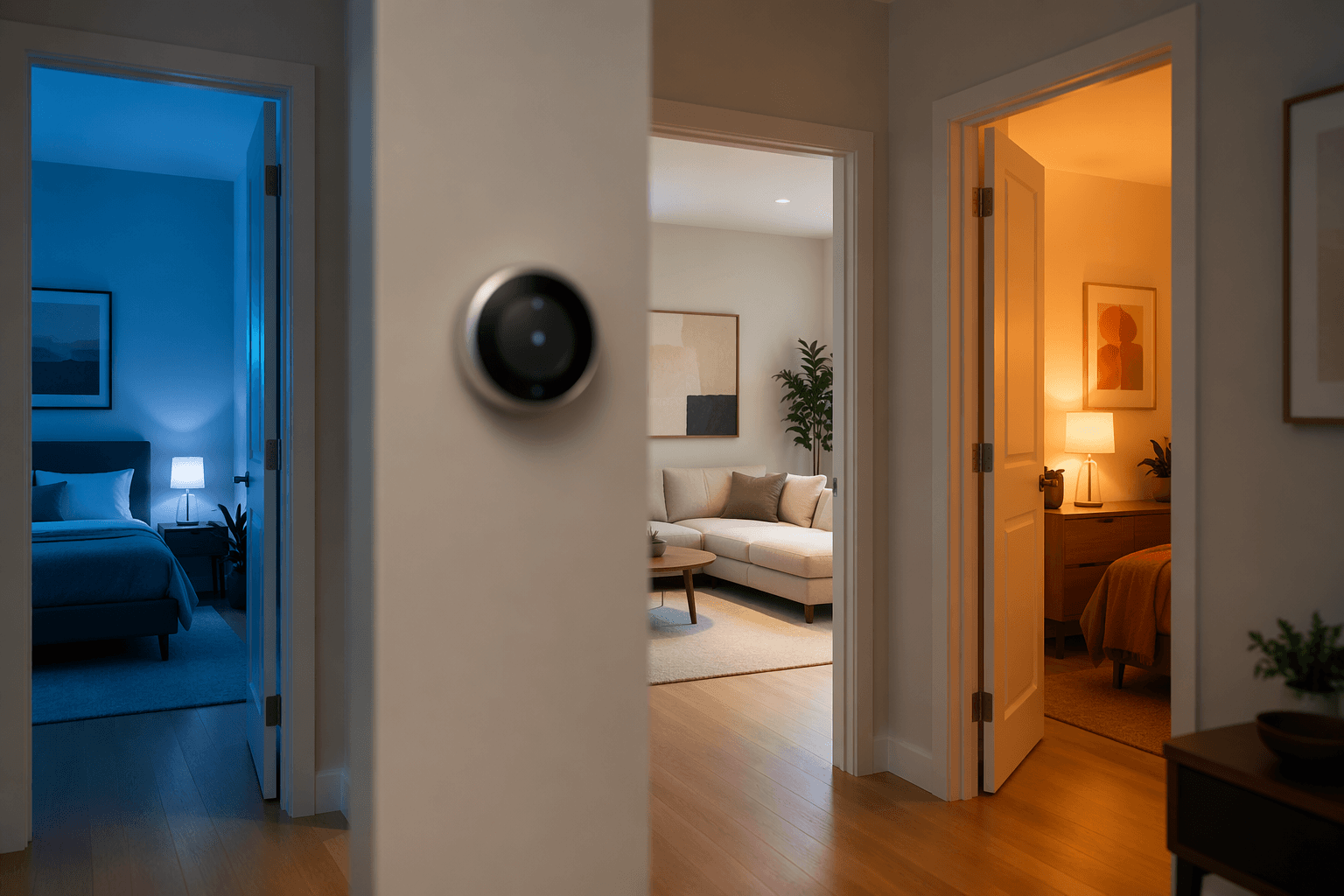
A smart thermostat with remote sensor support is worth considering only after you answer one unglamorous question: is the thermostat measuring the room that actually needs comfort control? Most thermostats still control from one wall location, often a hallway, and that reading can be a poor stand-in for the bedroom, nursery, upstairs office, or sunlit living room where people are actually uncomfortable.[1]
That is why “the thermostat says 72” does not settle many household temperature arguments. It only proves the hallway is 72. If the upstairs bedroom is stuffy every night or the nursery cools down faster than the hall, the thermostat may be doing exactly what it was told while using the wrong room as evidence.
Start With the Pattern, Not the Product
Remote sensors are not a badge that makes a thermostat smart. They are useful when they give the system better information than the thermostat’s own wall reading. Before comparing ecobee, Nest, Honeywell, or Sensi, walk through the house like someone trying to prove where the comfort complaint actually lives.
- One room is predictably too hot or too cold at the same time of day.
- The thermostat is in a hallway, near an exterior door, near a return, near a heat source, or in a room no one spends much time in.
- Bedrooms are uncomfortable overnight while the main floor seems fine.
- An upstairs room, finished attic, nursery, office, or room over a garage behaves differently from the rest of the house.
- A room with large windows gets afternoon sun and overheats even when the thermostat area feels normal.
- Closing or opening doors changes comfort noticeably.
If several of those sound familiar, remote sensors probably deserve a serious look. If none of them fit, and the house is open, single-story, well insulated, and already even from room to room, sensors may add more settings than comfort.
Homes Where Remote Sensors Usually Earn Their Keep
Multi-story homes are the easiest case. Heat rises, bedrooms sit far from the thermostat, and the upstairs temperature can drift while the downstairs hallway keeps reporting that everything is fine. A remote sensor in the bedroom does not fix duct sizing, insulation, or airflow by itself, but it can stop the system from using the least relevant reading in the house.
Rooms far from the thermostat are the next obvious candidates. The problem is not distance in a wireless-spec sense; it is distance in how the room behaves. A back bedroom at the end of a duct run, a home office over an unconditioned space, or a nursery with the door closed can become its own small climate. When that room matters, the thermostat needs a reading from there.
Solar gain is another repeat offender. A living room or upstairs bedroom with large west-facing windows can get warm in the afternoon while the hallway stays mild. Without a sensor, the system reacts to the hallway. With a sensor, the thermostat can at least see the room that is driving the complaint.
Nurseries deserve special mention because the comfort standard is less negotiable. Adults may tolerate a bedroom that runs a little warm. Parents tend to care more when the room with the crib does not match the hallway. A remote sensor will not tell you whether the HVAC system is perfectly balanced, but it can make the thermostat pay attention to the room where the consequence matters.
Bad thermostat placement is the quiet cause behind many of these cases. A thermostat mounted in a central hallway may have been convenient for wiring, not representative of how the house is used. A thermostat near a draft, exterior door, supply register, appliance, or sunny wall can be even worse. In that situation, a remote sensor is not a luxury accessory. It is a way to correct the control point without opening the wall.
Homes Where Sensors May Not Change Much
Open-concept single-story homes often get less from remote sensors because the thermostat reading may already track the main living area well. If the kitchen, living room, and hallway share air freely, adding another sensor ten or twenty feet away may mostly confirm what the thermostat already knows.
Well-insulated homes with balanced temperatures are also weaker candidates. If bedrooms, living spaces, and the thermostat area stay within a narrow comfort range through the day, remote sensors can still be interesting for monitoring, but the control benefit is limited.
Radiant heating systems can be another poor fit for sensor-driven expectations. Radiant systems often respond more slowly than forced-air heating and cooling, so moving the priority point from one room to another may not create the quick comfort correction people expect from a smart thermostat. The sensor can measure the room; the system still has to be physically capable of changing it.
What Remote Sensors Actually Change
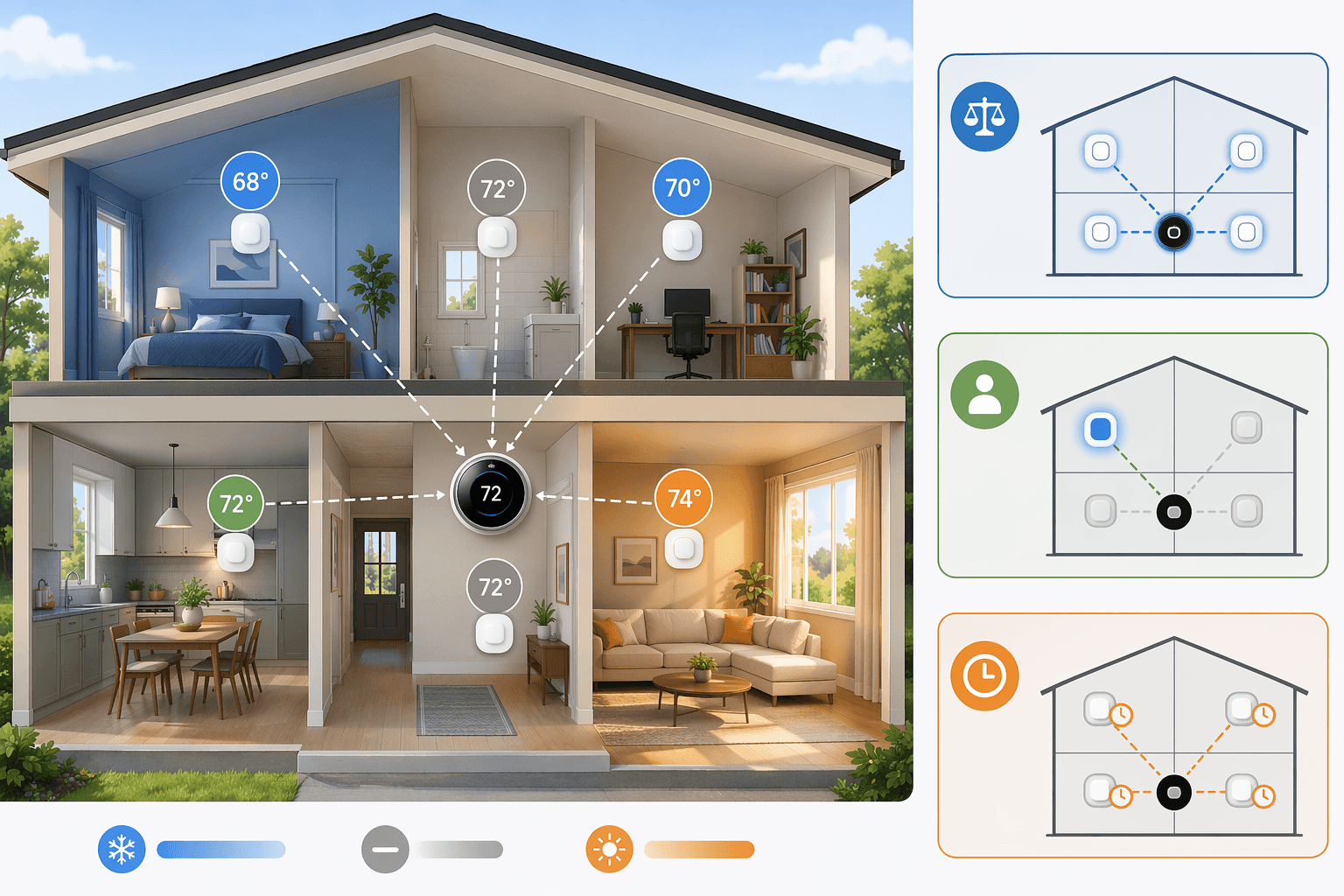
A remote sensor gives the thermostat another temperature reading. The useful part is what the thermostat does with that reading. Depending on the system, it may average several rooms, prioritize occupied spaces, or follow a schedule that changes which room matters at different times of day.[2][3]
Averaging
Averaging tells the thermostat to consider more than one room at once. If the hallway is 72 and the bedroom is cooler, the thermostat can use an average instead of pretending the hallway is the whole house. This helps when the goal is general balance across a few important spaces.
Averaging can also disappoint if one problem room is extreme. If a sunroom is much hotter than the rest of the house, averaging it with several comfortable rooms may soften the signal. In that case, scheduled priority or room-specific focus may be more useful than a broad average.
Occupancy Priority
Occupancy-aware systems can give more weight to rooms where people are detected. ecobee’s sensor system, for example, combines temperature and occupancy sensing and supports Follow Me behavior, so occupied rooms can influence comfort control more directly.[2]
This is useful in houses where the important room changes. The family room matters in the evening, the office matters during the workday, and bedrooms matter overnight. Occupancy sensing is less useful when the priority is fixed, such as keeping one nursery comfortable on a schedule whether anyone is moving around in it or not.
Scheduled Room Priority
Scheduled priority is the plainest and often most understandable mode: use the downstairs living area during the day, then use bedroom sensors overnight. Nest Temperature Sensors support scheduled room priority, and Google’s support material describes choosing which room should control comfort during different time blocks.[3]
This works best when the household’s routine is predictable. If the same bedroom is always the problem from 10 p.m. to 6 a.m., a schedule may solve more than a complicated automation.
The Brand Fit Comes After the Diagnosis
Once you know the home has a real sensor-worthy pattern, the brand differences start to matter. The mistake is shopping sensor ecosystems before identifying the rooms that need a vote.
| System | Best fit | Sensor notes |
|---|---|---|
| ecobee | Homes where occupancy-aware comfort matters across several rooms | Supports up to 32 sensors, temperature plus occupancy detection, Follow Me averaging, and SmartSensor battery life of about 5 years with a CR2477 battery.[2] |
| Nest Learning Thermostat 4th Gen | Homes that mainly need scheduled or averaged room temperature control | The newer system introduced multi-sensor averaging, has a stated 50 ft range, and uses sensors without occupancy detection; battery life is about 2 years with a CR2 battery.[3][4] |
| Honeywell Home T9 | Homes where long sensor range and room focus are important | Supports up to 20 sensors, has a stated 200 ft wireless range, supports occupancy-based room focus, and has about 1 year of sensor battery life.[5] |
| Sensi Touch 2 | Buyers trying to keep thermostat cost lower and add sensors only where needed | Thermostat pricing is lower in current Q2 2026 comparisons, but room sensors are separate add-ons rather than bundled in the base thermostat package.[6] |
ecobee is the cleanest fit when the complaint is not just one room, but a moving target. Its sensor system is mature, occupancy-aware, and built around the idea that the rooms people are using should influence control. That does not mean every house needs 32 sensors. It means the system has room to grow if the house has several meaningful zones of daily life.[2]
Nest’s 4th Gen thermostat is more interesting than older Nest setups for this particular problem because multi-sensor averaging is now part of the picture. The tradeoff is that Nest sensors do not provide occupancy detection, and the newer averaging approach has less long-term user history than ecobee’s established Follow Me behavior.[3][4]
Honeywell’s T9 has a practical advantage in larger or more spread-out homes because its listed sensor range is 200 ft, longer than the Nest figure in the current comparison set. It also supports occupancy-based room focus.[5] The buying caveat is real: Honeywell lists the T9 as discontinued while still showing backorder status, so it is harder to recommend as a clean long-term ecosystem choice even if the sensor concept fits the house.
Sensi Touch 2 is the value-minded route if you want the thermostat first and only one or two sensors later. In current Q2 2026 pricing, Sensi Touch 2 is around $148 and sensors are sold separately at about $40 each, while ecobee Premium is around $259 with one SmartSensor included, Nest Learning 4th Gen is around $280 with one sensor included, and Honeywell T9 is around $169 with one sensor included.[6][7][4]
Those prices are useful for scale, not for making the decision too precise. Promotions move. ecobee’s SmartSensor 2-pack, for example, is listed at a June 2026 promotional price of $74.99 against a regular MSRP of $99.99.[2] If one sensor fixes the bedroom that causes the nightly complaint, the value math is different from buying a pack because the app makes it easy.
Do Not Buy Sensors for the Savings Claim Alone
Remote sensors can reduce waste when they keep the system from conditioning around empty or irrelevant spaces, but energy savings should not be the main sales hook. ENERGY STAR says certified smart thermostats save about 8% on heating and cooling bills on average, or roughly $50 per year.[8] That is a smart-thermostat average, not a clean measurement of remote sensors by themselves.
Manufacturer and study figures use different methods. ecobee cites savings of up to 26% with eco+ under favorable conditions, while a 2016 ACEEE study of Nest thermostats found a cooling reduction of about 13.9%.[9][10] Those numbers should not be placed side by side as if they are the same kind of evidence. One is a manufacturer claim tied to specific features and conditions; another comes from a study with its own scope and methodology.
The cleaner reason to buy remote sensors is comfort correction. If the thermostat is measuring the wrong place, a sensor can change the information the HVAC system uses. Any savings after that are a secondary benefit and will depend on the house, settings, schedule, and equipment.
A Quick Decision Test
Before buying, do a simple two- or three-day check. Put a reliable thermometer in the room that gets complaints and compare it with the thermostat reading at the times people actually care: bedtime, midafternoon sun, early morning, or work hours. You are not looking for a perfect lab measurement. You are looking for a repeatable mismatch.
| Your finding | Likely answer |
|---|---|
| One or more important rooms repeatedly feel wrong while the thermostat area feels fine | Yes, remote sensors are probably worth it. |
| Only one room is a problem, and it matters at specific times | Maybe. A single sensor may be enough if the thermostat can prioritize that room by schedule. |
| The whole house changes together, and the thermostat area matches lived comfort | Probably no. Spend attention elsewhere before buying sensors. |
| The problem room stays wrong no matter how the system runs | A sensor may expose the problem, but airflow, insulation, duct balance, or equipment limits may need attention too. |
For readers who already know they need sensors and want a model-by-model comparison, a deeper smart thermostat remote sensor guide or a broader best smart thermostat comparison is the right next stop. If the main concern is whether the device will pay for itself, start with the separate breakdown of smart thermostat energy savings instead.
The practical answer is narrow. Remote sensors are not required for every smart thermostat installation. In a balanced open floor plan, they may mostly create another battery to replace and another setting to think about. In a house where the thermostat is obediently measuring the hallway while people are uncomfortable somewhere else, remote sensors are often the upgrade that finally makes the system behave like it understands the home.
References
- What is a smart temperature sensor? — Reviewed
- SmartSensor — ecobee
- Nest Temperature Sensor — Google Nest Help
- CNET smart thermostat reviews — CNET, 2026
- Honeywell Home T9 Smart Thermostat specs — Honeywell Store
- The Best Smart Thermostats — PCMag, 2026
- The Best Smart Thermostat — Wirecutter, 2026
- ENERGY STAR Smart Thermostats FAQs — ENERGY STAR
- eco+ — ecobee
- Nest Learning Thermostat Energy Savings Study — ACEEE, 2016
Data Updates
Know about updated rebate programs, changed subscription prices, or new ENERGY STAR certifications? Submit a note below to help keep this content current. For formal data corrections, use the contact page.
Comments
Join the discussion with an anonymous comment.