
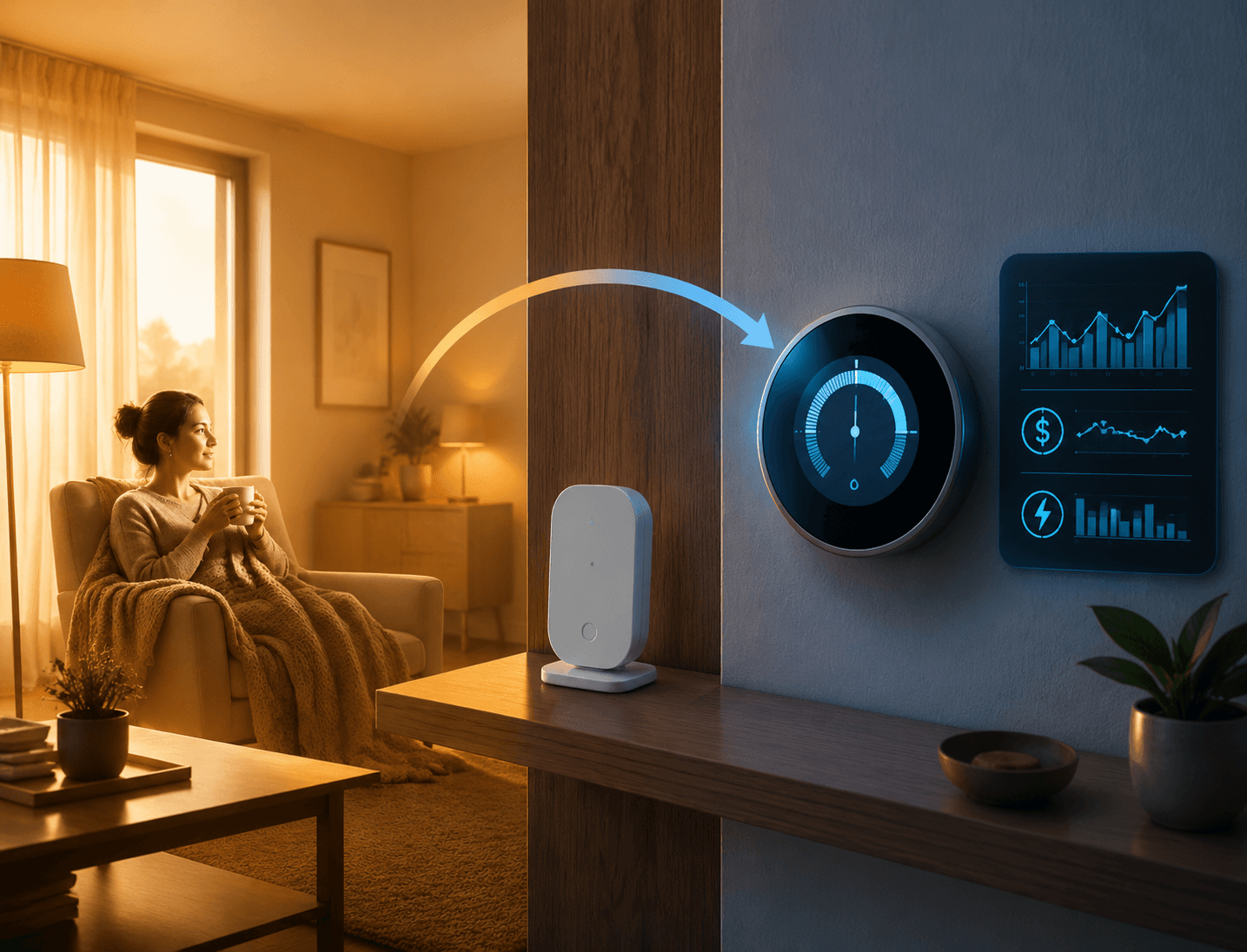
A smart thermostat with remote sensor can absolutely make a house feel better. The colder bedroom stops being ignored. The upstairs office no longer has to live by whatever temperature the hallway thermostat happens to see. The nursery, guest room, or finished basement finally gets a vote.
That is not the same thing as saving energy. Remote sensors are mainly a comfort tool. They save energy only when they help the thermostat stop conditioning empty or less important spaces, or when they support real temperature setbacks. If they simply make the HVAC system chase the hardest room in the house, they can increase runtime and cost.
That distinction matters because the strongest public savings numbers are for smart thermostats as a category, not for remote sensors by themselves. ENERGY STAR says certified smart thermostats save users an average of 8% on heating and cooling, but that figure applies to certified thermostat performance overall, including scheduling, setbacks, learning, and other control features; it does not isolate the effect of adding room sensors.[1] The U.S. Department of Energy’s common setback guidance points in the same direction: savings come from sustained temperature changes, such as setting the thermostat back 7 to 10 degrees Fahrenheit for 8 hours a day, not from merely measuring another room.[2]
So the fair answer is narrower than most product pages make it sound: remote sensors can help a smart thermostat save energy, but only under the right control strategy. The sensor is not the savings mechanism. The mechanism is what the thermostat does with that sensor reading.
Why Better Room Data Can Still Raise Runtime
A thermostat is not trying to make every room perfect. It is trying to satisfy the temperature target at the location or group of locations it has been told to care about. A remote sensor changes that target. Sometimes that is exactly what the home needs. Sometimes it tells the system to work harder for a room the ductwork was never able to serve well.
Consumer Reports makes the uncomfortable part explicit: remote sensors can increase energy bills by running the system more often when the HVAC system is unbalanced.[3] Nest’s own support documentation gives a similar warning in practical terms, noting that putting a sensor in a wide-open living space that heats up slowly can make heating run longer and use more energy.[4]
That does not make sensors a bad idea. It means a sensor can expose a comfort problem without fixing the underlying air distribution problem. If one bedroom is cold because the duct is undersized, the door stays closed, or the room sits over an unconditioned space, prioritizing that bedroom may keep the furnace running until the rest of the house is warmer than anyone wanted.
For the broader thermostat payback question, including total smart thermostat savings rather than sensor-specific savings, see how much a smart thermostat saves you in actual dollars. The sensor question is more specific: whether extra room inputs reduce waste or just move comfort complaints around.
The Three Sensor Modes That Matter
Brand names matter less than operating mode. A smart thermostat with remote sensor can behave very differently depending on whether it follows one room, averages several rooms, or uses occupancy to decide which rooms count.
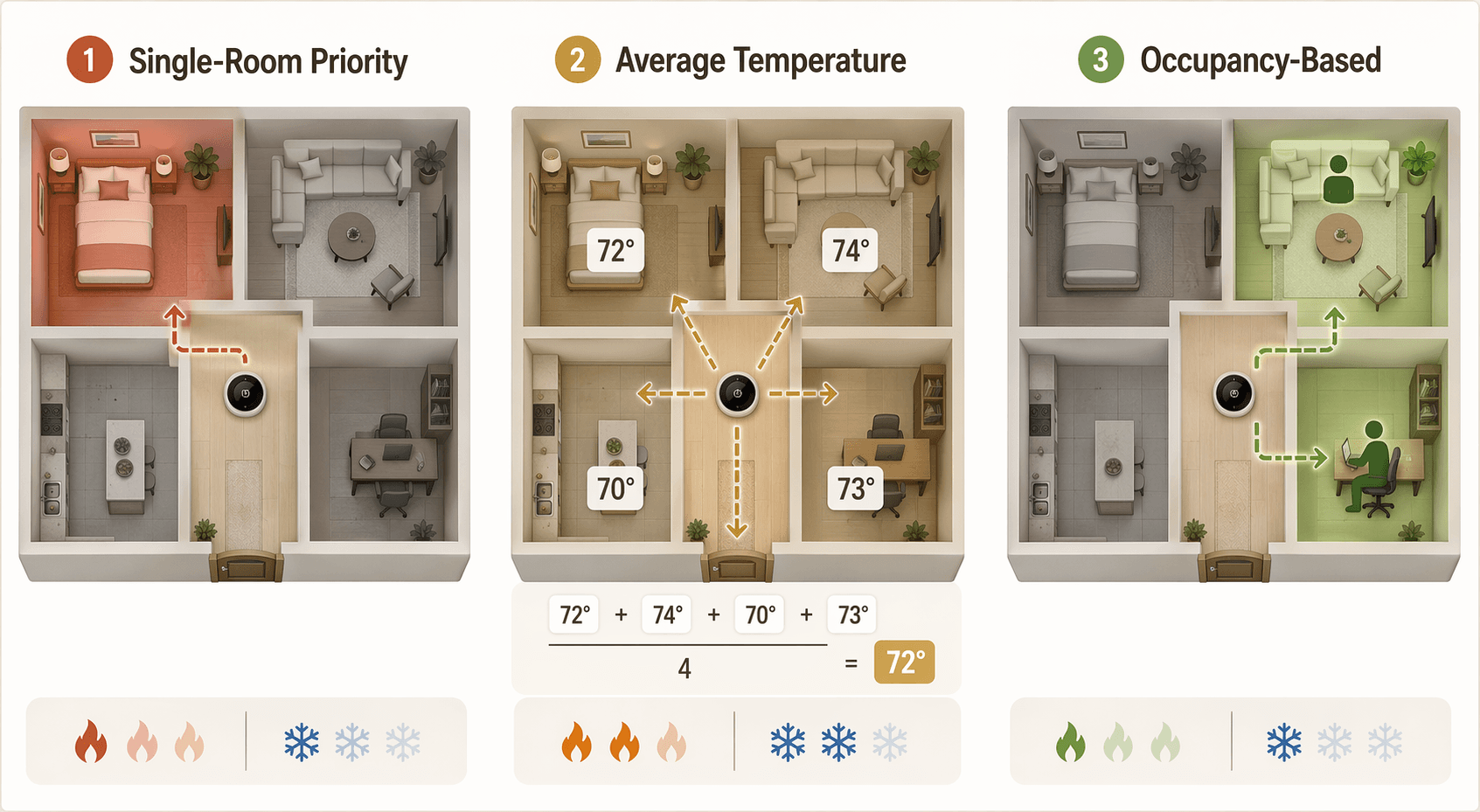
| Sensor mode | What the thermostat is trying to satisfy | Energy implication |
|---|---|---|
| Single-room priority | One selected room or sensor | Best for solving a specific comfort complaint, but most likely to increase runtime if that room is hard to heat or cool |
| Average-temperature mode | A blended temperature from multiple sensors | Can smooth hot and cold spots, but may still condition empty rooms |
| Occupancy-based mode | Rooms that are currently occupied or prioritized by presence | Best savings potential when it allows real setbacks or avoids conditioning empty areas |
Single-room priority fixes complaints first
Single-room priority is the easiest mode to understand and the easiest one to misuse. You tell the thermostat, in effect, “Make this room comfortable.” If the baby’s room is cold at night or the home office overheats in the afternoon, that can be a reasonable thing to ask.
The energy risk is that the selected room may be the least representative room in the house. If the remote sensor is in a room that heats slowly, cools slowly, gets strong sun, has poor airflow, or sits at the end of a duct run, the HVAC system may run longer to satisfy that one space. Other rooms may overshoot while the system keeps working.
This is where better comfort is often mistaken for better efficiency. The room finally reaches the target. The utility bill may not agree, because the equipment did more total work to get there.
Nest’s room-sensor scheduling and Sensi-style room priority behavior fit this pattern when the thermostat is directed to pay attention to a chosen space. These setups can be useful when the thermostat is badly located, such as in a hallway that is warmer or cooler than the rooms people actually use. They are less convincing as a savings strategy if the chosen room is simply difficult for the system to condition.
Average temperature is a comfort compromise
Average-temperature mode uses multiple readings and aims for a blended result. Ecobee’s default sensor behavior and Nest’s newer averaging approach are examples of this kind of control. Instead of letting one hallway thermostat dominate the decision, the thermostat can consider several rooms at once.
That can make the house feel less lopsided. A hallway that warms quickly will no longer shut the system off while occupied rooms remain cold. A sunny room may stop pushing the thermostat too far in the other direction if other sensors are part of the average.
But averaging is not automatically efficient. If the thermostat averages bedrooms, a living room, and a guest room all day, it may still be conditioning rooms nobody is using. It may also run longer than before if the average includes rooms that lag behind the main thermostat location. The comfort result can be better while the energy result is neutral or worse.
Occupancy-based control is where savings become plausible
Occupancy-based control is the most credible path from remote sensors to actual savings. The thermostat is no longer just asking which room is warm or cold. It is asking which rooms are occupied, and then deciding whether those rooms should influence the target.
Ecobee’s Follow Me feature uses occupancy information from participating sensors so the thermostat can focus on occupied rooms rather than averaging every sensor equally.[5] Honeywell Home’s T9 system supports room sensors with occupancy detection and can prioritize occupied rooms; Honeywell describes support for up to 20 sensors, though the T9 product page lists the model as discontinued even as it remains widely available through retailers and still appears in major buying discussions.[6]
This is where remote sensors can support the kind of behavior that DOE setback guidance is actually about. If the house is empty, bedrooms are unused, or the occupied space shifts during the day, the thermostat can avoid treating every room as equally important. The savings do not come from the sensor existing. They come from letting the system relax the target where comfort is not needed, then recover when occupied rooms matter again.
That requires a household that will tolerate the control logic. If someone dislikes setbacks, overrides the schedule constantly, or expects every room to be held at the same temperature all day, occupancy sensors have less room to save anything. They may still improve comfort, but the energy argument weakens.
When Remote Sensors Are Worth Buying
Remote sensors make the most sense when the main thermostat is making decisions from a bad location. Hallways are common offenders. So are thermostats placed near return-air paths, exterior doors, direct sunlight, kitchens, or rooms that do not represent where people spend time.
They also make sense when the goal is explicitly comfort in an occupied room. A cold nursery, a hot upstairs office, or a bedroom that runs several degrees away from the rest of the house is a real problem even if the fix does not pay for itself through lower energy use. Calling that “just comfort” undersells what the person living in that room experiences.
The better energy case appears when those same sensors can be paired with occupancy-based control and a schedule that allows setbacks. A home office sensor can matter during work hours and stop mattering at night. Bedroom sensors can matter overnight and stop pulling the system around during the day. That is a much cleaner savings mechanism than telling the HVAC system to satisfy one difficult room at all times.
For the more basic layout question, whether you actually need remote sensors for your smart thermostat is the first decision. If the thermostat already represents the main living area well, sensors may add complexity without solving much.
Placement Matters More Than the Sensor Count
More sensors do not automatically make the system smarter. A sensor near a draft, sunny window, supply vent, exterior wall, television, or lamp can feed the thermostat a distorted reading. A sensor in a room with poor airflow can also turn into a permanent demand signal, asking the system to correct a problem the thermostat cannot really solve.
The useful sensor locations are the rooms whose comfort should actually influence HVAC operation: the bedroom used at night, the office used during the day, the family room where people gather in the evening. A guest room, storage room, or rarely used basement may need a sensor for monitoring, but it should not necessarily control the schedule.
There is also maintenance to account for. Remote sensors need batteries, reasonable placement, and occasional review when furniture moves or household routines change. That is not a major burden, but it is still part of the ownership cost. A household that wants to set one temperature and never think about modes may be happier with a well-placed thermostat than a sensor network nobody manages.
The HVAC Balance Problem
Remote sensors are often asked to solve problems that belong to airflow, insulation, duct design, or equipment sizing. They can tell the thermostat that the upstairs room is too hot. They cannot send more supply air upstairs unless the system already has the zoning, dampers, fan behavior, or duct capacity to make that happen.
In a balanced house, a sensor can fine-tune control. In an unbalanced house, a sensor can become a runtime multiplier. The furnace or air conditioner keeps working because one room remains outside the target range, while easier rooms overshoot. That is the scenario behind the Consumer Reports warning and Nest’s placement caveat.[3][4]
A practical test is simple: if closing doors, sun exposure, weak airflow, or floor-to-floor temperature differences already create large swings, treat sensors as a diagnostic and comfort tool first. Before expecting savings, check whether registers are open, filters are clean, doors are not starving returns, and the thermostat schedule is not forcing the system to satisfy an impossible room at the wrong time.
What the Evidence Can and Cannot Prove
No remote-sensor-specific academic savings study was found for this article. That matters. The available evidence supports a mechanism-based judgment, not a clean percentage claim for sensors alone.
The strongest category-level number is ENERGY STAR’s average 8% heating and cooling savings for certified smart thermostats.[1] DOE setback guidance supports the idea that sustained temperature setbacks can save energy.[2] Consumer Reports and Nest both warn that remote sensors can increase runtime in the wrong conditions.[3][4] Manufacturer features such as Ecobee Follow Me and Honeywell T9 occupancy prioritization show how sensors can shift control toward occupied spaces.[5][6]
Put together, those sources support a cautious answer: sensors are not an independent savings guarantee. They are inputs. Their energy effect depends on control mode, room selection, HVAC balance, and whether the household actually uses setbacks.
Buy or Skip
| Buy remote sensors if... | Skip remote sensors if... |
|---|---|
| Occupied rooms are consistently hotter or colder than the thermostat location | The main thermostat already represents the main living area accurately |
| The thermostat is in a hallway or another poor control location | The comfort problem is mainly poor airflow, weak ducts, insulation, or an unbalanced HVAC system |
| You plan to use occupancy-based modes such as Ecobee Follow Me or Honeywell-style room prioritization | You only want one hard-to-condition room to control the system all day |
| You are willing to place sensors carefully and manage batteries | You do not want to manage sensor placement, schedules, priority modes, or battery replacement |
| You want comfort improvements and understand that savings are conditional | You expect the sensor itself to produce a guaranteed lower bill |
If sensors still make sense after that filter, the next step is choosing an ecosystem rather than chasing a universal savings estimate. The practical differences between Ecobee, Nest, Honeywell, and Sensi sensor behavior are covered in this smart thermostat with remote sensor comparison. Ecobee-specific buyers can also compare Ecobee Premium, Enhanced, and Essential, while anyone replacing the thermostat should check HVAC compatibility in the 2026 smart thermostat buyer’s guide.
References
- Smart Thermostats, ENERGY STAR
- Programmable Thermostats, U.S. Department of Energy
- Are Smart Thermostats Worth It?, Consumer Reports
- Learn about the Nest Temperature Sensor, Google Nest Help
- How does Follow Me work with SmartSensors?, ecobee Support
- T9 Smart Thermostat with Sensor, Honeywell Home
Data Updates
Know about updated rebate programs, changed subscription prices, or new ENERGY STAR certifications? Submit a note below to help keep this content current. For formal data corrections, use the contact page.
Comments
Join the discussion with an anonymous comment.