
If you searched for the best Zigbee hub for Home Assistant, the first correction is the important one: in most Home Assistant setups, you do not want an Aqara hub, Hue Bridge, or other brand box to be the center of your Zigbee network. You want a Zigbee coordinator connected directly to Home Assistant, usually by USB or Ethernet/PoE. The brand hubs can still be useful for their own ecosystems, but they keep part of the network logic outside Home Assistant, which is exactly where migrations, automations, and device behavior become harder to reason about later. The confusion is common enough that Home Assistant users regularly ask whether a “hub” and a “coordinator” are the same thing; they are not doing anything wrong, they are running into messy consumer wording.[1]
A coordinator is the radio that forms the Zigbee network Home Assistant will manage. If you want the protocol basics before choosing hardware, start with this Zigbee explainer. If your question is broader than Zigbee, the smart home controller buyer’s guide is the better detour. For this buying decision, three things matter most: where your Home Assistant server physically lives, how many Zigbee devices you expect to add, and whether Thread readiness is a real need or just a tempting line on a spec sheet.
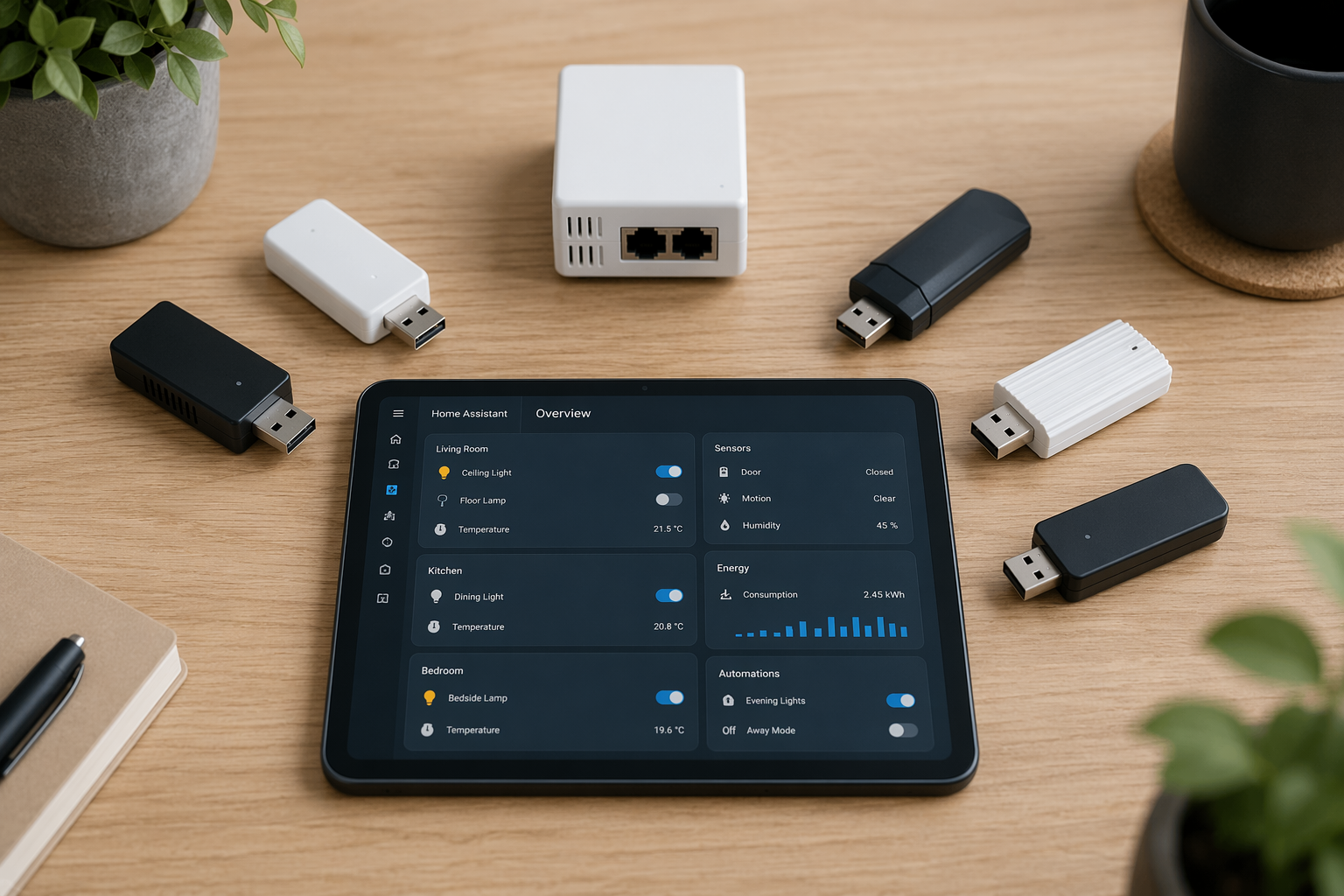
The quick verdict map
These are June 2026 buying judgments, not permanent rankings. Prices vary by seller and region, and a coordinator that is excellent in one installation can be awkward in another if the server is in the wrong place.
| Your situation | Best fit | Why |
|---|---|---|
| New Home Assistant user with the server nearby | Home Assistant Connect ZBT-2 | Official support, EFR32MG24 radio, migration wizard, and a clean default path |
| USB buyer who cares most about range value | Sonoff Dongle Plus MG24 | MG24 chipset, strong radio output, and a larger antenna at a lower typical price |
| Small-budget Zigbee2MQTT build | Sonoff ZBDongle-P | Older but proven CC2652P option for smaller networks |
| Compact USB MG24 build | SMLight SLZB-07MG24 | Small USB form factor with current-generation MG24 silicon |
| Proxmox, Docker, rack, or remote server | SMLight SLZB-06MG24 | PoE/LAN placement avoids the fragile parts of USB passthrough |
| PoE buyer who wants channel scanning | Sonoff Dongle Max | Ethernet/PoE option with a web dashboard and channel energy scan tool |
| Existing small network on older hardware | Sonoff ZBDongle-E or ZBDongle-P | Still viable when expectations are modest, but not the center of a new recommendation |
Why MG24 has become the safer default
The EFR32MG24 is the current center of gravity for new Home Assistant Zigbee coordinator purchases. The reason is not branding; it is memory headroom. The MG24 platform is listed with 256KB RAM and 1.5MB flash, compared with 80KB RAM on the older TI CC2652P and 96KB RAM on the EFR32MG21.[2][3] That difference does not magically make every mesh stable, but it gives the coordinator more room as the network grows and as firmware becomes more capable.
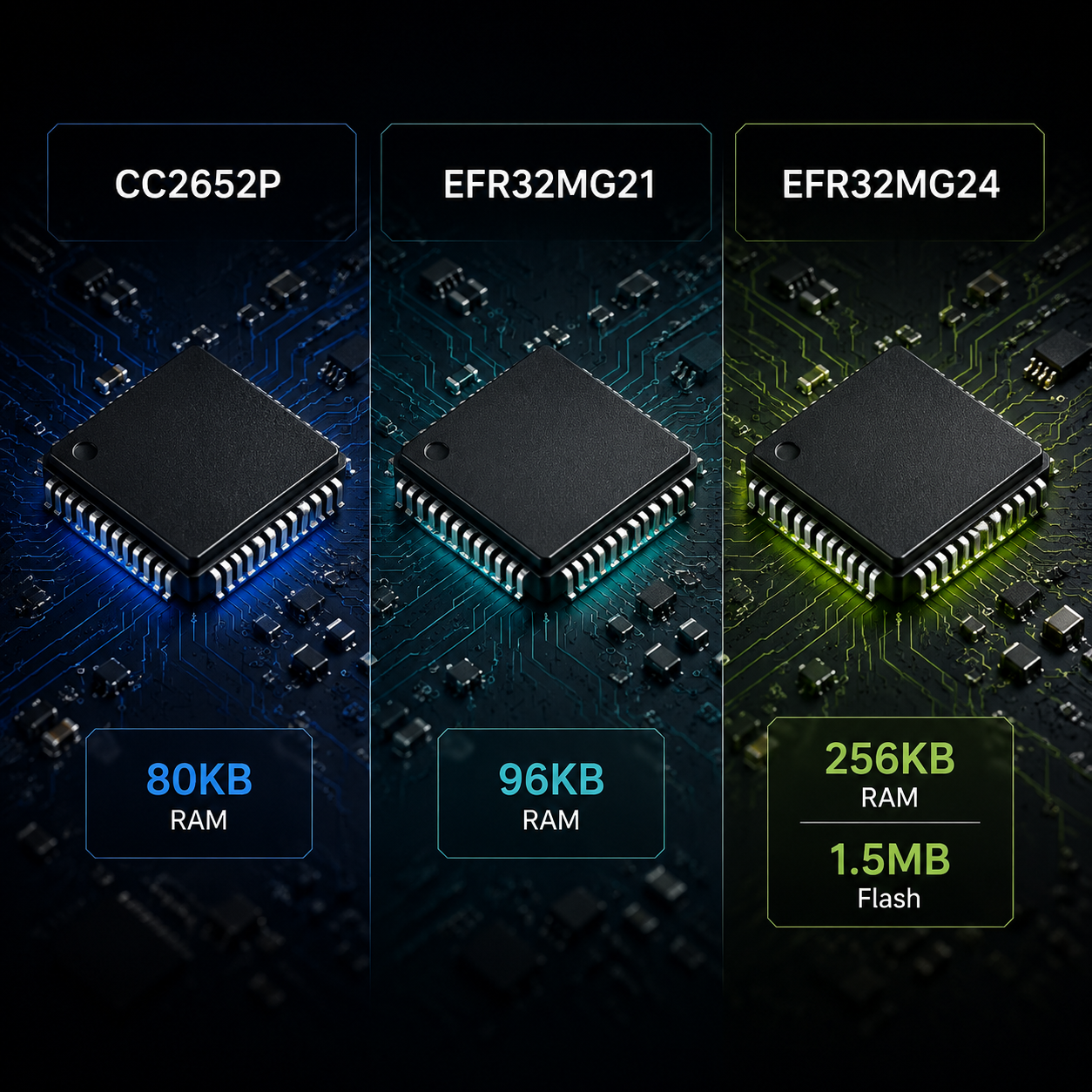
That is why the most interesting 2026 choices are not “which brand hub should I buy,” but which MG24 coordinator fits the installation. The Home Assistant Connect ZBT-2 uses EFR32MG24 and is announced at a $49 MSRP with a 4.16dBi antenna, plus an ESP32-S3 co-processor architecture that handles USB bridging separately from the radio.[2] The SMLight SLZB-06MG24 and Sonoff Dongle Max also use MG24, but move the coordinator away from the server by offering Ethernet/PoE operation.[3]
Older coordinators are not garbage. The Sonoff ZBDongle-P, based on CC2652P, remains a sensible low-cost Zigbee2MQTT choice for smaller networks. The Sonoff ZBDongle-E, based on EFR32MG21, can still run a modest network. The distinction is simply that “works” and “best new buy for a growing Home Assistant system” are different standards.
USB is fine when the server is in the right place
A USB coordinator is still the simplest answer when Home Assistant runs on hardware close to the center of the home: a Home Assistant Green, a small NUC, a Raspberry Pi, or another always-on box that is easy to reach. The coordinator plugs in, Home Assistant sees it, and the network can be managed through ZHA or Zigbee2MQTT depending on the device and firmware path.
There is one non-negotiable detail: do not leave a USB Zigbee coordinator jammed directly into a USB 3.0 port or against a noisy server chassis. USB 3.0 ports can emit broadband noise in the 2.4GHz range and reduce Zigbee sensitivity by 10–15dB, which is enough to turn a good coordinator into a bad installation.[3] Use a short USB extension cable and place the radio away from the host. This is not audiophile cable mysticism; it is basic RF hygiene.
If devices still drop after that, the problem may not be the coordinator. Router density, wall materials, Wi-Fi channel overlap, and sleepy end devices can all matter. That is the point where a focused Zigbee device offline troubleshooting guide becomes more useful than buying a third dongle.
Home Assistant Connect ZBT-2: the safest USB default
The Connect ZBT-2 is the easiest USB recommendation for most new Home Assistant users because the product and the platform are moving together. Home Assistant’s announcement describes the ZBT-2 as an EFR32MG24-based coordinator with a 4.16dBi antenna, $49 MSRP, improved migration flow, and an ESP32-S3 co-processor that offloads USB communication from the radio.[2] That does not mean it will outperform every other coordinator in every house. It means the support path is clean, and that matters when the buyer is not looking for another firmware side project.
Buy it if your Home Assistant server is physically close to where the coordinator should live, you want ZHA to feel first-class, and you value official support more than shaving the last few dollars. Skip it if your server is in a rack, basement, metal cabinet, or virtualized host where USB passthrough is already the part you do not trust.
Sonoff Dongle Plus MG24: the range-value USB pick
The Sonoff Dongle Plus MG24 is the more aggressive value play. It is typically listed around $25–30, uses the EFR32MG24 chipset, and is specified with +20dBm output and a +4.5dBi antenna.[3][4] In SmartHomeScene testing, it showed roughly a 15–20 point LQI improvement over the older ZBDongle-E, which is the kind of result that explains why this model gets attention beyond price.[4]
This is the USB coordinator to consider when the ZBT-2 feels too expensive or when range from the coordinator position is a real concern. The trade-off is not that it is worse hardware; it is that the support story is less vertically integrated than Home Assistant’s own device. For many Zigbee2MQTT users, that is a perfectly acceptable trade.
SMLight SLZB-07MG24: compact and current
The SMLight SLZB-07MG24 is the neat USB option in this group: MG24 silicon, a compact body, a 3dBi antenna, and Auto-BSL support, typically around $30–35.[3] It makes the most sense when the buyer wants current-generation silicon without the larger antenna profile of the Sonoff Dongle Plus MG24 or the official-product premium of the ZBT-2.
Sonoff ZBDongle-P and ZBDongle-E: still useful, no longer the target
The ZBDongle-P is the old dependable budget recommendation: CC2652P, usually around $20, and especially familiar in Zigbee2MQTT circles.[3] The ZBDongle-E is cheaper still in some stores, often around $15–20, and uses EFR32MG21.[3] Either can be reasonable for a small apartment, a test network, or an existing setup that is already stable.
For a fresh 2026 build that may grow past a few dozen devices, neither is the natural starting point unless the budget is the actual constraint. The cost gap between older silicon and MG24 has become too small to ignore the headroom.
PoE coordinators solve a different problem
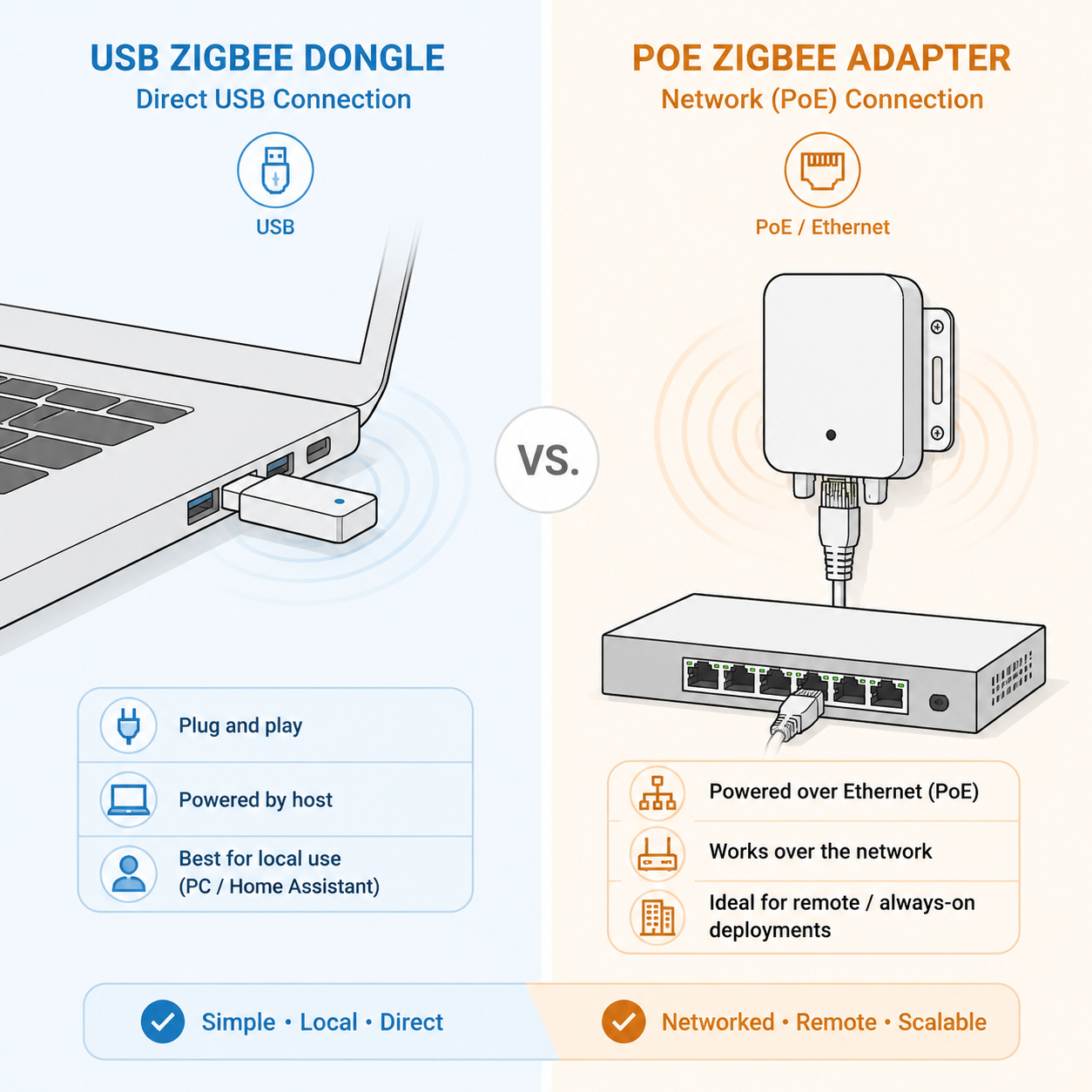
A PoE coordinator is not automatically stronger because it has Ethernet. It is stronger in the setups where USB is the weak link. If Home Assistant runs in Proxmox, Docker, a rack server, or a machine that reboots more often than the Zigbee network should care about, moving the coordinator onto the network can remove a whole class of passthrough and host-placement problems.
The coordinator can sit where the radio belongs, powered by Ethernet, while Home Assistant connects over the network. In virtualized environments, that is often cleaner than asking a VM to hold a USB radio perfectly through host updates, reboots, and device renumbering. The Zigbee network should not have to live in the worst RF corner of the house just because that is where the server rack is.
SMLight SLZB-06MG24: the rack-friendly pick
The SMLight SLZB-06MG24 is the cleanest answer for many virtualized or rack-mounted Home Assistant installations. It supports PoE, LAN, USB, and Wi-Fi modes, uses EFR32MG24, has a +5dBi antenna, and is commonly priced around $50–60.[3] SmartHomeScene lists its theoretical capacity around 350 devices, but that number should be read carefully: it is a theoretical ceiling under favorable mesh conditions, not a promise that 350 random battery sensors will behave in a real house.[3]
The more interesting design detail is separation of duties. The SLZB-06MG24 uses a dedicated ESP32 to manage Ethernet, Wi-Fi, and the web interface so dashboard access does not interrupt Zigbee radio work.[3] That is the kind of feature that looks boring until the day you are trying to diagnose a network without disturbing it.
Sonoff Dongle Max: PoE with useful diagnostics
The Sonoff Dongle Max is the other PoE/LAN/USB MG24 option that deserves attention. It is usually listed around $35–45, uses dual +5dBi antennas, and includes a web dashboard with a Channel Energy Scan tool.[3] That channel scan is not a magic optimize button, but it is genuinely useful when Zigbee, Wi-Fi, and neighboring 2.4GHz noise are crowding the same air.
A direct comparison review between the Home Assistant Connect ZBT-2 and Sonoff PoE Dongle Max found enough practical difference between the two designs that they should not be treated as substitutes for the same buyer.[5] The ZBT-2 is the clean official USB path; the Dongle Max is for people who want placement flexibility and network-side management.
ZHA, Zigbee2MQTT, and the software choice
Hardware is only half the decision. Home Assistant users usually land in one of two Zigbee stacks: ZHA, which is built into Home Assistant, or Zigbee2MQTT, which is separate and often preferred by people who want broader device exposure, fine-grained controls, or an existing MQTT-based setup.
For ZHA-first beginners, the ZBT-2 has the tidiest story because it is Home Assistant’s own coordinator and migration flow is part of the pitch.[2] For Zigbee2MQTT users, Sonoff and SMLight devices are often attractive because they are inexpensive, widely discussed, and available in both USB and PoE forms. The ZBDongle-P in particular remains relevant here because its CC2652P base has a long record in Zigbee2MQTT setups, even if it is no longer the most future-looking hardware choice.[3]
Do not buy only for the stack you might maybe use someday. If you know you want ZHA and official support, bias toward the ZBT-2. If you know you want Zigbee2MQTT and Ethernet placement, bias toward SMLight or Sonoff PoE hardware. If you are unsure, choose the coordinator that fits your server location first; bad placement will punish either software stack.
Thread readiness is not the same as a Thread plan
Several modern coordinators make Thread or Matter-adjacent language tempting. That does not mean the best move is to run Zigbee and Thread on one radio. MultiPAN firmware, where one SoC handles Zigbee and Thread, remains a controversial consolidation path, and Home Assistant has moved away from multiprotocol support rather than treating it as the stable default.[3]
If Thread is a real requirement, plan for it deliberately. A dual-radio or separate-border-router approach is less elegant on the shelf, but it is easier to reason about when something breaks. For readers mainly trying to understand Matter and Thread beside Zigbee, the better comparison is Best Matter Hubs for Home Assistant or the broader Matter vs Zigbee vs Z-Wave guide. A Zigbee coordinator purchase should not be distorted just to keep a vague Thread option open.
The seven options compared
| Coordinator | Connection | Chipset | Typical June 2026 price | Best use |
|---|---|---|---|---|
| Home Assistant Connect ZBT-2 | USB | EFR32MG24 | $49 MSRP | Best default for new ZHA-first Home Assistant users |
| Sonoff Dongle Plus MG24 | USB | EFR32MG24 | ~$25–30 | Best USB range-value pick |
| SMLight SLZB-07MG24 | USB | EFR32MG24 | ~$30–35 | Compact MG24 USB coordinator |
| SMLight SLZB-06MG24 | PoE/LAN/USB/Wi-Fi | EFR32MG24 | ~$50–60 | Best fit for virtualized, rack, or remote server placement |
| Sonoff Dongle Max | PoE/LAN/USB | EFR32MG24 | ~$35–45 | PoE pick with channel scanning |
| Sonoff ZBDongle-P | USB | CC2652P | ~$20 | Budget Zigbee2MQTT networks under modest load |
| Sonoff ZBDongle-E | USB | EFR32MG21 | ~$15–20 | Low-cost or legacy use where MG24 is not necessary |
The prices in that table are guidance for June 2026, not a reason to chase the cheapest listing blindly. A $20 saving disappears quickly if the coordinator ends up in the wrong RF location or tied to a host setup that makes every reboot suspicious.
There is also some long-term uncertainty around silicon roadmaps after Texas Instruments acquired Silicon Labs in February 2026, a point raised in the SmartHomeScene discussion around current coordinator recommendations.[3] That is worth noting, but not worth overreacting to as a normal buyer. The practical 2026 decision is still about the coordinator you can buy, update, place well, and support today.
How to choose without overfitting the spec sheet
- If your Home Assistant server is nearby and you want the lowest-friction path, buy the Home Assistant Connect ZBT-2.
- If you want a lower-cost USB MG24 coordinator with strong range numbers, buy the Sonoff Dongle Plus MG24.
- If your server is virtualized, rack-mounted, or physically bad for radio placement, buy a PoE coordinator such as the SMLight SLZB-06MG24 or Sonoff Dongle Max.
- If the network will stay small and budget is tight, the Sonoff ZBDongle-P is still defensible, especially for Zigbee2MQTT.
- If Thread is important, do not assume one multiprotocol radio is the cleanest answer; plan Thread separately unless you are deliberately testing that path.
Once the coordinator matches your server placement, planned device count, and software preference, the product name stops doing all the work. Spend the same attention on coordinator placement, router devices, and channel conditions; those can matter as much as the coordinator itself.
References
- Need help to understand the differences/benefits of a Zigbee Coordinator vs Hub, Home Assistant Community
- The best gets better — Home Assistant Connect ZBT-2, Home Assistant Blog, 2025-11-19
- Best Zigbee Coordinators for Home Assistant 2026, SmartHomeScene
- Sonoff Dongle Plus MG24 Zigbee & Thread Coordinator Review, SmartHomeScene
- Home Assistant Connect ZBT-2 Review vs Sonoff PoE Dongle Max, Mighty Gadget
Corrections & Community Notes
Spotted an outdated spec, changed compatibility, or new firmware behavior? Submit a correction below to help keep this profile current. For formal editorial updates, use the contact page.
Comments
Join the discussion with an anonymous comment.