
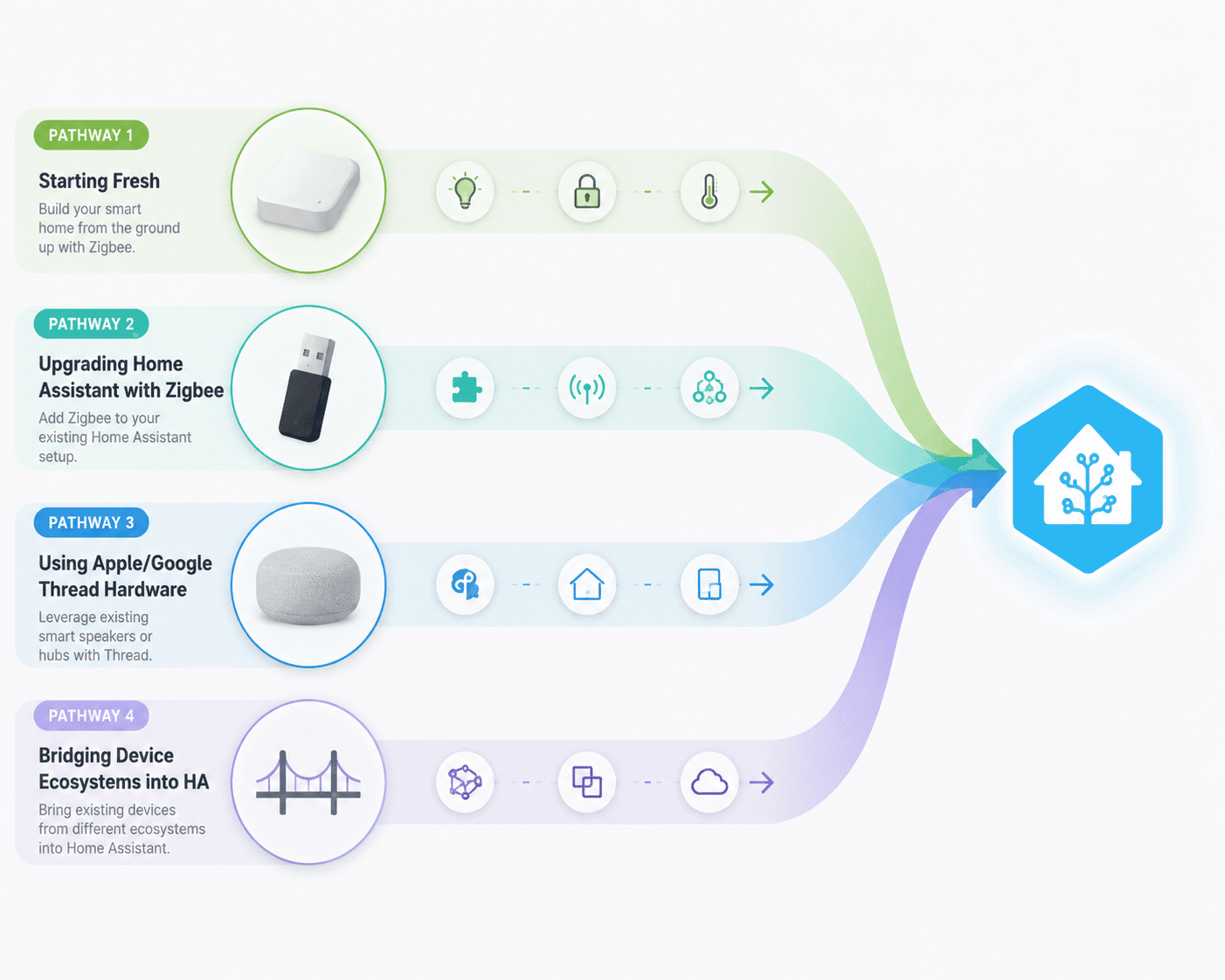
The shortest honest answer to “what Home Assistant Matter hub should I buy?” is this: Home Assistant does not need one universal Matter hub. It needs the right stack. In 2026, that usually means a Home Assistant controller, a Thread border router if you want Matter-over-Thread devices, and sometimes a bridge when you are bringing an existing device family into Home Assistant or exposing Home Assistant devices outward.
That distinction matters because Home Assistant is now a serious Matter controller, not a side experiment. It became the first open-source platform certified by the Connectivity Standards Alliance in March 2025, and its June 2026 Matter upgrade rebuilt the Matter stack on matter.js 9.0 with Matter 1.5.1 support, network visualization, faster recovery behavior, and a stated 4 GB RAM minimum for reliable operation.[1][2]
If you want the conceptual version of this problem first, read The Three Meanings of a Home Assistant Matter Hub. This guide moves past definitions and stays with the purchase decision: which physical hardware belongs in your setup, and which box does not do the job you think it does.
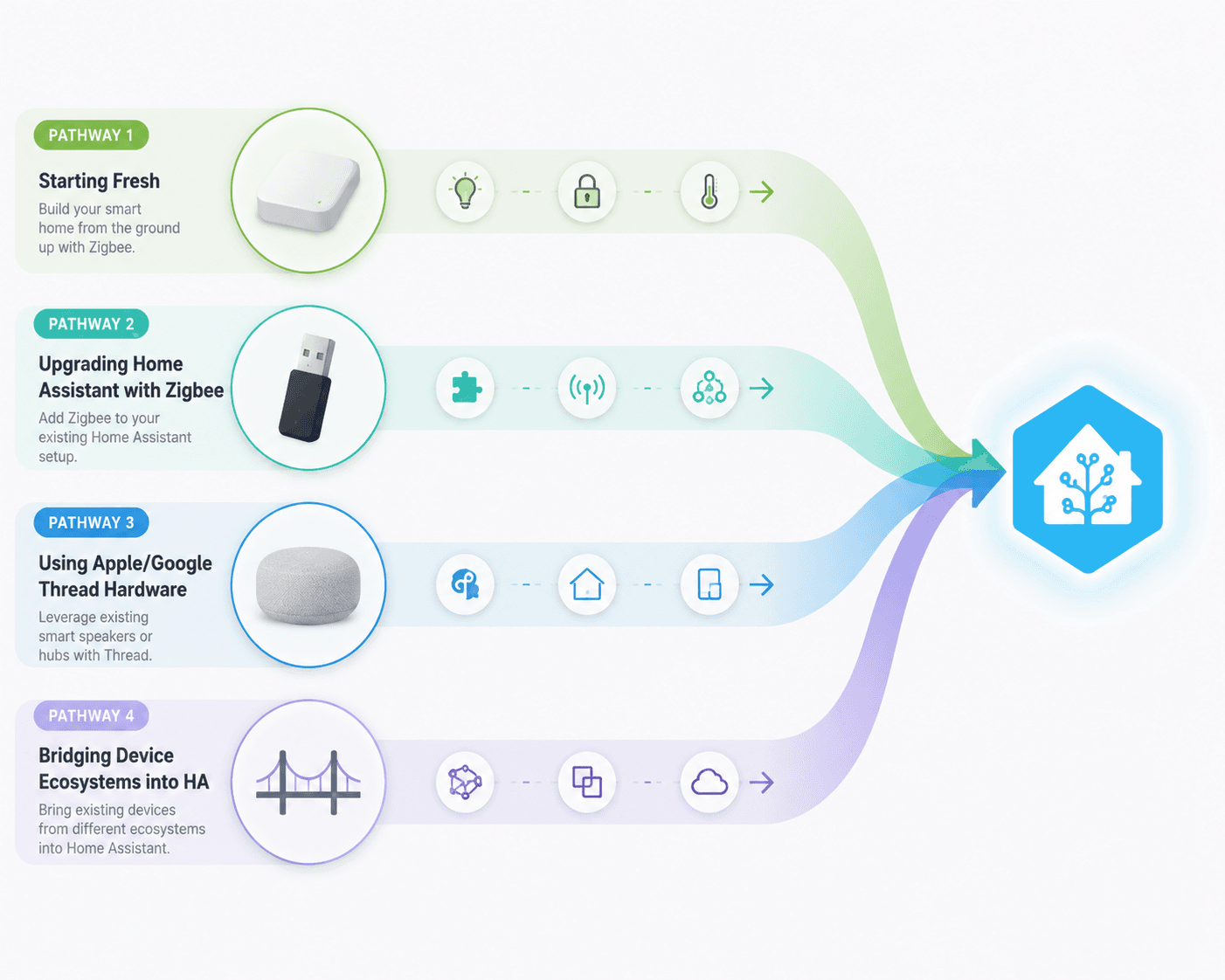
The Hardware Flow
Before comparing products, sort the job each product is being asked to do. A Home Assistant controller runs Home Assistant and the Matter integration. A Thread border router connects Matter-over-Thread devices to your IP network. A Zigbee or Thread dongle gives Home Assistant a local radio. A bridge brings another vendor’s device ecosystem across a boundary.
| Hardware category | What it does | Typical examples | Best fit |
|---|---|---|---|
| Dedicated Home Assistant hardware | Runs Home Assistant and the Matter integration | Home Assistant Green at $159; Home Assistant Yellow is not a current purchase because it reached end-of-life after October 2025 | Starting fresh or replacing underpowered hardware |
| External Thread border router | Connects Matter-over-Thread devices to the network | Nest Hub 2nd Gen, HomePod Mini at $99, Apple TV 4K, SmartThings Hub v3, Aqara Hub M3 at $160 | Homes already invested in Apple, Google, SmartThings, or Aqara |
| USB dongle | Adds a local Zigbee or Thread radio to Home Assistant | Home Assistant Connect ZBT-2 at $49; Sonoff Dongle E; discontinued Connect ZBT-1 | Users who want the radio close to Home Assistant and under their control |
| Multiprotocol bridge | Bridges a vendor device family into Home Assistant or exposes devices outward | Aqara Hub M2/M3, IKEA Dirigera, SwitchBot Hub 2 | Keeping an existing device family useful without rebuilding everything |
The table is intentionally not a “top five hubs” list. Those roundups can be useful for seeing the market, but they often blur controller, radio, border router, and bridge into the same buying bucket.[3] Home Assistant users pay for that blur later, usually when a device pairs but firmware updates, Thread routing, or Zigbee migration do not behave the way the box implied.
Starting Fresh: Home Assistant Green Plus a Current Radio
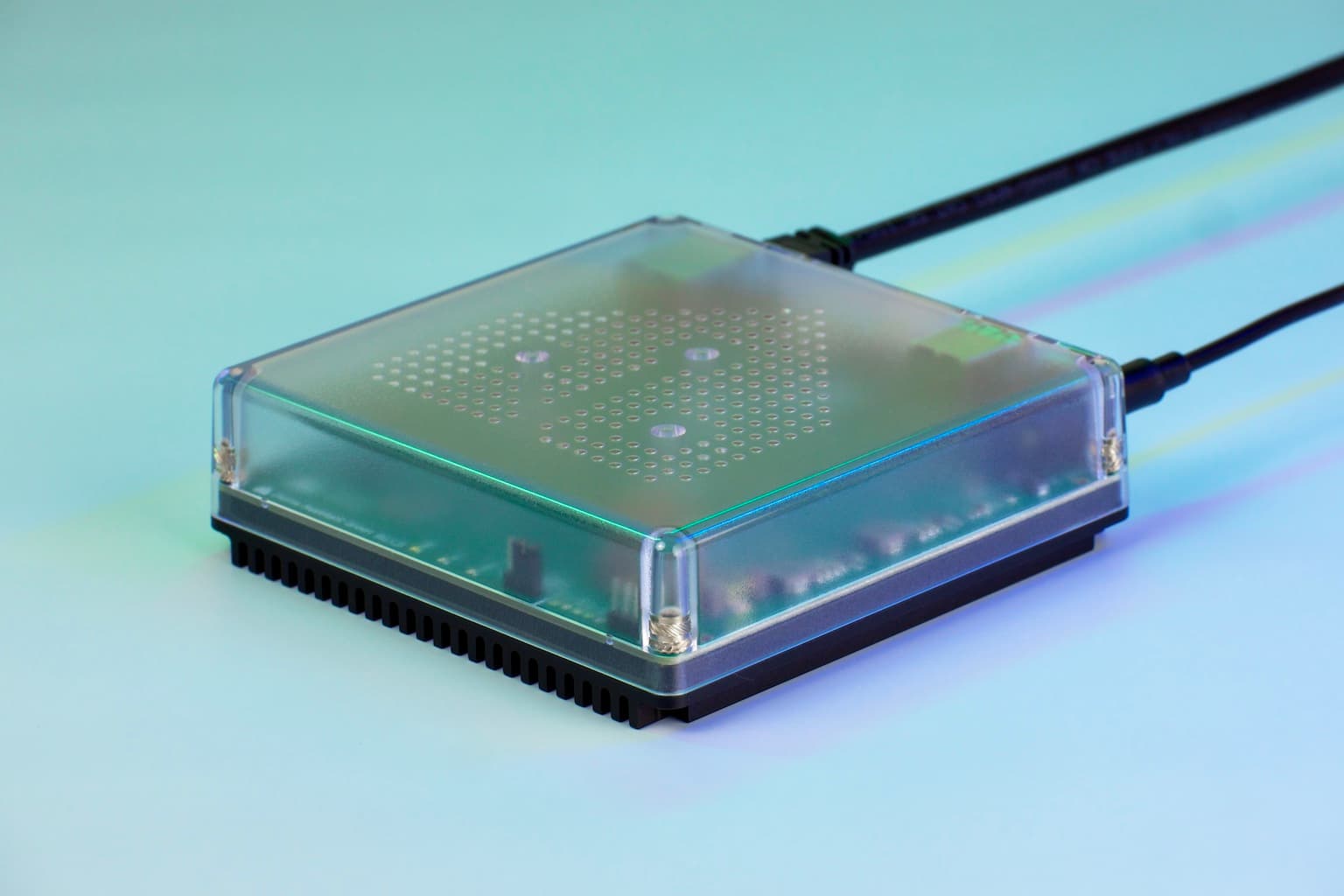
For a new Home Assistant setup in 2026, Home Assistant Green is the cleanest starting point because it removes the first failure mode: running Home Assistant on hardware that was never chosen for the job. The Green is sold as a $159 Home Assistant appliance, and that matters more after the June 2026 Matter upgrade because Home Assistant now states a 4 GB RAM minimum for Matter support.[2][3]
Green is not, by itself, a Thread border router or a Zigbee coordinator. It is the controller side of the stack. If you want Home Assistant to talk directly to Zigbee or Thread radio networks, you add a USB radio such as Home Assistant Connect ZBT-2. The ZBT-2 is listed at $49, uses a Silicon Labs MG24 radio, supports 460800 baud, and is positioned by Home Assistant as the recommended Zigbee and Thread dongle.[4]
There is one purchase-time catch worth slowing down for: Connect ZBT-2 does not run Zigbee and Thread at the same time. If you already have a working Zigbee network, buying one ZBT-2 does not magically give you both a Zigbee coordinator and a Thread border router in a single active radio role. You either keep your existing Zigbee coordinator and use ZBT-2 for Thread, use ZBT-2 for Zigbee and rely on an external Thread border router, or buy separate radios where that architecture makes sense.
This is also why Home Assistant Yellow is a poor current recommendation. It may still exist as residual stock in some places, and it was historically attractive because it integrated Home Assistant hardware with radio capability. But because it reached end-of-life after October 2025, it should not be the default 2026 purchase for someone building a stable Matter stack from scratch.
Best fresh-start stack
- Home Assistant Green if you want a supported, low-friction controller and do not want to maintain a general-purpose mini PC.
- Connect ZBT-2 if you need a current Home Assistant-supported Zigbee or Thread radio, with the role chosen deliberately.
- An external Thread border router instead of a local Thread dongle if your Apple, Google, SmartThings, or Aqara network is already doing that job well enough.
External Thread Border Routers: Useful, but Not Neutral
Matter-over-Wi-Fi devices do not need Thread. Matter-over-Thread devices do. That is where external Thread border routers enter: Nest Hub 2nd Gen, HomePod Mini, Apple TV 4K, SmartThings Hub v3, and Aqara Hub M3 can all make sense when they are already part of the home. They are not Home Assistant controllers; they are network infrastructure that Home Assistant can work with.
The Nest Hub 2nd Gen is the natural choice when the household already lives in Google Home and wants a display that also participates in Thread. HomePod Mini and Apple TV 4K make sense in Apple homes, especially when Apple Home is already the family-facing interface. SmartThings Hub v3 remains relevant for homes that still use SmartThings as a device onboarding or automation layer. Aqara Hub M3 is more conditional: it is strongest when the home already has or plans to add Aqara devices, not when the goal is a vendor-neutral Thread decision.
Apple’s Thread border routers deserve a special footnote before money changes hands: when HomePod or Apple TV is the Thread border router, Home Assistant cannot perform OTA firmware updates for Thread devices through that Apple border router. That does not make Apple hardware a bad choice. It does mean the convenience of using existing Apple infrastructure comes with an operational boundary that should be visible before you buy more Thread devices.
Thread itself is still moving. Matter 1.6 was released on June 17, 2026, and Thread 1.4 certification requirements are part of the broader 2026 ecosystem context, but Home Assistant’s available June 2026 Matter Server materials confirm Matter 1.5.1 support, not a completed Matter 1.6 adoption timeline.[2][5] Buying hardware on the assumption that every Matter 1.6 feature is already available in Home Assistant is premature.
| External Thread option | When it makes sense | Watch point |
|---|---|---|
| Nest Hub 2nd Gen | Google Home households that already want a display and Google-side device control | Do not buy it merely to avoid understanding Thread roles |
| HomePod Mini | Apple Home households that want a compact speaker and Thread border router | Home Assistant OTA firmware updates are blocked through Apple Thread border routers |
| Apple TV 4K | Apple homes that want a stronger always-on living-room device | Same Apple Thread OTA limitation applies |
| SmartThings Hub v3 | Homes that still depend on SmartThings devices or routines | Adds another platform boundary to debug |
| Aqara Hub M3 | Aqara-heavy homes that want Aqara’s bridge and Matter capabilities in the same area | Best treated as an Aqara ecosystem bridge, not a universal HA replacement |
USB Dongles: The Small Purchase That Sets the Architecture
USB dongles look like accessories, but in a Home Assistant Matter setup they decide where the radio layer lives. A current Connect ZBT-2 plugged into the Home Assistant machine keeps the Zigbee or Thread radio local to Home Assistant. A Sonoff Dongle E can also be part of a working setup. A discontinued Connect ZBT-1 should not be treated as equivalent to the current ZBT-2 when making a new 2026 purchase.
The practical decision is usually not “which dongle is best?” It is “which protocol does this dongle need to serve?” If your Zigbee network is stable, the conservative move is to leave it alone and add Thread another way. If your Zigbee coordinator is old, unreliable, or attached to a machine you plan to retire, replacing the Zigbee coordinator can be reasonable, but that is a Zigbee migration decision as much as a Matter decision.
The confusion is common enough that Home Assistant community discussions about getting started with Thread and Matter repeatedly come back to dongle selection, border router requirements, and which device is actually responsible for what.[6] That is a signal to slow down at the shopping cart, not a sign that the reader is missing some obvious magic product.
- Use Connect ZBT-2 for Zigbee if you want a current Home Assistant-supported coordinator and are prepared to keep Thread elsewhere.
- Use Connect ZBT-2 for Thread if you already have a separate Zigbee coordinator or do not use Zigbee.
- Do not buy one ZBT-2 expecting simultaneous Zigbee and Thread service.
- Do not make a discontinued ZBT-1 the basis of a new build unless you already own it and understand its limitations.
Multiprotocol Bridges Are for Device Families
Aqara Hub M2, Aqara Hub M3, IKEA Dirigera, and SwitchBot Hub 2 are not replacements for a Home Assistant Matter stack. They are useful when the bridge is the cleanest way to preserve a device family. If you already have Aqara sensors, IKEA lighting, or SwitchBot devices working through their own hub, ripping out the bridge may create more work than it removes.
The bridge question cuts both directions. Sometimes you bring vendor devices into Home Assistant. Sometimes you expose selected Home Assistant entities outward as Matter devices so another platform can see them. The latter is a specific integration pattern, not proof that every device in the house should be routed through another ecosystem first.[7]
A bridge is a good buy when it reduces migration risk. It is a poor buy when it is being used to avoid deciding whether Home Assistant, Apple Home, Google Home, SmartThings, or a vendor app is the primary place where devices are paired, updated, and recovered after failure.
Scenario Recommendations
If you are starting fresh, buy Home Assistant Green and add Connect ZBT-2 only after deciding whether that radio will serve Zigbee or Thread. If your first Matter devices are Wi-Fi devices, you may not need a Thread radio immediately.
If you already run Home Assistant with stable Zigbee or Z-Wave gear, do not rebuild the working side of the house just because Matter entered the plan. Keep the stable coordinator, add Matter support at the controller level, and choose Thread separately only when you actually buy Matter-over-Thread devices. For broader protocol matching across a mixed home, protocol compatibility in 2026 is the more useful comparison than another hub ranking.
If you already own Apple, Google, or SmartThings Thread hardware, use it deliberately. It can save a purchase and keep family-facing control familiar. Keep the operational boundaries above in mind, especially if Apple hardware is your Thread border router.
If you are trying to bridge device ecosystems into Home Assistant, buy the bridge for the device family, not for the word Matter on the box. Aqara, IKEA, and SwitchBot hubs can be the right answer when they preserve working devices and reduce migration pain. They are not the same thing as a Home Assistant controller.
If you are still unsure whether you need a hub at all, step back before buying another plastic box. The better first question is whether the device you want uses Wi-Fi, Thread, Zigbee, Z-Wave, Bluetooth, or a vendor bridge; the second question is which platform should own pairing and recovery. For that broader decision, see when you actually need a smart home hub.
References
- Matter certification for Home Assistant, Home Assistant, March 10, 2025
- The Matter upgrade you’ve been waiting for, Home Assistant, June 23, 2026
- Best Matter Hubs for Home Assistant, matterhubs.com
- Connect ZBT-2, Home Assistant
- The Matter standard in 2026: A status review, matter-smarthome.de
- Getting started with Thread/Matter - what do I need?, Home Assistant Community
- Exposing Home Assistant entities as Matter devices, SmartHomeScene
Updates & Corrections
Protocol specifications and platform features change rapidly — especially with Matter version evolution. Report version changes, certification count updates, or platform policy changes that have occurred since the last editorial review.
Comments
Join the discussion with an anonymous comment.