
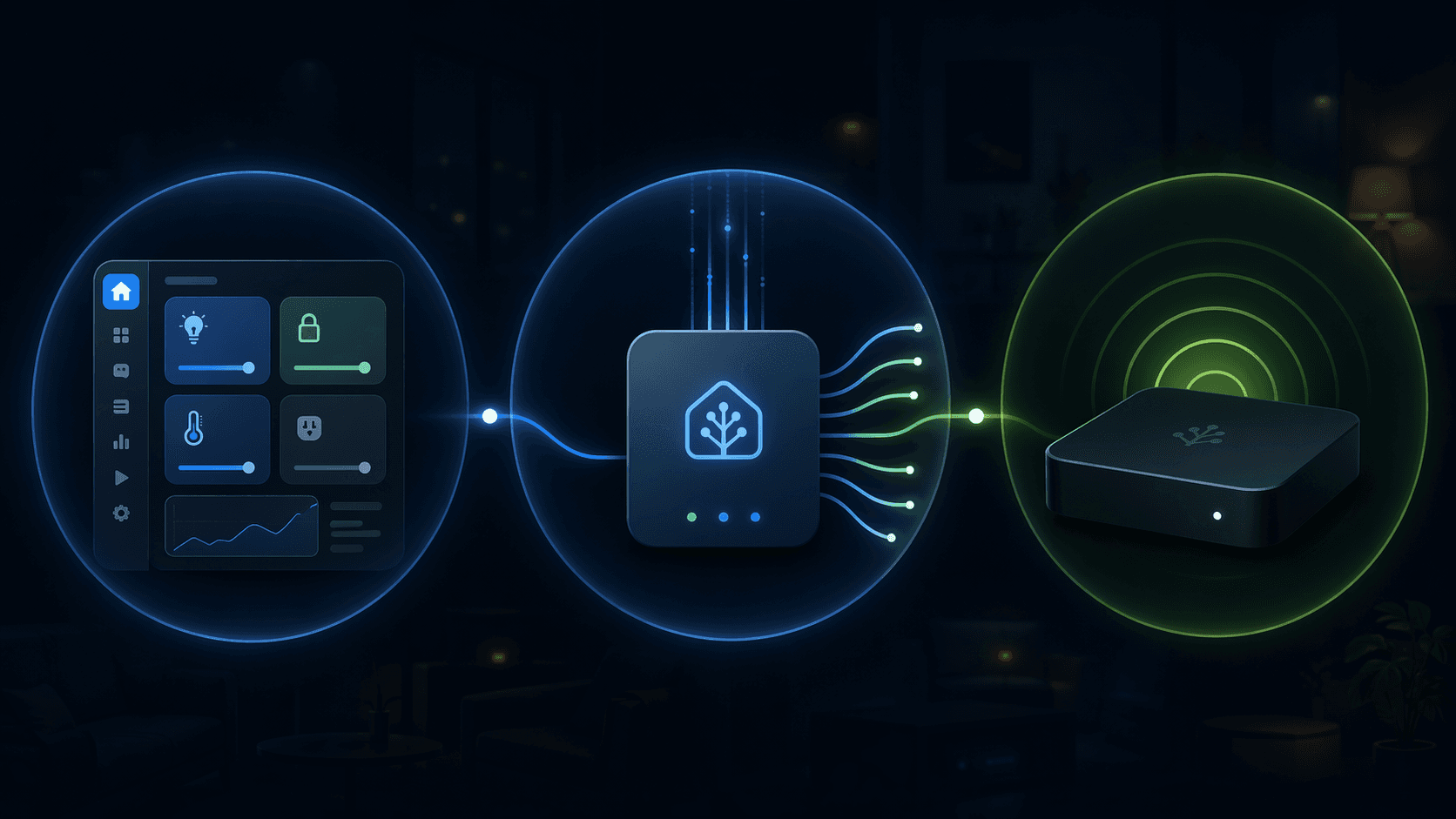
If you searched for “home assistant matter hub” and came away unsure whether you need a new box, a built-in integration, or a community add-on, the confusion is reasonable. The phrase is being used for three different jobs.
- Home Assistant’s official Matter integration lets Home Assistant act as a Matter controller. In plain terms: HA controls Matter devices.
- Home-Assistant-Matter-Hub, usually shortened to HAMH, is a Matter bridge. It exposes existing HA entities outward so Apple Home, Google Home, Alexa, and similar ecosystems can see them as Matter devices.
- Physical hardware is the machine, dongle, or third-party hub that runs Home Assistant, provides radios, or supplies Thread border routing.
Those roles can coexist, but they are not interchangeable. Installing HAMH will not make Home Assistant control a new Matter-over-Thread sensor. Buying a Thread dongle will not automatically expose your Zigbee lights to Apple Home. Enabling the official Matter integration will not, by itself, turn your whole HA setup into a Matter bridge for Alexa.
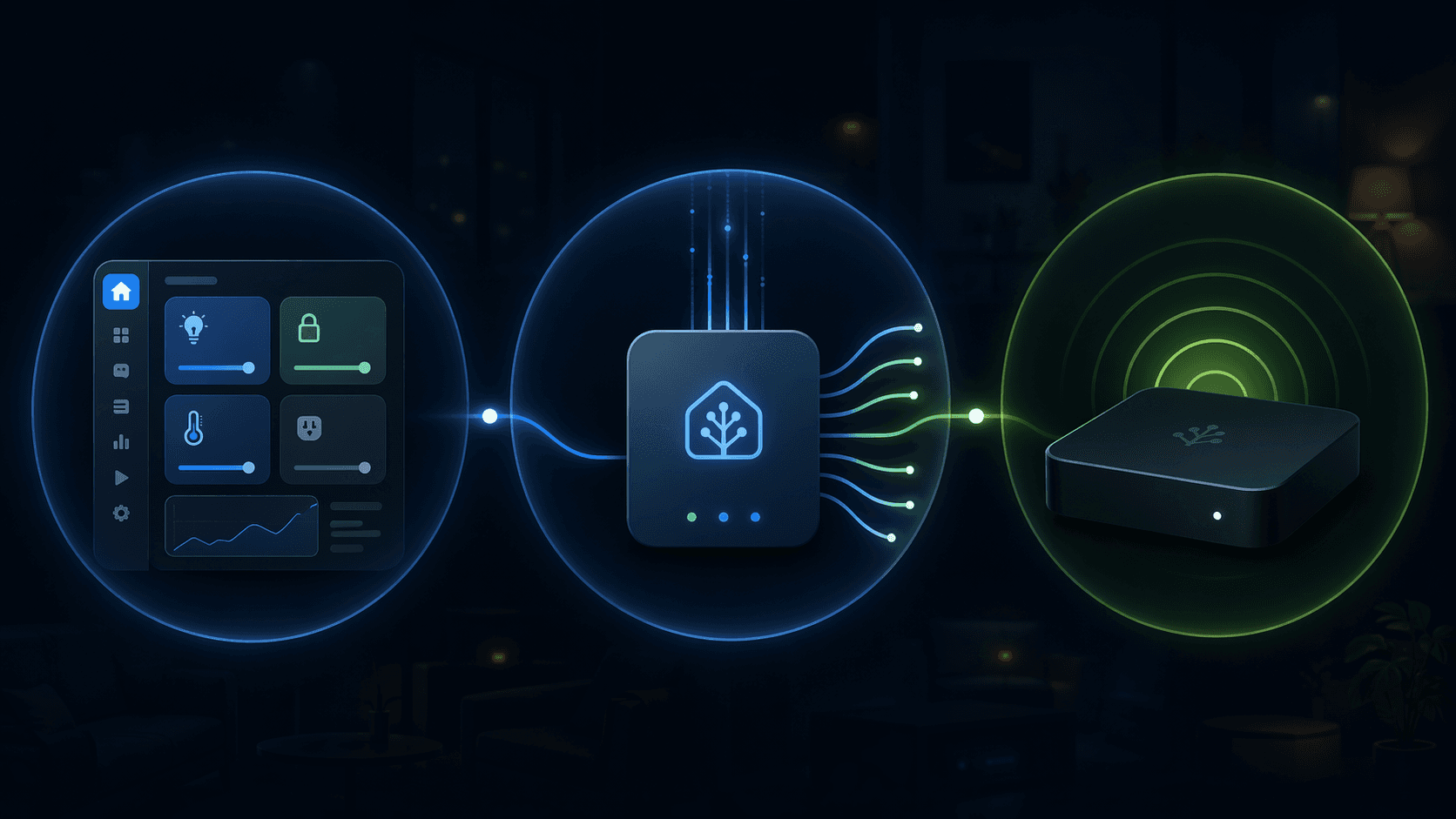
Start with the direction of control
The quickest way to sort this out is to ask which way control is supposed to flow.
| What you want to do | Relevant Home Assistant piece | What it is | Extra hardware? |
|---|---|---|---|
| Add Matter lights, plugs, sensors, locks, or other Matter devices into Home Assistant | Official Matter integration | Matter controller | No extra hardware for Matter-over-Wi-Fi; Thread devices need a Thread border router |
| Make Apple Home, Google Home, or Alexa control devices that already exist in Home Assistant | Home-Assistant-Matter-Hub | Matter bridge | Usually no new radio for the bridge itself, but your existing HA setup must already control those devices |
| Run Home Assistant or provide Zigbee/Thread radios | HA Green, Raspberry Pi, NUC, USB dongle, third-party hub, or similar | Physical host or radio infrastructure | Depends on your current setup and whether you need Thread |
That table is the whole problem in miniature. “Hub” can mean the controller, the bridge, or the hardware underneath them. Once those are separated, most setup choices become much less mysterious.
Meaning 1: the official Matter integration controls Matter devices inside Home Assistant
When you buy a Matter device and want it to show up in Home Assistant, the official Matter integration is the part that matters. It makes Home Assistant a Matter controller, and the control path is local rather than cloud-dependent. Home Assistant’s own integration page currently shows Matter in use by 38% of Home Assistant installations and ranked 12th among integrations, which is a good sign that this has moved beyond a tiny experimental corner of the platform.[1]
There is one important timing caveat: on June 23, 2026, Home Assistant announced a major Matter server rewrite based on matter.js, with support for Matter 1.5.1.[2] That is promising, especially because it moves the official stack forward, but it is also recent enough that large installations and edge cases deserve caution. Newly introduced Matter camera support is a good example: the available evidence supports saying that camera support is newly introduced and tied to the matter.js server, not that every camera media path is already proven end to end.
For Matter-over-Wi-Fi devices, you generally do not need to buy a special Home Assistant radio just to use the official Matter integration. The device joins your IP network, and Home Assistant controls it through the Matter integration. For Matter-over-Thread devices, you do need a Thread border router somewhere on the network. That border router can be Home Assistant hardware with the right dongle and OTBR setup, or it can be a compatible device from another ecosystem.
This is where many buying mistakes happen. A Matter logo on a device does not tell you whether it uses Wi-Fi or Thread. If it is Thread, Home Assistant needs access to a Thread network through a border router. If it is Wi-Fi, adding a Thread dongle just because a guide said “Matter hub” may be unnecessary.
Meaning 2: HAMH bridges Home Assistant entities outward
Home-Assistant-Matter-Hub solves a different problem. It does not primarily bring Matter devices into Home Assistant. It takes entities that already exist in Home Assistant — for example Zigbee, Z-Wave, ESPHome, MQTT, or other HA-controlled devices — and exposes selected entities as Matter devices to another ecosystem.
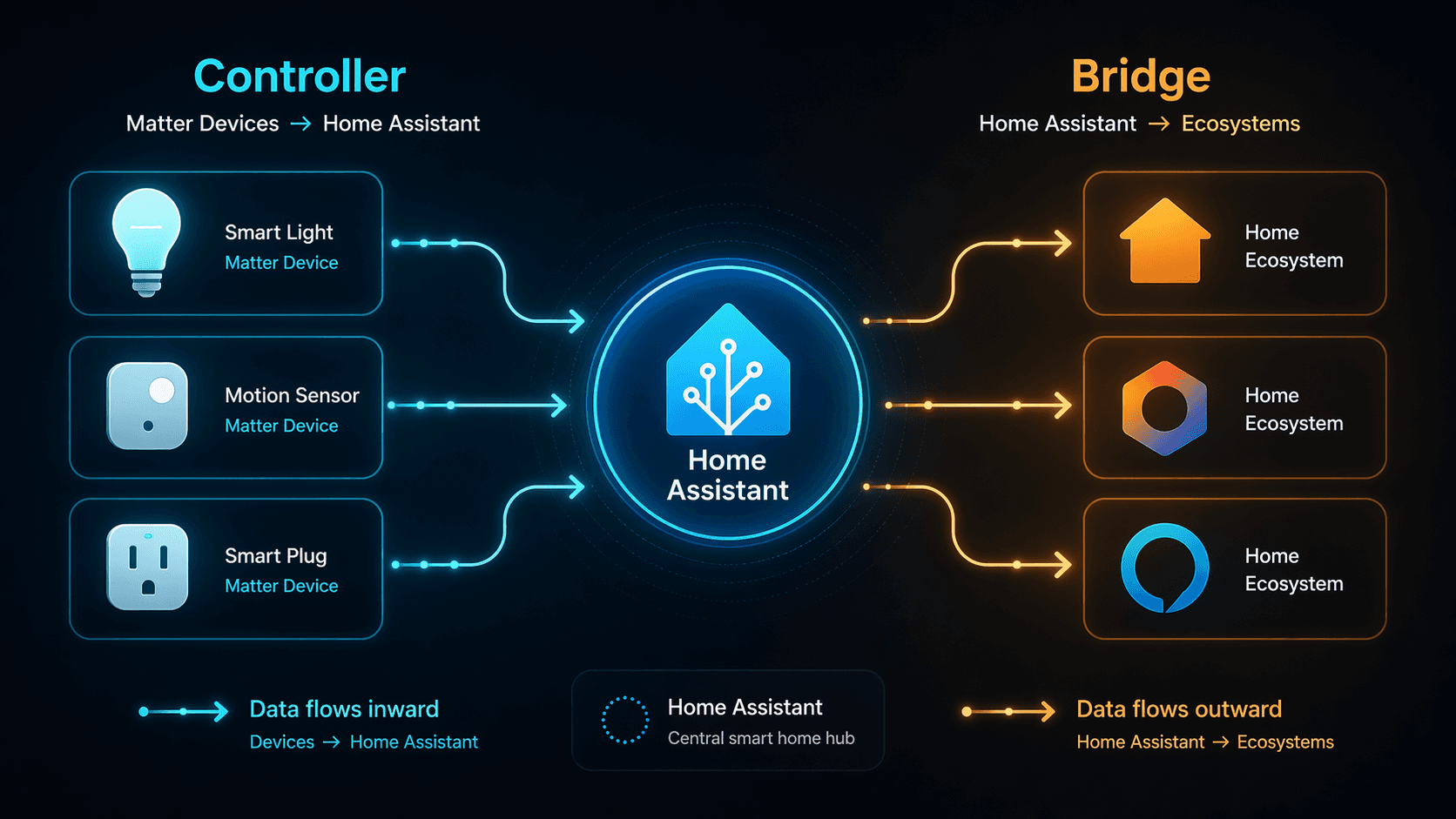
That bridge direction is useful if Home Assistant is your real automation brain, but people in the house still want to use Apple Home, Google Home, or Alexa for voice control, dashboards, routines, or familiar app access. In that setup, HA can keep talking to the original device through Zigbee, Z-Wave, ESPHome, or another integration, while HAMH presents a Matter-facing version of that device to the outside platform.
The current active continuation to know about is the RiDDiX fork. The original t0bst4r Home-Assistant-Matter-Hub project was archived in January 2026, while the RiDDiX fork continues development; the cited sources identify v2.0.48 stable, 1k+ GitHub stars, Matter 1.3 support, and more than 20 supported device types, including robot vacuum Server Mode.[3] SmartHomeScene’s guide describes the same practical use case: exposing Home Assistant entities as Matter devices to external platforms.[4]
The support boundary matters. HAMH is a community project, not the official Home Assistant Matter integration and not officially supported by Nabu Casa. That does not make it unserious; it does mean you should read its release notes, watch breaking changes, and avoid treating it like a core HA feature with the same support path.
For larger homes, the Alexa ceiling is also worth planning around. The available sources identify an approximate 80–100 device limit per bridged bridge for Alexa bridged devices. If you intend to expose a large HA installation outward, the bridge design is not just a checkbox; it becomes part of your architecture.
Controller and bridge are complementary, not rivals
A normal mixed setup might use both the official Matter integration and HAMH, but for opposite directions.
- A Matter-over-Wi-Fi plug is paired into Home Assistant through the official Matter integration.
- A Zigbee light already controlled by Home Assistant is exposed to Apple Home through HAMH.
- A Thread sensor is paired into Home Assistant only if the setup has access to a Thread border router.
- A Z-Wave switch can remain Z-Wave inside HA while appearing as a Matter device to another ecosystem through the bridge.
Nothing in that arrangement requires pretending all devices have become native Matter devices. The bridge is translating an HA-controlled entity outward. The controller is managing a real Matter device inward. Keeping that mental model intact makes troubleshooting much easier, because you know which layer owns the failure.
Which combination do you need?
Most Home Assistant users fall into one of a few setup patterns.
You only want Home Assistant to control Matter-over-Wi-Fi devices
Use the official Matter integration. You do not need HAMH for this job, and you do not need to buy Thread hardware just because the device says Matter. The important check is whether the device is Matter-over-Wi-Fi rather than Matter-over-Thread.
You want Home Assistant to control Matter-over-Thread devices
Use the official Matter integration plus a Thread border router. That border router might be a Home Assistant Connect ZBT-1 or ZBT-2 running the OTBR app, or it might be a compatible third-party device such as a Google Nest Hub 2nd Gen, Apple HomePod Mini, Apple TV 4K, or Aqara Hub M3.[2]
Thread 1.4 is the detail to watch here. Home Assistant’s June 2026 OTBR app update is described as addressing the old “parallel mesh” problem by allowing credentials to be shared across border routers.[2] The rollout is still uneven by platform: the cited sources identify Apple as further along, with Google and Amazon lagging as of April 2026.[5] In other words, multi-border-router Thread is getting better, but it is not safe to assume every ecosystem in your house will share one perfectly unified Thread fabric today.
You want Apple Home, Google Home, or Alexa to see devices already in Home Assistant
Consider HAMH. This is the bridge use case. It is especially attractive when Home Assistant already has reliable control of devices that are not native to the target ecosystem: Zigbee bulbs, Z-Wave switches, ESPHome sensors, older Wi-Fi devices, template entities, and similar HA-first objects.
Choose the exposed entities deliberately. Bridging everything sounds convenient until duplicated rooms, unsupported feature mappings, or ecosystem device limits start making the external app harder to use. For Alexa in particular, that approximate 80–100 bridged-device ceiling makes selective exposure more than neatness.
You want both directions
Use both, but do not assign them the same job. The official Matter integration brings Matter devices into HA. HAMH sends selected HA entities out to Matter-capable ecosystems. A Thread border router is added only if Thread devices or Thread infrastructure are part of the plan.
If you are still comparing ecosystems rather than wiring a specific setup, a broader platform comparison belongs elsewhere; see smart home platforms compared for that bigger Apple-versus-Google-versus-Alexa decision.
Hardware is the place this runs, not the definition of the hub
Only after the software roles are clear does hardware become a sensible question. The hardware decision is really two questions: where will Home Assistant run, and what radios or border routing do you need?
Official Home Assistant hardware
Home Assistant Green is the straightforward appliance-style option. The cited sources identify it at $159 with a 1.8 GHz quad-core processor, 4 GB RAM, and 32 GB eMMC storage.[6] It does not magically replace every radio decision; if you need Thread, you still add suitable Thread-capable hardware such as a SkyConnect or Connect ZBT-series dongle and the relevant OTBR setup.
Home Assistant Yellow deserves a practical warning rather than a long detour: production ended in October 2025, so it is not the obvious fresh-buy recommendation for someone starting in mid-2026.[7]
USB dongles for an existing Raspberry Pi, mini PC, or NUC
If Home Assistant is already running well, a USB radio may be the only hardware you need. The cited sources group common dongle options such as SkyConnect, ZBT-1, Sonoff, and SLZB-06 in the $25–45 range, with the free OTBR add-on used when the dongle is serving as a Thread border router.[7]
This is also where the phrase “Matter hub” can become expensive. A stable Raspberry Pi or NUC installation does not need to be replaced just because you are adding Matter-over-Wi-Fi devices. For Thread, add Thread border routing. For bridging HA entities outward, install and configure the bridge. The host machine only needs to be upgraded if it is underpowered, unreliable, or missing the radio path you actually require.
Third-party hubs that complement Home Assistant
Aqara Hub M3, SmartThings, Google Nest Hub, HomePod Mini, and Apple TV 4K can all be part of a Matter-and-Thread household, but they should be treated as complementary infrastructure unless you are deliberately moving control away from Home Assistant. The cited sources list Aqara Hub M3 at $159.99 with Thread border router, Zigbee 3.0, and Matter bridge roles; SmartThings v3 is listed at $170–220; Apple HomePod Mini is listed at $99.[7]
Those products may be useful if you are already invested in a specific ecosystem or need an additional Thread border router. They are not required merely because you use Home Assistant with Matter. For a product-by-product hardware comparison, use best smart home controller 2026 rather than trying to turn every hub choice into a Matter terminology problem.
A few limits worth respecting before you build around this
Matter in Home Assistant is now mainstream enough to be useful, but several details are still too fresh or too ecosystem-dependent to flatten into “it just works.”
- The June 23, 2026 matter.js-based Matter server upgrade is recent. It brings important progress, but very new edge cases may not yet be well documented.[2]
- Matter 1.5.1 camera support should be treated cautiously. The server support is new; the full WebRTC media path is not established as universally verified in the supplied evidence.[2]
- HAMH is active and useful, but it is community-maintained rather than an official Nabu Casa-supported integration.[3]
- Alexa bridged-device limits matter for large homes. Plan selective bridging instead of assuming one massive exported bridge will stay comfortable.
- Thread credential sharing is improving with Thread 1.4, but platform rollout remains uneven, so mixed Apple, Google, Amazon, and HA border-router environments still deserve testing before you depend on a perfectly shared mesh.[5]
For broader Matter buying context, see Matter in mid-2026. For setup failures, commissioning errors, and flaky device behavior, use Matter troubleshooting in 2026 rather than treating this terminology guide as a diagnostic tree.
The clean answer
A “Home Assistant Matter hub” is not one product and not one install button. If you are importing Matter devices into Home Assistant, you want the official Matter controller integration. If those devices use Thread, you also need a Thread border router. If you are exporting existing HA entities to Apple Home, Google Home, or Alexa, you are looking at HAMH as a Matter bridge. If you are shopping for hardware, you are choosing where HA runs and which radios or border routers your network needs.
The pieces can sit in the same home and even serve the same room, but they do different work. Name the direction first — Matter into HA, HA outward to another ecosystem, or hardware and Thread routing underneath — and the “hub” question usually answers itself.
References
- Matter — Home Assistant
- The Matter upgrade you’ve been waiting for — Home Assistant, June 23, 2026
- Home-Assistant-Matter-Hub — GitHub
- Exposing Home Assistant Entities as Matter Devices — SmartHomeScene
- Should You Switch from Zigbee to Matter in 2026? — Howmation
- Home Assistant Green — Home Assistant
- Best smart home hubs 2026 — The Gadgeteer, June 13, 2026
Updates & Corrections
Protocol specifications and platform features change rapidly — especially with Matter version evolution. Report version changes, certification count updates, or platform policy changes that have occurred since the last editorial review.
Comments
Join the discussion with an anonymous comment.