
Smart Home Control Panel Buyer's Checklist: 5 Key Criteria
Use this five-criteria checklist to evaluate smart home control panels by ecosystem compatibility, protocol support, installation type, local versus cloud processing, and future-proofing — so you choose a panel that fits your home and avoids premature replacement.
Last updated
The easiest way to buy the wrong smart home control panel is to start with the screen. A bright wall display, clean dashboard, and fast swipe all feel important in the store or product video. They are not irrelevant. But the panel becomes part of the house the moment it has to talk to locks, sensors, lights, thermostats, bridges, voice assistants, automations, and whatever you add next year.
Before comparing bezels or wallpapers, run the panel through five checks. These are the checks that decide whether it still fits your home in 18 months.
| Criterion | What to confirm before buying | Why it matters |
|---|---|---|
| Ecosystem compatibility | Which platform your home already depends on: Alexa, Apple Home, Google Home, SmartThings, Home Assistant, Control4, Savant, Aqara, or another system | A panel that looks universal may still work best inside one ecosystem |
| Protocol support | Matter, Thread, Zigbee, Z-Wave, Wi-Fi, Bluetooth, and whether a separate hub is required | The missing radio is often the reason a panel needs a bridge or gets replaced |
| Installation type | Plug-in, USB-C, PoE, PoE+, low-voltage, or hardwired replacement for an existing switch | The cleanest interface is useless if the wall cannot power it safely |
| Local vs. cloud processing | What still works when the internet is down, and what stops completely | Outage behavior separates infrastructure from a decorative remote |
| Future-proofing | Matter and Thread roadmap support, firmware history, accessory availability, and upgrade path | A panel should not freeze your device choices at the year you bought it |
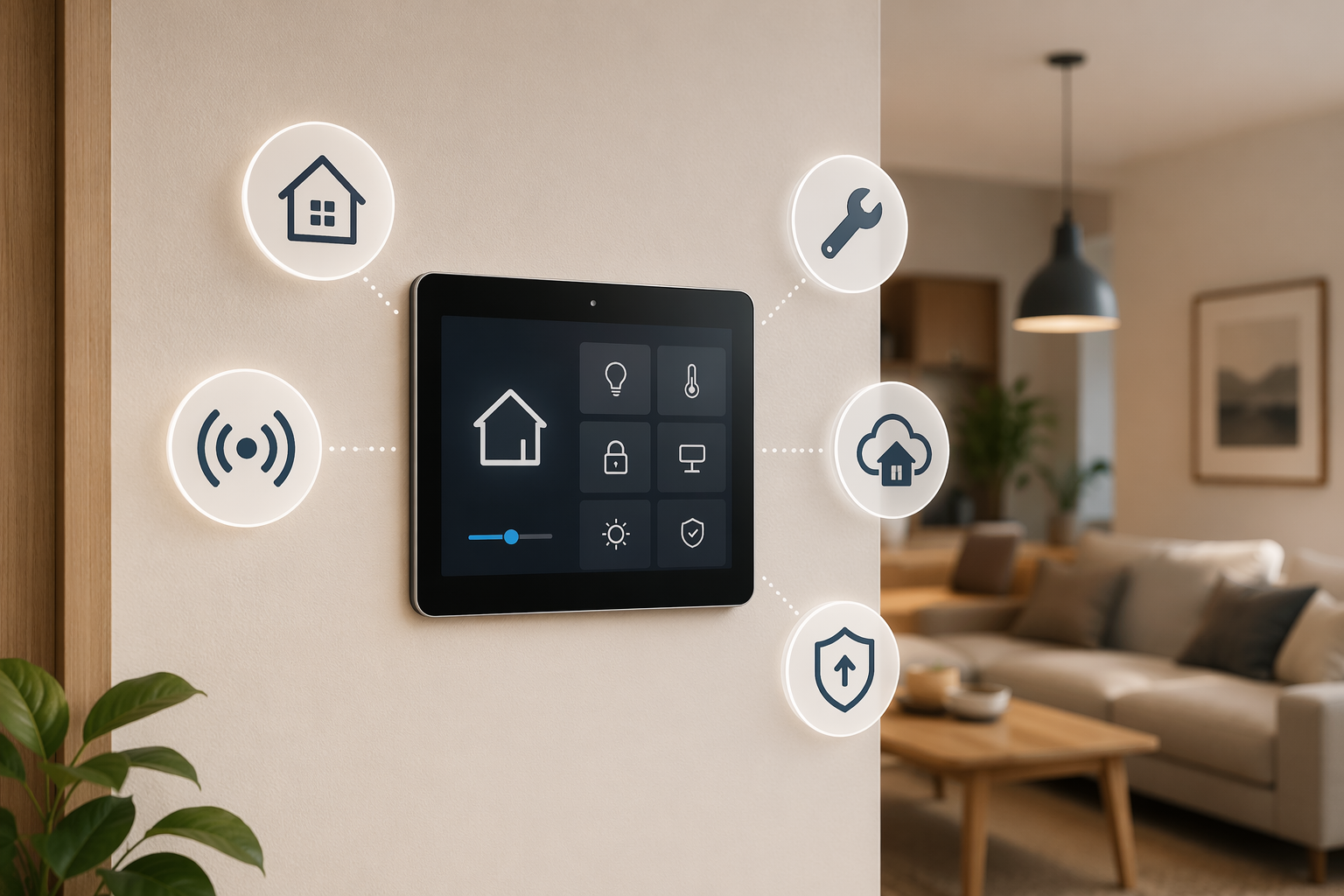
Start With the Home You Already Have
A smart home control panel is rarely the first smart device in a real house. There may already be an Alexa speaker in the kitchen, Apple Home scenes on someone’s phone, a SmartThings hub in a cabinet, a few Aqara sensors, or a Home Assistant box doing quiet work in the background. The panel has to enter that system without becoming a second, competing control layer.
This is the first gate: choose by ecosystem before you choose by spec sheet. If the household already uses Alexa routines and compatible lights, an Echo Hub can make sense in a way it would not for a privacy-sensitive Home Assistant setup. If the home is built around Apple Home, a wall panel that depends on another cloud account may feel like a downgrade even if the hardware looks better. If the house has a professionally installed Control4 or Savant system, a retail tablet-style panel is not a substitute for the dealer-managed architecture behind it.
For readers still deciding on the larger platform, pause here and use an ecosystem-first guide such as how to choose a smart home ecosystem. A control panel should come after that decision, not before it.
Protocol Support Is Where Regret Usually Starts
The radio list is less glamorous than the home screen, but it is the part I would read first. A panel can advertise “whole-home control” and still lack the protocol your lock, water sensor, or motion sensor already uses. When that happens, you either add another bridge or replace devices that were working fine.
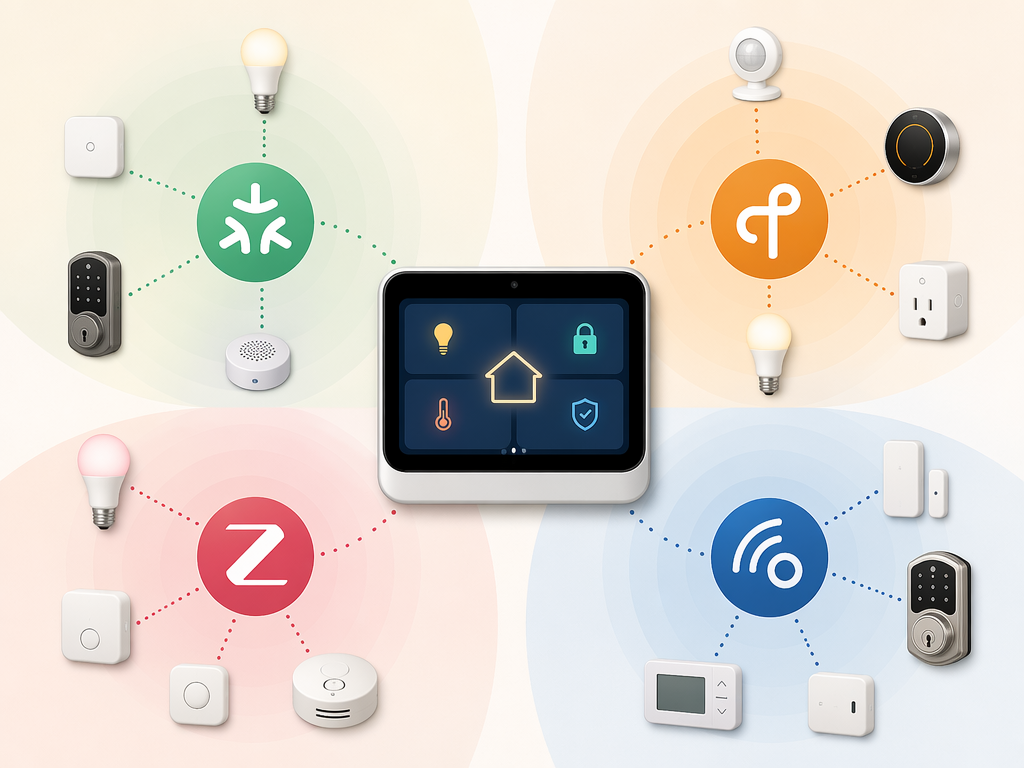
Matter has made this less chaotic, but not simple. Matter 1.5, released in November 2025, added camera and energy-management device support, which made it more relevant for whole-home control panels than earlier versions focused mainly on categories such as lights, plugs, and basic controls.[1] That is real progress. It is not a guarantee that every panel you buy in 2026 will support every Matter device category well, or that every manufacturer will expose every feature through every ecosystem.
Thread matters for a different reason: battery life and mesh reliability. A panel with a Thread border router can help Thread devices join the home network without forcing a separate bridge, which is especially important for battery sensors that are expected to run for years on a small cell.[2] If you plan to add door sensors, leak sensors, motion sensors, or other small devices over time, Thread support is not a bonus line. It affects how many little boxes you end up hiding around the router.
Z-Wave is the sharp edge for existing homes. Z-Wave is not part of Matter, and it is missing from many consumer panels and hubs in 2026, including examples such as Echo Hub, Aqara M3, and IKEA Dirigera; homes with legacy Z-Wave locks or sensors may need SmartThings v3, Home Assistant Yellow, or another Z-Wave-capable bridge to avoid replacing working devices.[3][4] That is not a prediction that Z-Wave disappears. It is a practical warning: if your front door lock is Z-Wave, a panel without Z-Wave support does not magically become compatible because the box says “smart home.”
Make a device inventory before you shop. List the lock, thermostat, doorbell, cameras, lights, sensors, shades, garage controller, and any existing hubs. Next to each one, write the ecosystem and radio it uses. If you cannot name them, the panel purchase is premature. For a deeper controller-by-controller comparison after that inventory is done, use a current hub comparison such as best smart home controller options.
Quick Protocol Reading
- Matter support helps with cross-ecosystem device compatibility, but check the device categories and ecosystem implementation.
- Thread support is most valuable if you expect to add long-lived battery sensors and want fewer bridges.
- Zigbee still matters in homes with existing sensors, bulbs, buttons, and switches from ecosystems that use it.
- Z-Wave matters immediately if the home already has Z-Wave locks, sensors, or switches.
- Wi-Fi support alone does not make a panel a serious home controller; it may only mean the panel can reach cloud-connected devices.
Check the Wall Before You Fall for the Panel
Installation type decides whether the purchase is a Saturday setup, an electrician visit, or a remodel conversation. Plug-in panels are easier to place and easier to remove. Hardwired panels look cleaner but depend on what is inside the wall. PoE panels can be excellent in new construction or serious retrofits, but only if Ethernet and power delivery are already planned.
Control4’s T5 touchscreens are designed around a professionally installed system and run on PoE+, with installation handled through the Control4 channel rather than a simple retail plug-in path.[5] Brilliant’s plug-in panel takes a different route, using USB-C power and avoiding the in-wall switch replacement work associated with Brilliant’s earlier hardwired controls.[6] Those two products should not be compared as if they create the same installation problem.
Renters should be especially suspicious of the phrase “simple installation.” Simple can mean peel-and-stick, USB-C on a shelf, a low-voltage mount, replacing a light switch, or calling a licensed electrician. Those are not the same kind of simple.
| Installation path | Best fit | Watch for |
|---|---|---|
| Plug-in or USB-C | Renters, apartments, quick retrofits, test locations | Visible cable, outlet placement, less built-in appearance |
| PoE or PoE+ | New construction, networked homes, professional installs | Ethernet runs, switch capacity, installer requirements |
| Hardwired switch replacement | Homes with suitable switch boxes and neutral wiring where required | Electrical compatibility, code requirements, loss of flexibility |
| Dealer-installed touchscreen | Whole-home systems with lighting, audio, climate, security, and scenes designed together | Dealer dependency, quote-based pricing, less DIY flexibility |
Local Control Means “What Still Works During an Outage?”
The outage test is brutally clarifying. If the internet drops, can the panel still turn on a hallway light, unlock a supported door, adjust a thermostat, or run a basic scene? Or does it become a nice rectangle explaining that it cannot reach the cloud?
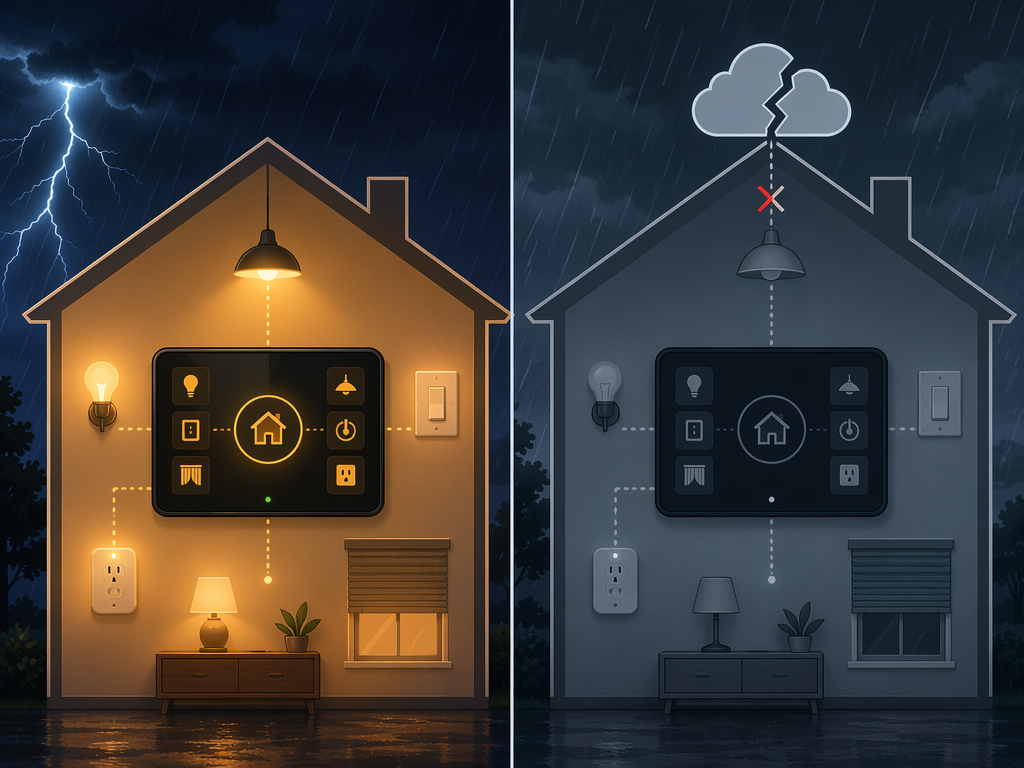
The distinction is not theoretical. The Echo Hub can control select compatible lights, switches, and plugs locally when the internet is down, but that is basic device control, not a promise of full local automation or local voice processing.[7] By contrast, CNET found the Brilliant Plug-In Panel to be fully cloud-dependent, meaning it loses control when the internet connection is unavailable.[8]
This is where product language gets slippery. “Local processing” can mean several things: local tap commands for certain devices, local automations, local scenes, local device discovery, or local voice handling. A buyer does not need to become a network engineer, but the question has to be specific: what functions survive if the cloud is unreachable?
- Ask whether lights, switches, plugs, locks, thermostats, and sensors behave differently during an internet outage.
- Separate local touch control from local automations; a panel may support one without the other.
- Separate local device control from local voice processing; voice assistants often remain cloud-dependent.
- Check whether the panel still works if the vendor account, subscription, or cloud service is unavailable.
If the panel is mostly for convenience, partial local control may be enough. If it is replacing wall switches, centralizing locks, or becoming the household’s default control point, total cloud dependency deserves a much harder look.
Future-Proofing Is About Upgrade Direction, Not Promises
Future-proofing gets abused in smart home marketing because it sounds like a guarantee. It is not. The useful version is narrower: does this panel support the standards and architecture most likely to matter for the devices you will add next?
Matter’s expansion into cameras and energy management in version 1.5 is one reason this question is more concrete than it used to be.[1] A control panel bought only for lights and plugs may feel fine today, then look boxed in when the homeowner wants solar monitoring, battery visibility, better camera integration, or energy-aware automations. Matter support does not solve every integration problem, but a panel with no credible Matter path now asks the buyer to bet against the main cross-vendor standard.
Thread belongs in the same conversation because future device growth usually means more small sensors, not just more screens. A Thread border router in or near the panel can reduce bridge sprawl and support low-power mesh devices designed for long battery life.[2] If the panel lacks Thread and the home starts adding Thread sensors later, the fix may be another hub rather than a software update.
The hard part is judging roadmap claims. A vendor can announce support and still ship it late, partially, or not in the exact way your ecosystem needs. Treat existing compatibility as stronger evidence than promised compatibility. Treat recent firmware history as stronger evidence than a launch slide. If a panel needs a bridge today for the devices you already own, do not buy it assuming a future update will remove that bridge.
For Matter-specific controller shopping, compare current hub capabilities against the devices you actually plan to add. A focused guide such as best Matter hubs for Home Assistant is more useful at this stage than another glossy panel gallery.
Use Price as a Sanity Check, Not the Main Filter
Retail prices can orient expectations. Echo Hub has been reviewed at $179.99, Brilliant’s Plug-In Panel has been described around $400 retail and often discounted around $299, and Aqara Hub M3 has been listed at $159.99.[9][10][4] Those numbers make it tempting to rank panels by price-per-inch or price-per-feature. That is the wrong math if the panel lacks the one protocol your house depends on.
Dealer-installed systems are a different category. Control4 and Savant projects are typically quoted through professionals, and the panel price alone does not represent the installed system cost. Wiring, programming, lighting control, audio zones, networking, service, and future changes can all sit inside that quote. Comparing a dealer-installed touchscreen to an Echo Hub as if both are simple retail purchases creates false precision.
A cheaper panel that fits your ecosystem, radios, wall, and outage tolerance can be the right buy. A more expensive panel can also be the right buy if it prevents bridge sprawl, supports the installed system, and gives the household one reliable control surface. Price becomes useful after the architecture passes.
A Practical Verdict by Household Type
There is no universal best smart home control panel. There is only the panel that matches the house well enough that nobody has to rebuild around it next winter.
| Household type | Panel direction that usually makes sense | Main thing to verify |
|---|---|---|
| Alexa-centered home with compatible basics | Echo Hub-style panel can be reasonable for lights, switches, plugs, and familiar Alexa control | Which devices work locally during an outage and which remain cloud-dependent |
| Home with older Z-Wave locks or sensors | Z-Wave-capable hub or controller layer, such as SmartThings v3 or Home Assistant with Z-Wave support | Do not assume Matter or a pretty wall panel replaces Z-Wave compatibility |
| Privacy-sensitive or tinkerer household | Home Assistant-oriented setup with careful radio selection | Whether automations, dashboards, and voice dependencies meet the household’s local-control expectations |
| Aqara-heavy apartment or small home | Aqara-compatible hub or panel path may fit if the device list stays inside supported ecosystems | Matter, Thread, Zigbee, and any non-Aqara devices before committing |
| Professionally installed whole-home system | Control4, Savant, or similar dealer-managed architecture | Installed quote, service model, wiring, and future programming costs |
| Beginner with only a few devices | A hub may not be necessary yet; a smart display or app may be enough | Whether the device count and automation needs justify a dedicated panel |
If you are not sure whether you need a panel at all, start with when you need a smart home hub. If you are comparing a dedicated controller against a general smart display, use a separate smart home display buyer’s guide so the decision does not get muddled.
The right panel is the one whose ecosystem, radios, installation path, outage behavior, and upgrade direction match the home you actually have. Once those five checks pass, then it is fair to care about the screen.
References
- Best smart home systems 2026, PCWorld
- Smart home control panels: what you need to know, KNX.org
- 5 key features of great smart home control panels, KNX.org
- Best smart home hubs 2026, The Gadgeteer, 2026-06-13
- Touchscreens, Control4
- Hands-On with the Brilliant Smart Home Control Panel, B&H
- Amazon Echo Hub review, TechHive
- Brilliant Smart Home Control Plug-In Panel review, CNET
- Amazon Echo Hub review, T3
- Brilliant Plug-In Panel home control review, The Ambient
Known issues with this device / protocol
Spec-version history
For active regressions on this protocol, see Update Watch.
No linked Update Watch entries yet.