
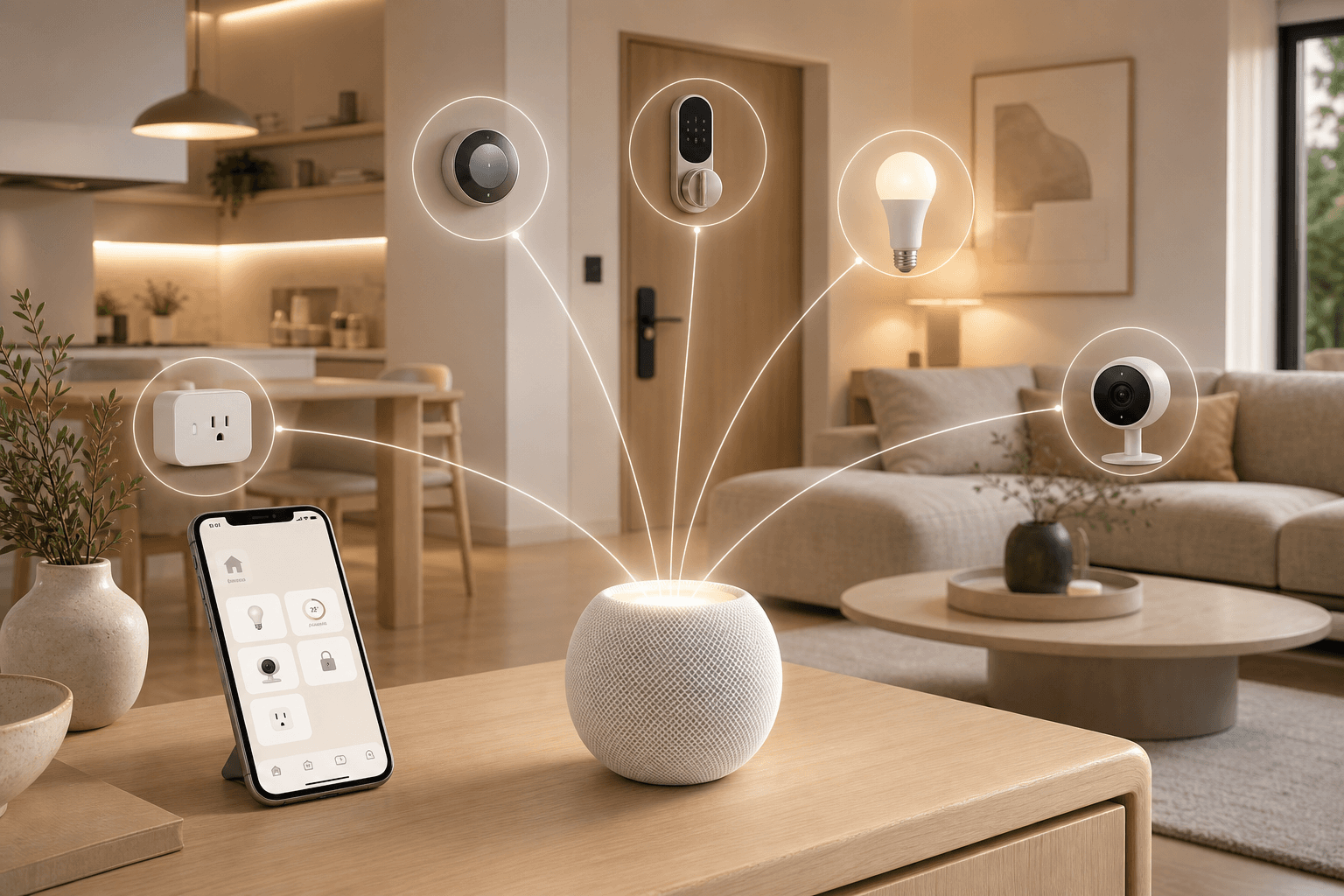
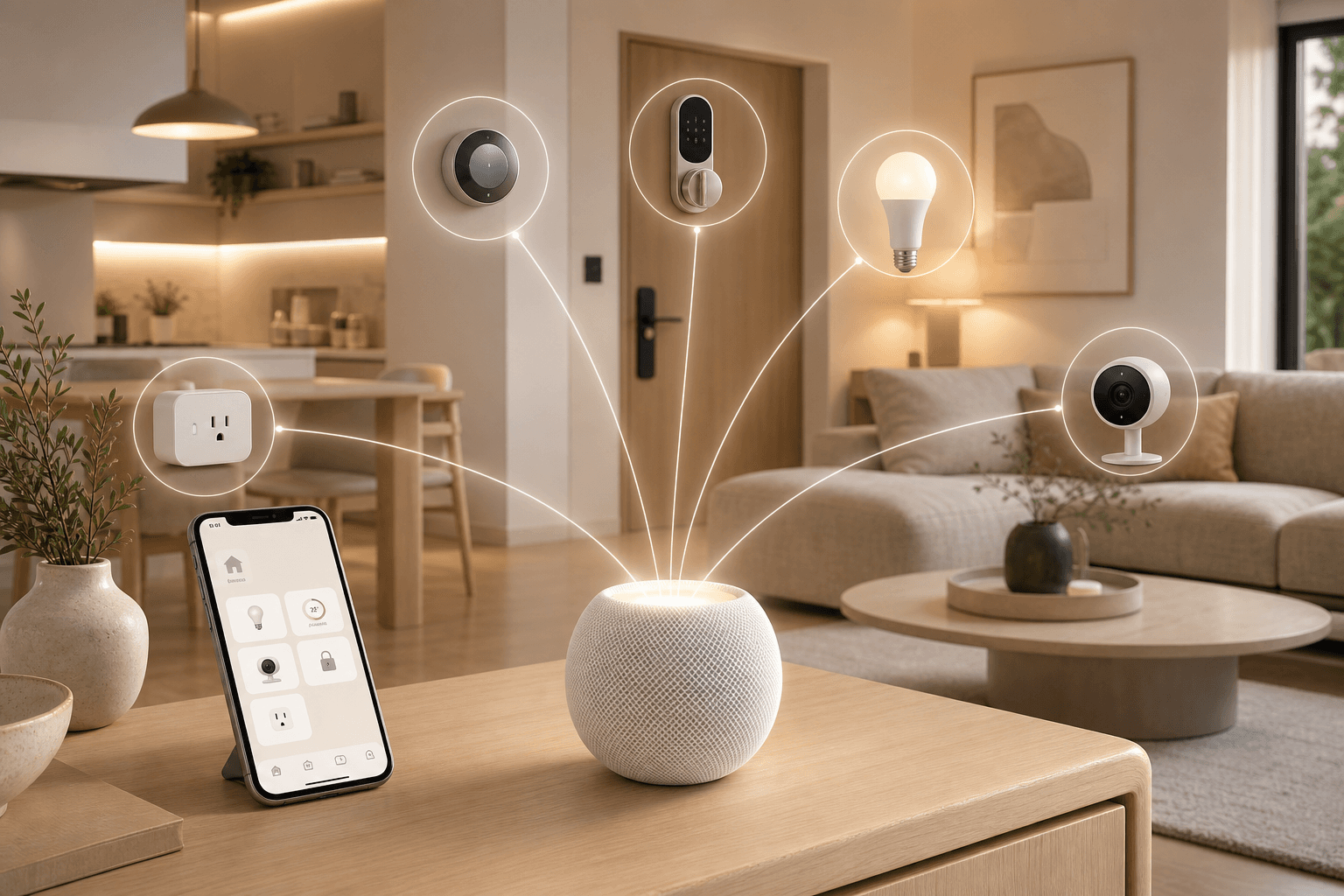
HomeKit, Apple Home, and Siri: Getting the Terminology Right
Three terms get used interchangeably by buyers, but they describe three distinct things. Getting them straight makes the rest of this article — and every HomeKit purchase decision — much easier.
| Term | What It Actually Is | What You Interact With |
|---|---|---|
| Apple HomeKit | The developer certification framework — the set of protocols and APIs that device manufacturers use to make their products Apple-compatible | Invisible to users; shows up as 'Works with Apple Home' on product packaging |
| Apple Home | The consumer-facing app that comes pre-installed on iPhone, iPad, Mac, and Apple TV — used to add, organize, and control HomeKit devices | The app you open to control devices, build automations, and manage hubs |
| Siri | Apple's voice assistant layer — accepts voice commands to control Home devices on any Apple device | The voice interface; says 'Hey Siri, turn off the lights' |
When a product box says 'Works with Apple Home,' the manufacturer has completed HomeKit certification — meaning their device communicates using Apple's framework and appears in the Home app. Siri can then control it by voice, but Siri is not required for the device to work.
The 2026 Architecture Transition: What Changed on February 10
February 10, 2026 was a hard deadline. Apple officially ended support for the original HomeKit architecture on that date, completing a transition it had been nudging users toward since iOS 16.4 in 2023. If you are building a new HomeKit setup today, this change is already baked in. If you have an existing setup that has not been updated, there are specific things you need to know.
The core change: the new architecture centralizes all home logic in an always-on hub — an Apple TV or HomePod. Under the old architecture, iPhones and iPads played an active role in querying device status and synchronizing data through iCloud every time the Home app was opened. The new architecture moves that work permanently to the hub, which maintains a real-time connection to all devices and handles automations, status queries, and user permissions consistently.
iPad Is No Longer a Hub
The most consequential practical change: iPad is no longer supported as an Apple Home hub. Apple's reasoning is straightforward — iPads are not always-on devices. Users sleep them, carry them around, and leave them on low battery. The new architecture requires a hub that is always powered and always connected. HomePod and Apple TV meet that requirement; iPads do not.
If your previous setup relied on an iPad as its hub, you need to add a HomePod mini, HomePod, or Apple TV to your home before those hub functions work again. The iPad itself can still run the Home app and control devices — it just cannot serve as the hub that runs automations and enables remote access.
OS Requirements and Automatic Migration
Any Apple device that is part of your home — whether as a controller or a hub — must be running a minimum OS version to retain access after the transition:
- iOS 16.2 or later
- iPadOS 16.2 or later
- macOS 13.1 (Ventura) or later
- tvOS 16.2 or later
- watchOS 9.2 or later
Devices not meeting these requirements lose access to the updated home until updated. Apple has also noted that some homes that had not manually switched to the new architecture may be migrated automatically after the February 10 deadline.
What the New Architecture Unlocks
The transition is not just a technical housekeeping change. Several features require the new architecture and are unavailable on the old one:
- Guest access — share temporary or limited control of your home with visitors without giving them full access
- Robot vacuum integration — a new device category now supported in the Home app
- Activity History — a log of automation triggers and device events within the Home app
- Full Matter controller support — including Matter bridges and multi-admin setups with other platforms
Hub Hardware Guide: HomePod Mini, HomePod, and Apple TV 4K Compared
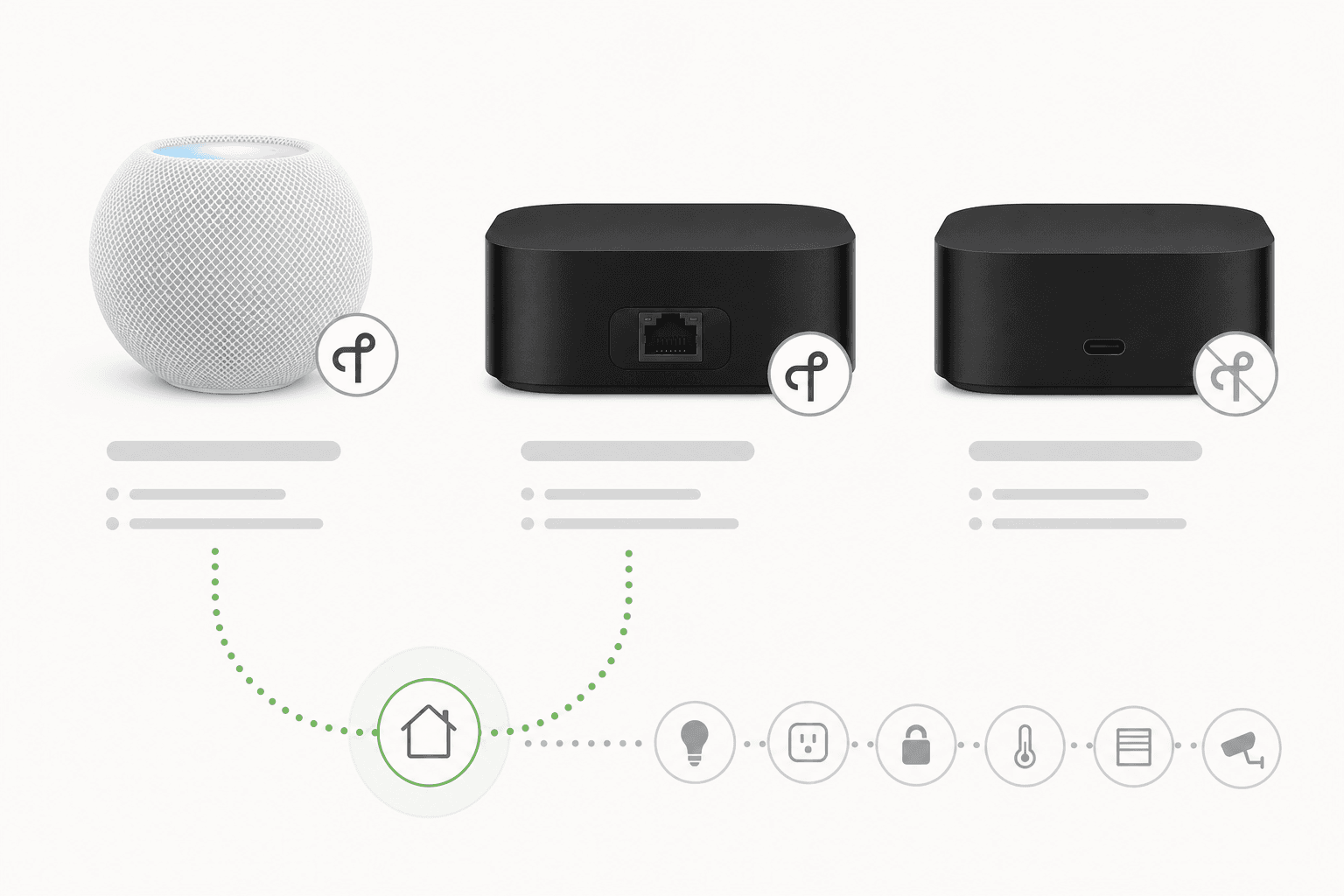
Every HomeKit setup requires at least one always-on Apple hub. The hub runs your automations locally, enables remote access when you are away from home, and — on eligible models — acts as a Thread border router for Thread-based accessories. Choosing the right hub is one of the most consequential decisions in a HomeKit build.
| Device | Price (USD) | Thread Border Router | Ethernet Port | Best Use Case |
|---|---|---|---|---|
| HomePod mini | $99 | Yes | No (Wi-Fi only) | Dedicated low-cost hub; best placed near Thread accessories |
| Apple TV 4K Wi-Fi + Ethernet (3rd gen) | $149 | Yes | Yes | Living room hub with stable wired connection; recommended for primary hub |
| Apple TV 4K Wi-Fi only (3rd gen) | $129 | No | No | Streaming only; not recommended as a smart home hub |
| HomePod (2nd gen) | $299 | Yes | No (Wi-Fi only) | Best when the room also needs premium audio; otherwise overpriced as a hub-only device |
Setting a Preferred Hub
If you have multiple hubs — a common setup in larger homes — Apple automatically selects which hub handles home functions. You can override this. In the Home app, go to Home Settings > Home Hubs & Bridges and disable Automatic Selection to manually designate your preferred hub. This is useful when you want a wired Apple TV to take priority over a Wi-Fi HomePod for reliability.
Hub placement matters as much as model choice. Thread border routers extend Thread mesh coverage, so placing a HomePod mini or Thread-capable Apple TV in the same area as your Thread accessories improves response times and reduces connectivity issues. A single hub in a distant room trying to reach Thread devices at the opposite end of the house is a common source of reliability problems.
Supported Protocols: How Matter, Thread, Wi-Fi, and Bluetooth Fit Into HomeKit
HomeKit is not a single protocol — it is a platform that works across several connectivity standards. Understanding which protocol each of your accessories uses, and how HomeKit handles each, helps you avoid compatibility surprises.
- HomeKit native certification: The original HomeKit framework. Manufacturers complete Apple's MFi certification process and their devices communicate directly with the Home app over Wi-Fi or Bluetooth. This remains fully supported and is still the standard for many established brands.
- Matter: Apple is a full Matter controller, meaning any Matter-certified device from any brand can be added to Apple Home — regardless of whether the manufacturer has separately completed HomeKit certification. This is the biggest expansion of HomeKit's compatible device pool in the platform's history. For a full explanation of how Matter works as a protocol standard, see the Matter Protocol Explained guide on this site.
- Thread: A low-power mesh networking protocol used by many Matter accessories (and some HomeKit-native accessories). Thread-based accessories require a Thread border router — on Apple hardware, that means a HomePod mini, HomePod (2nd gen), or Apple TV 4K Wi-Fi + Ethernet. The border router bridges Thread devices onto your home's IP network. Thread devices do not connect directly to your Wi-Fi router.
- Wi-Fi: Many HomeKit accessories connect directly to your home Wi-Fi network. These devices do not require a Thread border router but do require your hub to be reachable on the same network for remote access and automations.
- Bluetooth: Some HomeKit accessories use Bluetooth for local communication. Bluetooth range is limited, so these devices typically need to be within range of a hub or your iPhone for reliable operation.
To add a Matter accessory to Apple Home, your setup requires at least one hub. Thread-enabled Matter accessories additionally require a Thread-capable hub. Apple's support documentation confirms this requirement explicitly.
Supported Accessory Categories in 2026
HomeKit's certified device catalog has grown substantially, and Matter certification is accelerating that growth. The following categories have reliable, well-tested HomeKit support in 2026.
- Smart lighting: The strongest category in the HomeKit ecosystem. Philips Hue (via the Hue Bridge), Nanoleaf (with native Thread support on newer panels and bulbs), and LIFX are well-established options. Color, dimming, and scene-based control all work reliably.
- Smart locks: HomeKit-compatible locks include the Level Lock Pro, which supports Home Key — allowing you to unlock with iPhone or Apple Watch via NFC without opening the Home app. For a full buying guide covering installation types and ecosystem compatibility, see the Best Smart Lock Buyer Guide 2026.
- Security cameras (HomeKit Secure Video): HomeKit Secure Video is a distinct camera tier with on-device processing and iCloud storage — covered in detail in the Privacy section below. Logitech Circle View and select Eufy cameras support it. Standard HomeKit-compatible cameras (without Secure Video) are also available from multiple brands.
- Thermostats: The Ecobee Essential ($140) is a well-supported HomeKit thermostat with Matter certification. Ecobee thermostats also include a built-in Thread radio, making them useful as additional Thread network nodes.
- Smart plugs: Eve Energy supports both HomeKit native and Matter, includes energy monitoring, and works locally via Thread. Meross also offers HomeKit-compatible plugs at lower price points.
- Sensors: Eve makes a broad range of HomeKit sensors — motion, door/window, weather, and energy — all with Thread support. Aqara sensors (motion, contact, temperature) are widely used and generally reliable with HomeKit via the Aqara Hub or direct Matter pairing on newer models.
- Doorbells: The Logitech Circle View Doorbell and Aqara G4 Video Doorbell both support HomeKit. The Logitech model supports HomeKit Secure Video. Coverage in this category is narrower than in Alexa or Google Home ecosystems.
- Robot vacuums: Newly enabled by the 2026 architecture update. Robot vacuum integration was not possible under the legacy HomeKit framework. Specific compatible models are still limited as manufacturers complete certification.
- Light switches and dimmers: Lutron Caseta remains one of the most reliable HomeKit-compatible switch systems, using its own Caséta Smart Bridge for connectivity.
Privacy and Security Model: Local Processing, Encryption, and HomeKit Secure Video
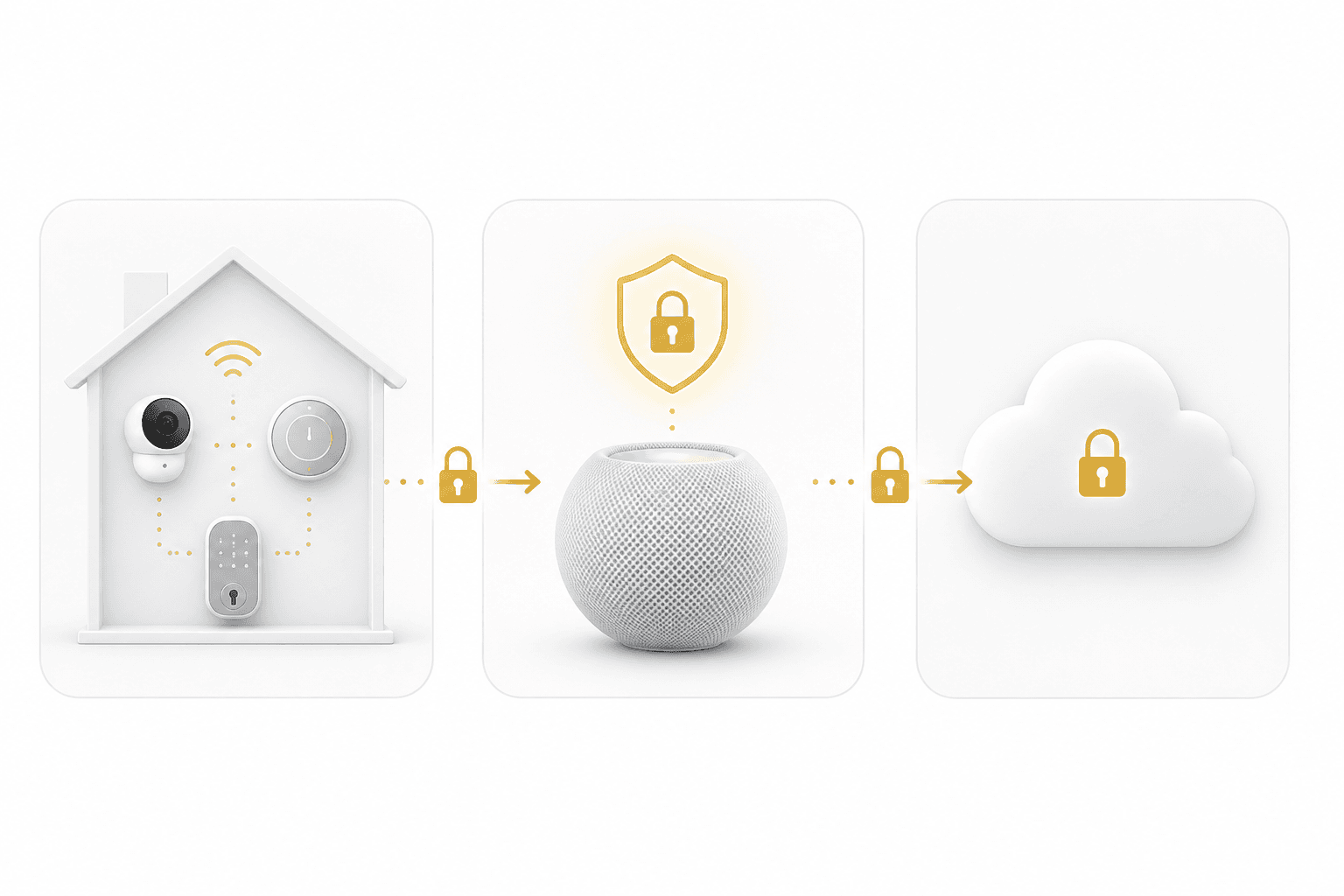
Privacy is HomeKit's most structurally distinct feature compared to competing platforms. The architecture is designed so that your home's activity stays in your home — not on Apple's servers.
Local Execution and End-to-End Encryption
Automations in HomeKit run locally via the hub. When your presence-based routine triggers at 10 PM, that logic executes on your HomePod or Apple TV — not on a remote server. If your internet connection goes down, automations continue to run. Remote access (controlling devices from outside your home) does require an internet connection, but local execution does not.
All communication between HomeKit accessories and Apple devices is end-to-end encrypted. This applies to commands, status updates, and automation triggers. Third-party services and apps that integrate with HomeKit via the framework are subject to the same encryption requirements.
Two-factor authentication is required for remote access to your home and for sharing home access with other users. This is enforced at the platform level — it cannot be disabled.
HomeKit Secure Video
HomeKit Secure Video is a distinct tier of camera support with a specific privacy architecture. When a compatible camera detects motion, the footage is analyzed on the hub device — not in the cloud — before a clip is created. That clip is then encrypted on your device and stored in iCloud. Apple's own infrastructure stores the encrypted clip, but Apple itself does not have access to the video content.
Not all HomeKit-compatible cameras support Secure Video. Cameras that do — such as the Logitech Circle View — are specifically certified for this feature. Standard HomeKit cameras without Secure Video certification use the manufacturer's own cloud storage and privacy policies, which vary by brand.
Automation Capabilities: Scenes, Shortcuts, Presence Detection, and Local Execution
HomeKit automations run locally via the hub and cover a solid range of trigger types. Here is what the platform supports in 2026:
- Scenes: Group multiple device states into a single named scene — 'Good Morning' dims lights to 80%, sets the thermostat to 70°F, and unlocks the front door. Scenes can be triggered manually, by voice, or as part of an automation.
- Time-based triggers: Run automations at a specific time, or relative to sunrise and sunset — useful for lighting and thermostat schedules that adjust seasonally without manual updates.
- Presence and geofence triggers: Automations can trigger when a specific person (or anyone in the household) arrives at or leaves a location. The 2026 architecture includes improved multi-user presence logic — routines no longer break when one household member leaves while others remain home. Previously, a 'last person left' automation could misfire if one phone's location lagged. This is now handled more reliably at the hub level.
- Sensor triggers: Motion sensors, contact sensors, and other accessory states can trigger automations. A motion sensor detecting activity after midnight can trigger a security scene; a door contact sensor opening can trigger a welcome lighting scene.
- Apple Shortcuts integration: HomeKit integrates with Apple Shortcuts, allowing more complex multi-step logic, conditional actions, and integration with other Apple apps and services. Shortcuts-based automations can be more sophisticated than what the Home app's native automation builder supports directly.
For practical implementations of these capabilities, the Away Mode automation recipe covering geofencing for locks, thermostats, and lights and the Bedtime automation recipe for coordinating thermostats and lights both include HomeKit-specific implementation steps you can replicate directly.
Trade-offs and Limitations: Where HomeKit Falls Short
HomeKit's privacy and local-processing architecture comes with real trade-offs. Understanding them before you invest in the ecosystem is more useful than discovering them afterward.
- Narrower certified device catalog: HomeKit-compatible devices are a subset of the total smart home market. Many popular devices — particularly in the budget and mid-range segments — are available for Alexa or Google Home but not HomeKit. Matter certification is expanding this pool, but HomeKit-friendly devices still tend to cost more than their Alexa or Google counterparts.
- Apple-only primary interface: The Home app runs on iPhone, iPad, Mac, and Apple TV. There is no official Android app. Household members without Apple devices cannot use the Home app as a controller — they can receive limited access via guest features, but the platform is fundamentally Apple-ecosystem-bound.
- Siri's AI capabilities remain behind competitors: Siri handles basic device control commands reliably, but complex natural language requests and contextual follow-up queries are weaker than Amazon Alexa or Google Assistant. Apple has been developing a more capable AI-driven Siri, but its rollout has been delayed — which is directly connected to the postponement of the J490 smart home display hub.
- No cross-platform controller support: Unlike Home Assistant, which can aggregate devices from multiple ecosystems, HomeKit is a closed platform. You cannot use a Google Nest Hub or Amazon Echo as a HomeKit controller.
For a full side-by-side evaluation of HomeKit against Alexa and Google Home across device breadth, automation depth, privacy posture, and pricing, the Alexa vs. Google Home vs. Apple HomeKit platform comparison on this site covers that decision in detail.
What's Coming: The Apple Home Display Hub (J490) and Other Rumored Hardware
Apple's most significant rumored smart home product is a dedicated smart home display hub, internally codenamed J490. Based on reporting through March 2026, the device is described as a 7-inch square display that can be wall-mounted or placed on a dome-shaped speaker base. It includes a camera for facial recognition, runs a version of tvOS 27, and is expected to carry a price tag of approximately $350.
The J490 does not include its own App Store but runs Apple apps and is designed with a heavy AI and Siri focus. According to the reporting, the hardware itself has been ready to launch for several months — the delay is entirely attributable to the revamped, AI-driven version of Siri that Apple wants to ship alongside it. The current delay target is Fall 2026, likely aligned with Apple's typical September product event.
- 7-inch square display — wall-mountable or dome speaker base (rumored)
- Camera for facial recognition (rumored)
- Runs tvOS 27 (rumored)
- Approximately $350 price point (rumored)
- No App Store — runs Apple apps only (rumored)
- Delayed to Fall 2026 due to Siri AI readiness (reported by Bloomberg/Gurman)
Also rumored: an updated HomePod mini and an updated Apple TV 4K, both reportedly tied to the same AI-enhanced Siri features. No specifications or confirmed pricing are available for these updates.
Is HomeKit Right for You? A Decision Framework
HomeKit is not the right platform for every household. It is a strong fit for a specific type of buyer and a poor fit for others. The table below captures the key decision dimensions.
| Your Situation | HomeKit Fit |
|---|---|
| You primarily use iPhone and other Apple devices | Strong fit — the Home app and Siri integration are native to your existing devices |
| Privacy and local processing are a priority | Strong fit — automations run locally, all communication is end-to-end encrypted, and HomeKit Secure Video keeps footage off third-party servers |
| You want a curated, well-tested device experience over maximum choice | Strong fit — fewer options, but the certified devices tend to work reliably together |
| You have household members using Android or non-Apple devices as primary controllers | Poor fit — there is no Android Home app; non-Apple users are limited to guest access |
| You need maximum device breadth or budget-tier options | Poor fit — the certified catalog is narrower and tends to skew more expensive than Alexa or Google Home options |
| You want advanced AI voice control today | Poor fit — Siri's capabilities are behind Alexa and Google Assistant; the AI-enhanced Siri is still in development |
| You are building a cross-platform or multi-ecosystem setup | Poor fit — HomeKit is a closed platform; it does not aggregate other ecosystems the way Home Assistant does |
The clearest HomeKit use case is an Apple-first household that values privacy, reliability, and a setup that works without ongoing cloud dependency. The clearest non-HomeKit case is a mixed-device household, a buyer on a tight budget who needs maximum device selection, or anyone who prioritizes voice AI capability today.
Updates & Corrections
Protocol specifications and platform features change rapidly — especially with Matter version evolution. Report version changes, certification count updates, or platform policy changes that have occurred since the last editorial review.
Comments
Join the discussion with an anonymous comment.