
Smart home offline after Spectrum outage? Fix in order
Smart devices stay offline after a Spectrum outage clears
Last updated
| Status | Rule | What not to do |
|---|---|---|
| Verified 2026-08-04: Spectrum appears back, but the smart home still shows offline badges. | Restore the stack in dependency order and use the router client list as the truth source. | Do not factory-reset or remove devices until the modem, router, hub, and device have had a chance to rejoin. |
If the modem is still re-syncing, the whole recovery is premature; a modem can take 2 to 5 minutes to settle, while the router’s Wi-Fi broadcast can return sooner, so one working phone does not prove the stack is ready yet. [1] On Spectrum gear, the gateway light state is more useful than the app when you are deciding whether the line has actually settled. [2] If the gateway still looks wrong, stop and use Smart Home Down? How to Check if It's Spectrum before touching any devices.
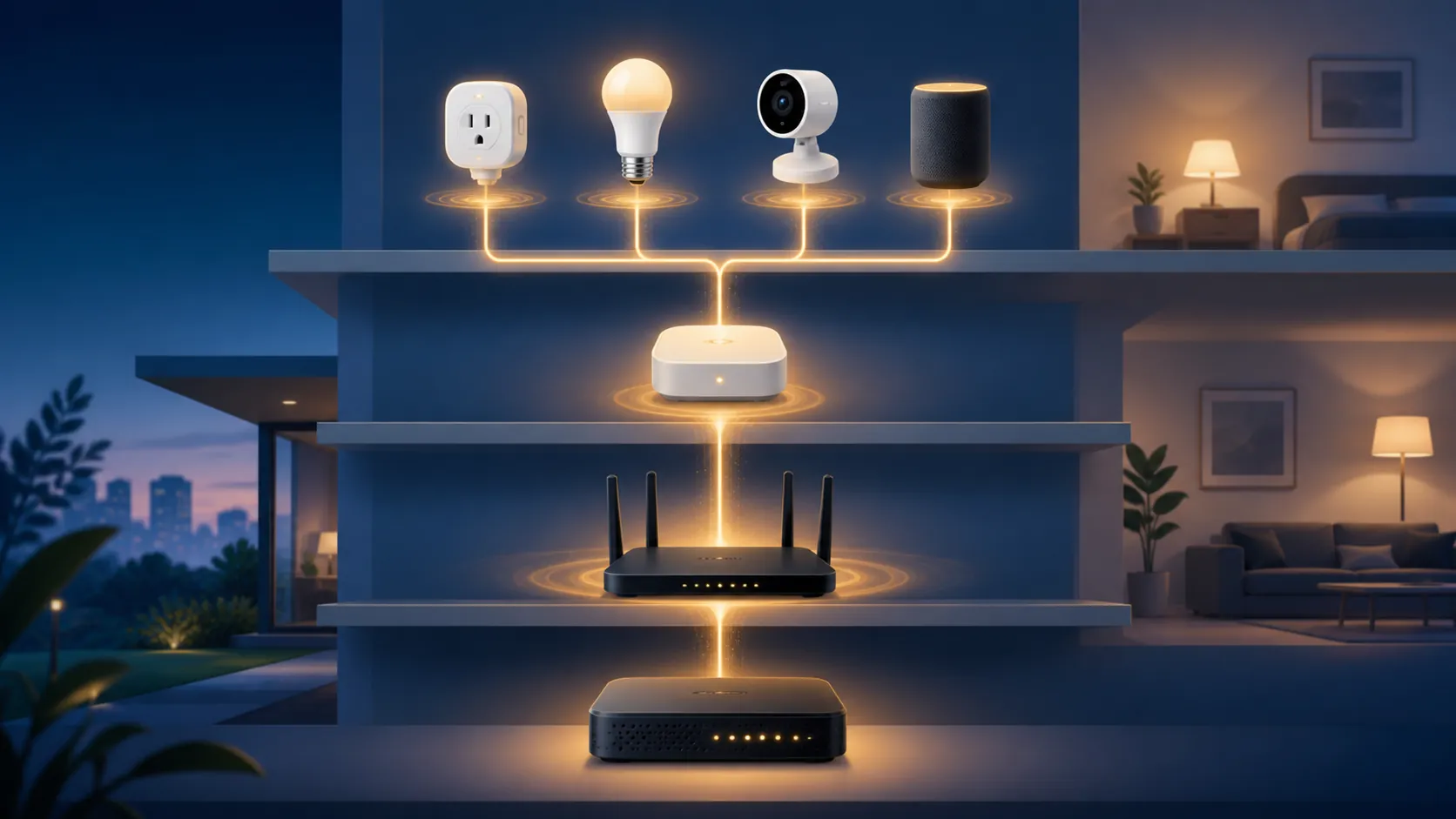
Restore the network in dependency order
The order matters because the modem has to finish re-syncing before the router can reliably hand out Wi-Fi, and the router has to be steady before a hub or bridge can reconnect anything downstream. In practice, that means waiting for the slowest layer first instead of chasing every red badge at once. [1][2]
- Power the modem off, then back on, and leave it alone until it finishes re-syncing. That re-sync can take 2 to 5 minutes, and checking too early only creates false failures. [1]
- Bring up the router after the modem has settled, then wait for Wi-Fi broadcast to return and the gateway lights to normalize if you are using Spectrum equipment. [2]
- Restore any hub or bridge next, because those devices often decide whether the smaller accessories can see the network at all.
- Only after the hub is back should you check the individual plugs, bulbs, cameras, and speakers.
If you want the slower, fuller walkthrough, the companion recovery guide covers the same ladder from a broader angle: How to Fix Smart Home Devices After a Spectrum Outage.
Use the router client list as the fork in the road
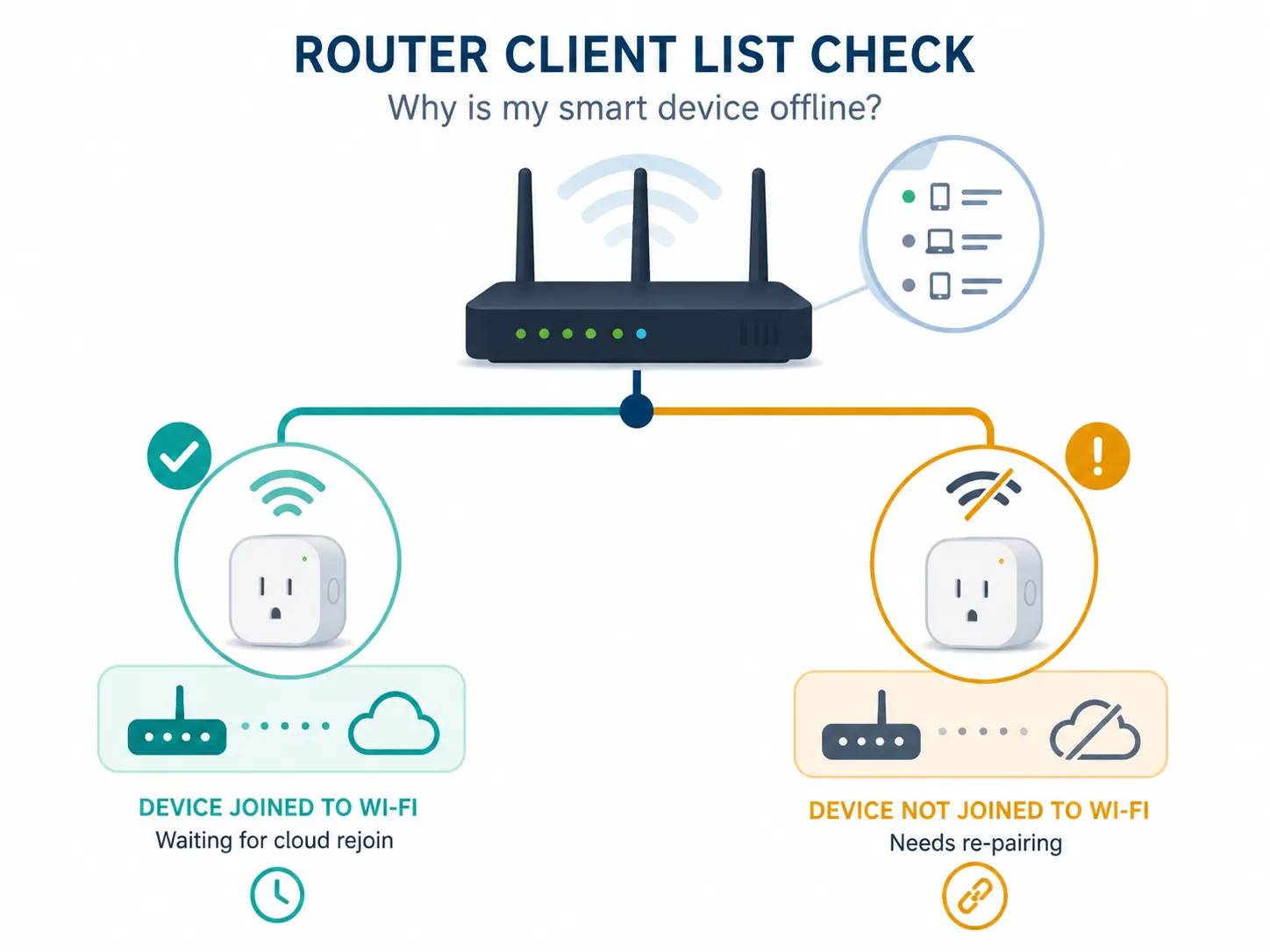
The router client list is the part worth trusting. If the device is present there, it joined Wi-Fi and the problem is usually cloud, app, or hub-side; if it never appears, it did not join Wi-Fi in the first place. That single check separates the "wait a bit" case from the "re-pair it" case. [1]
| Client list result | What it usually means | Next move |
|---|---|---|
| Device is listed | It joined Wi-Fi, but the vendor app may still be catching up or the hub/cloud path may be delayed. | Wait briefly, refresh the app, and let the network settle before escalating. |
| Device is not listed | It never joined the router, so this is a Wi-Fi join or pairing problem. | Re-pair the device instead of resetting everything else. |
When 2.4 GHz is the fix
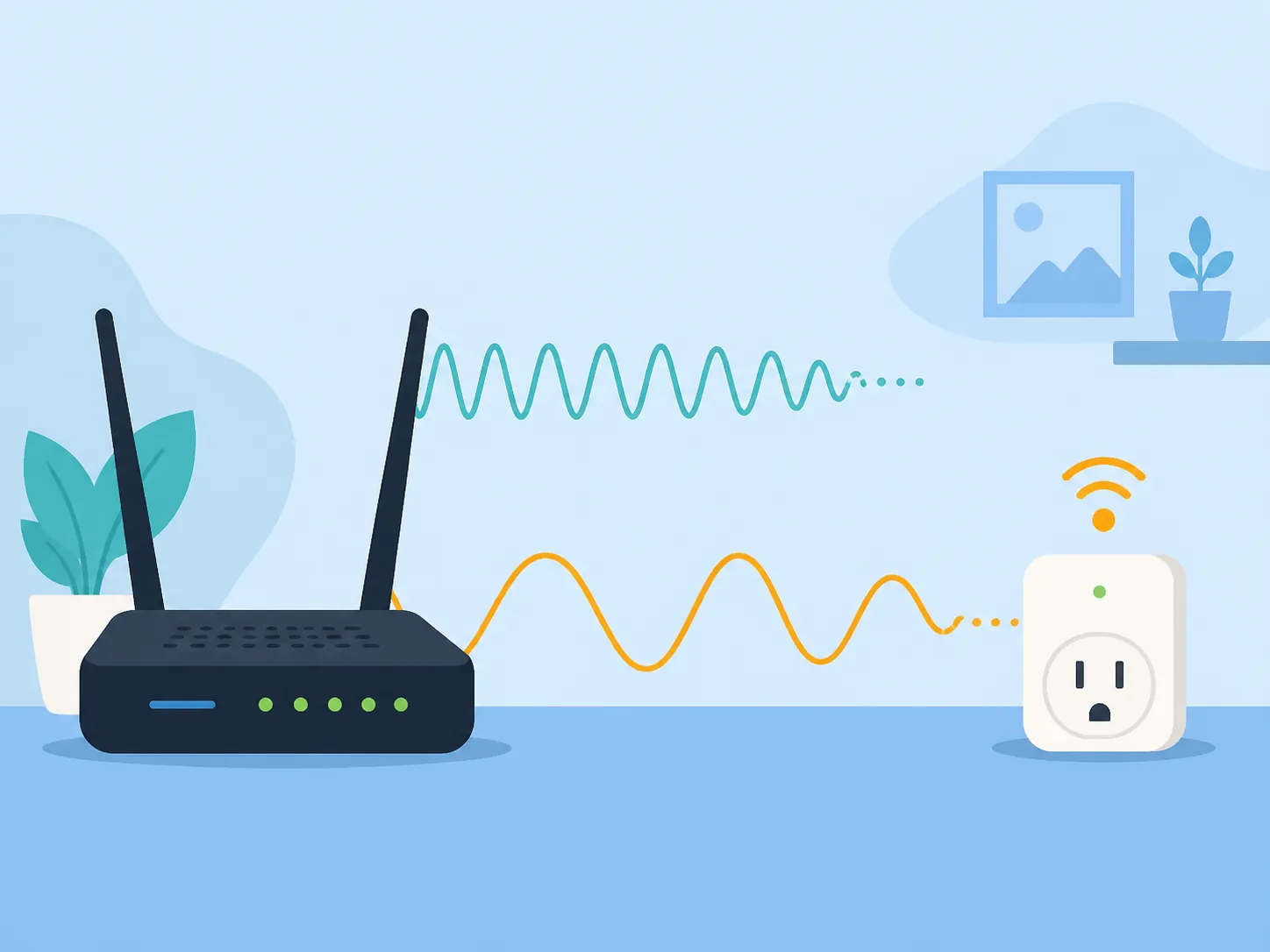
For devices that only join 2.4 GHz, a Spectrum-router pairing flow documented by Lynx gives you a 30-minute setup window before it reverts automatically. [3] That matters for devices stranded by band steering or by a combined SSID that keeps pushing them toward the wrong band. Keep the device close to the router, stay inside the pairing flow, and treat the window as the recovery path instead of a nuisance.
- If the device never appears in the client list, stay in pairing mode and finish the join on 2.4 GHz.
- If it appears and then drops back out, restart the pairing flow rather than jumping to a factory reset.
Ring's reconnect guidance follows the same logic: get the network stable first, then reconnect the device, with 2.4 GHz as the practical fallback for the first handshake. [6] The brand matters less than the sequence.
What the recent Spectrum outages do and do not prove
Recent outages make the current symptoms believable without proving them. On Aug. 3, 2026, a Spectrum TV outage drew more than 5,000 Downdetector reports and cleared in under an hour, and Network World's 2026 outage roundup also listed Spectrum disruptions on Jan. 6, Mar. 31, Jun. 10, and Jul. 14. [4][5] That is enough to justify checking the line first, but report spikes only corroborate a disruption; they do not prove your home is still inside it.
If you still need the upstream check, use the Spectrum status deep dive first, then come back to the recovery order here.
Make the next recovery less painful
- Put the modem, router, and hub on a UPS so a brief blip does not trigger a full rejoin sequence.
- Reserve DHCP addresses for the hub, bridge, and the devices that get confused when their IP changes.
- If your smart devices are picky about band steering, keep a deliberate 2.4 GHz path available or split the SSID instead of forcing every accessory through the same combined network.
Once the modem has actually synced, the router is broadcasting, the hub is back, and the device shows up in the client list, most offline badges clear without a reset. The reset belongs to the few devices that never reappear after the network is restored in order. [1]
References
- How to Fix Smart Devices That Stay Offline After a Power Outage — Smart Home Diagnostics
- Spectrum Internet Outage — HighSpeedInternet.com
- Switch your Spectrum internet router to 2.4 GHz to pair smart devices — Lynx Support
- Is Spectrum down in my area? Spectrum TV outage impacts many — Asbury Park Press, Aug. 3, 2026
- 2026 network outage report and internet health check — Network World
- Fixing offline devices — Ring Support
Corroborating context
For protocol background on why this failure happens, see Compatibility & Protocols.
Not currently linked to a known regression. Background on the underlying protocol lives in Compatibility & Protocols.