
Should You Skip the iPhone 18 Pro Max Over Smart Home Issues?
No Response, Matter pairing failures, broken automations
Last updated
No, you should not skip the iPhone 18 Pro Max solely because of Apple Home, HomeKit, Matter, or Thread smart-home issues. That is the wrong failure layer. As of Aug. 2, 2026, the iPhone 18 Pro Max is still unreleased: MacRumors’ launch-window reporting points to an Apple event around Sept. 8–9, pre-orders around Sept. 11–12, and retail availability around Sept. 18.[1][2] Whatever is breaking homes right now is not being caused by an unreleased handset.

The useful split is simple: the iPhone 18 Pro Max purchase is one decision; iOS 26-era Apple Home instability is another; the specific symptoms in your house are a third. Search results tend to collapse all three into “iPhone 18 Pro Max smart home issues should you skip,” but a new phone model is not the thing deciding whether your hallway sensor reports, your lock answers, or your Matter-over-Thread bulb finishes pairing.
The iPhone is the controller, not the home hub
In Apple Home, the iPhone is the screen you use to control the home. It is not the always-on home hub that keeps automations, remote access, and accessory coordination running while everyone is asleep or away. Apple’s own support flow for unresponsive Home accessories points users back to the home hub layer — HomePod, HomePod mini, or Apple TV — when accessories stop responding.[3]
That distinction matters because replacing one Pro Max iPhone with another usually changes the controller in your hand, not the hub sitting on the network. If a HomePod mini has fallen off Wi-Fi, an Apple TV is no longer the active hub, a Thread border router has formed a separate mesh, or Matter support is incomplete for a device category, the new iPhone does not magically become the missing infrastructure.
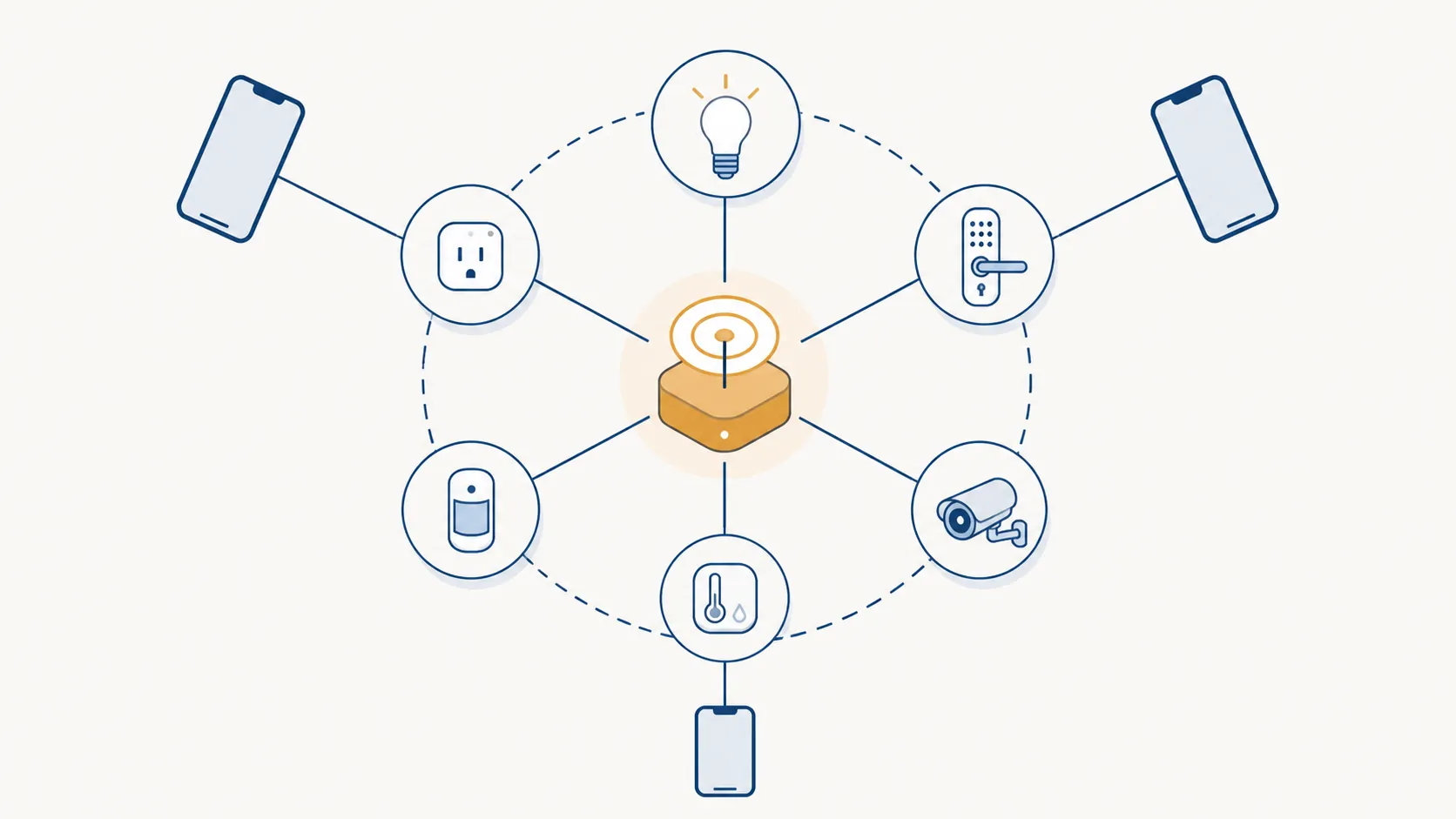
Nor is the iPhone 18 Pro Max expected to be the first iPhone with the relevant radio story. Apple put a Thread radio in the iPhone 15 Pro generation, and iOS 18 already enabled direct control of some Matter-over-Thread devices without requiring a separate hub or Thread border router for that direct phone-to-device path.[4][5][6] That earlier capability is the opposite of evidence that the unreleased 18 Pro Max uniquely creates today’s smart-home failures.
This is also why the rumored N-series wireless chip, Wi-Fi, Bluetooth, battery, or weight chatter should not carry much weight in this decision. Those details remain unverified before launch, and even if some of them prove accurate, they do not explain why existing homes on existing iPhones are already showing “No Response,” broken automations, or Matter pairing failures.
What is actually breaking in 2026
The failures people are worried about are real enough to take seriously. AppleMagazine described continued HomeKit instability after iOS 26.3, including accessories showing “No Response,” failing hubs, and broken automations.[7] If that is happening in a lived-in home, it is not a cosmetic bug. A lock that hesitates, a motion automation that misses, or a sensor that drops out at night changes how much the household trusts the system.
There was also a separate architecture pressure point. In February 2026, MacRumors reported Apple’s final deadline for users still on the legacy Apple Home architecture, warning that users who did not update could lose access to features in the Home app; Apple’s own support document covers the Home upgrade path.[8][9] That does not prove every “No Response” accessory was caused by the architecture migration. It does show that 2026 Apple Home problems live in a moving software and service layer, not in a phone Apple had not shipped yet.
Matter and Thread add another layer of confusion. GadgetHacks’ 2026 buyer-focused reporting describes a practical fragmentation problem: Thread border routers can behave like brand-specific islands, and Apple Home can lag behind Matter’s category support. The same report points to robot vacuums as a concrete example: the device category entered Matter 1.2 in October 2023, while full Apple Home controls arrived with iOS 18.4 in March 2025, roughly a 17-month gap.[10]
That kind of lag is boring in the way real smart-home failures are boring. It is not a dramatic phone defect. It is a standards stack, a platform implementation, a hub election, accessory firmware, and a mesh network all needing to agree before the light turns on reliably.
Why skipping the phone usually fixes nothing
Imagine a home with an iPhone 16 Pro Max, an Apple TV acting as the home hub, two HomePod minis, several Matter-over-Thread sensors, and a mix of older HomeKit plugs. After an iOS 26-era update, several accessories start showing “No Response.” The temptation is to make the next iPhone the villain because the failure appeared around an upgrade cycle. But the devices waiting for a stable hub, clean Thread route, or compatible Matter implementation do not know whether you are holding a 16 Pro Max, 17 Pro Max, or future 18 Pro Max.
The phone can still matter at the edges. It runs the Home app, initiates pairing, receives account and iCloud state, and may directly control certain Thread devices when the conditions are right. If the Home app itself is crashing, if Bluetooth permissions are wrong, or if pairing begins on one iPhone and fails before the accessory ever joins the fabric, the controller is part of the troubleshooting path. That is different from saying the iPhone model is the root cause of ecosystem-wide “No Response” behavior.
The cleanest test is to ask what would change if you skipped the 18 Pro Max and kept your current phone. Your HomePods would still be the HomePods. Your Apple TV would still be the Apple TV. Your Thread border routers would still choose their own routes. Matter devices would still depend on the support Apple Home and their vendors expose. If the house is already unstable on iOS 26, refusing to buy one unreleased handset does not repair that chain.
The buy, wait, or skip decision
The smart way to decide is to separate the phone upgrade from the home recovery plan. A stable home can survive a normal phone upgrade. An unstable home deserves stabilization before you add another variable, even if that variable is only a controller.
| Your situation | Best move | Why |
|---|---|---|
| Your Apple Home setup is stable, automations run, hubs stay online, and you want the iPhone 18 Pro Max for camera, battery, display, trade-in, or work reasons. | Buy or pre-order if the normal phone value makes sense. | There is no current evidence that the unreleased iPhone 18 Pro Max uniquely breaks Apple Home, Matter, or Thread. |
| Your home recently started showing “No Response,” missed automations, or unreliable Matter pairing after iOS 26-era updates. | Wait on the phone purchase until the home is stable again. | Waiting reduces variables. It does not mean the phone is guilty; it means the house is already in a debugging state. |
| Your household depends on Apple Home for locks, sensors, lighting, and daily automations, and downtime creates real disruption. | Delay launch-window buying unless you are comfortable testing inside the return window. | The risk is not the 18 Pro Max specifically. The risk is adding account migration, restore, and controller changes while the hub or Matter layer is unsettled. |
| You receive an iPhone 18 Pro Max and only that phone shows repeatable Home app, Bluetooth, Wi-Fi, pairing, or accessory-control failures while other controllers work. | Treat it as an individual device or setup problem and test during the return window. | That is the separate hardware-defect branch, not proof of an ecosystem-wide iPhone 18 Pro Max smart-home issue. |
| You are done with Apple Home as the main smart-home platform. | Skip the phone only if you are also rejecting Apple’s ecosystem value for your own use. | That is a platform decision, not a finding that this unreleased phone causes the current regressions. |
If your concern is whether an individual iPhone 18 Pro Max unit could have a manufacturing or radio fault, use the separate return-window testing path in NestGrid’s iPhone 18 Pro Max HomeKit hardware-risk article. That is a different question from whether current iOS 26-era Apple Home problems justify skipping the model before it exists in customers’ hands.
If your real decision is whether to delay the entire smart-home build until the phone gets cheaper, the better lever is usually the hub, not the handset. NestGrid’s companion piece on why you shouldn’t wait for an iPhone 18 Pro Max price drop to build your smart home covers that purchase path more directly.
Dated fix checklist for the failures people are blaming on the phone
Use this as a triage list, not a promise that one toggle fixes every home. Status labels are deliberately conservative: these are official guidance points, workarounds, or areas to monitor, not “confirmed” iPhone 18 Pro Max defects.
- Official Apple guidance — Check the home hub layer first. In Apple’s troubleshooting flow for accessories that do not respond, the home hub and network path are part of the fix path, because the hub is what keeps the home available beyond the phone in your hand.[3]
- Official Apple guidance — Confirm whether the accessory requires a Thread border router. Apple has a specific support document for the “Thread Border Router Required” message, which is exactly the kind of condition a phone purchase does not solve by itself.[11]
- Official Apple guidance — Make sure the Home architecture is updated where required. Apple’s Home upgrade path and the 2026 legacy-architecture deadline belong in the software-maintenance checklist, especially for homes that have been carried forward for years.[8][9]
- Workaround — Reboot in infrastructure order: modem or router if needed, then Apple TV or HomePod hubs, then accessories. Do not start by repeatedly removing and re-adding every Matter accessory unless you are ready to rebuild pairings.
- Workaround — For Matter pairing failures, keep the phone close to the accessory during commissioning, verify the accessory is in the correct reset or pairing state, and avoid changing hubs or Wi-Fi topology mid-pairing.
- Monitoring — If failures started after a specific iOS 26, tvOS 26, or HomePod software update, document the version, affected accessory types, active home hub, and whether another iPhone or iPad sees the same status. That evidence points to the layer that changed.
- Investigating — If only one controller fails while other household devices control the same accessories normally, test that phone’s network, iCloud, Home app permissions, Bluetooth, and restore state before blaming the whole Home.
For a step-ordered recovery path, use NestGrid’s iOS 26.6 HomeKit “No Response” fix ladder rather than turning the iPhone purchase into the troubleshooting step. If you need the controller-versus-hub distinction in more detail, the same logic is laid out in why the iPhone 16e can’t be a HomeKit home hub.
The practical answer stays narrow: buy the iPhone 18 Pro Max if the phone upgrade makes sense and your home is stable; wait if your Apple Home setup is already mid-crisis; skip only for a real phone-specific failure or a broader decision to leave Apple Home. The lever for today’s smart-home failures is the software, hub, border-router, and Matter layer — not an unreleased Pro Max model.
References
- iPhone 18 Pro / Ultra Pre-Orders and Release Date, MacRumors, July 30, 2026.
- When Will Apple Announce the iPhone 18 Pro Event?, MacRumors, July 30, 2026.
- If your smart home accessories aren't responding in the Home app, Apple Support.
- The iPhone 15 Pro is the first Thread-enabled smartphone, The Verge, September 14, 2023.
- iOS 18 lets you use Matter smart home devices without a hub, The Verge, September 18, 2024.
- Apple enables direct Thread control for smart home devices with iOS 18, AppleInsider, September 18, 2024.
- HomeKit still unstable after iOS 26.3, AppleMagazine.
- Update Your Apple Home App by Tomorrow or You May Lose Access to Features, MacRumors, February 10, 2026.
- Update Apple Home, Apple Support.
- Matter & Apple Home Problems: What Buyers Actually Encounter in 2026, GadgetHacks, July 2026.
- Thread Border Router Required, Apple Support.
Corroborating context
For protocol background on why this failure happens, see Compatibility & Protocols.
Not currently linked to a known regression. Background on the underlying protocol lives in Compatibility & Protocols.