
Tested: iPhone 18 Pro Won't Fix Your HomeKit Hub Problem
Accessories unresponsive or automations failing
Last updated
If your HomeKit devices are dropping offline, automations are missing their moment, and Thread accessories feel slow, the iPhone 18 Pro is probably not the first thing to buy. For the specific question — should I upgrade to iPhone 18 Pro for HomeKit, tested against real failure symptoms — the answer is usually no: fix the Home architecture, the home hub, and the Thread border router layer first.
The phone can matter for manual control. It can matter if you need a better camera, battery, modem, or a Thread radio you do not currently have. But the phone is not the device that keeps automations alive when nobody is standing in the room with the Home app open. If the home is still tied to Apple’s original architecture, using an iPad as the supposed hub, or missing a real Thread border router, a new iPhone is a very expensive way to avoid the actual repair.
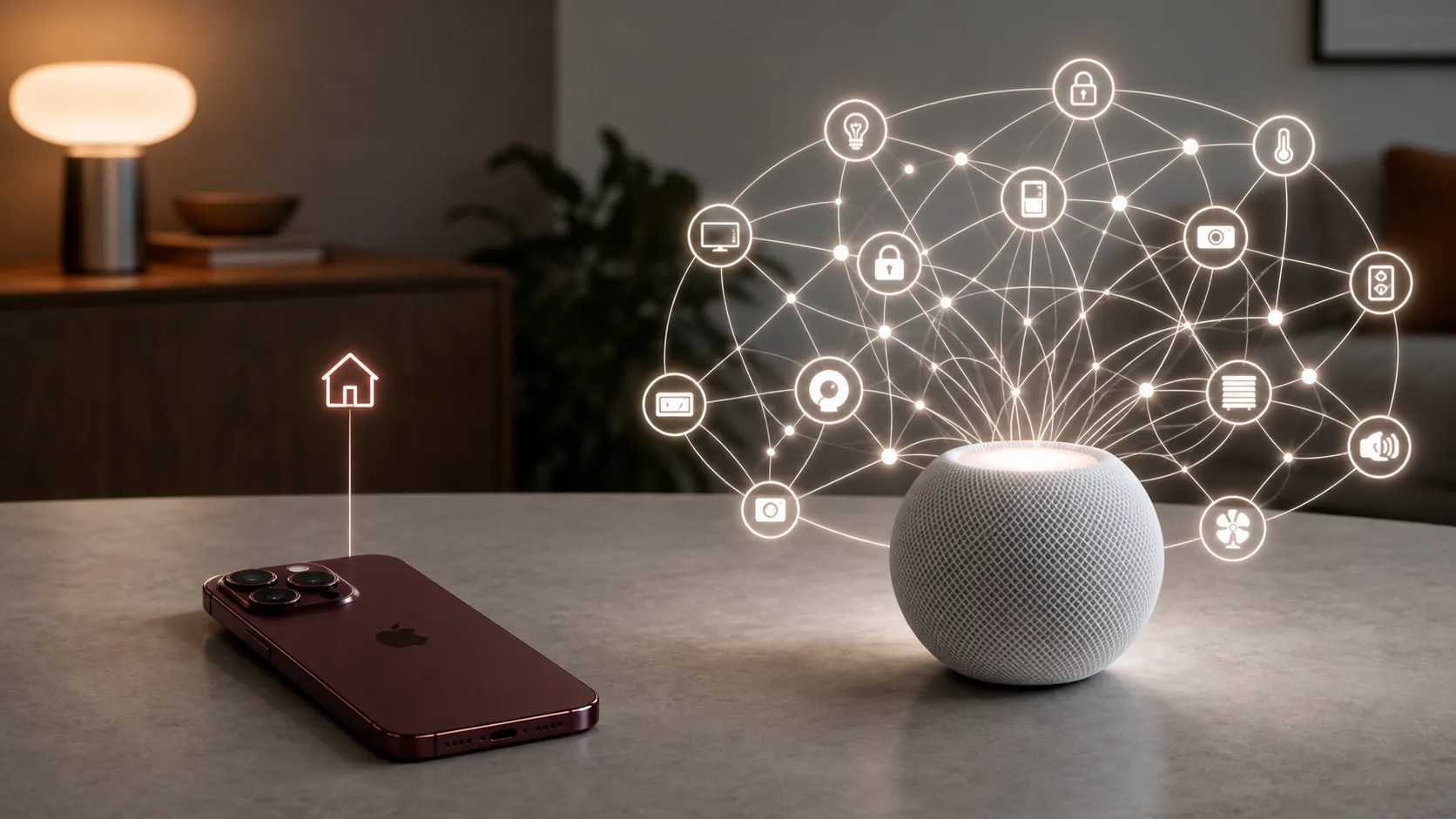
The cutoff that made old HomeKit problems look like phone problems
Apple ended support for the original Apple Home architecture on February 10, 2026. Reports around the cutoff warned that homes left on the old architecture could see smart home devices go offline or become unusable in the Home app after support ended.[1][2]
That matters because the resulting symptoms do not announce themselves as an architecture problem. They look like familiar everyday HomeKit nonsense: “No Response,” automations that run once and then stop, accessories that behave for one person but not another, and Thread devices that feel like they are waiting for permission from the wrong part of the network. It is very easy to blame the iPhone, because the iPhone is the screen where the failure appears.
Apple’s current upgrade documentation is blunt about the new architecture requirements. Under the new version of Apple Home, iPad is not supported as a home hub, and the qualifying hub list is HomePod 2nd generation, HomePod mini, and Apple TV 4K 2nd or 3rd generation. Apple also says connected devices need to be on the required software levels, including iOS 16.2, macOS 13.1, and watchOS 9.2, for access to the upgraded home.[3]
| Symptom you notice | First place to check | Why the iPhone is not the main suspect |
|---|---|---|
| Accessories show No Response after working before | Home architecture status and hub eligibility | The control plane may be outdated or unsupported |
| Automations fail when nobody is home | Supported home hub | Automations need an always-on home device, not a handheld phone |
| Remote access works for one person but not another | Home hub, account access, and updated Apple devices | Multi-user Home behavior depends on the home setup |
| Matter-over-Thread accessories respond only when nearby | Thread border router | Direct phone control is not the same as a persistent Thread network |
If your “hub” is an iPad, the repair starts there
The iPad point is the one I would check before even pricing a phone. An iPad may still be a perfectly good Home app screen, but under the new Apple Home architecture it is not a supported home hub. If your old setup depended on an iPad sitting on a counter, that home has lost the part that should be doing the boring always-on work.[3]
A supported hub is not glamorous. That is the point. A HomePod mini, HomePod 2nd generation, or Apple TV 4K 2nd/3rd generation stays in the house, stays powered, and can keep the Home graph reachable when your phone is in a pocket, on cellular, asleep, out of battery, or out of the building. That is the job an iPhone 18 Pro still does not take over.
The clean order is simple: open the Home app, check the Home settings, look at Home Hubs & Bridges, and confirm that the active or standby hub is actually one of Apple’s supported hub models. Then make sure the people and Apple devices connected to the home are updated to the required OS levels. If the home has been sitting half-migrated, with one old Mac, watch, or phone still attached to the household, the fix is not to add a flagship phone on top. It is to finish the platform cleanup.
There is one timing caveat in Q3 2026: some homes may already have been migrated. If your Home settings already show the upgraded architecture and a supported HomePod or Apple TV 4K is active as the hub, the February cutoff is not your whole diagnosis. But it is still the first thing to rule out, because it changes the meaning of nearly every HomeKit symptom after February 2026.
Thread on an iPhone is useful. It is not a border router replacement.
This is where the iPhone 18 Pro argument usually gets slippery. Newer iPhones with Thread radios can directly control some Matter-over-Thread accessories, and Apple’s support page describes cases where a Thread-capable iPhone can help with direct control. Apple’s own alert language still points users to a Thread border router when the home needs a Thread network.[4]
Apple enabled direct Thread control for smart home devices with iOS 18, and coverage at the time correctly framed it as a way to control Matter devices without a traditional hub in certain direct-control situations.[5][6] That is not the same as making the iPhone the infrastructure for a household. A phone leaves the home, sleeps, changes networks, runs out of battery, and belongs to one user. A border router is there to bridge the Thread mesh into the rest of the home network.
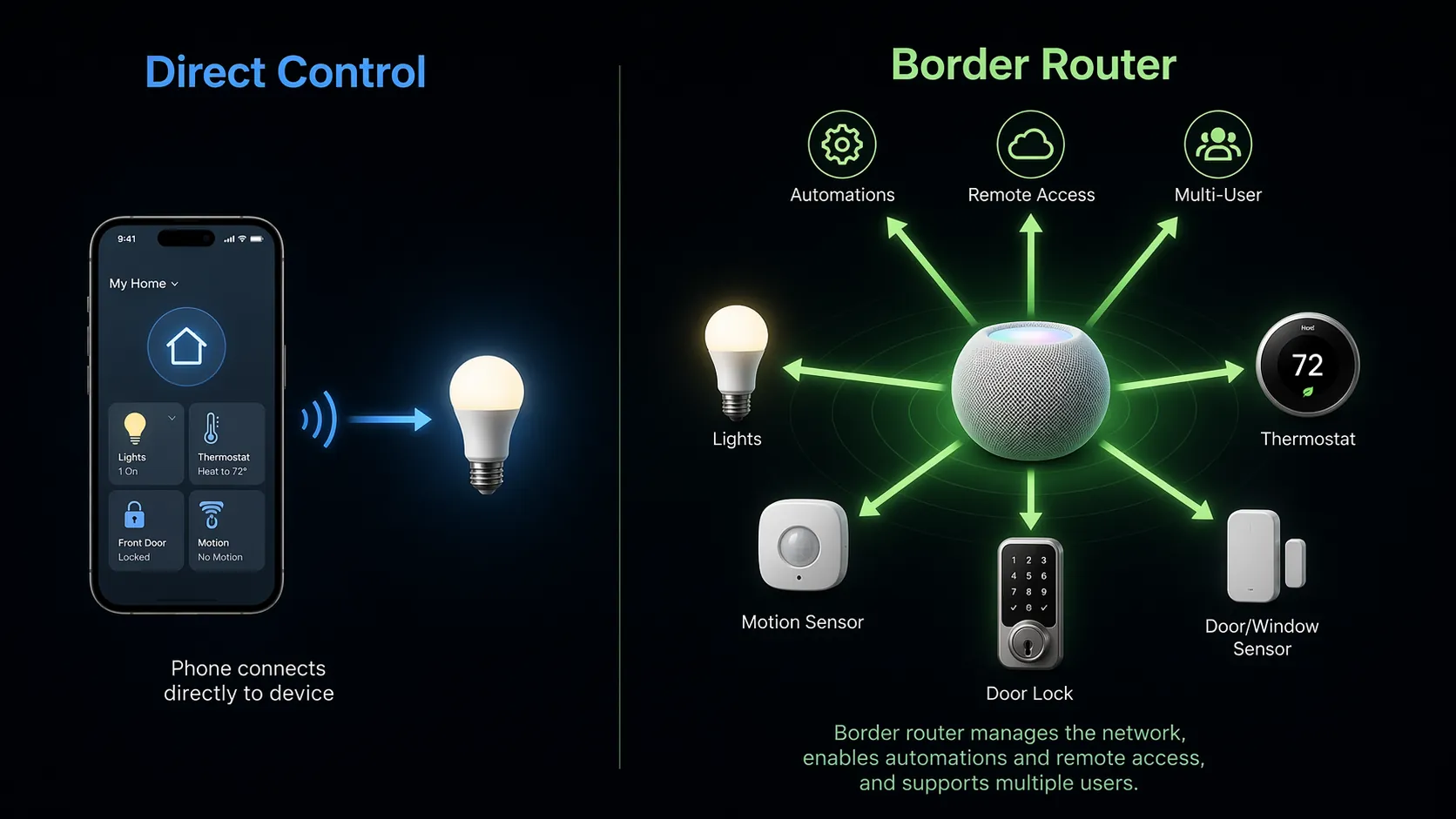
| Role | What it helps with | What it does not solve |
|---|---|---|
| Thread-capable iPhone | Direct local control of compatible Matter-over-Thread devices | Always-on automations, remote access, and household-wide reliability |
| Thread border router | Bridging Thread devices into the home network for persistent operation | Phone camera, cellular, battery, or other iPhone upgrade reasons |
| Apple Home hub | Home automations, remote access, and shared Home behavior | Accessory firmware bugs or unsupported third-party features |
Apple later described the iPhone’s Thread radio benefits as direct control and smoother setup for compatible accessories, which is a narrower and more useful claim than “your phone is now the hub.”[7] In a real home, that distinction decides what you buy. If you are tapping a light from the couch, the phone path may be enough. If a motion sensor should trigger a hallway light at 2 a.m., or a lock should remain reachable while you are away, the phone is the wrong device to assign that responsibility.
There is also a battery-device caveat. Apple’s support guidance distinguishes Thread behavior for main-powered accessories and notes that battery-powered Thread accessories may depend on manufacturer firmware support.[4] So if the slow device is a lock, sensor, or other battery accessory, do not assume a new iPhone radio will overpower whatever the accessory maker has or has not shipped.
The Apple Home features people cite are mostly platform benefits
Matter support, guest access, Activity History, and robot vacuum integration are good reasons to care about the direction of Apple Home. They are not proof that a specific iPhone model is required to make a flaky home stable. Recent Apple Home coverage has treated those improvements as Home platform features, not as iPhone 18 Pro-only fixes.[8]
That distinction sounds fussy until money enters the room. Platform features improve when the home is on the right architecture, the right hub is present, and the accessory ecosystem is updated enough to participate. Buying the newest phone while leaving an unsupported hub arrangement in place is like replacing the remote because the receiver is unplugged.
Where iPhone 18 Pro can still be a reasonable upgrade
None of this is an argument against the iPhone 18 Pro as a phone. If your current iPhone has poor battery life, a failing camera, weak cellular performance, or you simply want the new hardware, that is a normal phone decision. The HomeKit-specific mistake is treating the iPhone as a replacement for the hub layer.
The narrow HomeKit case for a newer iPhone is strongest if you are on iPhone 14 or older and therefore do not already have a Thread radio in your phone. Moving to a newer Thread-capable iPhone can improve direct interaction with compatible Matter-over-Thread devices. It still does not remove the need for a supported home hub or a Thread border router for the parts of the home that should work without you standing there.
The value comparison is not flattering if the only stated problem is HomeKit reliability. The iPhone 18 Pro price is still speculative before Apple’s final announcement, but rumor coverage has put it around $1,399+ territory.[9] Against that, a $129 HomePod mini or a $199 Apple TV 4K 3rd generation is the more plausible HomeKit repair when the failure is at the hub layer. Rumor roundups also focus on the usual phone-centered upgrades, which may matter for photography, performance, display, or battery reasons, but they do not convert the phone into a supported Home hub.[10]
The order I would test before spending iPhone money
- Check whether the home is already on the new Apple Home architecture. If it is not, treat that as the first repair, not as a footnote.
- Confirm the active home hub. If the answer is an iPad, or no supported hub at all, replace that layer with a HomePod mini, HomePod 2nd generation, or Apple TV 4K 2nd/3rd generation.
- Update the Apple devices connected to the home so the household is not split across unsupported software versions.
- For Thread accessories, verify that the home has a real Thread border router. Do not count a Thread-capable iPhone as the device responsible for automations, remote access, or multi-user behavior.
- After the architecture and hub are clean, reassess the iPhone upgrade on phone grounds: battery, camera, cellular, storage, performance, and whether direct Thread control is useful to you.
For accessories dropping off, automations failing, remote access misbehaving, or Thread devices acting like the network has no center, the repair path is a supported hub and the new Apple Home architecture. iPhone 18 Pro may be a very nice phone. It is not a HomeKit hub replacement.
References
- “Your Apple Home Need To Be Updated To Stop Your Smart Home Devices Going Offline” — Forbes, February 10, 2026
- “Upgrade your Apple Home architecture before the old one gets killed on Tuesday” — AppleInsider, February 9, 2026
- “Upgrade to the new version of Apple Home on iPhone” — Apple Support
- “If you see a 'Thread Border Router Required' or 'Needs Thread Network' alert” — Apple Support
- “Apple enables direct Thread control for smart home devices with iOS 18” — AppleInsider, September 18, 2024
- “iOS 18 lets you control Matter devices without a smart home hub” — The Verge, September 18, 2024
- “Apple reveals the two benefits of your iPhone's new(ish) Thread radio” — 9to5Mac, January 23, 2025
- “Apple Home recently got better in three ways, here's what's new” — 9to5Mac, April 29, 2026
- “iPhone 18: Rumors and Release Date” — MacRumors
- “iPhone 18 Pro: Six new features are coming this fall” — 9to5Mac, June 19, 2026
Corroborating context
For protocol background on why this failure happens, see Compatibility & Protocols.
Not currently linked to a known regression. Background on the underlying protocol lives in Compatibility & Protocols.