
If you are shopping for a matter hub home assistant setup, the first useful move is to stop shopping for “a hub” as one thing. Home Assistant can be the Matter controller, but Matter-over-Thread devices still need a Thread border router, Zigbee devices still need a Zigbee path, and Z-Wave locks still need a Z-Wave path. Home Assistant’s own Matter documentation is clear that the Matter integration handles the controller side; Thread support is a separate network requirement when the device uses Thread rather than Wi-Fi.[1]
That distinction decides what you should buy. A USB Thread dongle may be perfect for a mini PC on an open shelf. A PoE Thread border router may be the better answer when the Home Assistant box lives in a rack, under a desk, or beside noisy USB hardware. An external hub only makes sense when it bridges devices you already care about, such as Aqara Zigbee sensors or Z-Wave locks.
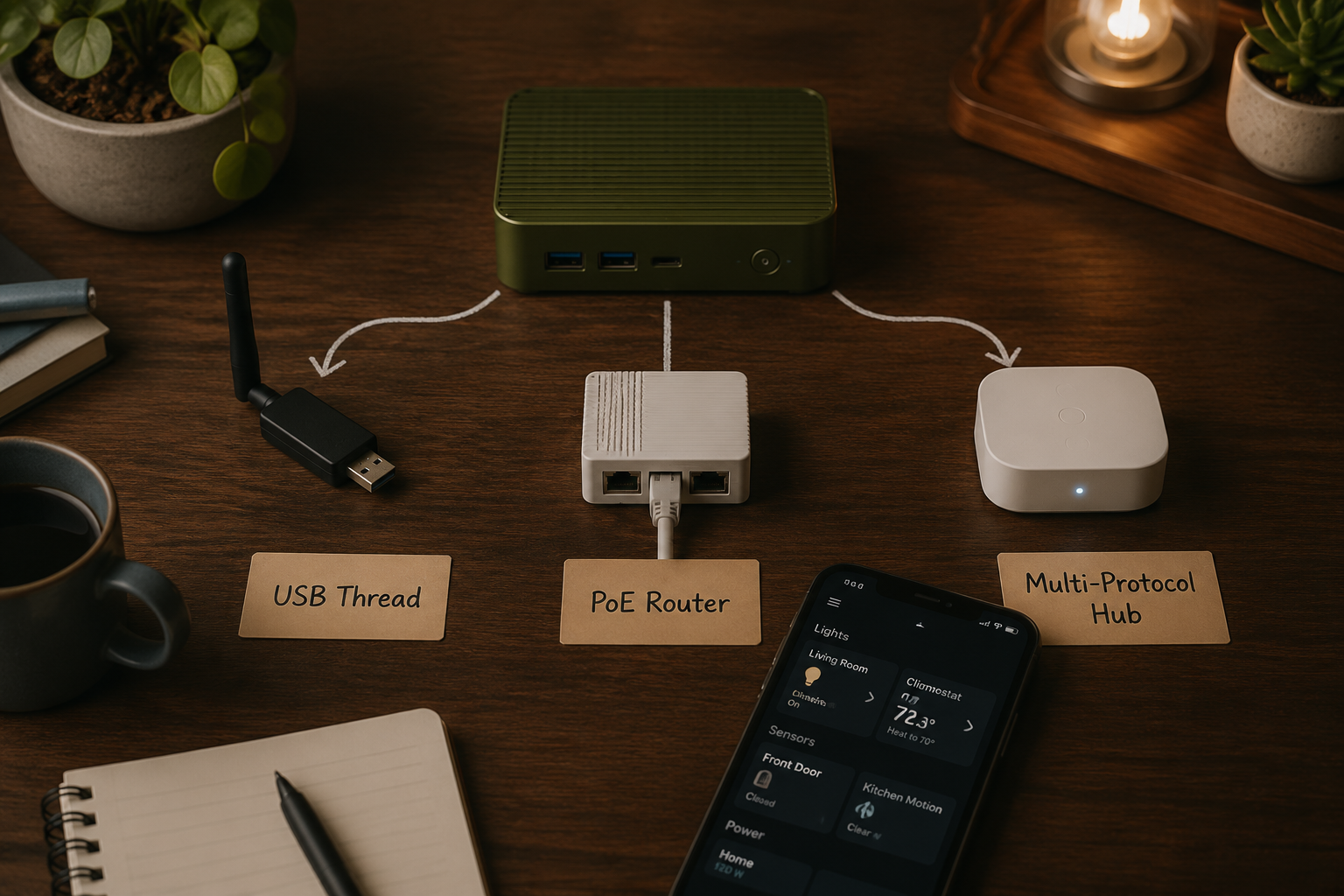
The Short Verdict by Setup
| Your setup | Best hardware to consider | Why |
|---|---|---|
| You want the simplest Home Assistant-first Thread path | Home Assistant Connect ZBT-2 | First-party USB Thread hardware with known firmware, EFR32MG24 radio, ESP32-S3, and a reported 4.16 dBi antenna; it does not replace a Zigbee dongle. |
| Your HA server is in a rack, closet, cabinet, or bad RF spot | SLZB-06MG26 | PoE lets the Thread radio live where the mesh needs it, not where the server happens to be. |
| You already own Aqara Zigbee sensors or switches | Aqara Hub M3 | Useful as an Aqara-heavy bridge into a Matter/Home Assistant environment; mid-2026 pricing is listed at $159.99. |
| You already own Z-Wave locks or sensors | SmartThings v3 | The notable option here is Z-Wave bridging alongside Matter and Zigbee, mainly to preserve an existing Z-Wave install. |
| You enjoy flashing firmware and debugging small boards | ESP32-C6 Thread border router boards | Under-$15 hardware can work, but lack of Ethernet and manual firmware flashing keep it out of the mainstream recommendation slot. |
The table is deliberately physical. It asks where the radio sits, what protocol your devices actually use, and whether Home Assistant can see enough of the network to be maintainable. That matters more than whether a retail box says “Matter compatible.”
Three Questions Before You Buy Anything
Start with the device list, not the standard. If the Matter devices you plan to buy are Wi-Fi plugs, bulbs, or appliances, you may not need Thread hardware at all. Home Assistant still needs Matter support running, but there is no Thread mesh to build. If the devices are battery sensors, buttons, locks, blinds, or other low-power gear, Thread becomes much more likely to matter because those products often avoid Wi-Fi for power reasons.
Then look at the Home Assistant machine. A USB stick hanging from a short extension cable is boring in the best possible way when the server is in the living area, has a free USB port, and can sit away from RF-hostile clutter. If the server is in a metal rack, next to a UPS, behind a television, or buried in a network cabinet, a PoE border router starts to look less like overkill and more like common sense.
Finally, be honest about old devices. A drawer full of Zigbee contact sensors, an Aqara leak sensor you still trust, or a Z-Wave deadbolt on the front door changes the shopping problem. The best Matter hardware may be the one that preserves those devices cleanly, not the one with the newest radio.
- Buy a Thread border router only if you need Matter-over-Thread devices or want to prepare for them.
- Prefer USB when your Home Assistant box has good radio placement and you want the most direct connection.
- Prefer PoE when the Thread radio should live somewhere other than the Home Assistant server.
- Use Aqara M3 or SmartThings v3 for bridging existing ecosystems, not as generic magic boxes.
- Treat DIY ESP32-C6 boards as a tinkering route, not the default recommendation for a household system.
Best USB Thread Choice: Home Assistant Connect ZBT-2
For most Home Assistant users who specifically need Thread, the Home Assistant Connect ZBT-2 is the cleanest USB answer. SmartHomeScene identifies it as a Thread-only device built around Silicon Labs EFR32MG24 with an ESP32-S3, and reports an approximately 4.16 dBi antenna.[2] The important part is not only the radio spec; it is that this is first-party Home Assistant hardware with firmware and support expectations aligned to Home Assistant rather than treated as an afterthought.
The “Thread-only” part needs to be read literally. ZBT-2 is not the dongle that solves Zigbee at the same time.[2] If you already run Zigbee2MQTT or ZHA on a separate coordinator, that may be fine. If you are starting from zero and also need to bring in Zigbee bulbs or sensors, budget for a separate Zigbee path or choose a different architecture.
USB also has a real practical advantage: direct communication with the Thread radio through the expected local path. SmartHomeScene notes USB dongles as the most reliable connection style for Thread border router use because they use direct Spinel protocol, while networked options depend on the stability of the network path between Home Assistant and the border router.[2] That does not make USB universally better. It makes USB the default if the physical placement works.
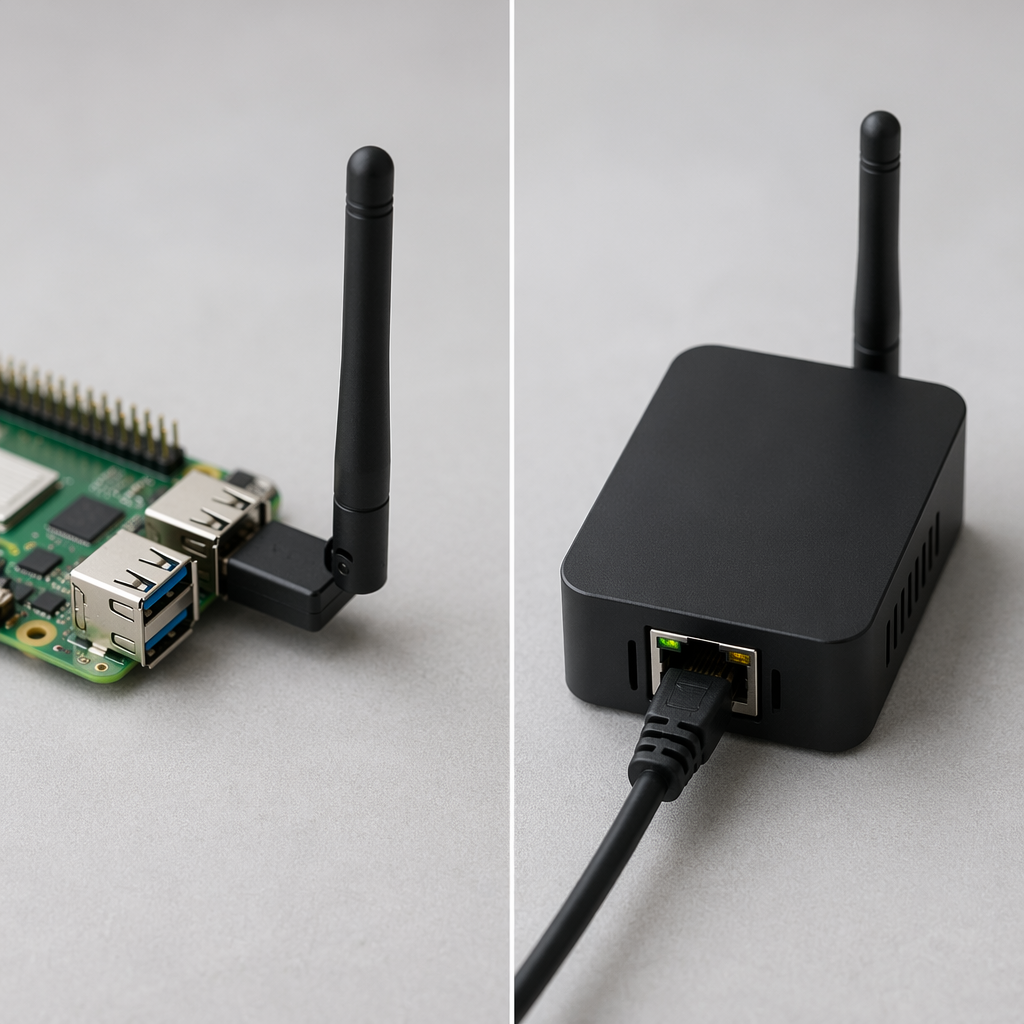
The usual USB cautions still apply. Use a short extension cable rather than wedging the dongle directly into the back of a noisy mini PC. Avoid burying it behind a rack rail or a television. If the only available USB port leaves the antenna in a bad location, the technically simpler choice may become the worse radio choice.
Best PoE Thread Choice: SLZB-06MG26
The SLZB-06MG26 is the more interesting pick when your Home Assistant server is not where a Thread radio should live. It is a network-attached Thread border router option with PoE, so the device can sit on a shelf, ceiling-adjacent run, or central network drop while Home Assistant stays in the rack. SmartHomeScene lists the SLZB-06MG26 among Home Assistant-oriented Thread border router choices and frames PoE models as useful when placement matters.[2]
This is the point where “Ethernet is better” can become lazy advice. Ethernet helps when it lets the radio move to a cleaner location. It does not automatically improve a tiny apartment setup where the Home Assistant box already sits centrally with a good USB extension. PoE adds another dependency too: the border router now depends on your switch, cabling, VLAN choices, and network reliability. In a stable wired network, that is usually a reasonable trade. In a messy network, USB may be easier to reason about.
Pick the SLZB-06MG26 when the radio needs distance from the server more than the server needs a direct USB radio. It is the rack-owner’s answer, the closet-server answer, and the “my HA box is in the wrong room” answer. If you are comparing Thread border routers beyond Home Assistant-specific choices, the broader Thread border router buying guide is the better place to look across platforms.
Do You Actually Need Thread?
This is the question that prevents the most wasted purchases. Matter is an application layer, not a guarantee that every device uses the same radio. A Matter device may connect over Wi-Fi, Ethernet, or Thread. If you buy only Wi-Fi Matter plugs, a Thread border router can sit there doing nothing for those devices.
Thread becomes important when you want the kind of small, battery-powered devices that should not be on Wi-Fi all day. Sensors, buttons, smart locks, and some shades are the usual reasons. The Connectivity Standards Alliance’s Matter 1.5 announcement in 2026 added categories including cameras, closures, and enhanced energy management capabilities, which is a useful reminder that the Matter device universe is still widening rather than settling into one narrow product class.[3]
That expansion does not mean every Home Assistant user should buy every radio. It means the purchase should follow the devices you actually expect to install. If your next six devices are Wi-Fi Matter switches, buy nothing for Thread yet. If your next six devices are door sensors, leak sensors, locks, or battery remotes, make Thread placement part of the plan before pairing the first one.
There is also a visibility issue. Home Assistant users tend to care about whether the Thread network can be inspected, maintained, and migrated. Some consumer border routers work, but they may hide mesh details or update behavior behind a vendor ecosystem. That is why a Home Assistant-friendly USB or PoE border router is often easier to live with than a “free” border router already sitting in another smart speaker.
When an External Hub Is the Right Answer
External hubs are not automatically wrong in a Home Assistant house. They are wrong when bought as vague insurance. They are right when they expose a device family you already own in a way that Home Assistant can use with less maintenance than rebuilding that network from scratch.
Aqara Hub M3 for Aqara-heavy Zigbee homes
The Aqara Hub M3 is the sensible multi-protocol pick when your house already leans Aqara. Mid-2026 hub comparisons list the M3 at $159.99, with Matter support and broad smart home compatibility positioned around Aqara’s own ecosystem.[4] That price should be treated as a mid-2026 snapshot, not a permanent truth; hardware prices and tariffs can move.
The M3 is most compelling when it keeps existing Aqara Zigbee devices useful without asking you to re-pair and re-debug every sensor. If you already have Aqara contact sensors, buttons, leak sensors, or switches that behave well through Aqara’s hub path, the M3 can be a practical bridge into a Matter/Home Assistant setup. Matter Hubs’ Home Assistant-focused analysis treats external Matter hubs as useful when they broaden device coverage rather than as replacements for understanding the underlying radios.[5]
The trade is opacity. A vendor hub may simplify pairing and firmware handling, but Home Assistant may not see the same depth of device and network detail it would see from a directly managed Zigbee coordinator. That is acceptable if the goal is to preserve a stable Aqara island. It is less attractive if you are building a fully inspectable local Zigbee network from scratch.
SmartThings v3 for existing Z-Wave
SmartThings v3 earns its place for a narrower reason: Z-Wave. The 2026 hub comparison identifies SmartThings v3 as the hub option here that supports Z-Wave alongside Matter and Zigbee.[4] That matters if you already have Z-Wave locks, motion sensors, or switches installed and do not want to replace working hardware just to make a Matter diagram look cleaner.
I would not treat Z-Wave as the protocol to newly build around in a Matter-first buying guide. The case here is preservation, not growth: SmartThings v3 is useful because it can bridge an existing Z-Wave layer, especially locks and sensors that are expensive or annoying to replace. If you have no Z-Wave devices today, this is probably not the path to start with.
Apple Border Routers Work, but They Are Not the HA-Friendly Default
HomePod mini and Apple TV 4K can function as Thread border routers for Matter setups, and mid-2026 hub comparisons still list HomePod mini pricing at $99.[4] If you already own one and your devices pair cleanly, there is no need to pretend it is useless.
The reason I would not place Apple hardware at the top for Home Assistant buyers is visibility. Apple’s border router path is comparatively opaque: Thread mesh details and OTA behavior are not exposed in Home Assistant the way a Home Assistant-oriented Thread setup can be managed. That limitation is not fatal for a normal Apple Home user. It is irritating in exactly the kind of Home Assistant setup where the owner expects to know what is routing, what updated, and what failed.
DIY ESP32-C6 Boards: Real, Cheap, and Not the Default
ESP32-C6 boards deserve respect. They can function as Thread border routers for under $15, which is a real option for people who are comfortable flashing firmware, reading logs, and accepting a rougher edge.[2] For a lab, a secondary network, or a user who enjoys knowing exactly what firmware is running, they are useful.
They are not the best general recommendation for 2026 Home Assistant buyers because the savings come with work. Two caveats matter most: typical ESP32-C6 board routes lack Ethernet and require manual firmware flashing. That is fine if the project is the point. It is less fine if the goal is to make a lock, sensor, or blind reliable enough that other people in the house stop noticing the automation system.
The Purchase Matrix
| Buy this | If this is true | Avoid it if |
|---|---|---|
| Home Assistant Connect ZBT-2 | You want first-party USB Thread for Home Assistant and your server has good USB/radio placement. | You expect one dongle to handle Zigbee too. |
| SLZB-06MG26 | Your server is in a rack, closet, cabinet, or RF-hostile location and PoE lets the Thread radio move somewhere better. | Your wired network is unstable or a USB dongle would already sit in the ideal location. |
| Aqara Hub M3 | You already own enough Aqara Zigbee gear that preserving that ecosystem is worth the hub. | You want maximum Home Assistant visibility into every Zigbee network detail. |
| SmartThings v3 | You already own Z-Wave locks or sensors and need a bridge that also participates in a Matter/Zigbee world. | You have no Z-Wave devices and are starting a new Matter-first installation. |
| ESP32-C6 board | You are comfortable flashing firmware and treating the border router as a technical project. | You want the least-maintenance household recommendation. |
| Apple HomePod mini or Apple TV 4K | You already own one and accept Apple’s Thread visibility limits. | You want Home Assistant-centered Thread inspection and OTA transparency. |
After the hardware choice, the next work is pairing and commissioning, not more shopping. The practical follow-up is the Home Assistant Matter setup guide or the more device-focused Matter devices setup walkthrough. If you are still deciding what to add after the radio side is solved, use the 2026 Matter device buyer’s guide before filling the cart.
One software caveat belongs in the buying decision too: Home Assistant Matter Server changes can affect hardware expectations. If you are running a very small box, check the current Matter Server requirements and the notes around Home Assistant Matter Server 9.0 before assuming an old low-memory install is the right foundation for a new Matter build.
References
- Matter — Home Assistant
- Best Thread Border Routers for Home Assistant — SmartHomeScene
- Matter 1.5 Introduces Cameras, Closures, and Enhanced Energy Management Capabilities — Connectivity Standards Alliance
- Best smart home hubs 2026 — The Gadgeteer, June 13, 2026
- Matter Home Assistant Hubs — Matter Hubs Blog
Updates & Corrections
Protocol specifications and platform features change rapidly — especially with Matter version evolution. Report version changes, certification count updates, or platform policy changes that have occurred since the last editorial review.
Comments
Join the discussion with an anonymous comment.