
Smart Light Switch Buyer's Guide: Wiring, Protocol, and Dimming Decisions
Learn how to choose the right smart light switch by understanding your home's wiring, protocol options, and dimming needs. This guide helps you avoid compatibility failures and make a confident purchase.
Last updated
A smart light switch is not a normal gadget purchase. The app, voice assistant, and automation features only matter after the switch can be powered in the wall, controlled by the network you actually own, and matched to the fixture it will operate. For home automation switches, the useful buying order is simple: check the wiring first, choose the protocol second, and decide on dimming third.
That order prevents the most avoidable returns: a neutral-required switch bought for a no-neutral box, a Thread device bought without a Thread border router, or a single-pole switch bought for a three-way hallway circuit. Product roundups are easier to read after those traps are out of the way.
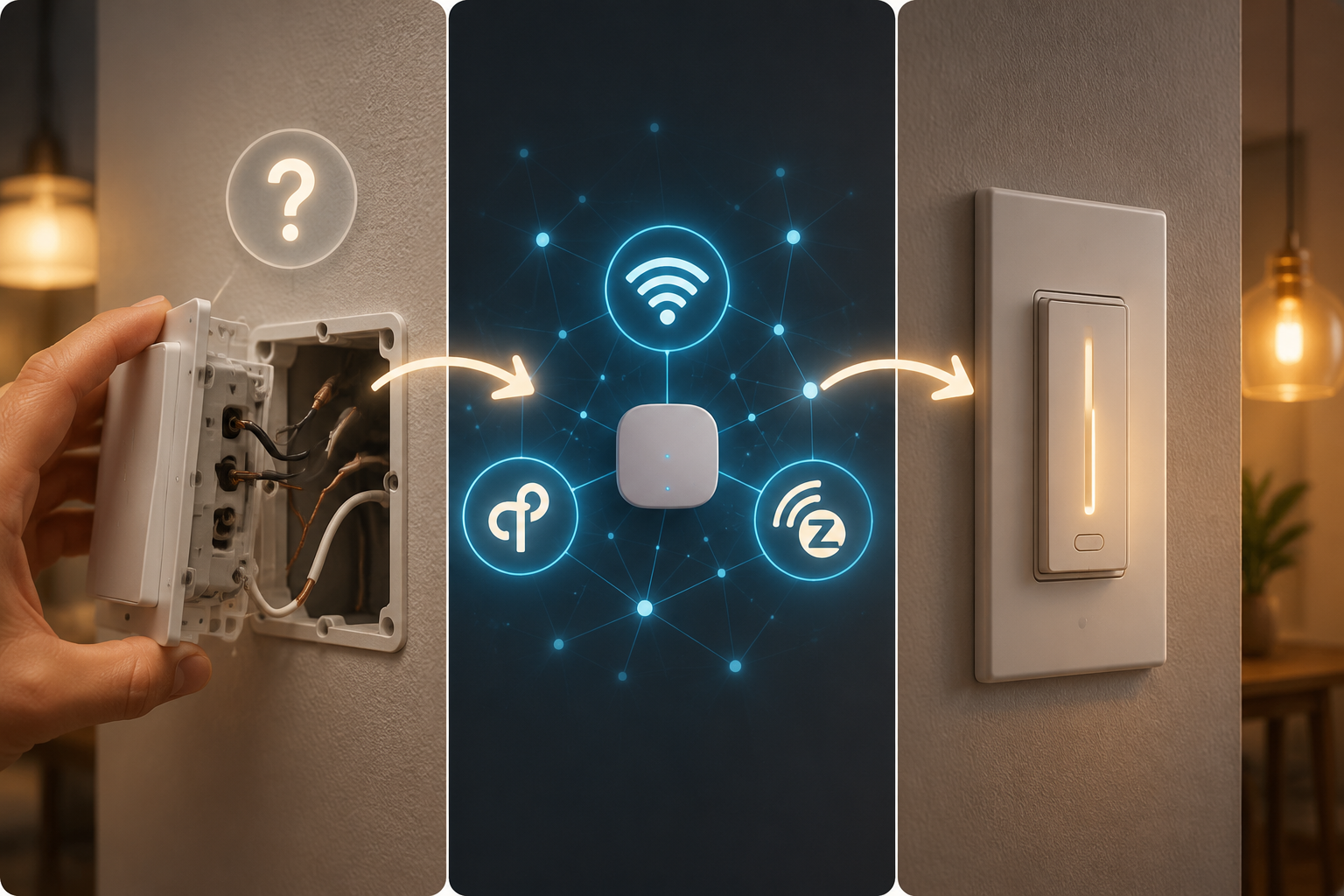
The Buying Matrix Before Brand Shopping
Treat these June 2026 price ranges as shopping ranges, not promises. Sales, multipacks, color options, and retailer inventory can move the final price, but the relative penalties are useful: no-neutral support and hub-based ecosystems usually cost more than a basic neutral-wire Wi‑Fi switch.
| What you find or need | Best switch class | Named examples | Buyer constraint that matters |
|---|---|---|---|
| Neutral wire present; no hub wanted; simple app or voice control | Wi‑Fi smart switch or dimmer | Kasa KS225, around $20 in June 2026 | Best value if the wall box has neutral and the home Wi‑Fi network is healthy [1] |
| Neutral wire present; you want newer cross-ecosystem support | Matter over Thread switch | Matter models commonly around $30–40 | More future-facing, but only practical if you already have or will buy a Thread border router [3][4] |
| Neutral wire present; Wi‑Fi is crowded or you already run a smart-home hub | Z‑Wave switch or dimmer | Leviton ZW6HD, around $35–50 | Requires a Z‑Wave hub, but uses 900 MHz instead of the crowded 2.4 GHz band [1] |
| No neutral wire in the box | No-neutral smart dimmer or switch system | Leviton DN6HD, roughly twice the price of neutral-wire equivalents; bridge may add about $14 | Usually the least disruptive choice for older homes if you are not rewiring [1] |
| Two switches control the same light; red traveler wire is present | Three-way-compatible smart switch kit | Kasa KS230 or another three-way-specific model | A standard single-pole smart switch is the wrong purchase for this circuit [2] |
| Light level control matters and bulbs are dimmable | Smart dimmer | Wi‑Fi, Matter, Z‑Wave, Zigbee, or no-neutral dimmers depending on wiring | Only buy dimming if the fixture, bulbs, and household habits will actually use it |
First Question: Is There a Neutral Wire?
Most smart switches need a neutral wire because the electronics inside the switch need continuous power even when the light is off. A regular mechanical switch can simply interrupt the hot wire. A smart switch has a radio, processor, status LED, and sometimes a dimming circuit waiting for commands.
Homes built after about 1990 are more likely to have neutrals in switch boxes, and the National Electrical Code has required neutrals in many switch boxes since 2011, but the only reliable check is opening the switch box and looking at the actual conductors inside [1]. Age is a clue, not a purchase decision.
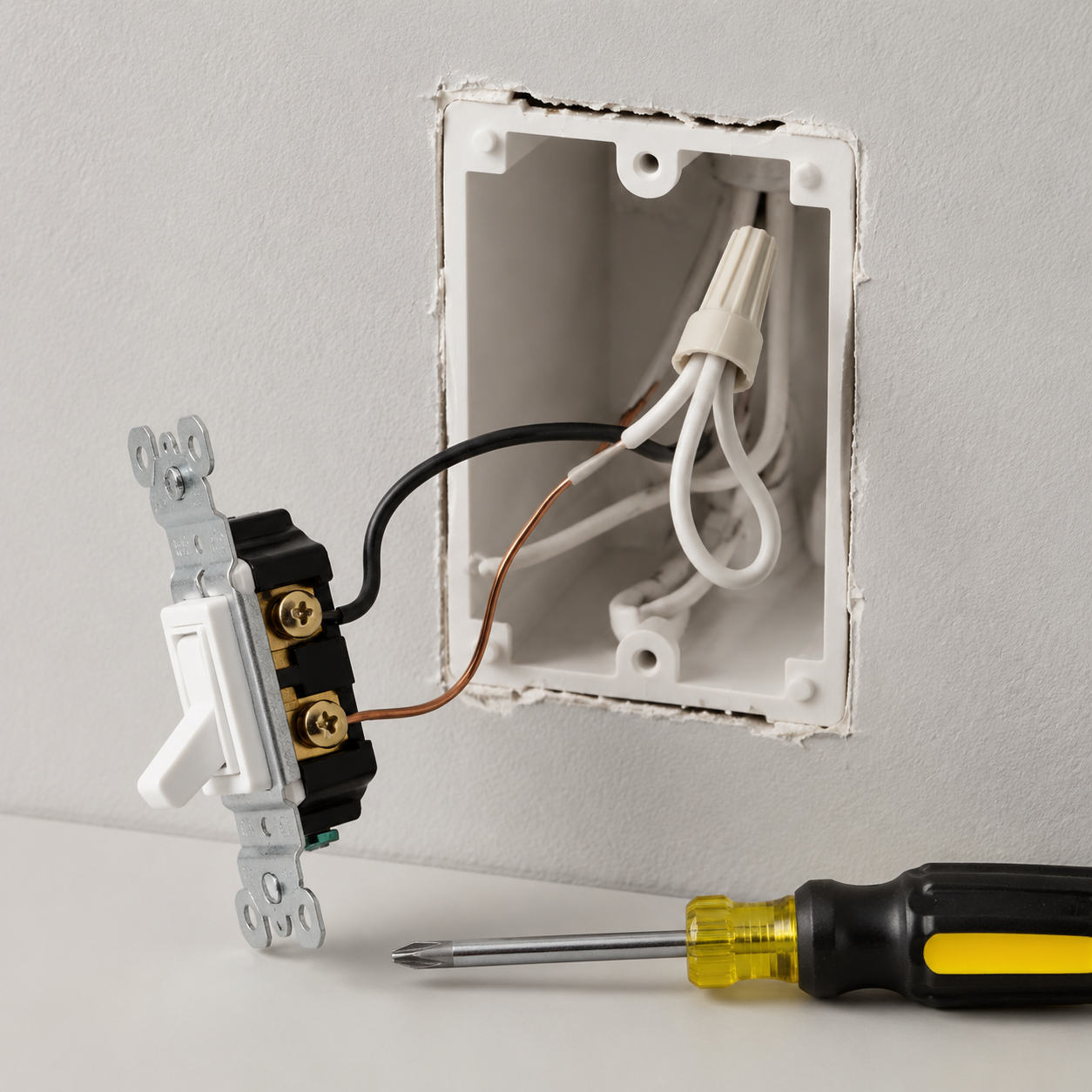
With the breaker off and the switch pulled forward, the neutral is usually a bundle of white wires tied together in the back of the box. It may not be connected to the existing dumb switch at all. If the only wires on the switch are line, load, and ground, do not assume a neutral is hidden somewhere useful. If you are not comfortable identifying conductors, stop there and bring in an electrician.
This is where many smart-switch purchases fail. A neutral-required model cannot be made compatible by app setup, firmware updates, or a different voice assistant. If the box has no neutral, the choices narrow to a no-neutral model, rewiring, a different lighting-control architecture, or leaving that switch conventional.
No-neutral models exist for exactly this reason, but they are not just the same purchase with one line removed from the spec sheet. The Leviton DN6HD class of no-neutral products costs roughly twice as much as neutral-wire equivalents and may require a separate Wi‑Fi bridge costing about $14 [1]. That is still cheaper and cleaner than opening walls in many older homes, but it means the no-neutral path should be chosen knowingly.
If your home is older and several boxes lack neutrals, use a no-neutral installation guide before buying a cart full of switches. The practical question is not whether one box can be solved; it is whether the bridge, bulb compatibility, minimum-load requirements, and wall-box depth make sense across the rooms you want to automate. For that narrower problem, see How to Install Smart Light Switches in Older Homes Without a Neutral Wire.
The Red Traveler Wire Changes the Purchase
Before closing the box, look for a red traveler wire or any sign that two wall switches control the same light. That usually points to a three-way circuit. A standard single-pole smart switch is not the right device for that setup; three-way circuits need a compatible model or kit, such as the Kasa KS230 class of product [2].
This is not an advanced-home problem. It shows up in stairways, hallways, kitchens, garages, and primary bedrooms. If one light can be controlled from two locations, check the manufacturer’s three-way instructions before purchase, not after the wall plate is off.
Second Question: Which Protocol Can Your Home Actually Support?
After wiring, protocol is the next filter. This is where buyers tend to over-shop the future and under-check the equipment already sitting in the house. A protocol is only an advantage if the switch can join a network you maintain and if the people in the house can still use the wall switch when the app is not open.
| Protocol | Good fit | Watch before buying |
|---|---|---|
| Wi‑Fi | Single-room or small-home upgrades where you have neutral wires and want low cost without a hub | Adds devices to the home Wi‑Fi network; 2.4 GHz congestion can matter in dense setups |
| Matter over Thread | Buyers who want stronger cross-ecosystem flexibility and already own a Thread border router | Matter support does not remove the Thread border-router requirement [4] |
| Z‑Wave | Homes with an existing hub or crowded Wi‑Fi where a separate 900 MHz mesh is attractive | Requires a Z‑Wave hub; not a hub-free purchase [1] |
| Zigbee | Hub-based homes that already use Zigbee lighting or sensors | Compatibility depends on the hub and ecosystem, not just the word Zigbee on the box |
Wi‑Fi is still the cleanest value path for many neutral-wire buyers. A switch like the Kasa KS225 sits around the $20 range and avoids a separate hub [1]. The trade-off is ordinary network housekeeping: if the home already has weak 2.4 GHz coverage or too many low-cost devices fighting for airtime, another Wi‑Fi switch is not automatically the most reliable choice.
Matter over Thread is the protocol path that sounds most like the future. In 2026, Matter switches are easier to recommend than they were in the early Matter rollout because Matter 1.6 has made cross-ecosystem control more practical [4]. But the hardware requirement remains easy to miss: a Thread switch needs a Thread border router. Without one, the Matter logo on the product page does not make the switch useful in your wall.
That means a Matter over Thread switch around the $30–40 range is not always a $30–40 decision [3]. If you already have a compatible Apple, Google, Amazon, or other border-router device, the purchase may be straightforward. If you do not, the real price includes the missing infrastructure and the patience to verify which device in your home is actually acting as the border router.
Z‑Wave is less fashionable in general smart-home conversation, but it still earns a place in switch boxes. Z‑Wave switches such as the Leviton ZW6HD, around $35–50, require a hub and operate around 900 MHz rather than the 2.4 GHz band used by Wi‑Fi, Bluetooth, Zigbee, and Thread [1]. In a congested Wi‑Fi home, that separation can be worth more than another app feature.
Zigbee belongs in the same practical bucket as Z‑Wave for many buyers: it makes the most sense when you already own the hub or lighting ecosystem that will manage it. Buying a Zigbee switch in isolation and hoping the rest of the home will sort itself out is how a simple lighting project becomes a compatibility errand.
If you are still deciding whether switches are the right architecture at all, pause before choosing a protocol. Smart bulbs, smart switches, and whole-home lighting systems solve different problems. The higher-level comparison in Smart Bulbs, Switches, or a Whole-Home System is the better detour if renters, lamps, color bulbs, or multi-room scenes are the real priority.
Third Question: Do You Need Dimming?
Dimming is the shortest decision, but it is still a decision. If the switch controls a porch light, closet, pantry, garage fixture, bathroom fan-light combo, or utility area, a simple on/off smart switch may be the better buy. It costs less, has fewer compatibility variables, and does the job people expect from that location.
A smart dimmer makes sense where people already change light levels: dining rooms, living rooms, bedrooms, kitchens with evening scenes, and hallways where a low nighttime level is useful. The bulbs must be dimmable, the fixture load must fit the switch rating, and the household has to actually use the lower settings.
The energy case is real but easy to overstate. Brilliant Tech states that dimming a light by 50% reduces energy consumption by approximately the same percentage [6]. That does not mean every smart dimmer cuts a bill by half. It means dimming saves energy when the light is actually run at a lower output.
Behavior matters, too. A Clean Power Alliance pilot reported in June 2026 that smart switches with color-coded visual cues helped 162 households reduce energy use by about 20% during peak-demand events [5]. That result is useful because it shows how visible prompts can change behavior during specific events. It should not be read as a blanket promise that any smart switch, installed anywhere, automatically lowers energy use by 20%.
What I Would Buy in Common Situations
For a neutral-wire single-pole switch in a normal home Wi‑Fi environment, I would start with a value Wi‑Fi switch or dimmer such as the Kasa KS225 class. It is the least fussy path when the box supports it, and the money saved can go toward replacing more switches consistently instead of overbuying one flagship device.
For a neutral-wire home already invested in Apple Home, Google Home, Amazon Alexa, or another Matter-ready setup with a confirmed Thread border router, I would consider Matter over Thread. The useful word there is confirmed. If the border router is uncertain, verify it before ordering the switch.
For a neutral-wire home with a smart-home hub and crowded Wi‑Fi, I would give Z‑Wave a serious look. The hub requirement is a cost and maintenance burden, but it is not automatically a weakness if the hub already exists and the lighting plan extends beyond one switch.
For an older no-neutral box, I would price the no-neutral switch and any required bridge before comparing style, app polish, or voice-assistant badges. If several rooms need the same treatment, the bridge and compatibility details matter more than saving a few dollars on a single unit.
For a three-way hallway or stair circuit, I would ignore any model that does not explicitly support three-way wiring. This is not the place to improvise with a standard single-pole switch.
Before You Click Buy
- Open the switch box safely and confirm whether a neutral bundle is present.
- Check whether the circuit is single-pole or three-way before choosing a model.
- Match the protocol to infrastructure you already own or are willing to add.
- Buy dimming only when the fixture, bulbs, and room use justify it.
- Confirm wall-box depth, load ratings, bulb compatibility, and any required bridge before ordering multiples.
The installation work comes after this decision. If you have already selected the correct class of switch and want the step-by-step wiring process, use How to Install a Smart Light Switch: A Complete DIY Guide. If the project is growing from one room into a larger lighting plan, Smart Home Lighting Control Systems: How to Choose the Right Tier and Whole-Home Smart Lighting Installation: From Wiring to Automation are better next reads than another product roundup.
At the purchase stage, confidence comes from narrowing the field, not from memorizing every model. If you know your wiring, know which protocol your home can support, and know whether dimming is actually needed, most smart-switch compatibility failures have already been removed from the cart.
References
- The 4 Best In-Wall Smart Light Switches and Dimmers of 2026, Wirecutter
- How to Install a Smart Dimmer Light Switch on Your Own, Wirecutter
- Best Matter Smart Light Switches 2026 — Expert Picks, MatterCatalog
- Matter and Thread Explained: What Works in 2026, Data Wire Solutions
- Smart-Light Switch Pilot Helps Households Cut Energy Use, Clean Power Alliance, June 26, 2026
- How Smart Switches Save Money for Homeowners, Brilliant Tech
Known issues with this device / protocol
Spec-version history
For active regressions on this protocol, see Update Watch.
No linked Update Watch entries yet.