
The easiest way to overbuild a nursery is to start with one innocent purchase. First comes the monitor. Then a sound machine, a humidifier, a smart light, a bottle maker, a thermostat sensor, a changing pad scale, and one more app that insists it can make bedtime simpler. By the time the crib is assembled, the room has five little technology islands and no one is sure which one is supposed to wake you at 3 a.m.
A better way to think about smart home gadgets for nursery design is by zone: monitoring, sleep, environment, feeding, and safety/convenience. The point is not to buy something from every category on day one. It is to choose the device that anchors the system, then make sure everything else works with it, costs what you think it costs, and still behaves when you are too tired to troubleshoot.
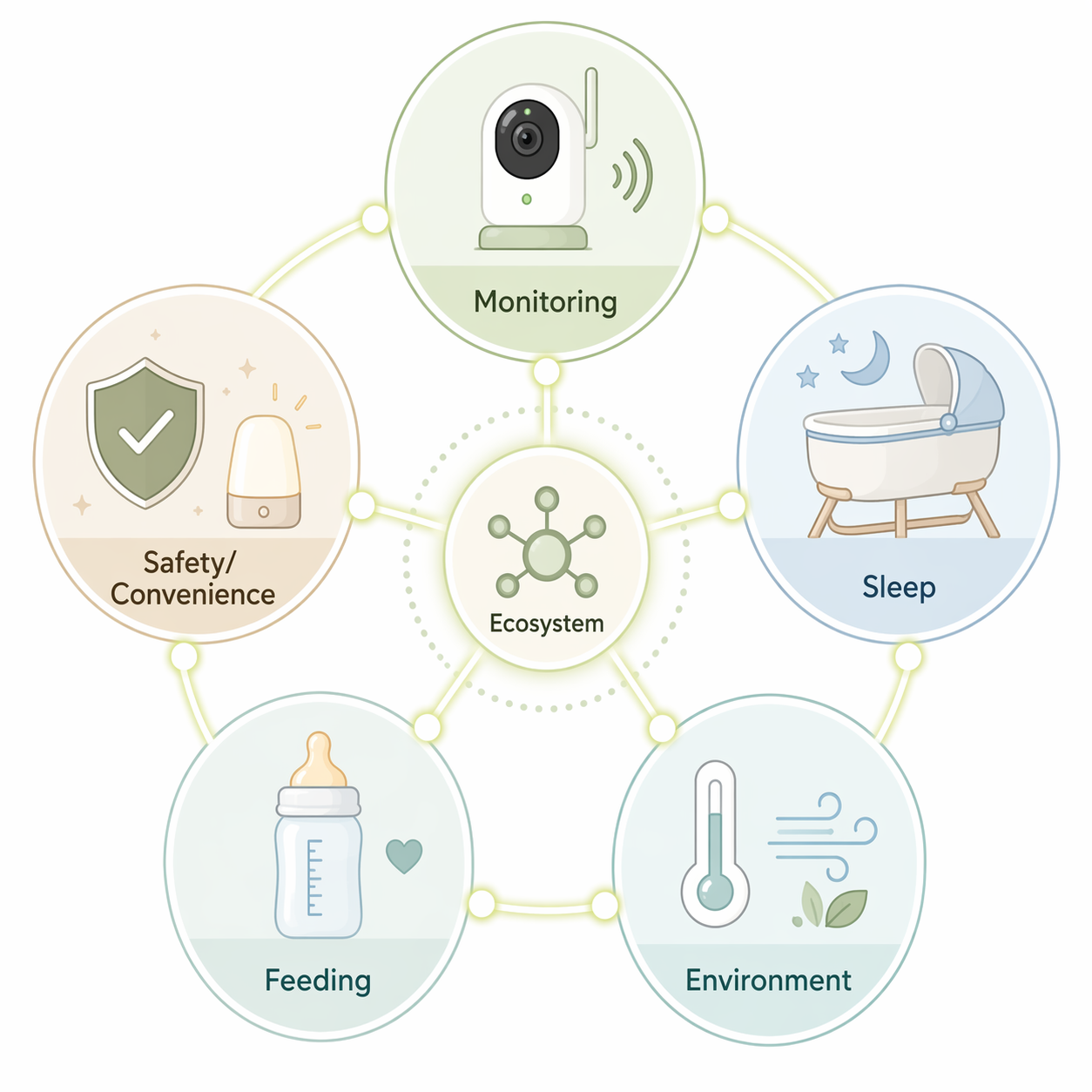
| Zone | What It Should Solve | What To Check Before Buying |
|---|---|---|
| Monitoring | Video, audio, sleep tracking, room conditions, alerts, two-way talk | WiFi vs. non-WiFi, encryption, app access, cloud storage, subscription cost |
| Sleep | White noise, light cues, soothing motion, fewer unnecessary check-ins | Infant age/weight limits, safe-sleep guidance, price, rental option, claim strength |
| Environment | Temperature, humidity, air quality, HVAC response | Remote sensor support, purifier sizing, humidifier cleaning burden, automation rules |
| Feeding | Bottle prep, feeding logs, weight tracking | Cleaning steps, app dependence, caregiver access, whether automation is actually useful |
| Safety/convenience | Low-light care, doors/windows, outlets, blinds, gentle routines | Local controls, hub requirement, Matter support, failure behavior |
Start With The Monitor, Because It Sets The Rules
The baby monitor is the nursery purchase most likely to become infrastructure. A light can be swapped. A smart plug can be moved to the hallway. The monitor decides whether sleep data lives in a cloud account, whether grandparents need an app login, whether room temperature is visible from your phone, and whether “checking the baby” means opening a livestream or looking at a parent unit on the nightstand.
Nanit Pro is the obvious example of why first-year cost matters more than sticker price. The camera is commonly listed around $289–$299, but Nanit’s own membership page makes the Insights plan a paid layer, with the basic Insights membership priced at $100 per year after the included period for eligible purchases.[1] If the feature you actually want is sleep analytics, the purchase is not just a camera purchase. It is a camera plus a recurring service.
That does not make Nanit a bad choice. It means the buying decision should be honest. Parents who want app-based sleep tracking, breathing motion accessories, room climate visibility, and a polished analytics experience may be comfortable paying for that system. Parents who mainly want reliable video and alerts may reasonably resent paying again to keep features that feel central to the product.
Security claims deserve the same plain reading. A 2024 TechPolicy.Press article from New America’s Open Technology Institute argued that it is far too difficult for consumers to evaluate smart baby monitor security from public-facing materials, including details about encryption, update support, and data handling.[2] That is the uncomfortable part: the device with the most intimate view of the nursery often requires the most trust in a company’s cloud, app, and disclosure practices.
For a WiFi monitor, look for AES-256 encryption, two-factor authentication, clear update policies, and the ability to control user access. Momcozy’s 2026 secure monitor guide highlights subscription-free models such as the BM08 and discusses privacy features including encryption and app controls.[3] Vendor guides are still vendor materials, so they are not the same as independent testing, but they are useful for checking whether a company is at least explicit about the basics.
There is also a perfectly rational answer that avoids the home network entirely. The Infant Optics DXR-8 Pro is often chosen because it is a non-WiFi monitor with a dedicated parent unit. You give up cloud features and remote phone viewing, but you also remove app logins, internet outages, and subscription math from the nursery. For some households, that is the whole point.
Before choosing, decide which kind of monitor you are actually buying:
- Cloud analytics monitor: best for sleep trends, remote access, and app-based insights; check subscription_required and first-year cost.
- WiFi video monitor without heavy analytics: best for phone viewing and basic smart alerts; check encryption, 2FA, and account sharing.
- Dual-mode monitor: useful when you want both a parent unit and app access; check which features work in each mode.
- Non-WiFi monitor: best for local viewing and fewer privacy variables; check range, screen quality, battery life, and camera placement.
If you already use smart cameras elsewhere in the house, do not assume they are nursery monitors. A general-purpose camera may be excellent for a porch or playroom and still be weak for overnight baby care if it lacks continuous audio, background audio, room temperature, a parent display, or sensible alert controls. Use a camera lineup guide for camera comparisons, but judge nursery use by nighttime behavior, not spec-sheet resolution.
The monitor decision also determines how much the rest of the nursery should integrate. If the monitor already shows room temperature and humidity, a separate nursery display may be redundant. If the monitor is deliberately non-WiFi, then putting every other nursery device into cloud automations may defeat the privacy reason you bought it. This is where a quick read on cloud vs. local smart home security is more useful than another product roundup.
Sleep Gadgets Are Expensive Enough To Be Treated Carefully
Smart sleep devices sit in a strange emotional category. They are sold to tired parents, used around a sleeping infant, and priced high enough that the marketing can start to feel like a promise. The useful question is narrower: does the device reduce a specific intervention you would otherwise perform, and does it do so within safe-use limits?
SNOO is the premium reference point. Babylist lists the SNOO Smart Sleeper at $1,595, with rental available, and describes it as a responsive bassinet that uses motion and sound to soothe babies.[4] That is not the same as a guarantee that every baby will sleep longer or that every household should buy one. It is a high-cost sleep intervention, so the decision should include resale value, rental availability, age limits, swaddle requirements, and how comfortable you are with a bassinet that actively responds to crying.
Graco’s Sense2Snooze and related SmartSense-style bassinets occupy a different price tier. Reviews and retailer coverage have placed the Sense2Snooze roughly in the $162–$290 range depending on condition and seller, with cry detection, vibration, sound, and motion settings described as the main features.[5] That lower price changes the calculation, but it does not remove the need to check the basics: safe sleep surface, current availability, return policy, and whether the motion settings are something you will actually use after the first week.
Sound and light machines are simpler purchases. Hatch Rest Mini has been listed at $39.99 and Hatch Rest+ at $69.99 in nursery gadget coverage, with the difference mainly around added light, battery, clock, and control features.[6] A sound machine does not need to be the centerpiece of the room. It needs to turn on reliably, avoid waking the baby with bright controls, and let caregivers use the same settings without hunting through someone else’s phone.
The best sleep setup is often boring: one bassinet or crib solution, one sound/light routine, and no unnecessary automation that can surprise a sleeping baby. If a routine turns on a nightlight for diaper changes, make the light dim and warm. If a voice assistant controls white noise, keep a physical button available. A nursery should not depend on whispering the perfect command into a smart speaker while holding a half-awake infant.
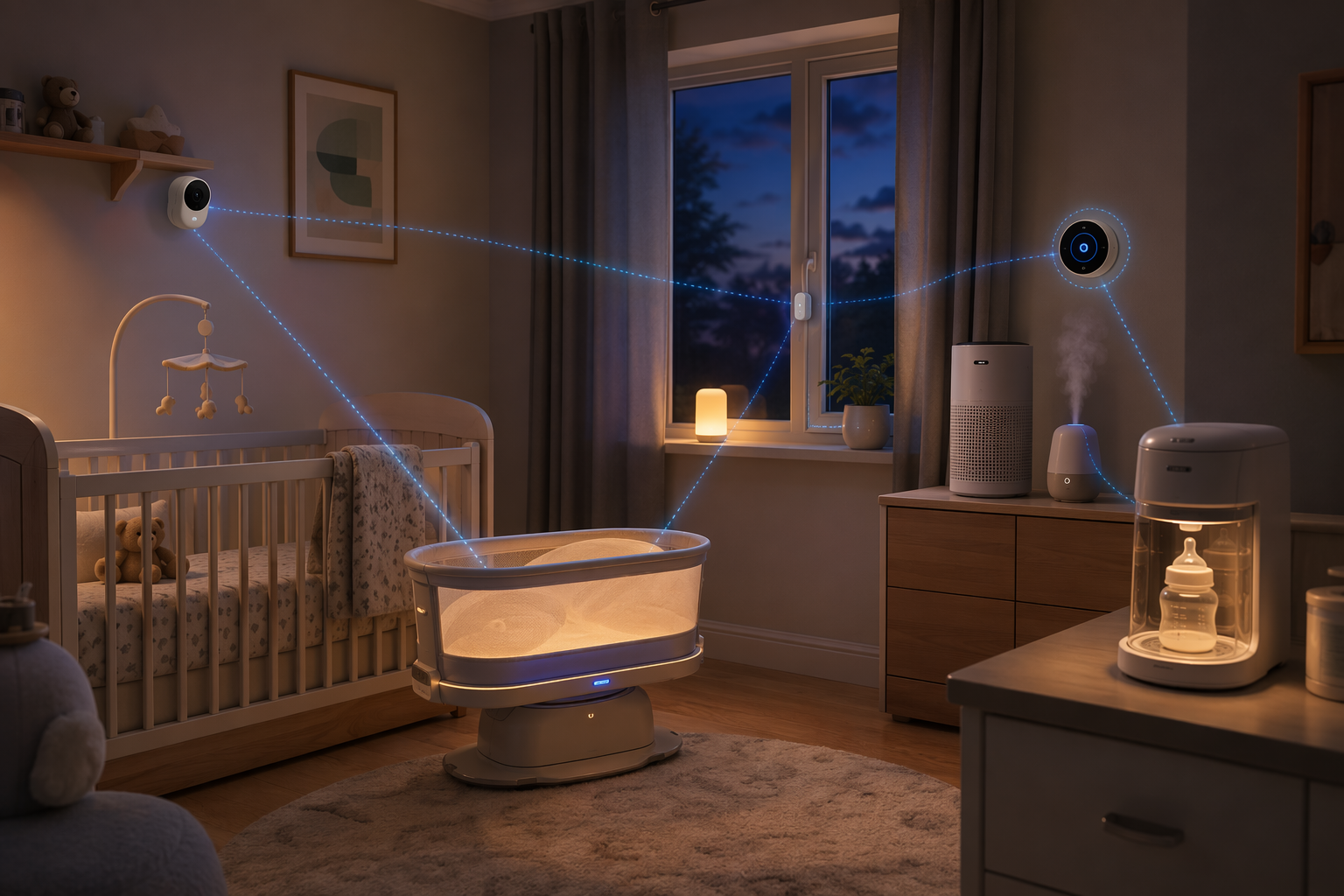
The Environment Zone Is Where Integration Pays Off
Temperature is not a decorative smart-home metric in a nursery. BriteBox’s smart nursery guide cites a 68–72°F room-temperature target in connection with reducing SIDS risk, echoing the range parents commonly see in safe-sleep guidance.[7] Because that target is cited here through a secondary source rather than a direct clinical guideline page, treat it as a practical nursery planning range to verify with your pediatrician or local health guidance, not as a substitute for medical advice.
The smart-home part is making that range actionable. A hallway thermostat may think the house is fine while the nursery runs colder because of exterior walls, closed doors, afternoon sun, or a supply vent that behaves differently than the rest of the floor. A thermostat with a remote room sensor can use the nursery as the room that matters during sleep windows.
Nest, Ecobee, and Amazon thermostat families all sit in this decision area, but the right choice depends on the platform already running the house. If you are comparing thermostat options, start with profiles such as Ecobee Smart Thermostat Enhanced, Nest Smart Thermostat, and Amazon Smart Thermostat, then check whether remote sensors are supported, whether a C-wire or adapter is needed, and whether your HVAC system can safely support the schedule you want.
Air quality and humidity are useful only if the maintenance fits real life. Babylist and other nursery guides include smart air purifiers, humidifiers, and app-connected nursery climate devices as common smart nursery additions.[4][8] The purchase check is less glamorous than the product page: filter replacement cost, purifier room size, humidifier cleaning frequency, water tank design, and whether the app alert arrives before the tank is already dry.
For an air purifier, pick by room size and contaminant problem before smart features. If smoke season is part of your planning, compare CADR, filter type, and ongoing filter cost in a dedicated smart air purifier guide. For a humidifier, the app is secondary to safe cleaning. A connected humidifier that is annoying to wash will not stay useful just because it sends notifications.
A Practical Nursery Climate Routine
- Place a remote temperature sensor in the nursery, away from direct sun, vents, and the humidifier mist path.
- Set sleep-hour thermostat behavior around the nursery sensor, not only the main hallway thermostat.
- Use the monitor or thermostat app for room-temperature alerts, but avoid duplicate alerts from three apps.
- Keep purifier and humidifier automations conservative; manual override should be obvious to any caregiver.
Feeding Tech Should Remove Steps, Not Add A Dashboard
Feeding gadgets can be genuinely helpful, but they earn their counter space only if they remove work during the least convenient hours. CEDIA’s smart nursery guide highlights devices such as the Baby Brezza Formula Pro Advanced WiFi, commonly priced around $299, and describes connected formula prep as a way to prepare bottles quickly, with 20–30 second bottle preparation cited in smart nursery coverage.[8] The obvious check is whether the machine fits your feeding plan. The less obvious check is cleaning, formula compatibility, water handling, and who in the household knows how to use it without opening a tutorial.
Talli is the kind of device that makes more sense when multiple caregivers are logging feeds, diapers, sleep, or medicine. CEDIA lists the Talli tracker at $99.99 in its smart nursery recommendations.[8] A physical button can be easier than unlocking a phone while holding a baby, but the value depends on whether your household actually uses logs. If no one reviews the data, it becomes another object collecting charge cables.
The Hatch Grow changing pad and scale sits between feeding and health-adjacent tracking. Babylist lists Hatch Grow at $149.99 and describes it as a smart changing pad with weight tracking.[4] Weight data can be reassuring for some families and anxiety-producing for others. It should not replace pediatric guidance, and it should not turn every diaper change into a performance review.
Safety And Convenience Devices Belong Around The Edges
Smart lights, contact sensors, smart plugs, and motorized blinds can make the nursery easier to use, but they should not become the emotional center of the build. Their job is to reduce disturbance and prevent small mistakes: a dim light for diaper changes, a door sensor that quietly confirms the nursery door is closed, a plug that turns a non-smart lamp into a routine, or blinds that lower before afternoon sun heats the room.
Best Buy’s smart nursery coverage includes devices such as connected lights, smart speakers, monitors, and other convenience products as part of a nursery setup.[6] Babylist also includes items such as smart lights, changing products, and sleep devices in its broader smart nursery list.[4] Those lists are useful for discovery, but the buying filter should be stricter in the nursery than in a living room: if it flashes, speaks loudly, needs frequent charging, or depends on a fragile automation, it needs a good reason to be there.
Smart plugs are the cheapest way to make older nursery gear controllable, but they are not appropriate for everything. Do not use them to create unsafe behavior with heaters, humidifiers, or devices whose manufacturer expects direct supervision. For lamps and simple non-critical accessories, they are useful. For safety-adjacent equipment, read the device manual before automating power.
Lighting is the easiest win. A motion-triggered or voice-controlled nightlight can keep a caregiver from turning on the overhead light. If Alexa runs the house, a basic nursery routine might dim the light and start white noise. If Google Home or Apple Home controls the house, build the equivalent there rather than adding another lighting app just for the nursery. For setup details, use a focused guide like how to set up smart lights with Alexa or a broader automation cookbook instead of improvising at bedtime.
The Compatibility And Cost Checkpoint
Before the registry fills up, pick the home platform. Alexa, Google Home, Apple Home/HomeKit, SmartThings, and Matter-forward setups can all work, but they do not create the same nursery. Alexa often wins on device breadth and voice routines. Google Home fits homes already using Nest displays, speakers, and cameras. Apple Home is attractive when local control, iPhone integration, and stricter ecosystem boundaries matter. SmartThings can be useful for sensor-heavy homes. Matter is the long-term compatibility bet, but it does not magically make every baby product cross-platform.
Matter is especially relevant for lights, plugs, sensors, switches, blinds, and some climate devices. It is less likely to solve the most baby-specific parts of the room, such as proprietary sleep analytics or monitor video features. Use a current Matter compatibility guide before buying accessories, and check whether a device needs a Matter controller, Thread border router, Zigbee hub, bridge, or only WiFi.
| Buying Variable | Why It Matters In A Nursery |
|---|---|
| compatible_platforms | A device that only works in its own app will not join bedtime routines cleanly. |
| hub_required | A sensor or blind may need a bridge, Thread border router, or Zigbee hub before it works. |
| WiFi vs. local protocol | WiFi is convenient for cameras; local protocols can be better for simple sensors and lights. |
| subscription_required | Sleep analytics, cloud history, and advanced alerts may stop or shrink without payment. |
| price_range | The useful number is first-year cost, not just checkout price. |
| failure behavior | If the internet goes down, the nursery still needs lights, sound, and basic monitoring. |
Network readiness is part of nursery design. A WiFi monitor needs stable coverage where the crib actually sits, not just in the hallway. If the nursery is at the edge of the house, solve mesh coverage before relying on livestreams, firmware updates, and app alerts. A general smart home setup checklist is worth doing before mounting cameras or hiding cables behind furniture.
Then do the subscription pass. Write down the upfront price and first-year cost for every device that stores video, analyzes sleep, logs health-adjacent data, or sends advanced alerts. Nanit’s $100-per-year Insights pricing belongs in that calculation.[1] So does any camera cloud plan, premium app tier, filter replacement schedule, rental charge, or accessory required to unlock the advertised feature.
This is also where budget layering helps. Spend first on the monitor if it is the anchor, then on climate control if the room runs hot or cold, then on sleep support if the price and safe-use boundaries make sense. Save on smart plugs, basic sensors, and simpler sound machines when the premium version mostly adds polish. If you are trying to justify a device with energy savings rather than convenience, run that through an energy payback check instead of assuming automation pays for itself.
A Sensible Purchase Order
The cleanest nursery system usually comes together in this order: anchor, platform, high-impact zones, then optional convenience.
- Choose the monitor first: decide between cloud analytics, WiFi video, dual-mode, or non-WiFi local monitoring.
- Commit to the platform: Alexa, Google Home, Apple Home, SmartThings, or a Matter-forward setup.
- Fix the room environment: verify nursery WiFi, add a thermostat remote sensor if needed, and handle air quality or humidity with maintainable devices.
- Add sleep tools selectively: sound/light first, smart bassinet only if the price, rental option, and safe-use limits make sense.
- Layer feeding and logging devices only if they remove work for the caregivers who will actually use them.
- Add smart lights, plugs, contact sensors, and blinds after the core system is stable.
- Revisit subscriptions before checkout and calculate first-year cost, not just product price.
There is no universal best smart nursery stack. A household that wants sleep analytics and remote viewing will buy differently from one that wants a local monitor and no baby data in the cloud. A home already built around HomeKit will make different accessory choices than one full of Echo speakers. The useful design is the one where the monitor, climate tools, sleep aids, feeding helpers, and small safety devices cooperate under one known ecosystem, with known costs, and with as few midnight surprises as possible.
References
- Nanit Memberships — Nanit
- How Secure Is a Smart Baby Monitor? — TechPolicy.Press / New America OTI
- Best Secure Baby Monitor 2026 — Momcozy
- How to Build a Smart Baby Nursery — Babylist
- Graco Sense2Snooze Bassinet Review — The Baby Gear
- Setting Up a Smart Nursery — Best Buy Blog
- Transform Your Nursery Into a Smart Nursery — BriteBox Electrical
- Smart Home Nurseries: How Smart Technology Can Help With Parenthood — CEDIA
Corrections & Community Notes
Spotted an outdated spec, changed compatibility, or new firmware behavior? Submit a correction below to help keep this profile current. For formal editorial updates, use the contact page.
Comments
Join the discussion with an anonymous comment.