
Can the Samsung Galaxy Watch 9 Control Your Smart Home?
A dated, status-labeled compatibility check: will the Samsung Galaxy Watch 9 control the smart home you already own? Each path — SmartThings, Matter, Google Home, Home Assistant — is mapped to the phone, hub, and onboarded-device infrastructure it requires, with verified claims marked separately from findings still under investigation.
Last updated
Status as of August 25, 2026: yes, the Galaxy Watch 9 can control parts of an existing smart home. No, it should not be treated as a new smart-home hub. Before spending $379.99 or more on the watch, the useful question is whether your phone, app account, hub, and device network already work without it; the Watch 9 mainly gives that setup a faster wrist surface. Samsung announced the Watch 9 on July 22, 2026, with launch availability beginning August 7, 2026; published pricing starts at $379.99 for the 40mm Bluetooth model, $409.99 for the 44mm Bluetooth model, with LTE adding $30.[1][2]
| Path | Status as of Aug. 25, 2026 | What must already be in place | What is still under investigation |
|---|---|---|---|
| SmartThings | Supported app path for an existing SmartThings setup; Watch 9-specific hands-on behavior not independently reproduced here.[3][4][5] | Paired Android phone; SmartThings app/account; devices already added in SmartThings; hub or bridge where those devices require one. | Exact Watch 9 UI behavior beyond documented Wear OS SmartThings capabilities. |
| Matter through SmartThings | Dependent controller path, not a direct radio path. A smartwatch can control Matter devices through SmartThings, but Matter/Thread still depends on network infrastructure.[6] | Matter device already added to SmartThings; Matter hub/controller where required; Thread border router for Thread devices. | Exact Watch 9 Matter control flow; available source behavior comes from a Watch 6 hands-on, not Watch 9. |
| Google Home | Supported Wear OS app path with Favorites, quick actions, and Nest camera/doorbell notifications; some devices remain status-only from the watch.[7] | Android phone setup; Google Home app/account; devices already added; device types compatible with Google Home’s Wear OS controls. | Watch 9-specific reproduction of every device class and tile behavior. |
| Home Assistant | Documented Wear OS companion app path with explicit supported domains and Wi-Fi/cellular usability without the phone.[8] | Running Home Assistant instance; companion app configured; remote/local access that the watch can reach; entities in supported domains. | Watch 9-specific reproduction of tile behavior and entity coverage; the docs do not turn the watch into a hub. |
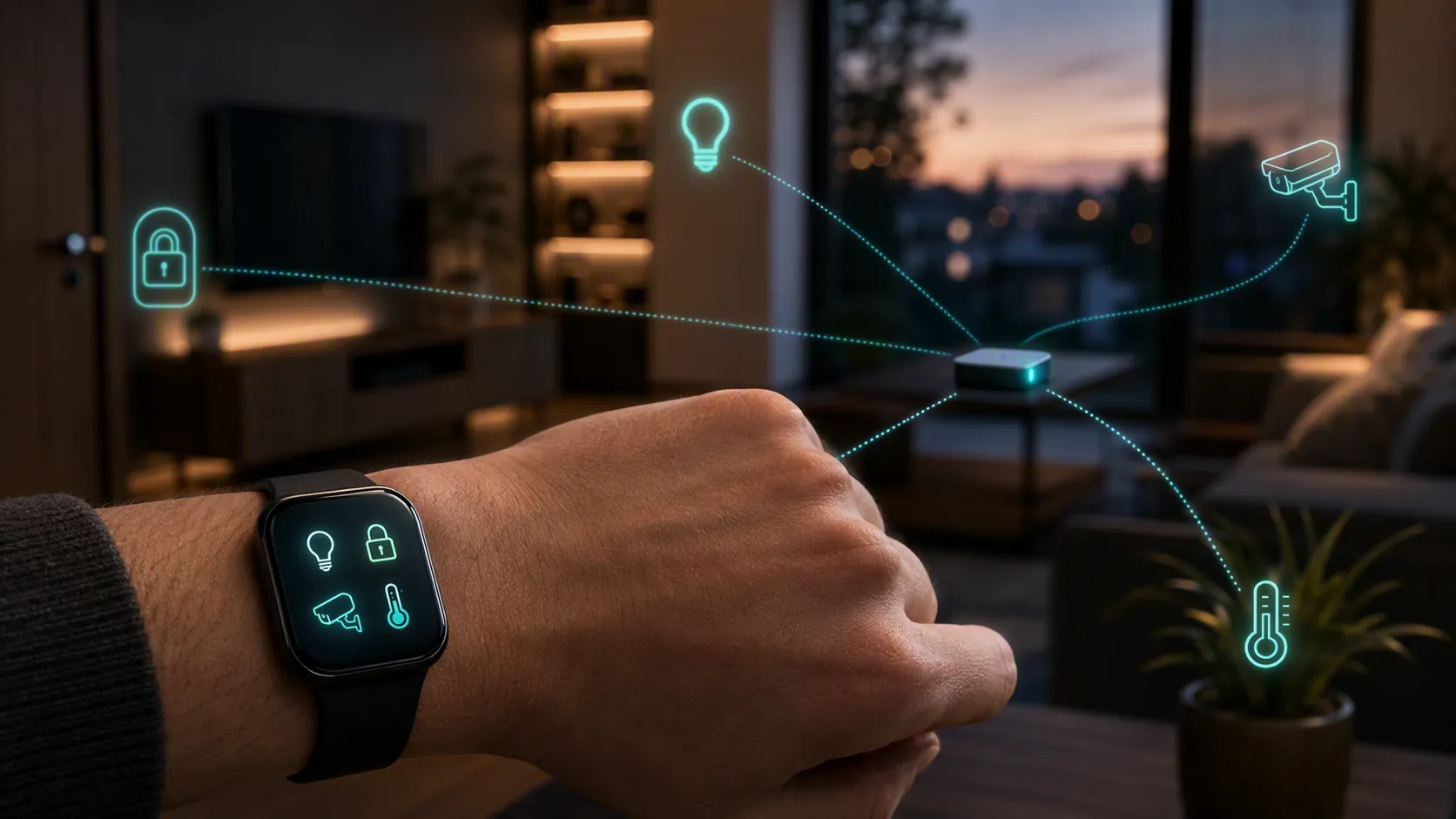
That table is the purchase check. If your devices are not already visible and controllable in SmartThings, Google Home, or Home Assistant from the phone side, the Watch 9 is the wrong place to start. For the capability list — lights, scenes, locks, cameras, and similar controls — use the companion guide to what Galaxy Watch 9 and Ultra 2 can control in a smart home. This article is the harder compatibility check: what has to exist before the watch is useful.
The hard gates hidden inside the Watch 9 spec sheet
For the Galaxy Watch 9, smart-home compatibility is less about processor speed and more about the radios, operating system, and phone requirement. The published spec sources list Wear OS 7 with One UI 9 Watch, Qualcomm’s Snapdragon Wear Elite platform, 2GB of RAM, Bluetooth 6.0, dual-band Wi-Fi 6, NFC, GPS, and optional LTE.[9][10][11]
The missing line matters: no Thread radio is listed in the cited spec sources.[9][10][11] That is not a teardown claim and not proof of what might be hidden on a board. It is a pre-purchase reading of the public specifications. If a Matter device uses Thread, the Thread network still needs an appropriate border router somewhere else in the home. The watch does not become that router just because it sits closer to your hand than your phone.
The phone gate is just as important. The Watch 9 generation requires an Android phone running Android 13 or later with more than 1.5GB of memory, and there is no iOS compatibility path for this generation in the cited coverage.[11][1] For smart-home buyers, that means the watch should be evaluated as an accessory to an Android smart-home stack, not as an independent replacement for the phone that onboarded the devices in the first place.
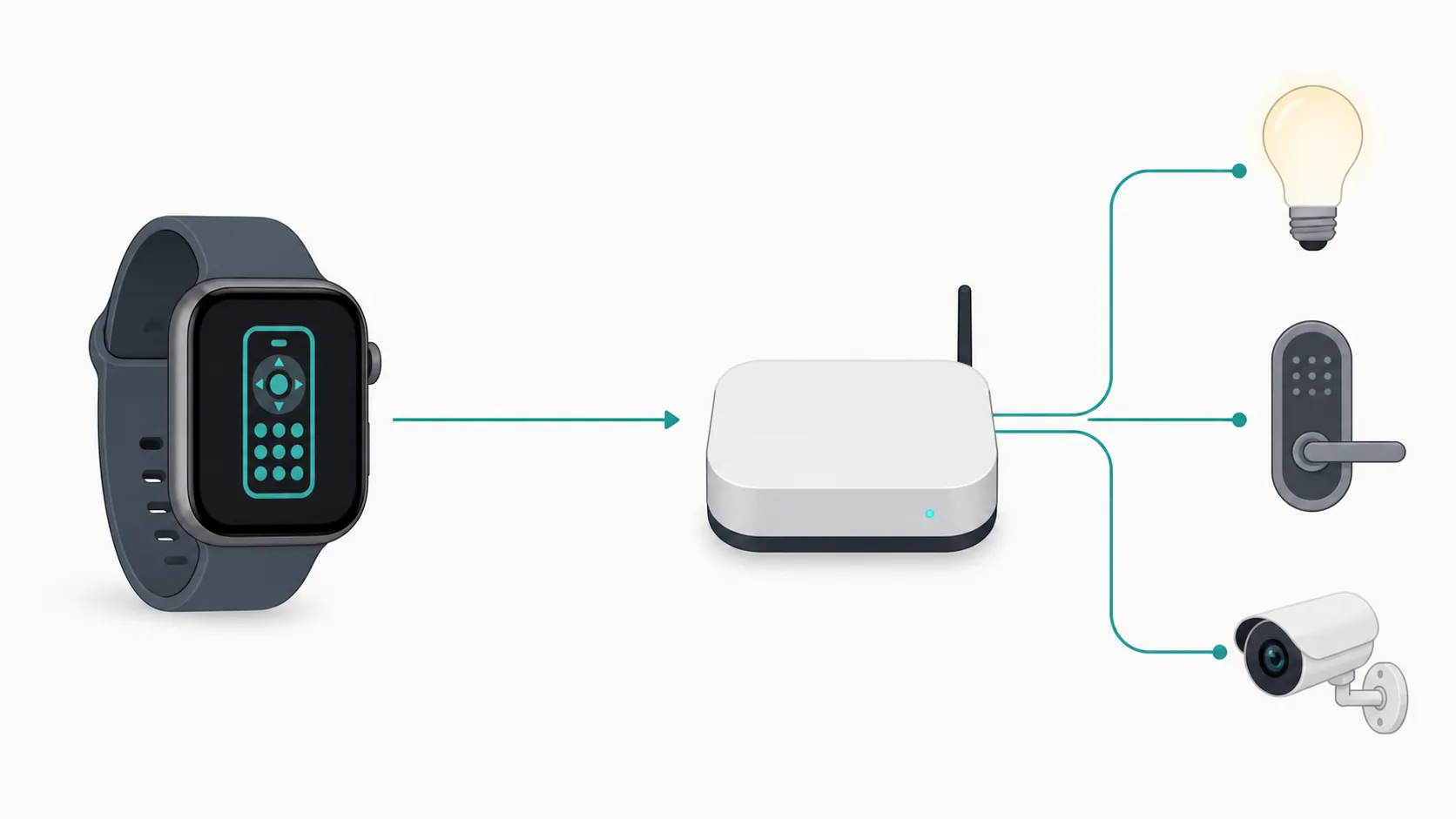
The clean way to think about it is the same framework used for phones such as the Galaxy F70 Pro 5G as a smart-home controller, not a hub: a screen can be an excellent control point without being the device that binds radios, bridges networks, or owns the automation layer. The Watch 9 belongs on the control side of that line.
SmartThings: the obvious Samsung route, with the clearest phone dependency
SmartThings is the path most Watch 9 buyers will check first, and it is also where the wording has to be tight. The SmartThings Wear OS listing is gated on a connected phone, so the watch should be understood as extending the phone-side SmartThings setup rather than replacing it.[3] If the device is not already added to SmartThings, do not expect to add it from the watch while standing in the kitchen with a QR code in one hand.
Samsung’s own SmartThings-for-Galaxy-Watch support material describes a watch experience built around devices and scenes already available in the account: checking device status, using Favorites, running scenes, toggling devices, and adjusting supported controls such as brightness.[4] Samsung’s January 2023 SmartThings watch update also described richer camera-related behavior, including livestream support for Ring and Nest cameras and Ring two-way talk, on earlier Galaxy Watch hardware.[5]
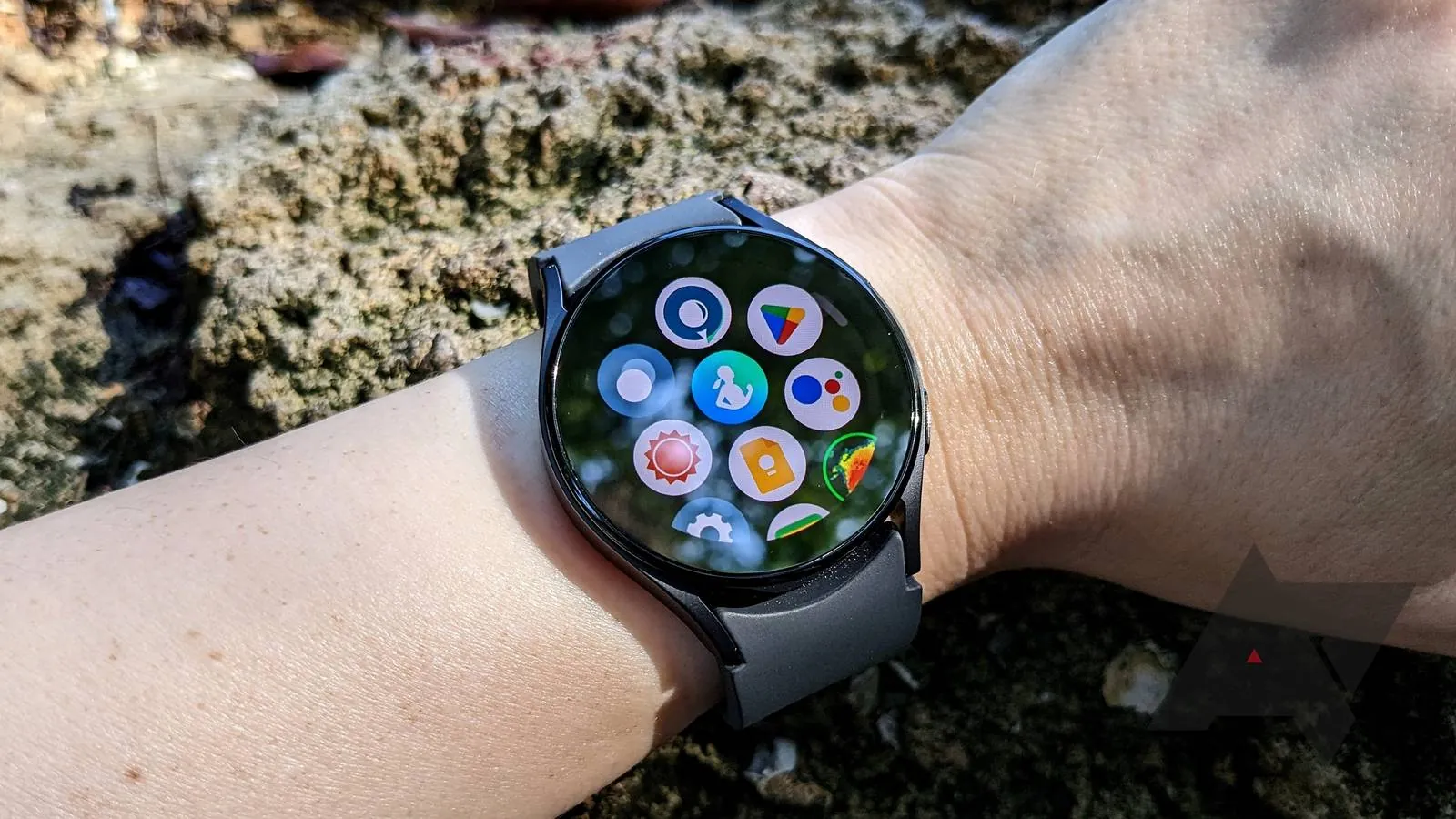
Those are useful controls, especially for scenes, locks, lights, and cameras. They are not evidence that the Watch 9 adds hub capability. The safer status label is: SmartThings control path supported by the Wear OS app stack; exact Watch 9 behavior still investigating unless tested on Watch 9 hardware. The closest same-stack verification on NestGrid is the dated Galaxy Watch Ultra 2 smart-home hands-on, which is useful because the Ultra 2 and Watch 9 live in the same current Samsung watch generation, but it still should not be silently converted into a Watch 9 test result.
The practical SmartThings pre-check is simple: open SmartThings on the Android phone you plan to pair, confirm the devices are already present, put the ones you actually use into Favorites, and verify that any required hub or bridge is online. If that phone-side view is messy, the watch will mostly make the mess smaller and closer to your wrist.
Matter through SmartThings is still a hub-and-border-router story
Matter does not change the Watch 9’s role. A smartwatch can sit at the controller end of a Matter setup through SmartThings, but the Matter device still has to be commissioned into the ecosystem, and Thread-based devices still need Thread network infrastructure. Matter Alpha’s smartwatch hands-on showed Matter control through SmartThings on a Galaxy Watch 6, which is helpful as a controller-path example but not a Watch 9-specific UI confirmation.[6]
This is where store-page shorthand does the most damage. “Matter compatible” can mean the app path can reach a Matter device after SmartThings and the home network have already done the hard work. It does not mean the Watch 9 has a Thread radio, acts as a Matter hub, or can rescue a Matter device that has not been properly added to the home. If your Thread bulbs, sensors, or plugs rely on a SmartThings Station, SmartThings hub, compatible speaker, display, router, or another border-router-class device, that requirement remains outside the watch.
For a layered Samsung setup — phone, SmartThings, Google Home, and sometimes Home Assistant sitting beside each other — the same setup logic used in the Galaxy Z Fold 8 smart-home control panel recipe applies here: build the working home first, then choose the screen that gives you the fastest access.
Google Home: good for quick access, uneven by device type
The Google Home Wear OS path is the cleanest option for buyers whose household already revolves around Google Home rather than SmartThings. Google documents a Wear OS app experience that includes a Favorites tile, complications, quick actions, and Nest camera or doorbell notifications.[7] That maps well to watch-sized use: unlock the door if the device supports it, turn off a light, trigger a familiar shortcut, or glance at a camera-related alert without pulling out the phone.
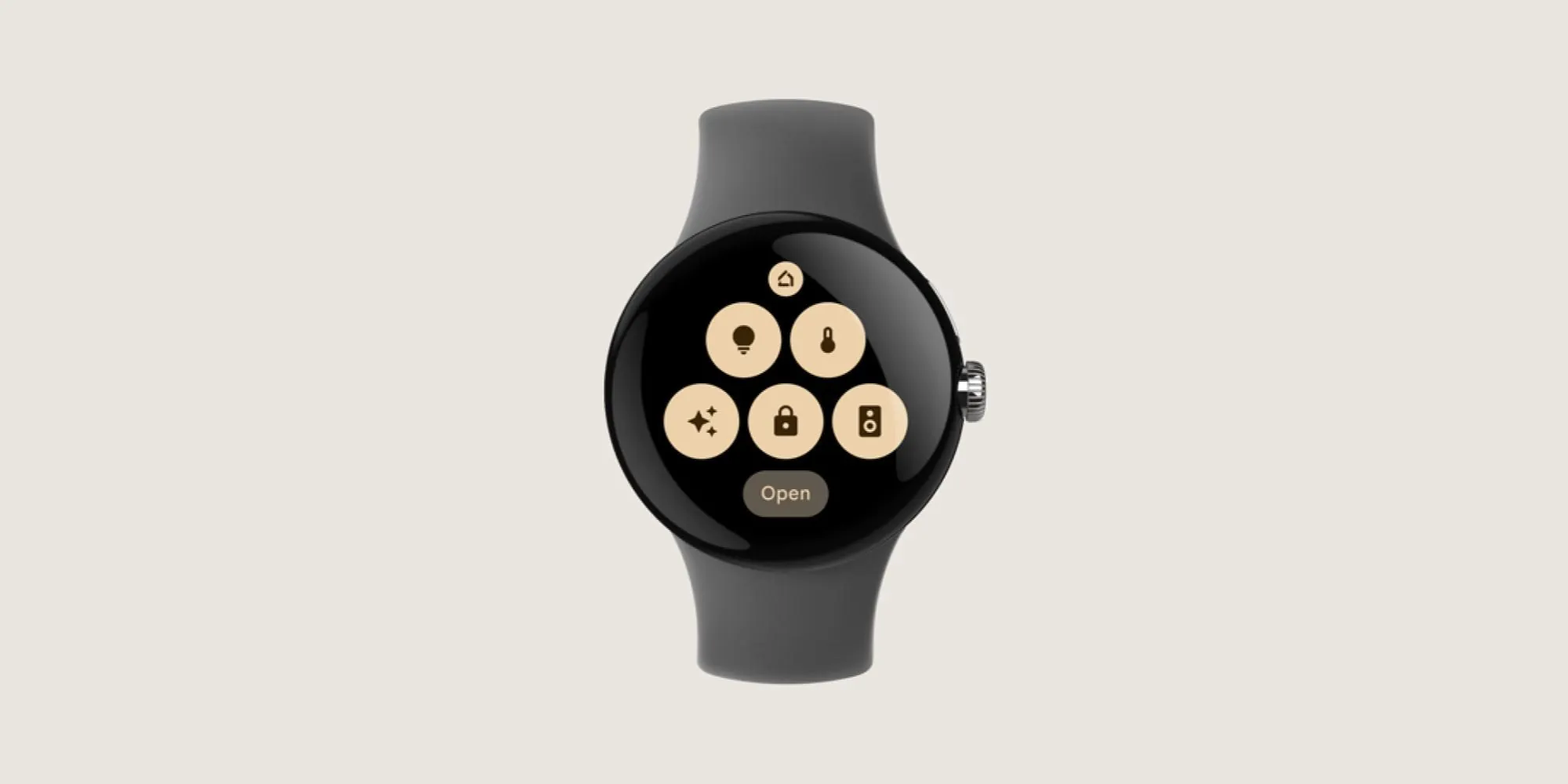
The limit is in Google’s own help language: some devices are status-only from the watch and must be adjusted from the phone.[7] That matters more than it sounds. A buyer who only wants a Favorites tile for lights and cameras may be satisfied. A buyer expecting the watch to expose every slider, mode, color, automation edit, and device setting from the phone app is likely to be annoyed.
Here again, the pre-check belongs on the phone. If the device is not in Google Home, not in Favorites, or already behaves inconsistently from the Android phone, the Watch 9 is not the fix. If you are still choosing the phone that will anchor the ecosystem, start with the 2026 Android phones for smart-home control guide before treating the watch as the decision point.
Home Assistant: the most explicit watch documentation, not the simplest path
Home Assistant is the path most likely to change the purchase calculus for power users, mostly because its Wear OS documentation is unusually explicit. The companion app docs list supported toggle domains including button, cover, fan, input_boolean, input_button, light, lock, scene, script, and switch, and also document shortcuts plus camera, thermostat, and Assist tiles.[8]
The Home Assistant docs also state that the Wear OS app can be used over Wi-Fi or cellular without the phone.[8] That is a real practical distinction for someone who already has a reachable Home Assistant instance and an LTE watch plan or reliable Wi-Fi where they use the watch. It does not remove the original pairing and setup requirements, and it does not make the Watch 9 a Zigbee, Z-Wave, Thread, or Matter hub.
This is the one ecosystem where a carefully maintained setup can feel less phone-dependent in daily use. A lock script, garage cover, fan toggle, light scene, or Assist shortcut can be more useful from the wrist than from a phone in another room. But “more explicit” is not the same as “easier.” Home Assistant shifts work upstream: entity naming, domain choices, remote access, dashboards, helper entities, and automations all determine whether the watch view feels clean.
Battery and connectivity also become part of the smart-home decision if you expect the watch to be reachable without the phone nearby. For that angle, the closest NestGrid context is the Galaxy Watch Ultra 2 battery life under smart-home use piece; it is not a Watch 9 battery verdict, but it is the right kind of always-connected question to ask before buying LTE for wrist control.
What the watch should not be expected to do
Across these ecosystems, the Watch 9 should not be treated as the device that onboards smart-home hardware, edits automations, replaces a hub, creates a Thread mesh, or exposes every advanced control from the phone app. The safest expectation is narrower: it can surface selected controls, scenes, tiles, toggles, notifications, and entity actions from services that are already configured elsewhere.
- If SmartThings already controls the home well, the Watch 9 can make the most common SmartThings actions faster.
- If Matter devices already work through SmartThings, the watch may reach them through that controller path, but it does not add the missing Matter or Thread infrastructure.
- If Google Home Favorites are already curated, the watch is useful for quick actions and glances; status-only devices remain a phone problem.
- If Home Assistant is already maintained and reachable, the Watch 9 can be a strong wrist controller for supported domains, especially with Wi-Fi or LTE available.
That is also why vague Alexa-on-watch smart-home control claims are not doing useful work here. The provided materials do not verify an Alexa control path for the Watch 9, so it should not be part of a purchase decision unless Samsung, Amazon, or a current hands-on test documents it for this generation.
The buying line
Buy the Galaxy Watch 9 for smart-home control if the Android phone requirement is already fine for you, your devices are already onboarded in SmartThings, Google Home, or Home Assistant, and the necessary hubs, bridges, or Thread border routers are already doing their jobs. In that situation, the watch can be the fastest surface in the house for scenes, locks, lights, camera alerts, and selected entity actions.
Do not buy it expecting it to add Matter or Thread hub capability, replace device setup, repair a fragmented ecosystem, or make every phone-app control available on your wrist. The Watch 9 is a controller for a smart home that already works.
References
- Samsung Galaxy Watch 9 & Watch Ultra 2: Release date, price, specs and all the latest news — Tech Advisor
- Samsung Galaxy Watch 9: Everything you need to know — Android Central
- SmartThings — Google Play, updated Jun 4 2026
- About SmartThings for the Galaxy Watch — Samsung LEVANT Support
- Samsung Galaxy Watch Update Offers New Smart Home Controls with SmartThings — Samsung Newsroom, Jan 2023
- Controlling Matter with a Smartwatch — Matter Alpha
- Control Google Home devices from your watch — Google Home Help
- Wear OS — Home Assistant Companion Docs
- Samsung Galaxy Watch9 — GSMArena
- Galaxy Watch9 — Samsung US
- Samsung Galaxy Watch 9 — Wikipedia
Known issues with this device / protocol
Spec-version history
For active regressions on this protocol, see Update Watch.
No linked Update Watch entries yet.