
Galaxy F70 Pro 5G is a smart home controller, not a hub
Will the Galaxy F70 Pro 5G control your smart home? It runs SmartThings and can commission Matter devices, but it has no Thread, Zigbee, or Z-Wave radios — a controller, not a hub. The spec-confirmed check details the hub-class hardware needed for full Matter/Thread/Zigbee coverage.
Last updated
Compatibility verdict
Status: spec-confirmed, verified from Samsung India and SmartThings documentation as of August 2026 — not independently hands-on reproduced. The Galaxy F70 Pro 5G can run SmartThings and act as a phone-side controller for your smart home. It can also commission Matter devices through the SmartThings app. It should not be bought as a replacement for a SmartThings hub, Thread Border Router, Zigbee hub, or Z-Wave hub, because Samsung’s official SM-E476B spec page lists SmartThings Support: Yes but does not list Thread, Zigbee, Z-Wave, or UWB radios. [1][2]
| Smart-home role | Galaxy F70 Pro 5G status | What that means before you buy |
|---|---|---|
| SmartThings app controller | Yes | You can use the phone as a SmartThings control surface for devices already reachable through your SmartThings setup. |
| Matter commissioner through SmartThings app | Yes, via supported SmartThings mobile app flow | The phone can help add Matter devices, but the network path still depends on the device type and hub hardware. |
| Matter controller hub | No, not from the phone specs alone | SmartThings documentation assigns the Matter controller role to hub-class hardware, not to this handset. |
| Thread Border Router | No listed Thread radio | Matter-over-Thread devices need another controller device with Thread Border Router capability. |
| Zigbee or Z-Wave hub | No listed Zigbee or Z-Wave radio | Existing Zigbee and Z-Wave devices still need hub-class SmartThings hardware. |
| UWB-based SmartThings Find / digital-key style use | No listed UWB | Do not assume UWB proximity features from this model. |

If the purchase question is “will this phone control my SmartThings home?”, the answer is yes. If the question is “will this phone become the smart-home hub under my TV?”, the answer is no. That distinction matters more than the usual midrange-phone checklist, because a buyer can walk out with a good Samsung phone and still need the same little hub they were hoping to avoid.
What Samsung’s own spec sheet confirms
Samsung India’s official page is the right starting point for this compatibility check because it separates the comforting part from the missing part. The comforting part: SmartThings Support is listed as Yes. The phone is listed with Wi-Fi 802.11a/b/g/n/ac on 2.4GHz and 5GHz, Bluetooth 5.1, NFC, USB-C, Android 16 with One UI 8.5, six OS upgrades, and six years of security updates through July 31, 2032. [1]
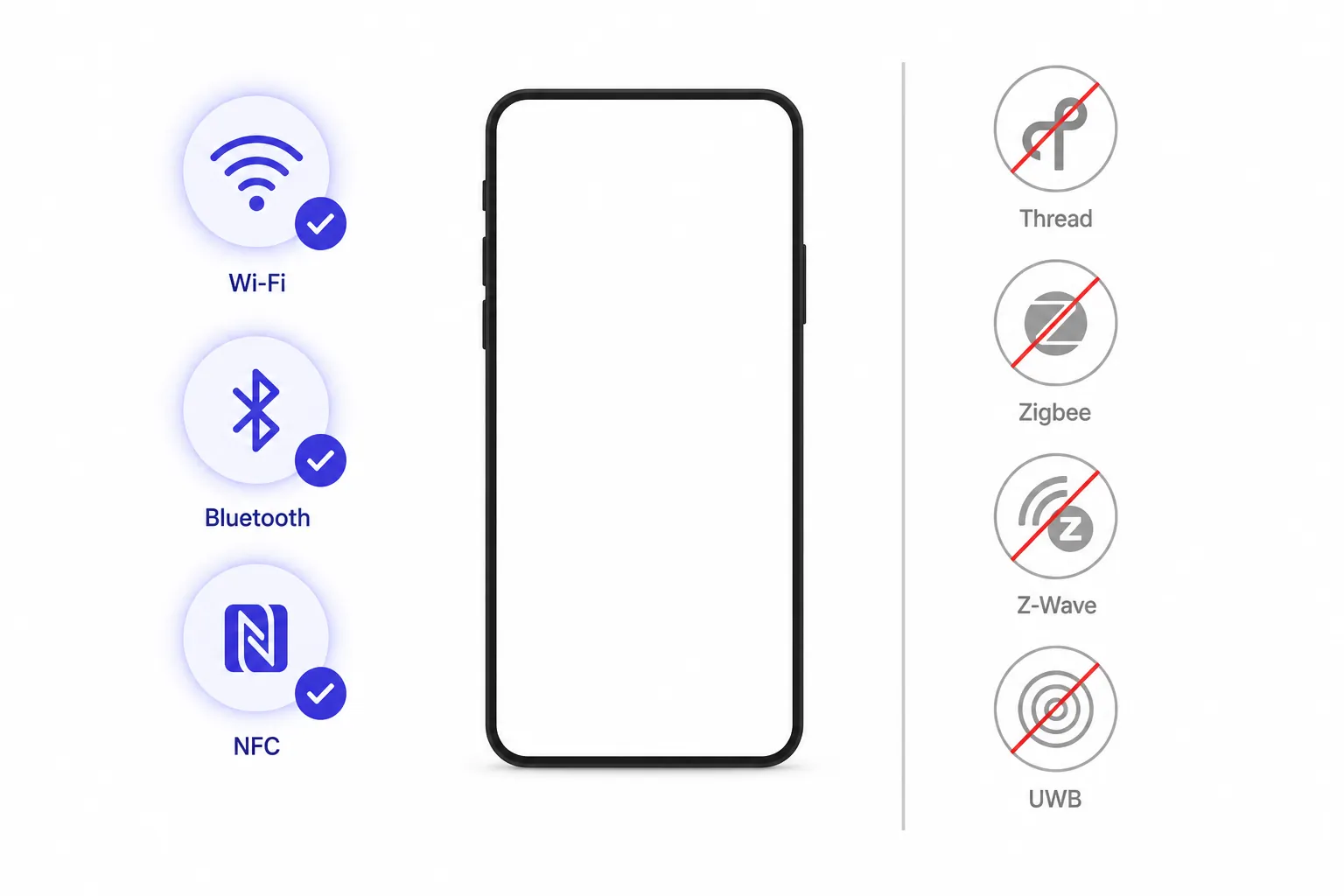
The missing part is just as important: Samsung’s communication and sensor listings do not show Thread, Zigbee, Z-Wave, or UWB for the Galaxy F70 Pro 5G. Wi-Fi, Bluetooth, NFC, and USB-C are useful phone radios. They are not substitutes for the mesh radios used by many smart-home networks. [1]
| Spec item | Official Galaxy F70 Pro 5G listing | Smart-home consequence |
|---|---|---|
| SmartThings Support | Yes | The phone can be a SmartThings app surface. |
| Wi-Fi | 802.11a/b/g/n/ac, 2.4GHz + 5GHz | Good for ordinary network access and Wi-Fi smart-home devices, but not Thread, Zigbee, or Z-Wave. |
| Bluetooth | Bluetooth 5.1 | Useful for phone accessories and some setup flows, but not a Zigbee/Z-Wave hub radio. |
| NFC | Yes | Useful for Samsung Wallet and tap-style interactions where supported; it does not add hub capability. |
| Thread | Not listed | The phone should not be treated as a Thread Border Router. |
| Zigbee | Not listed | Zigbee bulbs, sensors, and switches still need a compatible hub. |
| Z-Wave | Not listed | Z-Wave devices still need a compatible hub. |
| UWB | Not listed | Do not plan around UWB locating or UWB digital-key features on this model. |
There are secondary spec and launch pages that differ on connectivity details, including claims of Wi-Fi 6 and different Bluetooth versioning. For this compatibility check, Samsung’s own Wi-Fi 5 and Bluetooth 5.1 listing is the authoritative source. More importantly, none of those disputed Wi-Fi or Bluetooth versions would quietly add Thread, Zigbee, Z-Wave, or UWB. A newer Bluetooth number would not turn the phone into a SmartThings hub. [1]
SmartThings Support: Yes is real, but it is not the whole network
The phrase “SmartThings Support: Yes” is not decoration. On this phone, it means the handset belongs in Samsung’s controller-surface world: open the SmartThings app, view rooms, trigger routines, control devices your home can already reach, and use the phone as the screen you actually carry around.
Matter is where the wording becomes easy to misread. SmartThings’ Matter support documentation says the mobile app can act as the commissioner, with Android app version 1.7.91 or later required for Matter setup. In plain store-counter language: the phone can help add a Matter device to your smart home. [2]
That does not make the phone the Matter controller hardware for every Matter device. SmartThings documentation assigns the Matter controller role to hub hardware such as the SmartThings 2018 Hub and Aeotec Smart Home Hub, while the 2015 Hub is limited to Wi-Fi/LAN Matter devices. For Matter-over-Thread, the documentation adds another requirement: a controller with a Thread Border Router. [2]
- Matter over Wi-Fi or LAN: the phone can participate in setup through the SmartThings app, but the home still needs the supported controller path SmartThings specifies.
- Matter over Thread: the missing Thread radio matters. You need a Thread Border Router in the home.
- Zigbee and Z-Wave: the missing mesh radios matter. The phone cannot directly become the radio bridge for those devices.
This is the same “controller, not a hub” distinction that applies to other Samsung phone checks, including our Galaxy Z Fold 8 Ultra controller review. The handset gives you the interface. The hub-class device carries the network responsibility.
The companion hardware that changes the answer
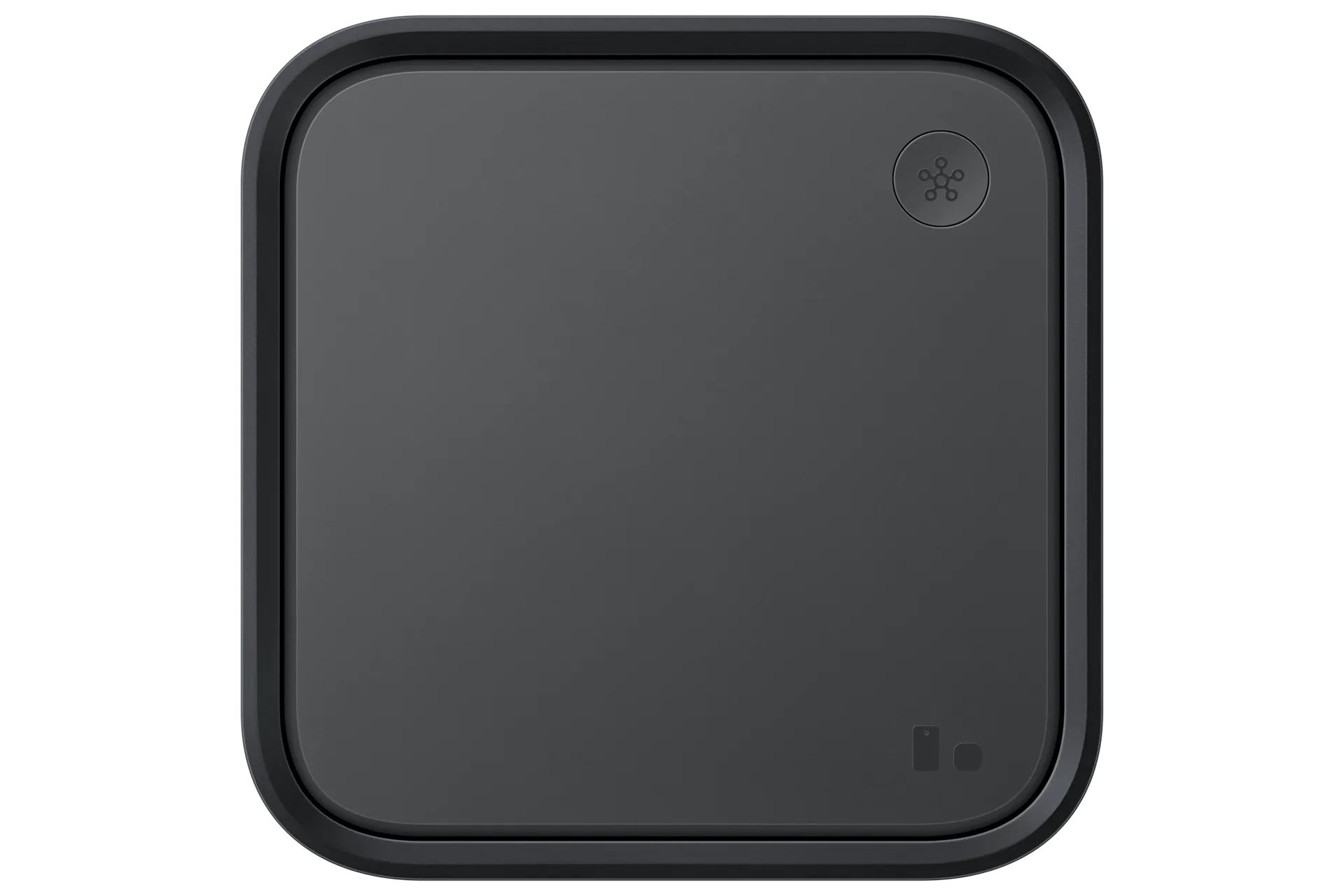
The useful buying question is not only “what is missing from the phone?” It is also “do I already own the missing piece?” Samsung has been moving SmartThings hub capability into devices people may already have in the living room or kitchen. SmartThings’ own hub roundup lists SmartThings Station, Hub V3, Aeotec Smart Home Hub, 2023-and-newer QLED, Neo QLED, and OLED TVs, 2024-and-newer The Frame and The Serif models, projectors, smart monitors, soundbars, Family Hub fridges, and washer/dryer combos among the places hub capability can live. [3]
| If your home has… | What the Galaxy F70 Pro 5G becomes | What to check |
|---|---|---|
| SmartThings Station | A strong phone-side controller for a hub-backed SmartThings home | Confirm your Station is set up, online, and visible in SmartThings. |
| SmartThings Hub V3 | A SmartThings control surface paired with dedicated hub hardware | Check hub firmware and Matter/Thread support before adding newer devices. |
| Aeotec Smart Home Hub | A Samsung phone controller for an Aeotec-backed SmartThings network | Confirm regional compatibility and device-type support. |
| A qualifying Samsung TV, monitor, appliance, or soundbar with built-in hub capability | A controller for a home where the hub may already be in another Samsung device | Verify the exact model year and hub features in Samsung’s SmartThings app or support docs. |
| No hub-class device | A SmartThings app controller with limited direct smart-home reach | Budget for hub hardware before buying Thread, Zigbee, or Z-Wave devices. |
The TV angle is especially easy to miss. A buyer may look at the F70 Pro 5G, see no Thread radio, and assume the whole SmartThings/Matter plan needs a new hub. It may not, if a qualifying Samsung TV or another built-in-hub product is already in the home. A reader-maintained Matter smart-home list also reports Samsung devices with built-in Thread Border Router capability, including a Samsung support-confirmed report around 2022-and-newer Samsung TVs; useful, but less authoritative than checking the exact model in Samsung’s own app or documentation. [4]
For buyers who already know they will proceed with a Samsung phone and a hub-backed setup, our Samsung controller setup guide covers the practical setup points that tend to create confusion: hub firmware, Matter commissioning, and the difference between the phone doing setup and the hub maintaining the network.
Why Samsung’s broader Matter language can sound bigger than the phone
Samsung has good reason to put SmartThings everywhere. Phones, watches, TVs, monitors, appliances, and hubs all become more useful when they expose smart-home controls in daily places. Samsung’s 2021 Matter announcement said Galaxy devices would gain Matter control, with availability depending on select models. [5]
That kind of platform language is not false, but it is broader than a radio spec sheet. “Can control” may mean the device can run the app, show the dashboard, or participate in a platform flow. “Contains the radios required to be the network” is a stricter claim. The Galaxy F70 Pro 5G clears the first test and fails the second one for Thread, Zigbee, Z-Wave, and UWB.
Phone context, kept to what affects the smart-home decision
As a phone, the Galaxy F70 Pro 5G is not a bare-minimum controller. Its reported hardware package includes a 6.7-inch 1080 x 2340 Super AMOLED display with 120Hz refresh rate, Snapdragon 6 Gen 3, 6GB or 8GB RAM options, 128GB or 256GB storage options, a 6000mAh battery, and 45W charging. [6]
The longevity piece is more relevant here than the camera or gaming pitch. Samsung’s official page lists Android 16 with One UI 8.5, six OS upgrades, and six years of security updates through July 31, 2032. For a SmartThings controller phone that may stay in a household for years, that support window is a real advantage. [1]
India availability is also part of the compatibility picture for US readers researching across borders. Launch coverage lists the Galaxy F70 Pro 5G as an India-market F-series model, announced on August 3, 2026, with sales from August 8, 2026, and reported price tiers from ₹23,999 to ₹34,999 depending on configuration and offers. There is no official US availability. [7][8]
That pricing puts it in the range where “future-proof” gets said very quickly in family buying conversations. The fair version is narrower: it is future-resilient as a Samsung app controller because of SmartThings support and long software servicing. It is not future-proof as hub hardware because the missing radios are physical, not a software toggle waiting to appear.
Buy it for the controller role, not the hub role
Buy the Galaxy F70 Pro 5G for a SmartThings home if you want a long-supported Samsung phone that can run the SmartThings app, sit comfortably inside Samsung’s ecosystem, and help commission Matter devices through the supported mobile-app flow. It is a sensible phone-side control surface for a home that already has, or will soon have, the right hub-class hardware.
Do not buy it expecting it to replace a SmartThings Station, SmartThings Hub V3, Aeotec Smart Home Hub, or qualifying Samsung TV with built-in hub capability. If your plan includes Matter-over-Thread sensors, Zigbee bulbs, Zigbee switches, or Z-Wave devices, put the hub in the budget before you put the phone in the cart.
| Final compatibility status | Answer |
|---|---|
| SmartThings controller-app host | Yes |
| Matter commissioner through SmartThings app | Yes, subject to SmartThings app and device requirements |
| Standalone Matter/Thread hub | No |
| Standalone Zigbee or Z-Wave hub | No |
| Best pairing | SmartThings Station, SmartThings Hub V3, Aeotec Smart Home Hub, or qualifying Samsung built-in-hub product |
References
- Galaxy F70 Pro 5G 6GB/128GB (Black) - Full Features | Samsung India — Samsung India
- SmartThings x Matter Integration | SmartThings Support — SmartThings Support
- Where Did Smart Home Hubs Go? Everywhere! — SmartThings Blog
- Samsung Devices with a Built-In Thread Border Router — matter-smarthome.de
- Samsung SmartThings Integrates Matter Into Ecosystem — Samsung Global Newsroom, October 2021
- Samsung Galaxy F70 Pro - Full phone specifications — GSMArena
- Samsung Galaxy F70 Pro 5G Price in India Launch Sale Features Specifications — Gadgets 360
- Samsung Galaxy F70 Pro 5G price in India, specifications — FoneArena
Known issues with this device / protocol
Spec-version history
For active regressions on this protocol, see Update Watch.
No linked Update Watch entries yet.