
Galaxy Z Fold 8 Ultra is a smart home controller, not a hub
The Galaxy Z Fold 8 Ultra is a capable Matter commissioner and the best phone-size SmartThings control surface available, but it is not a hub: it ships no Zigbee, Thread, or built-in SmartThings hub radio. This verification-dated capability breakdown shows what it can do on its own, what requires separate hub hardware or a Thread border router, and whether the $2,099 phone earns its price compared with a $59.99 hub.
Last updated
Status as of August 25, 2026: the Galaxy Z Fold 8 Ultra is an excellent SmartThings control surface, a capable Matter commissioner, and probably the nicest phone-size smart-home dashboard Samsung has put in a pocket. It is not a Zigbee hub. It is not a Thread radio device. It is not a built-in SmartThings hub. If the purchase plan is “buy the $2,099 foldable and remove the little hub box from the shelf,” stop there.
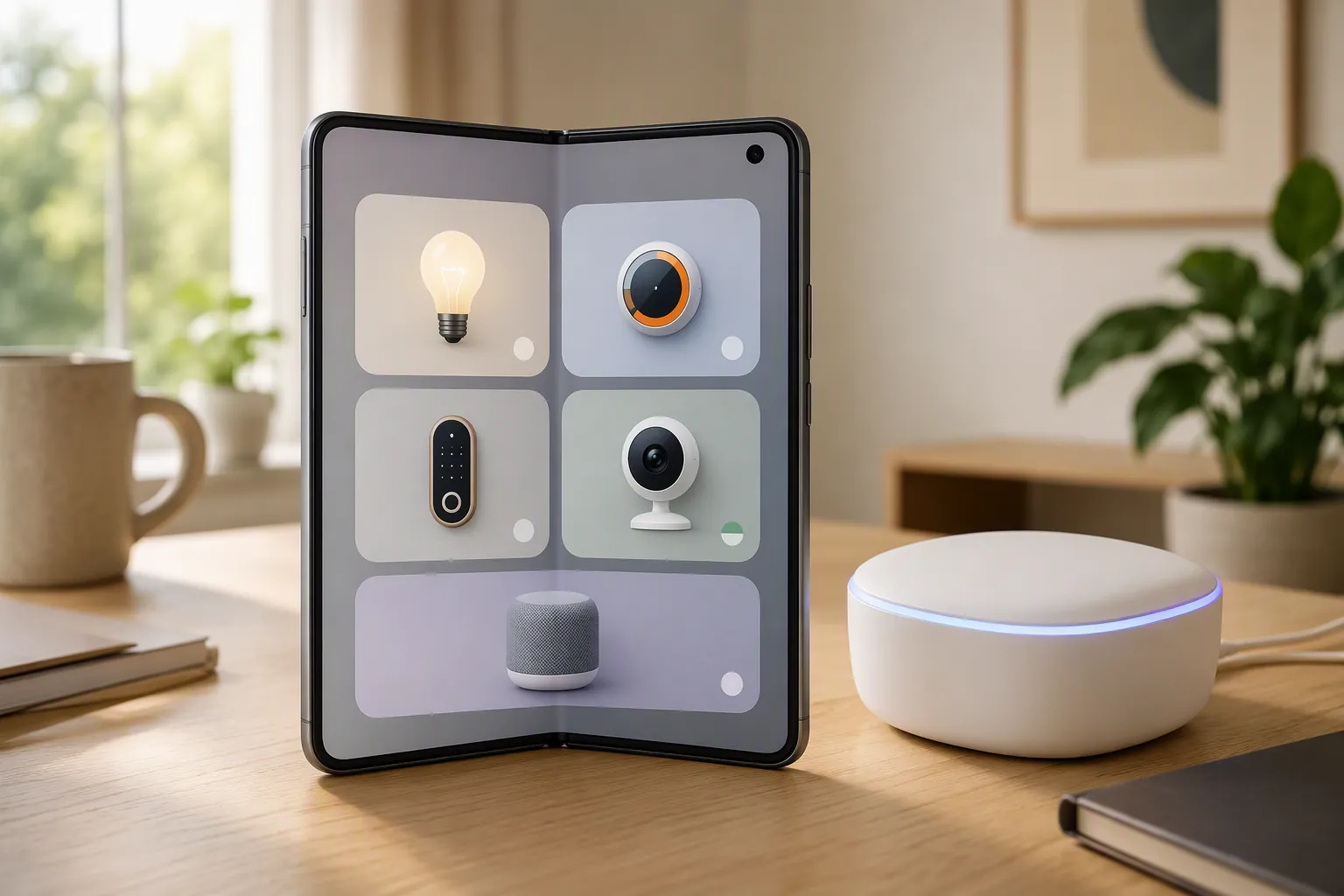
That distinction is the whole review. The Fold 8 Ultra can make SmartThings feel better: more room for device tiles, routines, camera previews, room groupings, and status panels. Its 8-inch inner display helps because smart homes are cramped on ordinary phones. Its 5,000 mAh silicon-carbon battery helps because a dashboard that is always being opened, checked, and handed around the house needs stamina. Its 7 years of OS updates help because smart-home control gear ages badly when software support is short. But none of those traits adds Zigbee, Thread, or an integrated SmartThings hub radio.
So the right conclusion for a smart-home-controller review of the Galaxy Z Fold 8 Ultra is not “phone replaces hub.” It is “phone controls the system that still needs the right hardware layer underneath.”
The important omission: Samsung’s hub-device list does not include Galaxy phones
The cleanest way to test the hub claim is not to start with the SmartThings app. Apps can display almost anything once another device has joined the network. The better starting point is Samsung’s list of devices with integrated SmartThings hubs.
That list, compiled from Samsung’s own blog list, covers more than 200 products across TVs, refrigerators, monitors, soundbars, and projectors. Galaxy phones are not on it. [1]
That absence matters more than the “command center” language around the Fold 8 Ultra. Samsung clearly wants the phone to feel like the place where the home is managed, and on the screen side it succeeds. But Samsung’s own integrated-hub pattern points elsewhere: selected appliances and display devices can carry hub duties; the Fold 8 Ultra is not identified as one of them.
This is where smart-home buying gets messy. A device can be excellent at showing controls without being able to speak the low-power radio languages used by sensors, buttons, locks, and bulbs. A control screen answers “where do I tap?” A hub answers “which radio and controller infrastructure keeps this device joined when the phone leaves the room?” Those are different jobs.
What the Fold 8 Ultra actually is in a SmartThings home
The Fold 8 Ultra’s real smart-home role is strong, just narrower than a hub-replacement pitch implies. It is a large handheld SmartThings console. It can help add Matter devices as a commissioner. It can operate compatible devices that SmartThings already knows how to reach. It can run the app, expose scenes and routines, and give the household a less claustrophobic view of rooms and devices.
Commissioning is the onboarding role: scanning, pairing, and helping place a device into the right smart-home fabric. That does not mean the phone becomes the always-on radio bridge for every protocol the device may use afterward. For Wi-Fi and cloud-connected devices, that distinction may barely be noticed. For Zigbee and Matter-over-Thread, it is the difference between a working home and an evening spent wondering why a perfectly good sensor will not join.
| Role | Fold 8 Ultra status | Practical meaning |
|---|---|---|
| SmartThings control surface | Yes | Use the phone to view, organize, and operate devices through the SmartThings app. |
| Matter commissioner | Yes | Use the phone during setup for compatible Matter devices. |
| Built-in SmartThings hub | No verified support | Do not expect the phone to replace listed Samsung hub-capable hardware. |
| Zigbee hub | No | Zigbee-only bulbs, sensors, buttons, and locks still need separate hub hardware. |
| Thread radio device / Thread border router | No | Matter-over-Thread devices still need a Thread border router elsewhere in the home. |
The table is not a technical footnote. It is the purchase decision. If the devices in the house are mostly Wi-Fi, cloud-integrated, or already bridged into SmartThings, the Fold 8 Ultra can feel like the best controller in the room. If the devices waiting in the cart say Zigbee or Matter over Thread, the phone is not the missing hardware.
What works with no extra hub hardware
The Fold 8 Ultra works best on its own when the smart-home path does not depend on the phone providing a local low-power radio. That usually means the phone is talking through the SmartThings app to devices or services that already have their own network path: Wi-Fi devices, cloud-connected products, supported appliances, existing bridges, and devices already attached to another SmartThings-compatible hub.
In that setup, the big inner screen is not cosmetic. SmartThings can become a dense wall of small tiles on a normal candy-bar phone. On the Fold 8 Ultra, the home view can breathe. A user can keep room groups visible, check lock status without leaving the current pane, glance at several device states before starting a routine, or use the phone on a desk like a temporary control panel.
This is the version of the product that makes sense: the foldable as a portable command surface. It is expensive, but at least it is solving a visible workflow problem. Smart homes punish small screens because the whole point is aggregation. A larger phone does not make the network smarter, but it does make the system easier to supervise.
Where a SmartThings hub still enters the picture
Zigbee is the first place the hub fantasy breaks. A Zigbee-only motion sensor, contact sensor, button, plug, or bulb needs a Zigbee-capable hub or bridge. The Fold 8 Ultra can show the resulting device in SmartThings once the correct hardware has brought it into the system. It cannot become the Zigbee radio that joins and maintains that device.
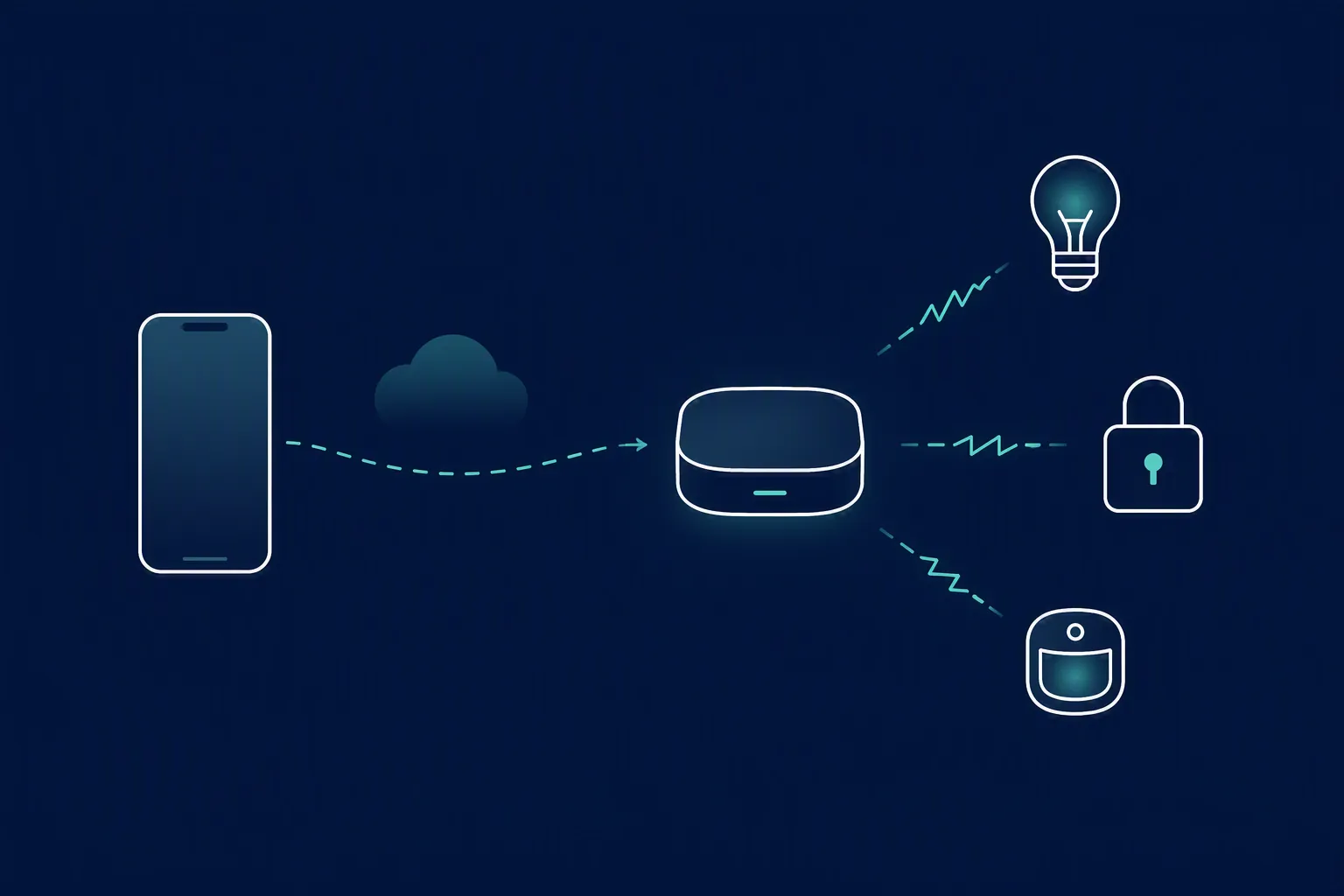
That is why a small hub such as the SmartThings Station remains relevant beside a much more expensive phone. The station is not competing with the Fold 8 Ultra on screen, processor, camera, or Android polish. It is doing the boring radio-and-controller work the phone does not do.
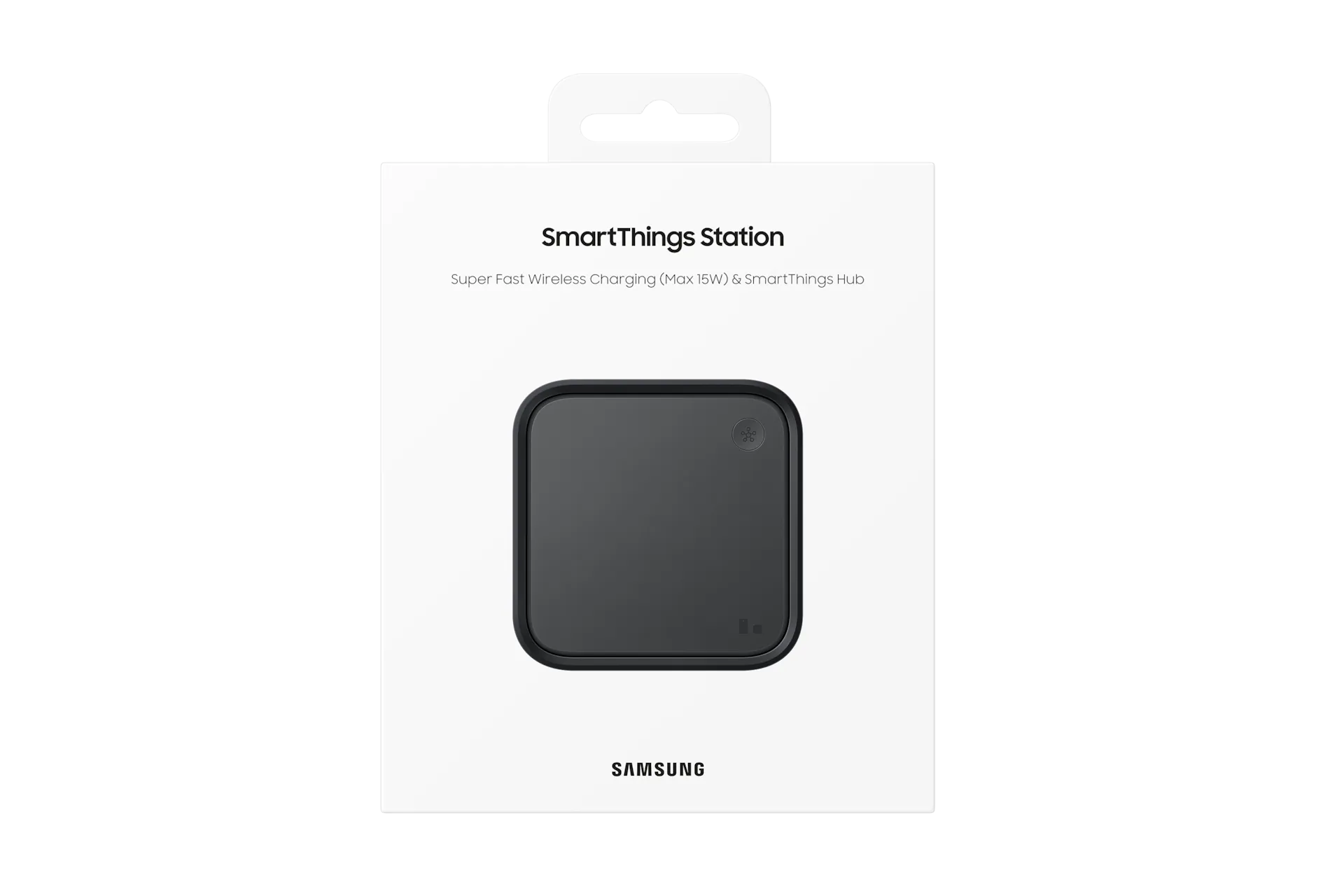
The $2,099 versus $59.99 comparison only becomes useful after that split is clear. The Fold 8 Ultra costs vastly more because it is a premium foldable phone with a large display, battery, software support window, and all the daily-computing duties that come with a flagship handset. A $59.99 hub is cheaper because it is not trying to be a phone. But for Zigbee hub duties, the cheaper device may be the one that actually contains the required hardware role.
Spending more does not automatically buy the missing radio. That is the trap. The Fold 8 Ultra can be the more impressive object and still be the wrong object for replacing a hub.
Matter support does not erase the Thread border-router requirement
Matter makes this easier to misunderstand because the same badge can appear on devices that use different network paths. A Matter-over-Wi-Fi device and a Matter-over-Thread device do not ask the home for the same hardware.
For a Matter-over-Wi-Fi product, the Fold 8 Ultra can participate in setup and then control the device through the app, assuming the rest of the ecosystem supports that device correctly. The phone’s commissioner role is useful here. It helps get the device added.
For a Matter-over-Thread product, the house still needs a Thread border router. That border router is the bridge between the Thread mesh and the rest of the IP network. Without one, the phone can be perfectly capable at the app layer and still have no Thread network for the device to live on.
This is the part marketing language tends to flatten. “Matter-compatible” is not the same as “contains every radio needed by every Matter transport.” A phone can help commission a Matter device without being the always-on Thread border router that a Matter-over-Thread sensor, lock, shade, or button needs after setup.
Common purchase paths
The easiest way to avoid disappointment is to sort the device path before buying the phone. The Fold 8 Ultra is a safe smart-home purchase only if its expected job matches its hardware.
| If your home is mostly... | What the Fold 8 Ultra can do | What else may be needed |
|---|---|---|
| Wi-Fi smart plugs, bulbs, cameras, appliances, and cloud integrations | Act as a large SmartThings dashboard and setup/control phone | Usually no Zigbee hub or Thread border router for those Wi-Fi devices, though each product still depends on its own integration path |
| Existing SmartThings setup with a hub already installed | Become a much better handheld control surface for the existing system | Keep the hub; the phone complements it |
| Zigbee-only sensors, buttons, locks, plugs, or bulbs | Control them after they are joined through proper hub hardware | A Zigbee-capable SmartThings hub or compatible bridge |
| Matter-over-Thread devices | Help at the app/setup layer where supported | A Thread border router in the home |
| A plan to remove all separate hub hardware | Not suitable for that goal | Different hardware strategy; the Fold 8 Ultra itself is not the replacement hub |
A practical example: if a household already has a SmartThings Station handling hub duties, the Fold 8 Ultra can be a luxury upgrade to the control experience. It gives the person managing the home a bigger, better surface for rooms, automations, and device states. Nothing about that requires pretending the phone is the hub.
The bad purchase path is different: a buyer sees the foldable described as a command center, assumes that means radio hub, removes the existing box, and then discovers that Zigbee devices and Thread devices still need hardware that remains powered, present, and connected. The phone was never going to sit in the closet acting as the house’s low-power mesh coordinator.
The phone-review stuff matters only insofar as it improves the dashboard
There are normal reasons to review a foldable: cameras, processor, hinge feel, crease, multitasking, durability, gaming, and whether the thing survives daily life. Those questions matter for a phone purchase, but they are mostly beside the smart-home compatibility question. None of them changes whether the device has Zigbee or Thread.
The traits that do matter here are the ones that affect control. The 8-inch inner screen gives SmartThings enough space to work like a real dashboard instead of a stack of cramped toggles. The 5,000 mAh battery makes frequent checking and controlling less annoying. The 7-year OS update promise makes the phone easier to justify as a long-lived control endpoint rather than a short-support luxury remote.
That is enough to make the Fold 8 Ultra defensible for a certain buyer. The person who manages a busy SmartThings home, wants a premium phone anyway, and values a large handheld panel will probably enjoy it. The person shopping specifically for hub replacement hardware should not be looking at the phone column of the spec sheet.
Verdict
The Galaxy Z Fold 8 Ultra is a smart home controller in the everyday sense: it is where you open SmartThings, add supported devices, run routines, check status, and operate the home from a large foldable screen. It is also a capable Matter commissioner. As a premium handheld dashboard, it makes sense.
It is not a hub. It does not ship as a Zigbee hub, it does not provide Thread radio duties, and it is not listed among Samsung’s integrated SmartThings hub devices. Zigbee-only devices still need hub hardware. Matter-over-Thread devices still need a Thread border router. A SmartThings Station or other suitable hub-class device remains part of the system when those protocols are in play.
Buy the Fold 8 Ultra if you want the best phone-size SmartThings dashboard and already accept that the hardware layer lives somewhere else. Do not buy it to replace that hardware layer. Treat it as the controller that complements the hub, not the hub itself.
References
- Samsung Devices with Integrated SmartThings Hubs, matter-smarthome.de
Known issues with this device / protocol
Spec-version history
For active regressions on this protocol, see Update Watch.
No linked Update Watch entries yet.