
What Galaxy Watch 9 and Ultra 2 can control in a smart home
Both 2026 Galaxy watches — the Watch 9 and Watch Ultra 2 — run the identical smart-home control surface: SmartThings, Google Home, and Gemini voice on One UI 9 Watch. The practical read is what that surface can and can't do: supported devices, camera live views, and routine triggers; hard limits like no automation editing or light-color adjustment; and the Matter/Thread hub and border-router dependency that decides whether the wrist experience works.
Last updated
For smart-home control, the Galaxy Watch 9 and Galaxy Watch Ultra 2 are the same watch in the place that matters: both sit on the same One UI 9 Watch / Wear OS 7 software layer, and both use the same wrist apps and voice path rather than separate smart-home hardware. If the search is “samsung galaxy watch ultra2 vs galaxy watch9 comparison smart home features,” the direct answer is short: do not buy the Ultra 2 expecting deeper smart-home control.
The useful comparison is not Ultra 2 versus Watch 9. It is wrist remote versus phone app versus hub. The watches can be convenient surfaces for SmartThings, Google Home, and voice commands, but they are not Matter commissioners, SmartThings hubs, or Thread border routers. They do not make a weak Matter setup stronger, and they do not rescue a device that was never properly added to the home in the first place.
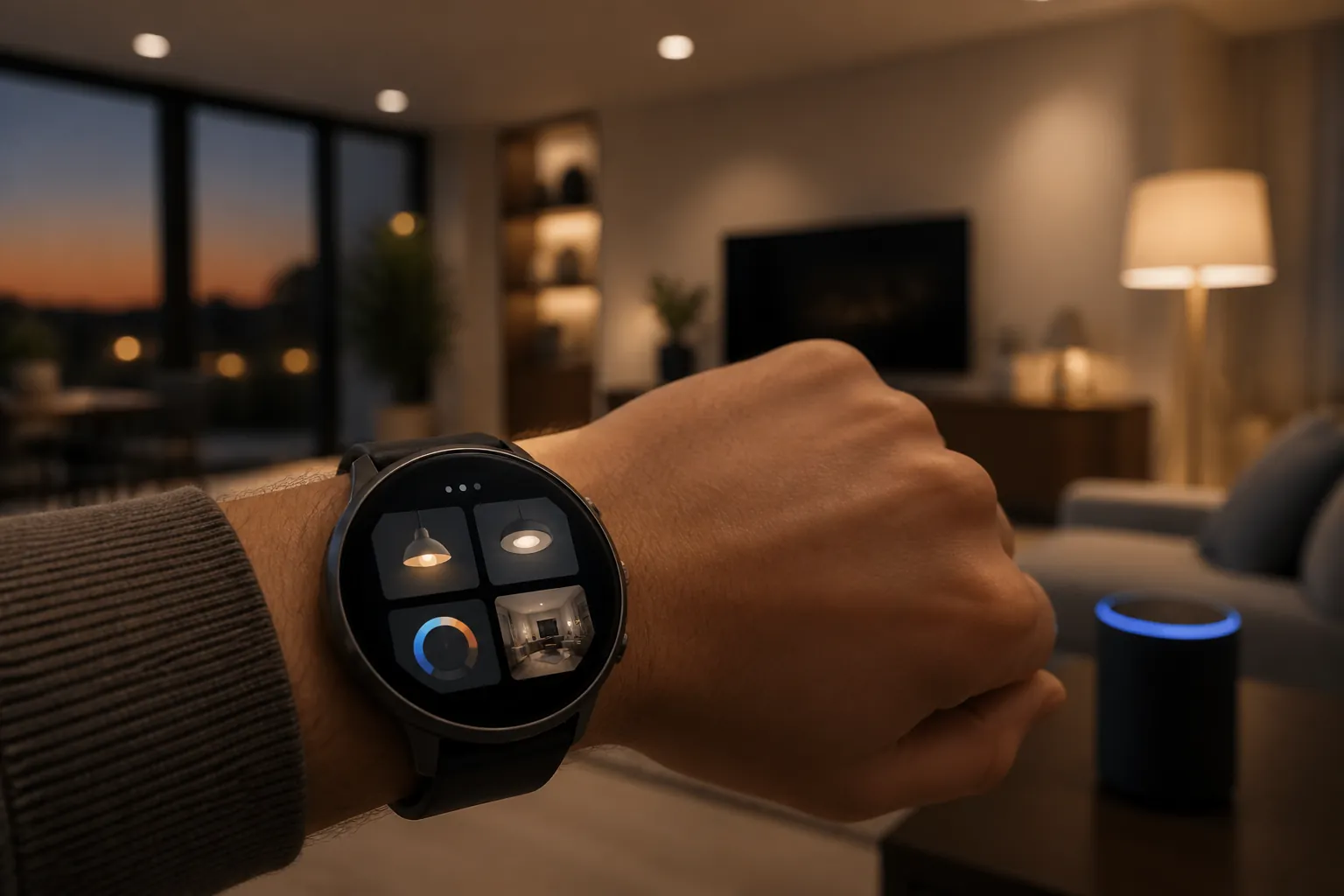
The smart-home feature split is effectively zero
Samsung’s 2026 watch choice still matters for other reasons: size, ruggedness, battery expectations, display behavior, fitness features, and price positioning. Those are real buying factors, and they belong in a broader Galaxy Watch 9 vs Ultra 2 comparison. Smart-home control is not where the two models separate.
| Smart-home question | Galaxy Watch 9 | Galaxy Watch Ultra 2 |
|---|---|---|
| SmartThings wrist app | Same app surface | Same app surface |
| Google Home for Wear OS | Same Wear OS app limits | Same Wear OS app limits |
| Gemini voice path | Same voice route | Same voice route |
| Matter commissioning | Not the watch’s job | Not the watch’s job |
| Thread border router role | No | No |
| Reason to choose one for smart-home control | None, if this is the only criterion | None, if this is the only criterion |
Wear OS 7’s broader watch interface changes, including the newer widget system described for the platform, do not turn the Galaxy Watch into a home hub. They change how watch software can present information and controls; the authority over the smart home still belongs to the app, phone, account, hub, and network behind it.[1]
What SmartThings can put on the wrist
The Galaxy watch story is strongest when the home is already built around SmartThings. Samsung has described watch control for TVs, lights, speakers, air conditioners, air purifiers, thermostats, and blinds, along with live views from Nest and Ring cameras and two-way talk for Ring devices.[2] 9to5Google’s coverage of the SmartThings watch upgrade described the same practical direction: less digging for a phone when the thing you want is a quick device action.[3]
That is the right mental model. A watch is good for commands that are obvious before you open the app: turn the lamp off, change brightness, check whether the front camera is showing movement, nudge the thermostat, start a routine that already exists. It is less suited to building the home, debugging the home, or redesigning the logic of the home.
A Matter Alpha hands-on is useful here, with one important label attached: it observed the SmartThings watch app on a Galaxy Watch 6, not on the Watch 9 or Ultra 2. That makes it evidence about the app’s wrist behavior, not device-specific proof for the 2026 watches. In that test, the SmartThings watch app showed room-sorted device lists, on/off toggles, brightness adjustment, and manual routine triggering. It did not expose automation editing or light color adjustment from the watch.[4]
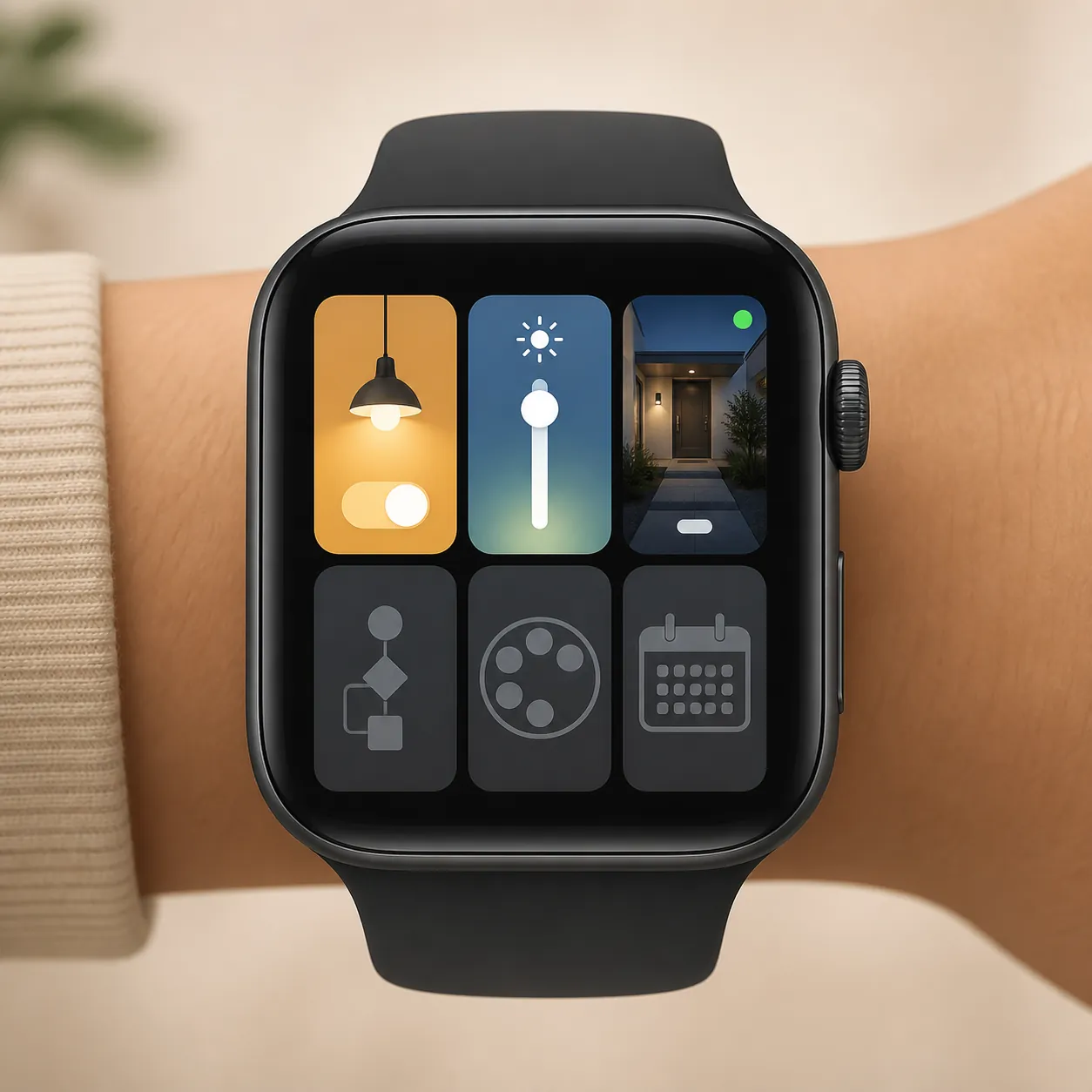
Those omissions matter more than they sound. A dimmer slider on the wrist is everyday control. A color palette is preference shaping. Automation editing is system design. Schedule viewing is household coordination. The watch surface covers the first category much better than the others.
Cameras and routines are the two features that make the watch feel less like a novelty
Camera live view is one of the few watch smart-home features that can change behavior in the moment. If a doorbell or camera alert arrives while your phone is on a charger or in another room, being able to glance at the wrist is genuinely useful. Samsung’s SmartThings materials specifically mention Nest and Ring livestream support, and Ring two-way talk is the kind of wrist action that makes sense because it is brief and urgent.[2]
Manual routine triggering is the other feature to pay attention to. It does not mean the watch creates or edits routines. It means the watch can become a small launch button for scenes you already built elsewhere. “Good night,” “movie mode,” or “away” routines are plausible fits because the decision is simple and the execution can be handed off to the existing SmartThings setup.
Google Home works, but the Wear OS app is narrower than the phone app
Google Home on Wear OS gives Galaxy watch owners a second control surface, which is important in mixed homes. Many households have SmartThings devices, Google speakers, Nest cameras, and a few devices shared across platforms. Keeping both SmartThings and Google Home on the watch is normal, not a sign that the setup is messy.
The limit is that Google’s watch app depends on setup that already happened in the Google Home phone app. Google’s help documentation says devices must be set up in the Google Home app before they can be controlled from the watch. It also notes that some devices may only show status rather than controls, and that the Favorites tile shows five devices, with a separate documented exception of six on the Pixel Watch 3 45mm.[5]
That tile limit is easy to underestimate. Five favorites may be enough if the watch is only for the front lights, thermostat, door lock status, and a camera. It is not enough to mirror a full-room dashboard. The watch should be treated as a shortcut strip, not as a replacement for the Google Home app on the phone.
The same caution applies to devices that appear as status-only. A sensor, lock, camera, speaker, or appliance showing up on the watch does not automatically mean every phone-app control is available from the wrist. Presence in the list and controllability are different things.
Gemini voice is promising, but it is still part of the same chain
Gemini Raise-to-Talk is the watch feature that sounds most like a shortcut around app limits: lift the wrist, speak, and avoid a wake word. The stated SmartThings voice-control path for the 2026 watches covers connected lights, speakers, thermostats, and TVs. That should be useful for simple commands, especially when tapping through a tiny device list would be slower.
It should not be overread as independent proof that every SmartThings action is now better from the Ultra 2 or the Watch 9. The available material describes the voice capability as a vendor-stated feature, not as an independently reproduced performance test across a mixed Matter, Thread, SmartThings, and Google Home household. The watch is still issuing a command into an existing platform. If the device, room, name, account link, or hub path is wrong, a more expensive watch is not the fix.
Matter and Thread are where the real dependency shows up
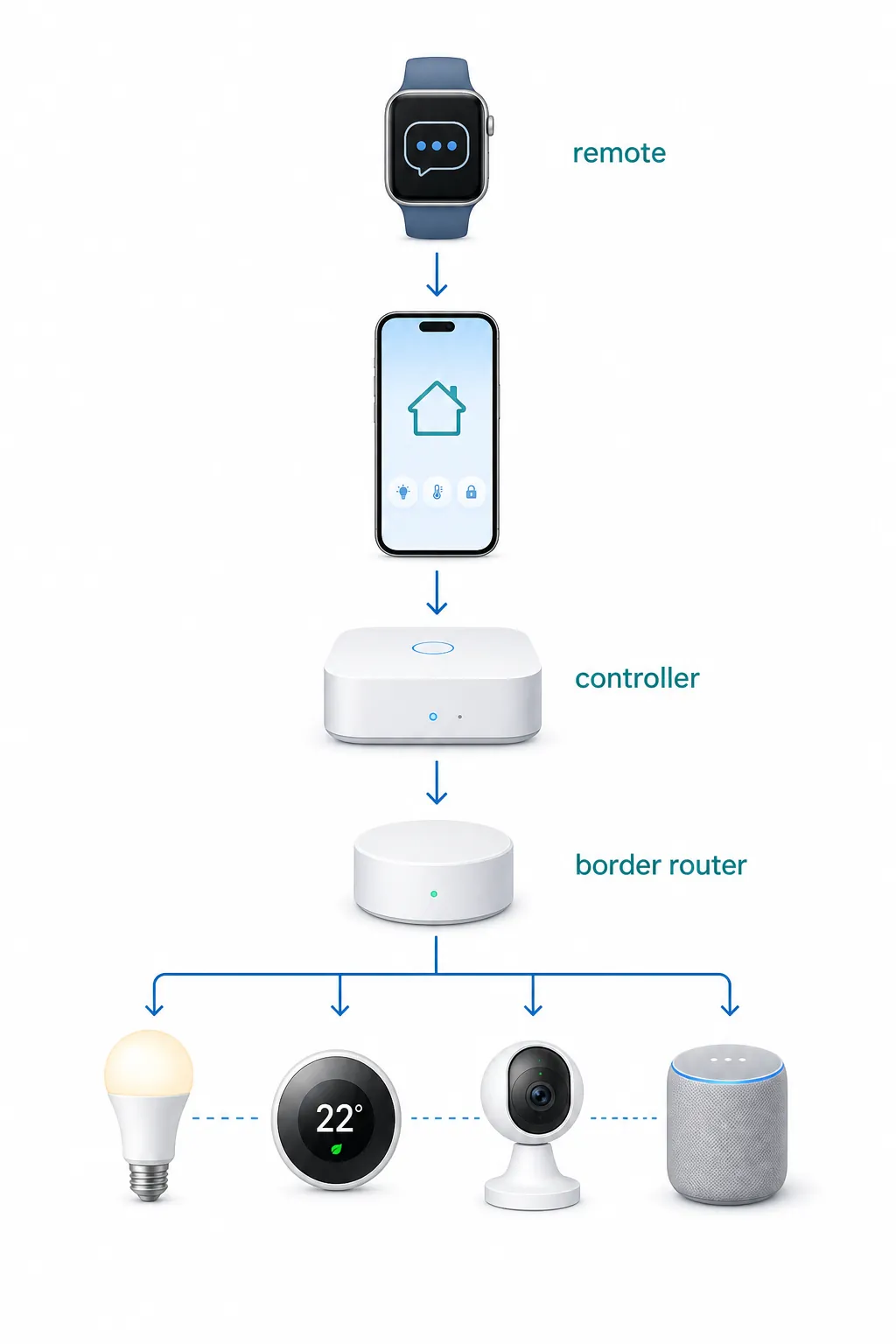
Matter is the part of the purchase decision where vague “smart home compatible” language causes the most trouble. The watch can present controls for devices that are already in SmartThings or Google Home. It is not the device that commissions the Matter product, stores the home’s authority, or provides the Thread radio path.
SmartThings’ Matter documentation describes Matter sharing through connected services, including multi-admin sharing across up to five connected services. It also states that Matter-over-Thread requires both a SmartThings Matter controller and a Thread border router on the network.[6] That is the command path to check before buying a watch for smart-home reasons.
| Layer | What it does | What the Galaxy watch is doing |
|---|---|---|
| Phone app | Adds devices, manages accounts, performs setup | Depends on that setup already existing |
| SmartThings or Google Home | Organizes devices, rooms, services, routines, and permissions | Reads from and sends commands into the platform |
| Matter controller | Controls Matter devices within the ecosystem | Not replaced by the watch |
| Thread border router | Connects Matter-over-Thread devices to the network | Not provided by the watch |
| Galaxy Watch 9 / Ultra 2 | Shows selected controls and sends user commands | Acts as a wrist remote |
A practical example, kept hypothetical: if a Matter-over-Thread bulb fails to appear in SmartThings, switching from the Watch 9 to the Ultra 2 does not add the missing Thread path. The troubleshooting target is the Matter controller, the Thread border router, the phone setup flow, the device’s pairing state, or multi-admin sharing. The watch only becomes useful after the platform can already see and control the bulb.
This is also why Matter multi-admin can be helpful without making the watch magical. Sharing a supported Matter device between connected services can make it visible in more than one ecosystem, but visibility still comes through those ecosystems. The watch app is the last mile of the interface, not the foundation.
What to verify before choosing either watch for smart-home use
The pre-purchase check should start with the home, not the watch spec sheet. Open SmartThings and Google Home on the phone first. If the devices you care about are unreliable there, the watch will inherit that unreliability. If routines are missing, rooms are poorly named, or devices live in the wrong home, the wrist interface will feel worse than it should.
- Confirm the target devices already work from the phone app you plan to use on the watch.
- For SmartThings, check whether the devices are in sensible rooms and whether the routines you want to trigger already exist.
- For Google Home, check whether the watch app supports active controls for the device or only status.
- Keep the Favorites tile limit in mind if your plan depends on one-swipe access to many devices.
- For Matter-over-Thread devices, verify the SmartThings Matter controller and Thread border router path before blaming the watch.
- Do not assume the watch can edit automations, change light color, or show schedules just because the phone app can.
If the main concern is Google Home behavior on a watch, it is worth comparing the same can-and-can’t-control pattern on the Google side in a Pixel Watch 5 Google Home control guide. The Galaxy watches have the stronger SmartThings story, but Google’s Wear OS limits still apply when you use Google Home as the control surface.
Buying judgment
For smart-home features, the Galaxy Watch 9 and Galaxy Watch Ultra 2 are functionally equal. Both are useful wrist remotes for an already-working SmartThings or Google Home setup. Both can handle the quick actions that make a watch worthwhile: toggles, brightness, camera checks, and manual routine triggers. Both stop short of phone-app jobs such as building automations, adjusting every device attribute, or managing schedules.
Choose the Ultra 2 for its non-smart-home reasons if those matter to you. Choose the Watch 9 if the smart-home remote is the main attraction and the rest of the Ultra package is not needed. The wrist experience will be decided less by the watch model than by whether SmartThings, Google Home, the Matter controller, and the Thread border-router path are already solid.
References
- Wear OS 7 launches with new widgets, Live Updates, laying foundation for One UI 9 Watch — Sammy Fans, May 19, 2026
- Galaxy Watch Update Offers New Smart Home Controls with SmartThings — Samsung SmartThings Newsroom
- Galaxy Watch gets a SmartThings app upgrade — 9to5Google
- A look at controlling Matter with a smartwatch — Matter Alpha
- Google Home on Wear OS — Google Home and Nest Help
- SmartThings x Matter Integration — SmartThings Support
Known issues with this device / protocol
Spec-version history
For active regressions on this protocol, see Update Watch.
No linked Update Watch entries yet.