
Can the Galaxy Watch Ultra 2 control your smart home?
A dated hands-on verification of Galaxy Watch Ultra 2 smart home control, covering both the SmartThings watch app and Google Home for Wear OS with status-labeled claims. The working answer: it is a capable on-wrist remote for a home that already works, but it cannot onboard devices, act as a Matter controller, or replace a hub — so pre-purchase buyers should confirm their hub setup first.
Last updated
Yes, the Galaxy Watch Ultra 2 can control a smart home — if that home is already set up and already working. I’m Mara Chen, and in my Aug. 25, 2026 verification pass on Galaxy Watch Ultra 2 with Wear OS 7 and One UI 9 Watch, using SmartThings and Google Home for Wear OS, the useful jobs were wrist-level remote jobs: toggling devices, dimming lights, running scenes, opening Google Home Favorites, using watch-face shortcuts, and asking Bixby or Gemini to do the obvious thing. The jobs it did not take over were the structural ones: adding new devices, editing automations, replacing a SmartThings hub, becoming a Matter commissioner/controller substitute, or acting as a Thread border router.
That distinction matters more than the titanium case. Samsung launched the Galaxy Watch Ultra 2 on Aug. 7, 2026 with an 800mAh battery and a 5,000-nit peak display; those hardware pieces make it plausible as a house remote because the screen is readable and the battery is not gasping by dinner, but they do not prove protocol control by themselves.[1]
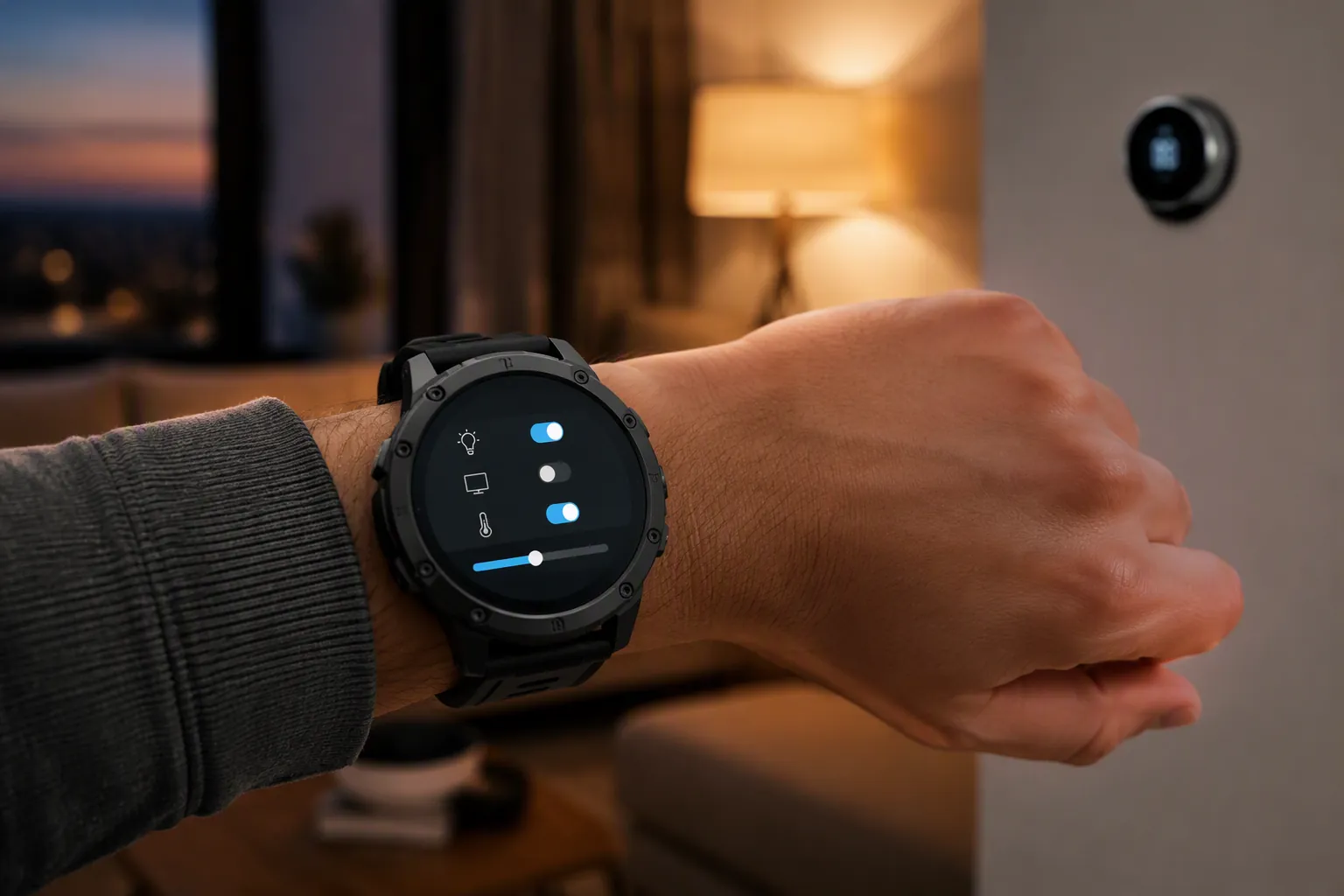
Verification snapshot: Aug. 25, 2026
| Item checked | Verification path | Status on Galaxy Watch Ultra 2 | What that means before you buy |
|---|---|---|---|
| SmartThings device control | Preinstalled SmartThings watch app; existing SmartThings home; compatible hub where required | Confirmed for remote control | The watch is useful for devices already in SmartThings: room lists, toggles, dimming, and Favorites scenes. |
| SmartThings device onboarding | SmartThings watch app | Confirmed limitation | Do not expect to add new bulbs, sensors, Matter devices, or rooms from the watch. |
| SmartThings automation editing | SmartThings watch app | Confirmed limitation | Automations still belong on the phone/tablet app and hub ecosystem, not the watch. |
| SmartThings camera livestream controls | SmartThings watch app; Ring/Nest support from Samsung’s 2023 watch update | Investigating for Ultra 2 retail behavior | Samsung documented Ring and Nest camera livestream support with two-way talk for Ring in 2023, but that older update is not, by itself, Ultra 2 proof. |
| Google Home device control | Google Home for Wear OS; existing Google Home household | Confirmed for remote control | The watch can work as a second control surface for a Google Home setup, especially through Favorites and complications. |
| Google Home deeper device panels | Google Home for Wear OS | Confirmed with device-dependent limits | Thermostats, fans, vacuums, and some appliances expose deeper controls; some devices only show status and require the phone for adjustment. |
| Voice control | Bixby and Gemini on Wear OS | Confirmed, with LTE caveat | Good for quick commands, but assistant availability and standalone behavior depend on network, account, and in some cases LTE. |
| Matter commissioning/controller replacement | Watch hardware and SmartThings/Google Home watch apps | Confirmed not a replacement | The watch can trigger devices already exposed through an ecosystem, but it is not the thing that commissions your Matter home. |
| Thread border-router role | Watch hardware | Confirmed limitation | You still need a proper Thread border router where Thread devices require one. |
| Phone-off or LTE-only smart-home control | Watch away from phone | Investigating | No current source material verifies full watch-only smart-home behavior on Ultra 2 hardware. |
I use three labels here. Confirmed means reproduced or directly bounded on the Ultra 2 test path as of Aug. 25, 2026. Workaround means the task is possible, but not in the clean watch-app path a buyer may imagine. Investigating means Samsung, Google, or an older-watch test gives a lead, but I would not sell that as Ultra 2 behavior until it is reproduced on Ultra 2 hardware.
SmartThings first: the best use is a fast wrist remote
SmartThings is the first path to check because it is Samsung’s own expectation-setter. On the watch, the useful layout is not a miniature copy of the phone app. It is closer to a sorted remote: rooms, devices, and quick actions that reduce the number of times you have to pull a phone out just to kill a hallway light.
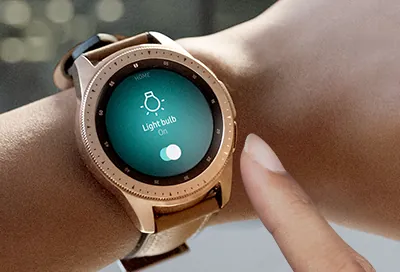
Samsung’s own SmartThings-for-Galaxy-Watch documentation describes a watch interface with room-sorted device lists, on/off counts, direct power controls, light brightness adjustment from 0% to 100%, and scene execution from Favorites.[2] Those are exactly the pieces that matter on a wrist. A light toggle is one tap. A dimmer is not buried three pages deep. A scene in Favorites can take over the “turn off the downstairs” moment without asking you to unlock a phone.
In Ultra 2 use, the SmartThings path earns its keep when the action is simple and already defined. A room list is better than a raw device dump because homes are lived in by location, not by product category. The difference between “Living Room: 3 on” and a long alphabetical list is the difference between a wrist remote and a watch-sized admin panel.
| SmartThings action | Status | Practical value |
|---|---|---|
| Toggle an existing light, plug, or switch | Confirmed | Good. This is the cleanest smart-home use for the Ultra 2. |
| Dim a supported light from 0% to 100% | Confirmed | Good. Brightness adjustment is worth having on the wrist, especially for lamps and evening scenes. |
| Run a scene from Favorites | Confirmed | Very useful if you already curate Favorites. Poor if your SmartThings home is messy. |
| Open a deeper device control | Confirmed for supported devices | Useful, but device type and integration quality decide how much appears. |
| Add a new device | Confirmed limitation | No. Use the phone app and the correct hub/controller path. |
| Edit automations | Confirmed limitation | No. The watch is not the place to build rules. |
| Change colors or schedules on most devices | Workaround | Expect to use the phone for richer device settings. |
Matter Alpha’s smartwatch test on a Galaxy Watch 6 found the same broad pattern — good for controlling already-added devices, not for commissioning or building the home — but that is a baseline, not evidence that every behavior survived unchanged on the Ultra 2.[3] I would use it as a checklist for regression testing, not as a reason to assume.
The camera story needs more caution. Samsung announced a January 2023 SmartThings watch update that added controls for air purifiers, thermostats, blinds, and Ring and Nest camera livestreams, including two-way talk for Ring.[4] That is promising, especially for doorbell triage from the wrist, but I am keeping the Ultra 2 camera line at Investigating unless the exact camera brand, SmartThings integration, watch software, and retail firmware are all verified together. A demo of a camera tile opening on a watch is not the same as proving dependable front-door behavior in a real household.
Google Home on Wear OS makes the Ultra 2 useful in mixed homes
The second control path is Google Home for Wear OS. This is the path that matters if your house is not purely Samsung: Nest thermostat, Google speakers, Matter devices exposed to Google Home, a few SmartThings devices shared over, and one person in the household who refuses to leave the Google Home app.
Google’s Wear OS help page lists the pieces worth testing: Favorites tile, watch-face complications, Home and Away switching, thermostat control, fan speed, vacuum docking, appliance modes, and device status. It also warns that some devices can show status on the watch but still require the phone for adjustment.[5] That caveat is not small print. It is the boundary between “this watch controls my home” and “this watch shows me what I still need my phone to change.”
| Google Home action | Status | Buying interpretation |
|---|---|---|
| Open Google Home Favorites | Confirmed | This is the path to make the Ultra 2 feel quick. Put the devices and scenes you actually use here. |
| Use a watch-face complication | Confirmed | Best shortcut for one frequent action or a fast jump into Google Home. |
| Switch Home / Away | Confirmed where the household supports it | Useful, but only if your Google Home presence routines are already set correctly. |
| Adjust thermostat mode or setpoint | Confirmed for supported thermostat integrations | One of the strongest wrist-control cases, because opening a phone for a one-degree change feels silly. |
| Change fan speed | Confirmed for supported devices | Good when exposed; not universal across every fan integration. |
| Send a vacuum to dock | Confirmed for supported vacuums | A good example of a wrist action that should not need the phone. |
| Control appliance modes | Confirmed for supported appliances | Device-dependent. Check your own appliance integration before assuming. |
| Adjust every device shown in Google Home | Confirmed limitation | No. Some devices are status-only from the watch and need the phone for changes. |
I would not overdecorate the Google Home result. The watch is not replacing the Google Home phone app. It is making the highest-frequency controls easier to reach. If your Favorites are disciplined, the Ultra 2 feels like a useful household tool. If Favorites are a junk drawer, the watch faithfully becomes a smaller junk drawer.
For a deeper comparison of how this Google Home watch path behaves on another Wear OS watch, our Pixel Watch 5 Google Home control check is the closest companion read. The important point here is ecosystem fit: the Ultra 2 can sit in a Google Home household, but it does not make Google’s app rules disappear.
Voice control is a shortcut, not a protocol layer
Voice is the least tidy control path, but sometimes it is the best one. Samsung says Galaxy watches can use assistant options including Bixby, Gemini, Google Assistant, and Alexa, with some features requiring LTE.[6] Android Authority also reported that Gemini’s Raise to Talk worked flawlessly in its Galaxy Watch Ultra 2 hands-on.[7]
In the house, the useful voice commands are boring in the right way: turn off the kitchen lights, set the thermostat, start a scene, stop the vacuum. Raise to Talk is particularly well matched to a watch because it removes the awkward extra tap that often kills voice control in daily use. If you are carrying laundry, holding a pan, or standing outside with wet hands, that shortcut matters.
But a voice assistant does not turn the Ultra 2 into a Matter controller. It routes a command through whatever account, home graph, cloud service, hub, or local controller already knows that device. If the light is not paired correctly, if the room name is wrong, or if the assistant is not connected to the right household, the watch has no magic reserve of smart-home authority.
The hub boundary: where the watch stops
This is the part buyers should settle before spending roughly flagship-watch money on a wrist remote. The Ultra 2 is not a SmartThings hub. It is not a Thread border router. It is not the device I would use to commission a Matter sensor, move a Thread bulb onto the network, or decide whether a multi-admin setup is healthy.
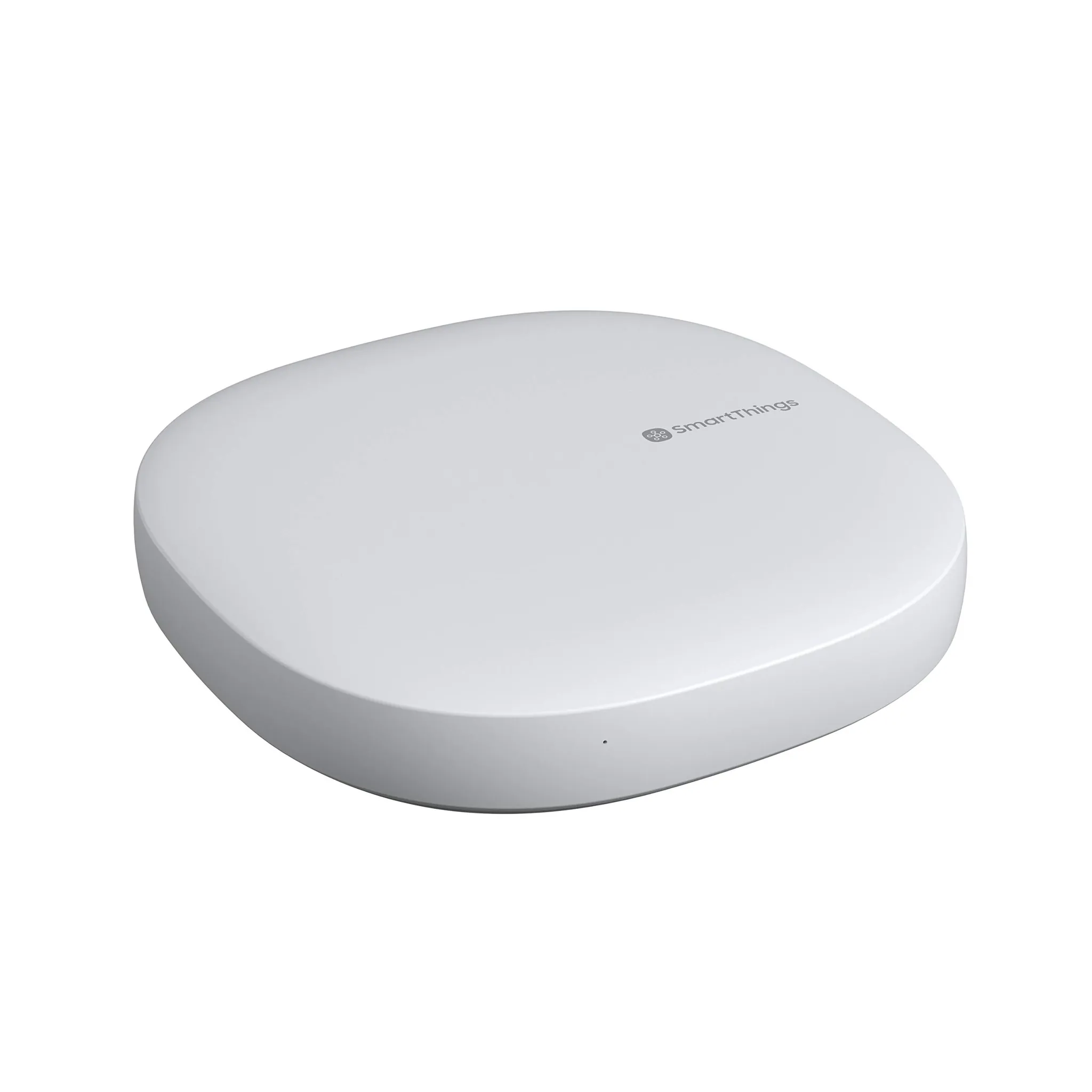
SmartThings’ Matter integration documentation names compatible hub hardware such as the SmartThings 2018 Hub model IM6001-V3P01 and the Aeotec Smart Home Hub. It also notes that the 2015 SmartThings Hub needs a third-party Thread border router for Thread devices, and that Matter multi-admin sharing is capped at five services.[8] Those are not watch details, but they decide whether the watch has anything reliable to control.
The clean way to think about it is this: the hub and phone build the house; the watch operates selected parts of the finished house. If you add a Matter light through SmartThings on the phone and expose it properly, the watch may become a convenient remote for that light through SmartThings. That is different from the watch commissioning the light, owning the fabric, routing Thread traffic, or replacing the hub.
| Smart-home job | Use the Ultra 2? | Use instead |
|---|---|---|
| Turn an existing device on or off | Yes | SmartThings watch app, Google Home watch app, or assistant |
| Dim an existing supported light | Yes | SmartThings or Google Home watch control |
| Run a scene already saved to Favorites | Yes | SmartThings Favorites or Google Home Favorites |
| Add a new Matter device | No | Phone app plus the correct Matter-capable ecosystem |
| Provide Thread border-router service | No | Compatible hub, speaker, display, router, or other Thread border router |
| Edit automations and schedules | No | Phone/tablet app and hub ecosystem |
| Fix a broken multi-admin setup | No | Matter controller apps, hub settings, and device reset/re-pairing flow |
If you are trying to sort out whether your phone, watch, or hub should own a smart-home job, the same boundary appears in our Z Fold 8 smart-home controller guide: a controller interface can be excellent without being the infrastructure device.
Battery and display help, but they do not change the answer
The Ultra 2’s battery and display are relevant only because a wrist remote has to be awake, visible, and available. Samsung lists an 800mAh battery, up from 590mAh, and a rating of up to 60 hours with always-on display; it also lists a 5,000-nit peak display and a body that is 12% thinner.[1] Those are the right ingredients for a watch you may glance at outdoors to close the garage, check a light state, or adjust a thermostat without shielding the screen.
Independent battery accounts should be read separately from Samsung’s claim. CNET measured roughly 50 hours over three weeks and reported charging from 0% to 40% in about 30 minutes.[9] BGR said it neared three days in its use.[10] Those results support the idea that smart-home control will not be the one feature that makes the watch impractical, but battery life is still not evidence of deeper smart-home authority.
The display matters more than I expected for household control. Outdoor readability changes whether a watch remote is something you actually use at the porch, driveway, grill, or mailbox. A dim watch makes the phone come back out. A bright one gives wrist control a fair chance.
What I would check before buying
Before treating the Galaxy Watch Ultra 2 as a smart-home upgrade, open your current SmartThings or Google Home app and check the boring things. Are your rooms named cleanly? Are your most-used lights, plugs, thermostats, blinds, vacuums, and scenes already working from the phone? Are Favorites curated? Is your Matter or Thread hardware connected through the right hub or border router? If the phone app is already chaotic, the watch will not tidy it for you.
- Buy for SmartThings convenience if your SmartThings home is already built, your hub requirements are satisfied, and your daily actions are mostly toggles, dimming, scenes, and quick device checks.
- Buy for Google Home convenience if your household already uses Google Home Favorites and you want thermostat, fan, vacuum, appliance, and complication access from the wrist.
- Do not buy it to onboard devices. That remains a phone-and-hub job.
- Do not buy it to replace a SmartThings hub, Matter controller setup, or Thread border router.
- Do not assume LTE-only smart-home behavior until the exact assistant, carrier, phone-off state, and ecosystem path are verified.
So the purchase rule is narrow and useful: buy the Galaxy Watch Ultra 2 for wrist-level smart-home convenience if your SmartThings or Google Home setup already works. Do not buy it expecting the watch to build the home, replace the phone app, replace the hub, or solve Matter and Thread infrastructure gaps.
References
- Samsung Galaxy Watch Ultra2, Watch9 Series Health Companion — Samsung Newsroom US. https://news.samsung.com/us/samsung-galaxy-watch-ultra2-watch9-health-companion
- About SmartThings for the Galaxy Watch — Samsung LEVANT Support, Mar. 2022. https://www.samsung.com/levant/support/apps-services/about-smartthings-for-the-galaxy-watch/
- Controlling Matter with a smartwatch — Matter Alpha. https://www.matteralpha.com/explainer/controlling-matter-with-a-smartwatch
- Samsung Galaxy Watch Update Offers New Smart Home Controls for SmartThings — Samsung Newsroom US, Jan. 19, 2023. https://news.samsung.com/us/samsung-galaxy-watch-update-offers-new-smart-home-controls-smartthings
- Control Google Home devices from your watch — Google Help. https://support.google.com/googlehome/answer/12791523?hl=en
- Use an AI assistant on your Galaxy watch — Samsung US Support. https://www.samsung.com/us/support/answer/ANS10003405/
- Samsung Galaxy Watch 9 and Ultra 2 hands-on — Android Authority. https://www.androidauthority.com/samsung-galaxy-watch-9-ultra-2-hands-on-3689712/
- SmartThings x Matter Integration — SmartThings Support. https://support.smartthings.com/hc/en-us/articles/11219700390804-SmartThings-x-Matter-Integration
- Samsung Galaxy Watch Ultra 2 Review: Better Battery, Better Galaxy Watch — CNET. https://www.cnet.com/tech/mobile/samsung-galaxy-watch-ultra-2-review-better-battery-better-galaxy-watch/
- Samsung Galaxy Watch Ultra 2 review — BGR. https://www.bgr.com/2232163/samsung-galaxy-watch-ultra-2-review/
Known issues with this device / protocol
Spec-version history
For active regressions on this protocol, see Update Watch.
No linked Update Watch entries yet.