How AI Models Power Smart Home Voice Assistants
Voice assistant failures often trace to one of four AI pipeline stages: wake word detection, speech-to-text, intent recognition, or response generation. This guide maps each failure symptom to its stage so you can fix the real issue instead of replacing hardware.
- Symptom
- Voice command misinterpretation
- Affected ecosystem
- Apple Home, Google Home, Alexa, SmartThings, Home Assistant
- Status
- Workaround
- Difficulty
- Intermediate
- Last verified
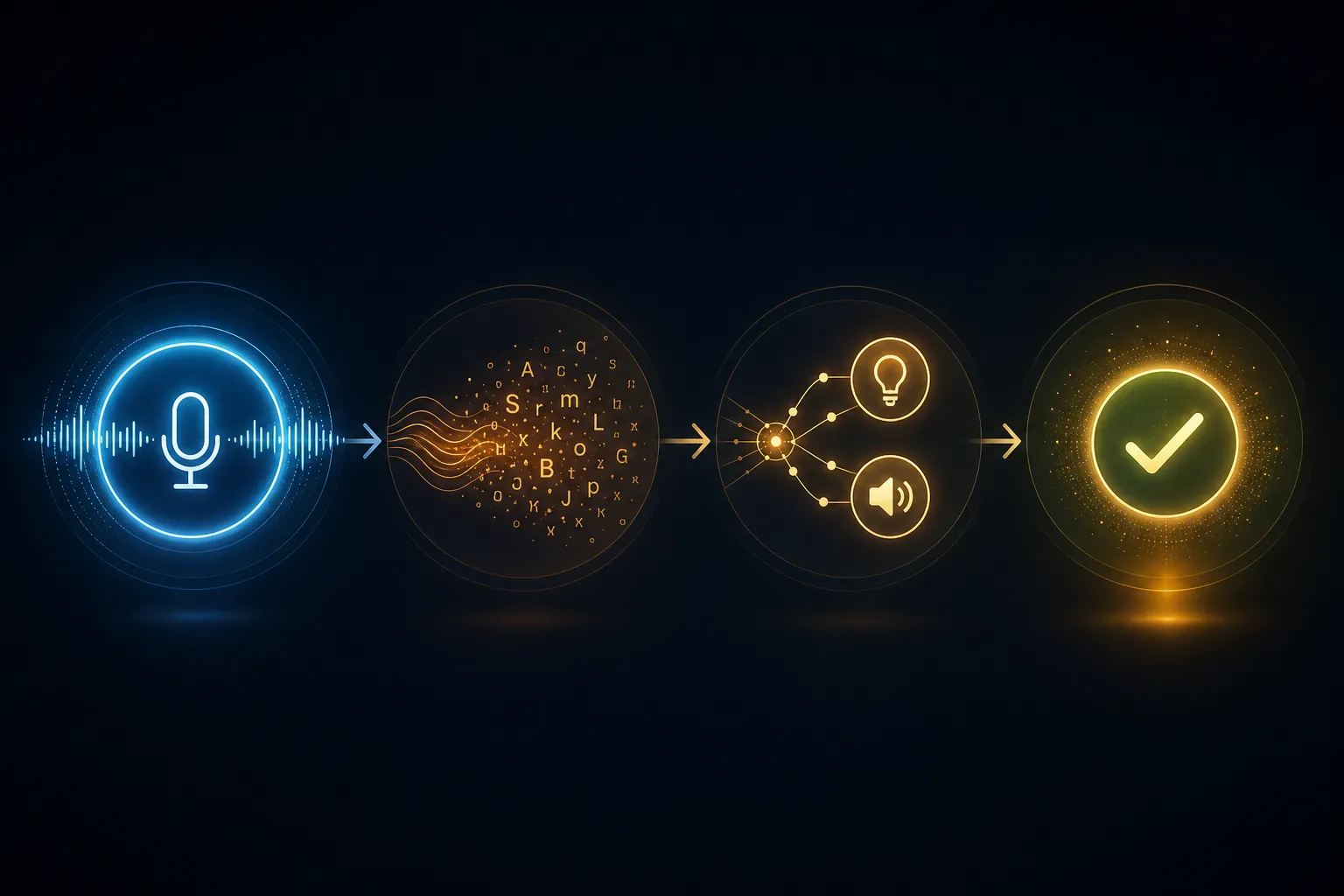
When a smart speaker fails, the hardware usually gets blamed first. In practice, the command normally breaks earlier and more specifically: the assistant did not wake, it heard the wrong words, it heard the right words but matched the wrong intent or device, or it completed the action while the spoken reply arrived late enough to feel broken. That is the useful way to understand how AI models power smart home voice assistants: not as one magic brain, but as a chain of smaller decisions.
Before resetting a speaker or replacing a light, match the symptom to the stage. If the command is never captured, start with wake word detection. If the transcript is wrong, diagnose speech-to-text. If the transcript is right but the assistant says the device does not exist, look at intent recognition and entity exposure. If the action happens but the answer drags, inspect response delivery and text-to-speech.
The Four Places A Voice Command Usually Breaks
| What you see or hear | Likely stage | What to check first |
|---|---|---|
| Assistant wakes randomly, or does not wake when called | Wake word detection | Microphone placement, background noise, sensitivity, similar-sounding words |
| It hears “sync light” when you said “sink light” | Speech-to-text / ASR | Noise, distance, accent handling, microphone path, ASR model or language setting |
| It repeats the right words but says it cannot find the device | NLU / intent and entity recognition | Device name, room, alias, exposed entities, smart home platform bridge |
| It controls the wrong lamp, room, or speaker | NLU / entity resolution | Duplicate names, broad room names, conflicting aliases, too many exposed entities |
| The light turns on, but the voice reply arrives several seconds later | Response delivery / TTS | Streaming vs. non-streaming TTS, cloud round trip, local hardware load |
Real assistants add more machinery than this table shows: endpoint detection, dialogue management, room context, account authorization, and platform-specific device graphs can all sit between the microphone and the final action. But the four-stage map is enough for most kitchen-counter failures because it tells you where to look before you start disturbing working devices.
Home Assistant’s current Assist architecture is a useful example because it separates fast built-in local intents from queries that need an LLM agent. Common commands can stay on the fixed local path, while unrecognized or more complex requests can escalate to an LLM instead of forcing every light switch command through a slower general-purpose model.[1]
Wake Word Failures Are Usually Boring, Which Is Good
Wake word detection is the small model or detection system listening for “Alexa,” “Hey Google,” “Siri,” or a custom trigger phrase. If this stage fails, the rest of the AI pipeline never gets a clean command. No transcript, no intent, no device action.
The symptoms are usually obvious: the speaker lights up during a TV ad, ignores you from across the room, wakes only when you face it, or becomes unreliable when the dishwasher, range hood, or music is running. Start with the microphone environment. Move the speaker away from hard corners, fabric piles, and noisy appliances. Lower wake sensitivity if it false-wakes often; raise it if it misses you. If a custom wake word is available, avoid names that sound like household words or device names.
This is also where “move closer to the router” is the wrong first answer. A router problem does not explain a speaker that never wakes. It may explain a later cloud request failure, but wake word detection fails before the assistant has even tried to control the home.
If The Words Are Wrong, Diagnose Speech-To-Text
Speech-to-text, also called automatic speech recognition or ASR, turns the audio into words. This is the stage behind the familiar bad transcript: “turn on the sink light” becomes “turn on the sync light,” “dim the den” becomes “dim the dim,” or a room name disappears entirely.
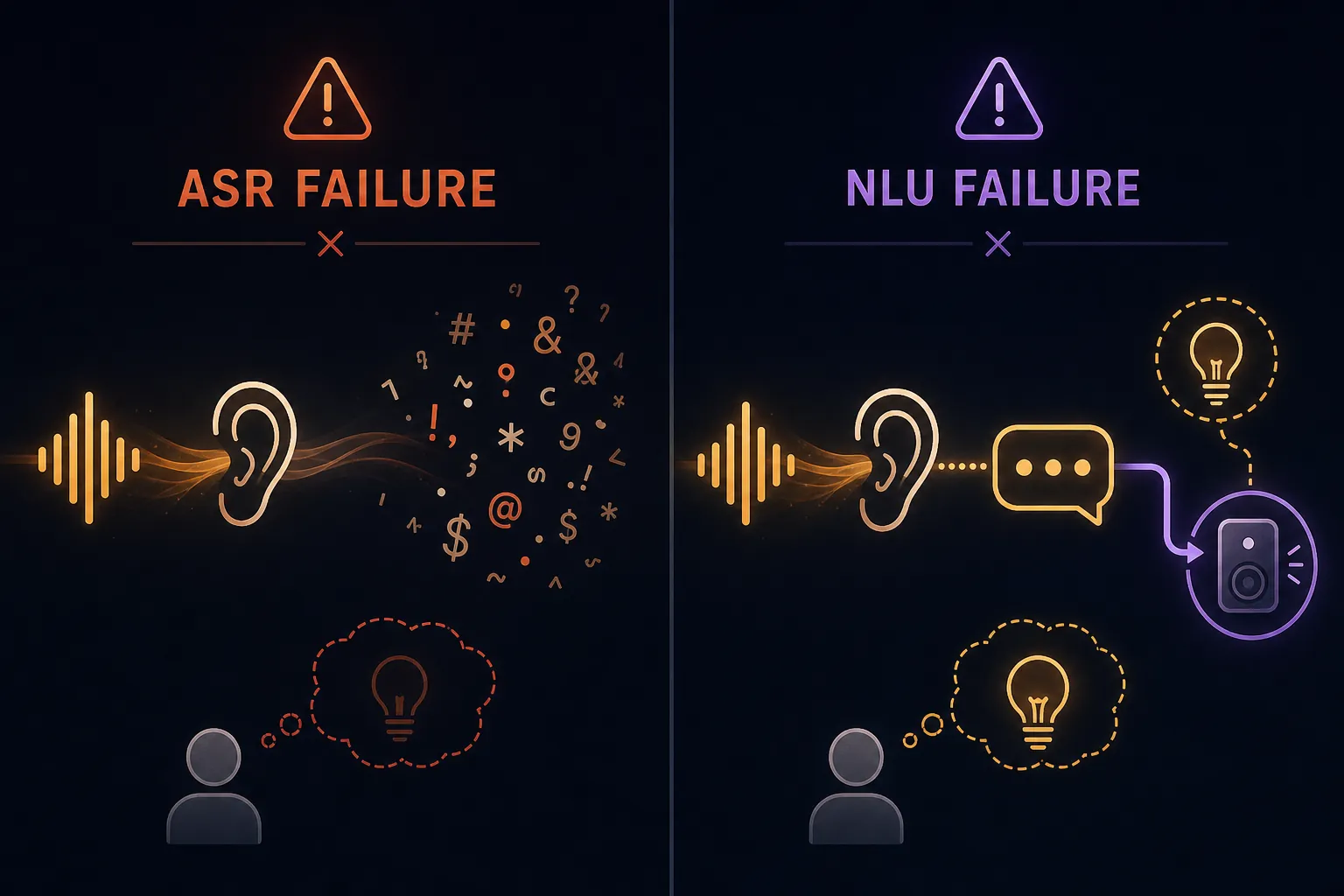
The important distinction is that ASR failure is about the words, not the device. If the assistant shows or repeats the wrong phrase, do not spend the next half hour renaming a light in three apps. Fix the audio-to-text problem first.
A 2023 HomeIO academic system gives a useful edge-hardware reference point, not a universal benchmark for Alexa, Google Assistant, or Siri. On a custom Raspberry Pi 4 setup, the paper reported word error rates ranging from 2.96% with QuartzNet to 11.4% with CMU-Sphinx.[2] Those figures are valuable because they show how much ASR quality can vary even before the smart home platform tries to understand intent.
Do not overread those numbers. HomeIO was a specific offline system, in a specific research setup, with models and conditions that are not the same as proprietary commercial assistants.[2] The practical lesson is narrower: if one microphone, language setting, or ASR model consistently produces bad transcripts while another produces clean ones, the failure is probably recognition quality rather than the bulb, plug, or automation.
ASR fixes that do not disturb the rest of the home
- Check the transcript if your platform exposes one; the displayed words are the fastest separator between ASR and NLU failures.
- Test the same command at normal volume, closer range, and lower background noise; a big improvement points to microphone conditions.
- Rename devices whose spoken names are easy to confuse, such as “sink,” “sync,” “scene,” and “seen.”
- Verify the assistant’s language, region, and accent-related settings where available, especially in mixed-language households.
- For local voice systems, compare ASR models before changing device hardware; recognition models can differ more than the microphone does.
ASR errors can masquerade as smart home errors because the final complaint sounds device-related. “I can’t find sync light” feels like a missing light, but the assistant never searched for the light you meant.
If The Words Are Right But The Action Is Wrong, Look At NLU
Natural language understanding, or NLU, is where the assistant decides what the words mean. Voice-agent pipelines commonly separate ASR from NLU: ASR produces text, then NLU extracts the user’s intent and the entities needed to act on it.[3]
For a command like “turn on the sink light,” the intent is the action category: turn on a device. The entity is the target: sink light. For “play jazz in the kitchen,” the intent may be media playback, while the entities include genre and room. A transcript can be perfect and still fail if the NLU stage cannot match “sink light” to an exposed device, or if “kitchen” points to multiple speakers.
This is the stage where a lot of people accidentally punish the hardware. The speaker heard you. The smart bulb may be online. The failure sits in the naming and exposure layer between the assistant’s language model and the smart home graph.
The same HomeIO paper reported 96% NLU accuracy for BERT-based intent models running on edge hardware, using a model with 4.3 million parameters and 180 MB of storage.[2] Again, that does not describe every commercial assistant. It does show that intent classification can be strong on modest local hardware when the command space is well-defined.
Entity exposure is where clean commands go to fail
Intent classification answers “what is the user trying to do?” Entity extraction answers “which thing should receive the action?” Smart homes make the second question messy. Device names live in vendor apps, bridge apps, room assignments, voice assistant apps, Matter fabrics, and local platforms such as Home Assistant. One stale alias can make a correct command look impossible.
In Home Assistant AI setups, practical guidance often focuses on exposing only the entities the model needs, because broad exposure can make the model slower, more expensive, or more likely to choose the wrong device. SmartHomeScene’s Home Assistant AI guide also frames model use as a cost and context-management decision, citing token costs in the rough range of $0.10 to $3.00 per million tokens depending on provider and model.[4]
That cost figure matters less for a single light command than for the design principle behind it: do not throw the whole house at the language model if the command only needs a small, clean set of controllable entities. A voice assistant with 200 exposed devices, duplicate room names, and vendor-created aliases has more chances to do the wrong reasonable thing.
- If the assistant says the device does not exist, check whether that exact entity is exposed to the assistant.
- If it controls the wrong device, search for duplicate names, old aliases, and room names reused as device names.
- If room commands fail, compare the room assignment in the smart home platform with the room assignment in the voice assistant app.
- If only one platform fails, inspect the bridge or integration between that platform and the assistant before resetting the device.
- If flexible phrasing fails but exact phrasing works, the fixed intent path may be too narrow.
Where LLMs Help, And Where They Just Add Another Detour
LLM agents are useful when the command is genuinely flexible: “make it cozy in here,” “turn off everything downstairs except the hallway,” or “if the washer is done, remind me in the living room.” They can interpret looser language and reason across context better than a rigid command list.
They are not automatically the best path for “turn on the kitchen light.” Home Assistant’s hybrid design is sensible precisely because common commands can stay on the built-in local intent engine while unrecognized requests escalate to an LLM agent.[1] If simple commands get slower after adding an LLM, the fix may be routing: keep routine device control on the fixed local path and reserve the LLM for language that actually needs interpretation.
Local LLM control also has hardware limits. SiliconFlow’s 2026 smart home LLM guide describes 16 GB of RAM as a hardware requirement point for running some 8B local models, which is a different class of setup from a small always-on speaker puck.[5] That does not make local LLMs impractical; it means they should be designed as part of the control architecture, not assumed to fit every voice endpoint.
If you want to experiment beyond fixed voice commands, NestGrid’s guides to ChatGPT voice control for streaming apps and setting up ChatGPT for smart home control are better next reads than another round of speaker troubleshooting. At that point, you are changing the NLU and agent layer, not repairing a microphone.
A Slow Reply Can Be A TTS Problem, Not A Failed Command
Response delivery is the last stage, and it gets underrated because the action may already be done. The lamp turns on, but the assistant waits, thinks, and finally says “OK” after the room has already changed. To a person standing there, that lag still feels like failure.
Home Assistant’s 2025 local AI work measured a large gap between streaming and non-streaming text-to-speech in its test setup. Local streaming produced a response in 0.56 seconds versus 5.31 seconds for non-streaming local TTS, while cloud streaming produced 0.51 seconds versus 6.62 seconds for non-streaming cloud TTS. The post summarized streaming as 9.5 to 13 times faster than non-streaming in those measurements.[1]
Those numbers come from a specific Home Assistant benchmark, not a promise for every home, network, cloud service, or speaker. The reported setup included hardware such as an RTX 3090 and an i5 system, so a low-power box or busy network can behave differently.[1] Still, the symptom is transferable: if the action completes quickly but the voice response is slow, check TTS architecture before assuming the assistant misunderstood you.
- If the device acts before the assistant speaks, separate action latency from spoken-response latency.
- If your platform supports streaming TTS, test it against non-streaming TTS using the same command.
- If cloud TTS is inconsistent, compare it with a local TTS option before changing speakers.
- If only long LLM-generated replies lag, shorten confirmation prompts or route simple commands away from the LLM.
Some Failures Are Not AI Failures At All
The four-stage map works only after the assistant can reach the service or device it is supposed to control. If Spotify will not play on a speaker because the account is unlinked, the AI pipeline may be fine. If a light vanished after an outage, the assistant may be correctly parsing a command for a device that is offline. If a Matter device never appears in Google Home, NLU cannot select it because the platform never received it.
Use the symptom boundary. App-specific failures belong with app and account checks, such as NestGrid’s Spotify smart speaker fixes. Post-outage device disappearance belongs with smart home power outage recovery. Matter visibility problems belong with a Matter smart home troubleshooting checklist or the guide for a Matter device not showing in Google Home. Those are not less important; they are just different failures.
| Boundary symptom | More likely cause | Do this before AI tuning |
|---|---|---|
| Only one music or video app fails | Account link, subscription, app authorization, device casting support | Re-link the service and test playback from the app |
| Many devices disappeared after a power outage | Hub, bridge, router, or mesh recovery order | Restore network and hub reachability first |
| A new Matter device never appears | Commissioning, fabric, controller, or platform visibility | Fix device discovery before testing voice commands |
| Voice works for cloud devices but not local devices | Bridge, integration, or local network path | Check the smart home platform integration |
The Fast Diagnostic Rule
A voice assistant is easiest to fix when you stop treating it as one box. If it hears nothing, start with wake word detection and microphone conditions. If it hears the wrong words, diagnose ASR. If it hears the right words but cannot act, check NLU intent matching, entity exposure, names, rooms, and aliases. If it acts but answers slowly, inspect response delivery and TTS configuration before replacing the speaker.
References
- Building the AI-powered local smart home, Home Assistant, 2025-09-11
- A Secure and Smart Home Automation System with Speech Recognition and Power Measurement Capabilities, PMC, 2023
- How to Build an AI Voice Assistant, Rasa
- Home Assistant AI: Everything You Need to Know, SmartHomeScene, 2025
- Ultimate Guide - The Best Open Source LLM for Smart Home in 2026, SiliconFlow, 2026
Did this fix work for you?
Report whether this fix resolved your case, or flag a correction if firmware or app behavior has since changed.