
Build a Hurricane Mode for Your Smart Home
Learn how to combine your smart home devices into a single 'Hurricane Mode' command that executes your storm-prep checklist in seconds. This recipe provides copyable routines for Alexa, Google Home, Apple HomeKit, and Home Assistant, with skill-level tiers from basic voice commands to advanced GDACS auto-triggering.
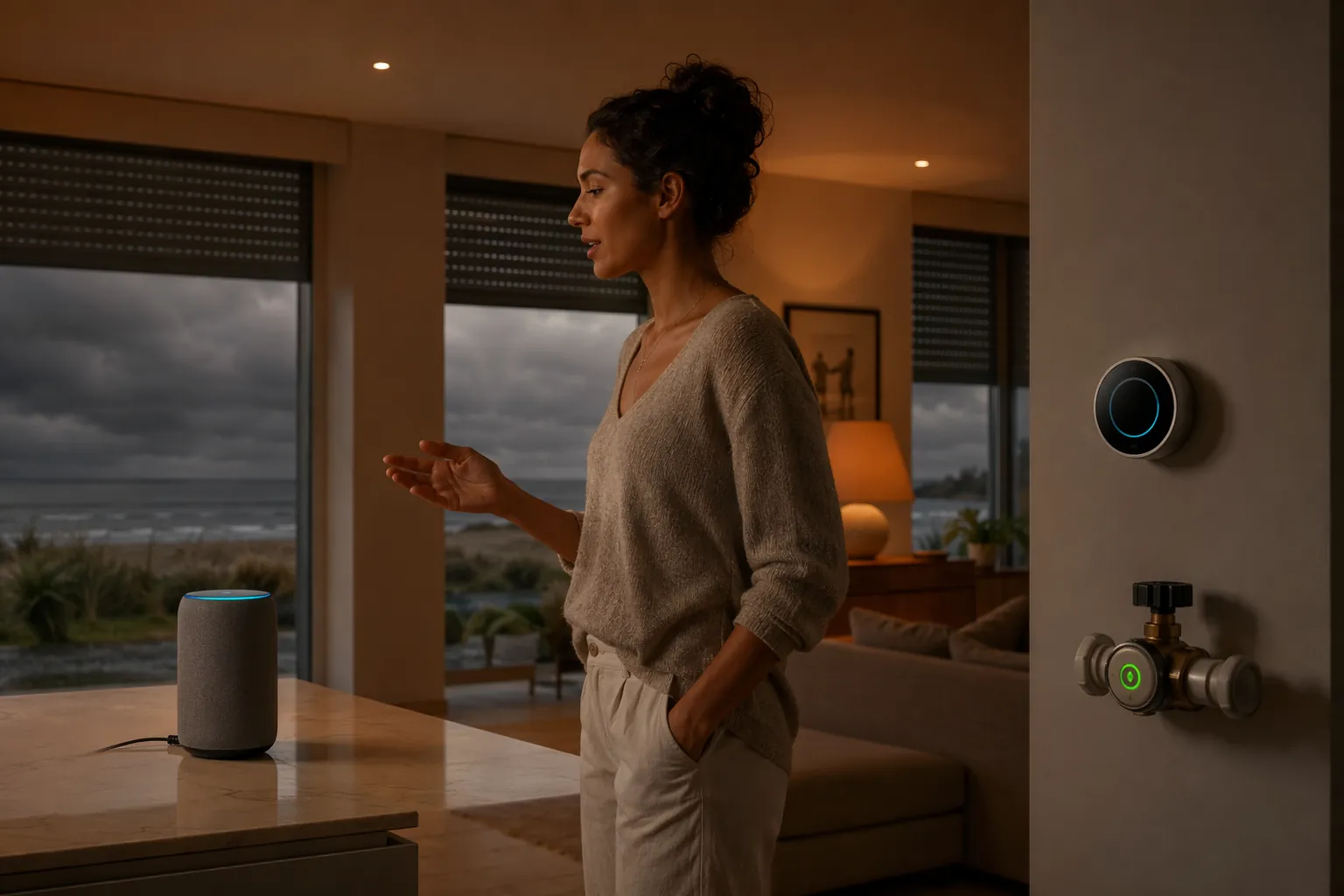
Hurricane Mode is the scene you run before the house gets weird: one voice command, one app tap, or one dashboard button that closes the water valve, changes thermostat targets, adjusts cameras and sensors, turns on the right lights, and sends the household a confirmation. Done well, it turns the kind of manual storm-prep pass that can take about 45 minutes into a roughly 30-second execution of 8-12 actions.[1]
That does not mean the house becomes stormproof. It means fewer forgotten steps during the 36-hour watch window, before evacuation or before you settle in for a rough night. The hard question is not whether the command works on a sunny Tuesday. It is what still works after grid power, Wi-Fi, and cloud access start disappearing.
| Platform | Best Use | Storm Reliability Label |
|---|---|---|
| Alexa | Fast pre-evacuation voice routine | Useful before outage; do not count on it after Wi-Fi or cloud access drops |
| Google Home | Simple household routine with voice or app trigger | Useful before outage; cloud-dependent once connectivity fails |
| Apple HomeKit | Local home control through a powered HomePod or Apple TV hub | Can keep processing locally if the hub, network, and devices still have power |
| SmartThings | Mixed-device scene for homes already built around SmartThings | Some local behavior is possible, but cloud/device dependencies must be checked one by one |
| Home Assistant | Most reliable offline setup when controller, radios, and network gear are on backup power | Strongest consumer option for local Z-Wave, Zigbee, Thread, and LAN-controlled devices |
If you still need the long-form prep sequence, start with NestGrid’s phase-by-phase smart home hurricane checklist. Hurricane Mode is not a replacement for boarding windows, packing medication, or knowing your evacuation zone. It is the smart-home layer that keeps you from walking room to room asking whether the valve closed, the camera is still recording, or the thermostat is fighting an outage.
What Hurricane Mode Should Actually Do
Build the scene around outcomes, not gadgets. A good Hurricane Mode does not need every smart device in the house. It needs the devices that reduce damage, preserve evidence, lower nuisance alerts, and tell you what happened before communications get flaky.
| Action | What The Routine Does | Why It Belongs |
|---|---|---|
| Close water valve | Set smart shutoff to closed, then confirm the closed state | A broken supply line after evacuation is the kind of quiet damage automation can limit |
| Arm leak monitoring | Enable leak sensors and send an alert route to household phones | Water is often the first problem you want reported, not discovered days later |
| Set thermostat | Move HVAC to a conservative storm setting or eco mode | Reduces load and preserves a temperature record that may help document post-storm conditions |
| Handle cameras | Keep exterior cameras recording where power permits; switch battery cameras to lower-power modes if needed | Video can be useful, but cameras are not worth draining the only backup power too early |
| Adjust security sensors | Disable or relax motion and glass-break alerts likely to trigger in high winds | CNET warns that motion and glass-break sensors can create false alarms during hurricane conditions.[2] |
| Set lighting | Turn on a small number of interior lamps or emergency path lights | Enough light for last checks without wasting backup capacity |
| Notify people | Send a message listing each critical device state | The useful notification says what changed, not just that a scene ran |
| Log the event | Record timestamp, trigger source, and device confirmations | A log helps later when you need to know whether the house was secured before departure |
The water step deserves its place near the top. SmartHomeExplorer cites Moen Flo and HSB insurer data reporting a 96% reduction in water-damage claims and roughly $10,000 in avoided damage per claim for homes using smart water shutoff, but treat that as referenced claims data rather than NestGrid-tested proof.[1] Still, the operational logic is sound: if no one is home to hear a pipe fail, closing the main valve before evacuation is a cleaner bet than hoping an alert arrives through a damaged network.
Leak sensors are the companion piece. If you have not placed them yet, use NestGrid’s flood alarm setup guide before you build the scene. Hurricane Mode can only arm the sensors you already put near water heaters, washing machines, sinks, HVAC drain pans, and low-entry points.
Beginner Version: Alexa Hurricane Mode
Use Alexa for the job it is good at: a fast pre-outage command. Build this while the weather is calm, name every device clearly, and test it from the same Echo or phone you would use when leaving.
- Open Alexa app > More > Routines > +.
- Name it: Hurricane Mode.
- Trigger phrase: “Alexa, hurricane mode.”
- Add smart home actions: close main water valve, set thermostat to storm target, turn on selected lamps, set supported plugs or appliances off, and arm or adjust cameras.
- Add security changes only where your alarm system permits safe automation; otherwise add a spoken reminder to set the panel manually.
- Add an announcement: “Hurricane Mode started. Check water valve, thermostat, cameras, and evacuation list.”
Do not hide the weak spot from yourself: this is a before-outage routine. If your internet connection or Wi-Fi router is down, assume Alexa cannot coordinate the house. The routine still earns its keep if it runs while you have power and connectivity, because that is when most households are trying to leave without forgetting the boring, expensive steps.
Beginner Version: Google Home Hurricane Mode
Google Home is the same kind of tool here: useful for compressing pre-evacuation actions, not something to trust as the brain of an offline house.
- Open Google Home > Automations > + Add > Household.
- Starter: “Hey Google, start Hurricane Mode.”
- Actions: adjust thermostat, turn selected lights on or off, control compatible plugs, start camera-related actions where supported, and send household broadcast reminders.
- Add a custom action or reminder for anything Google cannot safely confirm, such as “Check that the main water valve reports closed.”
- Run it once in normal weather and compare the app state against the physical device state.
A spoken confirmation is not the same as device confirmation. If your shutoff valve, thermostat, or alarm panel has its own app, verify the end state there during testing. In a storm, the voice assistant should save time, not become another thing you have to interpret.
Apple HomeKit: Better Local Odds, If The Hub Stays Alive
HomeKit is more interesting because the home hub changes the failure mode. With a HomePod or Apple TV acting as the hub, many automations can be processed locally, but only if the hub, router, switches, and the devices themselves still have power. A local-capable platform plugged into a dead outlet is still a dead platform.
- Open the Home app > + > Add Scene.
- Name the scene: Hurricane Mode.
- Add accessories: water shutoff, thermostats, selected lights, smart plugs, supported locks, and compatible cameras.
- Set only the devices you truly want changed. Avoid dragging every bulb and plug into the scene just because the app makes it easy.
- Create an automation or Siri phrase: “Hey Siri, set Hurricane Mode.”
- Put the HomePod or Apple TV hub and core network gear on backup power if you expect HomeKit to keep working after the lights blink.
This is where power planning stops being a gadget hobby and becomes part of the scene. If the HomePod is on a UPS but the router is not, remote access may die. If the router is backed up but the Thread border router is not, some devices may vanish. If the water shutoff uses its own bridge, that bridge needs to be in the backup plan too.
SmartThings: Build The Scene, Then Audit What Is Local
SmartThings can make a clean Hurricane Mode scene for a mixed-device household, especially where Z-Wave and Zigbee devices are already paired to a hub. The mistake is assuming the whole scene is local because some devices are local.
- Open SmartThings > Automations > + > Routine.
- If: manually run, voice assistant phrase, or dashboard button.
- Then: close water valve, change thermostat, set lighting, adjust outlets, arm leak monitoring, and send notification.
- Check each device’s execution location where the app exposes it.
- Test with internet disconnected, not just with your phone off Wi-Fi.
The audit is the real work. A Z-Wave water sensor may continue reporting to the hub locally while a Wi-Fi camera becomes unreachable. A Zigbee plug may respond while a cloud thermostat does not. Treat SmartThings Hurricane Mode as a practical scene with mixed reliability until your own test proves otherwise.
Home Assistant: The Offline-First Hurricane Mode
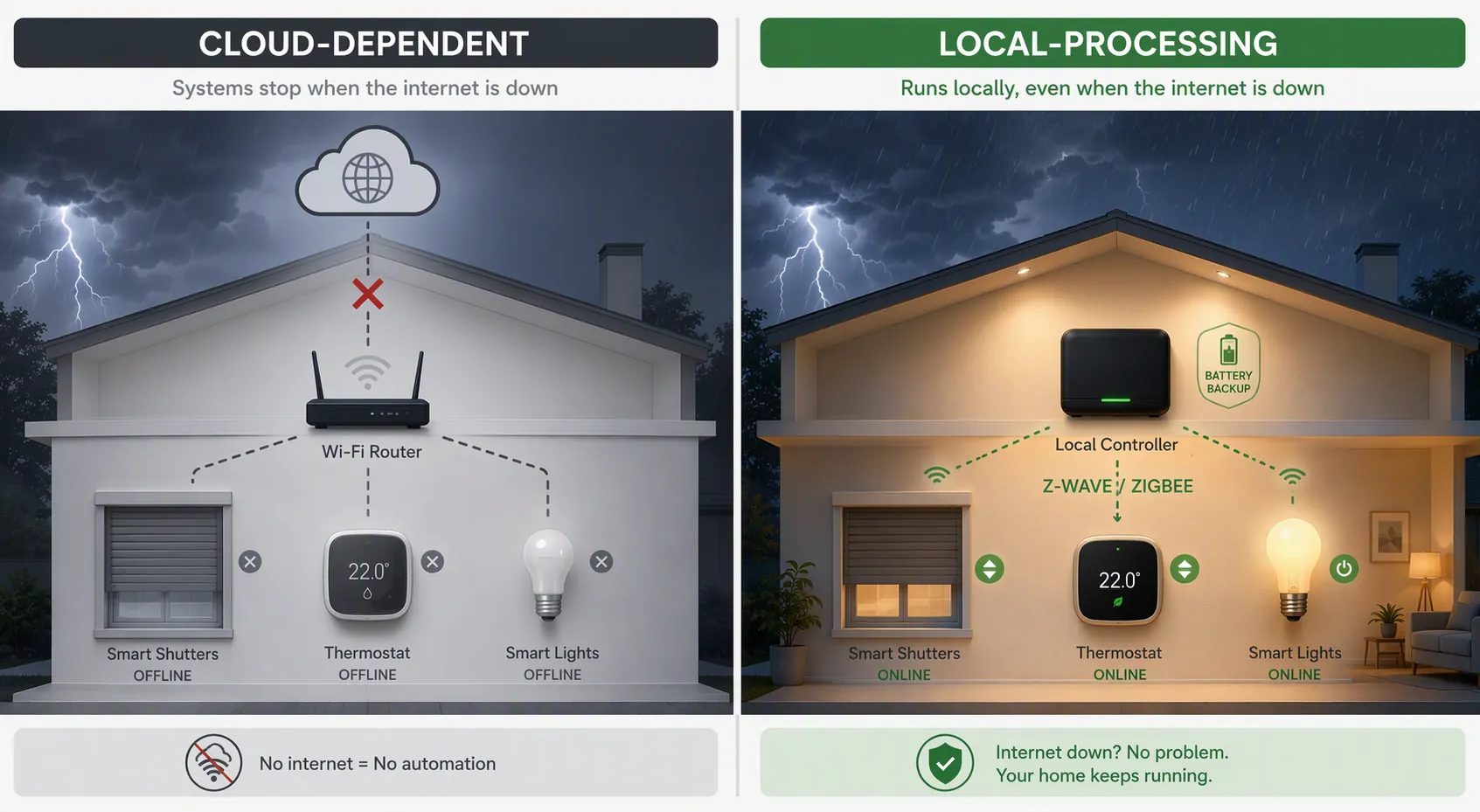
Home Assistant is the version to build if you want the scene to keep behaving after the internet drops. The usual storm-ready pattern is a mini-PC or Raspberry Pi on a UPS, with Z-Wave, Zigbee, and Thread radios attached locally, plus enough backup power for the router or local network path those devices require. For power planning beyond the controller, NestGrid’s Home Assistant outage load-shedding guide is the deeper detour.
Start with a manual script. Auto-triggering can come later. During a hurricane watch, the cleanest control is still a deliberate button press from the person who knows whether the house is occupied, whether guests are present, and whether evacuation is actually happening.
script:
  hurricane_mode:
    alias: Hurricane Mode
    mode: single
    sequence:
      - service: input_boolean.turn_on
        target:
          entity_id: input_boolean.hurricane_mode

      - service: valve.close_valve
        target:
          entity_id: valve.main_water_shutoff

      - service: climate.set_temperature
        target:
          entity_id: climate.downstairs
        data:
          temperature: 78

      - service: light.turn_on
        target:
          entity_id:
            - light.entry_lamp
            - light.hallway
        data:
          brightness_pct: 35

      - service: switch.turn_off
        target:
          entity_id:
            - switch.guest_room_plug
            - switch.patio_decorative_lights

      - service: camera.enable_motion_detection
        target:
          entity_id:
            - camera.driveway
            - camera.front_porch

      - service: alarm_control_panel.alarm_arm_home
        target:
          entity_id: alarm_control_panel.house

      - delay: "00:00:10"

      - service: notify.family
        data:
          title: Hurricane Mode started
          message: >-
            Water valve: {{ states('valve.main_water_shutoff') }}.
            Thermostat: {{ state_attr('climate.downstairs', 'temperature') }}.
            Entry lamp: {{ states('light.entry_lamp') }}.
            Check shutters, documents, pets, and evacuation bag.
Edit the entity IDs before running anything. If your alarm system does not allow safe automation, replace the alarm service call with a notification. If your camera integration uses different services, use those. If your thermostat should be set higher, lower, off, or to a humidity-safe mode, make that choice before the watch is issued.
Add a dashboard button so no one has to remember YAML under stress.
type: button
name: Hurricane Mode
icon: mdi:weather-hurricane
tap_action:
  action: call-service
  service: script.hurricane_mode
Then add state checks. A routine that sends “done” after issuing commands is less useful than one that waits long enough to report what the valve, lights, thermostat, and sensors actually say.
automation:
  - alias: Hurricane Mode - verify critical states
    trigger:
      - platform: state
        entity_id: input_boolean.hurricane_mode
        to: "on"
    action:
      - delay: "00:00:30"
      - service: notify.family
        data:
          title: Hurricane Mode verification
          message: >-
            Main water valve is {{ states('valve.main_water_shutoff') }}.
            Leak sensors online: {{ expand('group.leak_sensors') | selectattr('state', 'ne', 'unavailable') | list | count }}.
            Unavailable leak sensors: {{ expand('group.leak_sensors') | selectattr('state', 'eq', 'unavailable') | map(attribute='name') | list | join(', ') }}.
Use GDACS For Advanced Cyclone Awareness
Home Assistant’s official GDACS integration is the safer advanced trigger to discuss because it is documented, requires no API key, and polls every 5 minutes. It can monitor natural-disaster alerts, including tropical cyclones, within a configurable radius around your coordinates.[3]
# Example only: adapt entity names and thresholds after adding the GDACS integration.
automation:
  - alias: Hurricane Mode - GDACS cyclone nearby notification
    trigger:
      - platform: state
        entity_id: sensor.gdacs
    condition:
      - condition: template
        value_template: >-
          {{ state_attr('sensor.gdacs', 'event_type') == 'TC' }}
    action:
      - service: notify.family
        data:
          title: Tropical cyclone alert nearby
          message: >-
            GDACS reports a tropical cyclone event in the monitored radius.
            Review the forecast and decide whether to run Hurricane Mode.
Notice the wording: notify, then decide. Auto-running the whole house from a weather feed can be useful for a vacation property or a carefully controlled setup, but it should not replace human judgment. A forecast alert does not know whether your contractor is in the house, whether the dog sitter needs access, or whether you have already shut the water for another reason.
The Home Assistant community has also shared REST sensor patterns that pull NHC CurrentStorms.json for latitude, longitude, and wind information, plus a GDACS alert blueprint for hurricane warning notifications.[4][5] Those are useful advanced patterns, but they are more fragile than an official integration because a changed endpoint or blueprint assumption can break your automation at exactly the wrong time.
What Stops Working When The Outage Starts
Storm reliability is a chain, not a brand logo. The controller, radio, router, modem, switches, bridges, and devices all need a path. A local Z-Wave leak sensor can still be useful when the internet is gone. A Wi-Fi cloud plug usually cannot. A camera with local recording may preserve footage after remote viewing fails. A cloud-only camera may simply go quiet.
| Failure | Likely Result | Design Response |
|---|---|---|
| Internet drops but house still has power | Cloud routines and remote app control may fail; local hubs may continue | Run Hurricane Mode before connectivity gets unstable; prefer local control for critical actions |
| Grid power drops | Anything without battery or UPS support turns off | Back up the controller, hub, router, radios, and only the devices that matter |
| Wi-Fi router drops | Wi-Fi devices disappear even if battery-powered | Keep critical sensors on Z-Wave, Zigbee, Thread, or another local path where possible |
| Cloud service unreachable | Voice commands and cloud automations may not execute | Use physical controls, local dashboards, and locally processed automations |
| Cell network congested | Notifications may arrive late or not at all | Make the scene produce local state changes first; treat notifications as confirmation, not control |
SmartHomeExplorer reports that 79% of consumer smart-home gear assumes stable Wi-Fi and 120V wall power, and cites Hurricane Helene and Milton as recent cases where some areas in western North Carolina and central Florida saw 4-7 day outages.[1] That outage window is a case reference, not a prediction for every storm. It is enough, though, to expose the difference between a scene that helps you prepare and an automation stack that keeps operating after the neighborhood goes dark.
Food, displacement, and communications claims need the same restraint. SmartHomeExplorer cites $300-$500 in average food spoilage during a 4-7 day outage and $600-$1,200 in hotel displacement costs, and lists products such as Starlink Mini, Reolink Go PT Ultra, Anker SOLIX C800, and Phyn Plus 2nd Gen as resilience-related options.[1] Those numbers and prices are buying context, not proof that one shopping cart makes a house hurricane-ready. For device selection, use NestGrid’s hurricane preparedness device guide instead of trying to solve hardware purchasing inside the scene recipe.
Small Changes That Prevent Bad Hurricane Mode Behavior
The scene should be boring on purpose. A clever routine that opens a garage door for airflow, toggles every siren, or depends on a cloud camera to confirm a valve state is the wrong kind of clever when rain is already moving sideways.
- Name the routine plainly: “Hurricane Mode,” not a phrase only one person remembers.
- Put water shutoff and leak alerts before comfort lighting or decorative scenes.
- Disable or adjust motion and glass-break alerts that high wind is likely to trigger.[2]
- Send a notification with actual device states, not only “routine complete.”
- Keep one printed evacuation checklist in the house, because batteries, apps, and people all fail in different ways.
- If you already run weather-aware automations, fold this into a broader unified extreme weather mode instead of creating conflicting storm scenes.
Thermostat handling is a good example of measured automation. CNET notes that thermostat data can be useful for post-storm insurance documentation.[2] That does not mean you should force HVAC to run through every outage condition. It means the storm scene should set a deliberate target while power is available and preserve useful state history where your system supports it.
Verify Before The Season, Not During The Warning
The test is not whether the app shows a beautiful routine card. It is whether the house changes state, reports that state, and degrades in a way you already understand.
- Run Hurricane Mode on a normal day and physically confirm the water valve, thermostat, lights, cameras, and sensors.
- Disconnect internet service and test what still runs locally.
- Unplug noncritical gear during the test so you know which bridges or hubs were quietly required.
- Check that notifications list device states and unavailable devices.
- Test backup power for the controller, hub, radios, router, and any bridge tied to water shutoff or leak detection.
- Treat GDACS, NHC sensors, and weather-triggered automations as advanced conveniences, not substitutes for evacuation orders or human storm decisions.