
Smart Thermostat Settings for Heat Pumps in El Niño 2026-27
Heat-pump owners in the southern tier of El Niño 2026-27 should manage AUX/emergency heat, not chase bigger setbacks. Nest Heat Pump Balance and ecobee eco+ settings are the levers that keep cold, stormy weeks from spiking heating bills.
Applicability — August 27, 2026
This configuration recipe is for heat-pump homes in the Southeast, South, Southwest, and coastal California using a Nest or ecobee thermostat. It reflects information available on August 27, 2026. NOAA’s official 2026–27 Winter Outlook is still pending, so the regional weather context comes from the Climate Prediction Center’s August seasonal outlook and must be revisited as later outlooks arrive.[1]
For heat pumps, the first smart thermostat energy-saving setting for El Niño winter 2026–27 is not a larger overnight setback. It is control over when AUX or emergency heat may participate. The Department of Energy warns that ordinary setbacks are generally unsuitable for heat pumps in heating mode when recovery causes inefficient operation and cancels the expected savings.[2] Nest says electric AUX heat can cost roughly two to five times as much to run as the heat pump itself.[3]
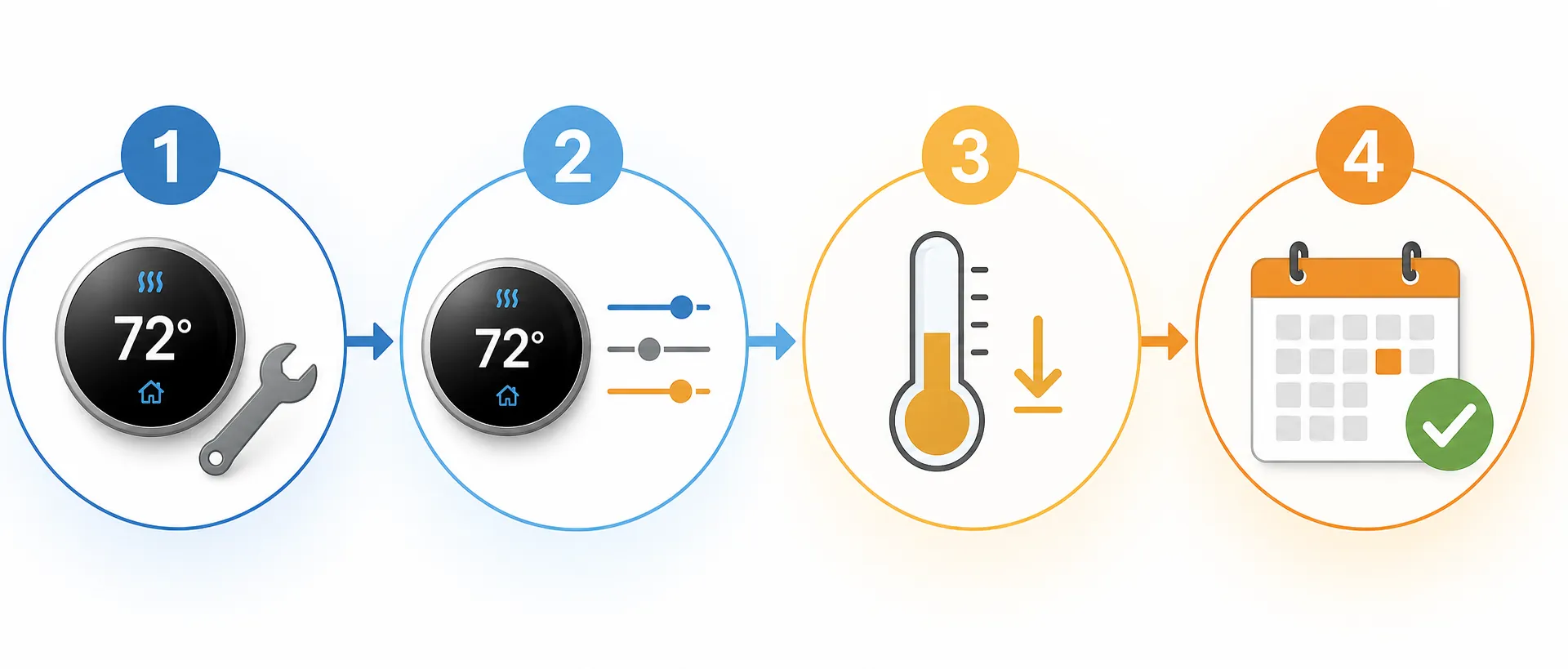
Use this sequence before changing the schedule:
| Order | Action | Decision |
|---|---|---|
| 1 | Identify the equipment | Determine whether the backup is electric resistance heat or a separate fuel-burning furnace. |
| 2 | Choose the platform control | Use Nest Heat Pump Balance where compatible, or review ecobee eco+, Comfort Settings, and applicable installation thresholds. |
| 3 | Keep the setback modest | Start with the smallest setback that serves the household, then check whether recovery brings on AUX. |
| 4 | Date-stamp the configuration | Record thermostat model, wiring or equipment type, firmware, settings, and the date checked. |
Identify the backup heat before touching advanced controls
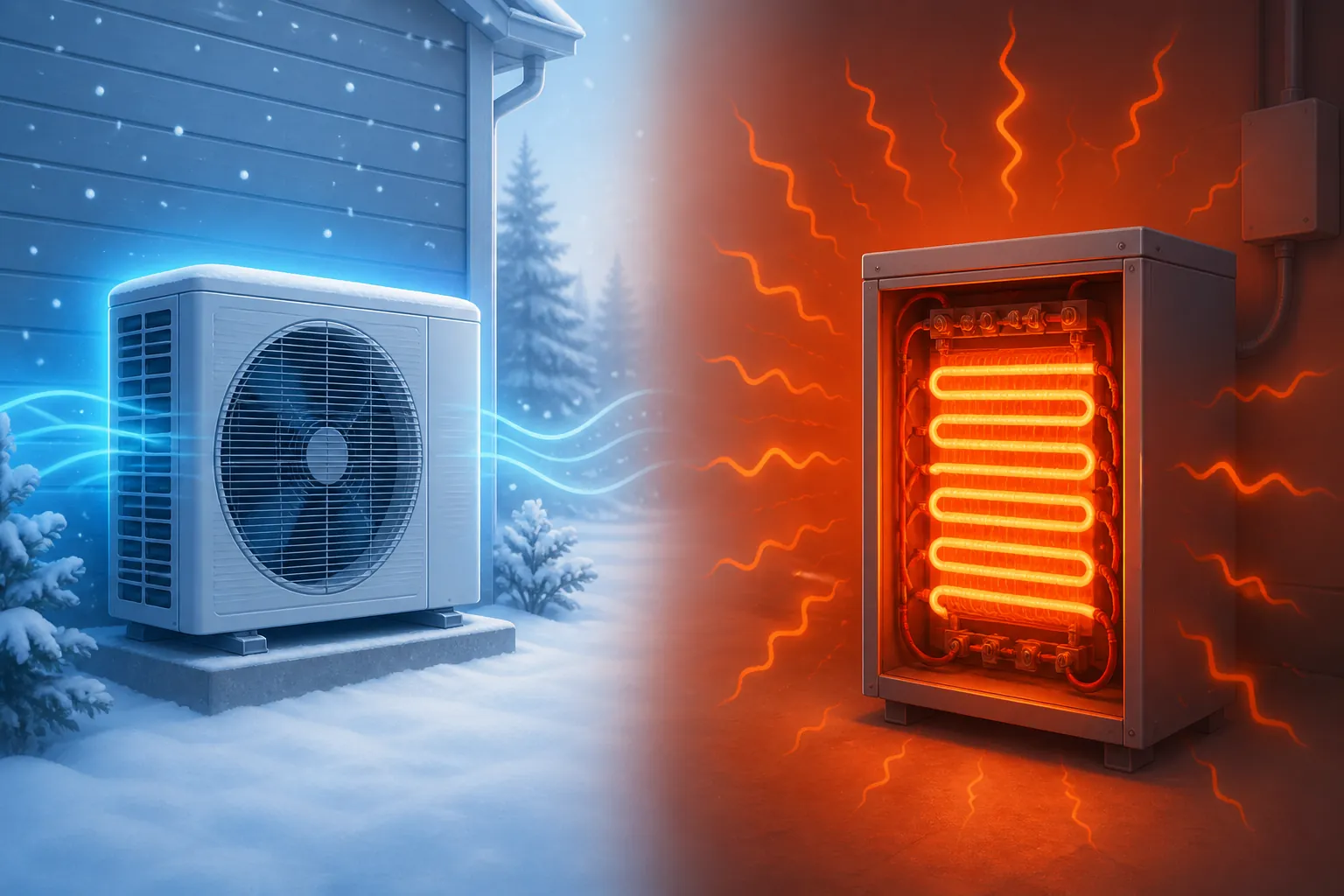
A thermostat showing “AUX” does not tell you enough by itself. Many heat pumps have electric resistance strips in the indoor air handler. A dual-fuel system instead pairs the heat pump with a furnace using another fuel. Those arrangements need different changeover logic, which is why a copied breakpoint from another house is not a safe starting point.
Check the thermostat’s equipment summary, the model information on the indoor and outdoor units, and any installation records. The breaker panel may also reveal a large electric-heater circuit, but it should not be the only evidence. Do not identify equipment from thermostat wire colors alone. If the backup source remains uncertain, stop at ordinary temperature controls and have an HVAC technician or installer identify the system.
- Heat pump with electric resistance backup: AUX operation is usually the expensive event to watch during recovery.
- Dual-fuel heat pump with a furnace: the changeover temperature depends on the equipment, fuel arrangement, controls, and installation.
- Unknown or ambiguous equipment: leave manual lockout and staging thresholds unchanged until the system is identified.
AUX and Emergency Heat should not be treated as interchangeable schedule settings. AUX is backup participation governed by the installed controls; Emergency Heat is an exception mode whose exact operation depends on the system. Do not select Emergency Heat merely because a cold or rainy period is forecast.
Nest: let Heat Pump Balance manage the breakpoint
Status: Vendor-documented configuration guidance; not reproduced here across every thermostat, wiring arrangement, and software version. Scope: Compatible Nest thermostats on correctly detected heat-pump systems. Available choices and displayed labels can vary by model, wiring, and firmware.
Heat Pump Balance is the practical first control to inspect on a compatible Nest installation. Nest documents four choices—Max Comfort, Balanced, Max Savings, and Off—and says the feature can select an AUX lockout or balance point automatically using system performance, weather, and the selected preference.[3]
| Nest choice | How to use it in this recipe |
|---|---|
| Max Savings | Choose this when minimizing AUX participation takes priority and the household can accept slower recovery or more temperature variation. |
| Balanced | Use as the simpler middle setting when comfort and reduced AUX use both matter. |
| Max Comfort | Expect the control to prioritize reaching the target temperature more readily; this is not the energy-first choice for an AUX-sensitive week. |
| Off | Do not select this merely to gain manual control. Isolate it to a correctly identified dual-fuel configuration with an appropriate manual lockout. |
For most compatible heat pumps with electric resistance backup, begin with Max Savings or Balanced rather than turning Heat Pump Balance off. The useful feature is automatic breakpoint selection: the thermostat can decide when backup heat is justified instead of applying a breakpoint copied from a different climate, compressor, or building.
Then watch actual operation. Review the thermostat history after a cold morning, a return from an away period, and a normal occupied day. A brief AUX event and an extended AUX-heavy recovery are not the same result. Record when AUX appeared, what temperature change the thermostat was trying to make, and whether someone had manually raised the setpoint.
The manual lockout exception is for identified dual-fuel systems
Turning Heat Pump Balance Off is not a universal efficiency upgrade. Nest’s documentation allows a manual lockout approach for dual-fuel systems, but that path belongs only where the backup has been positively identified as a separate fuel-burning heat source and the appropriate changeover has been established for that installation.[3]
That caveat matters because a dual-fuel lockout answers a different question from limiting expensive electric resistance recovery. If the thermostat, wiring, or equipment summary does not clearly establish dual fuel, leave Heat Pump Balance on and use Max Savings or Balanced. Do not disable the automatic feature and improvise a manual temperature.
ecobee: use eco+ with the applicable comfort and threshold controls
Status: Vendor-documented configuration guidance; not reproduced on every ecobee model, app release, equipment profile, or installer setup. Scope: ecobee thermostats correctly configured for a heat pump and its actual auxiliary source. Menu names and available installation thresholds can differ.
ecobee does not need to imitate Nest’s menu structure to solve the same household problem. Its winter guidance points owners toward eco+, Comfort Settings, and threshold controls as the relevant places to manage efficiency and heat-pump behavior.[4] Treat those as separate layers: eco+ provides adaptive optimization, Comfort Settings determine the occupied targets and schedule, and equipment thresholds govern behavior that may include compressor and AUX staging.
Start in the equipment configuration and verify that the thermostat recognizes a heat pump and the correct kind of auxiliary source. If that description is wrong or incomplete, do not compensate by changing thresholds. Correct equipment identification comes first.
Next, review which eco+ features are enabled and whether their behavior suits the household. Keep adaptive optimization available where appropriate, but do not assume that enabling eco+ by itself establishes the right AUX limits for every installation. Check the Comfort Settings used by Home, Away, and Sleep periods, then inspect only the equipment thresholds exposed for the specific thermostat and installation.
- Use modest differences between comfort periods so the heat pump is not asked to make an abrupt recovery.
- Review runtime or equipment history after recovery periods and look specifically for auxiliary-stage operation.
- If AUX runs for long stretches, first reduce the size or speed of the scheduled recovery rather than assuming the house needs a more aggressive threshold.
- Do not copy a compressor lockout, AUX lockout, or staging value from another home. Leave an unknown installer threshold unchanged and ask the installer to verify it.
This is not a claim that eco+ and Heat Pump Balance are technically equivalent. They expose different controls and depend on different equipment integrations. The common operating goal is narrower: allow the thermostat to optimize normal heat-pump operation while making backup-heat participation visible and deliberate.
Why the familiar 7–10°F setback is the wrong starting point
The widely repeated baseline says a household may save as much as 10% a year on heating and cooling by turning the thermostat back 7–10°F for eight hours a day. DOE presents that as general thermostat guidance, but it separately warns that setbacks are generally not recommended for heat pumps in heating mode when recovery leads to inefficient operation. DOE instead recommends maintaining a moderate setting or using a thermostat designed to control heat-pump recovery appropriately.[2]
The problem appears in the recovery, not necessarily during the setback itself. A lower target can reduce heat demand while everyone sleeps or while the house is empty. But when the schedule asks the heat pump to erase a large indoor-temperature gap quickly, backup resistance heat may join. An attractive schedule on the screen can therefore produce an AUX-heavy morning that weakens or erases the expected savings.
No single setback depth is supported for every southern heat-pump home. Start with the smallest practical difference between occupied and unoccupied periods. Let the thermostat recover using its heat-pump-aware controls, then inspect the history. If AUX appears repeatedly during scheduled recovery, reduce the setback or lengthen the recovery rather than increasing the temperature jump.
Resistance heat is important enough that ENERGY STAR includes resistance-heat utilization in smart-thermostat performance reporting. The criteria call for national mean utilization to be reported in 5°F outdoor-temperature bins from 0°F through 60°F.[5] That is a population-level reporting requirement, not a promise about one household, but it shows why AUX behavior cannot be hidden inside a broad annual savings percentage.
Make the result reproducible
A settings screenshot without equipment context is not a reusable recipe. Firmware can change, an installer can revise equipment detection, and a thermostat replacement can expose different options. Keep a short configuration record alongside the HVAC service information.
- Date checked and person who checked it
- Thermostat brand and exact model
- App and thermostat software or firmware version, when displayed
- Heat-pump model and backup source: electric resistance, dual fuel, or not yet identified
- Detected heating stages and any installer-verified lockout or staging controls
- Nest Heat Pump Balance choice, or the relevant ecobee eco+, Comfort Settings, and threshold state
- Normal schedule and the recovery periods during which AUX appeared
Record observations rather than declaring the setup successful after one mild day. A useful note might say that the configuration was reviewed on a particular date and that AUX was or was not observed during the next cold-morning recovery. It should not claim that a platform option is universally verified across models or that the absence of AUX in one weather event proves the winter result.
What the current El Niño outlook changes—and what it does not
The Climate Prediction Center’s August 20 seasonal outlook gives parts of the Southeast greater than 60% odds of above-normal precipitation by the November–January period, with the wet signal persisting through January–March. Across much of coastal California, probabilities exceed 50% from December–February into February–April and peak in January–March.[1]
Those are probabilities for seasonal precipitation categories. They do not specify the temperature on a particular morning, guarantee a storm at one address, or predict a household heating bill. Their practical value here is preparation: a wetter southern-tier pattern can bring more weeks when owners pay closer attention to heating behavior, but it does not establish a universal AUX breakpoint.
CPC’s August 13 discussion had an El Niño Advisory in effect, while its Relative Oceanic Niño Index outlook put the probability of a very strong event above 90% for fall and winter 2026–27. The median RONI projection for December–February was near +2.23°C.[6][7] A stronger event can make characteristic impacts more likely; it still does not guarantee their timing or severity in any city.
The seasonal discussion also identifies 2024 and 1998 as wet-February analogues.[1] They are historical comparisons, not forecasts that February 2027 will repeat either year. They support checking the system before winter, not programming the thermostat around an assumed storm calendar.
Energy prices offer no reliable shortcut to the household answer. The Energy Information Administration’s August Short-Term Energy Outlook projected Henry Hub natural gas below $3.00 per million British thermal units and near-record storage going into October.[8] That information is relevant background for fuel markets, particularly in dual-fuel discussions, but it is not the still-pending 2026–27 Winter Fuels Outlook and should not be converted into a heating-bill forecast.
Related recipes and the next review dates
For the broader regional forecast, see smart thermostat settings for the 2026–27 Super El Niño. The 2026–27 winter scheduling recipe supplies baseline schedule guidance, subject to the heat-pump caveat explained here. The Ohio winter settings recipe provides a northern-tier contrast, while the data-driven smart thermostat savings comparison explains how to evaluate broad savings claims.
Re-check the weather assumptions when CPC updates arrive on September 10 and September 17, 2026, and again when the official winter outlook becomes available.[1][6] Re-check the equipment recipe after a thermostat update, HVAC service visit, wiring change, or replacement of either heating source.
The narrow answer is to manage backup heat first and use modest scheduling second. Whether that means Nest Max Savings, Nest Balanced, an ecobee configuration using eco+ and applicable equipment controls, or an installer-set dual-fuel lockout remains conditional on the equipment, wiring, thermostat model, and firmware. The useful result is not a promised dollar amount or a supposedly perfect breakpoint. It is a dated configuration that lets the homeowner see when AUX participates before the stormiest weeks arrive.
References
- Seasonal Outlook Prognostic Discussion — NOAA Climate Prediction Center, August 20, 2026
- Programmable Thermostats — U.S. Department of Energy
- Nest Heat Pump Balance — Google Nest Help
- How to save on rising winter heating bills — ecobee
- Smart Thermostats Key Product Criteria — ENERGY STAR
- ENSO Diagnostic Discussion — NOAA Climate Prediction Center, August 13, 2026
- RONI Strength Outlook — NOAA Climate Prediction Center, August 2026
- Short-Term Energy Outlook — U.S. Energy Information Administration, August 11, 2026