
Smart Thermostat Settings for Dallas Record Heat
Per-brand smart thermostat settings for the August 2026 Dallas record heat — why the flat 78°F rule falls short, the ERCOT 2-8 pm pre-cool and setback schedule, features that backfire above 100°F, and realistic AC and bill expectations.
On Aug. 23, 2026, DFW hit an official daily record of 109°F, breaking the prior Aug. 23 record of 107°F; some local references logged the day at 108°F, so the safest way to treat it is as a 108–109°F record-heat afternoon rather than a normal hot Sunday with a dramatic headline.[1] It also did not arrive by itself. North Texas had been running through roughly three weeks of 100°F-plus heat starting Aug. 3, with only one 99°F day on Aug. 10, while August 2026 was already tracking as one of the hottest Augusts on record by Aug. 19.[2]
That is the kind of weather where the usual smart-thermostat advice — set it to 78°F when home, 85°F when away, let the app handle the rest — starts to fall apart. The better setup during Dallas record heat is a dated schedule: cool the house slightly before the ERCOT 2–8 pm peak window, hold a raised but livable setpoint through that window, and avoid deep setbacks that leave the system clawing back temperature at dinner time.
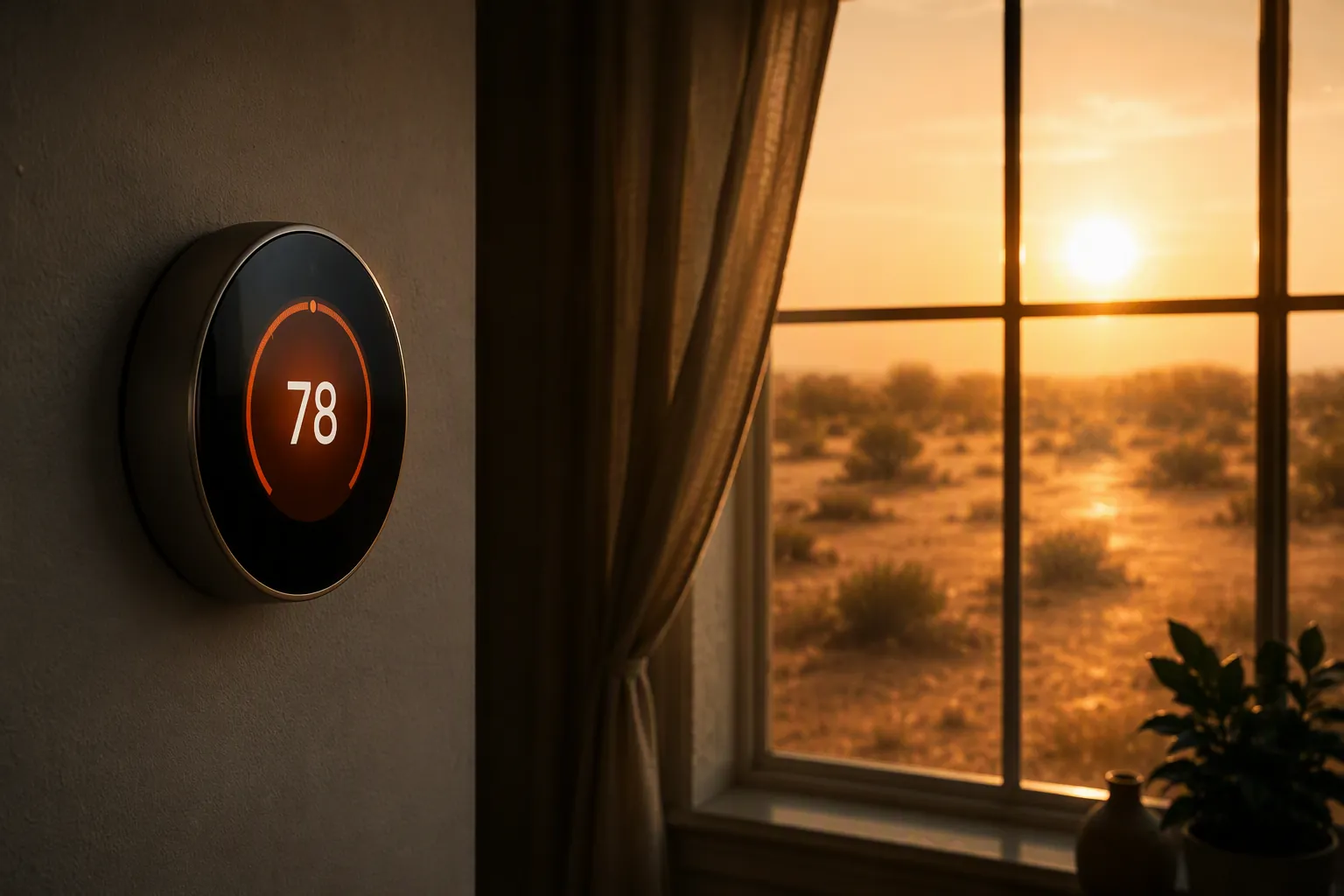
The copyable Dallas heat-wave schedule
Use this as a starting point for an occupied home during an August 2026-style DFW heat wave. It assumes a central AC system that can normally maintain temperature in the morning but struggles once outdoor temperatures are above 100°F. If a household has older adults, infants, medical concerns, or a bedroom or office that runs hot, move the comfort numbers down rather than treating this as a toughness test.
| Time | Status | Setting | What it is trying to prevent |
|---|---|---|---|
| Morning to late morning | Confirmed | Run your normal occupied comfort setting, often around 75–78°F depending on the home. | Starting the day too warm and asking the AC to recover when attic, walls, and ductwork are already heat-soaked. |
| Late morning to early afternoon, before 2 pm | Workaround | Pre-cool 2–3°F below the planned peak-window hold. | Letting the thermostat wait until the hottest, most grid-stressed part of the day to do its hardest work. |
| 2–8 pm ERCOT peak window | Confirmed | Hold a raised setpoint instead of chasing comfort lower. For many homes, that means 78–80°F occupied, not a deep away setback. | Long compressor runs during the period when conservation requests and outdoor heat line up. |
| After 8 pm | Workaround | Step down gradually if needed, usually 1–2°F at a time, instead of demanding a large recovery all at once. | The hallway-at-5:30-pm problem: the thermostat says it is recovering, the vents are cool, but the room temperature barely moves. |
| Overnight | Investigating | Use the lowest health-and-sleep-safe setting your system can reach without running continuously. | Assuming the same number works in every house after a day of record heat. |
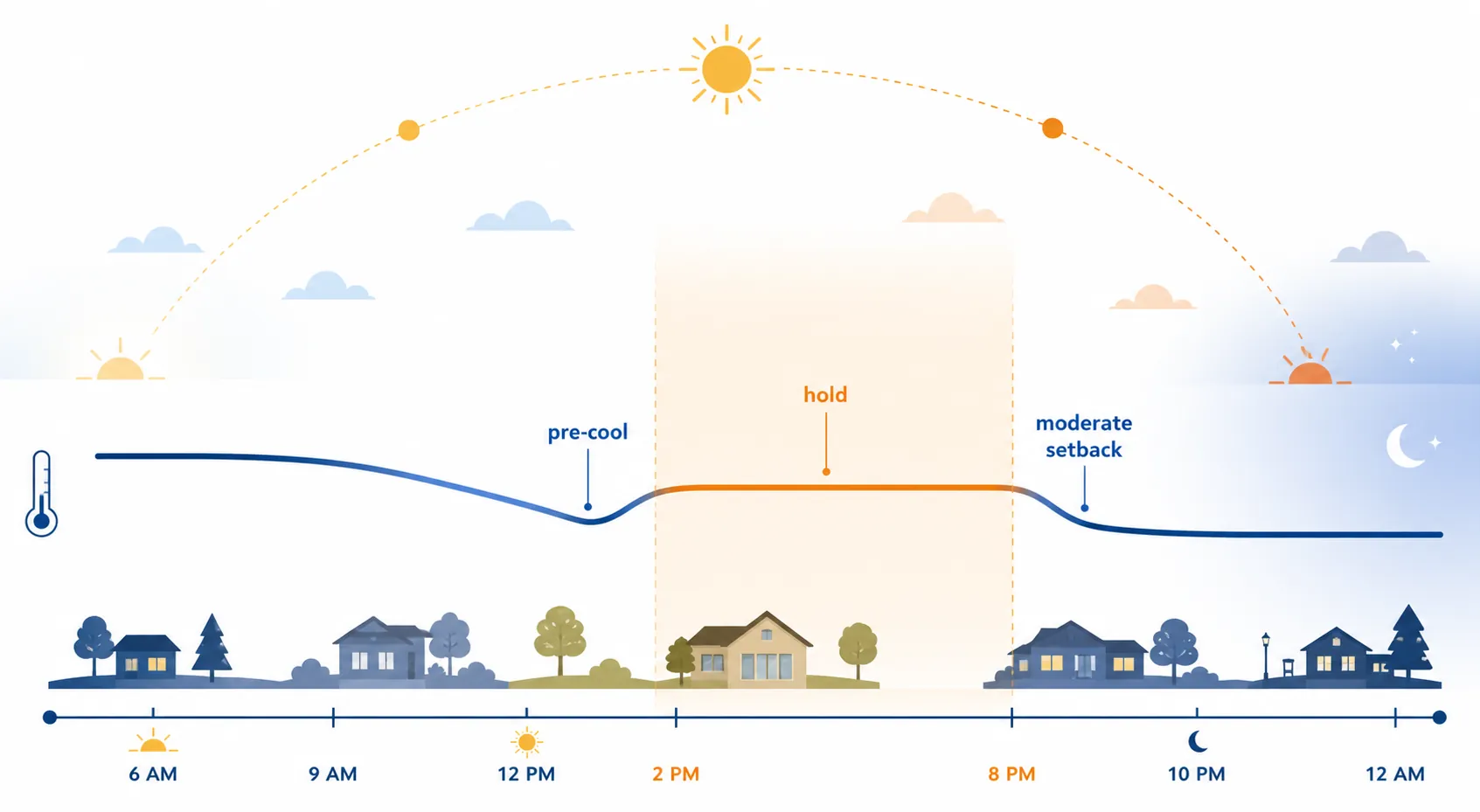
The important move is not the exact number. It is shifting some cooling earlier in the day, before the 2–8 pm conservation window used in ERCOT notices, then refusing to let the thermostat create a huge recovery job during the worst part of the afternoon.[3] A pre-cool of 2–3°F is intentionally modest. Dropping the house 6°F or 8°F before peak can turn into its own long compressor run, especially in a leaky or poorly shaded home.
For a house that normally feels acceptable at 78°F, the heat-wave version might be 75–76°F before 2 pm, 78–80°F from 2–8 pm, then 77–78°F after 8 pm if the system is keeping up. For a house that already needs 75°F for health, sleep, or upstairs comfort, the same idea still applies, but the numbers shift down: pre-cool slightly, hold slightly higher during peak, and avoid a deep away setting that the AC cannot recover from before bedtime.
What “moderate setback” means in this heat
A moderate setback is close enough that the AC can realistically recover once the outdoor temperature begins to ease. In Dallas record heat, that usually means a few degrees above your occupied setpoint, not an 85°F away target just because an energy tip sheet said so. If the thermostat lets the house drift to 84–85°F by late afternoon, the system may run for hours after you get home and still feel behind.
The danger is not that 85°F is always wrong. It can be fine for an empty, well-insulated house when nobody needs the space soon. The problem is using it blindly during a long 100°F-plus stretch, then expecting the AC to pull the house back down quickly during the same hours when the attic is hottest and every surface in the house is radiating stored heat.
Brand settings to review before the next 100°F afternoon
Nest, ecobee, Honeywell, and Home Assistant can all run the schedule above. The names differ; the failure modes are familiar. The settings most worth checking are recovery behavior, location-based switching, and humidity-related compressor logic.

| Platform | Status | Setting or feature to inspect | Heat-wave adjustment |
|---|---|---|---|
| Nest | Workaround | Auto-Schedule, Eco Temperatures, Early-On, Home/Away Assist, Airwave | Use a manual heat-wave schedule if learned behavior keeps creating deep setbacks. Keep Eco Temperatures moderate if anyone returns before evening. Review Airwave if humidity is high and the home feels clammy. |
| ecobee | Confirmed | Schedule, Comfort Settings, Smart Home & Away, Smart Recovery, eco+ | Build the 2–8 pm hold into Comfort Settings. Consider disabling or limiting Smart Recovery if it starts recovery too aggressively during peak heat. |
| Honeywell Home / Resideo | Confirmed | Program schedule, geofencing, Adaptive Intelligent Recovery or similar recovery features | Use time blocks rather than relying only on geofence changes. Review adaptive recovery if it begins cooling earlier or harder than intended. |
| Home Assistant | Workaround | Automations, occupancy triggers, utility or grid-condition helpers, thermostat integrations | Write explicit time-of-day logic for pre-cool, peak hold, and evening step-down. Add conditions so brief occupancy or location changes do not yank the setpoint around. |
Recovery features can pick the wrong hour to be helpful
Smart recovery features are designed to reach a target temperature by a scheduled time. In mild weather, that is convenient. In a Dallas heat wave, it can mean the thermostat starts pushing the AC hard right as the 2–8 pm window begins, because the software is trying to make the house feel perfect by the time people return.
That does not make recovery automation bad. It means it needs supervision during record heat. If you use ecobee Smart Recovery, Honeywell adaptive recovery, Nest Early-On, or a Home Assistant automation that anticipates occupancy, check when the system actually begins cooling. If the answer is “right in the middle of peak,” flatten the schedule: pre-cool before 2 pm, hold through 8 pm, then step down after the window.
Geofencing churn is worse when recovery is slow
Location-based home and away modes are useful when the house can recover quickly. They get messy when someone leaves for a short errand, another person stays home, a phone drops location, or the thermostat flips to an away temperature that makes sense on paper but not at 5 pm in August.
During this kind of heat, time blocks are more predictable than constant occupancy guessing. Keep geofencing if it is stable and conservative. If it keeps pushing the house into a deep away setback during the afternoon, turn it down, narrow its authority, or override it with the heat-wave schedule until the 100°F stretch breaks.
Nest Airwave depends on humidity, not just temperature
Nest Airwave is meant to turn the compressor off while continuing to run the fan so the system can use residual cooling in the coil. That can be helpful in the right conditions. In sticky North Texas weather, the comfort question is whether the home is actually staying dry enough. If rooms feel humid or the temperature drifts up while Airwave is active, review it rather than assuming compressor-off time is automatically a win.
The same caution applies to fan-only habits. Running the fan continuously may even out temperatures in some homes, but it can also move moisture back into the air after a cooling cycle. If the house already feels clammy, the fan setting deserves as much attention as the cooling setpoint.
What the thermostat can and cannot fix
A smart thermostat cannot make an undersized AC, weak insulation, hot attic, dirty filter, or sun-blasted west room behave like a newer high-performance house. During a long 100°F-plus run, the compressor may operate for much of the afternoon even with sensible settings. That is not automatically proof that the thermostat is broken.
The schedule’s job is narrower: reduce the size of the evening recovery problem, avoid unnecessary peak-hour cooling commands, and keep the home from drifting so far upward that comfort becomes difficult to regain. If indoor temperature rises a degree or two during the hottest part of the day while the vents are blowing cold air, the system may simply be losing the race temporarily. If the vents are not cold, the thermostat is blank, the outdoor unit is short-cycling, or the indoor temperature keeps climbing after sunset, that moves out of scheduling territory and into HVAC troubleshooting.
Bill expectations: keep the savings claims in separate lanes
Per-degree savings estimates are useful only if they stay attached to their source and context. DOE/Trane-style guidance is often framed around roughly 3% savings for each degree above 72°F, while ERCOT-facing conservation language has used a separate 6–8% figure per degree of cooling.[3][4] Those are not ingredients to blend into one universal Dallas formula.
A household may raise the afternoon setpoint and still see long runtimes because the weather load is extreme. A pre-cool may improve comfort and reduce the evening recovery grind without producing a neat bill reduction that shows up cleanly in the next statement. Electricity prices, plan structure, insulation, duct location, shade, thermostat placement, and AC condition all get a vote.
That is why the August 2026 DFW playbook should be reviewed as a comfort-and-load schedule first, not sold as guaranteed savings. Pre-cool modestly before peak, hold higher through 2–8 pm, step down carefully after 8 pm, and keep smart features from creating a recovery trap while the house is still carrying the day’s heat.
References
- North Texas facing excessive heat warning for Sunday, CBS Texas
- North Texas meteorologist summer heat record, KERA News
- ERCOT Conservation Notice July 13, VIP Energy Service
- Per-degree cooling savings guidance, DOE / Trane