
State-by-State Smart Thermostat Settings for Winter
Winter thermostat settings aren't one-size-fits-all: real-world setpoints span roughly 63°F in Vermont to about 70°F in Oklahoma and Texas. Get a state-aware 68°F baseline with 7–10°F setbacks, regional adjustment bands based on heating degree days and fuel type, and Nest, ecobee, and Honeywell configuration steps for winter.
Start winter with this setup: 68°F when people are home, a 7–10°F setback while asleep or away if you have a furnace or boiler, and a hard lower limit of 55°F for freeze protection. Then adjust by state, equipment, and the forecast instead of treating 68°F as a law.
The reason is visible on the old but still useful EnergyHub state map. In its historical thermostat data, Vermont homes averaged a 63.4°F winter setpoint, while Oklahoma was at 70.0°F and Texas was also around 70°F; the same analysis compared Vermont’s 7,746 annual heating degree days with Texas at 1,862, a reminder that “winter” is not the same load in every state. EnergyHub’s data was collected around 2011–2012 and used 2001–2010 heating-degree-day normals, so it should be read as historical behavior, not a live 2026 thermostat survey.[1] GreenBuildingAdvisor’s 2012 discussion of the same geography makes the same larger point: observed winter setpoints were strongly patterned by state.[2]

That map does not mean a Vermont reader must set the house to 63.4°F, or that every Texas reader should use 70°F. It means the national shortcut needs a local correction. Use the map as evidence that climate and heating load shape behavior, then use the settings below as a configuration recipe.
The winter setting recipe
| Situation | Copyable setting |
|---|---|
| Home and awake | Start at 68°F, then move 1–2°F up or down for your state, building, and comfort. |
| Sleeping, furnace or boiler | Set back 7–10°F from the occupied setting if the house stays comfortable and pipes are protected. |
| Away for the workday, furnace or boiler | Use the same 7–10°F setback, with a 55°F minimum. |
| Heat pump home | Avoid deep automatic setbacks if recovery brings on auxiliary or emergency heat. |
| Extreme cold, crawlspace pipes, or a vacant house | Keep the thermostat at or above 55°F unless a qualified local pro has given you a different floor. |
The 68°F occupied anchor is widely repeated in winter thermostat guidance, and Constellation also cites 55°F as a lower winter floor.[3] Direct Energy describes the familiar DOE-style setback rule: lowering the thermostat 7–10°F for 8 hours a day can save up to 10% a year on heating and cooling.[4] For pipe protection, 55°F is also the practical minimum used in frozen-pipe guidance.[5]
Savings claims need labels. ENERGY STAR says certified smart thermostats deliver about 8% average savings, about $50 per year, with results varying by climate zone, occupancy, and equipment; certification also requires at least an 8% heating-runtime reduction in field data.[6] Trane cites the DOE-style estimate of roughly 1% energy savings for each degree of setback over an 8-hour period, while EnergyHub’s historical map analysis used a 3%-per-degree assumption when estimating savings from lower setpoints.[7][1] Those are not the same claim, and they should not be blended into one magic percentage.
State-aware starting settings
These bands are not observed state averages. The only precise observed values used here are the historical EnergyHub examples already cited. The table is a setup framework: start with 68°F, adjust the occupied band by regional winter load and comfort expectations, then choose the setback based on fuel type.
| States | Occupied winter start | Furnace/boiler sleep or away | Heat-pump note |
|---|---|---|---|
| AK, ME, VT, NH, NY, MI, WI, MN, ND, SD, MT, WY | 66–68°F | 7–10°F lower, but do not go below 55°F | Use a shallow setback if recovery calls auxiliary heat. |
| MA, RI, CT, PA, NJ, OH, IN, IL, IA, NE, ID, CO, UT | 67–68°F | 7–10°F lower, but do not go below 55°F | Watch morning recovery after very cold nights. |
| WA, OR, DE, MD, WV, VA, KY, MO, KS, NV, NM | 68°F | 7–10°F lower, but do not go below 55°F | Keep setbacks modest in heat-pump homes during cold snaps. |
| CA, AZ, AR, TN, NC, SC, GA, AL, MS, LA | 68–69°F | 7–10°F lower if the system recovers comfortably | Many mild-winter homes do better with smaller automated drops. |
| TX, OK, FL, HI | 68–70°F | Use a setback only as far as comfort, humidity, and recovery allow | Avoid treating a mild forecast like a hard-freeze forecast. |
The cold-state band is deliberately not “set it colder because the state is colder.” In a long-heating-season home, every degree and every hour matters more because the heating system runs more often. Some households respond by wearing heavier layers and accepting a lower occupied setpoint. Others need 68°F because of age, health, drafts, or rooms far from the thermostat. The useful distinction is not pride in a low number; it is whether the setting still works at 3 a.m. and whether the system can recover without waste.
In mild-winter states, the trap is different. A 10°F setback may look efficient in an app, but the house may not have been losing heat quickly enough to justify an aggressive schedule, or a heat pump may recover with expensive auxiliary heat. That is why Texas and Oklahoma can appear near 70°F in the historical map while still belonging in the same basic recipe: start near 68°F, allow comfort-driven adjustment, and do not use deep setbacks blindly.
State borders also hide local exceptions. Northern Arizona is not Phoenix. The California coast is not the Sierra. Western Oregon is not eastern Oregon. If your state sits in a mixed band, use the table as the first entry in the thermostat app, then correct it after a week of real runtime and comfort complaints.
Gas, oil, and boiler homes can usually use the bigger setback
If your home has a gas furnace, oil furnace, or boiler, the standard winter schedule is straightforward. Put the occupied comfort temperature at the state-aware number from the table. Put sleep and regular away periods 7–10°F lower. Keep the minimum at 55°F. If the house is slow to recover, start warm-up earlier rather than raising the occupied temperature for the whole day.
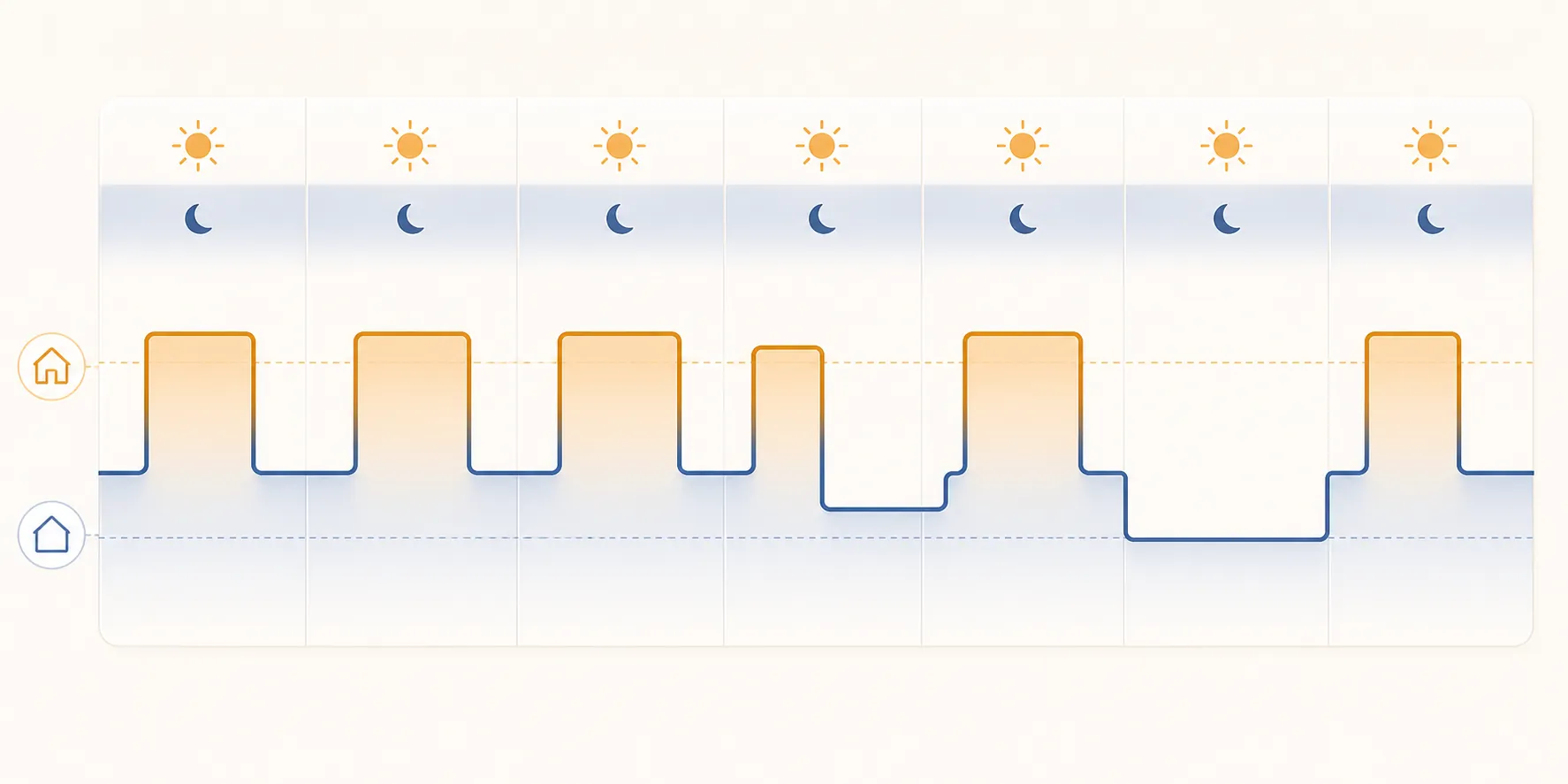
A copyable furnace or boiler schedule might look like this: 68°F from wake-up through morning departure, 58–61°F while away, 68°F again in the evening, and 58–61°F overnight. In the coldest states, a 66–67°F occupied setting with a sleep setting around the high 50s may be tolerable for some households, but the pipe-protection floor still wins over the spreadsheet.
Heat-pump homes need a different winter habit
A heat pump is where generic winter advice can get expensive. Trane warns that large setbacks can cause a heat pump to rely on auxiliary or emergency heat during recovery, which can undercut the savings a homeowner expected from lowering the setting.[7] The thermostat may still show a neat schedule; the bill is where the penalty appears.
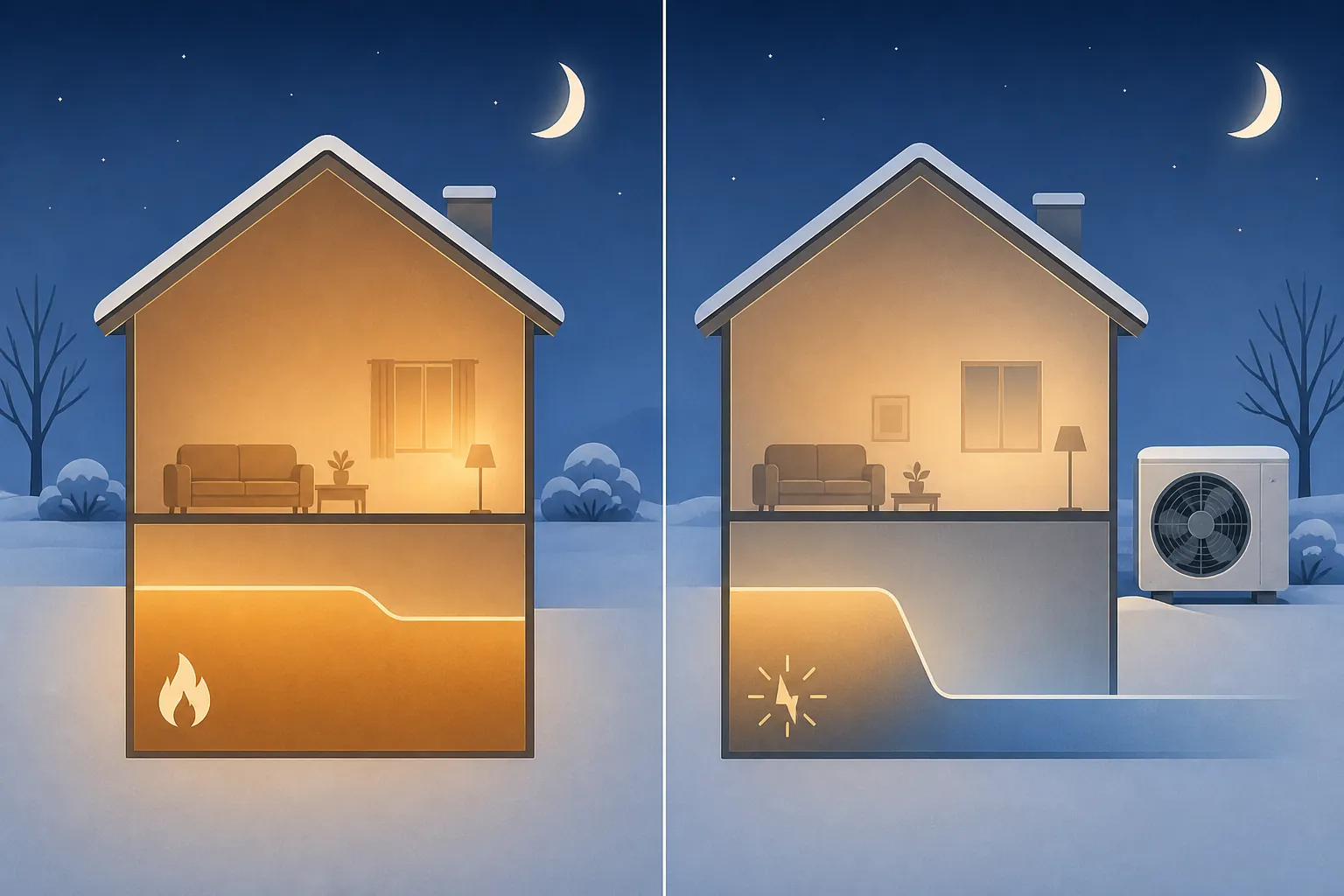
For a heat-pump home, enter the same occupied comfort setting from the state table, but make sleep and away settings conservative. If the app or thermostat shows auxiliary heat during the morning ramp-up, the setback is too aggressive for that weather, that house, or that equipment. During a cold snap, the better setting may be a steady occupied temperature or only a small nighttime reduction, especially in southern and mixed-climate states where heat pumps are common.
This is also where a winter weather forecast map matters. Before a hard freeze or unusual cold outbreak, check the near-term forecast for your state and temporarily soften the schedule: raise the sleep floor, shorten the away setback, and make sure the safety minimum is not below 55°F. For a broader winter 2026–27 forecast discussion and freeze-floor context, use the separate guide on whether the Farmers’ Almanac should guide your thermostat schedule.
How to enter the settings in Nest, ecobee, and Honeywell
The app labels vary by model and software version, but the winter configuration is the same: set the comfort temperature first, then the sleep and away behavior, then the safety floor. Do not start with eco mode. Eco settings should serve the schedule, not quietly replace it with a number nobody in the house agreed to.
Nest
- Set the main Heat temperature to the occupied number from the state table: usually 66–70°F.
- Create or review the winter schedule: morning occupied, daytime away if applicable, evening occupied, overnight sleep.
- For a furnace or boiler, make sleep and away 7–10°F lower than the occupied setting.
- For a heat pump, avoid a deep Eco or overnight drop if the system uses auxiliary heat to recover.
- Set the safety or minimum heat temperature at no less than 55°F for freeze protection.
Nest users should be especially careful with auto-generated Eco behavior in winter. A low Eco temperature can be fine for a well-insulated furnace-heated house during a normal workday, but it is the wrong default for a heat-pump home heading into a forecast freeze.
ecobee
- Set the Home comfort setting to the state-aware occupied target.
- Set Sleep and Away comfort settings separately instead of using one catch-all winter number.
- For gas, oil, or boiler heat, use the 7–10°F setback range where comfort and pipe protection allow.
- For heat pumps, check whether morning recovery triggers auxiliary heat; if it does, reduce the setback or hold a steadier temperature.
- Use vacation or extended-away settings only after confirming the minimum heat setting remains at least 55°F.
For Illinois and the Upper Midwest, a city-level example is often more useful than a national average. The Chicago winter smart thermostat settings recipe walks through that colder mixed-climate case in more detail.
Honeywell Home
- Choose the winter Heat schedule, then set the occupied period first.
- Enter separate wake, leave, return, and sleep temperatures if your model supports them.
- Use 68°F as the first occupied setting unless your state band or household comfort points you slightly lower or higher.
- Use a 7–10°F setback for conventional heat, but keep the minimum at or above 55°F.
- If the system is a heat pump, avoid large winter setbacks that cause auxiliary heat recovery.
Honeywell Home’s own winter guidance also points readers toward seasonal setpoints and setbacks, so treat the brand app as the place to enter the same recipe rather than as a reason to invent a separate Honeywell-only winter number.[8]
A quick correction after the first cold week
After the first real cold week, check three things: whether anyone wakes up cold, whether the house recovers before the occupied period, and whether a heat-pump system is using auxiliary heat after setbacks. If comfort is good and recovery is clean, keep the schedule. If recovery is slow, move the warm-up earlier. If auxiliary heat appears after a deep setback, reduce the setback before lowering the comfort setting for the whole house.
For savings math, keep the claims modest. ENERGY STAR’s average smart-thermostat savings and DOE-style setback rules are useful expectations, not guarantees for a specific home.[6][4] If you want a separate look at vendor savings claims, the Honeywell savings-data breakdown is here: How Much Does a Honeywell Smart Thermostat Really Save? Use that savings context after you have checked the four schedule values: occupied comfort, appropriate setback, 55°F safety floor, and no deep heat-pump recovery into auxiliary heat.
References
- Does Living in a Colder Climate Make You Warmer on the Inside? — EnergyHub
- The Strange Geography of Thermostat Settings — GreenBuildingAdvisor
- Best Thermostat Settings for Winter — Constellation
- Recommended thermostat settings for winter at home — Direct Energy
- Keep pipes from freezing and bursting with these guidelines — Protect Your Pipes
- ENERGY STAR Smart Thermostats FAQs for EEPS — ENERGY STAR
- What is the Best Temperature to Set My Thermostat to in the Winter to Save Money? — Trane
- Best fall & winter thermostat settings for savings — Honeywell Home