
Smart thermostat temperature settings for every season
A season-by-season smart thermostat schedule you can copy directly into Nest, ecobee, or Home Assistant — what to set for home-awake, asleep, and away states in winter, spring, summer, and fall, with vendor savings claims kept distinct from independent data.
If you want the best smart thermostat temperature setting for each season, start with three states instead of one magic number: home-awake, asleep, and away. For a conventional gas forced-air system, the useful starting schedule is winter at about 68°F when you are home and awake, summer at about 78°F when you are home and awake, and a larger setback during away periods. DOE setback guidance is being used here only as cited by secondary sources, because the canonical DOE thermostat page was unavailable when checked; those secondary sources relay the familiar estimate that setting the thermostat back 7–10°F for 8 hours can save about 10% a year on heating and cooling.[1][2]
One exception belongs at the top, not in the fine print: if your home uses a heat pump, use smaller setbacks, usually about 3–4°F, unless your installer or thermostat configuration is explicitly preventing auxiliary heat from wiping out the savings. Wirecutter relays that heat-pump-specific advice from HVAC experts, and it changes the numbers you should actually type into the app.[3]
The copyable seasonal schedule
Use this as the first pass. It is deliberately boring: three states, four seasonal profiles, and numbers that map cleanly into Nest, ecobee, or Home Assistant. Adjust for comfort only after the thermostat has run the schedule for real weather, not after one odd evening.
| Season | Home-awake | Asleep | Away — conventional gas forced-air | Away — heat pump starting point |
|---|---|---|---|---|
| Winter | 68°F | 65–68°F | 58–61°F, or about 7–10°F below home-awake | 64–65°F, about 3–4°F below home-awake |
| Spring | 68–72°F | 62–67°F for heat / 72–76°F for cooling, depending on mode | 5–8°F setback from the active comfort setting | 3–4°F setback from the active comfort setting |
| Summer | 78°F | 78–80°F, or slightly warmer if you sleep comfortably | 82–85°F | 81–82°F, about 3–4°F above home-awake |
| Fall | 68–72°F | 62–67°F for heat / 72–76°F for cooling, depending on mode | 5–8°F setback from the active comfort setting | 3–4°F setback from the active comfort setting |
For heat, “setback” means the thermostat is allowed to drift colder. For cooling, it means the thermostat is allowed to drift warmer. That sounds obvious until you are staring at a dual heat/cool schedule in an app at night and wondering whether the away number should go up or down.
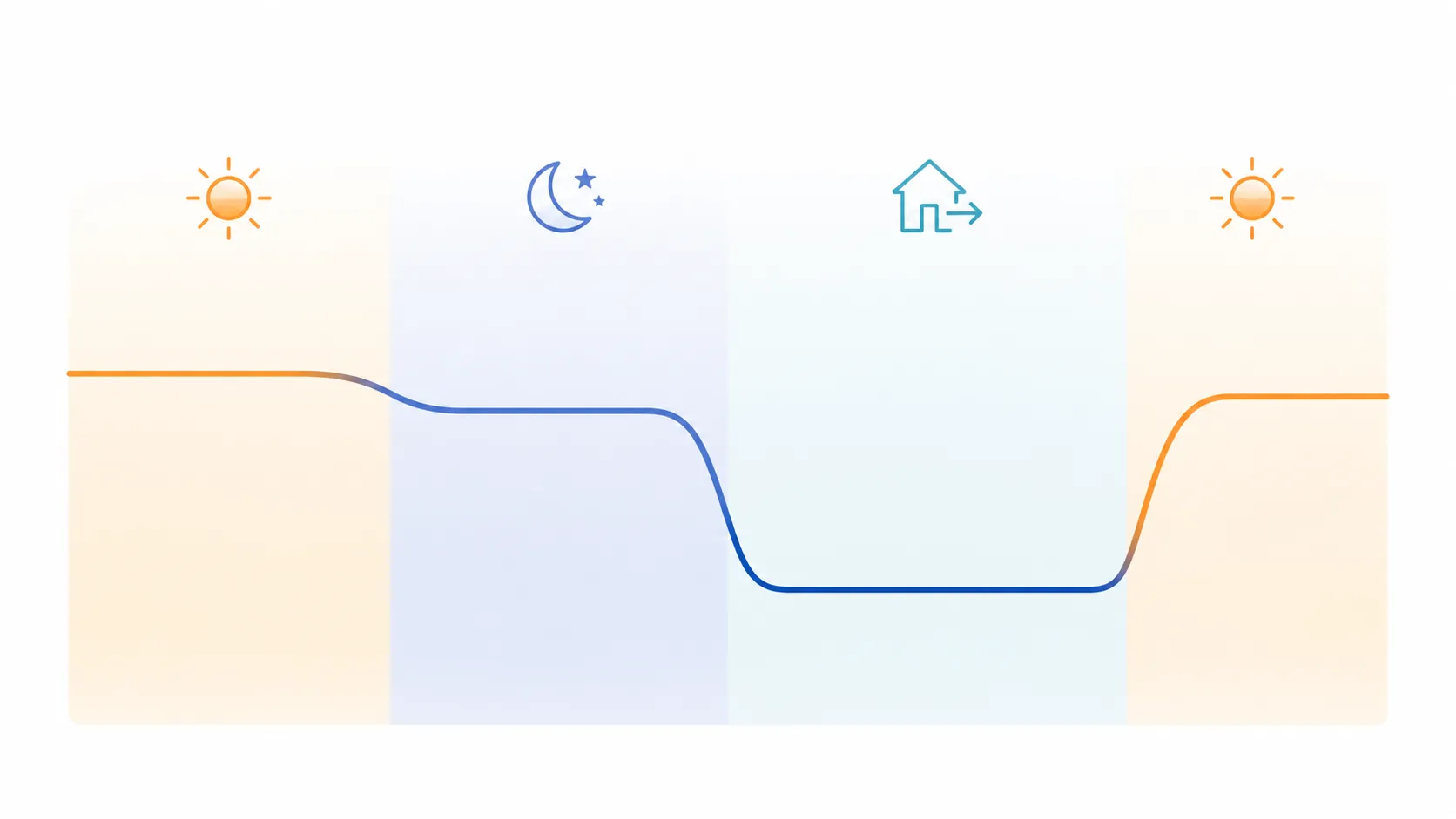
Winter: keep 68°F as the anchor, then make away do the work
In winter, 68°F is the cleanest home-awake starting point. It is common enough to be supported across consumer energy guidance, and it is not so low that the schedule depends on everyone wearing a coat indoors. Trane and Constellation both cite DOE-style guidance around using lower winter settings and larger 7–10°F setback periods for savings.[1][2]
For sleep, start at 65–68°F. If bedrooms run cold, use 67–68°F first; if the house holds heat well and bedding is warm, 65°F is a reasonable test. I would not start a household at an aggressive overnight number just to win a spreadsheet. A schedule that gets overridden every night is not a schedule.
For away on a conventional furnace, the important move is not whether home-awake is 68°F or 69°F. It is letting the house drift down roughly 7–10°F while nobody is there long enough for the setback to matter. That puts the away setting around 58–61°F from a 68°F baseline. If that feels too low for pets, plumbing risk, houseplants, or a very slow-recovering house, raise it; the point is to create a real away state, not to punish the building.
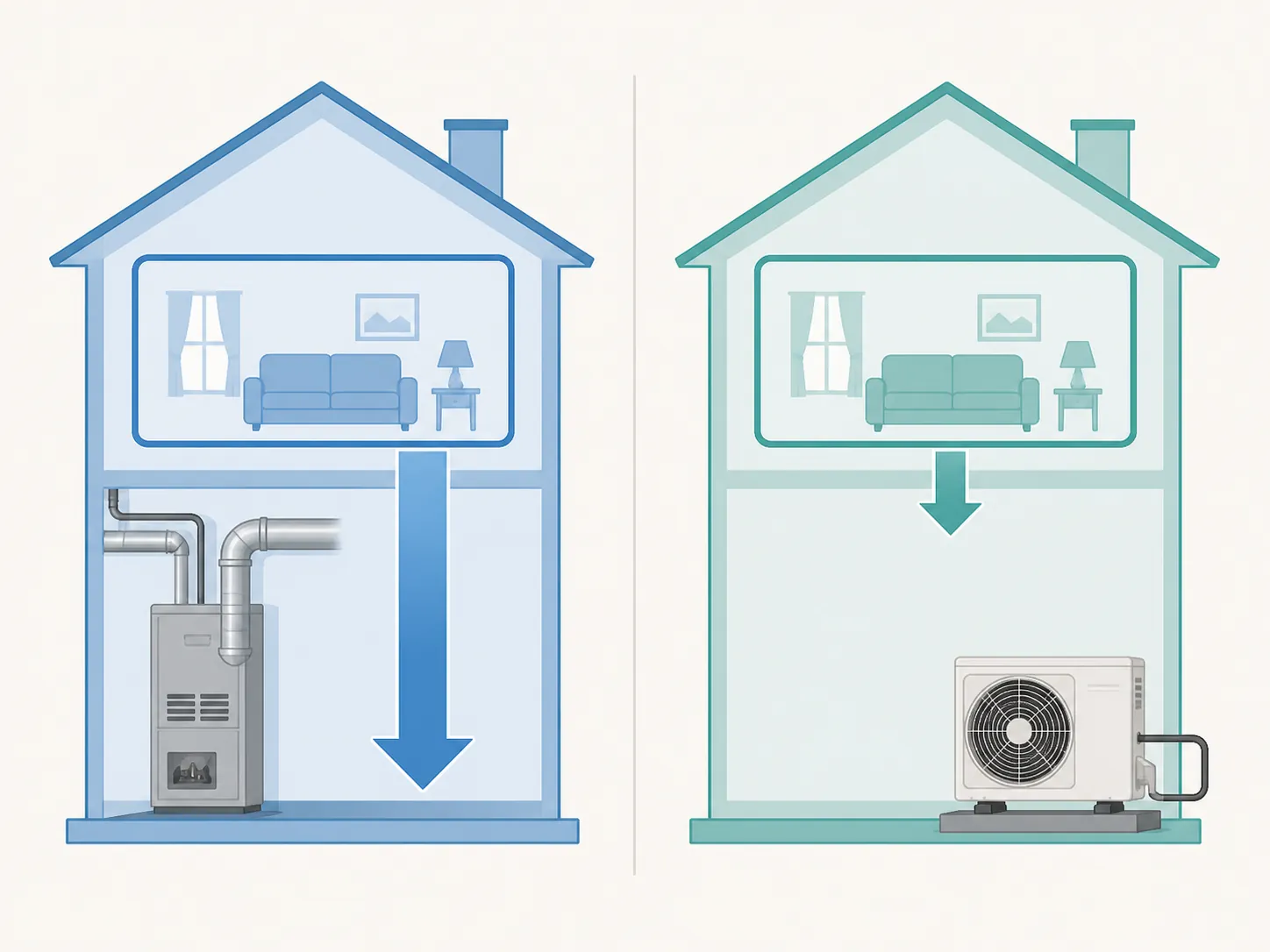
For a heat pump, do not copy the furnace away number. A 68°F home-awake setting with a 64–65°F away setting is a better starting point because large recoveries can trigger auxiliary heat, which is exactly the kind of automation penalty people do not notice until the bill arrives.[3]
Summer: 78°F at home, 82–85°F away
In summer, 78°F is the usual home-awake anchor. It is warm enough that the air conditioner is not chasing a hotel-lobby setpoint all afternoon, but still inside the range many homes can make livable with ceiling fans, shading, and humidity control. Constellation cites 78°F as an energy-conscious cooling setting, and the broader setback logic is the same: away periods are where the thermostat should loosen up.[2]
For sleep, start at 78–80°F if humidity is under control. If you need a cooler bedroom to sleep, lower the sleep setting and keep the away setting intact. Sleep is not the place to be heroic; a thermostat that saves a little energy while ruining rest will be disabled by Friday.
For away, use 82–85°F on a conventional air-conditioning system. That range gives the cooling system a break while keeping the house from becoming an oven that takes all evening to recover. For heat-pump cooling, start closer to 81–82°F if your system struggles with recovery or your thermostat’s heat-pump behavior is not well understood.
Spring and fall: treat them as shoulder-season profiles
Spring and fall do not need a brand-new theory. Use 68–72°F as the home-awake band, then apply smaller 5–8°F asleep and away adjustments because the system may not run often enough for large setbacks to matter every day. In a mild week, the thermostat might simply sit there doing almost nothing. That is fine.
The trick in shoulder seasons is deciding which mode you are really in. If the house is mostly heating in the morning, use the heating version: 68–72°F home-awake, 62–67°F asleep or away for conventional systems, and only 3–4°F lower for heat pumps. If the house is mostly cooling in the afternoon, use the cooling version: 72–76°F for sleep if that is comfortable, and a warmer away setting. Direct Energy relays professional guidance around waiting until about 70°F before switching to cooling, but that is a recommendation to manage mode changes, not a measured universal threshold.[4]
Why the three states matter more than tiny daytime tweaks
Home-awake is the comfort setting. It is the number people notice while cooking, working, helping kids with homework, or walking past the thermostat with opinions. Keep it simple: 68°F in winter, 78°F in summer, and 68–72°F in spring and fall.
Asleep is a controlled compromise. In winter, many homes can drift cooler overnight, often into the 65–68°F range. In summer, the sleep number depends more on humidity and bedrooms than on the thermostat’s intelligence. A remote sensor in the bedroom can help, but the schedule still needs a number.
Away is the savings state. The secondary sources that cite DOE setback guidance all point in the same operational direction: sustained setbacks matter because the system has fewer hours of active heating or cooling load to fight.[1][2] That does not mean every home gets the same savings. It means the schedule should clearly tell the thermostat when nobody needs the full comfort setpoint.
How to enter it in Nest
In the Nest app or Google Home app, use the temperature schedule for the repeated home-awake and sleep blocks, then use Eco Temperatures for away. Google’s Nest schedule documentation describes the basic model: you create temperature points on a weekly schedule, and the thermostat follows those setpoints unless another mode or feature changes operation.[5]
- Winter conventional system: schedule 68°F for normal occupied hours, 65–68°F overnight, and set Eco Heat around 58–61°F if the house can safely tolerate it.
- Winter heat pump: schedule 68°F occupied, 65–68°F overnight, and set Eco Heat around 64–65°F unless you have confirmed that deeper setbacks will not trigger costly auxiliary heat.
- Summer conventional system: schedule 78°F occupied, 78–80°F overnight, and set Eco Cool around 82–85°F.
- Shoulder seasons: create a spring/fall schedule using the 68–72°F band, or keep separate heat and cool schedules if your home swings between modes.
Nest Seasonal Savings deserves a separate look because it can change the schedule you just entered. Google says Seasonal Savings makes small schedule adjustments over a campaign, adding up to about 2°F, and it targets asleep and away temperatures first before touching occupied comfort periods.[6] Google reports 3–5% heating and cooling savings for Seasonal Savings, and says the feature is available in the U.S. and Canada except Quebec.[6]
That is not the same kind of number as a lab result for your house. Treat Seasonal Savings as a useful nudge layer, not as permission to stop checking the schedule. Google’s broader Nest savings claims, such as 10–12% on heating and about 15% on cooling, are vendor-reported claims and should not be blended casually with independent or program estimates.[7]
How to enter it in ecobee
Ecobee’s cleanest path is Comfort Settings. Put the seasonal numbers into Home, Sleep, and Away, then assign those Comfort Settings to the weekly schedule. Ecobee describes eco+ as an optimization layer that can use features such as Smart Home & Away to adjust operation when occupancy differs from the planned schedule.[8]
| ecobee Comfort Setting | Winter example | Summer example | What it should represent |
|---|---|---|---|
| Home | 68°F heat | 78°F cool | People are home and awake |
| Sleep | 65–68°F heat | 78–80°F cool | Bedrooms matter more than living-room comfort |
| Away | 58–61°F conventional / 64–65°F heat pump | 82–85°F conventional / 81–82°F heat pump | Nobody needs the full comfort setting |
If eco+ Smart Home & Away is enabled, let it correct obvious schedule mistakes, such as an unexpected empty house or someone arriving early. Just keep the underlying Comfort Settings sane. Automation works better when the fallback numbers are already acceptable.
Ecobee’s savings material needs labels. Ecobee says eco+ can save up to 26%, and its Time of Use feature can save 7–26% where applicable; those are vendor claims from ecobee’s own materials.[8] A separate ecobee press release says a Demand Side Analytics summer-2020 evaluation found eco+ users saved 5% more than thermostat-only users during that period.[9] That 5% figure is narrower: it compares eco+ users with ecobee thermostat users who were not using eco+, not with every possible thermostat setup.
How to enter it in Home Assistant
Home Assistant gives you more rope. The practical version is to create explicit seasonal profiles instead of building one giant automation with every exception in it. The climate-scheduler custom integration supports multiple profiles, including examples such as Winter, Summer, and Vacation, and schedules at 15-minute precision.[10]
- Create a Winter profile with 68°F home-awake, 65–68°F asleep, and the correct away setback for either furnace or heat pump.
- Create a Summer profile with 78°F home-awake, 78–80°F asleep, and 82–85°F away for conventional cooling.
- Create a Spring/Fall profile using the 68–72°F comfort band and smaller 5–8°F conventional setbacks.
- Create a Vacation profile only if you want a longer-hold version of away, with plumbing, pets, humidity, and recovery time handled deliberately.
For Home Assistant, the mistake to avoid is hiding the real schedule inside clever occupancy logic. Use occupancy to choose a state; keep the state temperatures readable. At 10 p.m., you should be able to open the dashboard and know whether the house is in Home, Sleep, Away, Winter, Summer, or Vacation without reading a template.
What to believe about savings
The schedule above does not guarantee a particular bill reduction. Weather, insulation, equipment sizing, utility rates, thermostat location, humidity, occupancy, and recovery behavior all interfere. The useful claim is narrower: a thermostat can save energy when it reliably spends more hours in a less demanding setpoint, especially while the house is empty.
Keep the categories separate. DOE-style setback guidance, as relayed by Trane and Constellation, supports the idea that a 7–10°F setback for 8 hours can save about 10% annually on heating and cooling.[1][2] ENERGY STAR-style program estimates, commonly cited around 8% or about $50 per year for smart thermostats, are a different kind of number than a vendor’s app feature claim.[3] Google’s Seasonal Savings claim of 3–5% is specifically about that Seasonal Savings campaign, not every Nest installation.[6]
Ecobee’s eco+ numbers also need their labels left on. The 5% summer-2020 finding in ecobee’s press release compares eco+ users with thermostat-only users in that evaluation.[9] The larger up-to-26% style figures on ecobee’s eco+ page are vendor claims about eligible features and conditions.[8] They may be useful for understanding what the company is trying to optimize, but they should not be treated as a promise for a specific house.
Final programming check
- Choose the conventional or heat-pump version before entering any numbers.
- Enter three states: home-awake, asleep, and away.
- Use winter 68°F and summer 78°F as the occupied anchors.
- Let away carry most of the setback, especially for conventional gas forced-air systems.
- Enable the platform’s native scheduling and away features: Nest schedule plus Eco Temperatures, ecobee Comfort Settings plus Smart Home & Away, or Home Assistant seasonal profiles.
- Revisit comfort after the thermostat has run through actual seasonal weather.
The best temperature is a maintained seasonal profile, not a single permanent setting. Once the three states are in the scheduler, the thermostat finally has enough information to do the ordinary job well: keep people comfortable when they are there, relax when they are asleep, and stop conditioning an empty house as if someone were sitting on the couch.
References
- Setback Thermostat — Trane
- Best Thermostat Types and Settings — Constellation
- The Best Smart Thermostat — Wirecutter
- Best Thermostat Settings for Energy Savings — Direct Energy
- Learn about Nest thermostat temperature schedules — Google Nest Help
- Learn about Seasonal Savings — Google Nest Help
- Seasonal Savings for Nest thermostats — Google Nest Blog
- eco+ — ecobee
- New evaluation report proves ecobee smart thermostats save — ecobee
- kneave/climate-scheduler — GitHub