
A smart home air quality index monitor for hazardous conditions has one job that matters more than the dashboard: it has to make the home do something before the air gets worse. A phone alert at AQI 180 is useful. At AQI 300-plus, it is not enough by itself. That is the point where the automation should stop behaving like a comfort routine and start behaving like an emergency response.
The AQI scale is the anchor. On the U.S. AQI scale, 0–50 is Good, 151–200 is Unhealthy, 201–300 is Very Unhealthy, and anything above 300 is Hazardous; the full scale runs to 500.[1][2] Those thresholds matter because a smart home routine built around vague labels like “poor air” can hide the difference between “turn up the purifier” and “shut down anything that may pull outdoor smoke into the house.”
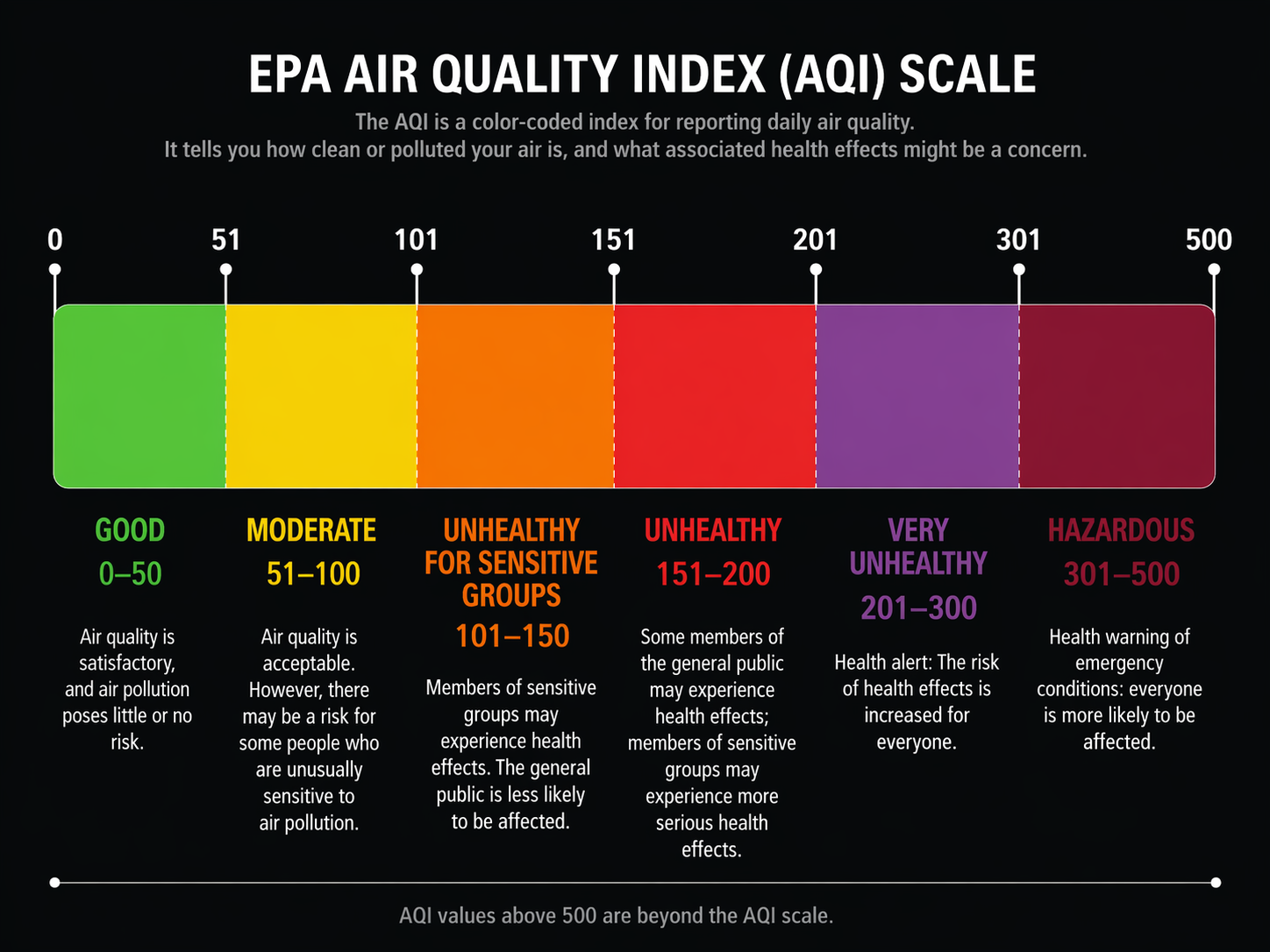
Indoor air is often described as two to five times worse than outdoor air, a widely repeated estimate attributed to the EPA in consumer air-quality coverage, though it should be treated as broad context rather than a fresh measurement of your home.[3] During wildfire smoke, cooking events, heavy traffic pollution, or a ventilation mistake, the more important local question is narrower: what does your own sensor report, and what can your automation platform reliably trigger from that reading?
Start With the Escalation, Not the Gadget
A useful hazardous-air automation is not one rule. It is a ladder. The monitor detects a threshold, the platform receives a usable sensor state, and the home responds in stages: first purifier or fan speed, then alerts and multi-room control, then shutdown or isolation actions when the AQI crosses into hazardous territory.
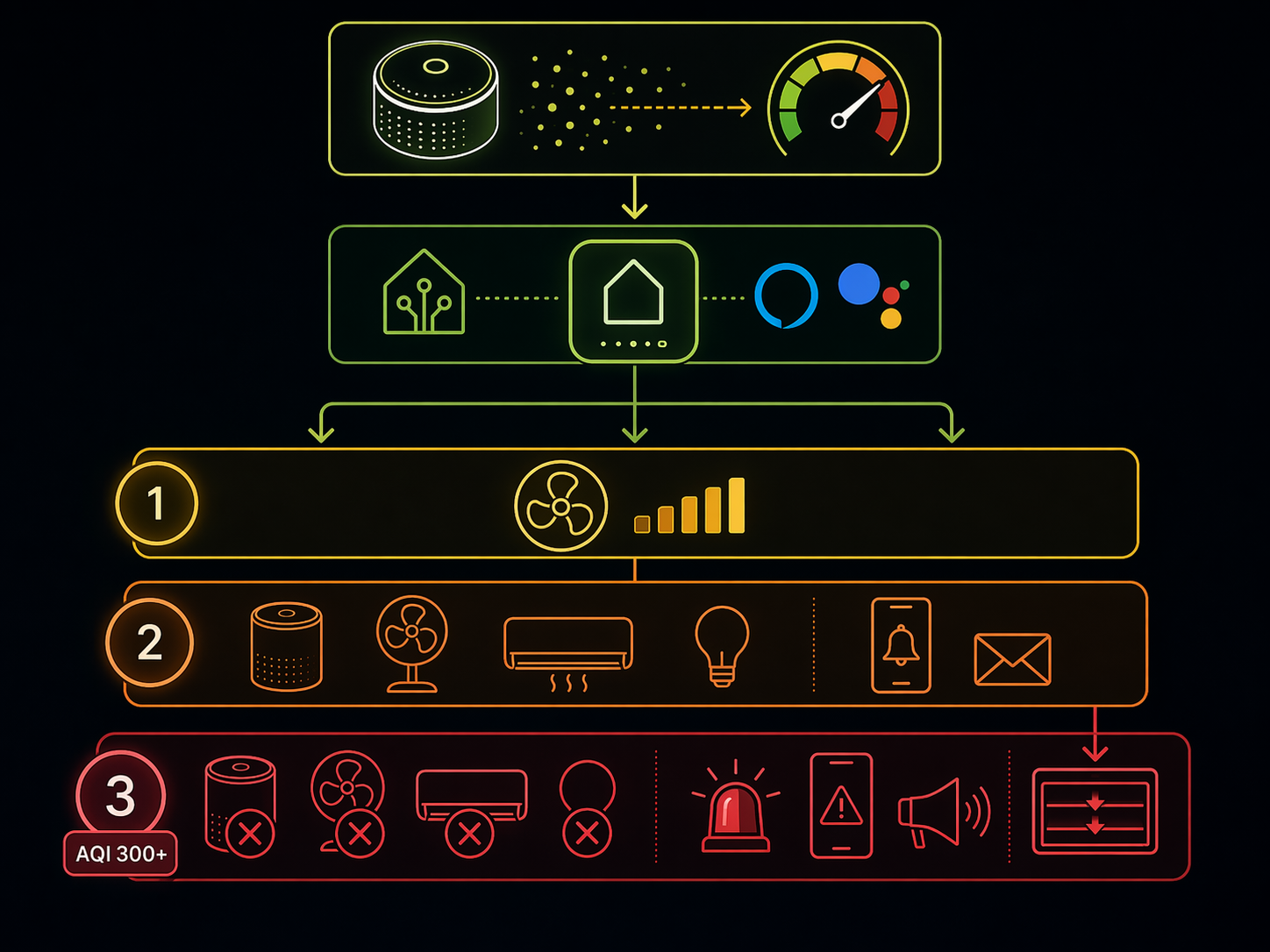
| AQI band | Automation posture | Typical smart home action |
|---|---|---|
| 0–50 | Normal | Keep regular ventilation and purifier settings |
| 101–150 | Sensitive-person caution | Increase filtration in occupied rooms if needed |
| 151–200 | Unhealthy | Raise purifier speed, notify household, reduce outdoor-air intake |
| 201–300 | Very unhealthy | Run multiple purifiers, close smart vents or dampers where appropriate, escalate alerts |
| 300+ | Hazardous | Trigger emergency mode: maximum filtration, shutdown risky ventilation, repeated alerts, and manual check prompts |
The Home Automation Cookbook pattern for “Activate Air Purifier When Air Quality Drops” is useful because it thinks in graduated fan speeds instead of a single on/off switch.[4] Its AQI thresholds, however, use a non-standard inverted scale, so the pattern should be borrowed, not copied. Keep the idea of escalating response levels; replace the thresholds with the EPA-style AQI bands.
That correction changes the automation design. A purifier-speed bump at AQI 151 can be sensible. The same response at AQI 301 is underbuilt. At hazardous levels, the system should assume the house needs coordinated behavior: filtration goes up, outdoor-air paths go down, people get notified, and anything that could worsen the exposure is reviewed or stopped.
What the Monitor Must Expose
The monitor does not need to be exotic. It does need to expose the right reading to the right platform quickly enough and cleanly enough to drive logic. A beautiful vendor app that shows AQI, PM2.5, VOCs, radon, carbon dioxide, and humidity may still be awkward as an emergency automation brain if those values cannot be used as triggers outside the app.
AirGradient ONE is the kind of monitor that attracts people building deeper automations because it is open source, Home Assistant certified, and publishes an accuracy specification of ±10 μg/m³ at 0–100 μg/m³.[5] That does not make it the automatic best choice for every home, and vendor specifications are not the same as independent testing. It does make the device easier to evaluate for Home Assistant-style work, where the sensor reading needs to become an entity that can drive conditional automations.
Airthings View Plus sits in a different lane. It is a broad indoor-air monitor covering radon plus seven air-quality factors, with Alexa, Google, and IFTTT pathways listed by Airthings.[6] For a household that wants voice-assistant visibility, radon awareness, and simpler app-connected routines, that breadth matters. For a hazardous-AQI response, the question is more specific: which readings can the chosen platform actually use as triggers, and can those triggers control the devices that need to respond?
If wildfire smoke is the main concern, the monitor’s PM2.5 behavior deserves its own buying decision. The deeper sensor-accuracy and smoke-detection question belongs in a buyer guide such as Which Smart Air Quality Monitor Detects Wildfire Smoke Best?. This article is about the next step: whether the chosen monitor can become an automation input instead of another screen to check.
The Platform Decides How Far the Response Can Go
The same AQI reading can produce very different homes depending on where it lands. In one setup, AQI 180 turns on a single purifier. In another, AQI 180 raises bedroom and living-room purifiers, sends a household alert, stops a whole-house fan, and changes the HVAC fan behavior. The monitor starts the chain, but the platform determines how many links the chain can have.
| Platform path | Best fit | Hazardous-condition limitation to check |
|---|---|---|
| Alexa or Google Home | Simple fan or purifier routines when a supported monitor exposes usable triggers | May not support every sensor value, conditional branch, or shutdown action needed for AQI 300+ |
| HomeKit | Homes already standardized on Apple automations and compatible devices | Air-quality trigger support depends heavily on the specific device and exposed characteristics |
| SmartThings | Mixed-device homes using hubs, sensors, and compatible switches or purifiers | Advanced logic and device support vary by integration |
| IFTTT-style applets | Lightweight cross-service actions and notifications | Cloud dependency and limited branching make it a weak primary path for emergency escalation |
| Home Assistant | Advanced threshold logic, multi-device escalation, local-friendly integrations, and custom conditions | Requires more setup and maintenance than a voice-assistant routine |
Alexa and Google Home should not be dismissed. If the goal is modest—say, turn on a compatible purifier when air quality becomes unhealthy, or send a voice-assistant notification when a supported monitor reports poor air—a simple routine may be the right amount of system. It is easier to explain to the rest of the household, easier to maintain, and less likely to become a hobby project disguised as safety infrastructure.
The tradeoff appears when the response needs branches. Hazardous conditions may require different actions depending on whether windows are open, whether a whole-house fan is running, whether anyone is home, which rooms are occupied, or whether the outdoor AQI is also bad. That is where Home Assistant earns its space: it can combine sensor entities, device states, time windows, occupancy, alerts, and manual override logic in one automation.
A realistic Home Assistant escalation might look like this: at AQI 151, raise the main purifier and notify phones; at 201, start additional room purifiers and stop nonessential outdoor-air intake; above 300, switch to emergency mode, repeat alerts, keep filtration at high speed, and disable or pause devices that could pull in dirty air. The exact devices depend on the house. The important part is that the automation can express more than one threshold and more than one consequence.
For readers still deciding how deep to go, Smart Home Platforms Compared is the broader platform map, while Home Automation Ideas by Skill Level is a better on-ramp if threshold logic is new.
Protocol Is Not a Logo; It Is a Failure Mode
Wi-Fi, Zigbee, Z-Wave, Thread, and Matter all look cleaner on a product box than they do during a smoke event. The protocol choice affects latency, reliability, hub requirements, local control, cloud dependency, battery life, and whether the reading appears in the platform as a real sensor value or merely as an app notification.
- Wi-Fi monitors are common and convenient, but many depend on vendor cloud integrations for automations outside the native app.
- Zigbee and Z-Wave can be strong choices for local sensor networks, especially when the hub or automation platform exposes readings cleanly.
- Thread is attractive for low-power mesh devices, but the specific monitor and platform support still matter more than the label.
- Matter can improve cross-platform device exposure, but it does not automatically guarantee that every air-quality value becomes a usable emergency trigger.
Matter is the place where optimism needs a hand on the brake. Matter 1.0 and later include an air quality sensor device type, and Sensereo Airo was announced at CES 2026 as a Matter-over-Thread modular air-quality monitor with swappable pods.[7] That is a signal worth watching because it points toward cleaner cross-platform air-quality automations.
It is not yet a reason to design an emergency plan around that device. Sensereo Airo was still a Kickstarter pre-order as of Q2 2026, with no independent testing or shipping track record cited in the available coverage.[7] More broadly, Matter-compatible air-quality monitors remained very few as of mid-2026, while most available monitors still used Wi-Fi, Zigbee, or Z-Wave paths.[7] Announced compatibility and proven household response are different things.
Build the AQI 300 Response Before You Need It
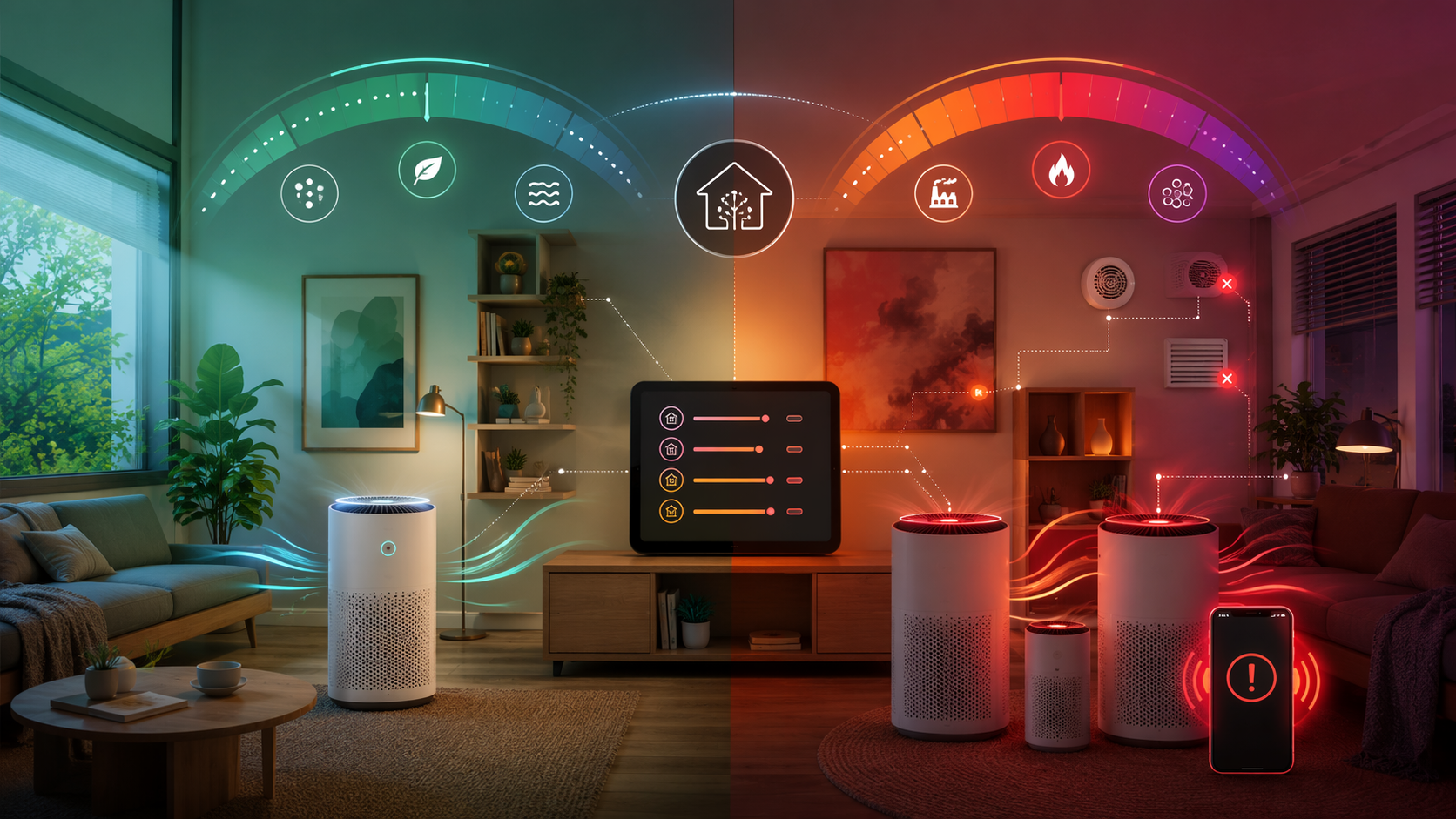
The safest time to decide what “hazardous” means in your smart home is before the reading appears. Start by naming the devices that can improve the indoor situation: room purifiers, HVAC fan settings, smart plugs attached to approved air-cleaning devices, smart vents or dampers where appropriate, and alerts to the people who will actually respond.
Then name the devices that might make the situation worse. Whole-house fans, fresh-air intakes, window fans, and ventilation routines may be beneficial on a normal day and the wrong move during heavy smoke or outdoor pollution. A hazardous-AQI automation should not only turn helpful devices on; it should also pause or disable risky ones when the house is trying to isolate and filter.
A practical workflow can stay compact:
- Choose the AQI thresholds using the EPA-style scale, not a vendor-specific “poor air” label.
- Confirm the monitor exposes AQI or the relevant particulate reading to your automation platform as a trigger.
- Map each threshold to a specific response: purifier speed, extra devices, alerts, ventilation shutdown, or manual check.
- Test the automation with simulated thresholds or temporary test values before relying on it during a real event.
- Add a manual override so the household can stop, resume, or adjust the response without editing the automation.
The manual override deserves more respect than it usually gets. People open doors. Filters clog. A purifier may be too loud in a child’s room at night. Someone may need to disable a routine temporarily because a device is being serviced. Emergency automation should reduce decisions under stress, not trap the household inside a brittle script.
If wildfire smoke is the scenario you are planning around, the device mix may include more than an air-quality monitor. The wildfire-specific hardware angle is covered in Three Smart Home Devices to Protect Against Wildfire Smoke. The automation layer still has to answer the same question: when the air crosses from unhealthy to very unhealthy to hazardous, does the home merely report that fact, or does it change state?
A Simple Decision Rule
Use a simple Alexa, Google Home, HomeKit, SmartThings, or app-based routine if your goal is limited: turn on a purifier, raise a fan, or send a notification when air quality becomes unhealthy. That level of automation can be enough for moderate events, especially when the devices are already compatible and the household will act on the alert.
Choose an integration-friendly monitor and a more capable automation platform if you want the home to respond to hazardous conditions as a system. AQI 300-plus is where the difference shows: alerts, multiple purifiers, ventilation shutdown, occupancy-aware notifications, and manual override logic require more than a monitor that looks good in its own app.
References
- Air Quality Scale, AQICN
- The Air Quality Index Explained, Columbia Climate School
- Indoor air 2–5× worse than outdoor estimate, HouseFresh and Airthings
- Activate Air Purifier When Air Quality Drops, Home Automation Cookbook
- AirGradient ONE, AirGradient
- Airthings View Plus, Airthings
- Sensereo Airo Matter over Thread modular pods announced at CES 2026, Matter Alpha, 2026
Updates & Corrections
Protocol specifications and platform features change rapidly — especially with Matter version evolution. Report version changes, certification count updates, or platform policy changes that have occurred since the last editorial review.
Comments
Join the discussion with an anonymous comment.