
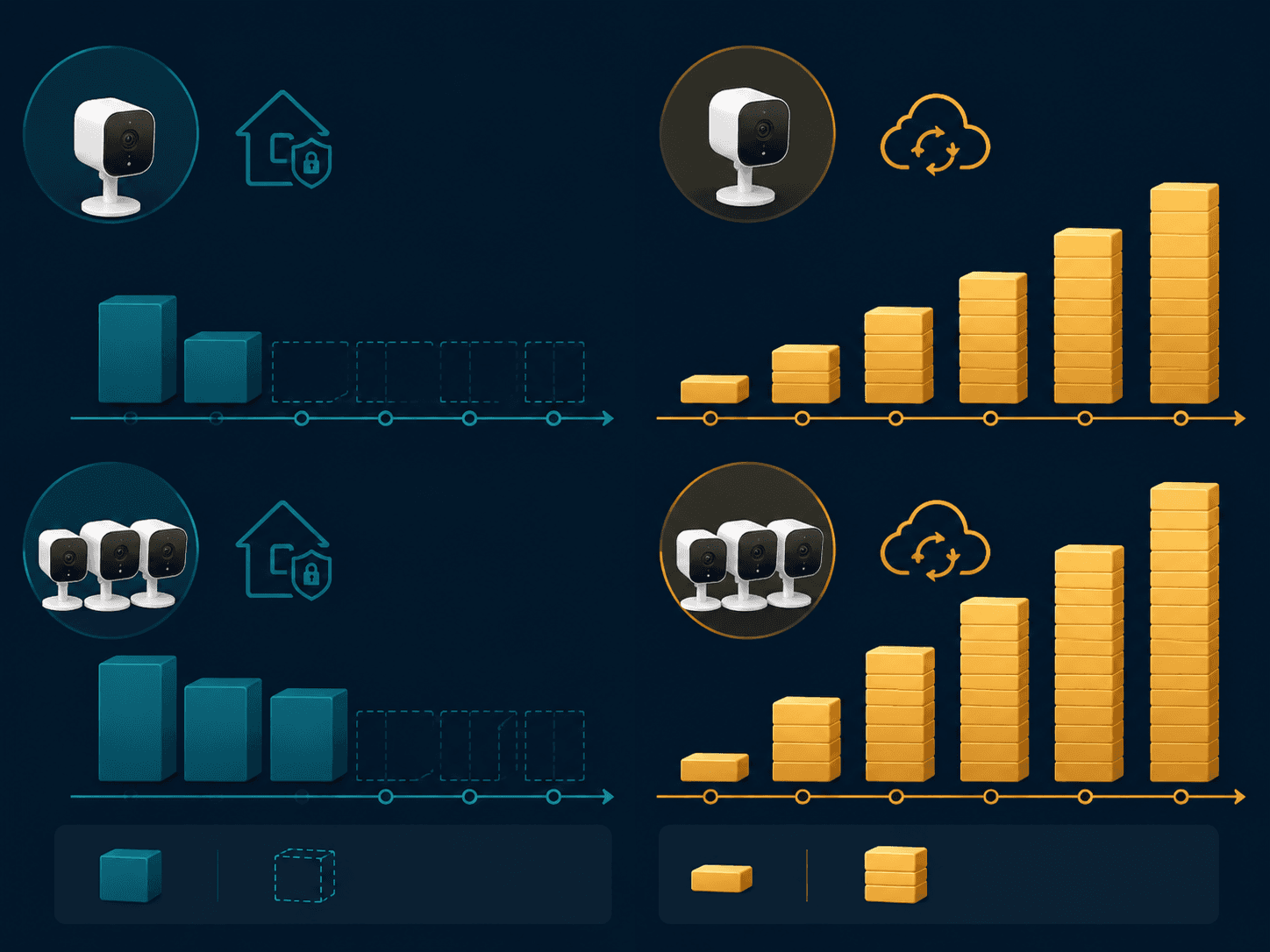
The honest price of smart security cameras is rarely printed on the front of the box. A camera can look like a $180 purchase until the video history, person alerts, package clips, or multi-camera access sit behind a plan that follows the household for years. Over five years, the difference between a local-storage setup and a cloud-subscription setup can be roughly $180 for a light one-camera plan and more than $1,000 for a fuller household, depending on brand, camera count, and plan choice.
That gap is not a moral argument against subscriptions. Ring, Nest, Arlo, and SimpliSafe sell convenience that many households actually use: off-site clips, longer video history, easier sharing, and sometimes monitoring. The problem starts when a buyer compares only hardware prices and misses the part that keeps billing after the ladder is back in the garage.
Start With the Five-Year Bill
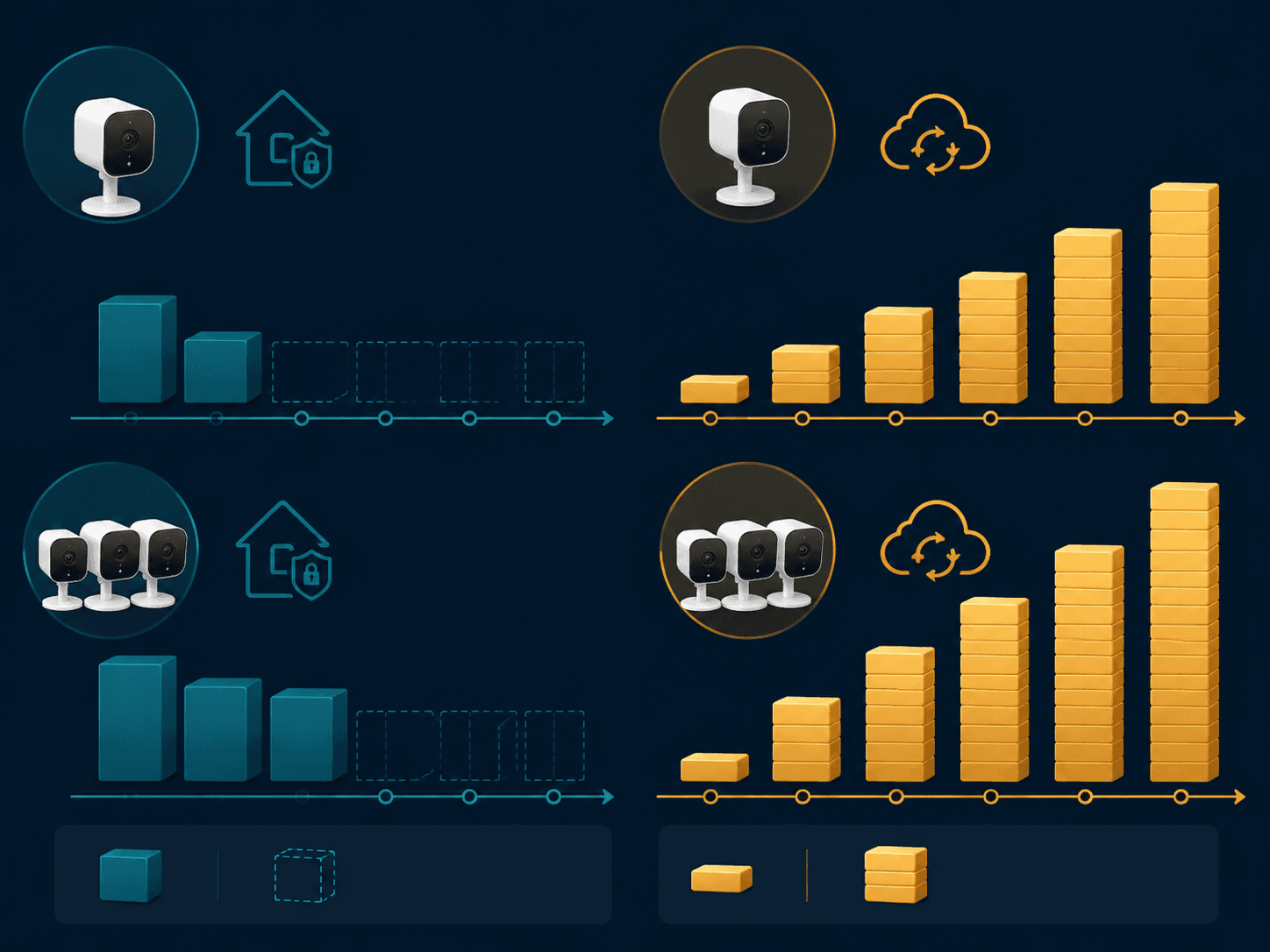
For a fair comparison, treat the camera as a small system: hardware price plus required or expected storage plan over three to five years. Consumer Reports noted in February 2026 that cloud storage subscriptions can range from $1 to $30 per month depending on plan and camera count, while Gearbrain put common cloud storage plans in the $3 to $15 per-camera monthly range and gave the simple arithmetic that three cameras at $10 per camera per month becomes $360 per year.[1][2]
That one line changes the shopping problem. A renter with one indoor camera may be looking at a manageable recurring fee. A homeowner adding a doorbell, driveway camera, and backyard camera may be choosing between a one-time local recorder and a bill that looks small monthly but lands hard over a five-year window.
| Scenario | Subscription math | Five-year subscription cost before hardware |
|---|---|---|
| One camera on a $4.99/month plan | $4.99 x 60 months | $299.40 |
| One camera on an $8/month plan | $8 x 60 months | $480 |
| Three cameras at $10/month total | $10 x 60 months | $600 |
| Three cameras at $10/month each | $30 x 60 months | $1,800 |
| Unlimited-camera plan at $19.99/month | $19.99 x 60 months | $1,199.40 |
Those rows are not predictions for every household. They are the accounting frame. The exact answer depends on whether the plan bills per camera, per household, per location, or as part of a monitoring bundle.
How the Major Billing Models Actually Work
Ring is easier to understand than many camera brands because its entry plan starts at $4.99 per month for one camera, while a $10 per month plan covers unlimited cameras at one location. Its paid plan model is cloud-centered and includes 180-day video history, according to 2026 reporting from SafeHome.org and Consumer Reports.[1][3] For one camera, the lower plan keeps the five-year storage cost under $300. For three or more Ring cameras in one home, the unlimited-cameras-at-one-location plan quickly becomes the more relevant comparison.
Google Nest uses a household-style plan. CNET reported in May 2026 that Nest Aware costs $8 per month for household Nest devices, while the free tier offers only 3 hours of cloud storage.[4] That free tier can be enough for a quick look after a notification. It is not much help when someone asks whether a clip from yesterday, last week, or an earlier trip still exists.
Arlo is more sensitive to camera count. PCMag reported that Arlo Secure starts at $8 per month per camera, while Secure Plus costs $19.99 per month for unlimited cameras.[5] A single Arlo camera on the lower plan is straightforward. Three cameras on a per-camera plan are a different household bill, and the unlimited plan becomes the real five-year number.
SimpliSafe belongs in a slightly different column because camera cloud storage can be bundled into a broader security service. Security.org reported 2026 monitoring plans ranging from $10 to $80 per month, with some plans including camera cloud storage.[6] If the household already wants professional monitoring, the camera storage cost may be part of a larger security budget. If the buyer only wants a few cameras, that bundle can make the monthly commitment look heavier than the camera problem itself.
The Local-Storage Side Is No Longer the Cheap-Looking Corner
Local storage used to sound like a compromise: fewer cloud features, more owner responsibility, maybe a less polished app. That still can be true, but the better local-first systems are not bargain-bin cameras. The EufyCam S3 Pro, for example, has been described as a 4K camera with MaxColor Vision and local HomeBase storage without monthly fees by The Independent and The Ambient.[7][8]
Lorex is the clearest accounting example because the cost boundary is visible at purchase. SafeHome.org listed a Lorex 4K Fusion 4-camera NVR kit at $649.99 as a one-time purchase with free local storage and an optional $2.99 per month cloud plan.[3] The important word there is optional. The buyer can decide whether cloud backup is worth adding, instead of discovering that the camera’s useful history depends on a monthly plan.
Reolink also shows why “no subscription” should not be confused with “low feature.” PCMag reported in June 2026 that the Reolink Altas PT Ultra records 4K continuously to microSD with zero subscription fees.[9] TP-Link Tapo fits the same local-first shopping category for buyers who want to keep storage costs visible, though exact model behavior still needs to be checked camera by camera.
One Camera, Three Cameras, and the House That Keeps Adding More
One camera
With one camera, the subscription penalty can be modest enough to justify. A Ring camera on a $4.99 monthly plan adds $299.40 over five years before hardware. A Nest household on Nest Aware adds $480 over five years. An Arlo camera on an $8 monthly per-camera plan also adds $480 over five years.[3][4][5]
That is real money, but it may buy something specific: easy retrieval, longer cloud history, and less dependence on a local device staying powered, connected, and physically safe. For a single front-door camera in an apartment, the cloud plan may be annoying rather than financially decisive.
Three cameras
Three cameras are where the bill starts explaining itself. If the plan is $10 per month total, the household pays $120 per year and $600 over five years. If the plan is $10 per camera, the same three cameras become $30 per month, $360 per year, and $1,800 over five years. Gearbrain’s February 2026 example of three cameras at $10 per camera per month producing a $360 annual charge is the number to keep in mind when comparing per-camera billing against local storage.[2]
Ring’s unlimited-at-one-location model is gentler for a three-camera household than a strict per-camera plan. Arlo’s Secure Plus can make more sense than per-camera billing once the home grows past a light setup. Nest’s household plan is also easier to tolerate when several Nest devices are already installed. The trap is not that every cloud plan is overpriced; it is that the fair comparison changes as soon as the second and third cameras go up.
A fuller multi-camera setup
For a doorbell, driveway camera, side-yard camera, backyard camera, and one indoor camera, local-first systems become much easier to defend on cost. A Lorex 4-camera NVR kit at $649.99 is already a system purchase, not a string of separate camera subscriptions.[3] Add one or two more cameras and the owner still needs to check storage capacity, compatibility, and installation details, but the monthly fee does not automatically climb with every new view.
A cloud-first household may still choose the subscription, especially if the app makes it easy to search across cameras or preserve clips after a break-in. But this is where the five-year difference can cross from a few hundred dollars into four figures. A $19.99 unlimited-camera plan costs $1,199.40 over five years before hardware. A per-camera setup can exceed that if several cameras each need their own paid plan.[5]
What Local Storage Keeps, and Where It Can Fail You
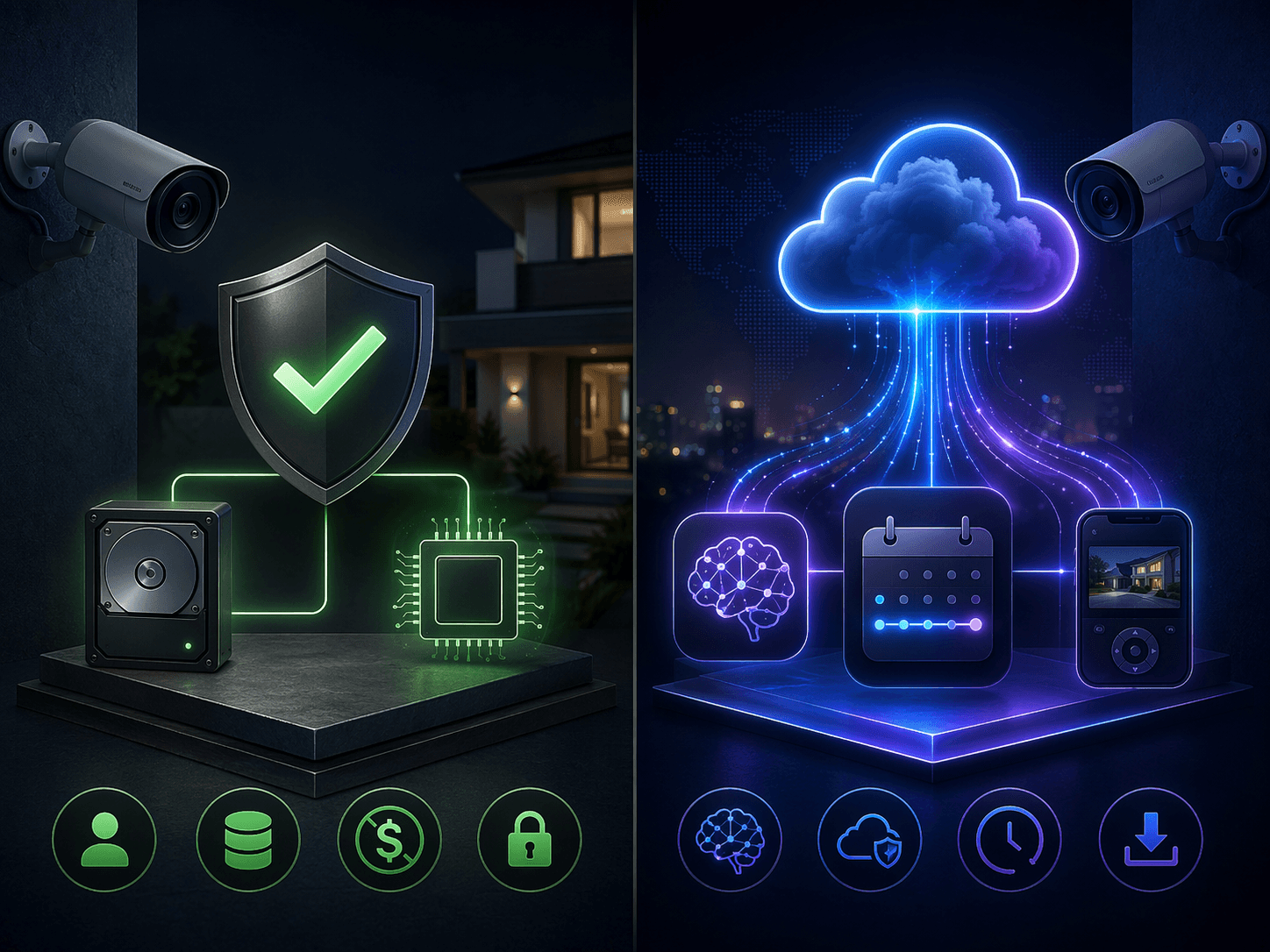
Local storage gives the household a cleaner cost boundary. Buy the camera, base station, NVR, hard drive, or microSD card, then manage the footage yourself. It can also reduce dependence on a vendor’s future plan changes. For renters or families tired of stacked subscriptions, that predictability matters.
The hard part is that footage stored at home is still stored at home. If the recorder is stolen, damaged, unplugged, full, or misconfigured, the lower five-year bill will not help when someone needs the missing clip. Local storage can also mean shorter searchable history depending on capacity, resolution, motion settings, and overwrite rules. A 4K camera can create beautiful evidence and fill storage faster than a buyer expects.
Search is the other practical divide. A cloud plan can make it easier to find “the delivery person on Tuesday” or scan events across several cameras. Local systems vary widely here. Some have useful on-device detection; others require more manual scrubbing. A household that only checks clips after a phone alert may tolerate that. A household that regularly reviews footage across a driveway, gate, and front porch may not.
What Cloud Plans Add Besides Another Charge
The best reason to pay for cloud storage is not the brand logo in the app. It is off-site resilience. If a camera records a useful clip and the local recorder disappears with the incident, the system failed at the exact moment it was purchased for. Cloud storage solves that specific problem.
Cloud plans also buy time. Ring’s paid cloud history reaches 180 days under the plan information cited in 2026 reporting, while Nest’s free tier gives only 3 hours of cloud storage before Nest Aware becomes the practical option for longer retention.[1][3][4] That difference matters for the family member who notices a missing package late, the neighbor who asks about an event days afterward, or the homeowner who needs to preserve a clip while traveling.
AI features are harder to price cleanly because brands package them differently. Some buyers care about familiar-face alerts, package detection, richer event filters, or cross-camera search. Others only need motion-triggered clips. The useful question is not whether AI sounds advanced; it is whether it saves the person reviewing footage enough time to justify the monthly line item.
Ecosystem Lock-In Still Matters
Storage choice tends to pull the rest of the system with it. A Ring-heavy home will usually find Ring plans and Ring app workflows easier than mixing brands. A Nest household may accept Nest Aware because the cameras, speakers, displays, and app already live together. A Lorex or Reolink setup may make more sense when the goal is to own the recording layer and avoid a plan that grows with camera count.
Matter does not erase that storage decision yet. As of mid-2026, Matter camera support remained limited in coverage from CNET, PCMag, and Gearbrain, so buyers should not assume that a future smart-home standard will make today’s camera storage and app choices interchangeable.[2][4][5] Compatibility may improve, but the bill you agree to now is still attached to today’s plan rules.
A Practical Way to Choose
Choose local storage first when the main goal is predictable ownership cost, especially for three or more cameras. Eufy, Lorex, Reolink, and TP-Link Tapo are the brands to examine when the buyer wants the bill to be mostly settled at checkout. Check the storage device, overwrite behavior, remote access, power setup, and whether the person who will actually review clips can find what they need without a paid cloud search layer.
Choose a cloud plan when off-site backup, long clip history, lower-maintenance retrieval, or bundled monitoring matters more than the recurring cost. Ring can be cost-efficient for multiple cameras at one location compared with per-camera billing. Nest Aware is easier to justify in an already-Google household. Arlo needs closer arithmetic because per-camera and unlimited plans can produce very different five-year totals. SimpliSafe should be judged as a broader security service, not just a camera-storage bill.
For a wider look at subscription creep across connected devices, see the smart home products cost guide. For a deeper comparison of the three biggest cloud-first camera plans, use the Ring, Arlo, and Google Home Premium subscription comparison. If footage retention and account access are the main concern, start with the smart home camera data retention and privacy guide. If the storage decision is only one part of the purchase, the broader smart security camera buyer guide is the better next stop.
References
- Consumer Reports smart security camera subscription coverage, Consumer Reports, February 2026
- Gearbrain smart security camera cloud storage pricing coverage, Gearbrain, February 2026
- SafeHome.org 2026 Ring and Lorex security camera pricing coverage, SafeHome.org, 2026
- CNET Nest Aware pricing coverage, CNET, May 2026
- PCMag Arlo Secure pricing coverage, PCMag, 2026
- Security.org SimpliSafe monitoring plan coverage, Security.org, 2026
- The Independent EufyCam S3 Pro coverage, The Independent, 2026
- The Ambient EufyCam S3 Pro coverage, The Ambient, 2025
- PCMag Reolink Altas PT Ultra coverage, PCMag, June 2026
Discussion
Share your experience with the compared products, flag outdated pricing or specs, or ask clarifying questions about the comparison verdict.
Comments
Join the discussion with an anonymous comment.