
The Real Cost of a Wrong Buy
You found a glowing review of the best smart thermostat and clicked buy. A week later, you realize it won't power on because your wiring doesn't match. Returns aren't free. Restocking fees run 15–20%. Return shipping is another $10 to $20. If you can't get it working, a professional install runs around $150. And that’s before the risk of damaging your HVAC equipment — Wirecutter notes that some modern HVAC systems can be damaged by power‑stealing designs. Not a warranty claim you want to make.
I’ve seen too many people buy a thermostat twice because they skipped the compatibility check. This guide walks through every layer — wiring, voltage, HVAC type, and ecosystem — so you buy once, not twice.
Start with the C‑Wire
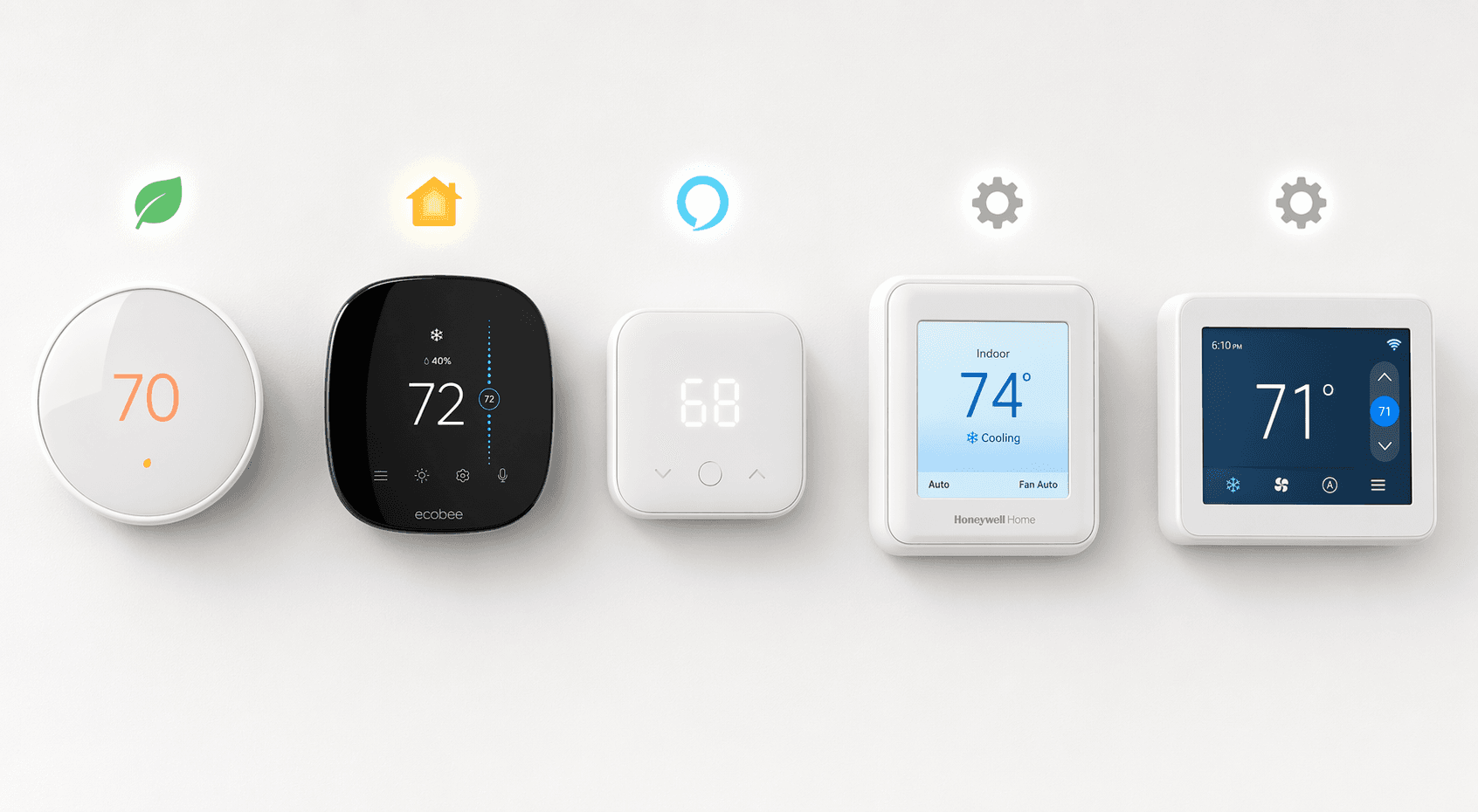
The C‑wire (common wire) supplies constant 24V power to the thermostat. Without it, the display and Wi‑Fi radio drain batteries fast, or the thermostat has to steal power from the heating/cooling circuits. Consumer Reports says most smart thermostats require a C‑wire. CNET adds that the Nest Learning Thermostat (4th gen) works without one, but most others — like the Amazon Smart Thermostat, Ecobee Premium, and Honeywell Home X8S — do require one.
Homes built in the last 10 to 15 years usually have a C‑wire. Older homes often don't. I have seen plenty of 1960s ranches where the thermostat only has two wires (R and W). That's fine for a dumb thermostat, but a roadblock for most smart ones.
How to Check for a C‑Wire Without a Multimeter
Turn off your HVAC system at the breaker. Remove the thermostat faceplate. Look at the terminal labels. If you see a terminal labeled C (sometimes B or X) and a wire is connected, you have a C‑wire. Common labels: R (power), W (heat), Y (cool), G (fan), C (common).
One gotcha: on heat pumps, the B terminal is often used for the reversing valve, not as a C‑wire. If you see a wire in B but no separate C, you likely don't have a C‑wire. The label alone doesn't guarantee function.
If You Don't Have a C‑Wire
Three paths exist. They come with different trade-offs.
- Buy a thermostat that can run without a C‑wire. The Google Nest Learning Thermostat (4th Gen) works without one by power stealing. But Wirecutter warns that power stealing may risk damaging some modern HVAC systems. PCMag echoes that. I'd only go this route if your HVAC is basic forced air from the 1990s or earlier.
- Install a power extender kit. Ecobee includes one in the box. Nest sells the Power Connector for $25. CNET says C‑wire adapter kits are available for under $25. They work well if your furnace has a spare terminal.
- Run a new C‑wire. Call an electrician or HVAC pro. Expect $100 to $200. It's the cleanest solution and removes any power‑stealing risk.
There's a debate over whether the Sensi Touch 2 requires a C‑wire. PCMag says it does; Bob Vila says it doesn't. I cannot resolve that here. Check the official installation guide before buying. When sources conflict, the manufacturer's PDF wins.
HVAC Type Matters
Most smart thermostats are designed for 24V forced‑air systems (gas, electric, or heat pump). If you have something else, the mainstream picks may not work.
- Forced air & heat pumps: Any standard smart thermostat works, but heat pumps need O/B terminals. Most support this, but check the wiring diagram.
- Multi‑stage systems: Need extra wires for W2 (second stage heat) and Y2 (second stage cool). If you only have five wires, you may need a model that handles staging via software (like Ecobee or Nest).
- Boilers (hydronic): Some work with standard thermostats (Nest, Honeywell), but many older boilers use 24V and simple on/off. Wire it correctly and you're fine. If your boiler uses line‑voltage controls (120V), you need a different approach.
- Electric baseboard: Hard stop. Most smart thermostats are low‑voltage (24V). Electric baseboard runs on 120V or 240V. You need a line‑voltage thermostat like the Mysa Smart Thermostat. Wirecutter recommends it for 120‑ or 240‑volt electric heating systems.
- Mini‑splits & window ACs: They don't use standard thermostat wiring. You need an infrared controller like Sensibo Air or Cielo Breez Max. Consumer Reports lists these for mini‑splits, heat pumps, and window ACs using IR control.
The Voltage Trap: 24V vs. 120/240V
This deserves its own section because it's the most common reason people buy a thermostat that flat‑out cannot work. If your home has electric baseboard heaters, fan‑forced electric wall heaters, or an older electric furnace, you are on line‑voltage (120V or 240V). CNET makes it clear: most smart thermostats are low‑voltage (24V) and will not work with line‑voltage systems.
Your only mainstream smart option for line‑voltage is Mysa. It handles 120–240V and claims up to 26% savings on annual heating bills. No Nest, Ecobee, or Honeywell will work here.
Which Ecosystem Are You Actually Using?
Even after wiring and voltage check out, you may discover your chosen thermostat doesn't speak your smart assistant's language. PCMag notes that the Amazon Smart Thermostat works only with Alexa — no Google Assistant, no Apple HomeKit. If you're in a Google home, that's a dealbreaker.
| Model | Alexa | Google Home | Apple HomeKit | SmartThings | Matter |
|---|---|---|---|---|---|
| Nest Learning (4th Gen) | Yes | Yes | Via Matter | Via Matter | Yes (Wi‑Fi) |
| Ecobee Premium | Yes | Yes | Yes | Yes | No |
| Amazon Smart Thermostat | Yes | No | No | No | No |
| Honeywell Home X8S / XS2 | Yes | Yes | Via Matter | Via Matter | Yes (Wi‑Fi) |
| Sensi Touch 2 | Yes | Yes | No | No | No |
| Tado X | Via Matter | Via Matter | Via Matter | Via Matter | Yes (Thread or Bridge) |
Matter is still evolving. matter‑smarthome.de confirms that the Nest 4th Gen and Honeywell XS2 support Matter over Wi‑Fi, while Tado X uses Thread or its own bridge. That means Tado X needs a Thread border router or the Tado Bridge — it's not plug‑and‑play across all Matter controllers. Read The Smart Home Ecosystem Trap for deeper analysis on platform lock‑in.
Remote Sensors: Do You Need Them?
If your home has uneven temperatures — hot upstairs, cold basement — remote room sensors help. The Sensi Touch 2 supports up to 15 optional sensors (PCMag), and the Honeywell Home T9 handles up to 20. Ecobee's SmartSensors cost about $50 each and only come in two‑packs (Wirecutter says a two‑pack adds about $100). If multi‑room comfort is a priority, factor this into your budget.
Your Decision Path
Here is the compressed version of everything above. Walk through these steps in order:
- Determine voltage. If you have electric baseboard or fan‑forced heaters, you need a line‑voltage thermostat. Go directly to Mysa. Otherwise, proceed.
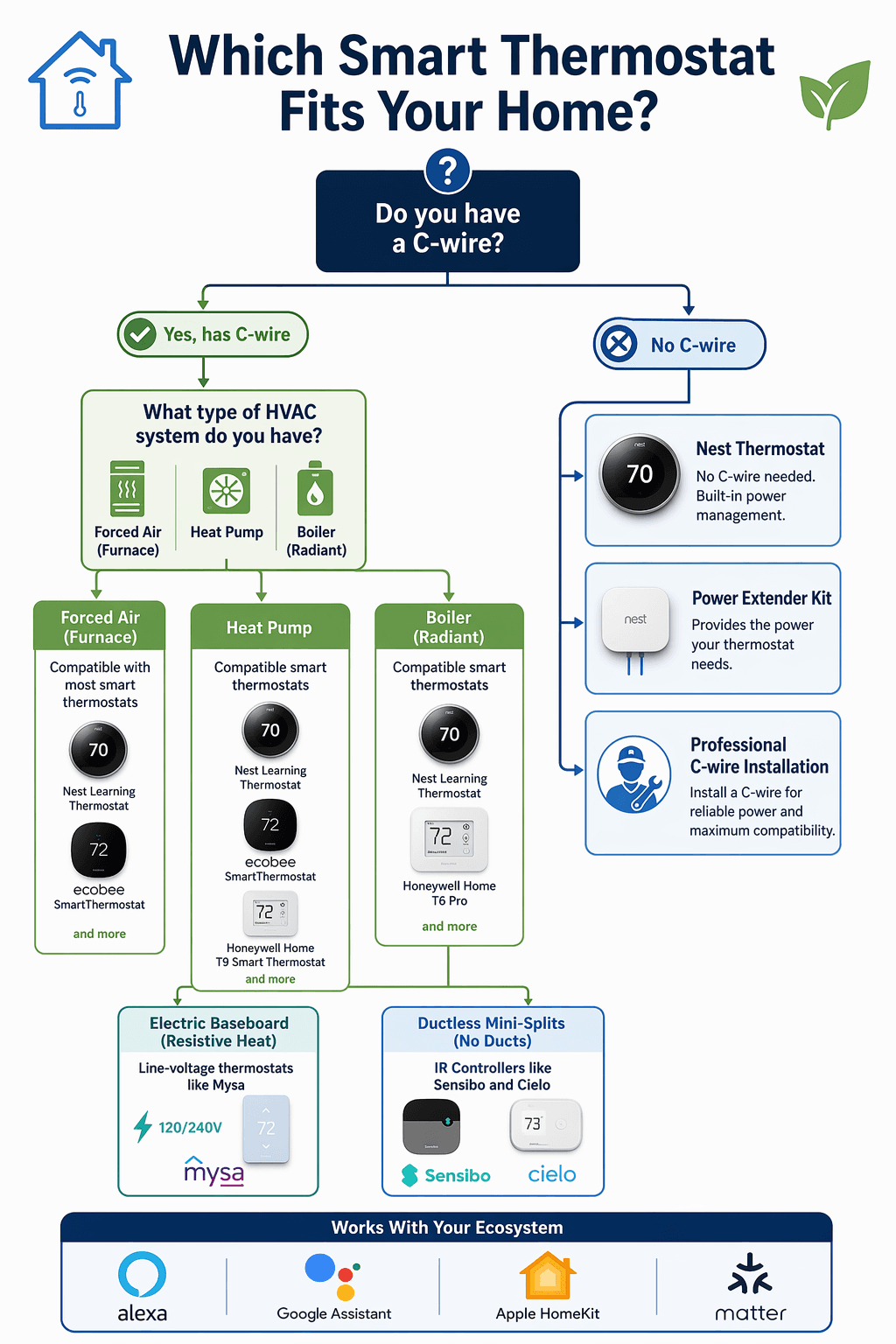
- Identify HVAC type. Forced air, heat pump, boiler, mini‑split? If mini‑split, get an IR controller (Sensibo or Cielo). If boiler, check if it's 24V — most smart thermostats work. For forced air/heat pump, continue.
- Check for a C‑wire. Pull the faceplate. If you have a C‑wire, great. If not, decide: use Nest (with power‑stealing risk), install a power extender kit (Ecobee or Nest), or call a pro.
- Pick your ecosystem. If you need HomeKit, prioritize Ecobee or a Matter‑enabled model like Nest 4th Gen or Honeywell XS2. If you're all‑in on Alexa, the Amazon Smart Thermostat is cheap but locked in.
- Consider sensors. If you have a two‑story home or a hot/cold room, look at Honeywell T9 or Sensi Touch 2 for high sensor counts.
For the full list of current recommendations after you've confirmed compatibility, see the Best Smart Thermostat Buyer Guide 2026. If you need a deeper ecosystem comparison, read Best Smart Thermostats for HomeKit, Alexa, and Google Home.
A Final Word: The Cost of Getting It Wrong
Let me put this plainly: the hidden cost of a wrong purchase is not just the product price. It's the return shipping you didn't budget for, the restocking fee that stings, the professional install call you didn't want to make. And if you choose poorly on voltage or power stealing, you risk damaging your furnace.
Spend 15 minutes now checking your wiring and HVAC type. The flowchart above is printable. Tuck it into your tool drawer. The best smart thermostat is the one that actually works in your home. Find that one, and you'll never have to buy a second.
Discussion
Share your experience with the compared products, flag outdated pricing or specs, or ask clarifying questions about the comparison verdict.
Comments
Join the discussion with an anonymous comment.