
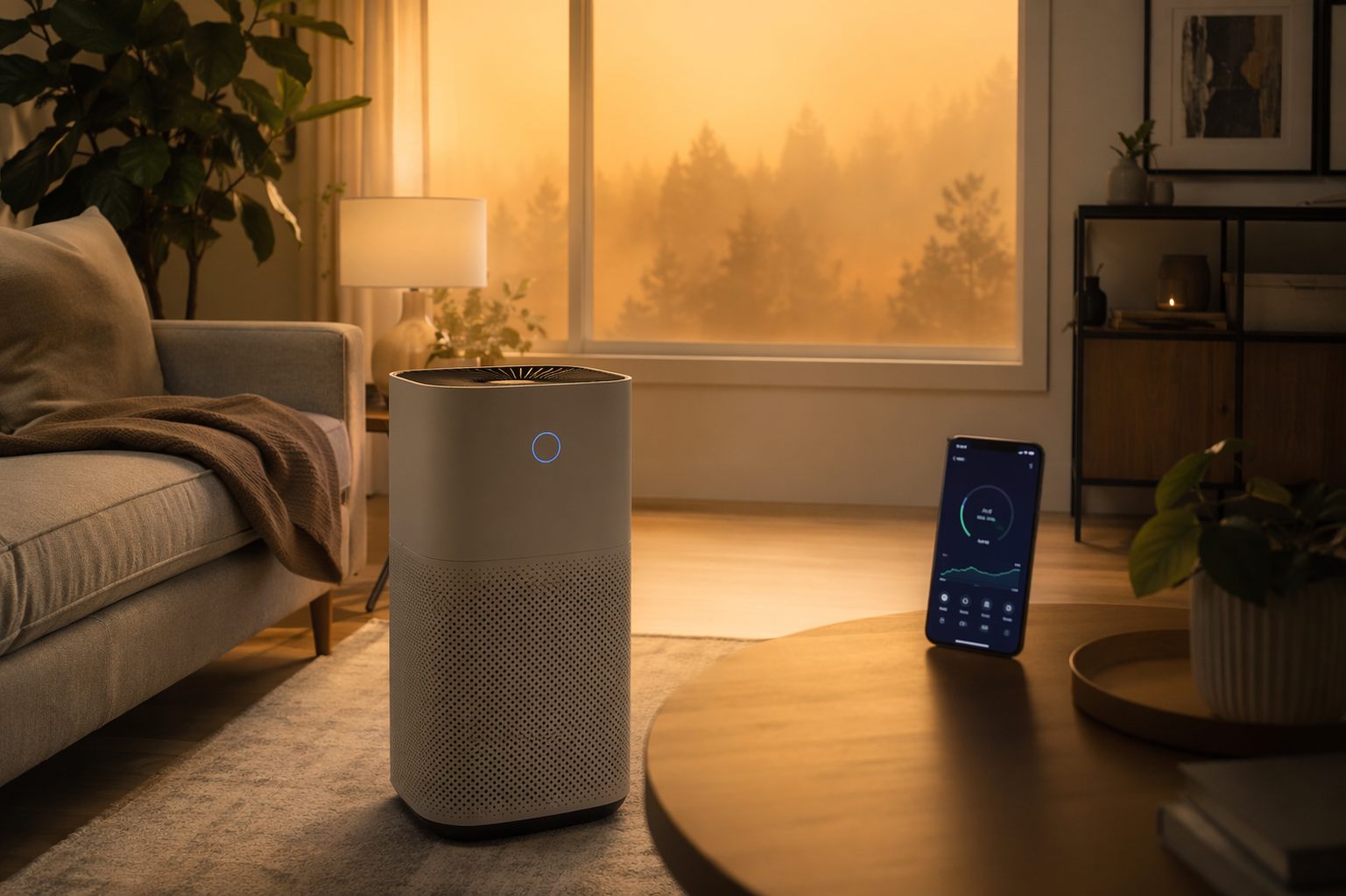
Wildfire smoke has a way of exposing every lazy default on a smart purifier. The unit is plugged in, the app exists somewhere on your phone, and the outdoor AQI alert is already bad. Then you open the dashboard and realize the purifier is still sitting in a corner, auto mode is tuned for ordinary dust, the schedule is empty, and the filter-life counter has been treated like a decorative number.
The useful smart home air purifier tips for wildfire smoke are not the flashy ones. They are the settings that make the purifier notice smoke sooner, move more air before the room gets hazy, warn someone when the filter is loading up, and make a manual override simple enough to use while dinner is burning and the sky outside looks wrong.
First, make sure the purifier can actually win the room
Before changing app settings, do the dull prerequisite check: the purifier needs a true HEPA-grade filter or equivalent particle filtration, and its smoke CADR needs to fit the room. A common sizing shortcut is that the smoke CADR should be at least two-thirds of the room’s square footage; if the room is 300 square feet, the purifier should be around 200 CADR or higher for smoke. If that math is new, use a dedicated CADR sizing guide for wildfire smoke before trusting auto mode to rescue an undersized machine. Consumer Reports’ smoke testing is a useful reminder that smoke performance has to be evaluated as particle removal, not just as a feature list on the box.[1]
Once the purifier is properly sized, the configuration order should be simple:
| Configuration step | What it should accomplish during smoke |
|---|---|
| Place the purifier where the sensor can read the room | Prevent auto mode from reacting to stale corner air |
| Set auto mode with smoke in mind | Let the fan ramp earlier without assuming it will be perfect |
| Enable app AQI, alerts, and remote control | Make someone look before the room feels smoky |
| Schedule pre-peak cleaning | Start high air exchange before exposure builds |
| Create simple voice controls | Make manual overrides easier than opening the app |
| Track filter life aggressively | Replace loaded filters before performance quietly falls |
Put the sensor in the room, not in a hiding place
This is the setting that is not inside the app. A smart purifier’s PM2.5 sensor is not reading the whole room like a weather station. Modern Home Compass describes the built-in sensor as detecting air within roughly 30 cm of the purifier intake.[2] That small radius changes the job: placement is not interior design. Placement is how the purifier decides whether anything is wrong.
A purifier against a wall can still move air, but a purifier with its intake crowded by a wall, sofa, curtain, cabinet, or corner may be sampling cleaner or less representative air than the people in the room are breathing. A 360-degree intake model shoved into a corner is especially irritating: the product is physically built to pull from all sides, then household convenience blocks the sides that matter.
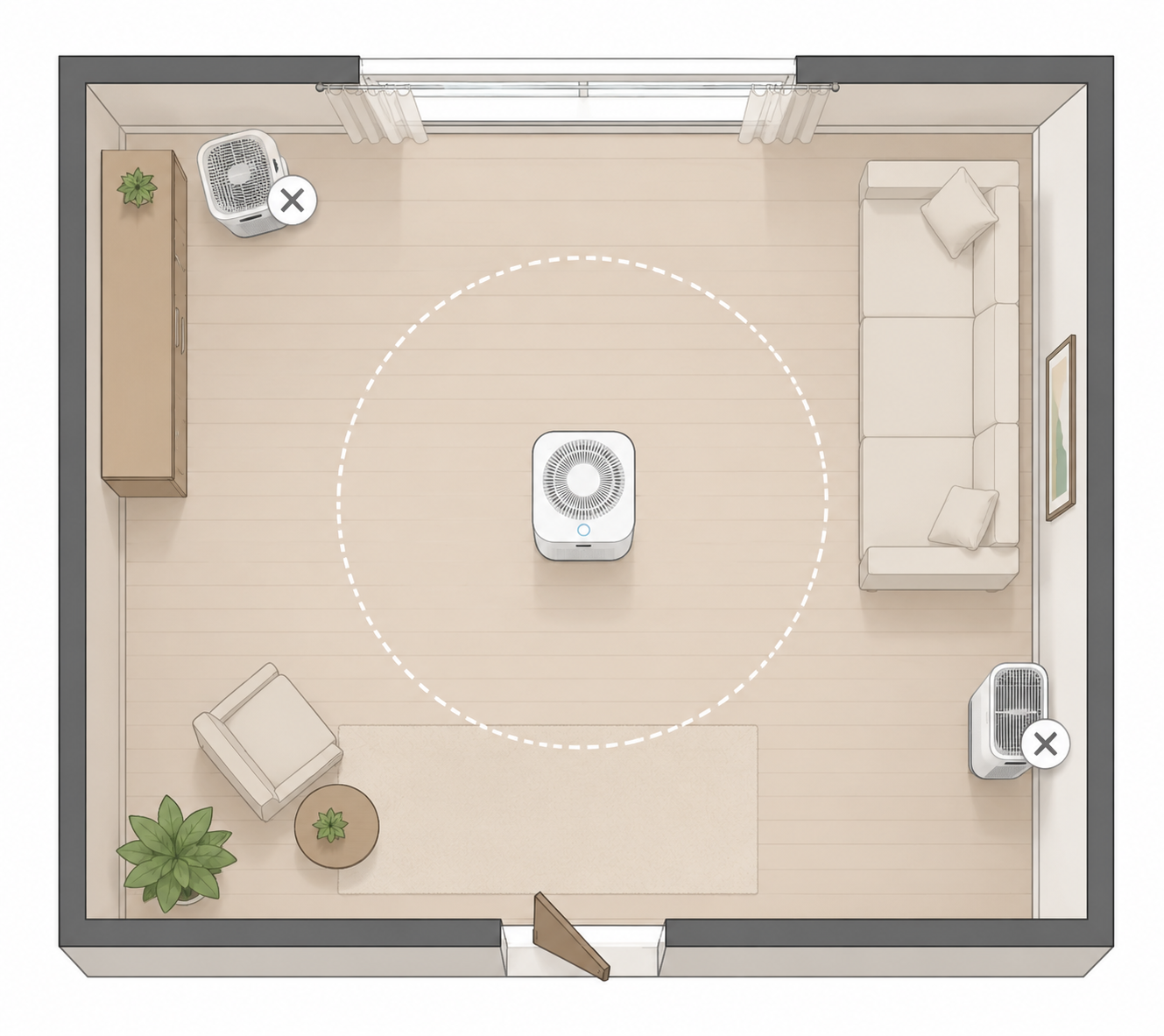
For wildfire smoke season, move the purifier into the most-used closed room, usually the living room by day or bedroom by night. Give the intake open space. Keep it away from a kitchen if cooking particles will constantly hijack auto mode, but do not tuck it so far away that smoke drifting through leaky windows and doors reaches people before it reaches the sensor. If the app lets you name the device, name it by the room where it actually sits, not the room where it was first paired.
This is also where external monitors can earn their keep. The purifier app tells you what the purifier senses near itself. A separate monitor across the room can show whether the room as occupied is improving. That is a different purchase and setup decision, so if you want to go beyond the purifier’s built-in sensor, use a guide to choosing a smart air quality monitor for smoke or a broader setup for monitoring indoor air quality with smart sensors.
Set auto mode, then watch how your brand behaves
Auto mode is worth using, but it is not a wildfire plan by itself. It is a local reaction system: the purifier samples nearby particles, decides whether the reading crosses its internal threshold, and changes fan speed. That can work well when placement and sizing are right. Air Purifier First reported that the Levoit Vital 200S achieved a 96% air quality improvement in 60 minutes in a 320-square-foot room with auto mode engaged.[3] That is the kind of result people hope they are buying when they pay for a connected purifier.
The catch is that wildfire smoke is not just another dust event. Fine smoke particles can enter gradually through leakage, or arrive in a fast pulse when someone opens a door. If the purifier’s sensor is slow to see that plume, auto mode may underreact until the room has already taken the hit. If the app has sensitivity options, particle thresholds, or an “auto plus” style mode, use the more responsive setting during smoke season. If it only has standard auto mode, treat auto as the baseline and keep manual high speed available.
Do not assume two brands mean the same thing by auto. Wirecutter, HouseFresh, CNET, and The Spruce all evaluate air purifiers through different lenses, and the useful lesson is not that one lab number becomes a universal ranking. It is that fan response, sensor behavior, app design, and smoke-removal tests vary by product and protocol.[4][5][6][7] If your purifier app shows a live PM2.5 number, watch what happens when outdoor smoke arrives: does the fan ramp quickly, drift upward slowly, or sit calmly while an external monitor shows the room getting worse?
During a bad smoke week, a sensible default is to run auto mode only after you have verified its behavior. For sleeping, many households are better served by a fixed medium or high setting for the first part of the night, then auto once indoor readings are stable. For a living room, auto can work during normal occupancy, but use manual high when doors have been opened, windows were recently closed, or outdoor AQI has climbed quickly. The point is not to distrust the sensor; it is to stop pretending the sensor is reading from everywhere at once.
Turn the app into an alarm, not a dashboard you admire once
The app matters when it changes what someone does. VeSync, Blueair, Coway, Mi Home, and similar apps can show indoor particle readings, fan status, remaining filter life, schedules, and alerts, but those screens are only useful if notifications are allowed and the right person receives them. The Spruce’s smart purifier coverage is helpful here because it evaluates the ownership experience around app controls, not only particle removal.[7]
Before smoke season, open the purifier app and check four things. First, allow notifications from the app at the phone level. Second, enable indoor air quality alerts if the app offers them. Third, turn on filter-life alerts, not just a final replacement reminder. Fourth, make sure remote control works when you are away from home, because smoke rarely waits until someone is standing next to the unit.
Avoid notification clutter. A purifier alert that fires so often everyone swipes it away is worse than no alert, because it trains the household to ignore the one message that matters. If the app lets you choose thresholds, use alerts for meaningful indoor PM2.5 changes, filter-life drops, and device-off conditions during scheduled smoke season hours. Leave the vanity badges and weekly summaries alone unless someone actually reads them.
Schedule the purifier before the room gets bad
Scheduling is the least glamorous smart feature and one of the easiest to maintain. If local forecasts show smoke building in the afternoon, schedule the purifier to run at a higher speed before that window, not after the room already smells faintly like a campfire. The schedule does not need to be complicated: a higher daytime setting for the main living area, a pre-sleep cleaning period in bedrooms, and a lower overnight setting if noise is a problem.
If the home is empty during the day, do not turn the purifier off just because nobody is there to appreciate the app graph. Smoke exposure accumulates indoors as particles enter and linger. A schedule that keeps the room from getting dirty in the first place usually beats a heroic high-speed cleanup after everyone returns.
Energy use is a fair concern, but efficient models make the tradeoff less dramatic than people expect. In CNET’s 2026 lab testing, the Blueair Blue Pure 311i Max recorded a T90 of 1 minute 28 seconds at 43.31 dBA on a mid-fan setting with 11.65 kWh draw in CNET’s test conditions.[6] That result should not be pasted onto every purifier, especially because CNET uses its own smoke chamber protocol, but it does show that useful smoke response and reasonable operating demand can coexist.
Make voice controls boring and obvious
Voice control is useful during smoke only if the command is too simple to forget. “Set the living room purifier to high” is fine. “Activate wildfire mitigation scene three” is a toy for the person who created it and a dead end for everyone else.
Create two or three plain commands: high, auto, and sleep. If the platform allows routines, tie them to names the household already uses, such as “smoke mode” or “bedtime air.” Then test them out loud. If a guest, teenager, or tired adult cannot guess the phrase, rename it. During smoke, the best automation is often the one that removes one small point of friction.
This is also the right place to stop. You do not need a full Home Assistant build to benefit from a smart purifier. If you want a wider system that closes the gap between outdoor alerts, indoor sensors, HVAC settings, and room purifiers, move to a broader smoke-ready smart home defense. For this device, the voice layer should stay boring.
Treat filter life as a smoke-season instrument
Filter-life tracking is where smart purifiers can save both performance and money, but only if the percentage is taken seriously during smoke weeks. Wirecutter notes that wildfire smoke can require replacing purifier filters far sooner than normal, and the EPA warns that filters may need more frequent replacement under heavy particle loading.[4][8] The practical version: a filter that normally lasts around six months can be used up in roughly half that cycle under smoky conditions, depending on exposure and runtime.[4][8]
That matters because a loaded filter does not announce itself politely. The app may still say the purifier is on. The fan may still make noise. The dashboard may still show a reassuring color after the worst plume has passed. But if the filter is clogging faster than expected, airflow drops and the purifier has to work harder to move the same amount of air. During wildfire season, filter percentage is not a maintenance footnote; it is part of the smoke response.
Set a household rule before the season starts. Check filter life at the beginning of every smoke event, after several high-speed days, and when the app falls below a threshold you choose. Do not wait for a hard 0% warning if the purifier has been running continuously in smoky air. If the app offers purchase reminders, turn them on early enough to avoid waiting for shipping during a regional smoke event.
Cost is not imaginary here. HouseFresh estimated the Levoit Vital 200S annual cost at $123.48 in its coverage, while also reporting smoke-oriented results for larger units such as the Coway Airmega ProX with a smoke CADR of 462 CFM and a 13-minute clearance result in its own real-room PM1 incense test protocol.[5] Those figures should not be merged into a single universal operating-cost formula, but they show the two pressures households feel during smoke season: filters are consumables, and stronger smoke performance often means moving a lot of air for long hours.
What to do when smoke is already outside
When the outdoor alert has already arrived, do not spend the first hour exploring app menus. Move through the controls that change indoor exposure fastest.
- Close windows and exterior doors, then place the purifier in the main occupied room with open intake clearance.
- Switch from quiet or sleep mode to high for an initial cleaning period, especially after doors have been opened.
- Use auto mode only after indoor readings are stable and you have seen the fan respond to particle changes.
- Check filter-life percentage before the event stretches into multiple days.
- Enable alerts for indoor AQI, device-off status, and filter replacement if they are not already active.
If the purifier is still boxed or you are deciding whether the connected features are worth paying for, start with a buyer guide to smart air purifiers for wildfire smoke. If you already own one, the more useful comparison is whether your current model’s smart air purifier features actually help during smoke and whether you have turned those features on.
The realistic operating posture is not complicated: size the purifier correctly, put it where its sensor reads useful air, make auto mode prove itself, schedule cleaning before peak exposure, keep manual high speed one command away, and watch filter life as smoke loads the media. Otherwise, the connected hardware is mostly doing what too many smart devices do: watching the wrong thing, reporting too late, and leaving the useful work to whoever finally notices the room feels bad.
References
- Best Air Purifiers for Wildfire Smoke, Consumer Reports.
- Smart Home Air Quality Automation Purifier Ventilation, Modern Home Compass.
- Best WiFi Smart Air Purifier, Air Purifier First.
- The Best Air Purifier for Wildfire Smoke, Wirecutter, The New York Times.
- Best Air Purifiers for Wildfire Smoke, HouseFresh.
- Best Air Purifier, CNET.
- The Best Smart Air Purifiers, The Spruce.
- Wildfires and Indoor Air Quality (IAQ), US EPA.
Reader Feedback
Share your purchase experience, flag outdated picks, or ask clarifying questions about the checklist items.
Comments
Join the discussion with an anonymous comment.