
What Is Z-Wave?
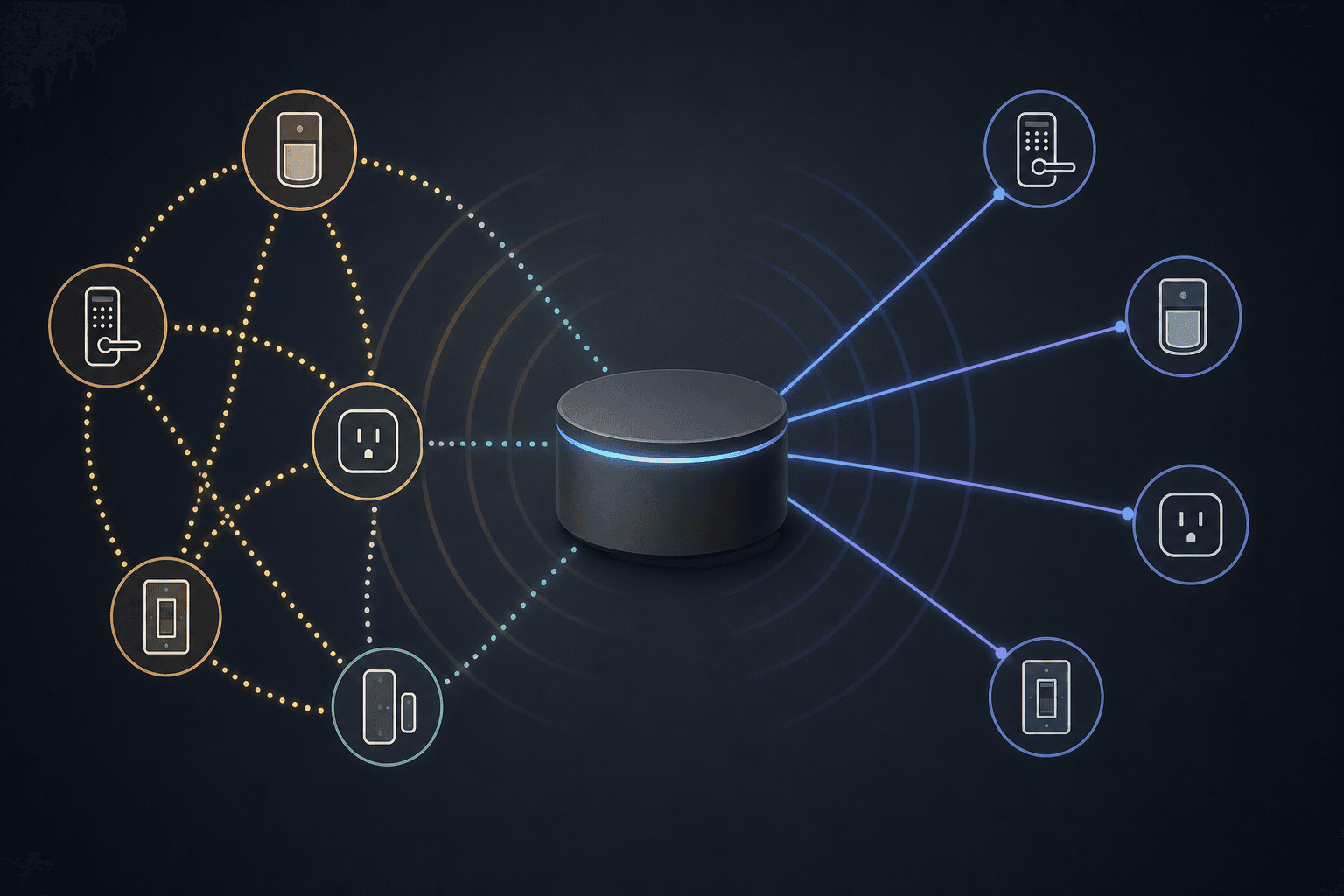
Z-Wave is a dedicated wireless protocol built specifically for smart home devices. It is not Wi-Fi, not Bluetooth, and not Zigbee. It runs on its own reserved radio band — 908.42 MHz in the United States and 868.42 MHz in Europe — a frequency range well below the crowded 2.4 GHz band used by Wi-Fi routers, Zigbee networks, Bluetooth devices, and microwave ovens.
That sub-gigahertz frequency is not a minor technical footnote. Radio signals at 908 MHz travel farther through walls, floors, and furniture than signals at 2.4 GHz, and they encounter far less interference in a typical home. A Z-Wave lock or sensor on the other side of a concrete wall will maintain a more stable connection than a comparable 2.4 GHz device in the same position.
Z-Wave is a proprietary standard, maintained by the Z-Wave Alliance and built on chipsets manufactured by Silicon Labs. Every certified Z-Wave device must pass interoperability testing, which means a Z-Wave lock from one brand will work with a Z-Wave hub from a different brand — guaranteed by the certification program.
How Z-Wave Mesh Works
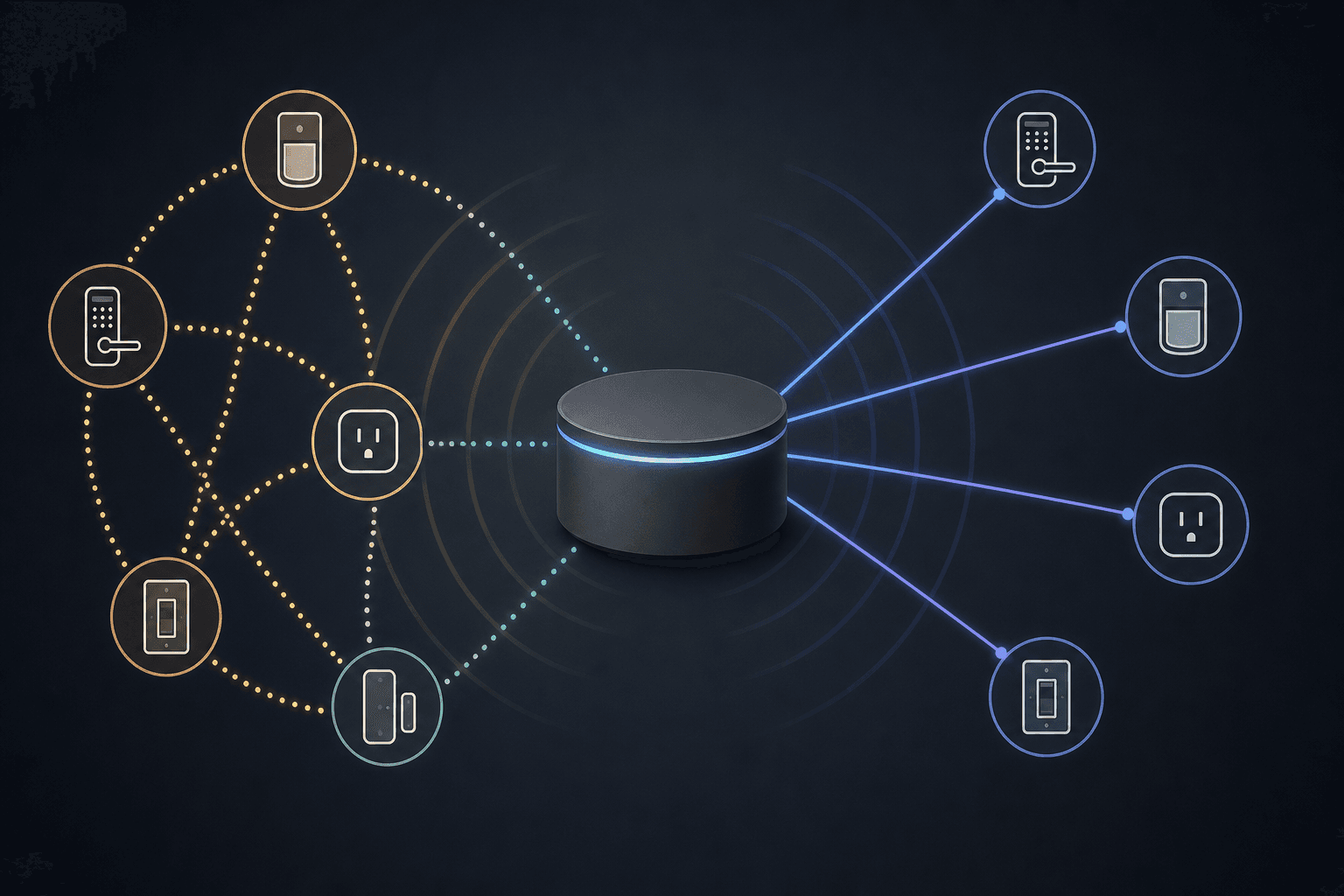
Z-Wave uses a self-healing mesh network. Every mains-powered device in the network — a wall switch, a smart plug, an in-wall dimmer — acts as a signal repeater. When a command travels from the hub to a device, it can hop through up to four intermediate devices to reach its destination. Each hop covers roughly 100 meters indoors, giving the mesh a theoretical maximum reach of around 400 meters end-to-end under ideal conditions.
The "self-healing" part means the network automatically finds alternative routes if a device goes offline or a path becomes unreliable. The hub maintains a routing table that maps the best path to each device, and that table updates itself as conditions change.
Battery-powered devices — sensors, door/window contacts, handheld remotes — are end nodes only. They receive commands and send status updates, but they do not repeat signals for other devices. This is intentional: repeating signals would drain the battery quickly. The practical implication is that a mesh network built entirely of battery-powered sensors will have poor range and reliability. Mains-powered devices are what give the mesh its strength.
- Maximum nodes in a standard Z-Wave mesh: 232
- Maximum hops per signal path: 4
- Approximate indoor range per hop: 100 meters
- Mains-powered devices: act as repeaters
- Battery-powered devices: end nodes only, do not repeat
Why Z-Wave Always Requires a Hub
When you plug in a Z-Wave smart lock or sensor, nothing happens on its own. The device is waiting for a primary controller — the hub — to invite it into a network. The hub creates the Z-Wave network, assigns each device a unique node ID, and maintains the routing table that tells every device how to reach every other device.
The hub also bridges the Z-Wave network to your home network (via Ethernet or Wi-Fi), which is how your phone app, voice assistant, or automation platform talks to your Z-Wave devices. Without that bridge, your Z-Wave devices are an isolated island with no way to receive commands from anything outside the Z-Wave network itself.
Compare this to a Wi-Fi smart plug, which connects directly to your router the moment you give it your Wi-Fi password. There is no equivalent direct connection for Z-Wave. The protocol was designed from the start as a hub-centric system — the hub is not a bolt-on requirement but the architectural center of the entire network.
In practical terms: if your hub loses power, your Z-Wave devices stop responding to remote commands. Some devices with locally programmed direct associations can still trigger each other — for example, a scene controller pressing a button to turn on a switch — but normal hub-based operation requires the hub to be online.
Z-Wave Generations: 500, 700, and 800 Series
Z-Wave devices are built on Silicon Labs chipsets, and those chipsets have evolved through several generations. The three you will encounter in practice are the 500 series, 700 series, and 800 series. All three are backward compatible — a newer hub will work with older devices, and an older hub will work with newer devices, though you will not get the newer features unless both ends support them.
| Generation | Status | Key Features | Security |
|---|---|---|---|
| 500 series | Legacy — still functional | Standard mesh, SmartStart not supported | S0 security only (older, less secure) |
| 700 series | Current widespread deployment | S2 security, SmartStart pairing, improved range | S2 (current standard) |
| 800 series | Latest — recommended for new installs | ~50% lower transmit current, up to 10-year coin-cell life, Z-Wave Long Range support, Secure Vault | S2 + Secure Vault |
The 700 series was the generation that brought Z-Wave into modern smart home deployments. It introduced S2 security (a significant improvement over the older S0 standard) and SmartStart pairing, which lets you scan a QR code on the device box to pre-authorize inclusion before the device is even installed.
The 800 series, built on Silicon Labs' ZG23 SoC, takes battery life to a new level. Compared to the 700 series, the 800 series reduces transmit current by roughly 42% and receiver current by up to 600%, which translates to up to 10 years of operation on a single coin-cell battery for low-traffic devices like door sensors. The 800 series also adds support for Z-Wave Long Range.
Z-Wave Long Range (ZWLR): What It Is and What It Changes
Z-Wave Long Range is a fundamentally different topology layered on top of the standard Z-Wave protocol. Where standard Z-Wave uses a mesh — signals hopping between devices — Z-Wave LR uses a star topology: every LR device connects directly to the hub, with no intermediate hops.
The range improvement is substantial. Standard Z-Wave mesh covers roughly 100 meters per hop indoors, with a maximum of four hops. Z-Wave LR achieves direct hub-to-device communication at up to 1,300 feet line-of-sight — with realistic indoor performance in the 300 to 600 foot range depending on building construction. For a large property, an outbuilding, or an outdoor gate lock, that is a meaningful difference.
Z-Wave LR also expands the node addressing space. Standard Z-Wave uses 8-bit node IDs, which limits the network to 232 devices. Z-Wave LR uses 12-bit node IDs, enabling up to 4,000 nodes on a single hub. For most homes this limit is irrelevant, but for commercial deployments or very large properties it matters.
- Topology: star (hub-to-device direct) — no mesh hops
- Direct range: up to 1,300 feet line-of-sight; 300–600 feet realistic indoors
- Node capacity: up to 4,000 (vs. 232 for standard mesh)
- LR and standard mesh coexist simultaneously on the same hub
- LR devices do not communicate with each other — only hub-to-device
- No range extenders for LR mode — the hub is the only central point
- Both the hub and the device must be LR-capable for LR mode to activate
The 2026 Z-Wave Hub Landscape: Which Hubs Have Z-Wave and Which Don't
This is where the hub-dependency question becomes a purchasing decision. Several of the most visible consumer smart home hubs sold in 2026 have no Z-Wave radio at all. Buying a Z-Wave device without first confirming your hub supports Z-Wave is the single most common and avoidable mistake in this category.
| Hub | Z-Wave Support | Z-Wave Generation | LR Support | Notes |
|---|---|---|---|---|
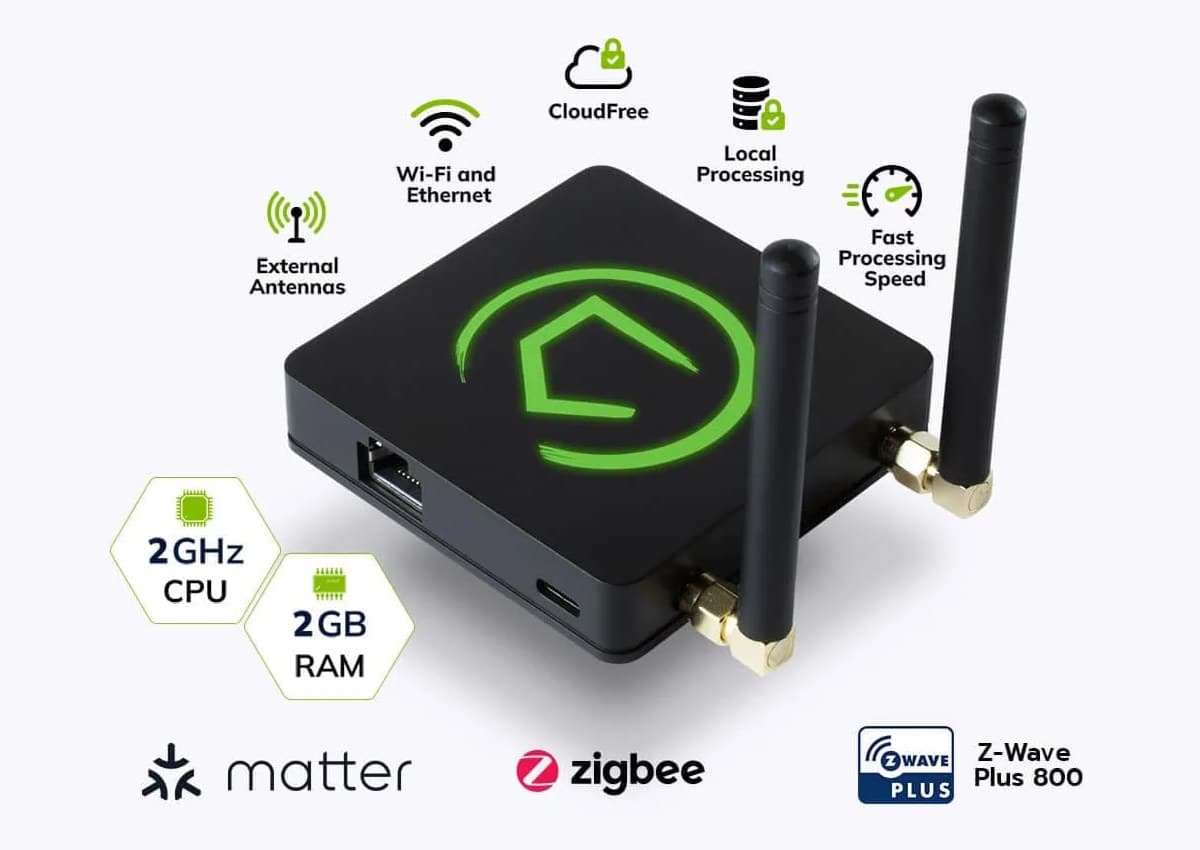
| Hubitat Elevation C-8 Pro | Yes | 800 series | Yes | External antennas; 1,300 ft LOS; 100% local processing; best for large properties |
| Homey Pro (Early 2023 model) | Yes | 700 series | No | Widest protocol stack (also Zigbee, Matter, Thread, IR, 433 MHz); good for non-coders |
| Aeotec Smart Hub (SmartThings platform) | Yes | 800 series | Yes | Runs on the SmartThings platform; distinct from SmartThings Station |
| Home Assistant (with USB adapter) | Yes (via USB stick) | 800 series (ZWA-2 or ZST39 LR) | Yes (ZST39 LR) | No built-in radio; requires separate adapter; most powerful but highest setup complexity |
| Samsung SmartThings Station | No | — | — | No Z-Wave radio; cannot connect Z-Wave devices |
| Amazon Echo Hub | No | — | — | No Z-Wave radio |
| Apple HomePod mini | No | — | — | No Z-Wave or Zigbee; Z-Wave is not supported anywhere in the Apple ecosystem |
Home Assistant: The Special Case
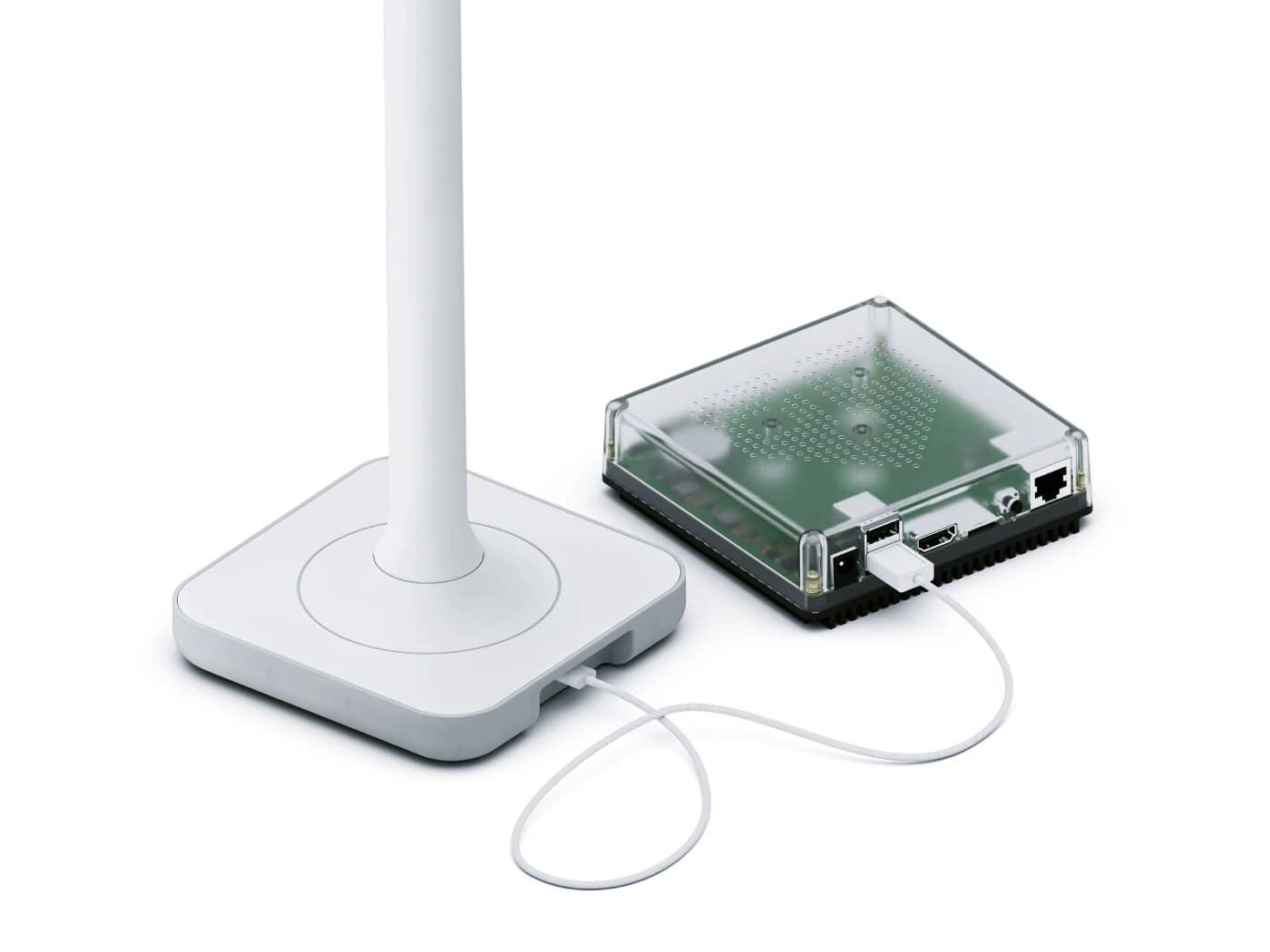
Home Assistant is the most capable Z-Wave platform available, but it ships with no built-in radio hardware. To add Z-Wave, you plug in a USB adapter. The Home Assistant project officially recommends the Home Assistant Connect ZWA-2 — an 800-series adapter developed specifically for the platform. The Zooz ZST39 LR is a confirmed 800-series alternative that also supports Z-Wave Long Range. The HA documentation currently recommends against using 700-series adapters for new installs.
For HomeKit users: Apple's ecosystem has no native Z-Wave support anywhere in its stack. The HomePod mini, HomePod (2nd generation), and Apple TV 4K all serve as HomeKit hubs, but none have Z-Wave radios. If you want Z-Wave devices in a HomeKit home, you need a separate Z-Wave hub that exposes those devices to HomeKit via a Matter bridge. See the Apple HomeKit platform overview for a full breakdown of HomeKit's protocol limitations.
Hub Form Factors: Standalone Hub vs. Multi-Protocol Hub vs. USB Dongle
Before comparing specific products, it helps to understand the three hardware approaches to Z-Wave hub capability. Each involves real trade-offs in setup complexity, local control, Long Range capability, and protocol breadth.
| Form Factor | Examples | Setup Complexity | Local Control | LR Capable | Protocol Breadth |
|---|---|---|---|---|---|
| Dedicated standalone hub | Hubitat Elevation C-8 Pro | Low | Full (100%) | Yes (C-8 Pro) | Z-Wave + Zigbee + Matter + LAN |
| Multi-protocol hub | Homey Pro | Low–Medium | Full | No (700-series model) | Z-Wave + Zigbee + Matter + Thread + IR + 433 MHz |
| USB dongle + software | Home Assistant + ZWA-2 or ZST39 LR | High | Full (self-hosted) | Yes (ZST39 LR) | Virtually unlimited via integrations |
Dedicated standalone hubs like the Hubitat C-8 Pro are the simplest path to a fully local, high-performance Z-Wave network. They are self-contained, require no additional software, and run all automation logic on-device. The trade-off is that you are working within that hub's native interface and feature set.
Multi-protocol hubs like the Homey Pro add breadth — supporting Zigbee, Thread, IR blasters, and 433 MHz remotes alongside Z-Wave — making them useful for households with a wide mix of device types. The Homey Pro's Z-Wave 700 chipset means it does not support Long Range mode, which matters for large properties but is irrelevant for most apartments and houses.
The USB dongle plus Home Assistant path offers the most power and flexibility at the lowest hardware cost, but it requires comfort with ongoing software maintenance, occasional breaking changes during HA updates, and a higher initial setup investment. For experienced home automation enthusiasts it is often the preferred choice; for someone setting up their first smart home, it is not the easiest starting point.
Hub Selection Decision Guide: Which Hub Fits Your Situation
| Your Situation | Recommended Hub | Why |
|---|---|---|
| Beginner, first smart home hub | Homey Pro or Aeotec Smart Hub (SmartThings) | Easiest setup; good app experience; no command-line required |
| Power user, local control priority | Hubitat Elevation C-8 Pro or Home Assistant + ZWA-2 | Full local processing; advanced automation; no cloud dependency |
| Large property or outdoor Z-Wave LR devices (US only) | Hubitat C-8 Pro or Home Assistant + Zooz ZST39 LR | LR support is mandatory for this use case; both options confirmed LR-capable |
| HomeKit household wanting Z-Wave devices | Separate Z-Wave hub (Hubitat or Homey) + Matter bridge to HomeKit | Apple ecosystem has no native Z-Wave; a bridge is required |
| Existing Home Assistant user | Home Assistant Connect ZWA-2 (officially recommended) | Developed specifically for HA; 800-series; plug-and-play with Z-Wave JS integration |
| European buyer | Homey Pro or Hubitat C-8 Pro (mesh mode only) | Z-Wave LR radio mode is US-only as of mid-2026; standard mesh works fine in EU |
Frequently Asked Questions
Does Z-Wave work with Matter?
Z-Wave devices are not natively Matter devices. Matter is an IP-based application layer protocol that runs over Wi-Fi, Ethernet, or Thread. Z-Wave is a non-IP sub-GHz mesh protocol — the two are architecturally incompatible at the device level.
The bridge between them is a Matter bridge built into a Z-Wave hub. When a hub like Hubitat or Home Assistant exposes its Z-Wave devices as Matter devices, it is acting as a translator — presenting your Z-Wave lock or sensor to a Matter controller (like an Apple HomePod or Google Home) as if it were a native Matter device. The Z-Wave device itself has not changed; the hub is doing the translation work.
Can Z-Wave devices work if the hub loses power?
For most practical purposes, no. When the hub loses power, Z-Wave devices stop responding to remote commands, automations stop running, and your phone app loses the ability to control anything. The Z-Wave network itself goes offline.
The narrow exception is local direct associations — a Z-Wave feature that allows one device to directly trigger another without routing through the hub. For example, a Z-Wave scene controller button can be programmed to turn on a specific Z-Wave switch even when the hub is offline. But this covers only pre-configured direct device-to-device commands, not hub-based automations, schedules, or app control.
Is Z-Wave backward compatible across generations?
Yes. Z-Wave 500, 700, and 800 series devices are all interoperable on the same network. An 800-series hub will pair and communicate with a 500-series sensor you bought years ago. A 700-series hub will pair with an 800-series lock you buy today.
The one important caveat: Z-Wave Long Range features require both the hub and the device to be LR-capable. An 800-series LR device paired to a 700-series hub will operate in standard mesh mode, not LR mode. You only get LR when both ends of the connection support it.
Is Z-Wave Long Range approved in Europe?
No, not as of mid-2026. Z-Wave Long Range radio mode operates at 912/920 MHz, a frequency allocation specific to the United States. The Z-Wave Alliance has announced a European LR specification, and a technical working group is actively pursuing regulatory approval for Europe and other regions, but device firmware and regulatory clearance are still pending.
European buyers can use Z-Wave 800-series devices and hubs — and will benefit from the improved battery life and S2 security of the 800 chipset — but they cannot use LR radio mode. Standard Z-Wave mesh operates normally in Europe on the 868.42 MHz band, which is fully approved.
Updates & Corrections
Protocol specifications and platform features change rapidly — especially with Matter version evolution. Report version changes, certification count updates, or platform policy changes that have occurred since the last editorial review.
Comments
Join the discussion with an anonymous comment.