
Why Your Smart Home Security System Keeps Triggering False Alarms and How to Fix It
System triggers false alarms repeatedly
Last updated
When a smart home security setup keeps screaming at the wrong time, it rarely feels like a statistic. It feels like leaving a meeting to check a door, apologizing to a neighbor, waking up a child, or wondering whether the next dispatch will come with a fine. The good news is that “for no reason” usually means “for a reason the app has not made obvious yet.”
False alarms are common across monitored alarm systems, not just DIY smart systems: The Monitoring Association data cited by SafeHome.org puts the false-alarm share at roughly 94% to 98% of alarm activations.[1] That does not prove your particular device is innocent. It does mean the first pass should be practical and boring: identify the triggering device, check the people-and-settings problems, then walk the sensors.
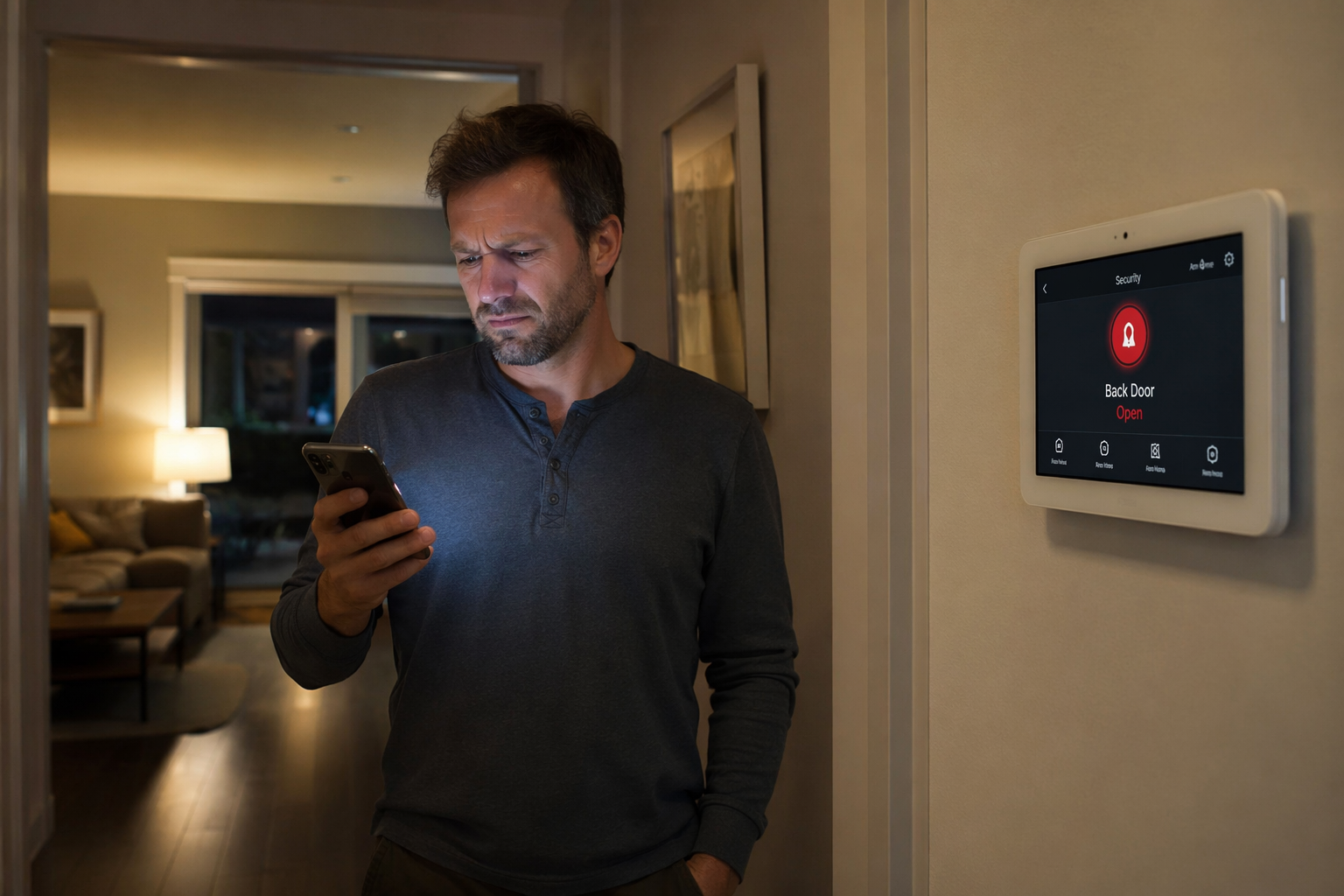
Start With the Alarm History, Not the Siren
Before you move a sensor or blame the dog, open the alarm history in your app or panel. You are looking for the exact device name and the order of events: front door opened, motion detected, entry delay expired, alarm triggered. That sequence tells you whether the problem began with a person, a contact sensor, a motion detector, or the system mode.
If your app only says “alarm triggered,” rename vague devices before troubleshooting. “Sensor 04” is useless when you are standing in a hallway with three doors and a window. Use names a guest or spouse would understand: “mudroom door,” “living room motion,” “garage entry door,” “upstairs hall window.”
- Write down which device triggered the last two or three false alarms.
- Note the time of day and whether the system was in Home, Away, Night, or another custom mode.
- Check whether the alarm happened during an entry delay, after arming, or hours later.
- Ask what changed recently: a new pet routine, houseguest, cleaner, door repair, low-battery warning, or app setting.
This takes five minutes and prevents the most expensive kind of troubleshooting: fixing the device that did not cause the alarm.
Check Codes, Modes, and Entry Delays First
User error is an unhelpful phrase for a very normal household problem. It includes a babysitter using the wrong code, someone opening the back door before disarming, a guest not knowing the keypad location, or an owner arming Away mode while someone is still inside. Advanced Security Group cites police department studies indicating that about 95% of alarm activations are due to user error, though the source should be treated as an approximate benchmark rather than a verified universal rule for every U.S. smart alarm system.[2]
That number is still useful because the fixes are usually free.
| Symptom | Likely cause | Fix |
|---|---|---|
| Alarm triggers soon after someone enters | Entry delay is too short, or the person does not know where to disarm | Lengthen the entry delay if your system allows it, and make the keypad or app routine obvious |
| Alarm triggers when people are home | Away mode is armed instead of Home or Night mode | Review which sensors are active in each mode |
| Alarm triggers after a cleaner, sitter, or relative visits | Wrong code, expired code, or no code assigned | Create a named temporary or guest code instead of sharing your main code |
| Alarm triggers after schedule changes | Automation arms the system while someone is still inside | Disable the schedule for a few days and confirm whether false alarms stop |
Do not skip mode settings just because the system worked last month. Smart alarms tend to accumulate little rules: geofencing, bedtime routines, voice assistant commands, app shortcuts, and shared users. A single misunderstood mode can turn a harmless hallway walk into a motion alarm.
Run a Two-Day Settings Test
For the next couple of days, simplify the system. Turn off nonessential automations, remove duplicate arming schedules, and use only the basic modes you understand. If the false alarms stop, reintroduce one automation at a time. This is not glamorous, but it tells you whether the system is malfunctioning or simply obeying a rule that no longer fits the house.
Walk the Door and Window Sensors
Door and window contacts are simple: one piece sits on the frame, the other on the moving door or sash. When the magnet and sensor separate, the system reads the opening. The annoying part is that “closed” to your eye may not be close enough for the sensor.
A magnetic contact gap greater than 1/4 inch can cause intermittent false signals, especially when a door flexes, weatherstripping compresses, or a window shifts in its track.[1] This is the kind of flaw that can look random because the door is technically shut when you inspect it later.
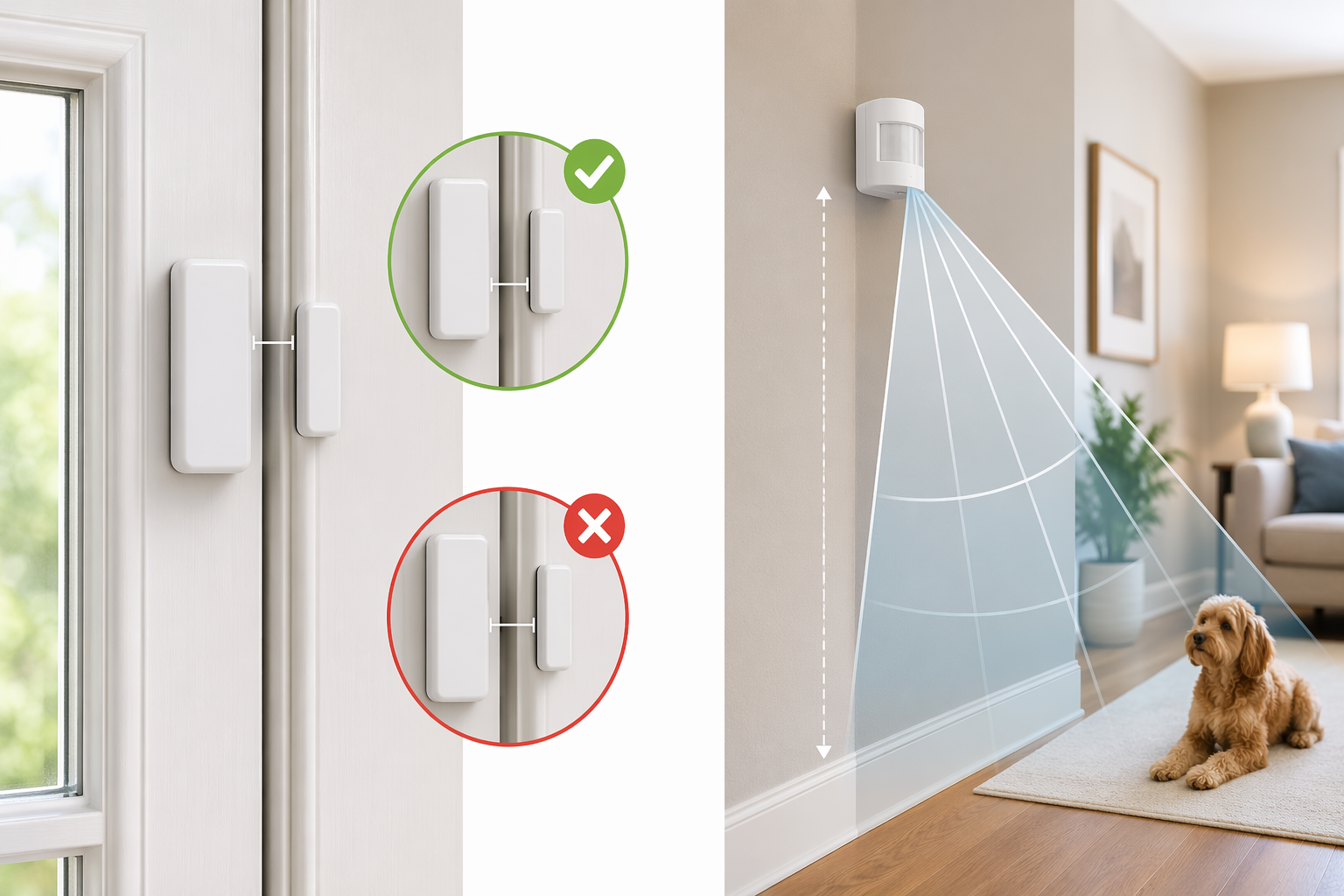
- Close the door or window and measure the gap between the two contact pieces.
- Check whether either piece is loose, tilted, cracked, or attached with failing adhesive.
- Open and close the door slowly while watching the app status change from closed to open.
- Test the door with normal force, not gentle showroom force, because real doors bounce.
- Look for recent changes: new paint, swelling wood, replaced weatherstripping, a repaired frame, or a window that no longer locks tightly.
If the contact is too far apart, move the smaller magnet closer if the design allows it. If the adhesive has failed, clean the surface before remounting. If the door itself no longer closes consistently, the alarm is reporting a house problem, not inventing one.
Treat Low Batteries as a Cause, Not a Warning You Can Ignore
Low batteries can create trouble before a sensor dies completely. A weak sensor may drop offline, reconnect, report tampering, or behave inconsistently. Silent Guardian Security and EMC Security both include battery condition among routine alarm troubleshooting items, and this is one of the easiest checks to do before calling anyone.[3][4]
Do a battery pass every six months, especially before travel seasons or long stretches when no one wants to be the person getting a 2 a.m. alert. Replace low batteries with the type recommended by the manufacturer, then test the sensor from the app or panel. If the same device keeps reporting low battery after a fresh replacement, mark it as suspect instead of feeding it another battery and hoping.
Motion Sensors Need More Than a Pet-Friendly Label
Pet-triggered alarms are especially irritating because the pet gets blamed for a placement problem. Pet-immune PIR motion sensors can reduce nuisance alarms, but weight limits vary by brand and model; a general range is about 60 to 100 pounds, not a universal promise. Positioning matters as much as the label on the box.
Mounting height, angle, and the room layout decide what the detector “sees.” A sensor aimed at a couch, stair landing, cat tree, sunny window, heat vent, or hallway where a dog jumps at the door can act very differently from the same sensor mounted higher and aimed across open floor. Some pet-immune setups also require specific mounting orientation, so check the model’s instructions before assuming the default bracket position is right.
- Keep motion sensors away from heating vents, fireplaces, direct sun patches, and windows with fast temperature swings.
- Avoid aiming the detection zone at furniture pets climb on.
- Use the manufacturer’s pet setting only if your pet falls within that model’s stated limits.
- Test motion detection with the pet moving normally through the room while the system is in test mode.
- If a room is impossible to cover cleanly, consider using door and window contacts there instead of motion detection.
A motion sensor that false-alarms only at certain times of day often has an environmental trigger. A motion sensor that false-alarms after a new puppy, new sofa, or new robot vacuum has a household-change trigger. Those are different fixes.
Clean the Sensors You Forgot Were There
Dust, cobwebs, insects, and grime can interfere with alarm equipment, particularly around motion sensors, outdoor-facing areas, garages, basements, and rarely opened windows. Silent Guardian Security and EMC Security both point to cleaning and physical condition as part of routine troubleshooting.[3][4]
Use a dry microfiber cloth or gentle duster around the sensor housing. Do not spray cleaner into the device. While you are there, look for cracked plastic, missing covers, water marks, loose mounting screws, and tamper switches that are not fully pressed. A bug inside a sensor housing is not a software problem.
Do the Full Walk-Through in This Order
If you have had more than one false alarm, do not troubleshoot from memory. Walk the house with the app open and handle the system in the same order every time.
- Open the event history and identify the first device that triggered.
- Confirm the active mode and which sensors are armed in that mode.
- Check user codes, guest codes, entry delays, and arming schedules.
- Inspect the triggering door or window contact for a gap over 1/4 inch, loose adhesive, or a shifting frame.
- Replace weak batteries and retest the device.
- Clean the sensor housing and check for insects, dust, water, cracks, or a loose cover.
- For motion alarms, review mounting height, angle, pets, heat sources, sunlight, and furniture.
- Put the system in test mode and reproduce the normal action: open the door, walk the hallway, let the pet cross the room.
- If the same device fails again after settings, battery, cleaning, and alignment checks, mark it for replacement or escalation.
This order matters because it moves from free and common to more involved and less common. It also gives you a clean story if you do call support: which sensor, which mode, which time, which fixes you already tried.
When Replacement Beats More Troubleshooting
DIY sensors are often cheap enough that a stubborn device should not become a weekend project. SafeHome.org notes replacement sensors for DIY systems such as SimpliSafe in the $15 to $20 range, while professional-system parts may cost more.[1] If one contact sensor keeps failing after a fresh battery, clean mount, and proper alignment, replacing that single sensor can be more sensible than paying for a service visit.
Repair or adjust first when the cause is visible: a wide magnet gap, a bad mode, a short entry delay, a weak battery, a dusty sensor, or a motion detector aimed at a pet route. Replace when the hardware is cracked, water-damaged, repeatedly dropping offline, or still triggering after you have corrected the obvious setup and maintenance issues.
Escalate sooner if repeated activations could cost you locally. False-alarm ordinances vary, and some municipalities treat verified and unverified alarms differently. If your area fines repeat false alarms or limits police response, do not let a flaky sensor keep testing that policy.
Most false alarms are not random, even when they feel that way. The fastest fix is usually a disciplined pass through the household habits, app settings, batteries, sensor alignment, dirt, pets, and environment before deciding the whole system is defective.
References
- Burglar Alarms Going Off Randomly? Here's How To Fix It — SafeHome.org
- 6 Common Causes of Home Security System Failures & Installation Issues — Advanced Security Group
- Troubleshooting Home Alarm Systems — Silent Guardian Security
- Six Causes of Alarm System Trouble — EMC Security
Corroborating context
For protocol background on why this failure happens, see Compatibility & Protocols.
Not currently linked to a known regression. Background on the underlying protocol lives in Compatibility & Protocols.