Control Your Smart Home from a Samsung Galaxy Watch
Compare the three ways to control your smart home devices from a Samsung Galaxy Watch — SmartThings, Google Home, and Home Assistant — and find the method that works best for your ecosystem, device inventory, and setup effort.
- Symptom
- Smart home device not responding on Galaxy Watch
- Affected ecosystem
- SmartThings, Google Home, Home Assistant
- Status
- Confirmed
- Difficulty
- Moderate
- Last verified
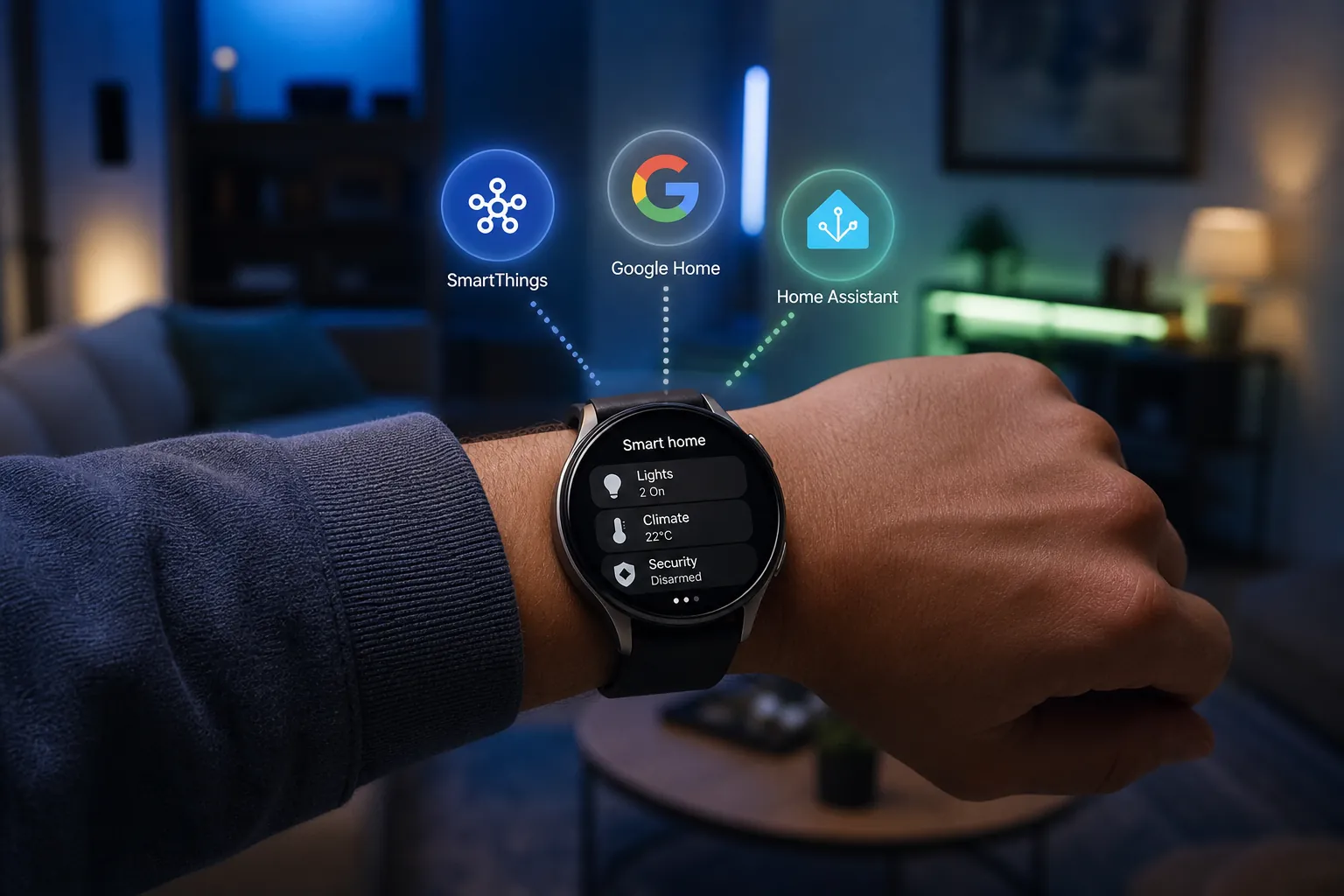
Yes, you can use a Samsung Galaxy Watch to control smart home devices. The less satisfying answer is the useful one: the best route depends on where those devices already live. SmartThings is the native Samsung path, Google Home is often better if your household already runs through Google, and Home Assistant is the flexible route if you are willing to maintain a server.
For Q3 2026, the clearest official feature milestones are still Samsung’s January 2023 SmartThings watch expansion and Google’s June-July 2024 Wear OS Favorites tile and device complication rollout. No confirmed official 2025 or 2026 changes were found that replace those compatibility claims, so dated limits matter here rather than being old trivia.
| Control path | Best fit | What stands out | Main catch |
|---|---|---|---|
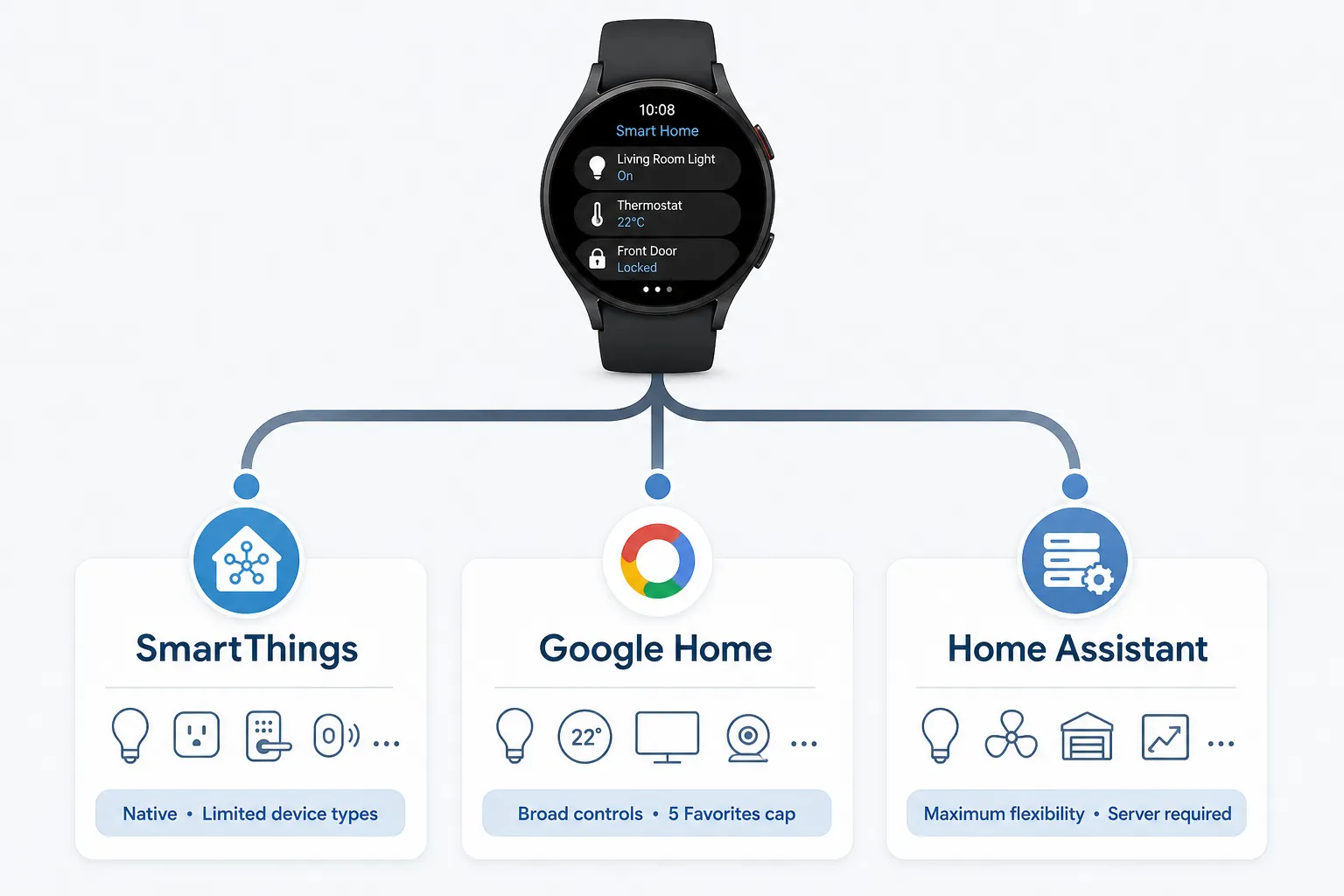
| SmartThings | Samsung-first homes with supported devices already added | Native watch control and Samsung-documented support for TVs, speakers, air conditioners, robot vacuums, lighting, air purifiers, thermostats, blinds, and selected cameras | Devices must be set up in SmartThings from the phone first, and Samsung does not provide one clean current master list for every supported watch control |
| Google Home | Homes already organized around Google Home and Google/Nest-compatible devices | Richer per-device watch controls, including items such as fan speed, TV input, vacuum docking, and appliance modes | The Wear OS Favorites tile is capped at five devices |
| Home Assistant Companion | Power users with mixed-device homes and tolerance for configuration | Most flexible watch approach, with multiple tile types, shortcuts, complications, areas, and operation over LTE or Wi-Fi without the phone nearby | Requires a working Home Assistant server before the watch becomes useful |
The Fast Answer by Ecosystem
Use SmartThings first if your devices are already in SmartThings and the watch shows the controls you actually need. Samsung’s January 2023 announcement added watch support for air purifiers, thermostats, blinds, and live camera streaming for Ring and Nest cameras, with two-way talk specifically called out for Ring cameras.[1] That is the kind of watch feature that can be genuinely faster than finding a phone, especially when someone is at the door.
Use Google Home if your home is already arranged around Google Home rooms, devices, and household members. Google documents a Favorites tile and a device complication for Wear OS, and the practical draw is not just turning a light on; independent coverage of the June 2024 rollout noted deeper controls such as changing fan speed, selecting a TV input, docking a vacuum, and adjusting appliance modes.[2][3]
Use Home Assistant Companion if the phrase “which ecosystem?” is already part of the problem. The Wear OS app supports five tile types, shortcuts for up to seven entities or scripts, areas, complications, and operation over LTE or Wi-Fi without needing the phone connected, but only after you have a Home Assistant instance for the watch app to talk to.[4]
SmartThings: The Least Friction When the Device Is Already There
SmartThings has the obvious advantage on a Samsung watch: it feels like the intended path. If your light, thermostat, robot vacuum, or camera is already in SmartThings, the watch can become a simple command surface instead of a second smart-home project.
The important setup reality is that the watch is not where the real onboarding happens. Samsung’s support instructions say to add the device in the SmartThings app on the phone first, then open SmartThings on the watch and select the device to control it.[5] That is not a flaw by itself, but it is exactly where “control from your watch” can sound more independent than it is.
The device coverage is also a little messier than a marketing page makes it feel. Samsung’s older watch support materials and later announcements have to be read together: the base watch categories include TVs, speakers, air conditioners, robot vacuums, and lighting, while the January 2023 expansion added air purifiers, thermostats, blinds, and live camera viewing for Ring and Nest cameras.[1][5] Samsung has not published a single consolidated current table that cleanly says every device category and every watch control available in 2026.
That matters because category support and control depth are different things. A robot vacuum appearing on the watch is useful; being able to start, stop, pause, or send it back to the dock is more useful. A camera tile is nice; live view with two-way talk is a different level of usefulness. Samsung’s January 2023 announcement is strongest where it names the concrete behavior: Ring and Nest camera livestreaming, and Ring two-way talk from the watch.[1]
For a Samsung-first home, SmartThings is still the place to begin. The mistake is assuming it will become a universal wrist remote for every brand and device feature you own. Treat it as a native controller for supported SmartThings devices, not as a promise that every smart-home function exposed on your phone will be mirrored on your wrist.
Google Home: Better Device Controls, With a Very Small Tile
Google Home on a Galaxy Watch makes the most sense when your home already belongs to the Google Home app. If family members share devices there, rooms are already organized there, and routines already depend on it, moving control to the watch is less about adopting Google and more about not rebuilding the house in SmartThings just to tap a smaller screen.
The 2024 Wear OS update made Google Home more watch-friendly by adding a Favorites tile and a device complication.[2] The tile is the headline because it puts selected devices one swipe away, but it has the limit that will decide whether it feels elegant or annoying: Google caps the Favorites tile at five devices.[2]
Five can be enough. Front door camera, living room lights, thermostat, robot vacuum, and bedroom lamp is a plausible wrist set. But if you expected your watch tile to become a scrolling control board for a whole house, the cap changes the math. You can still open the app for more devices, but the tile’s convenience belongs to the small group you choose carefully.
Where Google Home gains ground is control depth. Android Police’s coverage of the June 2024 Wear OS rollout specifically noted controls such as fan speed, TV input, vacuum dock, and appliance modes, which are the kinds of small, specific controls that keep a watch app from being just another on/off switch.[3]
Setup is still phone-led. A MakeUseOf walkthrough for using Google Home on a Galaxy Watch describes installing Google Home on the watch, opening it, and signing in or continuing from the paired phone.[6] In practice, the watch is borrowing the Google Home structure you already built elsewhere. That is fine if your house is already tidy in Google Home; it is less compelling if your Google Home app is a graveyard of duplicate rooms and half-renamed devices.
Home Assistant: The Most Capable Route, After You Do the Real Work
Home Assistant Companion is the watch route for people who want the Galaxy Watch to respect the home they actually have, not the ecosystem a platform would prefer them to have. It is also the route most likely to punish casual optimism. The watch app is not a magic bridge; it is a front end for a Home Assistant setup you already run.
The official Wear OS documentation is unusually clear about the pieces available. Home Assistant Companion supports five tile types: shortcuts, template, camera, entity state, and assist. It also supports areas and complications, and shortcut tiles can include up to seven entities or scripts.[4] That gives the watch a different shape from SmartThings or Google Home: instead of waiting for a vendor to expose a specific device control, you can build a watch surface around the entities and scripts that matter to your home.
The independence point is real, too. Home Assistant’s Wear OS docs state that if the watch has an LTE or Wi-Fi connection, it can communicate directly with the Home Assistant server without needing to be connected to the phone.[4] For a Galaxy Watch LTE owner, that is the difference between “my watch is a remote for my phone” and “my watch can still issue a command when the phone is not nearby.”
The trade-off is obvious: someone has to keep Home Assistant running. That may mean a small server, a Home Assistant Green-style appliance, a Raspberry Pi-class box, a NAS, or another always-on machine. The exact hardware choice is outside this comparison, but the consequence is not: Home Assistant shifts the burden from platform limits to your own configuration and maintenance.
This is the path to choose when your device inventory is mixed enough that SmartThings and Google Home both feel like compromises. It is also the path to avoid if what you really want is a watch tile by dinner tonight.
Setup Effort Is the Real Divider
The three methods are not just different apps. They put the work in different places.
- SmartThings asks you to add and organize devices in the phone app first, then use the watch as a native controller for supported device types.
- Google Home asks you to maintain a clean Google Home setup and choose the five devices that deserve the Favorites tile.
- Home Assistant asks you to run the underlying server, expose the right entities, and decide which tiles, shortcuts, scripts, or complications belong on the watch.
There is also a voice-control edge case. Samsung documents Bixby voice wake-up setup on Galaxy Watch, so voice commands can be part of the Samsung-side experience when configured.[7] That does not erase the underlying compatibility question. A voice assistant can make an available control easier to trigger; it cannot make every missing device capability appear on the watch.
Community reports around watch smart-home control are mixed, as expected with paired phones, cloud services, hubs, and watch software all involved. Reports of empty Google Home tiles or delayed SmartThings responses should be treated as troubleshooting clues rather than established failure rates, because the materials reviewed do not provide controlled data or broad user statistics.
Do Not Assume the Watch Replaces Every Trigger
A watch controller is best for quick intentional actions: turn on a light, check a camera, change a thermostat, dock a vacuum, run a script. It is not automatically a replacement for every automation trigger you use with a phone.
NFC tags are a good boundary example. A July 2026 How-To Geek article argued that Galaxy Watch NFC tag automation is more limited than many users expect, particularly compared with the mental model people bring from phones.[8] That does not weaken the case for watch smart-home control; it just keeps the watch in the right role. Use it as a compact control surface, not as a guarantee that every phone-based automation habit transfers cleanly.
Which One Should You Use?
Start with the app that already runs your home, then check whether its watch limits hit the controls you actually use.
- Choose SmartThings if your supported devices already live there and you want the least setup friction on a Samsung watch.
- Choose Google Home if your household is Google-centered, you want stronger per-device controls, and five wrist favorites are enough.
- Choose Home Assistant if your device mix is too broad for one commercial ecosystem and independent LTE or Wi-Fi watch control is worth the server setup.
The practical winner is the one that leaves you tapping once on your wrist instead of opening a second app to fix what the first app could not see.
References
- Samsung Galaxy Watch Update Offers New Smart Home Controls with SmartThings, Samsung Newsroom, January 2023
- Control smart home devices on your Google Pixel Watch or Samsung Galaxy Watch, Google Home Help
- Google Home's Wear OS Favorites tile and device complication are finally rolling out, Android Police, June 2024
- Wear OS, Home Assistant Companion Docs
- Control your smart devices on your watch, Samsung Support
- How to Use Google Home on a Galaxy Watch, MakeUseOf
- Use Bixby on your Galaxy Watch, Samsung Support
- I Tried Using My Smartwatch as an NFC Tag Trigger, and It Was a Letdown, How-To Geek, July 5, 2026
Did this fix work for you?
Report whether this fix resolved your case, or flag a correction if firmware or app behavior has since changed.