
HomeKit Not Working After iOS 27? Fix Your Calendar First
Calendar-linked HomeKit automations stop firing after iOS 27 update
Last updated
If HomeKit started showing No Response right after the iOS 27 public beta update, do not start by factory-resetting plugs, bulbs, locks, bridges, or the whole Home. The first move for the most suspicious failure pattern is Calendar re-indexing: turn iCloud Calendar off, wait, turn it back on, then rebuild the affected automations in the new Shortcuts-based format.
That sounds backward only until the symptoms line up. The visible break happens in Home. The less visible change happened in Calendar. iOS 27 redesigned event creation, added Smart Event Details that can auto-fill event title, time, and location from natural language, added a Busy/Free control for iCloud events, and expanded Siri’s onscreen calendar management abilities.[1] Those are nice front-end changes. They also mean the event data Home automations read is not necessarily shaped the same way it was before the update.
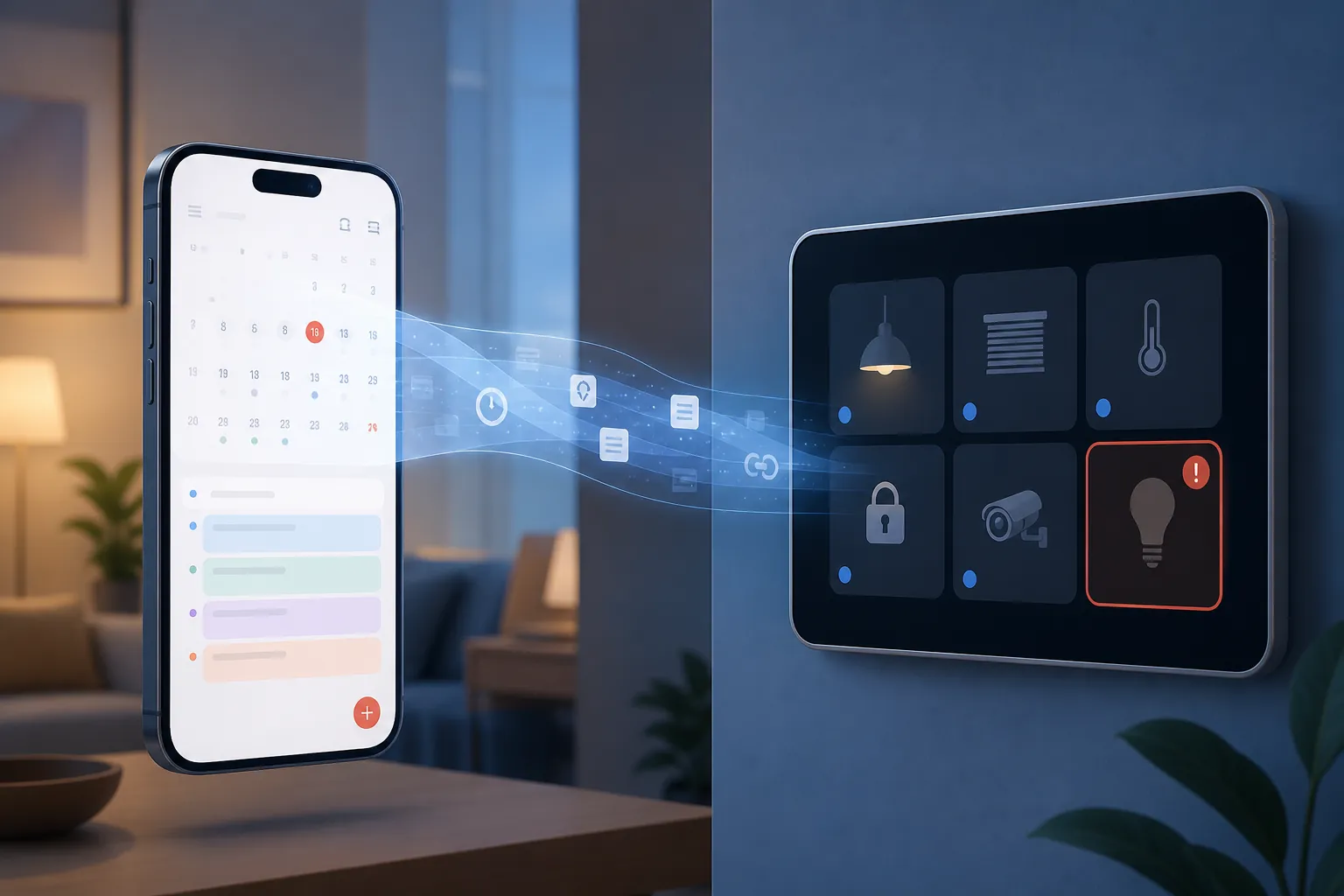
The clearest match is a Home setup that uses calendar-linked logic: routines tied to events, availability, presence, work blocks, travel entries, school pickup windows, or any automation that was converted into a Shortcut trigger during the iOS 27 upgrade. Reports around iOS 27 calendar metadata parsing and beta-user automation conversion point to the same practical result: older rules can keep their polished name in the Home app while losing the data shape they expected underneath.[2][3]
This is not an Apple-documented iOS 27 Calendar-to-HomeKit bug. It is the best-supported troubleshooting explanation from the Calendar feature changes, reported metadata parsing issues, and beta reports that iOS 27 reworks automations as Shortcuts with triggers.[1][2][3] Treat it as a high-probability repair path, not as proof that every unresponsive accessory is secretly a Calendar problem.
The Fast Pattern Check
Before changing anything, separate the hallway-light panic from the actual failure pattern. A single smart plug that will not join Wi-Fi after a router change is not the same problem as a whole set of routines that stopped after iOS 27. Calendar re-indexing is especially worth doing when the break arrived immediately after the beta install and the devices still appear in the Home app.
| Symptom after iOS 27 | Most likely first lane | What not to do first |
|---|---|---|
| Calendar-linked automations stop firing | Re-index iCloud Calendar, then recreate the automation | Do not re-pair the accessory |
| Presence or availability routines behave oddly | Check Busy/Free state on iCloud events | Do not assume the Home hub is the only cause |
| Converted automations look intact but do nothing | Recreate in the new Shortcuts-based format | Do not only edit the old converted rule |
| All Thread accessories show No Response | Run Calendar re-index only as a low-risk check, then inspect Thread and hubs | Do not force the Calendar explanation if the pattern does not fit |
| Home Hub status flaps on tvOS 27 beta 2 | Check hub stability separately | Do not rebuild the Home before isolating the hub |
NestGrid’s previous update’s fix ladder still makes sense for ordinary HomeKit fallout: confirm the hub, power-cycle the accessory, check the network, then move down the ladder. iOS 27 deserves a different first move when Calendar-linked automations are involved because Calendar is the new variable, not just Home.
Fix 1: Force Calendar To Rebuild Its Index
Start here. The goal is not to delete your calendars. The goal is to make iOS rebuild the local calendar metadata cache that automations may be reading badly after the iOS 27 update.
- Open Settings on the updated iPhone.
- Tap your Apple ID name.
- Open iCloud.
- Turn iCloud Calendar off.
- Wait 30 seconds.
- Turn iCloud Calendar back on and let events resync.
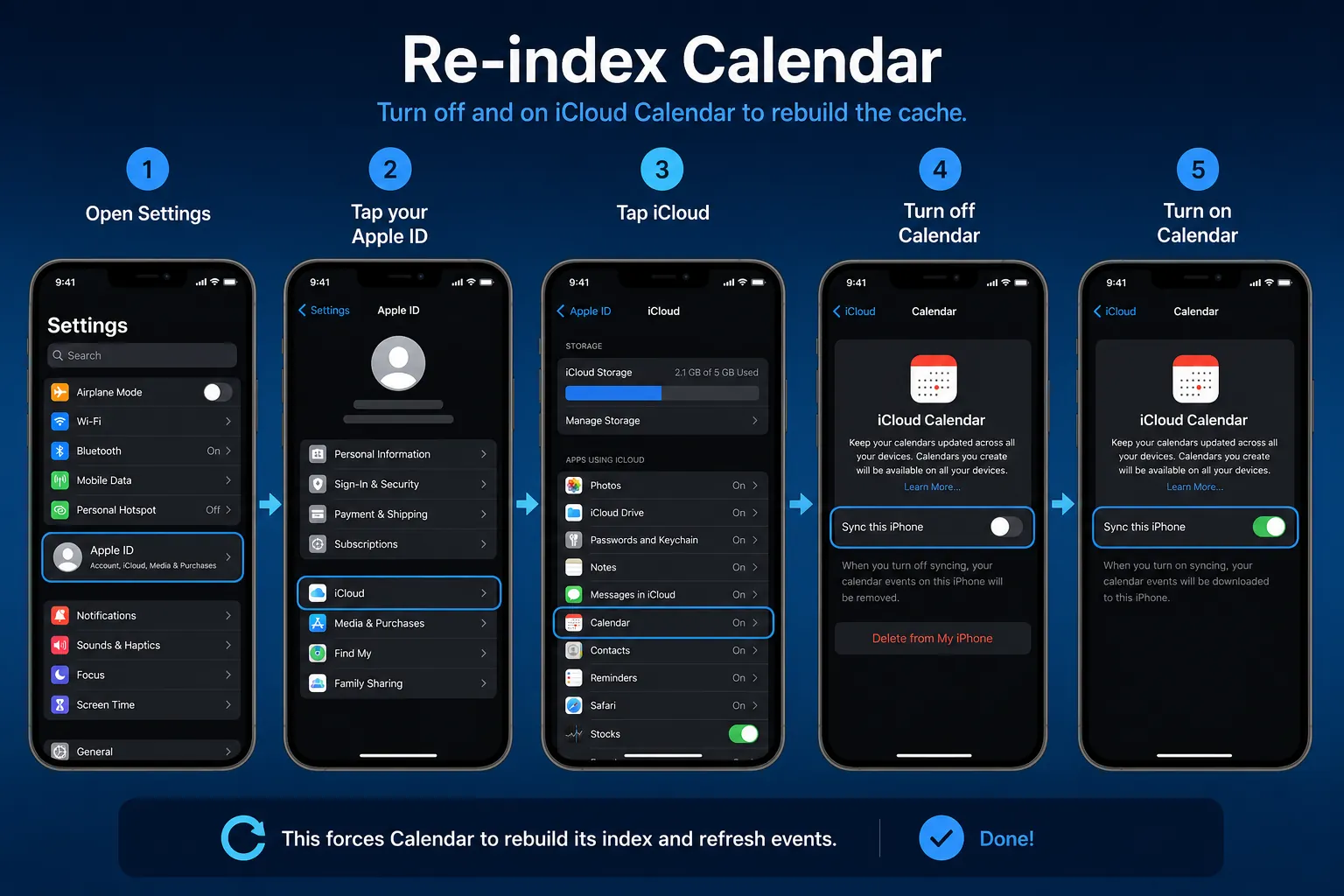
After the toggle comes back on, give Calendar time to repopulate before testing a Home automation. If you immediately hammer the Home tile while Calendar is still syncing, you can end up testing a half-built state and chasing a false failure.
For a calendar-triggered routine, test with a simple near-term event first. Use a clean title, a clear start time, and no clever natural-language phrasing. If that test works, the accessory was probably never the broken link. If the tile still says No Response even from the Home app after Calendar has resynced, keep going, but do not yet wipe the Home.
Fix 2: Check Busy/Free Before Blaming Presence
iOS 27 adds a Busy/Free toggle for iCloud events.[1] That matters if your home logic treats calendar availability as a presence clue: dim lights when you are in a meeting, skip the morning routine during travel, avoid announcements during focus blocks, or run a workday scene only when a calendar says you are busy.
Open the event your automation depends on and look at its availability state. If the event imported as Free when the old automation expected Busy, the trigger may be reading a real event but making the wrong decision. That can feel like an accessory failure because nothing happens at the wall switch or lamp. It is actually a condition mismatch.
Do this check on the actual event series, not only on one edited occurrence. Recurring events are exactly where Smart Event Details and redesigned event fields can create annoying edge cases: one instance looks fine, the next one carries a slightly different interpretation.
Fix 3: Recreate Broken Automations Instead Of Editing Converted Ones
This is the step people half-do, then lose another evening. If an automation was converted during the iOS 27 upgrade and now fails, editing the old rule may preserve the broken conversion. It can keep the same visible trigger name while leaving the old internal assumptions in place.
Recreate means build a new automation from the current iOS 27 interface, choose the trigger again, select the accessories again, and save it as a fresh Shortcuts-based automation. Do not duplicate the broken automation. Do not only rename it. Do not open the converted rule, change one action, and expect the metadata mapping to rebuild itself.
There is one quick test worth trying before a full rebuild: beta users reported that toggling the automation off and back on from the Automations list could revive some converted rules.[3] The important detail is where you do it. Toggle from the list level, then test. If it still fails, stop nursing that rule and recreate it.
- Delete or disable the broken converted automation only after you have noted its trigger, conditions, scenes, and affected accessories.
- Create the replacement using the iOS 27 automation flow rather than editing the old converted object.
- Use one clean test condition first, then add extra conditions after the basic trigger fires.
- Test from the event or time condition, not only by tapping the accessory tile manually.
A manual Home tile test only proves the accessory can be controlled. It does not prove the automation can read the event, pass the condition, and call the action. For this iOS 27 problem, that distinction is the whole repair.
Fix 4: Verify Siri And Home Data Access
If Siri AI is part of how you create or manage calendar events, check that Siri still has the data access needed for Calendar and Home interactions. iOS 27’s Calendar changes include onscreen Siri calendar management, so a routine that starts with Siri interpreting an event and ends with Home changing a scene now crosses more privacy and data boundaries than a simple time trigger.[1]
This does not mean Siri is the cause of every broken HomeKit routine. It means Siri-assisted calendar creation deserves scrutiny when the event looks normal to you but the automation behaves as if the trigger or condition is missing.
Fix 5: Use Manual Event Entry When Smart Details Misparse Recurring Events
Smart Event Details is useful when it gets the intent right. For troubleshooting, useful is less important than boring and predictable. If a recurring event drives a Home automation, create a test version manually: title, date, time, location, repeat rule, calendar, and Busy/Free state entered through explicit fields instead of natural-language auto-fill.
If the manually entered event triggers the automation and the Smart Event Details version does not, keep the manual version for now. That is not a satisfying platform answer, but it is a good home answer: the lights work, the lock routine fires, and nobody has to re-pair the bridge at midnight.
When Calendar Is Not The Whole Problem
The Calendar fix is low-risk and often the right first move for the target pattern. It is not a magic solvent for every iOS 27 beta Home problem. iOS 27’s automation changes are broad enough that non-calendar automations can break during conversion, and beta reports specifically called out sunset/sunrise triggers and app open/close triggers as non-functional in Beta 2.[3][4]
Home hub instability also has its own lane. Multiple beta users reported Home Hub flapping with Apple TV 4K on tvOS 27 beta 2, which can produce genuine No Response behavior even when your Calendar data is fine.[3] Apple’s general HomeKit guidance still points users toward checking that accessories are powered on, connected to the same network path where applicable, and reachable through the Home app before escalating resets.[5]
Thread-heavy homes need a separate check as well. Thread 1.4 returning in tvOS 27 adds another coordination variable for border routers, so a house full of Thread bulbs and sensors can have a real mesh or hub issue alongside any Calendar metadata problem.[6] In that setup, run the Calendar re-index because it is cheap, then inspect the Apple TV or HomePod hub state, power-cycle border-router-class devices, and watch whether Thread accessories recover as a group.
The practical divider is this: if manual control works but event-based behavior fails, stay in the Calendar and automation layer. If manual control fails across many accessories, especially Thread devices, widen the diagnostic path to hubs, mesh state, and beta Home app behavior. The iOS 27 Home app also received its own changes, so not every visible Home failure should be forced back through Calendar.[7]
What To Avoid While Testing
- Do not reset the whole Home as a first repair for calendar-linked automation failures.
- Do not re-pair working accessories just because an automation stopped calling them.
- Do not judge the fix from one manual tile tap; test the actual trigger path.
- Do not keep editing a converted automation that already failed after the re-index.
- Do not ignore hub or Thread failures when the symptoms affect broad manual control, not only calendar logic.
As of July 31, 2026, this is still beta-era troubleshooting. The safe repair path is to rebuild Calendar’s index, check the new availability state, recreate affected automations in iOS 27’s current format, verify Siri data access where Siri is involved, and use manual event entry when Smart Event Details keeps guessing wrong. That preserves the existing Home while targeting the layer most likely to have changed.
References
- Here’s everything new for Apple Calendar in iOS 27, 9to5Mac, June 24, 2026.
- iOS 27 calendar metadata parsing issues, Tao of Mac, May 2026.
- iOS 27 beta automation conversion and Home Hub reports, MacRumors Forums, June-July 2026.
- iOS 27 Beta 2 sunset/sunrise automation reports, iThinkDifferent, June 2026.
- Set up and use the Home app, Apple Support, updated March 2026.
- Thread 1.4 in tvOS 27, Matter Alpha, June 2026.
- Everything new for Home app in iOS 27, 9to5Mac, June 11, 2026.
Corroborating context
For protocol background on why this failure happens, see Compatibility & Protocols.
Not currently linked to a known regression. Background on the underlying protocol lives in Compatibility & Protocols.