
Home Assistant Matter Hub Not Working? Diagnose the Real Cause
Home Assistant Matter Hub add-on devices offline, fail to pair, or show 'No Response' in Google Home, Apple Home, or Alexa
Last updated
If your Home Assistant Matter Hub devices are offline, refuse to pair, or sit in Apple Home with “No Response,” do not start by deleting bridges, rewriting YAML, or rebooting every radio in the house. First decide what kind of failure you have. This guide is about the RiDDiX Home Assistant Matter Hub add-on bridge: the community add-on that exposes selected Home Assistant entities outward to Apple Home, Google Home, or Alexa over Matter. It is not the official Home Assistant Matter integration that brings Matter devices into Home Assistant, and it is not a physical hub on your shelf.
If that distinction is already fuzzy, pause on The Three Meanings of a Home Assistant Matter Hub first. If you know you installed the bridge add-on and your target app still will not behave, start here.
Start With the Failure Class
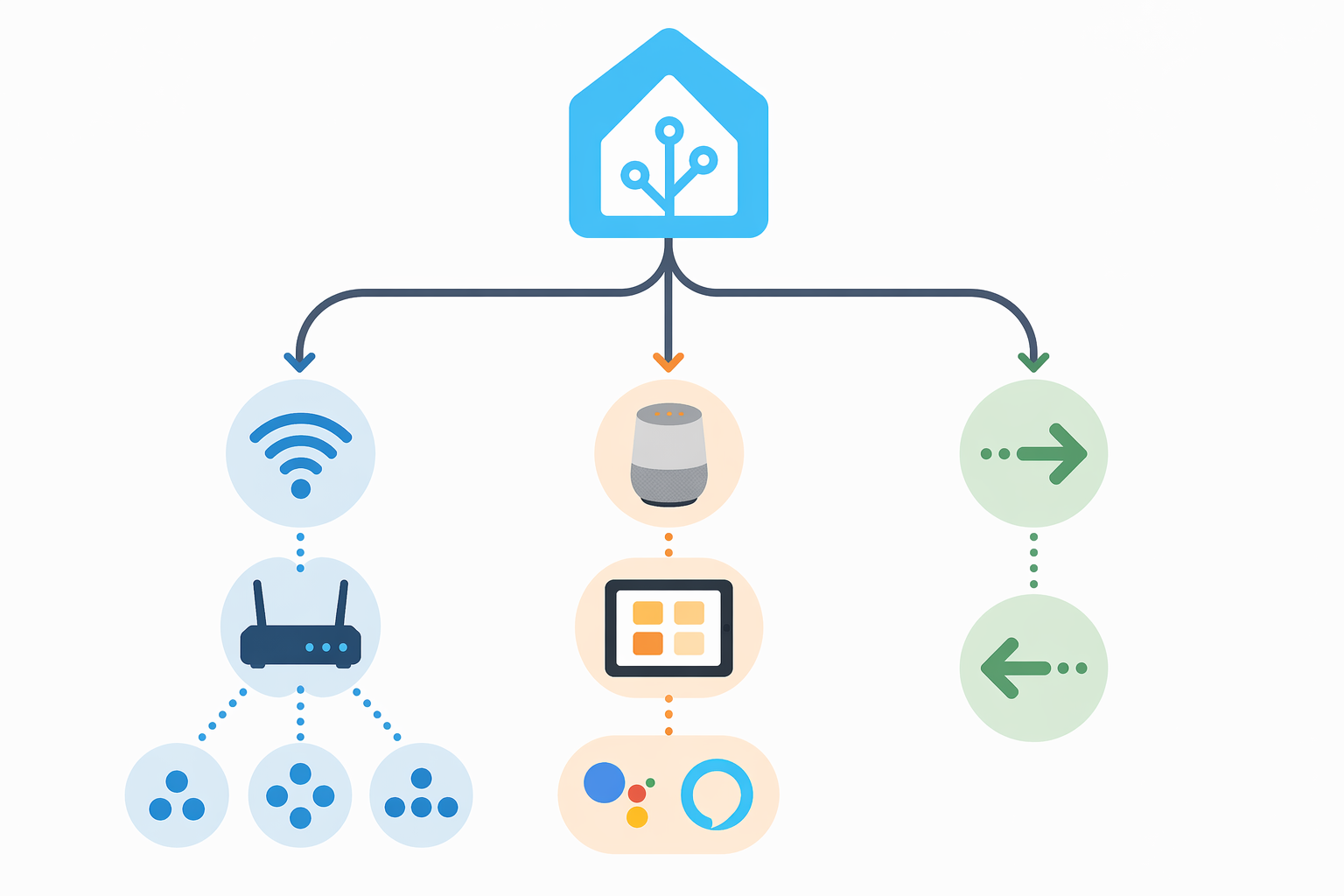
The fastest fix usually comes from putting the symptom in the right lane. Matter Hub problems that look identical in a phone app can come from very different places: transport blocked on the network, a target ecosystem rule, an add-on maintenance issue, or simply using the wrong Matter tool.
| What you see | Most likely lane | Check first |
|---|---|---|
| Apple Home pairs, then devices show “No Response” or go offline intermittently | Network transport | mDNS, multicast, IPv6, IGMP snooping, VLAN or subnet boundaries |
| The bridge never appears during Alexa pairing | Ecosystem requirement | Matter Hub bridge listening on port 5540 |
| Google Home setup cannot find or complete Matter pairing | Ecosystem requirement | A real Nest Matter controller device on the same network |
| Robot vacuum appears in one ecosystem but not Apple Home or Alexa | Ecosystem limitation | Expose it in Server Mode as a standalone device |
| You are trying to add a Matter device into Home Assistant | Wrong direction | Use the official Home Assistant Matter integration, not the Matter Hub bridge |
| You are still using the original t0bst4r repository | Maintenance issue | Migrate to the RiDDiX fork before chasing subtle bugs |
That table is not a full repair manual. It is a way to avoid the classic evening-long failure pattern: changing add-on settings for a multicast problem, replacing a bridge for an Alexa port problem, or trying to make the official Matter controller behave like an outbound bridge.
When Devices Pair but Go Offline, Suspect the Network Before the Add-On
The most important network clue is not “Matter is broken.” It is timing. If pairing starts, completes, and then the exposed devices later become unreachable, you are probably past the basic add-on configuration stage. The bridge was visible enough to commission. The target ecosystem accepted it. Then something in ongoing local discovery or device reachability stopped being reliable.
RiDDiX’s connectivity troubleshooting documentation puts the usual suspects in one cluster: mDNS and multicast behavior, IGMP snooping, IPv6, port binding, and segmented networks that need proper forwarding rather than assumptions.[1] That list is unglamorous, but it matches the failure mode. Matter relies on local network discovery and IPv6 behavior in ways that many “working” home networks only partially support.
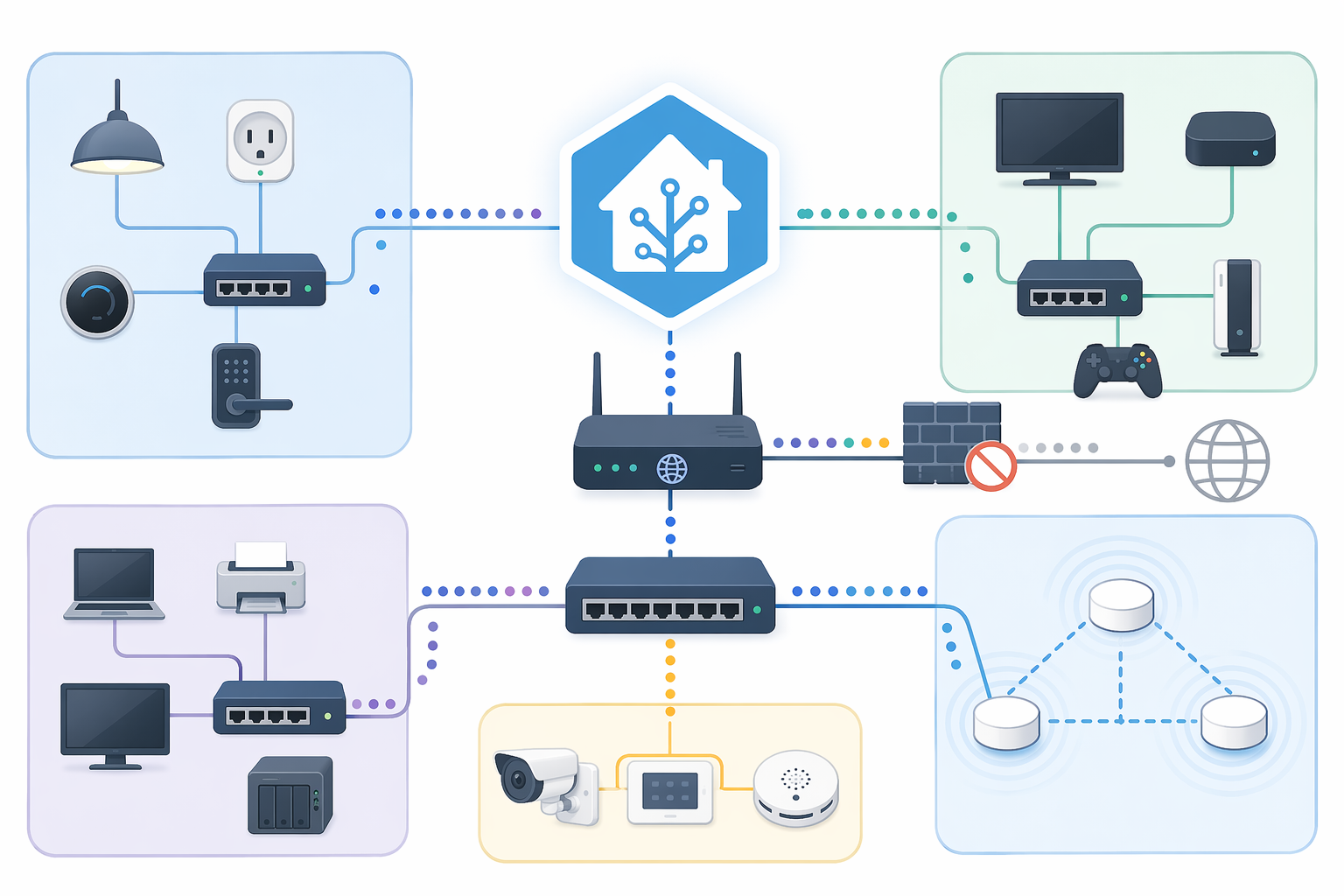
The annoying part is that ordinary internet access proves almost nothing here. A phone can load websites, Home Assistant can reach cloud APIs, and your Wi-Fi signal can look healthy while multicast discovery between the bridge, controller, and target app is still being filtered or misrouted. This is why “it worked yesterday” is believable. A firmware update, mesh topology change, switch setting, or VLAN adjustment can break the path Matter needs without making the rest of the network look broken.
The concrete warning case is RiDDiX issue #129, where systematic testing around a TP-Link Archer AX50 pointed to consumer network equipment silently blocking traffic that Matter Hub needed for stable connectivity.[2] The useful lesson is not “buy or avoid this router.” It is that a normal-looking home router can be the thing between a correctly configured bridge and a target ecosystem reporting unreachable devices.
The Network Checklist That Actually Matches the Symptom
- Confirm IPv6 is enabled and functional on the relevant LAN segments. Do not treat IPv4 reachability as a substitute.
- Check whether mDNS and multicast are allowed between Home Assistant, the Matter Hub add-on, the phone doing commissioning, and the target ecosystem controller.
- Review IGMP snooping or multicast filtering settings on routers, managed switches, mesh systems, and access points.
- If Home Assistant, phones, speakers, Apple TVs, Nest devices, or Echos live on different VLANs or subnets, verify that multicast DNS forwarding and IPv6 routing are deliberately configured.
- On segmented networks, pay attention to ULA addressing and cross-subnet discovery instead of assuming a firewall allow rule is enough.
- If you run Unifi, managed switches, or mesh Wi-Fi, use platform-specific diagnostics after the general checks; these systems often hide the relevant multicast behavior behind friendly interface labels.
The order matters. A bridge reinstall is cheap emotionally because it feels like action, but it rarely fixes a path problem between subnets. Likewise, repeatedly pairing from a phone that sits on a different SSID or VLAN than the controller device can keep reproducing the same failure with fresh QR codes.
Do not over-read this as a universal indictment of VLANs. Segmented smart home networks can work. They just need explicit support for the discovery and IPv6 behavior that Matter expects. Community threads around Home Assistant, Unifi networks, and VLANs show the same user pattern: the Home Assistant side looks reasonable, but cross-network discovery is where the setup becomes fragile.[3]
When Pairing Never Really Starts, Check the Target Ecosystem
A discovery failure is different from an offline-after-pairing failure. If the target app never sees the bridge, or pairing dies before the ecosystem accepts it, look at the rules of Apple Home, Google Home, or Alexa before you blame Home Assistant.
Alexa: Use Port 5540
Alexa is the least subtle case. RiDDiX’s troubleshooting documentation says Alexa only pairs with the Matter Hub bridge when it listens on port 5540; using another port leads to discovery failure rather than a helpful explanation in the Alexa app.[1] SmartHomeScene’s Matter Hub setup guide makes the same practical point for Alexa pairing.[4]
That makes the first Alexa check boring and valuable: confirm the bridge port before changing device classes, entity filters, or network hardware. If the port is wrong, everything downstream is noise.
Google Home: A Phone Is Not the Matter Controller
Google Home also has a hard prerequisite that is easy to miss: it needs an actual Google Nest Matter controller device on the network, such as a Nest Hub 2nd Gen or Nest Mini. RiDDiX’s connectivity guide explicitly distinguishes that from using a phone or a third-party Alexa device as the controller.[1]
This is where hardware shopping can be relevant, but only narrowly. If the failure is “Google Home cannot commission this Matter bridge because there is no compatible Google controller,” then you need the required controller hardware. If you already have one on the correct network, go back to transport: discovery, IPv6, multicast, and whether the commissioning device and controller can actually see the same local service.
Apple Home and Alexa: Robot Vacuums Are Special
Robot vacuums are a good example of why “the bridge works” does not mean “every entity type will behave the same everywhere.” RiDDiX’s documentation notes that Apple Home and Alexa do not support bridged robot vacuums; Matter Hub needs to expose them in Server Mode as standalone devices instead.[1]
The practical consequence is simple: do not debug a bridged vacuum like a normal light or switch. If other entities appear but the vacuum does not, the absence may be a support-mode issue rather than a network failure.
Before Going Deeper, Make Sure You Are on the Maintained Fork
If your add-on source still points at the original t0bst4r Home Assistant Matter Hub repository, handle that before fine-tuning multicast. The original project was archived in January 2026 and is no longer maintained.[5] The active path is the RiDDiX fork, which carries the current repository, setup documentation, issue tracker, and ongoing fixes.[2]
This does not mean every old installation is automatically the cause of today’s failure. It means an archived bridge is a bad baseline. Move to the maintained fork first, then diagnose the remaining symptom. Otherwise you can spend hours debugging behavior that has already changed upstream.
The Bridge and the Official Matter Integration Solve Opposite Problems
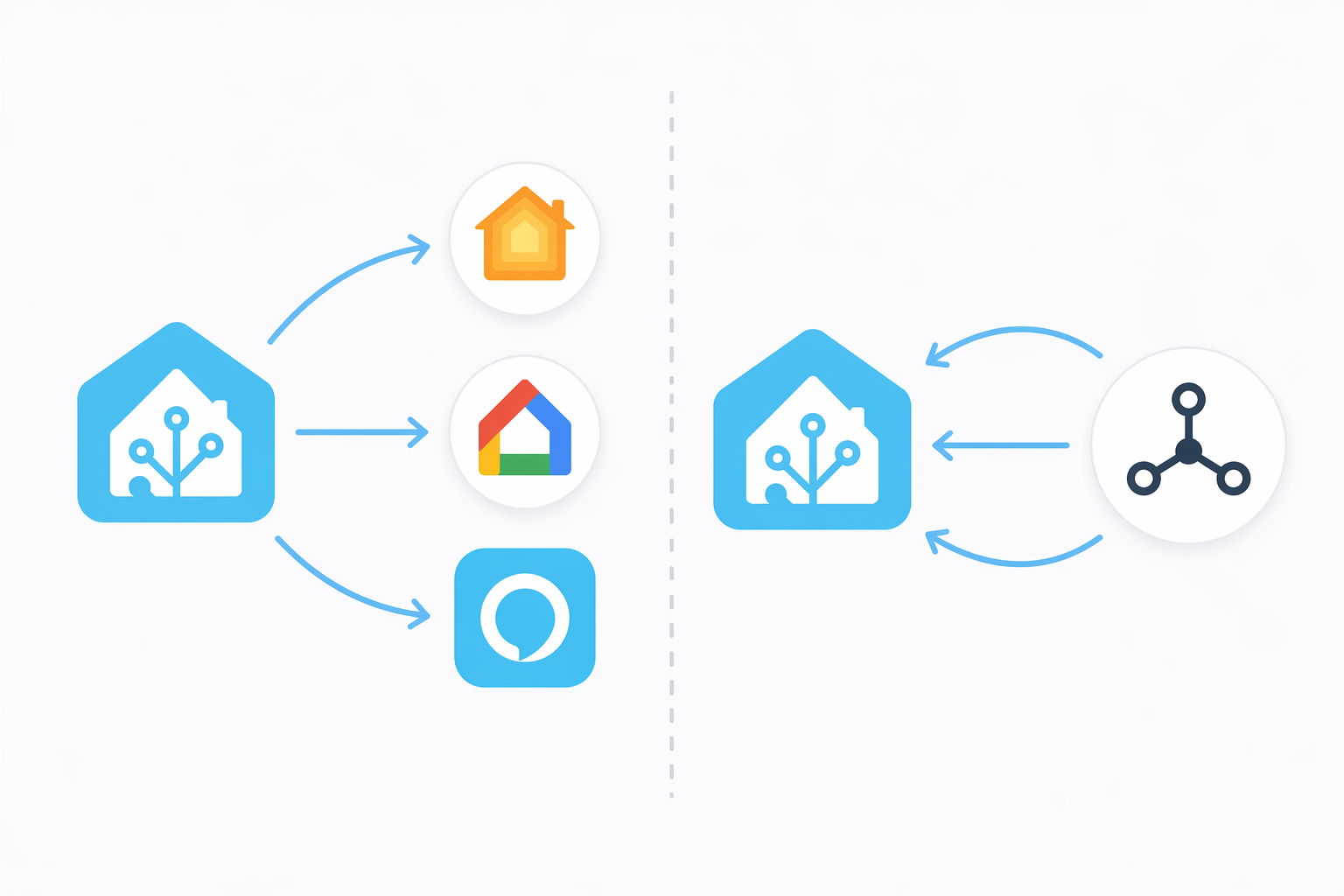
Once the common bridge failures are out of the way, the direction problem becomes easier to see. Home Assistant Matter Hub is a bridge from Home Assistant outward. You select Home Assistant entities, expose them as Matter devices, and then commission that bridge into Apple Home, Google Home, or Alexa.
The official Home Assistant Matter integration does the other job: it brings Matter devices into Home Assistant as a controller. That official stack matters a lot. Home Assistant announced a rebuilt Matter Server 9.0 on June 23, 2026, based on matter.js, with Matter 1.5.1 support, faster startup, better stability, built-in network visualization, and enhanced security.[6] The same announcement says the Matter integration is used by 38% of active Home Assistant instances and ranks 12th among all integrations.[6]
Those numbers do not prove the bridge add-on is easy, and they do not say Matter Hub failures are widespread. They do explain why search results, forum answers, and setup notes now collide. Many users have both concepts in their browser history: Matter Server, Matter integration, Matter Hub, bridge, controller. If you follow an official-controller instruction while trying to expose Home Assistant entities outward, you can end up fixing the wrong tool.
| Goal | Correct tool | Wrong-tool symptom |
|---|---|---|
| Expose Home Assistant lights, switches, sensors, or helpers to Apple Home, Google Home, or Alexa | RiDDiX Home Assistant Matter Hub add-on bridge | Official Matter integration alone does not create the outbound bridge you expected |
| Add a Matter bulb, plug, lock, sensor, or other Matter device into Home Assistant | Official Home Assistant Matter integration | Matter Hub bridge cannot commission the device into Home Assistant |
| Use Google Home as the target ecosystem for Matter Hub | Matter Hub bridge plus a compatible Google Nest Matter controller | Pairing fails even though the Home Assistant add-on appears configured |
Forum and Reddit discussions about “Matter Server vs Matter Hub” and “Matter add-on vs integration” are useful here mostly as reports of common confusion: they show where the wording traps users, not as authority for the underlying technical fix.[7][8] The fix still comes from direction. Decide whether the device flow is outbound from Home Assistant or inbound into Home Assistant.
A Short Diagnostic Pass Before You Change Anything
- Name the direction: are you exposing Home Assistant entities outward, or adding native Matter devices inward?
- Name the phase: did pairing never start, fail during commissioning, succeed and later go offline, or only fail for one device type?
- For Alexa discovery failure, verify port 5540 before touching entity selection.
- For Google Home pairing failure, verify a compatible Nest Matter controller is present on the relevant network.
- For Apple Home “No Response” or intermittent offline devices, inspect mDNS, multicast, IPv6, IGMP snooping, and VLAN boundaries.
- For robot vacuums in Apple Home or Alexa, use Server Mode as standalone devices instead of treating them like ordinary bridged entities.
- If you are on the archived t0bst4r repository, migrate to RiDDiX before interpreting any remaining behavior.
The small discipline is to change only the thing that matches the failure class. Pairing never starts: check ecosystem prerequisites and port requirements. Pairing succeeds but devices later go offline or show “No Response”: inspect multicast, mDNS, IPv6, and segmentation. Device flow is the wrong direction: switch between the Matter Hub bridge and the official Matter integration. Stop resetting everything; name the failure first.
References
- Troubleshooting for Network and Hub Connectivity Issues, RiDDiX Docs
- home-assistant-matter-hub, RiDDiX GitHub
- Struggling to set up addon with Unifi network/VLANs, Home Assistant Community
- Expose Home Assistant Devices via Matter Hub, SmartHomeScene
- home-assistant-matter-hub (Original, Archived), t0bst4r GitHub, January 2026
- The Matter upgrade you've been waiting for, Home Assistant Blog, June 23, 2026
- Matter Server vs Matter Hub, Reddit r/homeassistant
- Matter Addon vs Integration, Reddit r/homeassistant
Corroborating context
For protocol background on why this failure happens, see Compatibility & Protocols.
Not currently linked to a known regression. Background on the underlying protocol lives in Compatibility & Protocols.