
Sunrise-sunset lighting wrong after DST? Find the right fix
Sunrise-sunset lighting schedules wrong after DST: fixed-time rules off by an hour or sun triggers stuck on stale times.
Last updated
Start by sorting the symptom, because the right fix depends on what actually broke after the daylight saving change. If a fixed-time rule that used to run at 7:00 PM now runs at 6:00 or 8:00, treat it as a clock or timezone problem. If a sunrise or sunset rule keeps firing at yesterday’s sun time, last week’s sun time, or a time that clearly belongs to another location, treat it as a stale location, stale sun calculation, or recalculation problem.
Before changing anything, find the app or hub that owns the schedule. A bulb controlled by a Kasa schedule, a SmartThings Routine, a Home Assistant automation, and a Hue bridge behavior can all look identical from the living room. They do not use the same clock, location record, or sunrise calculator.
Find the schedule owner before you reset the wrong thing
| Platform or owner | Likely failure mode | Dated evidence | Status | First fix to try |
|---|---|---|---|---|
| SmartThings Smart Lighting / Routines | Cloud Smart Lighting held stale sunrise/sunset times; separate DST time-window rules could break after a time change. | Feb-Mar 2023 community cases found cloud Smart Lighting sunset times wrong while recreated local Routines fired correctly; May 2021 thread documented delete-and-re-add behavior for time-window problems. [1][2][3] | Confirmed in cited cases; not a blanket Q3 2026 guarantee. | Recreate sun-based Smart Lighting rules as current SmartThings Routines where possible. For DST-broken time windows, delete and re-add the time condition instead of only toggling the rule. |
| TP-Link Kasa / Tapo | App-level timezone or device time mismatch; schedule, timer, or Away Mode may not be using the phone’s current timezone. | TP-Link says Kasa schedules use the timezone under Me > Settings > Location and Time, not the phone system time; its schedule failure FAQ adds device resync, reset, and DNS checks. [4][5] | Confirmed vendor documentation, updated through July 2026 for the Kasa time-setting article. | Check Location and Time in the app, resync device time, then use TP-Link’s reset and DNS steps only if schedules, timers, or Away Mode still fail. |
| Hubitat | Transition-day sunrise/sunset miscalculation after reboot or latitude/longitude change; may self-correct on the next daily calculation. | A Hubitat developer explained that the hub calculates sunrise/sunset at 12:01 AM daily and adjusts for DST then, but reboot or lat/long change on the transition day could miscalculate by one hour and self-correct the next day. [6] | Confirmed historical mechanism, Nov. 2018; old timezone-name hacks are historical, not a current recommendation. | Confirm hub location and timezone, avoid applying old EST-versus-US/Eastern folklore, and check whether the next daily calculation corrects the sun time. |
| Home Assistant | Wrong configured Home location, elevation-related minute offsets, Time-of-Day sensor stale after DST, or unresolved version-specific sun offset. | Home Assistant sun times derive from configured Home location; community cases include wrong onboarding location, elevation conflict, a March 12, 2023 Time-of-Day DST update issue, and a Feb. 2025 off-by-1h03 report. [7][8][9][10][11][12] | Mixed: confirmed mechanisms for location and documented cases; Feb. 2025 offset remains version-specific or unresolved unless re-tested. | Check Settings > System > General > Edit location first. If the error is only several minutes, review elevation. If Time-of-Day sensors are stale after DST, restart Home Assistant and check current release notes. |
| Wyze | Cloud-run rule uses the device location captured at rule creation, not the traveling phone timezone. | A Wyze forum user test found schedules ran from Wyze servers using the device’s fixed location. [13] | User-tested workaround evidence. | Check the device location tied to the rule. If the device moved or was created under the wrong location, recreate the rule with the correct device location. |
| Apple HomeKit | Sun triggers appear to be based on the Home’s location or address. | Third-party HomeKit guidance says sunrise/sunset automation uses the Home location rather than the phone’s location. [14] | Workaround / Investigating. Treat as plausible, not NestGrid-confirmed. | Check the Home address/location before rebuilding automations. Do not assume a traveling iPhone changed the sun trigger. |
| Google Home / Assistant | Routine may remain tied to the timezone in which it was set up. | Available support evidence is snippet-level from a Google Assistant community thread. [15] | Investigating. | If a routine follows the wrong timezone, recreate it while the speaker or home is configured in the correct timezone; verify with a harmless test routine before trusting lighting. |
| Philips Hue | Bridge timezone mismatch; presence-mimicking features can drift for reasons beyond DST sunrise/sunset math. | A 2017 Hue discussion pointed to bridge timezone as the lever and noted presence-mimicking behavior that could create apparent schedule drift. [16] | Historical workaround signal. | Check Hue bridge timezone first. If using presence simulation, separate that behavior from ordinary sunrise/sunset automations. |
| Zigbee2MQTT or device-clock failures | The end device’s own clock or coordinator time sync is wrong, so app timezone fixes may miss the cause. | A Zigbee2MQTT issue tied device clock sync problems to coordinator/software behavior after an update. [17] | Confirmed issue class, not a universal bulb fix. | Check coordinator time sync, firmware/update history, and device logs before repeatedly changing the app location. |
SmartThings: stop mixing the old Smart Lighting app with current Routines
SmartThings is the clearest example of why “just reboot the hub” is lazy advice. In the 2023 sunrise/sunset cases, the important split was not whether the bulb, switch, or sensor was healthy. It was which automation engine calculated sunset. Users reported cloud-executed Smart Lighting rules holding wrong sun times after the IDE deprecation period, while the same intended behavior recreated as SmartThings Routines fired at the correct local sunset time. [1][2]
So the first SmartThings fix is not to power-cycle everything in the closet. Open the automation, identify whether it is still a Smart Lighting rule or a current Routine, and rebuild the sun-based rule as a Routine where your device mix supports it. Then test the next sunset with a temporary notification or non-critical light before trusting the rule that controls the porch, stair, or nursery lights.
There is a separate SmartThings DST pattern involving time windows. A 2021 thread described Smart Lighting automations with time restrictions breaking around time changes, with users fixing them by deleting and re-adding the time condition rather than merely editing around it. [3] That matters because “sunset is wrong” and “the rule is allowed only between 6 PM and midnight, and that window shifted” are different failures. If your light is triggered by motion only during a time window, inspect the window. If your light is triggered directly by sunset, inspect the sunrise/sunset owner.
Kasa and Tapo: the app timezone is the lever
TP-Link gives a refreshingly concrete answer for Kasa: schedules use the timezone set inside the Kasa app under Me > Settings > Location and Time, not the phone’s system time. TP-Link’s support article was updated in July 2026, which makes it more useful than a four-year-old forum ritual when a plug schedule is now firing one hour off. [4]
- Open the Kasa or Tapo app and check the app’s Location and Time setting, not only the phone’s date and time settings.
- Confirm the device is assigned to the correct home or location. A plug moved from one property to another can keep enough old context to make the schedule look haunted.
- Use TP-Link’s device time resync path for schedule, timer, or Away Mode failures.
- If the device still ignores schedules, follow TP-Link’s escalation: reset the device and, where applicable, test router DNS values 8.8.8.8 and 8.8.4.4. [5]
That last step belongs after the timezone and time resync checks. DNS changes are not a sunrise/sunset fix; they are a cloud reachability fix for devices that cannot reliably receive or maintain schedule state.
Hubitat: understand the daily calculation before applying old fixes
Hubitat’s useful clue is the timing of the calculation. In a 2018 explanation, a Hubitat developer said the hub calculates sunrise and sunset each day at 12:01 AM and handles the DST adjustment then. The reported bug was narrower: on the DST transition day, a reboot or latitude/longitude change could cause the sunrise/sunset value to miscalculate by one hour, then self-correct the next day. [6]
That mechanism leads to a restrained fix. Confirm the hub’s latitude, longitude, and timezone. Check the hub’s reported sunrise and sunset, not just the light’s behavior. If the bad value appeared on the transition day after a reboot or location edit, wait for the next daily calculation if the household can tolerate one manual evening. If it cannot, use a temporary fixed-time rule for that night and remove it once the hub reports correct sun times.
Do not promote the old timezone-name workarounds as current guidance. The historical discussions around EST versus US/Eastern or regional timezone substitutions were responses to old firmware-era behavior. In Q3 2026, those are clues for reading archives, not something to apply blindly to a working hub.
Home Assistant: “the sun is wrong” can mean four different things
Home Assistant is powerful enough to make the problem look more mysterious than it is. The sun integration uses the configured Home location, so a wrong map pin can shift sunrise and sunset by hours. One community case traced wrong sun behavior to onboarding location detection that had effectively placed the home in Amsterdam; the fix was to edit the Home location in Settings > System > General. The official Home information docs point to the same configuration surface. [7][8]
If the error is huge, check location first. If the error is only several minutes, check elevation next. A 2024 Home Assistant discussion identified a mismatch between Home Assistant’s “above sea level” elevation field and the Astral package’s observer-elevation expectation; setting elevation to 0 removed the several-minute sunrise/sunset offset in that case. [9][10] That is not a DST one-hour failure, and treating it like one wastes time.
There is also a Time-of-Day sensor issue from the March 12, 2023 spring-forward. Users reported Time-of-Day sensors not updating correctly until Home Assistant restarted; the thread ties the behavior to a core fix in the same period. [11] If your automation uses a Time-of-Day binary sensor as a condition, restart Home Assistant and check the sensor state directly before rewriting the sun trigger.
Finally, do not overfit every current Home Assistant sun complaint to a 2023 fix. A Feb. 2025 GitHub issue reported an off-by-1h03 sunrise/sunset problem. [12] Without a fresh reproduction on your installed version, that belongs in Update Watch territory: note your Home Assistant version, integration, timezone, location, elevation, and verification date before declaring the old restart fix current.
The quicker checks: Wyze, HomeKit, Google Home, Hue, and device clocks
Wyze schedules are worth checking through the device location, not the phone in your pocket. A forum test found a Wyze plug rule executed from Wyze servers based on the device location captured for the rule, even when the phone was in a different timezone. [13] If the rule was created while the device was assigned to the wrong home or location, recreate the rule after correcting that device context.
HomeKit gets a more cautious label here. Third-party guidance says sunrise and sunset automations use the Home’s location or address rather than the phone’s current location. [14] That is plausible and operationally useful, but it is not the same confidence level as TP-Link’s own documentation or reproduced SmartThings cases. Check the Home address before rebuilding automations, and treat the result as a workaround until directly verified on the current Apple Home architecture.
Google Home and Assistant are even less satisfying from an evidence standpoint. The available support signal says routines can stick to the timezone where they were set up, but the accessible evidence is snippet-level. [15] If a Google routine is off by an hour after travel, moving, or DST, recreate a harmless test routine under the correct home and speaker timezone before touching every lighting routine.
For Hue, check the bridge timezone before chasing every bulb. A 2017 discussion points to bridge timezone as the schedule lever, but it also shows why presence-mimicking features should be separated from ordinary sunset rules: those features can create drift that is not purely a DST sun-calculation problem. [16]
There is one more class that does not care how carefully you set the app location. Some devices keep or receive their own clock state through the coordinator. A Zigbee2MQTT issue around version 1.22.2 documented device clock sync problems after an update. [17] If a single bulb, switch, or controller is wrong while the platform’s own sunrise/sunset value is correct, inspect coordinator time sync and firmware history before changing the home address again.
Why the same DST problem needs different repairs
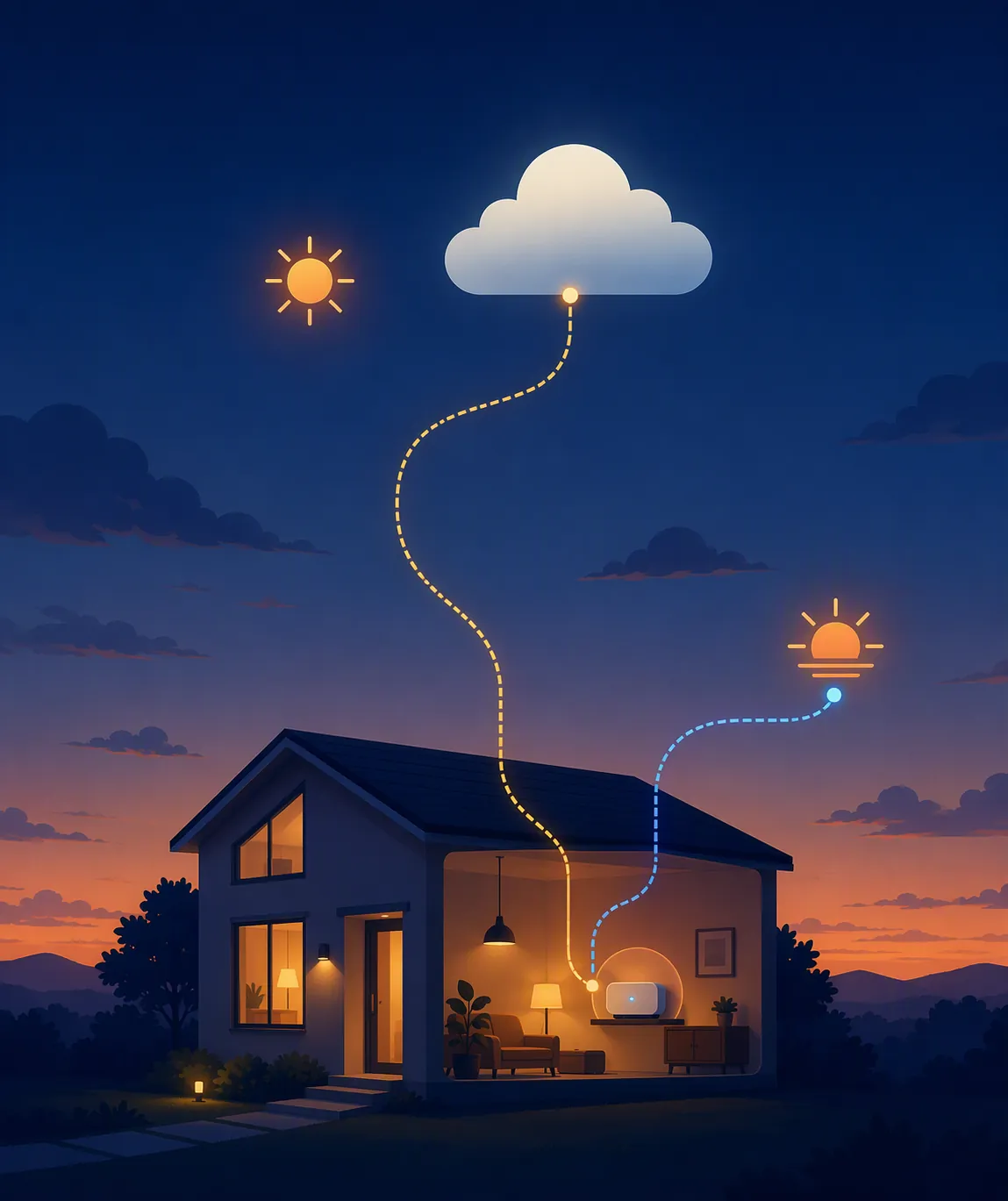
A daylight saving transition exposes three hidden decisions in a smart-home setup. First, where does the automation run: cloud service, local hub, bridge, phone-adjacent app, or the device itself? Second, when are sunrise and sunset recalculated: daily at a known time, when the app opens, when the cloud refreshes, or after a restart? Third, which location and timezone record does that calculator trust?
Those decisions explain the fixes above. SmartThings cases turn on the difference between old cloud Smart Lighting and newer local Routines. Kasa and Tapo expose the app’s Location and Time field. Hubitat points to a daily 12:01 AM sun calculation. Home Assistant depends on configured Home location, elevation, and sometimes sensor refresh. Wyze points to the device location attached to a cloud-run rule. None of those are repaired by a universal reset unless the reset happens to touch the data source that was stale.
Before fall-back, write down the owner and the evidence
In Q3 2026, the practical pre-fall-back job is small: identify the schedule owner, confirm its timezone and location fields, and note whether your platform has any open DST or sun-calculation regressions before the U.S. fall-back on November 1. Put the fix in the same format every time: hub or app, firmware or app version, protocol, and verification date. That is the difference between a repair and a rumor.
A sunrise-sunset lighting fix only holds when it matches both the platform that owns the automation and the failure mode it is actually showing. Anything broader is just another stale smart-home answer waiting for the next clock change.
References
- Sunrise and Sunset times are way off for my location — SmartThings Community, February 2023.
- Sunset time wrong? — SmartThings Community, March 2023.
- Smart Lighting app and automation problems with time changes — SmartThings Community, May 2021.
- How to Adjust Time Settings in the Kasa App — TP-Link, updated July 2026.
- Schedule, Timer or Away Mode Not Working on Tapo and Kasa — TP-Link.
- Sunrise/Sunset time wrong — Hubitat Community, November 2018.
- Sun device using wrong time zone — Home Assistant Community.
- Home information — Home Assistant.
- Why are the sunrise and sunset times wrong? — Home Assistant Community, January-February 2024.
- Sun — Home Assistant.
- Times of Day Sensor wrong after Daylight savings time — Home Assistant Community, March 2023.
- Sunrise and sunset times are off by 1h03 — Home Assistant Core GitHub, February 2025.
- Will plug schedule or rule work correctly if my phone is in a different time zone? — Wyze Forum.
- HomeKit Automation Guide — linkdHOME.
- Do routines use my phone time or my speaker time — Google Assistant Help Community.
- Philips Hue timezone discussion — Geekzone, 2017.
- Device clock sync issue — Zigbee2MQTT GitHub.
Corroborating context
For protocol background on why this failure happens, see Compatibility & Protocols.
Not currently linked to a known regression. Background on the underlying protocol lives in Compatibility & Protocols.