
Fix Your Smart Smoke Detector’s Wildfire Alerts Before It’s Too Late
Smart smoke detector not sending phone alerts during wildfire evacuation
Last updated
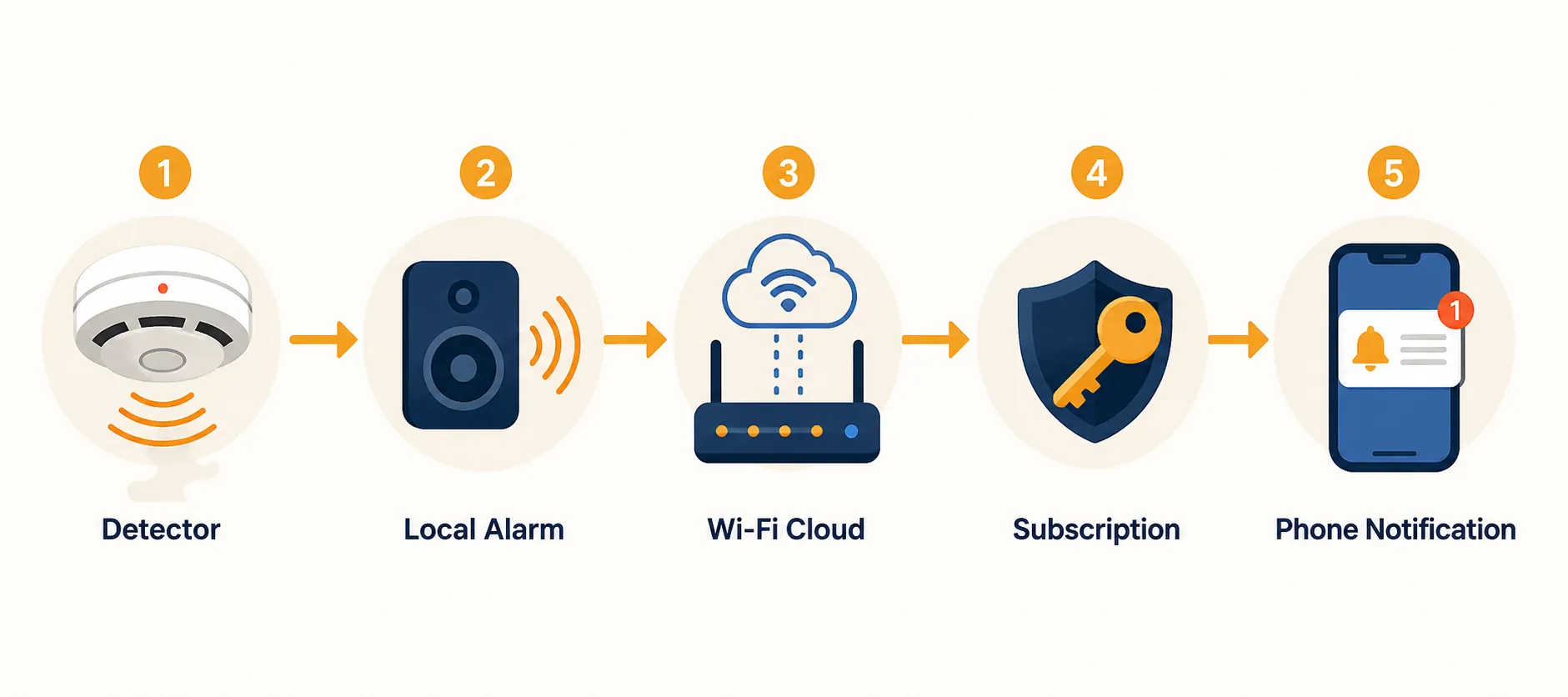
The worst time to learn the weak link in a smart smoke detector alert system is after a wildfire evacuation has already started, the alarm has screamed in the hallway, and the phone has stayed quiet. If the in-home alarm sounded but the phone alert was missing, late, or buried under Focus mode, the failure usually sits in one of five places: the phone blocked it, the detector never stayed correctly attached to Wi-Fi, a paid sound-detection service was not active, the router or power path died, or the device sent the alert slowly even though nothing was technically broken.
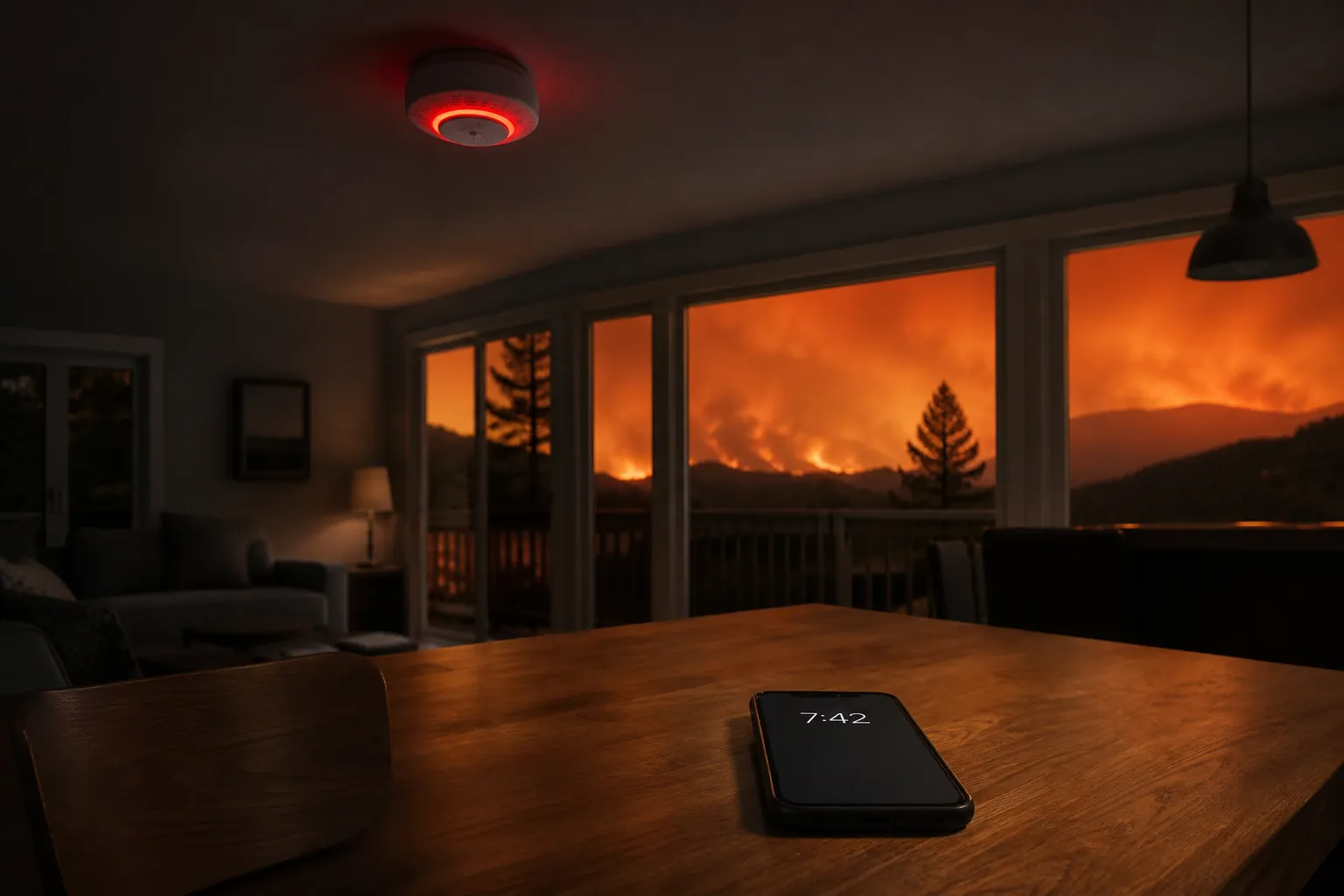
Those are different failures. Treating them as one vague “smart home problem” wastes time. A detector can sound locally while the app looks normal. A speaker can hear the alarm sound and still send nothing. A phone can receive a push notification and make it practically invisible. Before the next red-flag day, the job is to test the whole alert path, not just press the smoke alarm’s test button and assume the phone is covered.
For broader pre-evacuation automation—lights, cameras, locks, and backup routines—use the companion guide to red-flag-warning smart-home preparation. This article stays on the narrower problem: why the smoke or CO alarm reached the house but not the person carrying the phone.
Start With The Phone, Because It Can Silently Win
The fastest fix is also the one people tend to skip: open the phone’s notification settings and check the exact app that is supposed to alert you. Not the smart-home platform in general. Not the account page. The app. A smoke alert that arrives as a normal push notification can still lose to Do Not Disturb, Sleep Focus, Driving Focus, app-level notification toggles, quiet delivery, lock-screen suppression, or a notification summary.
On iPhone, look for whether the app has permission to show Time Sensitive or Critical Alerts. The distinction matters because some safety-related apps can break through Focus modes only if the app supports and has been granted the right class of alert. Community reporting around the First Alert app says it does not support iOS Critical Alerts, which means its notifications can be silenced when Do Not Disturb or a Focus mode is active.[1]
That is not a small footnote. If your phone is set to Sleep Focus overnight, or Driving Focus during an evacuation, a technically delivered notification may not behave like an alarm. It may land without sound, without vibration, or without appearing where your eyes are actually looking. From the house’s point of view, the message was sent. From the homeowner’s point of view, nothing happened.
- On iOS: open Settings, Notifications, choose the smoke detector or home app, allow notifications, allow lock-screen and banner display, enable sounds, and check whether Time Sensitive or Critical Alerts are available.
- On iOS Focus modes: open each active Focus, check allowed apps, and explicitly allow the detector app if it cannot bypass Focus on its own.
- On Android: open App notifications, confirm alerts are enabled, then check Do Not Disturb settings and allow the relevant app or alarm category to interrupt.
- On either platform: send a test notification while the phone is locked, muted, and in the Focus or DND mode you actually use at night.
Do not test this with the phone awake in your hand. Test it from the condition that failed: screen off, ringer as you normally leave it, Focus or DND enabled if that is part of your routine, and the detector app closed. If the phone only alerts when you are already staring at it, that is not an evacuation-grade path.
Then Check Whether The Detector Is Really On The Right Wi-Fi Path
The First Alert SC5 deserves special attention because its failure mode can look deceptively clean. The detector can appear online in the app while push behavior remains unreliable if the initial Wi-Fi setup landed on the wrong band or otherwise paired badly. First Alert’s SC5 guidance says the device supports both 2.4 GHz and 5 GHz Wi-Fi, and its troubleshooting path includes a factory Wi-Fi reset by holding the test button during power-up.[2]
That reset path is not glamorous, but it is exactly the kind of fix worth doing before fire weather. A router may broadcast one combined network name across both bands. A phone may roam to 5 GHz during setup. The detector may later need the more stable long-range behavior of 2.4 GHz. The app saying “online” is not enough; the only useful test is whether a real detector event produces a phone notification through the same network the device will use tomorrow.
- Confirm the detector is attached to the intended home Wi-Fi network, not a guest network, extender network, or temporary setup SSID.
- If the SC5 behaves inconsistently, perform the Wi-Fi reset described in First Alert’s guidance and re-add it cleanly.
- If your router combines 2.4 GHz and 5 GHz under one name, temporarily separate the bands or move the phone onto the intended setup band while pairing.
- After pairing, trigger an allowed test and wait for the phone alert with the phone locked and off the home Wi-Fi if possible.
The same discipline applies to other smart detectors, even when the specific reset procedure differs. Nest Protect owners have recurring community reports of mobile alerts arriving late or not appearing; the practical fixes often discussed are re-adding the Protect in the Nest app rather than assuming Google Home owns the whole path, and checking notification permissions for the Nest app specifically.[3]
That community evidence should not be inflated into a platform-wide diagnosis. It is still useful because it points to a common smart-home trap: the account, the device, and the notification permission may live in different places. If the detector was originally set up in one app and the household now mostly uses another, verify the app that actually sends the alarm notification.
Do Not Confuse Sound Detection With A Smoke Detector
Echo and Google speakers can be useful as backup listeners, but they are not smoke alarms. They are microphones waiting for the sound of a separate smoke or CO alarm, then depending on a service layer to decide whether to notify you. If that service layer is inactive, the speaker may be sitting in the room doing nothing useful for this job.
Google’s sound detection for speakers and displays requires Google Home Premium. Google’s published tiers list Standard at $10 per month and Advanced at $20 per month, and sound detection is part of that paid service model rather than a free smoke-detector replacement.[4]
Alexa Emergency Assist works the same way in the one respect that matters here: it is a paid emergency feature attached to Echo microphones, not a detector in the ceiling. Amazon describes Alexa Emergency Assist as including Smart Alerts for smoke and CO alarm sounds, with a short audio clip sent to the phone; Reviewed reported pricing of $5.99 per month for Prime members and $7.99 per month for non-Prime members in 2025.[5][6]
Prices and plan names deserve a live check before you rely on them. The operational question is simpler than the billing page: when the alarm sounds, is the subscription that enables sound detection active on the account, at the address, and on the speaker that can actually hear the alarm?
| System | What It Is | Failure To Check |
|---|---|---|
| First Alert SC5, Nest Protect, Kidde Smart | Smoke or smoke/CO detector with app notification features | App permission, Wi-Fi setup, account ownership, known notification delay |
| Google Home Premium sound detection | Speaker or display listening for an existing alarm | Paid plan inactive or wrong home/account selected |
| Alexa Emergency Assist | Echo microphone listening for an existing alarm sound | Paid service inactive, Echo out of hearing range, phone notification blocked |
A good test here is boring and revealing: set off the detector’s approved test sound while standing near the speaker, then confirm the service produces the expected alert on a locked phone. If the app only shows that the speaker is online, you have not tested sound detection. You have tested Wi-Fi.
Power Shutoffs Break The Cloud Path Before They Break The Alarm
During a Public Safety Power Shutoff, the failure can be brutally plain: the detector may still sound in the house, but the router, modem, mesh node, or cloud path is dead. A local alarm and a remote phone alert are not the same thing. The first can survive on battery backup inside the detector. The second needs the network path to stay alive long enough to leave the house.
NFPA’s 2024 data found that hardwired smoke alarms operated in 94% of reported home fires, compared with 85% for battery-only units.[7] That statistic is about alarm operation in fires, not smartphone notification reliability, but it is still relevant to wildfire country because it separates the life-safety floor from the cloud add-on. Hardwired alarms with battery backup can keep sounding locally when household Wi-Fi has already disappeared.
If you expect remote alerts during outages, the router and modem need backup power too. A detector battery does not power the fiber terminal, cable modem, Wi-Fi mesh, or cellular gateway. A UPS on the network stack can preserve the cloud path for a while; it does not guarantee internet service if the provider’s upstream equipment is also down. That difference matters when someone outside the house is depending on the phone alert to make a decision.
- Test what happens when home Wi-Fi is disabled: the local alarm should still sound, but phone notifications may stop.
- Put the modem, router, and any required mesh node on backup power if remote alerting is part of the evacuation plan.
- Do not count an Echo or Google speaker as a backup listener if it loses power or Wi-Fi at the same time as the router.
- Write down what still works locally when power and internet are gone, because that is the system you actually have during a hard outage.
A Late Alert Is Different From A Broken Alert
After permissions, setup, subscriptions, and power are cleaned up, latency is the next thing to measure. Wirecutter’s 2025–2026 testing of the First Alert SC5 found a smartphone notification delay of about 45 seconds or more, with the in-home alarm sounding well before the phone buzzed.[8]
That result should be read carefully. It was a measured result from testing, not a universal specification for every SC5 in every home. Network conditions, app versions, phone models, and cloud behavior can all change the experience. But the distinction is important: if your SC5 alert arrives after a similar delay, the system may be slow rather than misconfigured. If it never arrives, or only appears when Focus is off, you are looking at a different failure.
For evacuation decisions, 45 seconds is not abstract. It is the gap between a hallway full of noise and a remote homeowner still seeing a quiet lock screen. If you are away from home and using that alert to call a neighbor, check on a pet, or decide whether to return, you need to know whether your detector’s phone path is immediate, delayed, or absent.
How To Measure Your Own Delay
- Use only the manufacturer-approved test method; do not create smoke just to test an app.
- Place the phone in the state that matters: locked, normal volume setting, normal Focus or DND rules, and preferably off the home Wi-Fi.
- Start a timer when the local alarm begins sounding.
- Stop the timer when the phone produces a visible and audible alert, not merely when the app later shows event history.
- Repeat after any router change, app reinstall, phone replacement, subscription change, or detector reset.
Kidde Smart owners should apply the same timing test even though the research here does not support a single published latency number to cite. If an app depends on polling, cloud processing, or event refresh behavior, the only number that matters is the one your phone produces in your house.
The Pre-Incident Verification Routine
A smart smoke detector is evacuation-useful only if every link between the alarm and the phone has been checked before the fire. The local siren is still the life-safety device inside the house. The phone alert is a longer chain: detector or microphone, app, Wi-Fi, router, cloud service, subscription gate where applicable, OS permission, Focus or DND behavior, and final notification latency.
- Confirm the right app: the detector, speaker, and phone notification should all belong to the account and app that actually sends alerts.
- Confirm phone permissions: allow lock-screen alerts, sounds, banners, and DND or Focus exceptions where the platform permits them.
- Confirm the Wi-Fi path: re-pair devices that show online but fail tests, especially after router, SSID, or band changes.
- Confirm paid sound detection: Google Home Premium and Alexa Emergency Assist-style features must be active before speakers become useful alarm listeners.
- Confirm outage behavior: know whether the detector still sounds locally and whether the router has backup power for remote notifications.
- Confirm latency: measure how long the phone takes to alert, then write that number down instead of trusting the word “smart.”
If severe-weather alerts are also part of your evacuation setup, compare platform behavior in the guide to smart-home severe-weather alerts. Keep that separate from smoke detector testing. Weather warnings can tell you when conditions are dangerous; the detector alert path tells you whether the alarm in your house can still reach your phone.
References
- First Alert app does not support iOS Critical Alerts, Home Assistant Community
- First Alert SC5 troubleshooting guidance, First Alert
- Phone alerts coming late/after alarm has cleared; No alerts on mobile phone upon Nest Protect alarm, Google Nest Community
- Learn about sound detection for speakers & displays, Google Home & Nest Help
- Alexa Emergency Assist, About Amazon
- Alexa Emergency Assist review, Reviewed.com, 2025
- Smoke Alarms in U.S. Home Fires, National Fire Protection Association, 2024
- The 3 Best Smart Smoke Alarms of 2026, Wirecutter
Corroborating context
For protocol background on why this failure happens, see Compatibility & Protocols.
Not currently linked to a known regression. Background on the underlying protocol lives in Compatibility & Protocols.