
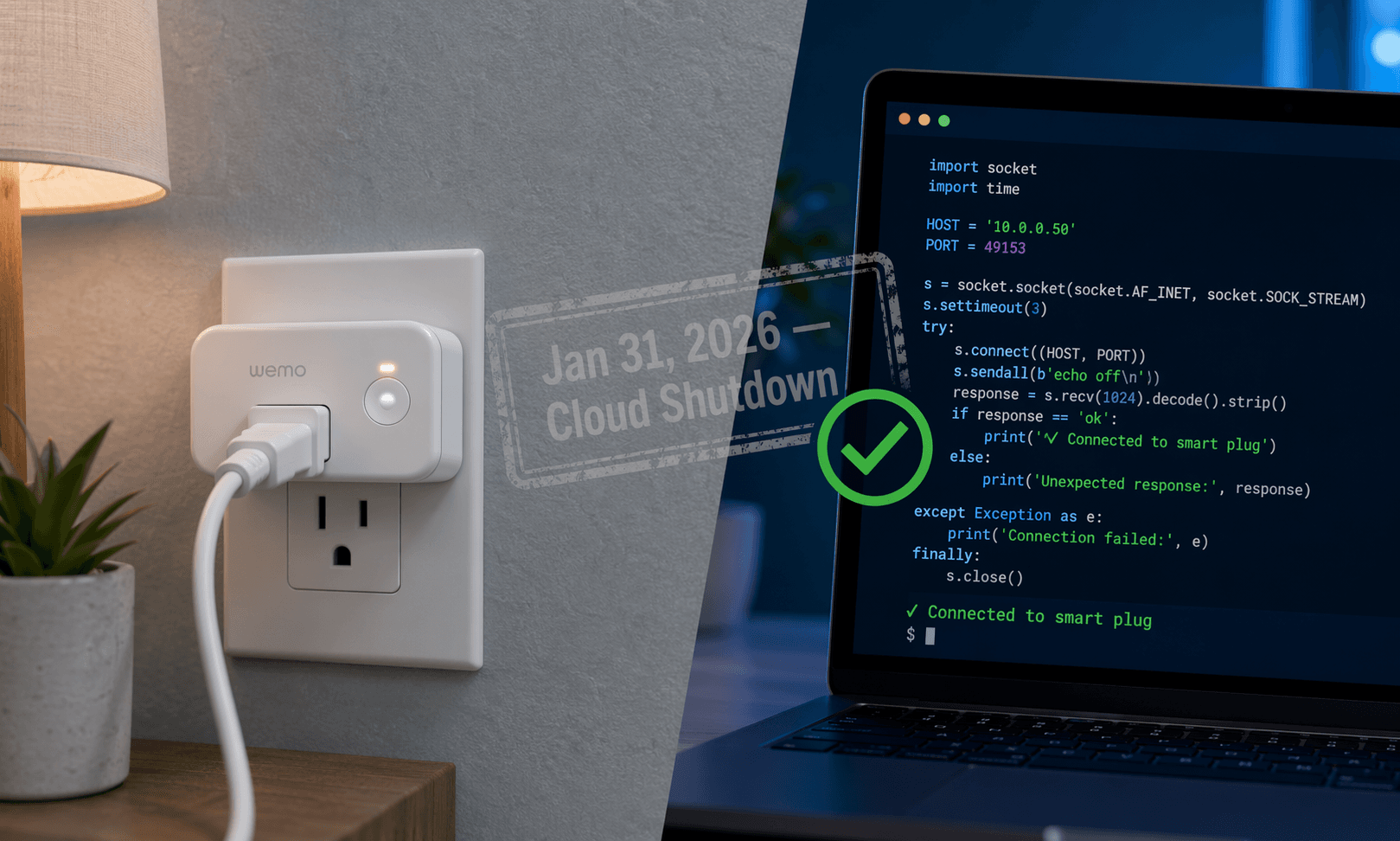
On February 1, 2026, my Wemo Mini Smart Plug stopped responding. The light was on, the relay clicked when I pressed the physical button, but the app wouldn't connect. No timers, no schedules, no Alexa. Just a white plastic shell that worked exactly like a dumb outlet – and had stopped being a smart plug.
Belkin had followed through on its announcement: the Wemo app and cloud services were discontinued on January 31, 2026. If your plug wasn't already paired with Apple HomeKit before that date, the app-based setup path is gone. You can't download the app, create a Belkin account, or scan the QR code that used to work.
But not all Wemo plugs are e-waste – though you'd be forgiven for thinking so. The local UPnP API is still alive, but whether you can actually use it depends on your model and your willingness to get your hands dirty. I'll walk you through the three options and tell you which ones are actually worth your time.
What Model Do You Have?
Flip the plug over and read the label. Look for the model number – it starts with “F7C” or “WSP.” If you don’t have the plug handy, check the original box or your Amazon order history. This is the single most important step. The wrong method wastes time.
| Model | Status | Rescue Path |
|---|---|---|
| WSP100 | Unaffected – works with HomeKit via Thread | Method 1: Apple HomeKit |
| F7C063 (Wemo Mini) | Rescuable – local UPnP active | Method 2: pyWeMo or Method 3: Home Assistant |
| WSP080 (Wemo Mini) | Rescuable but unreliable – see caveat below | Method 2 or 3 (but expect reboots) |
| WSP070 (Mini Smart Plug) | Bricked – no local API for setup | Skip to replacement section |
| F7C029 (Insight) | Bricked – no local API for setup | Skip to replacement section |
The Easy Way: Apple HomeKit (Thread and Pre-Configured Only)
If you own a WSP100 (the Thread model), setting it up is as simple as opening the Apple Home app and scanning the HomeKit code printed on the plug’s side or included in the box. Thread doesn’t need a Wi-Fi password or a Belkin account. The Home app handles discovery over Thread via your HomePod or Apple TV hub.
If you own a Wi-Fi model that was already paired with HomeKit before January 31, you don’t need to do anything. The plug continues to work in the Apple Home app exactly as before. Press and hold the plug’s icon to toggle it, set automations, include it in scenes – all local.
What you cannot do: add a Wi‑Fi model (F7C063, WSP080) to HomeKit for the first time. The HomeKit pairing process for those models required the Wemo app to generate the HomeKit QR code, and that path is gone. If your plug was never in HomeKit before, skip to the next sections.
The Hard Way: pyWeMo (For the Determined Only)
The pyWeMo Python library can configure a Wi‑Fi Wemo plug with your network credentials directly, without ever touching the Wemo app or Belkin cloud. This is the method that saved my F7C063. But let me be honest: it requires a computer with Python 3 installed and the ability to type commands in a terminal. If that sounds like a barrier, skip to the Home Assistant section or the replacement section. Also, Wemo plugs only work on 2.4 GHz Wi‑Fi. If your router uses the same SSID for both bands, the plug might struggle to connect or drop intermittently. And the WSP080 model is known to become unresponsive every 1–2 days, requiring physical unplugging and replanting – based on multiple user reports, this reliability issue persists even after successful setup. I’ll give you the steps, but I’d only recommend this if you are comfortable debugging network issues.
Step-by-step
pip3 install pywemopywemo setup "Your Network SSID" "Your Wi-Fi Password"pywemo discoverIf the plug appears in the list with an IP address, the setup is complete. You can now control it from the same machine using pyWeMo commands, or – better – integrate it with Home Assistant (Method 3) for ongoing use.
The Home Assistant Route (If You Already Have It)
If you already run Home Assistant, this is the most seamless rescue path: plug in the Wemo, open Settings > Devices & Services > Add Integration, search for “Belkin WeMo,” and the integration will auto-discover your plug on the local network using UPnP/SSDP. No cloud, no credentials, no manual configuration. The device appears in your dashboard immediately, and you can control it via automations, voice assistants (if they reach HA), and dashboards.
For devices that aren’t discovered automatically, you can specify a static IP. This works with F7C063, WSP080, and even the Thread-based WSP100 (though HA can control the WSP100 through the HomeKit bridge as well).
When to Give Up and Buy a New Plug
If your model is WSP070, F7C029, or if you find the pyWeMo method too technical and don’t want to invest in Home Assistant, it’s time to buy a new smart plug. The good news: the market has moved past Belkin’s dead-ended ecosystem. The best current options are cheaper, more reliable, and Matter-ready.
| Model | Price | Best For | Platforms |
|---|---|---|---|
| TP-Link Kasa EP25 | ~$9/plug (4-pack) | Best indoor plug | Alexa, Google, HomeKit (via Matter) |
| TP-Link Tapo TP25 (P400M) | $22 | Outdoor use | Alexa, Google, Matter |
| Leviton Decora D215P | $23 | Matter-compatible indoor | All Matter platforms |
| Lutron Caséta Dimming Plug | $50+ (requires hub) | Premium dimming + reliability | Alexa, Google, HomeKit, SmartThings |
The Kasa EP25 is the best value: it works with all major platforms, includes energy monitoring, and costs about the same as a lunch. If you want to avoid being locked into another proprietary cloud, look for plugs that support Matter – the Leviton D215P and the Tapo P400M are solid picks. The Lutron Caséta system is the gold standard for reliability but requires a hub and costs more upfront.
Before you recycle your dead Wemo, factory reset it (hold the button 5 seconds until the light blinks fast). This clears your Wi‑Fi credentials and prevents the plug from showing up as an unwanted device on your network.
The whole Belkin shutdown is a textbook example of the smart home ecosystem trap – buying devices that depend on a single company’s cloud. I've learned my lesson: from now on I'm only buying plugs that support Matter and Thread. That way, when a company shuts down its servers, your plug keeps working.
Community Tips
Share platform-specific variations, steps that have changed after app updates, or tips that helped your installation succeed.
Comments
Join the discussion with an anonymous comment.