
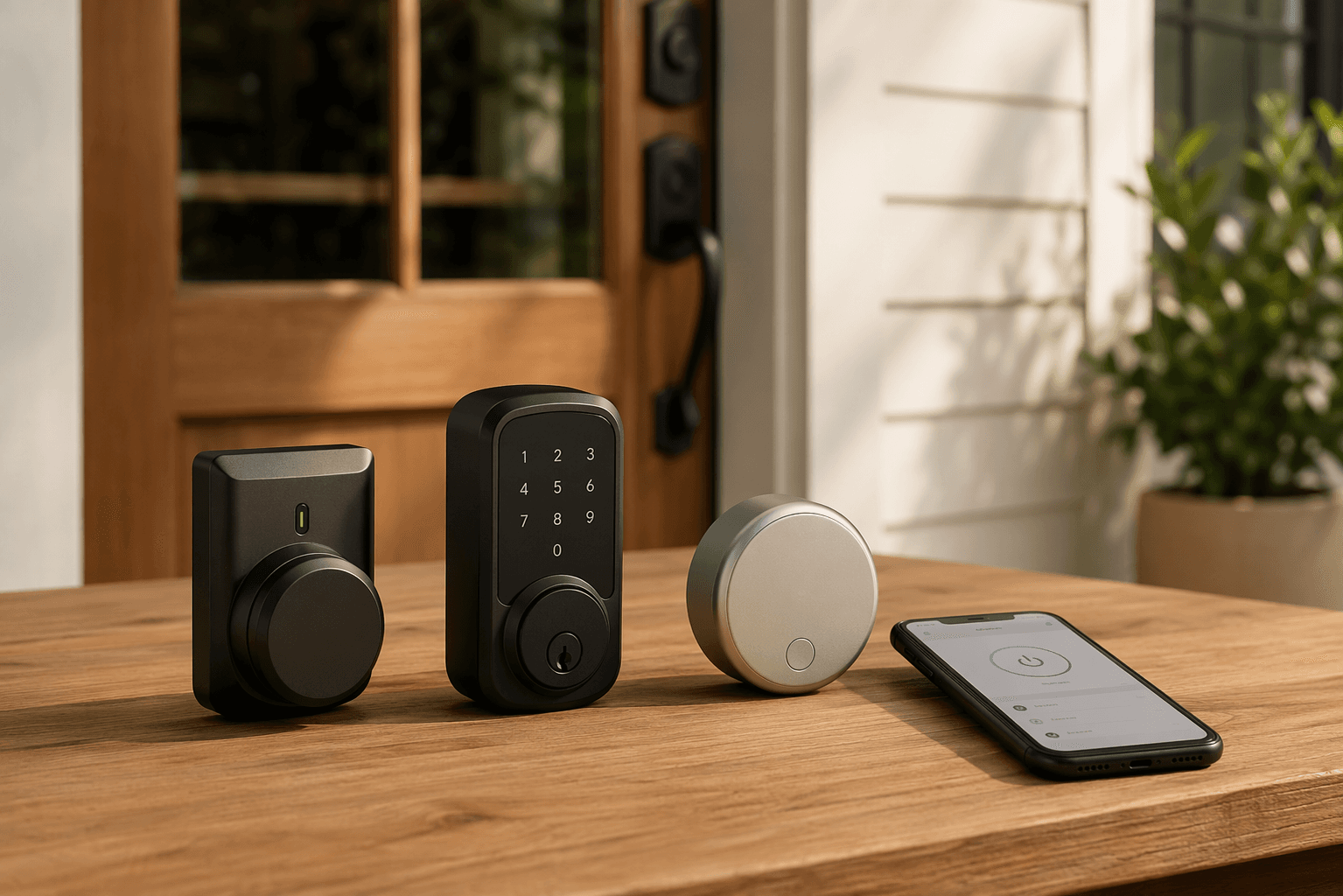
The best smart lock for your front door is the one that fits the door you actually have permission to change. Start there before you compare app screenshots, fingerprint readers, or Matter badges. A renter with a working deadbolt usually needs a retrofit lock that keeps the outside hardware untouched. A homeowner who wants a keypad or fingerprint reader can replace the whole deadbolt. An Apple household may care more about Home Key than a newer lock’s top-review ranking. A Google or mixed-platform home should look hard at Matter support before buying another device that only works well in one app.
Once that match is right, the installation is usually ordinary work: remove a thumb turn or deadbolt, mount the smart hardware, insert batteries, pair the app, and test the door before trusting it. Retrofit locks such as August Wi-Fi and Yale Approach are reported as 10–15 minute installs because they use the existing deadbolt hardware and leave no trace when removed, which is exactly why they make sense for renters and anyone avoiding a lease argument.[1] Full deadbolt replacements take longer, around 30 minutes with a screwdriver, because the exterior lock, latch, and interior module all change.[1][2]
Match the lock to the home before the feature list
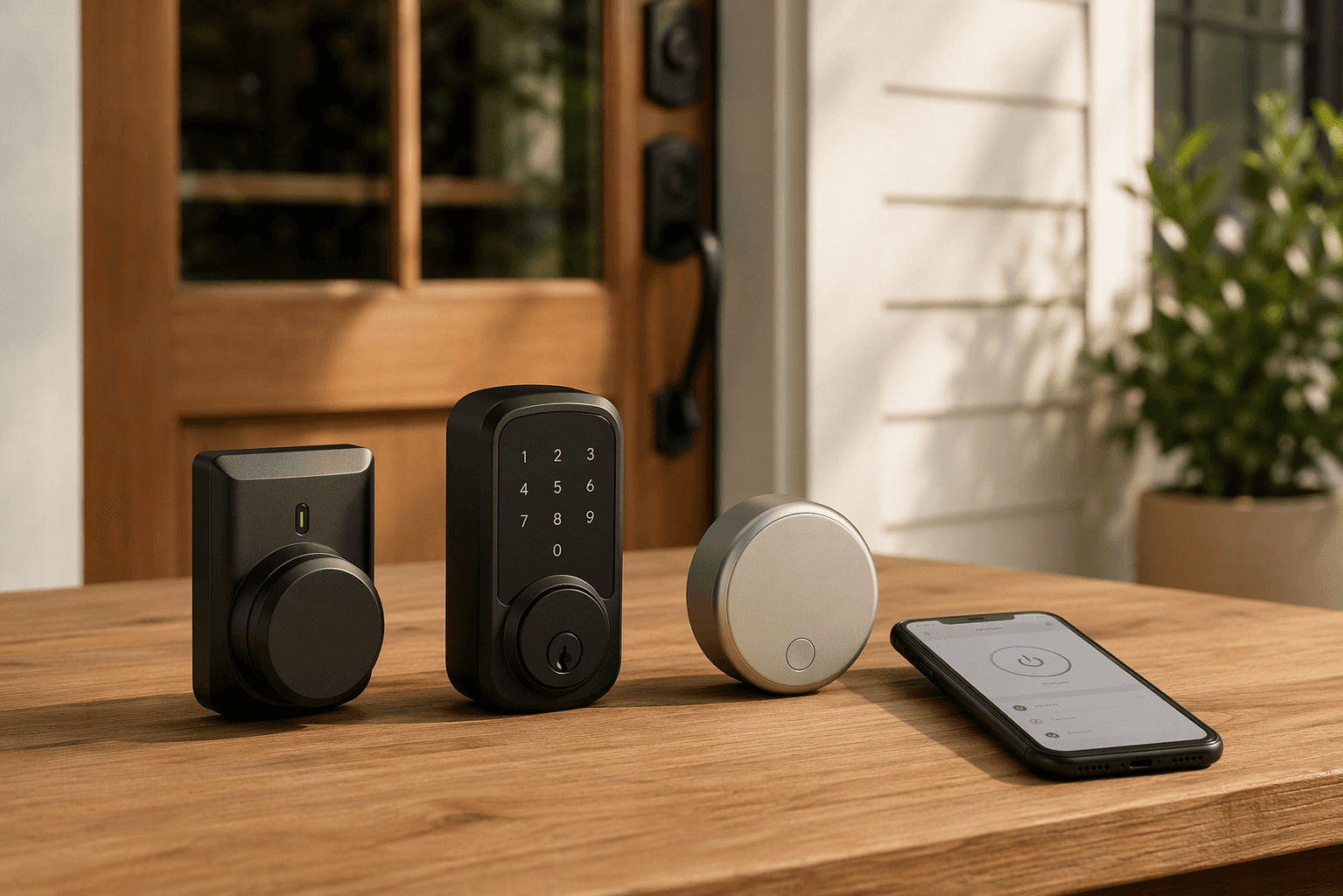
A smart lock changes two things at once: the way the door physically locks, and the way people get permission to enter. The physical side should come first. If the current deadbolt turns smoothly, the door closes without lifting the knob, and you do not own the property, there is little reason to remove the exterior hardware. If the existing lock is worn out, poorly aligned, or missing the access method you actually need, replacement is the cleaner route.
| Home situation | Better lock type | Models to consider | Main caution |
|---|---|---|---|
| Renter with an existing deadbolt | Retrofit interior lock | August Wi-Fi, Yale Approach | Keep the original exterior hardware and save all removed parts |
| Homeowner replacing hardware | Full deadbolt replacement | Schlage Arrive, Yale Assure Lock 2, Ultraloq Bolt Fingerprint | Check door alignment before blaming the lock |
| Apple household | Apple Home or Home Key-compatible lock | Schlage Encode Plus, Level Lock Pro, selected Aqara models | Schlage Arrive does not support Apple Home Key |
| Google Home household | Matter-friendly lock with strong Google Home controls | Yale Smart Lock with Matter | Confirm which settings are available outside the brand app |
| Alexa, SmartThings, or mixed-platform household | Matter or broad-platform lock | Yale Smart Lock with Matter, Aqara U400, Level Lock Pro | Matter support does not make every advanced feature universal |
| Family or property manager | Keypad, fingerprint, or app-based guest access | Yale Assure Lock 2, Ultraloq Bolt Fingerprint, Eufy FamiLock | Decide who creates, expires, and audits codes |
| Security-focused buyer | Grade-focused or keyless design | Schlage Arrive, Kwikset Obsidian | Physical fit still matters more than dramatic hacking scenarios |
Renters: choose a retrofit lock unless the lease says otherwise
For renters, the safest smart lock decision is usually the least visible one. August Wi-Fi and Yale Approach install on the inside of the door, replacing the interior thumb turn while leaving the exterior key cylinder and deadbolt hardware in place.[1] From the hallway, the door still looks like the landlord’s door. From inside, the lock gains app control and automation.
That reversibility is not a small convenience. It is the difference between a normal move-out and a conversation about unauthorized hardware changes. Keep the original thumb turn, screws, mounting plate, and any small adapters in a labeled bag. If you move, remove the smart module and restore the interior hardware before the final inspection.
The tradeoff is that a retrofit lock inherits the deadbolt you already have. If the bolt scrapes the strike plate or the door needs shoulder pressure before it locks, the motor will struggle too. Fix that alignment first. A smart lock is not a good substitute for a door that closes properly.
Homeowners: replace the deadbolt when you want the front of the door to change
A full replacement makes sense when you want a keypad outside, fingerprint access, a new keyway, stronger hardware, or a better-looking front-door setup. Schlage Arrive, Yale Assure Lock 2, and Ultraloq Bolt Fingerprint belong in this lane because they replace the lock assembly rather than hiding behind the existing one.[1][2]
Schlage Arrive is the security-weighted pick in that group because it carries ANSI Grade 1, the strongest residential grade cited in current testing coverage.[1] Yale Assure Lock 2 is the more flexible family of options if you want a familiar keypad-first design. Ultraloq Bolt Fingerprint is for homes where a finger reader matters more than carrying a key or typing a code.[2]
The installation work is still within normal DIY range, but it is less forgiving than a retrofit. You remove the exterior cylinder, interior plate, latch, and strike hardware, then rebuild the deadbolt as a smart lock. If the door is painted around the old hardware, expect a visible outline. If the hole spacing is unusual, stop before enlarging anything and check the lock template.
Apple homes: Home Key can be the deciding feature
Apple users should separate Apple Home support from Apple Home Key support. Schlage Encode Plus supports Apple Home Key, so an iPhone or Apple Watch can act like a wallet key at the door. Schlage Arrive, despite being a current top pick in Wirecutter’s coverage, does not support Home Key.[1] That is not a minor footnote if the whole household expects tap-to-unlock.
Aqara can also be appealing in Apple homes, but total cost matters. Aqara U100 requires an Aqara hub costing $25 or more for remote access outside Apple Home.[1] If you are comparing it against a lock with built-in Wi-Fi or a lock that works cleanly through your existing Apple Home setup, include that hub before deciding which option is cheaper.
Level Lock Pro is the Apple-friendly option for people who do not want the door to advertise that it has been upgraded. It hides the smart components inside the deadbolt and works with Apple Home, Google Home, Alexa, and SmartThings, with a listed price of $350 in Forbes Vetted’s 2026 coverage.[3] The hidden design is useful when preserving the look of an older door matters, not just when chasing a cleaner product photo.
Google, Alexa, and mixed homes: prefer Matter when the household is not staying in one lane
For a Google Home household, Yale Smart Lock with Matter is the cleanest recommendation in current coverage because CNET identifies it as a strong value for Google Home users with full settings access through the Google Home app.[4] That last part matters. A lock can technically connect to a platform while still pushing important settings into a separate manufacturer app.
For Alexa, SmartThings, or homes split across several platforms, look at Yale Smart Lock with Matter, Aqara U400, and Level Lock Pro. Matter support is useful because it reduces the chance that a lock becomes stranded when the household changes phones, speakers, or hubs. Matter and Thread adoption also allow local operation for basic functions without cloud subscriptions in supported setups.[4][5]
There is still a ceiling on what that promise covers. Matter can make core lock and unlock behavior more portable, but advanced features may remain in the lock maker’s app. If you need detailed access logs, temporary code schedules, fingerprint management, or automation conditions, check where those settings live before installation day. The deeper platform tradeoffs are worth comparing in a dedicated smart home platform guide before buying several devices for the same door.
No-subscription buyers: watch remote access, not just the monthly fee
Some buyers mainly want to avoid another subscription. Wyze Lock Bolt v2, Eufy FamiLock, and Yale Smart Lock with Matter are identified as no-subscription options that store data locally, with Wyze Lock Bolt v2 listed at $79.98.[5] That can be the right answer for a side door, garage entry, or small rental where local codes matter more than cloud features.
The practical question is whether you need to manage the door when you are away. Smart locks with built-in Wi-Fi, including Schlage Arrive, Eufy C34, and August Wi-Fi, do not need a separate hub for remote access, which can lower total cost even if the lock itself costs more.[5] A cheap lock plus a required bridge is not always the cheaper installed system.
Security without the theater
Security matters, but the useful questions are physical. Does the lock resist force? Does the bolt extend cleanly? Does the keypad work when wet or cold? Does the household actually lock the door every time? Consumer Reports’ 2026 testing notes that keyless smart locks with no keyway are inherently unpickable, and that Kwikset Obsidian scored highest for brute-force resistance.[6]
That does not mean every home needs a keyless lock. A keyway is still useful if batteries die, the app misbehaves, or a relative refuses to use codes. It does mean that pick resistance should be discussed accurately. A lock with no keyhole cannot be picked through a keyhole; it can still be attacked physically, installed badly, or defeated by someone finding an unlocked side door.
The documented risk picture is less cinematic than many smart-lock debates suggest. Wirecutter reports zero real-world cases of a smart lock being electronically exploited in its decade of testing, and notes that burglars overwhelmingly enter through unlocked doors or by kicking them in rather than hacking locks.[1] For most households, a correctly installed deadbolt, reliable auto-lock behavior, and codes that are not shared forever will do more than anxiety about exotic electronic attacks.
Physical button keypads deserve more respect than they usually get. Schlage Arrive and Yale Assure Lock 2 use button keypads, and current coverage notes that physical buttons are more reliable than touchscreens in wet, cold, or gloved conditions.[1][6] If the door is exposed to weather, used by kids, or opened by people carrying bags, that is not a cosmetic preference. It is daily usability.
Install path one: retrofit lock
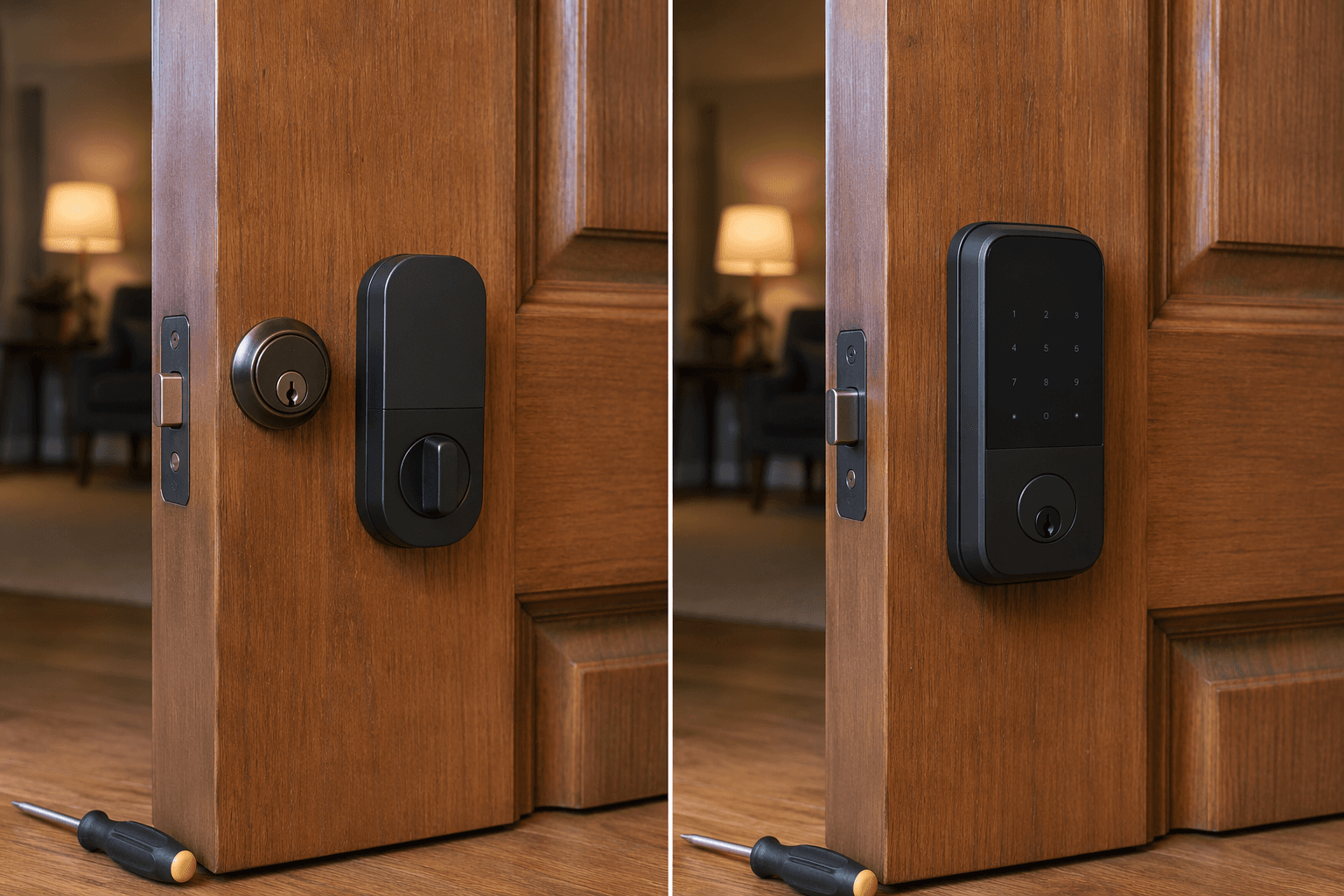
A retrofit installation keeps the exterior side of the door intact. You are working from the inside, which is why the job is friendly to renters and cautious homeowners. The existing key continues to work from outside. The smart motor turns the same deadbolt from inside.
- Open the door and throw the deadbolt. Watch whether the bolt moves freely into open air. If it sticks with the door open, the existing lock needs attention before the smart module goes on.
- Close the door and lock it by hand. If the bolt scrapes the strike plate, tighten hinges or adjust the strike before installation. A small alignment problem becomes a battery-draining motor problem.
- Remove only the interior thumb turn. Hold the exterior key cylinder in place while loosening the inside screws so it does not fall or shift.
- Attach the retrofit mounting plate and the correct adapter for the tailpiece. This adapter is what lets the smart motor turn your existing deadbolt.
- Mount the smart lock body, insert batteries, and keep the door open for first calibration.
- Pair the lock in its app, then connect it to Apple Home, Google Home, Alexa, or another platform only after the basic app test works.
- Lock and unlock manually with the original key, then with the app, then with any automation you plan to use.
The important pause is step two. Many failed smart lock installs are really door-fit problems. A human hand can compensate for a sagging door by lifting, pulling, or pushing while turning the thumb turn. A small motor does not have that judgment. If the lock cannot turn easily before installation, do not expect software to fix it.
Install path two: full deadbolt replacement
A full replacement is the right path when the outside of the door needs a keypad, fingerprint reader, new keyway, or a cleaner hardware set. It is also the path where you should slow down, because the new lock has to align with the bore hole, latch hole, strike plate, and door thickness.
- Remove the old interior thumb turn and exterior lock body. Keep one hand on each side while removing the final screws.
- Remove the old latch from the door edge and compare it with the new latch. Set the backset according to the lock instructions before tightening.
- Install the new latch with the bolt oriented correctly. Test it by hand before adding the exterior keypad or reader.
- Feed the cable through the door exactly as shown in the manufacturer guide. Pinched cables are an avoidable failure.
- Attach the interior mounting plate and smart module. Tighten screws evenly so the lock sits flat without binding the tailpiece.
- Install batteries, run the handing or calibration process, and keep the door open until the lock learns which way it turns.
- Test the keypad, fingerprint reader, app control, physical key if present, and manual thumb turn before closing the door.
Do not skip the manual thumb-turn test. If the interior thumb turn feels tight after the smart module is mounted, loosen and reseat the lock before pairing anything. Pairing a misaligned lock only makes the troubleshooting more confusing because app errors and mechanical drag start to look like the same problem.
Pairing, access, and the first guest code
After the lock moves smoothly by hand, pair it in the manufacturer app. Add platform integrations after that. This order keeps the basic lock setup separate from Apple Home, Google Home, Alexa, SmartThings, Matter, Thread, bridge, or Wi-Fi problems. If the brand app cannot lock and unlock the door reliably from a few feet away, the ecosystem layer is not the place to start debugging.
For Wi-Fi locks, connect to the correct home network and confirm remote access away from the door. For Matter locks, add the lock to the platform where it will actually be managed day to day. For locks that need a hub or bridge, place the hub before judging performance; a bridge buried behind a television or across the house can turn a good lock into a flaky one.
Then create one guest code. Not ten. One. Use it to confirm the lock accepts, uses, and deletes or expires a code the way you expect. For a family home, that first guest code might be for a relative. For a small rental, it might be a test code with a short window. For a property manager, it is the proof that code creation is simple enough to repeat without mistakes.
Biometric locks need the same restraint. Enroll one finger, test it several times, then add additional household members. Fingerprint access is convenient when it works, but the fallback still matters. Make sure every regular user has a second way in, whether that is a code, app access, a physical key, or another approved route.
A note on newer 2026 locks
Aqara U300, Lockly Visage Zeno, and TCL D1 Pro are worth watching, but they should not be treated as settled long-term picks on announcement strength alone. Current coverage flags them as mid-2026 entries with limited long-term reliability data. Aqara U400 is more interesting for cross-platform buyers because it supports the emerging Aliro standard for UWB tap-to-unlock through a digital wallet, but Aliro ecosystem support remains limited in 2026.
That does not make newer locks bad choices. It does mean the first buyer in a building or family becomes the tester for firmware behavior, app polish, battery estimates, and support responsiveness. For a front door that several people rely on every day, proven installation behavior deserves weight.
Final checks before you trust the lock
Finish with the door open. Lock and unlock from the thumb turn, the exterior key if there is one, the keypad or fingerprint reader, and the app. Then close the door and repeat the same tests without touching the door handle. The bolt should extend without grinding, hesitation, or a need to pull the door into position.
- Manual operation works from inside.
- Physical key works from outside, if the lock has a keyway.
- Keypad, fingerprint, or Home Key access works for the primary user.
- App control works near the door.
- Remote access works if the lock is supposed to support it.
- Apple Home, Google Home, Alexa, SmartThings, or Matter integration shows the correct lock state.
- One guest code has been created, tested, and removed or scheduled.
- Auto-lock timing, sound, and notifications are set for the way the household actually uses the door.
If the lock fails only when the door is closed, go back to alignment. If it fails in the app but works by hand, separate the wireless setup from the hardware. If it pairs once and then becomes unresponsive after an update, move to a smart lock troubleshooting guide or a firmware-specific pairing guide instead of repeatedly remounting hardware that already turns smoothly.
References
- The 6 Best Smart Locks of 2026, Wirecutter, https://www.nytimes.com/wirecutter/reviews/the-best-smart-lock/
- The Best Smart Locks We've Tested for 2026, PCMag, https://www.pcmag.com/picks/the-best-smart-locks
- The Best Smart Locks of 2026, Forbes Vetted, https://www.forbes.com/sites/forbes-personal-shopper/article/the-best-smart-lock/
- Best Smart Locks of 2026, CNET, https://www.cnet.com/home/security/best-smart-locks/
- Best Smart Locks Without Subscription Fees in 2026, The Gadgeteer, May 20, 2026, https://the-gadgeteer.com/2026/05/20/best-smart-locks-no-subscription-fee-2026/
- Best Smart Locks of 2026, Lab-Tested and Reviewed, Consumer Reports, https://www.consumerreports.org/home-garden/door-locks/best-smart-locks-of-the-year-a3383819474/
Community Tips
Share platform-specific variations, steps that have changed after app updates, or tips that helped your installation succeed.
Comments
Join the discussion with an anonymous comment.