
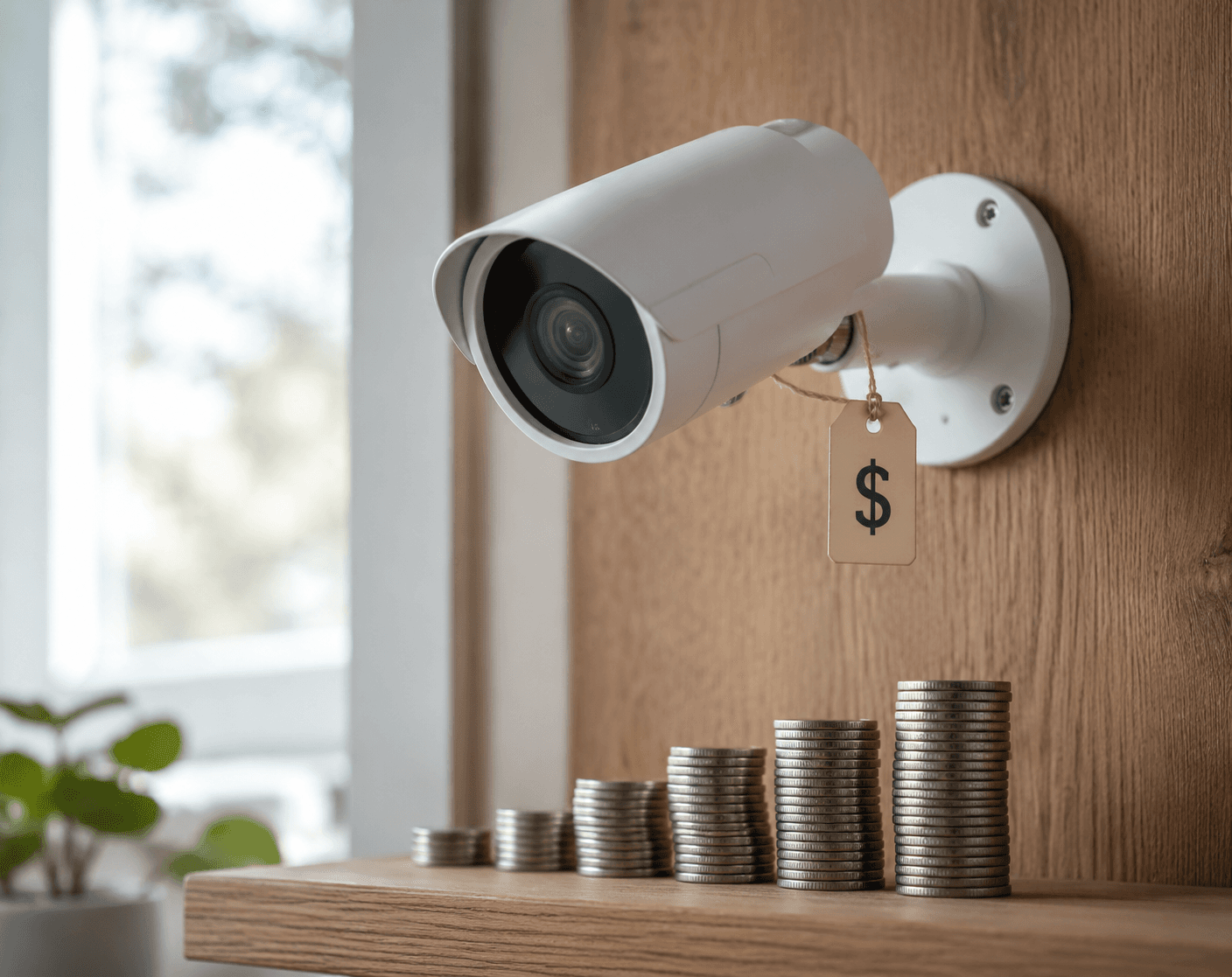
The price tag on smart security cameras is often the easiest number to understand and the least useful one to stop at. A camera that looks affordable in the cart can become a different purchase after setup, when video history, person alerts, activity zones, rich notifications, or easier multi-camera viewing sit behind a monthly plan.
Consumer Reports’ 2026 buying guidance puts cloud storage subscriptions roughly between $1 and $30 per month per camera, depending on the brand and tier.[1] That wide range matters, but the middle of the market is already enough to change the ownership math: Ring Basic is listed at $60 per year for one camera, Arlo Secure at $120 per year for one camera, Google Nest Aware at $120 per year, Eufy Secure cloud backup at $48 per year, and Blink at $36 per year for one camera.[1][2]
Those figures were current in mid-2026 and should be checked before buying, because plan names, bundled features, and firmware-gated capabilities change. Still, the pattern is stable: a subscription is not just a service add-on. It decides which parts of the camera keep working at full value after the first year.
The Subscription Usually Buys One of Four Things
Most camera subscriptions are sold as a bundle, which makes the fee feel vague. In practice, the recurring charge usually pays for one or more of four jobs.
- Cloud video history: recorded clips are stored off the camera so you can review them later, even if the device is stolen, damaged, or offline after the event.
- AI detection: some brands reserve person, package, vehicle, or pet recognition for paid plans instead of running it fully on the camera.
- Convenience alerts: rich notifications, activity zones, and smarter filtering can reduce the number of useless motion alerts.
- Monitoring add-ons: higher-end services may involve live review, emergency escalation, or broader home-security monitoring rather than ordinary camera storage.
The frustrating part is not that these services cost money. Cloud storage has infrastructure costs, and active monitoring is labor-intensive. The problem is when a camera’s everyday promise depends on a plan the buyer only discovers after mounting it: the camera sees motion, but the useful answer — whether it was a person, a package, a pet, or a passing car — requires another payment.
SafeHome.org’s 2026 market report suggests this is not a tiny complaint. In its survey of 2,435 people, 6% of security camera users said they canceled or downgraded subscription plans in the past year because of rising costs, with the behavior concentrated among younger users. The same report found that 12% delayed upgrading devices and 7% chose lower-cost products than originally planned because of rising costs.[2]
For broader context on how cloud storage became one of the hidden costs of mainstream home security, see Smart Home Security in 2026: Mainstream Adoption and the Hidden Cost of Cloud Storage. The purchase decision here is narrower: what to pay for, what to avoid, and where local alternatives actually work.
Start With the Feature, Not the Brand
A clean buying decision starts by separating what you need from what a plan includes. A household watching a front porch has different requirements from one trying to document overnight vehicle activity, monitor a side gate, or coordinate cameras across two homes.
| Need | Subscription-first answer | No-fee alternative to check |
|---|---|---|
| Review clips from last night | Cloud video history | microSD, HomeBase, or NVR recording |
| Know whether motion was a person, vehicle, or pet | Paid AI detection on some brands | On-device AI detection included without a plan |
| Avoid constant motion alerts | Paid activity zones or smarter notifications | Camera-level zones and local AI, if offered without payment |
| Keep footage if the camera is stolen | Cloud backup | Local storage helps less here; cloud may be worth paying for |
| Have someone respond to threats | Professional monitoring or active guard service | A camera-only local setup does not replace this |
That comparison is also the fastest way to avoid buying the wrong no-subscription camera. Local recording solves video history. On-device AI solves basic classification. Neither automatically gives you off-site backup or a person watching an event in real time.
Where No-Subscription Cameras Are Strongest
The most practical escape from subscription creep is not a generic “privacy camera.” It is a camera that can record locally and classify common events on the device without asking you to unlock core features later.
Consumer Reports’ no-subscription camera guidance identifies Eufy, Reolink, and TP-Link Tapo as brands offering local storage through microSD cards up to 512GB, with built-in person, vehicle, or pet detection available without a required subscription for core functionality.[3] That combination is what changes the budget conversation. You are not merely refusing a cloud plan; you are replacing the paid feature with something that already runs locally.
Lorex sits in a slightly different lane. Its strength is the NVR system: cameras record to a local recorder instead of leaning on cloud clips. SafeHome.org and Security.org describe Lorex systems with free local recording, including 4K options, and packages starting around $300 for an NVR plus cameras without mandatory fees.[4][5] That is a higher first purchase than a single inexpensive Wi-Fi camera, but it can make more sense when the plan is to cover several entrances, a driveway, and the side of a house.
The caution is that “no subscription” is not a magic label. Firmware versions, regional markets, and model lines can change which AI features are included. Before buying, check the manufacturer’s current feature page for the exact model, not just the brand reputation.
Blink Is a Workaround, Not a Clean Example
Blink is worth handling separately because it shows how “free local storage” can still have a catch. Blink Outdoor 4 can use local storage with a Sync Module 2 and a USB drive, but the Sync Module is a separate hardware purchase listed at $35. Its subscription, priced at $3 per month for a single camera in the pricing cited here, adds cloud storage and person detection.[6][1]
That may still be acceptable. If you already own the module, or you only want simple clip storage, Blink can be inexpensive. But it should not be put in the same mental bucket as a camera that ships with local storage support and on-device person detection as part of the core experience.
A Practical Path to Avoiding Fees
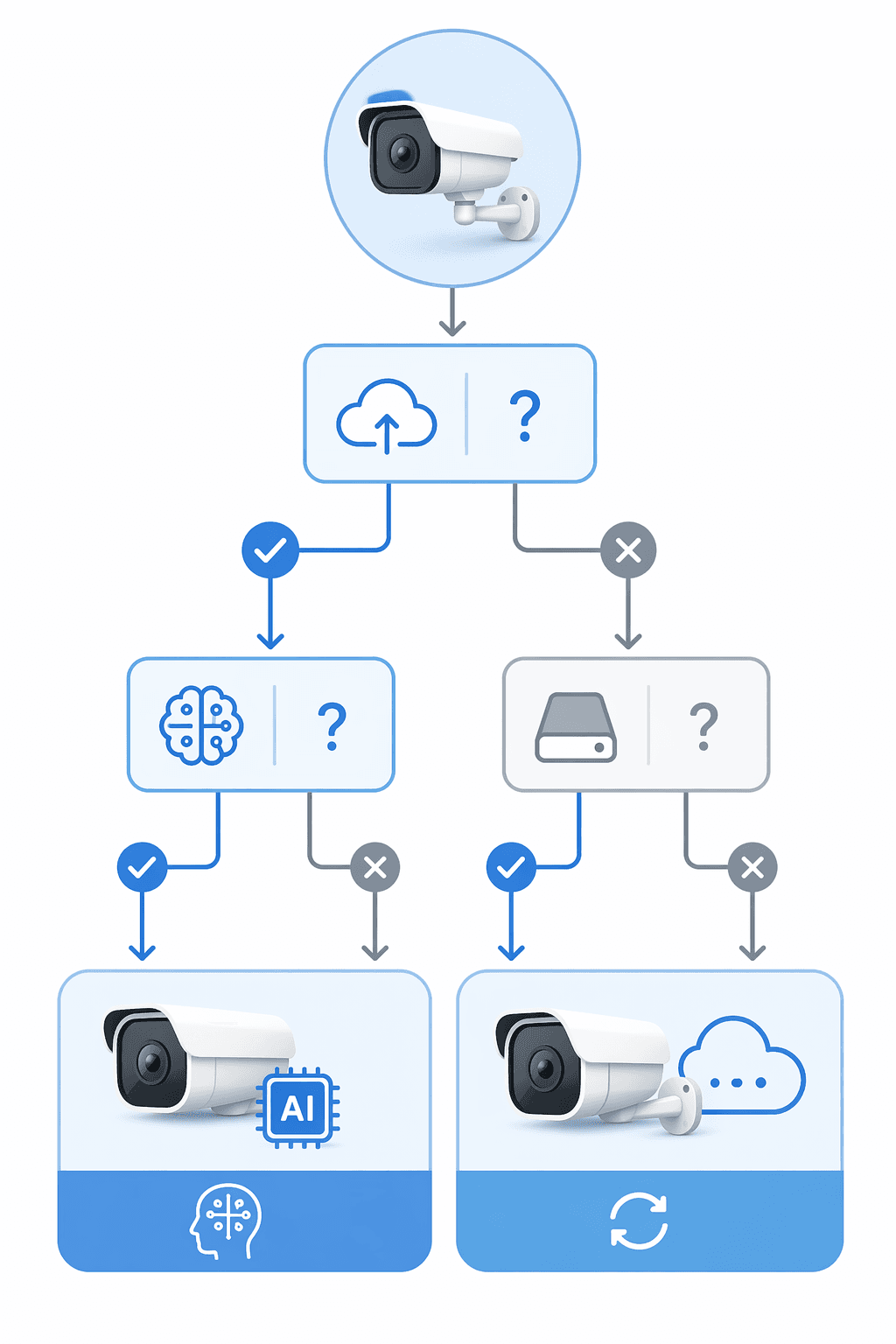
The simplest way to shop is to answer four questions in order. If the answer points toward a subscription, pay for the thing you actually need. If it does not, choose hardware that keeps the essential work local.
- Decide whether you need cloud history. If you mainly review clips from the same household and can tolerate local-only storage, start with microSD, HomeBase, or NVR cameras. If you need footage preserved after theft, damage, or a destroyed camera, cloud backup has a real job.
- Decide whether AI detection is essential. If person, vehicle, package, or pet alerts are the reason you are buying the camera, confirm whether those labels work without a plan. Motion-only alerts are cheaper, but they can become noise.
- Check the storage hardware before checkout. A microSD slot, NVR, HomeBase, Sync Module, or USB drive requirement changes the first-year price. The cheapest camera can become less cheap once the missing storage piece is included.
- Separate monitoring from camera features. Professional monitoring belongs in a different budget line than clip storage. Do not reject it as “just another subscription” if someone is actually reviewing threats or escalating emergencies.
Readers who want granular three-to-five-year brand math can use Smart Security Camera Subscription Showdown: Local Storage vs Cloud Plans. For a first-pass decision, the important thing is to annualize the plan and add any required local-storage hardware before comparing cameras.
When Paying the Fee Makes Sense
There are good reasons to pay. Cloud history is useful when the camera protects a place you do not visit daily, when more than one person needs easy access, or when losing the device would also mean losing the evidence. Multi-camera households may also value one app timeline more than a patchwork of SD cards and recorders.
Active monitoring is a different calculation. SimpliSafe Active Guard is listed at $50 per month, while Ring AI Pro is listed at $20 per month in the cited 2026 camera and security coverage.[4][5] Those fees should not be judged like ordinary cloud clip storage. If the service meaningfully changes who responds during a suspicious event, it may be worth paying for a household that wants more than notifications.
The mistake is paying for a monitoring-adjacent bundle when all you wanted was yesterday’s porch clip and a reliable person alert. That is where local-first cameras can save real money without sacrificing the function most people use every week.
The Buying Rule
Before buying any smart security camera in 2026, price it as a system, not a device: camera, required hub or storage module, memory card or recorder, and the annual plan needed to keep the features you care about. Then ask one blunt question: if the subscription is canceled after the first year, does the camera still do the job you bought it to do?
Pay when cloud backup, multi-device convenience, or active monitoring solves a concrete problem. Avoid the fee when local recording and on-device AI already cover motion review, basic detection, and household awareness. Recheck plan pages before checkout, because mid-2026 prices and feature gates are not guaranteed to stay fixed.
References
- Home Security Camera Buying Guide, Consumer Reports, https://www.consumerreports.org/home-garden/home-security-cameras/buying-guide/
- 2026 Home Security Market Report, SafeHome.org, https://www.safehome.org/resources/home-security-industry-annual/
- Best Home Security Cameras Without a Subscription, Tested, Consumer Reports, https://www.consumerreports.org/home-garden/home-security-cameras/best-home-security-cameras-without-a-subscription-a1077107880/
- Best Home Security Cameras of 2026, SafeHome.org, https://www.safehome.org/home-security-cameras/best/
- Best Home Security Cameras of 2026, Security.org, https://www.security.org/security-cameras/best/
- The Best Outdoor Home Security Cameras of 2026, CNET, https://www.cnet.com/home/security/best-outdoor-home-security-cameras/
Policy Updates & Reader Notes
Privacy policies, monitoring plan prices, and security disclosures change frequently. Report new data retention terms, updated plan pricing, or new vulnerability disclosures below. For formal editorial corrections, use the contact page.
Comments
Join the discussion with an anonymous comment.